Fault reporting for halls, gyms and small buildings
A QR code in every room. Every reported fault, tracked until it is fixed.
Anyone who finds a dripping tap or a broken machine scans the code by the door, takes a photo and says what is wrong. The fault lands on your board with the room already filled in. No app for them and no account.

- Room filled in automatically
- Nothing for reporters to install
- Manage faults offline
- Labels and posters as PDF
How a fault gets fixed
-
1 Someone scans the code.
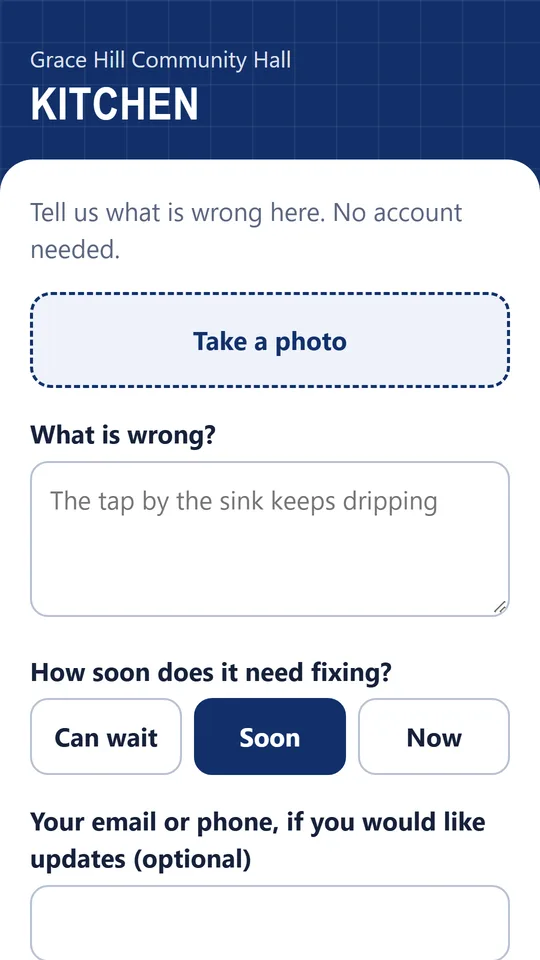
The form opens in their phone’s browser, in English, Spanish or French. A photo, a line about what is wrong, and how urgent it is: Can wait, Soon or Now.
-
2 It lands on your board.
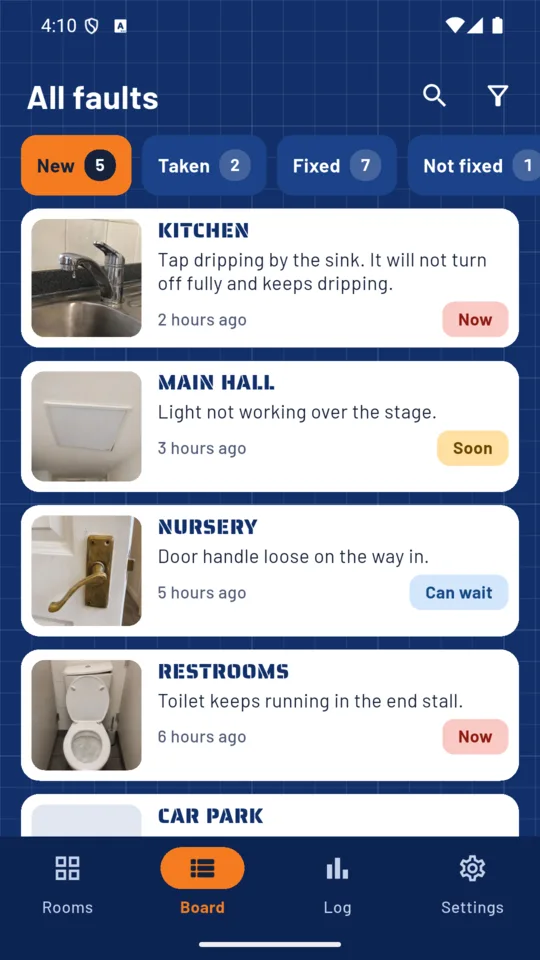
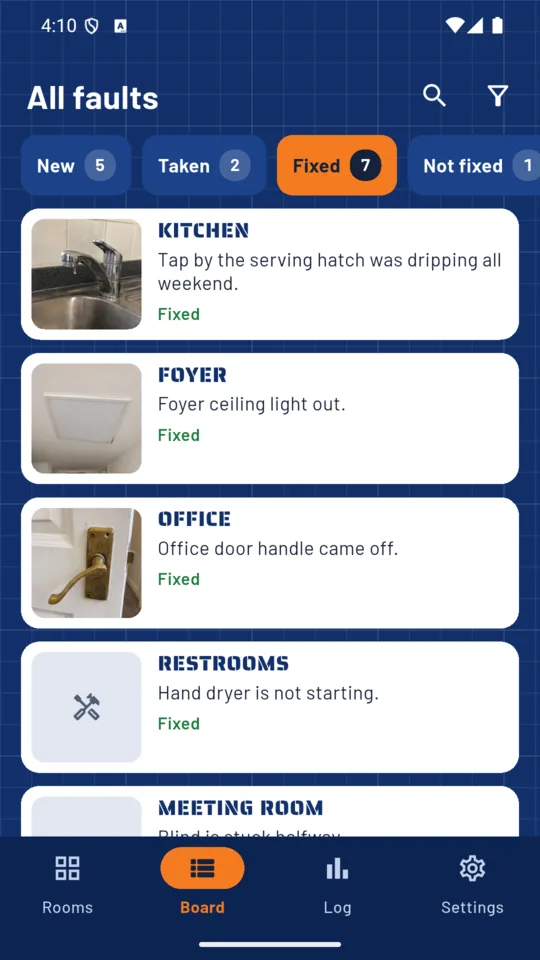
Faults grouped by status: New, Taken, Fixed or Not fixed. Each report shows which room it came from.
-
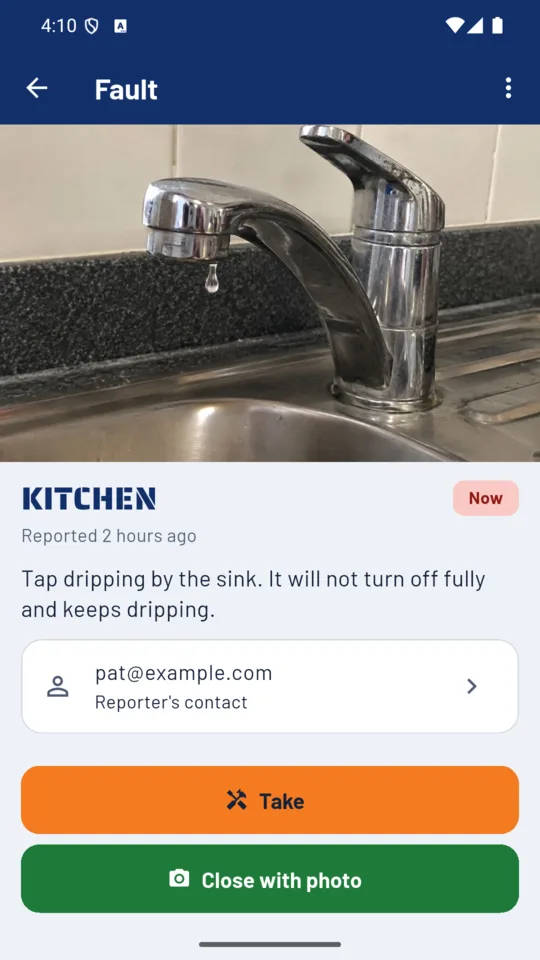
3 Take it, close it with a photo.
Take the job, add a team note and close it with a photo of the fix.
The Room Wall
See which rooms have open faults.
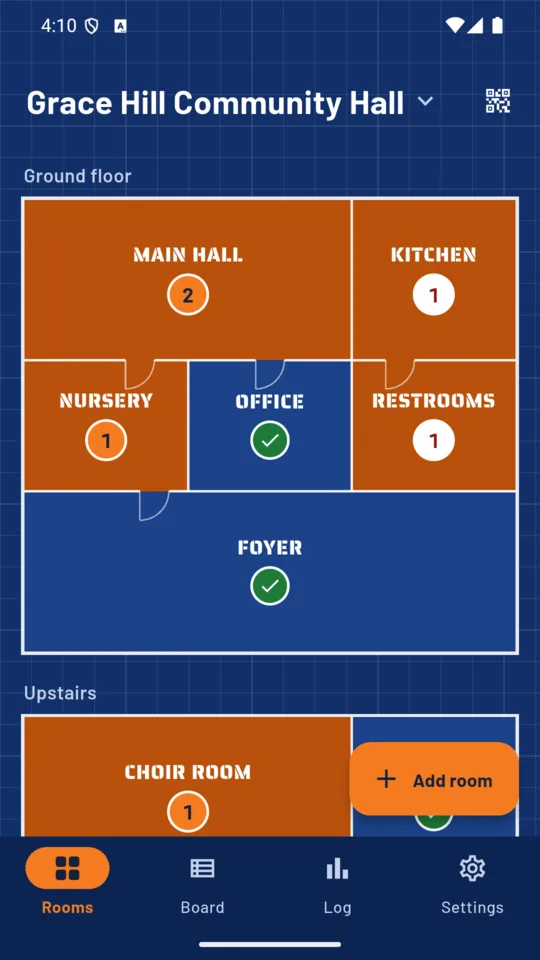
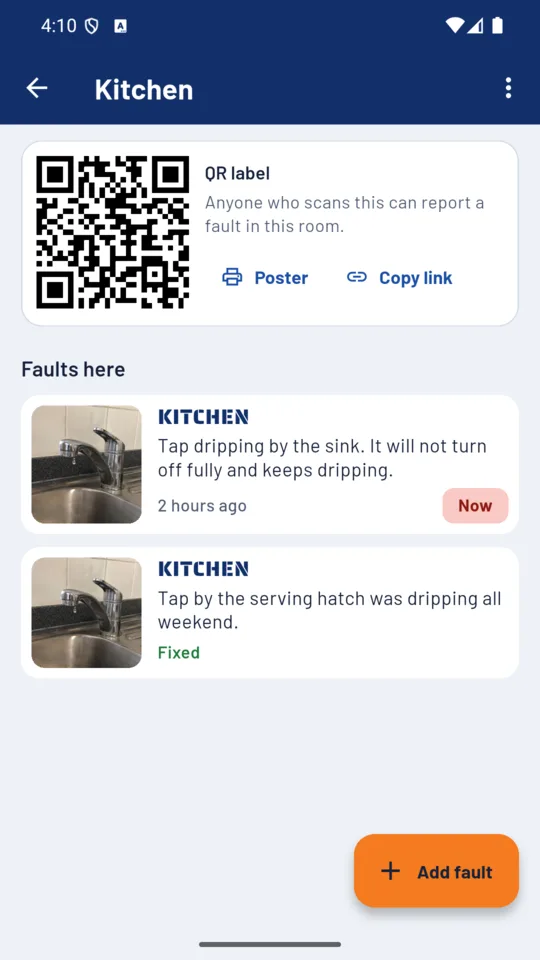
Your rooms are laid out as tiles, floor by floor. A room with an open fault turns orange with a count on it; a room with nothing open shows a green tick. Tap a room for its faults and its QR code.
If a label is misused, change that room’s code and print it again. The old code stops working.
What it does
QR labels and posters
Print the whole building in one PDF: labels six to a page for beside the door, or a larger QR poster for each room. Each label carries the room’s name.
A form anyone can use
A simple page in the phone’s browser: a photo, a line, how urgent, and an email or phone only if the reporter wants updates. Nothing to install, nothing to sign up for.
The board
New, Taken, Fixed, Not fixed. Filter by urgency or by who is handling the fault. It works in a basement with no signal and syncs when you are back.
Status page for the reporter
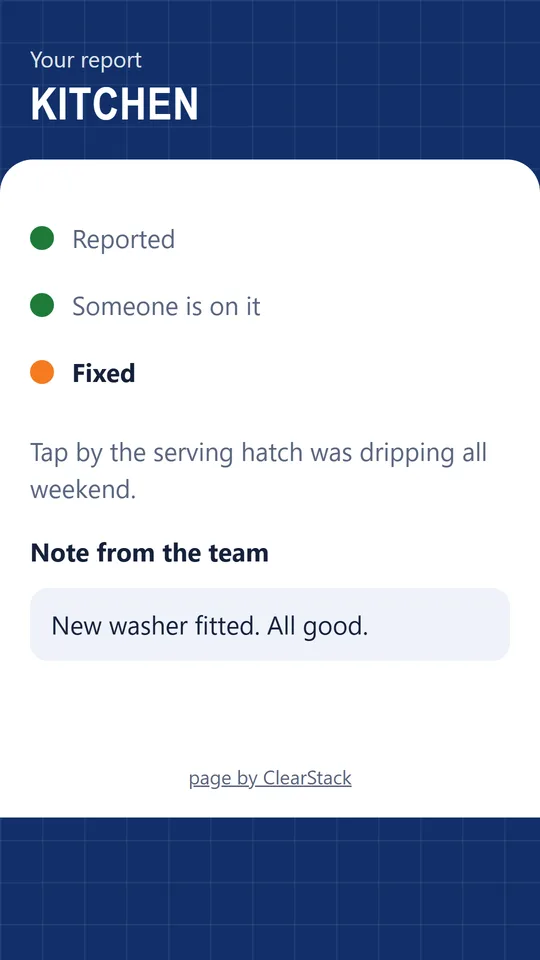
On Solo and Pro, the person who reported it sees where the fault has got to, your note and the photo of the fix.
The monthly log
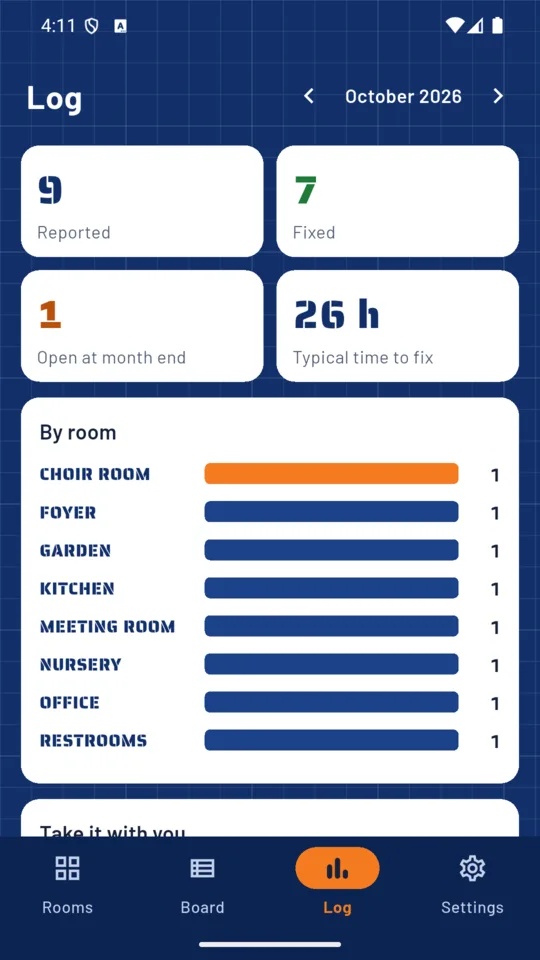
What was reported, what got fixed, the typical time to fix, what was open at month end and which rooms keep breaking. A CSV on Solo and Pro, and a PDF for the committee on Pro.
Alerts
A morning notification showing how many faults are open. On Pro, a push to your fixers’ phones the moment someone marks a fault Now.
Rooms, reporters and the month
Made for buildings people share
The room is filled in automatically
Each room has its own code, so a report arrives tagged with the room it was scanned in.
Nothing for the public to install
A QR code and a browser. Reporters leave a contact only if they want updates.
Not a safety check
BrokenHere keeps track of what people report. It does not inspect a building or say that one is safe. If something is dangerous, call the right emergency or repair service first.
Reports and photos are stored on our servers so every fixer’s phone sees the same board. Read what is kept and how to delete it on the privacy page.
Pricing
Standard
One site and 10 rooms with fault forms, QR labels and the board.
Solo
- Unlimited rooms
- Status pages for reporters
- CSV of the log
Pro
- More sites
- Five seats, yours and four fixers
- The monthly PDF
- Now alerts to your fixers
- Everything in Solo
Prices in US dollars; Google Play shows your local price.
Questions
Do people need an app to report a fault?
No. They scan the code by the door and the form opens in their phone’s browser. There is no account to make.
How do I know which room a report is about?
Each room has its own code, so every report arrives with the room already filled in.
What if someone misuses a label?
Change that room’s code in the app and print a new label. The old code stops working at once.
Does it work without signal?
Yes, on your side. You can take, note and close faults with no signal, and changes sync when the phone is back online. The public form needs the reporter’s own connection.
Can my caretaker or volunteers use it on their own phones?
On Pro, up to five seats including yours. A fixer joins with a code from your phone and sees the same board.
What does the reporter see after they send it?
On Solo and Pro they get a status page showing where the fault has got to, your note and the photo of the fix.
Is BrokenHere a safety inspection tool?
No. It records what people report. It does not check a building or say that one is safe.
Put a code in your first room.
Add your rooms, print the labels and stick them by the doors. When someone reports a fault, it appears on your board.