
For landlords with one to five properties
Rent and every expiry date, on one screen
Keep the rent ledger and the certificate dates together instead of across spreadsheets and paperwork. Each property shows this period’s rent for every tenancy beside the documents that are due for renewal.

Android. One property with any number of tenancies on the standard tier, with no time limit.
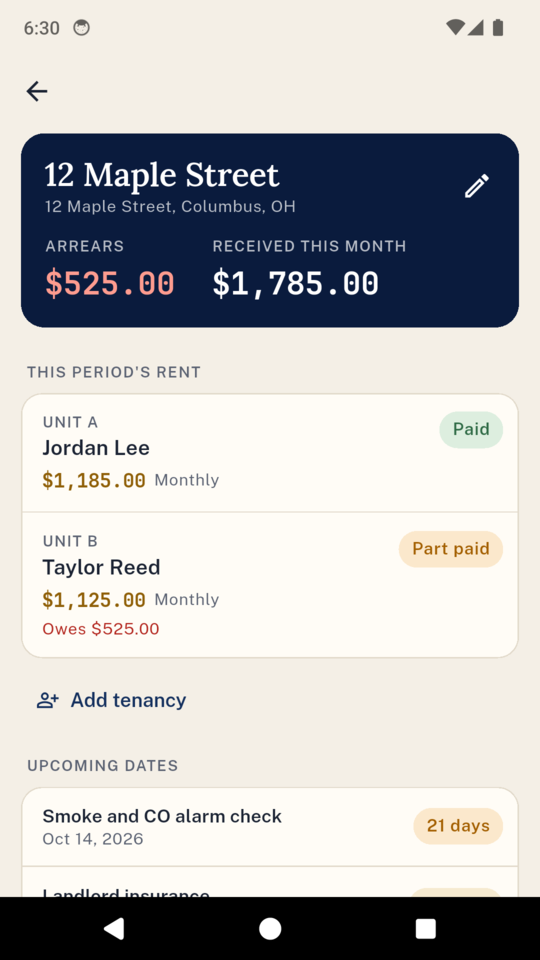
The property screen
Who has paid, and what runs out next
Late rent and renewal dates are both on the first screen you open, one property at a time.
This period’s rent
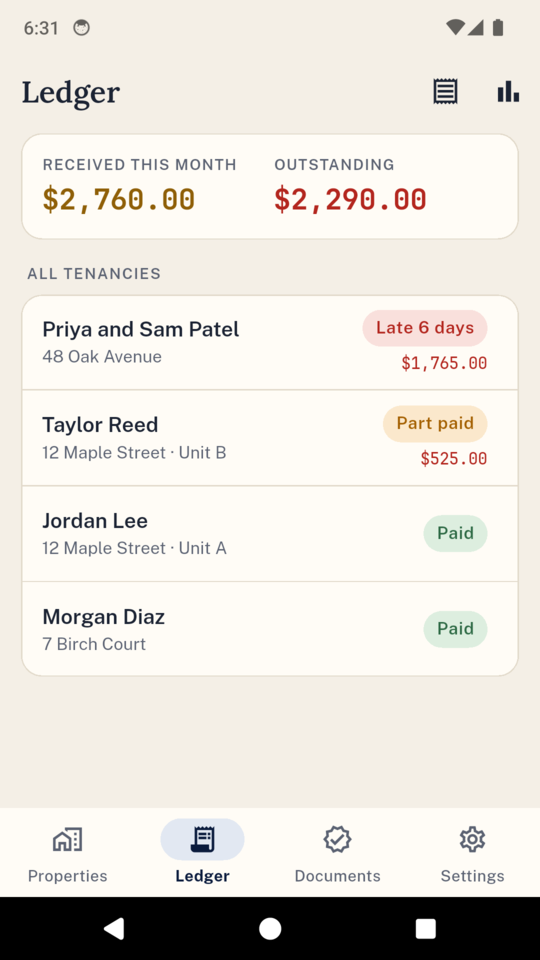
Every tenancy with its rent and a status: paid, part paid, due, or late by a number of days. The arrears total sits at the top.
Document dates
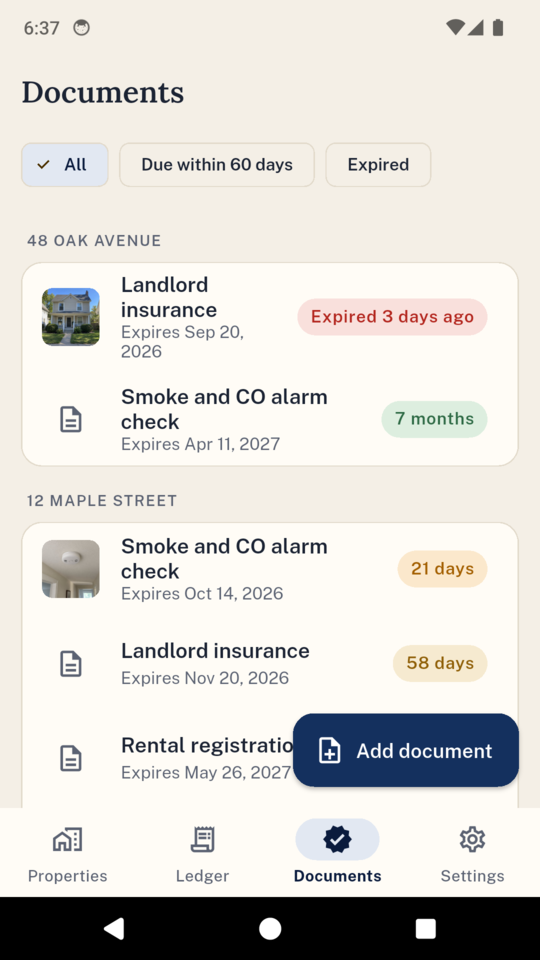
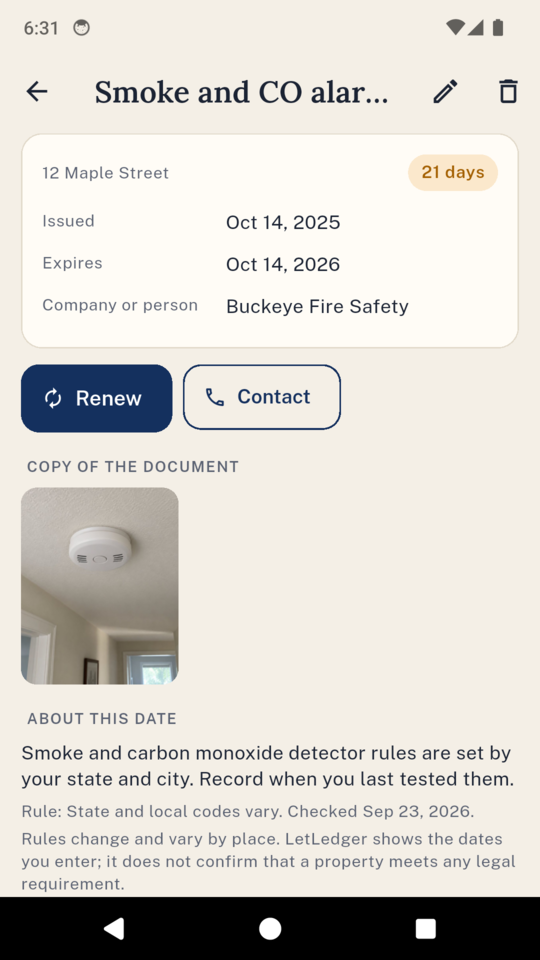
Documents with an expiry or a deadline count down: green, then amber at 60 and 30 days, red once the date has passed.
The rent account
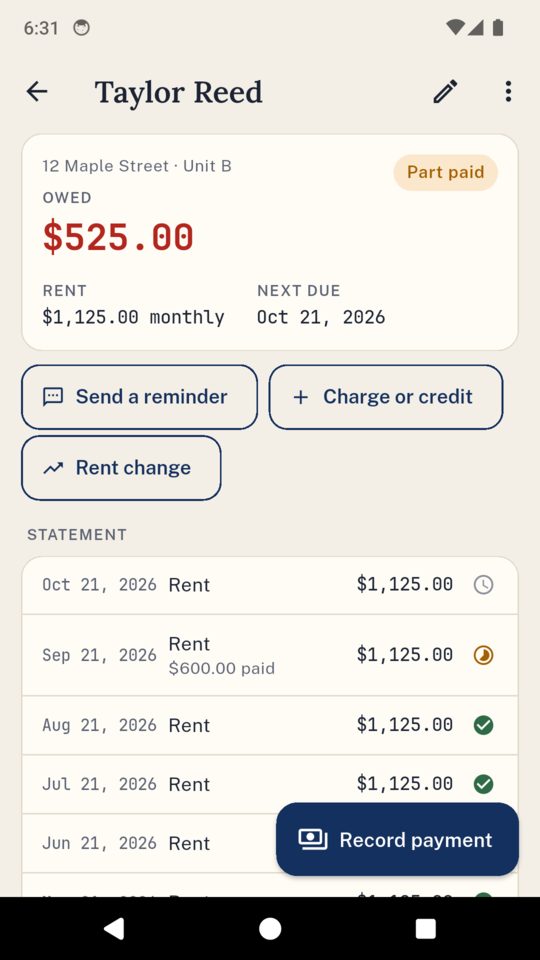
A clear rent statement for each tenancy
Add a tenancy with its rent, how often it falls due and the due day, and LetLedger works out every rent due from the start date. You only record what came in.
Oldest rent first
Payments are allocated against the oldest rent first, including part payments, late payments and rent paid ahead.
Charges and credits
Add a water bill or a late fee on top of rent, or a credit for a week without it.
Rent changes
Set a new rent from a date and note the day the notice was served. Months before the change keep the old amount.
Weekly, every two weeks, every four weeks, monthly or quarterly. When rent is late, a polite reminder opens in your own text or email app for you to read and send.
Certificates and dates
Every renewal in one list
Keep each document with the date it was issued, the date it expires, who issued it and their number, and a photo or PDF of it. Renew one and the old one stays in its history.
In the US
Smoke and CO detector checks, insurance, rental registration, inspections, HOA dates and lead paint disclosures, plus any type you add.
In the UK
Gas safety record, EICR, EPC, smoke and CO alarm checks, licences, legionella risk assessment, Right to Rent and How to Rent, plus a countdown to the deposit protection deadline (30 days in England and Wales).
Your own rules
Renewal intervals can be changed where a document uses one, and each preset shows its source and the date it was checked.
LetLedger shows the dates you enter. It does not tell you a property meets any legal requirement, and rules change and vary by place.
On the phone
What it actually looks like
Also in there
The rest of the paperwork
Expenses
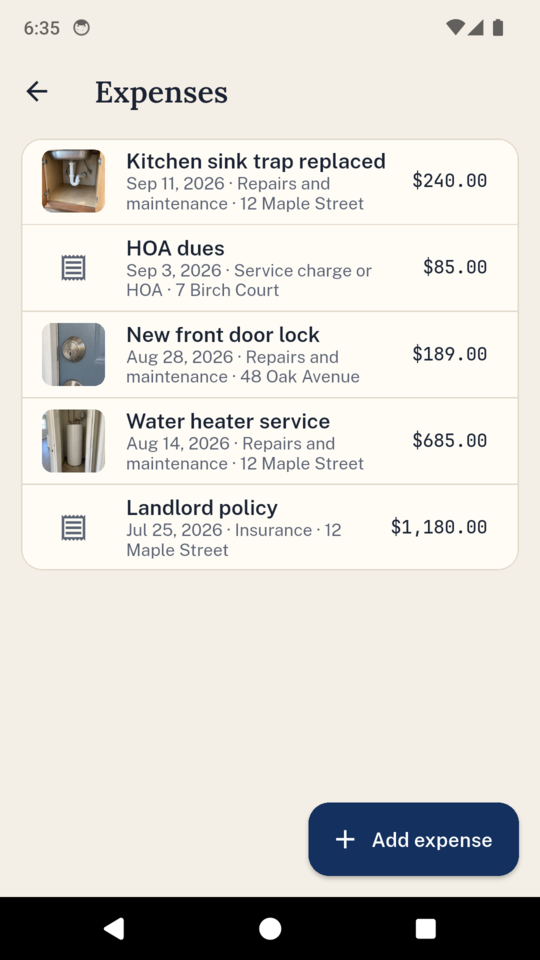
Repairs, insurance, service charges or HOA dues and property taxes, per property, each with a photo of the receipt.
Summaries and a spreadsheet
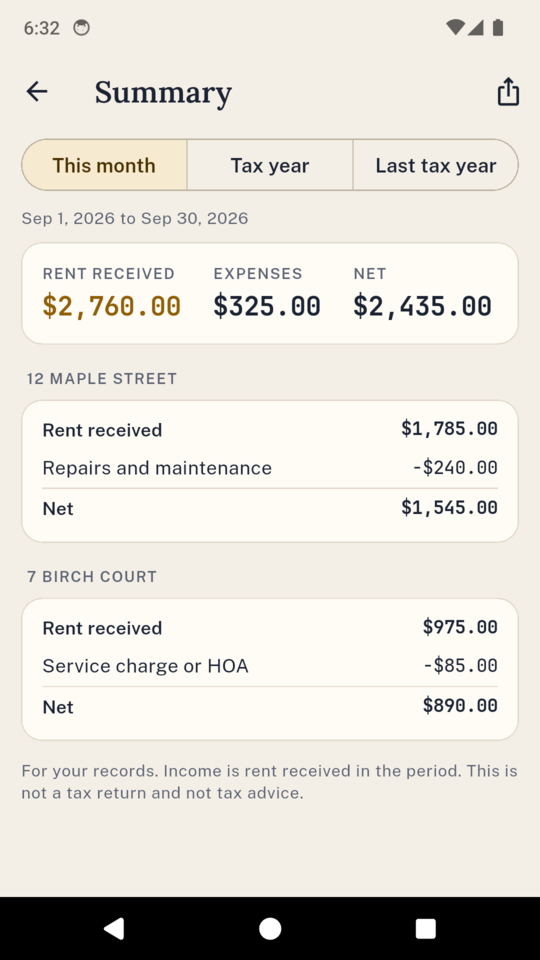
Rent received and costs per property for the month or the tax year, and a spreadsheet of every payment and expense for your accountant.
Tenancy pack
One PDF per tenancy with the rent statement, payments, deposit details and the documents held, for a tenant, a lender or an agent. Written in English.
The figures are your own record of what you wrote down. LetLedger prepares no tax return and gives no tax advice.
Where your records live
On your phone, and nowhere you did not put it
There is no account and nothing to sign in to. Your records stay on the phone; a reminder to a tenant goes out through your own apps, and an export goes where you choose. LetLedger sends crash reports and usage statistics so faults get found and fixed. You can lock it with your fingerprint, face or PIN.
Back everything up to one file, photos included, and restore it on any phone. A restore adds what is missing and deletes nothing. The file is not encrypted, so keep it somewhere private.
What it costs
Start with one property, pay when you need more
Pay once
once, and that is that
UK £44.99
a year
UK £17.99
a month
UK £3.49
The standard tier keeps one property with any number of tenancies, the rent ledger, the document dates and the reminders, with no time limit. The full version adds more properties, the tenancy pack PDF, the tax-year summary and the spreadsheet. Whichever you are on, everything you have already recorded stays there to read and edit.
There is a 14-day trial if you want one. You switch it on yourself and no card is asked for.
Questions
Before you download it
Does LetLedger collect the rent?
No. It does not take payments or connect to a bank. It records what you were paid and shows who has not paid.
Will it tell me I am compliant?
No. It counts down to the dates you enter and shows the source of each preset. Checking the rules for your property is still your job.
Is it for the US or the UK?
Both. Pick where you let when you start, and you get the matching document presets and tax-year setting. Anywhere else gets a short general list you can add to.
Can my tenants see it?
No. Nothing is shared with tenants unless you send them a message or a PDF yourself.
What if I never pay?
You keep one property with any number of tenancies, the rent ledger, the document dates and the reminders, with no time limit.
Does it do my taxes?
No. It gives you a summary and a spreadsheet for your records or your accountant.
What if I change phones?
Back up to one file, photos included, and restore it on the new phone. A restore adds what is missing and deletes nothing.
Know who has paid and what is due next
Start with one property and any number of tenancies. It works with no signal.