One tap calls the next number.
Say again repeats the last call, Skip moves past a number and Undo takes back a mistaken tap. Double-tap protection helps prevent accidental calls, and you can type any number to call it out of order.
Queue calling for shops and counters
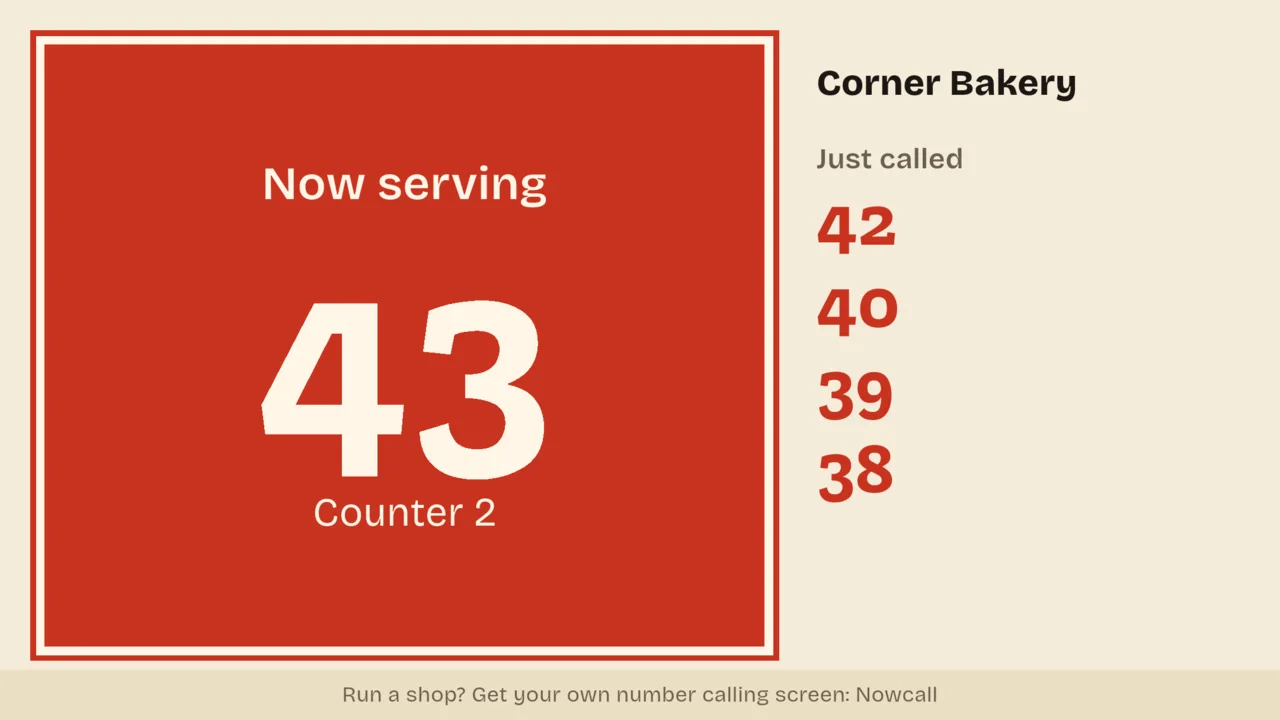
Tap Call next on your phone. The screen by the counter shows the number, plays a chime and says it out loud in the language you choose. It works with the paper tickets and order numbers you already use.

STANDARD: ONE PHONE, ONE SCREEN · PRO $39.99 A YEAR OR $4.99 A MONTH
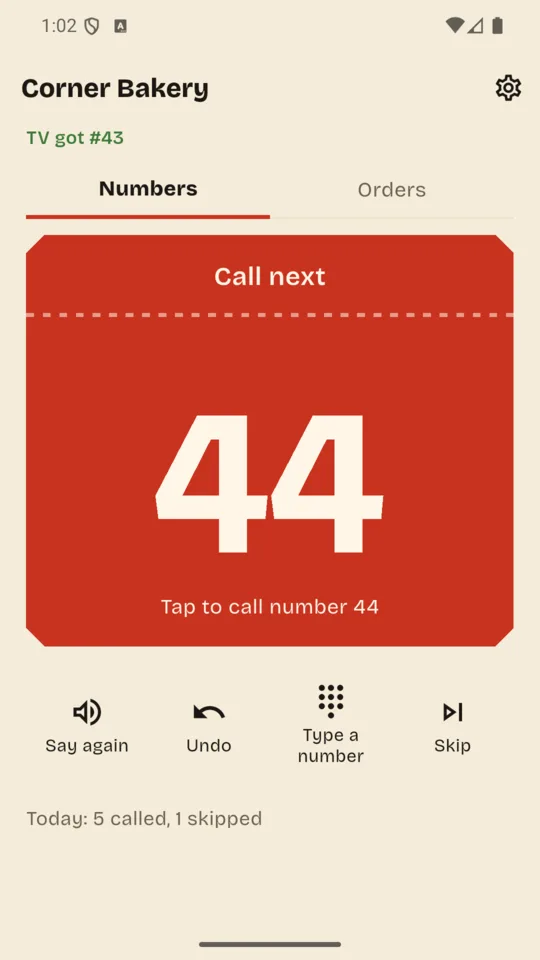
Say again repeats the last call, Skip moves past a number and Undo takes back a mistaken tap. Double-tap protection helps prevent accidental calls, and you can type any number to call it out of order.
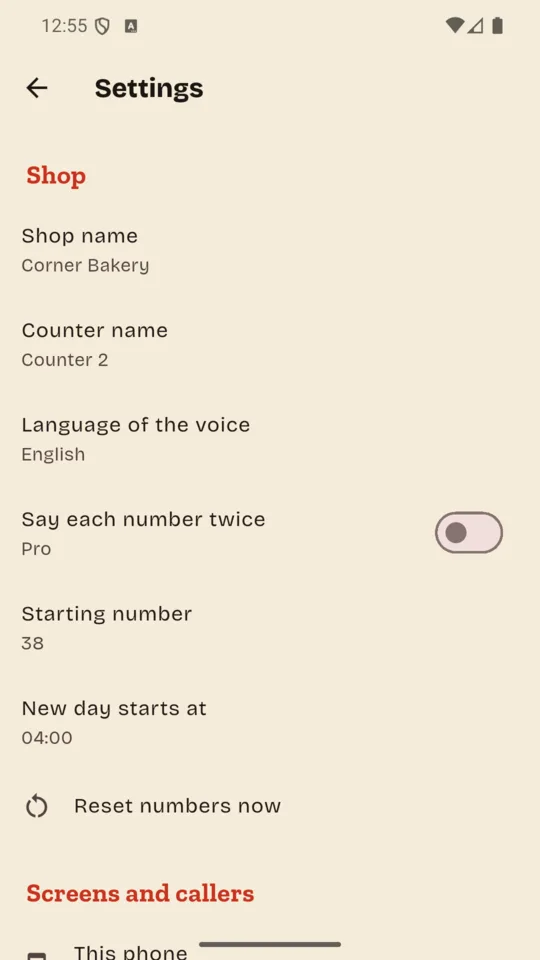
Each call puts the number on the screen with a chime, then the voice reads it: "Number 42, counter 2." Set one counter name for your shop in Settings and it is read after the number. If the screen has no voice for your language, it still chimes and flashes.
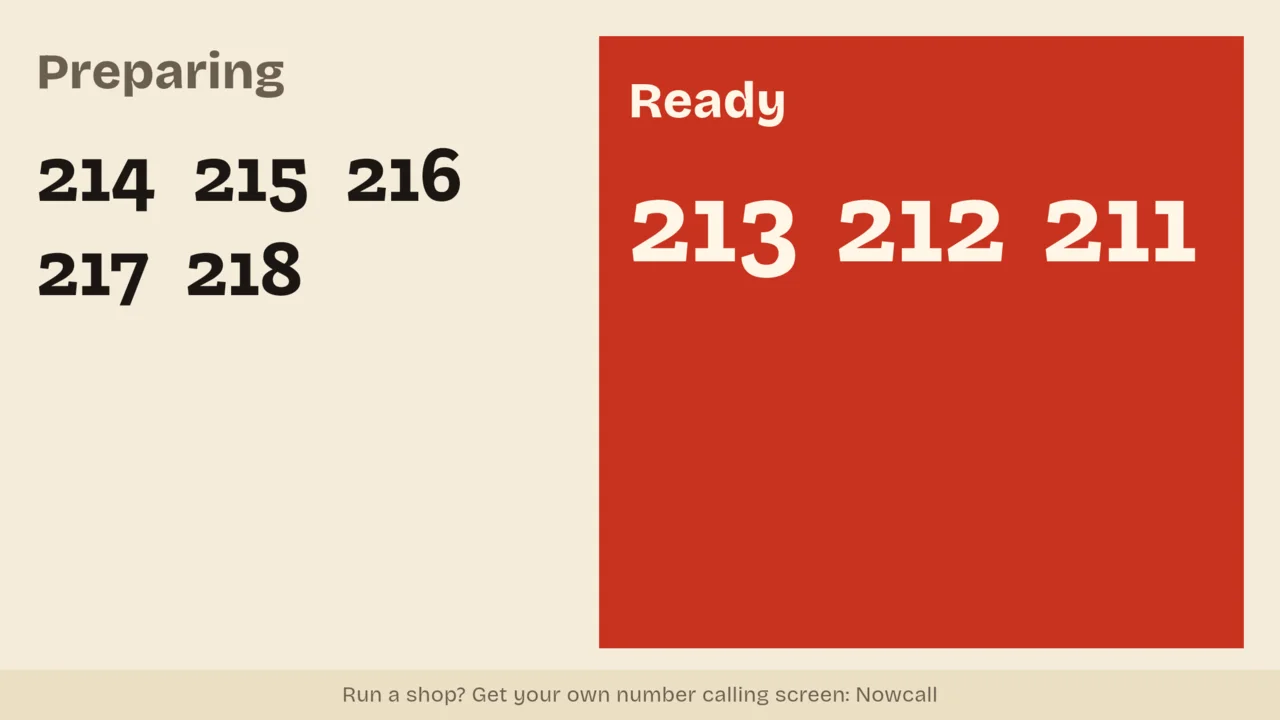
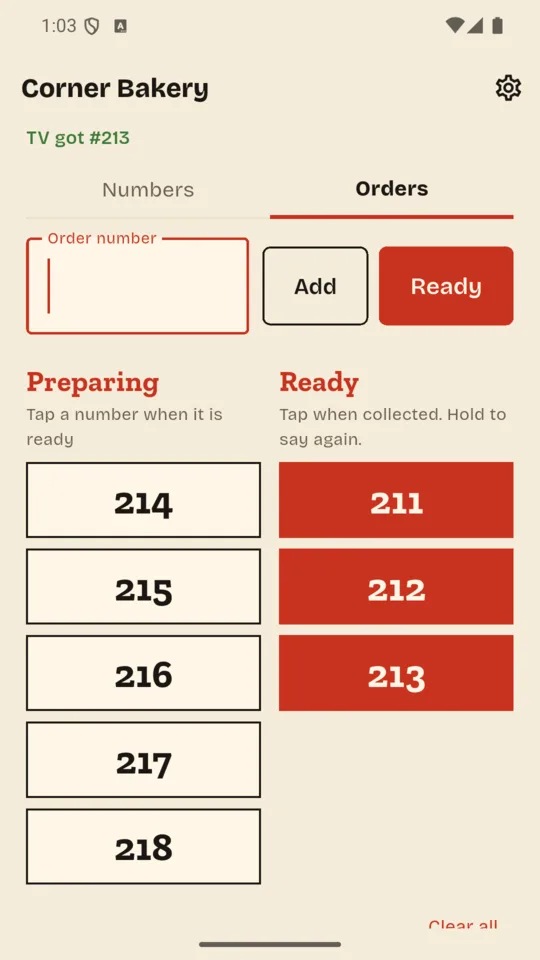
In Orders mode the screen shows two lists. Type an order number when you take it, tap it when it is ready and the screen moves it to Ready and calls it. Tap it again when it is collected.
Use an Android tablet with the app, or open nowcall-app.web.app in the web browser of a smart TV, laptop or tablet. The screen shows a 6-digit code, you type it on your phone, and after that it opens straight onto your numbers, even after a restart. A browser needs one click on the page to allow sound.
Your phone shows "TV got #42" once the screen has the number, or "TV offline" if it does not answer. Play a test announcement from the phone to check the volume before you open.
Set the starting number and the hour a new day begins, and the numbers reset on their own. Reset by hand at any time.
Nowcall calls numbers, not names. It never asks for a customer's name, phone number or email, sends no texts and takes no payments.
The voice plays through the TV or tablet you already have, so there is no pager to buy, charge or lose.
Every call carries the next number in a sequence, so a screen that restarts or reconnects does not repeat an old call, and two phones cannot both make the same call.
The shop name, settings and today's numbers are stored online so the phone and screen stay in step. Delete the shop and its data from Settings at any time.
One phone calling and one screen, numbers and orders modes and the voice in 10 languages, with a small Nowcall line on the screen.
An Android tablet running Nowcall, or a smart TV, laptop or tablet whose web browser can open nowcall-app.web.app. Try the screen you plan to use on the Standard plan first. A browser needs one click on the page to allow sound each time the page is opened.
No. Customers watch and listen for their number. Nowcall never asks for their names or phone numbers.
Yes. The phone and the screen both need to be online. If the screen does not answer, the phone shows "TV offline" instead of "TV got" and the number.
Yes. Set the starting number to match your ticket roll, or type any number to call it directly. Orders mode works with the order numbers on your receipts.
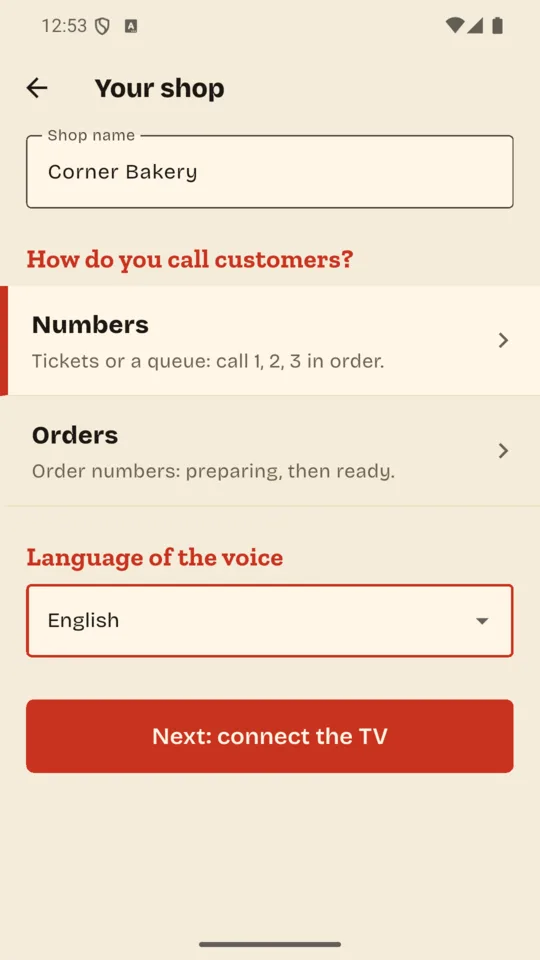
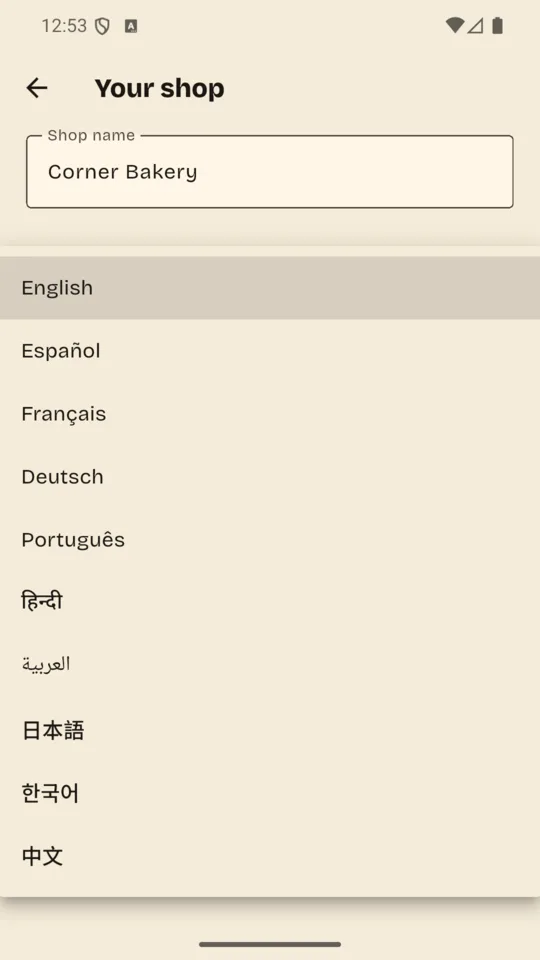
English, Spanish, French, German, Portuguese, Hindi, Arabic, Japanese, Korean and Chinese. The voice comes from the screen's own speech engine, so the voices you hear depend on that device.
Up to five screens and five phones calling for one shop, no Nowcall line on the screen, and the option to say each number twice. Standard keeps working without it.
Set up your shop, pair the screen with its code and make your first call.