Tax document checklists
Know which tax documents are still missing.
Give each tax client a link that shows what you still need, and see every client's document status on one board.

- A link for every client
- Nothing for clients to install
- English and Spanish
- Documents delete themselves
Read it at a glance
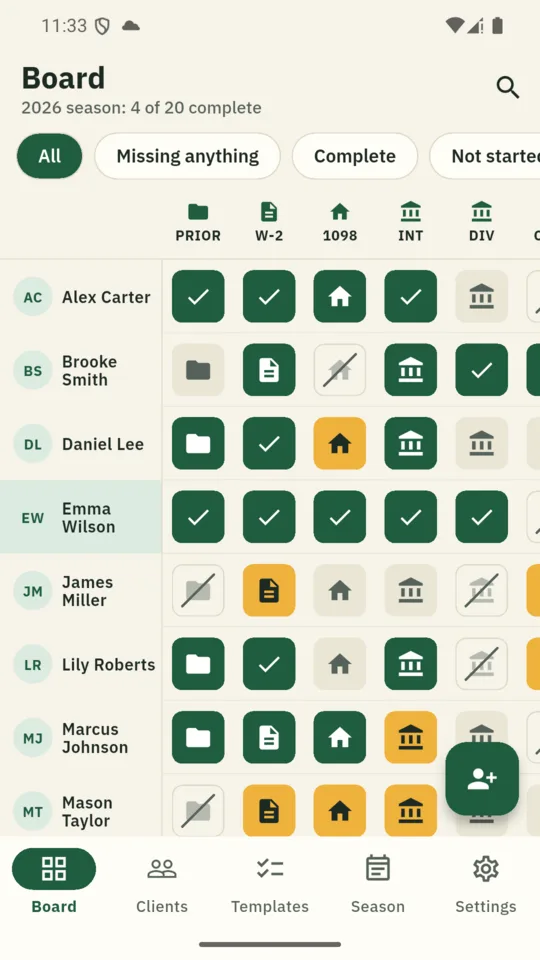
- Grey Expected
- Amber Asked for twice
- Green Arrived
- Struck Does not apply
How it works
-
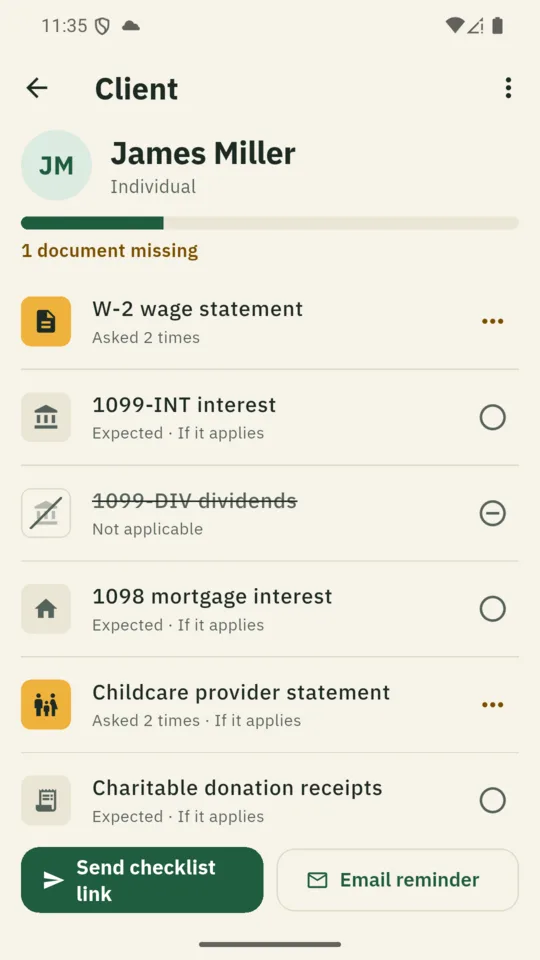
1 Add the client and pick a list.
Start from a built-in checklist for an individual, a joint return, Schedule C or rental property, then add or remove what this client needs.
-
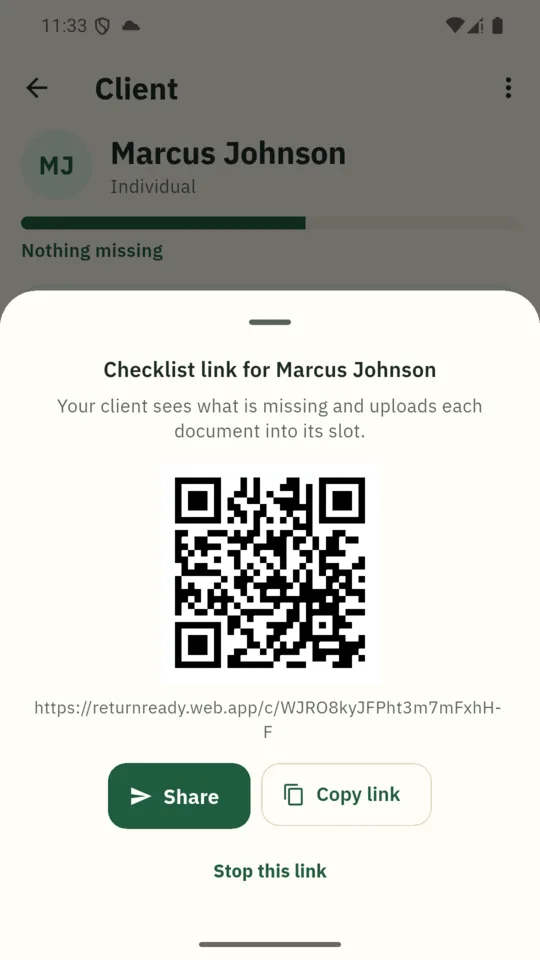
2 Send them their link.
By text, email or QR code. They open it in a browser, with no app and no account.
-
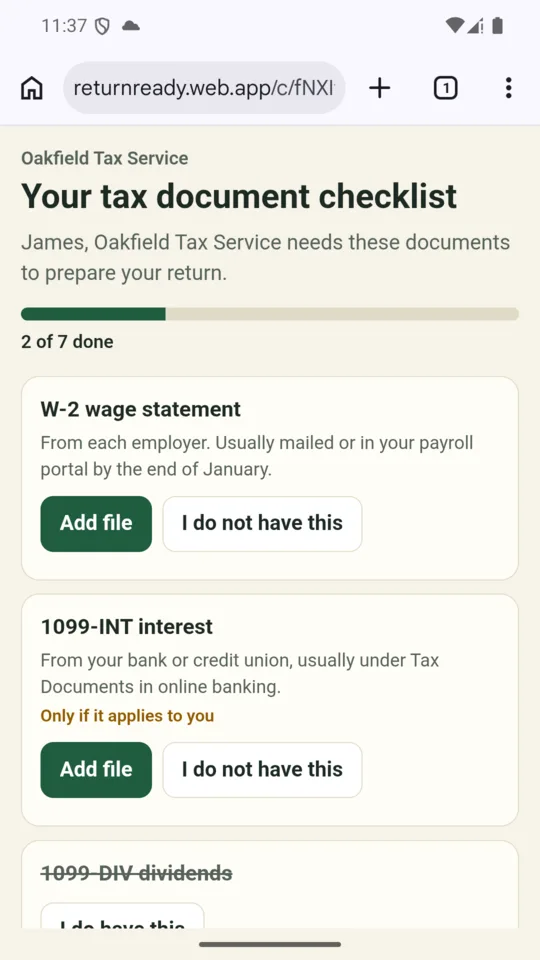
3 They see what you need.
What each document is and where to find it. They mark documents that do not apply and, on Pro, upload files to the matching slots.
What it does
The Slot Board
Clients down the side, documents across. Filter to clients missing anything, finished clients or those who have not started.
Reminders that name what is missing
On your schedule, to clients you have marked as agreeing. Each email lists only what is still needed and has a link to stop them.
A nudge for you
Get a reminder when a document has been missing for the number of days you choose.
Your own templates
26 common documents to choose from, plus any you add yourself. Mark each as needed or only if it applies.
The whole season
Complete, in progress and not started at a glance, with a count of documents outstanding. Export every checklist as CSV.
A clean start each year
Close the season to archive the checklists, delete stored documents and give every client a fresh list. Their links keep working.
Inside the app
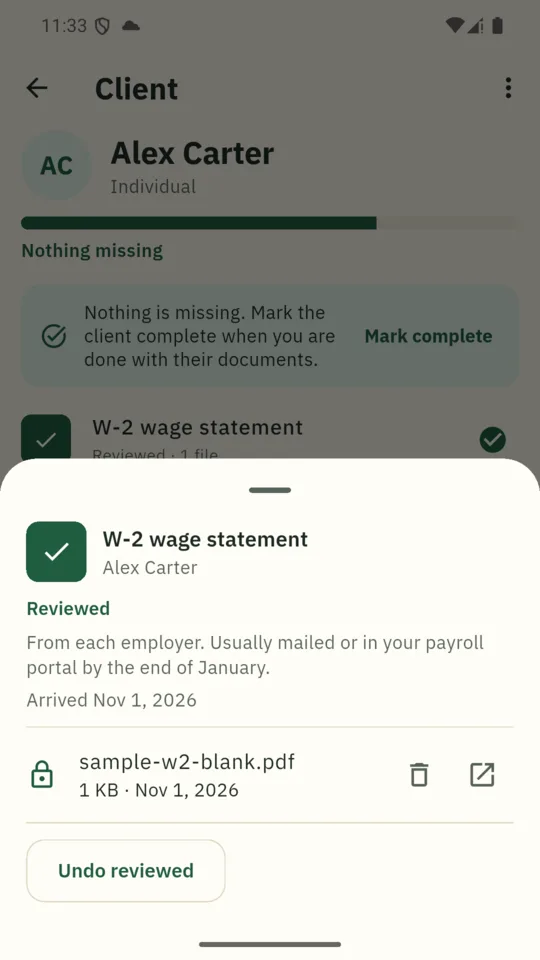
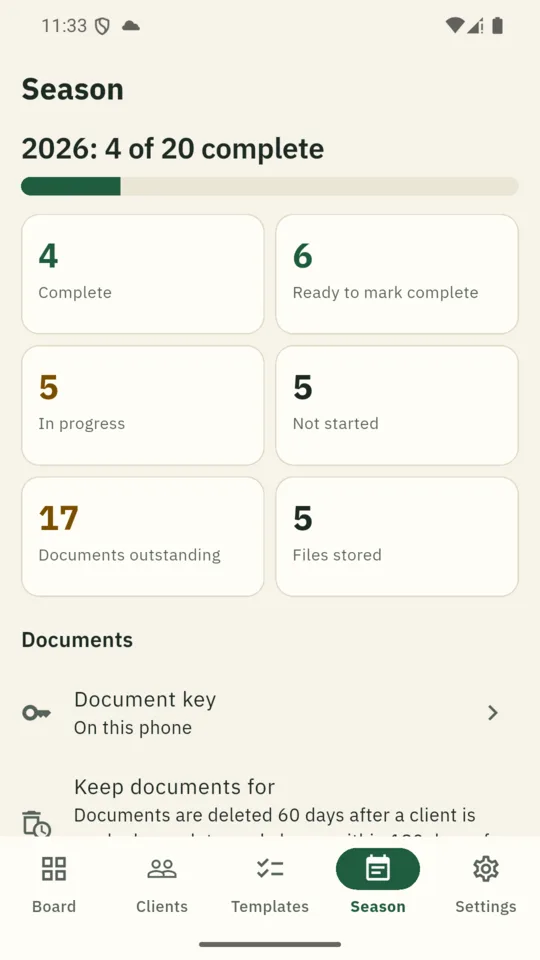
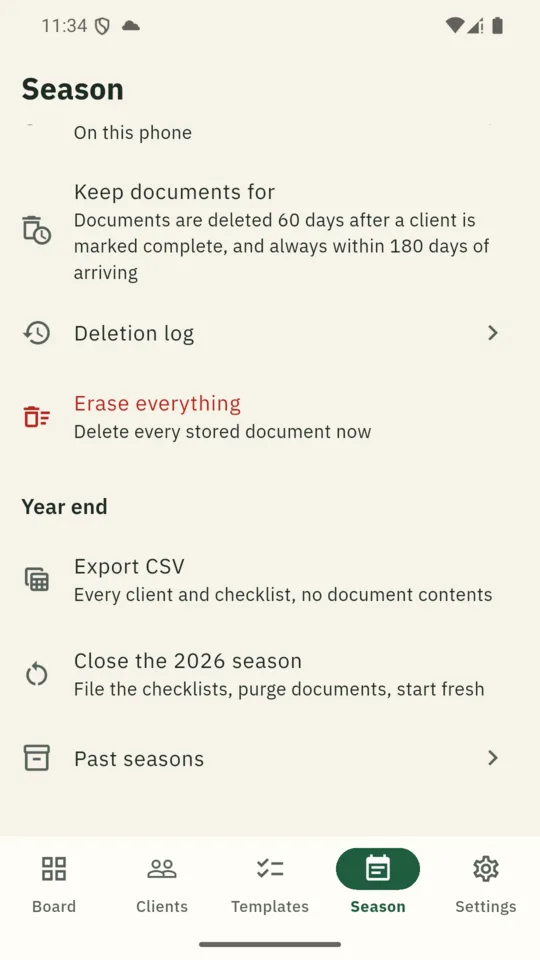
What happens to the documents
Encrypted before it leaves the client’s phone
On Pro, each file is encrypted in the client’s browser with your practice’s own key. Our servers store files they cannot open, and the app opens them on your phone.
Deleted on a timer
Uploaded files are deleted automatically after the period you set once a client is marked complete, and no later than 180 days after upload. A log shows what went and why.
Kept apart from your tax software
ReturnReady tracks documents and does not touch your returns, so it sits alongside whatever you file with.
Read exactly what is done, and its limits, on the privacy page. ReturnReady does not replace the written security plan a preparer must keep.
Pricing
Standard
15 clients, the Slot Board and checklist links without uploads.
Solo
- Unlimited clients
- Client email reminders on your schedule
- CSV export of every checklist
Pro
- Client uploads into each slot
- One client’s documents as a zip
- Automatic deletion and a deletion log
- A second seat for an assistant
Your clients and checklists stay readable on every plan. ReturnReady is not affiliated with the IRS. Official forms and instructions are at irs.gov.
Questions
Do my clients need to install anything?
No. Each client gets a link that opens in any phone or computer browser, with no account, in English or Spanish.
Is it safe to have clients send W-2s through it?
On Pro, each file is encrypted in the client’s browser before it is sent, using a key that belongs to your practice, so our servers hold files they cannot open. The privacy page sets out exactly what is done and its limits. You keep your own duties as a preparer, including your written security plan.
What happens if I lose my phone?
Add an email to your account when you set up. Then sign in on a new phone and enter your recovery code, and your documents open again. If you lose the phone and the code, stored documents cannot be opened by you or by us. You can start a new key, which erases them.
How long are documents kept?
You choose a window of 14 to 180 days after a client is marked complete; the default is 60. Whatever you choose, a document is deleted within 180 days of arriving.
Does it prepare or file returns?
No. ReturnReady tracks documents only. It does not prepare, file or store returns, and it does not read your documents or pull numbers from them.
Can I use it without uploads?
Yes. On Standard and Solo the link shows clients what you still need, and they get documents to you however they do now. You mark each slot as it arrives.
Do I have to pay for Pro all year?
No. You can subscribe monthly in January and cancel in May. Pro yearly is there if you also work extensions or year round. After Pro ends, clients can no longer upload, your clients and checklists stay readable, and stored documents can still be opened until their deletion date.
Set it up before January.
Add your first client, send their checklist link and track what arrives.