01
Photograph a print, not just a scan.
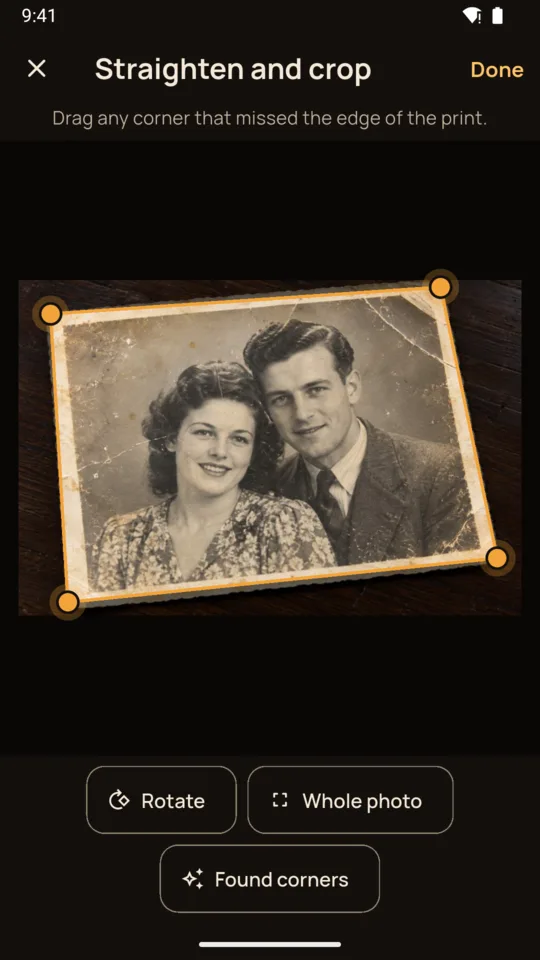
The app finds the four corners of a print lying on a table and corrects the angle. Drag a corner if it missed, or rotate. It warns you when a reflection covers part of the picture.

Old photo restoration
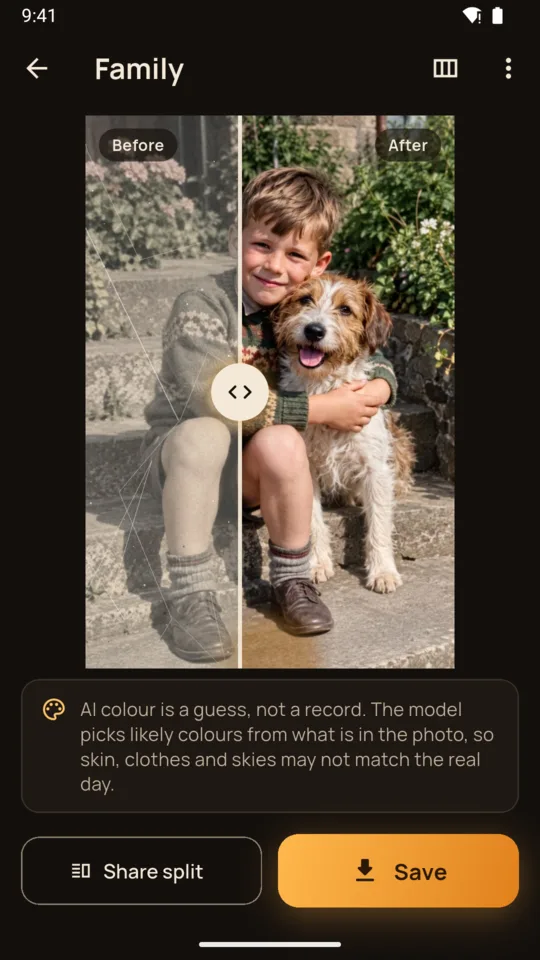
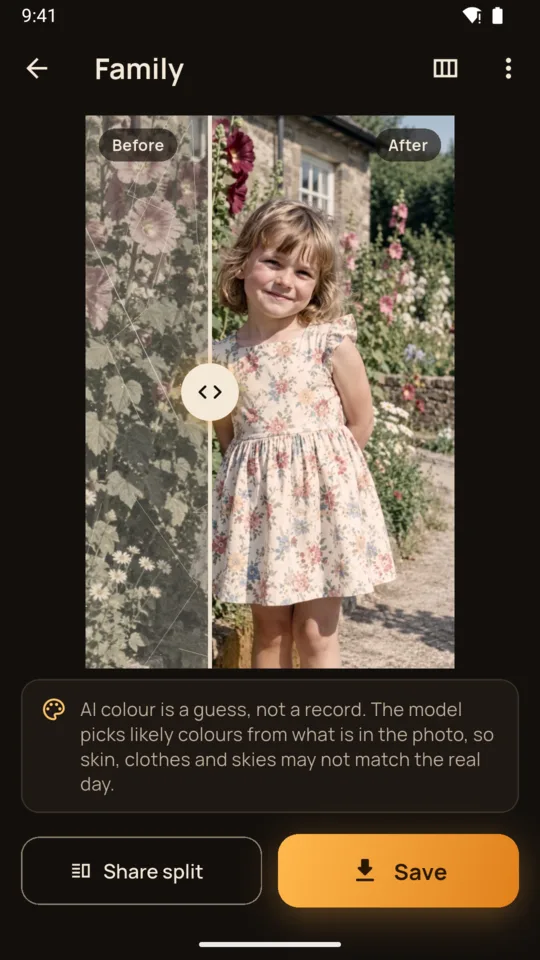
Lay a faded print on the table and take a photo. ReviveShot finds the edges, straightens it, and an AI model repairs the damage. Drag the slider to see before and after.

2 FREE RESTORES TO TRY · 20 RESTORES $4.99 · PLANS FROM $7.99/MONTH
The app finds the four corners of a print lying on a table and corrects the angle. Drag a corner if it missed, or rotate. It warns you when a reflection covers part of the picture.
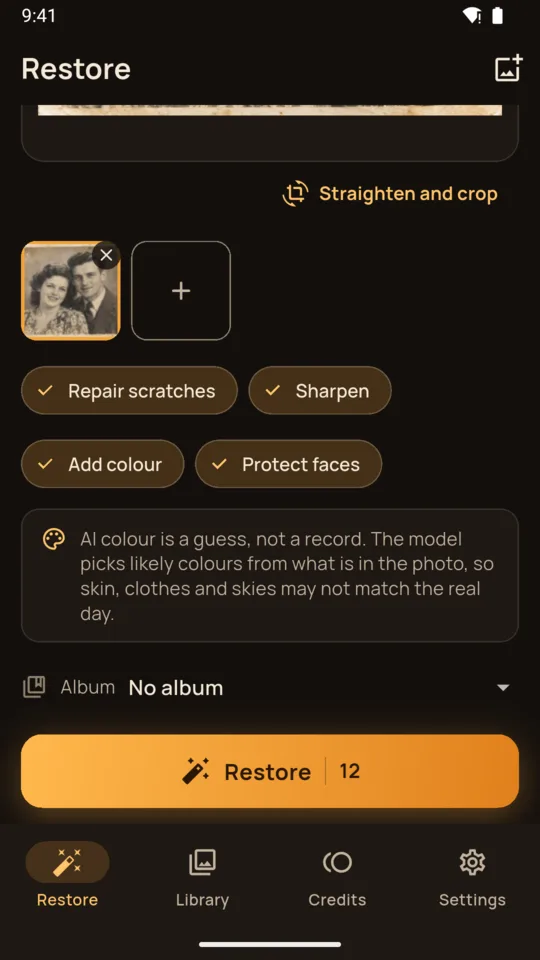
Repair scratches, dust, creases and stains. Sharpen soft and faded prints. Add colour to black and white photos. A face option asks the model to keep changes to facial features to a minimum while it repairs damage.
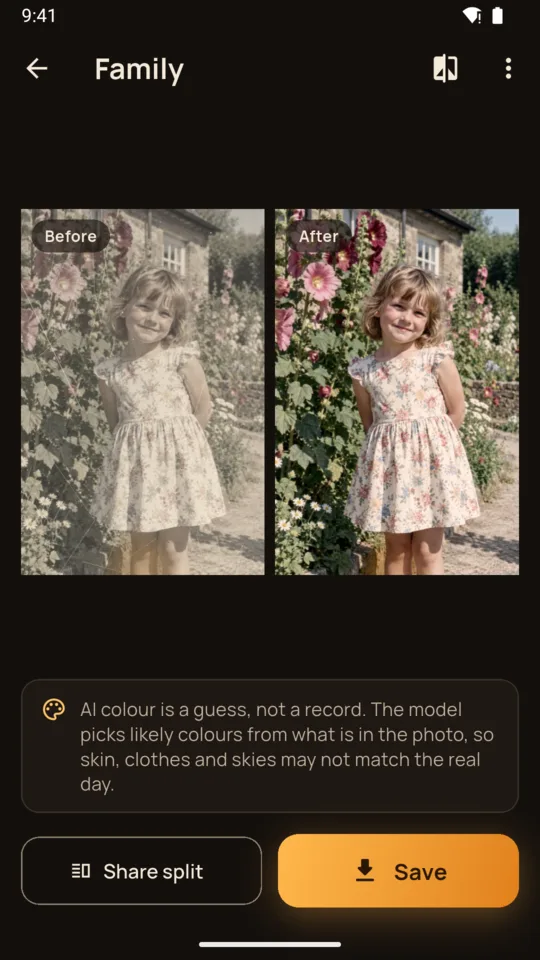
Added colour is the model's guess at plausible colours, not a record of the real ones, and the app says so wherever colour is used.
Drag the handle across the picture, or show the two side by side. Share both as one image, or save the restored picture to your gallery.
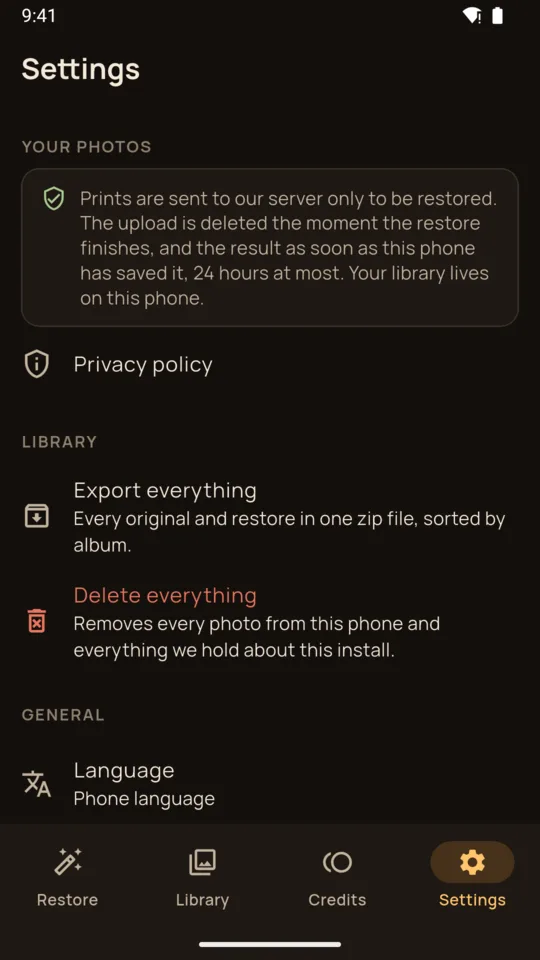
Every original stays beside its restore. Sort them into albums, restore the same print again with other choices, and export everything as one zip file.
Pick up to ten scans or photos from your gallery and restore them in one go.
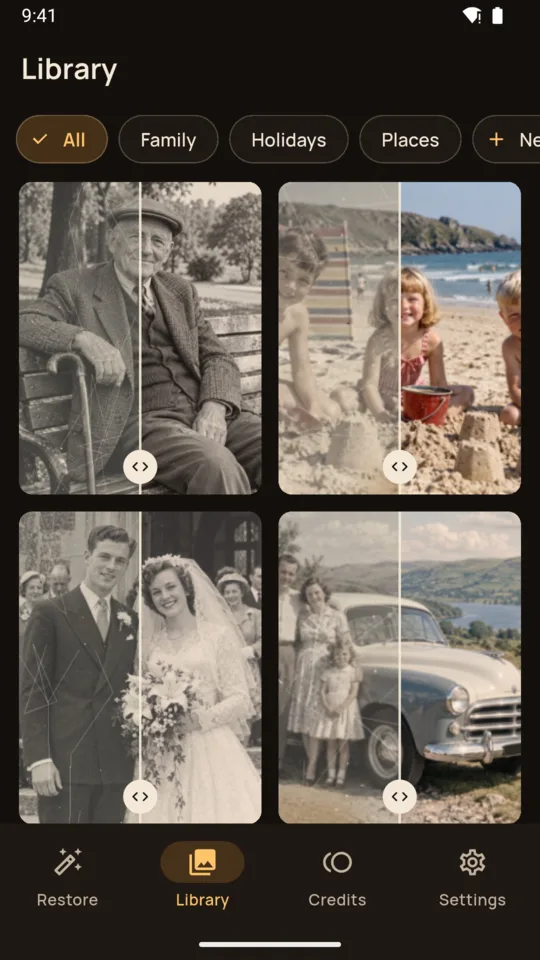
2 free restores on a new install, at 1024 px with a ReviveShot watermark across the picture.
20 restores for $4.99. 2048 px, no watermark. Credits never expire.
Monthly plan $7.99: up to 100 restores a month.
Yearly plan $39.99: billed once a year.
One restore per credit. A failed restore is refunded.
It is told to repair the existing photo and not to add, remove or swap people. AI restoration can still change small details, so every result has a report button.
No. The model generates plausible colours from what is in the photo, so skin, clothes and skies may not match the original colours. The app labels colour as AI wherever it is used.
A print is uploaded only to be restored. The upload is deleted as soon as the restore finishes, and the restored copy once your phone has saved it, 24 hours at most. Your library stays on your phone.
No. Lay the print flat in good light and take a photo; the app finds the edges and straightens it. You can also pick scans from your gallery.
Usually 20 to 30 seconds, and it needs an internet connection.
Yes. Make a move code on the Credits screen and enter it on the new phone within 7 days.