Loyalty stamp card for cafes
A stamp card your customers keep on their phone.
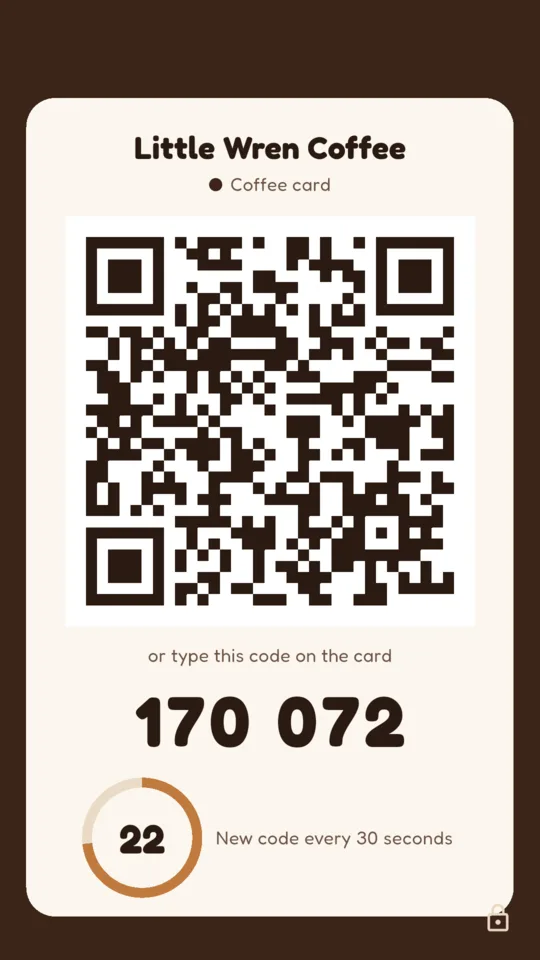
Leave a phone or tablet at the counter showing a QR code that changes every 30 seconds. Customers scan it to collect stamps. When a card is full, staff give the reward and mark it in the app with one tap.

- Nothing for customers to install
- A new code every 30 seconds
- Counter code works without internet
- 6 to 12 stamps, your reward
At the counter
-
1 Show the counter code.
Open counter mode on a tablet or phone by the till. The QR code and six digits change every 30 seconds, and the screen stays on.
-
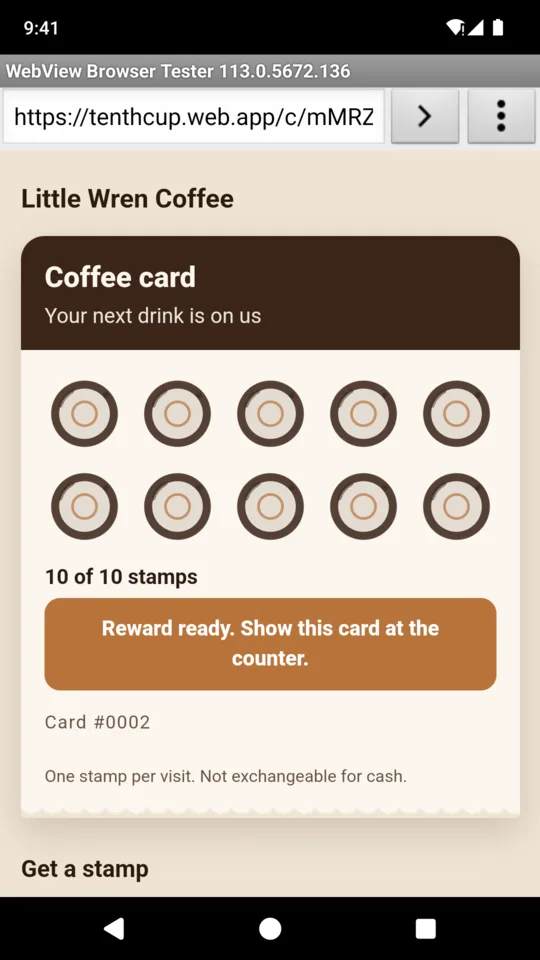
2 Customers scan for a stamp.
The first scan starts a card with its first stamp. The card is a web page the customer bookmarks or adds to their home screen.
-
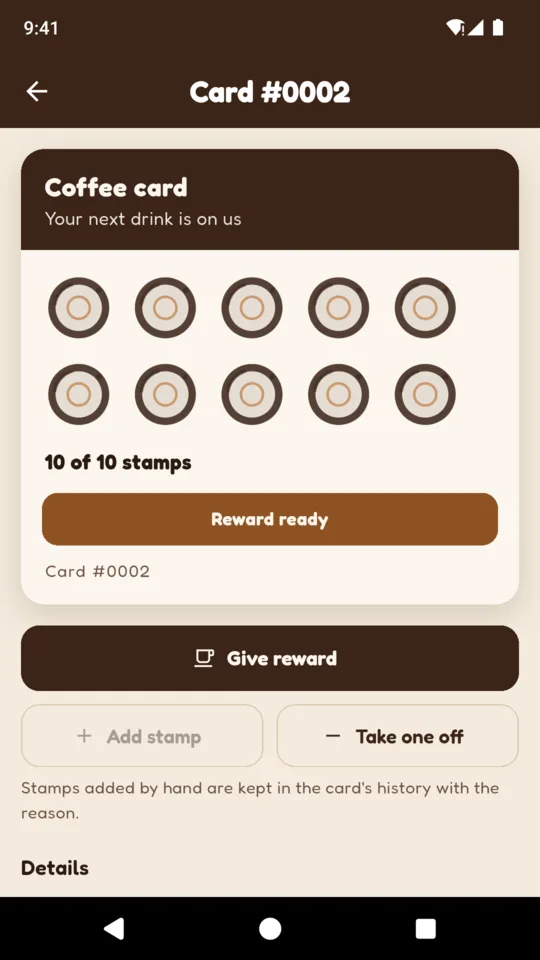
3 Give the reward.
A full card shows Reward ready. Find it in the app by its number, tap Give reward, and the card starts again.
The customer’s card
The card lives on your customer’s phone.
No app and no account. The card page shows:
- Your shop’s name and logo
- A ring for every stamp
- The reward and your terms
- The card number
- In English, Spanish or French
If the camera will not scan, the customer types the six digits shown under the QR code. Anyone with the card’s link can open it, so customers should keep the link to themselves.
A customer can add an email or phone number to their card. Your staff can then find a lost card and show its link as a QR code to move it to a new phone.
What it does
The counter code
The code is made on the phone from your shop’s secret and the clock, so it keeps changing with no signal. A PIN stops a customer closing counter mode, and you can switch to a new code if one is copied.
Stamp rules
A card can collect one stamp every ten minutes, and the same code cannot stamp it twice. After 20 wrong codes in a day, a card locks until the next day. Each code can start up to six new cards.
Stamps by hand
Staff can add or take off a stamp, for a customer whose phone is flat or a stamp made twice. The reason stays in the card’s history.
Find any card
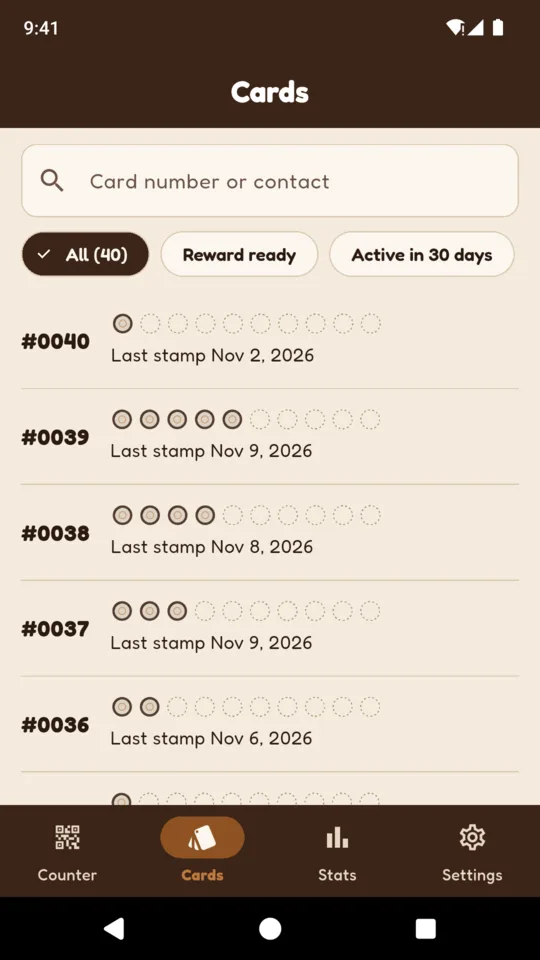
Search by card number or by the contact a customer added. Filter to cards with a reward waiting, or cards used in the last 30 days.
Your card
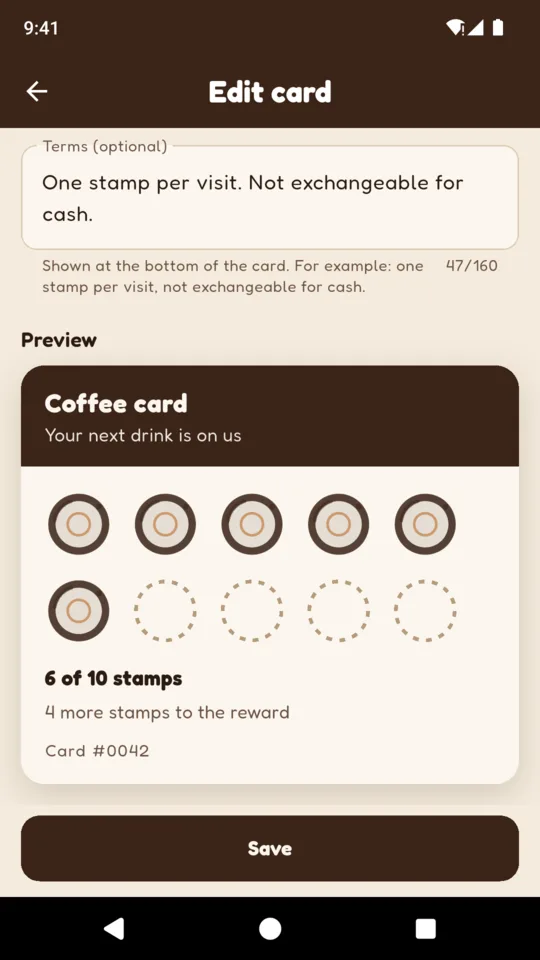
Choose the name, the reward, 6 to 12 stamps, a colour and a terms line. Pro runs a second card beside the first, for example a lunch card next to the coffee card.
Stats on Pro
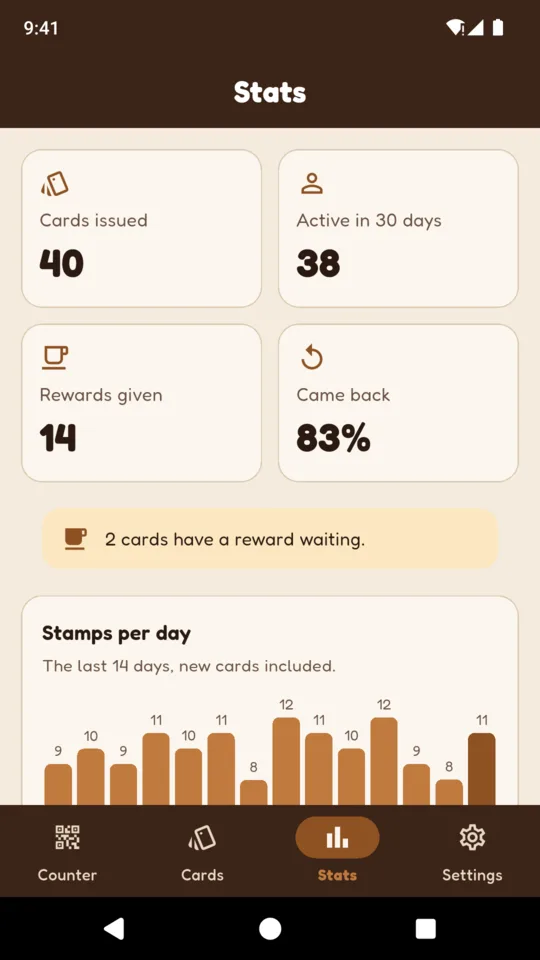
Cards issued, cards active in the last 30 days, rewards given, the share of cards that came back for a second stamp, and stamps per day. Pro also has four seats, you and three staff.
Cards and stats
Made for the counter
Counter code works without internet
The counter code needs only the phone’s clock and the shop’s saved secret. The customer’s phone needs a connection to collect the stamp.
Small records
A card stores its number and its stamps. Customers can add an email or phone number for recovery if they want to.
No payments, no marketing
TenthCup takes no payments and holds no money, sends no messages to your customers and does not connect to a till.
Cards are stored on our servers so every counter phone sees the same stamps. Read what is kept and how to delete it on the privacy page.
Pricing
Standard
Up to 50 customer cards, the counter code and rewards. Shows a banner for our website service.
Solo
- Up to 300 customer cards
- No banner in the app
Pro
- No limit on customer cards
- A second card design
- Stats
- Four seats, you and three staff
Prices in US dollars; Google Play shows your local price. Cards already issued keep working on every plan.
Questions
Do my customers need to install an app?
No. The counter QR code opens their card in the phone’s browser. There is no account to make.
How does TenthCup limit unwanted stamps?
The code changes every 30 seconds and stops working soon after. Each card can collect one stamp every ten minutes, the same code cannot stamp a card twice, and a card that gets 20 wrong codes locks for the day.
What if the cafe’s internet goes down?
The counter keeps showing new codes, because they come from the phone’s clock and the shop’s saved secret. The customer’s phone needs a connection to collect the stamp.
What happens when a customer gets a new phone?
If they added an email or phone number, staff can find the card by it, or by the card number. Staff show the card’s link as a QR code and the customer scans it on the new phone.
Can my staff use it on their own phones?
On Pro, up to four seats including yours. A staff member joins with a code from your phone.
Does TenthCup take payments or connect to my till?
No. It runs the stamp card only. It takes no payments and does not connect to a point of sale system.
What happens if my plan ends?
Nothing is deleted and cards already issued keep working. New cards stop once the shop has 50, and stats and staff seats stop until you subscribe again.
Put the code on the counter.
Set up your card, open counter mode, and your next customer starts collecting.