SHORT-LET TURNOVER REPORTS

TurnSnap icon

TurnSnap

Turnover photos. WhatsApp share.

Leave the flat with proof, not just a message saying it's done.

TurnSnap is built for the two hours between one guest leaving and the next arriving. You shoot before and after, and it hands you something you can send the host — a WhatsApp strip or a branded PDF with your name and your payment link on it.

14-day trial. Solo £6.99/mo or £59/yr.
Team £14.99/mo or £129/yr. Android.

  • Home & Property
  • Android
  • Works on the job, offline
  • Solo & Team
TurnSnap launch screen: a bathroom split diagonally from grimy to spotless on a deep blue field, under the line Turnover photos, WhatsApp share

ONE TURNOVER, END TO END

Four states, and you are only ever in one of them.

The app has no dashboard to learn. A turnover moves through four states, and the screen only ever shows you the next thing to do with it.

  1. 01

    Scheduled

    A turnover sits on a property with a date and a time. You made it, or the booking feed did.

  2. 02

    In Progress

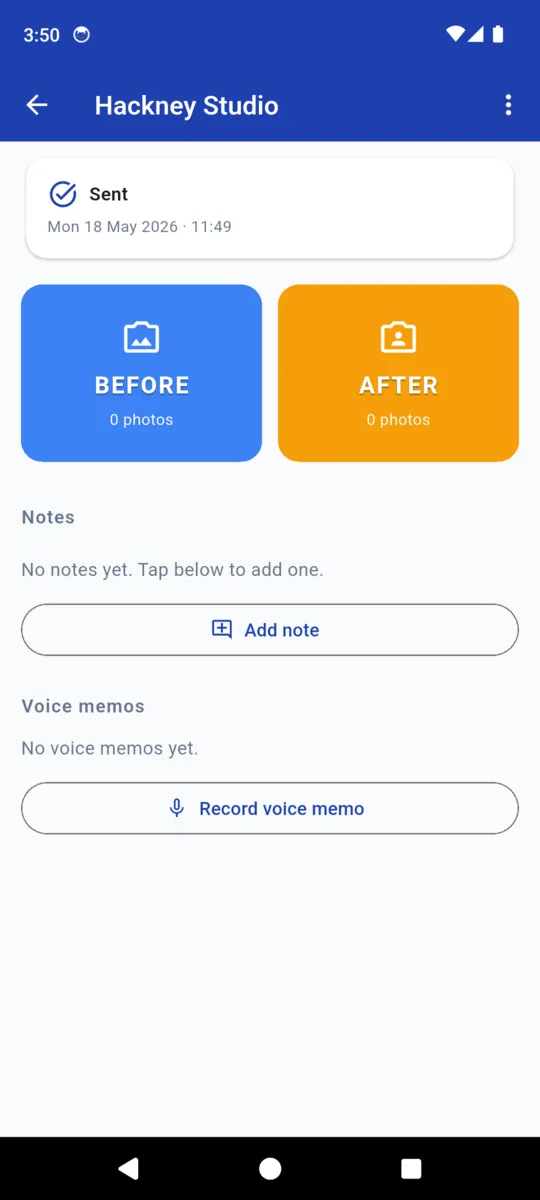
    Start now stamps the clock. From here the job is two tiles: a Before tile and an After tile, both fed straight from the camera.

  3. 03

    Awaiting Send

    Photos are in, notes and voice memos are attached, and the report has been generated. It is waiting on you to send it.

  4. 04

    Sent

    The host has it. The turnover drops into the month count on Today, with its payout added to the running total.

BEFORE

Shot on arrival, while it still looks like the last guest lived there.

AFTER

Shot from the same spot on the way out. The report pairs them in order.

Notes go on with a timestamp. Voice memos too, when your hands are wet and typing is not happening.

Two ways to hand it over

The preview screen lets you pick the format before anything is shared, so a chatty host gets the strip and an agency gets the paperwork.

JPEG STRIP · 1080 WIDE

The WhatsApp one

A single tall image: your business name in a banner across the top, then each before-and-after pair stacked down the page. It opens inline in the chat, so nobody has to download anything to look at it.

Solo adds a dedicated WhatsApp button that pre-fills the message to the host's number from the property record. Without it, the standard Android share sheet does the job.

PDF · A4, MULTI-PAGE

The one that looks like a business

  • Header on every page: your business name, phone, email, website, VAT number
  • Property nickname, address, host name, date and time of the turnover
  • Before and after side by side, numbered pair by pair
  • Any extra photos that had no pair, grouped and labelled
  • Your notes, each with the time you wrote it
  • A payment block: the amount, a tappable link and a QR code
  • A plain statement of what the report is and is not

Photos are compressed to roughly 150 DPI and the document is built off the main thread, so a 20-photo turnover does not lock up a cheap phone.

BOOKING FEED

Let the bookings write your week.

Every booking platform worth using exports an iCal link. Paste one onto a property and TurnSnap reads the checkout date of every booking in it, then creates a scheduled turnover for that day — at whatever hour you set for that property, 11:00 unless you change it.

It only runs when you tap Sync. Nothing scrapes in the background, nothing sits on your battery, and days that already have a turnover are skipped rather than duplicated.

TurnSnap is an independent app. It reads a calendar file you give it and has no affiliation with any booking platform.

WHAT SYNC DOES

  1. Fetches the https iCal feed you saved on the property
  2. Takes the checkout date from each booking
  3. Skips any date that already has a turnover
  4. Creates the rest as Scheduled, at your turnover hour
  5. Tells you how many it made

On the phone

Scroll sideways, or use the arrow keys

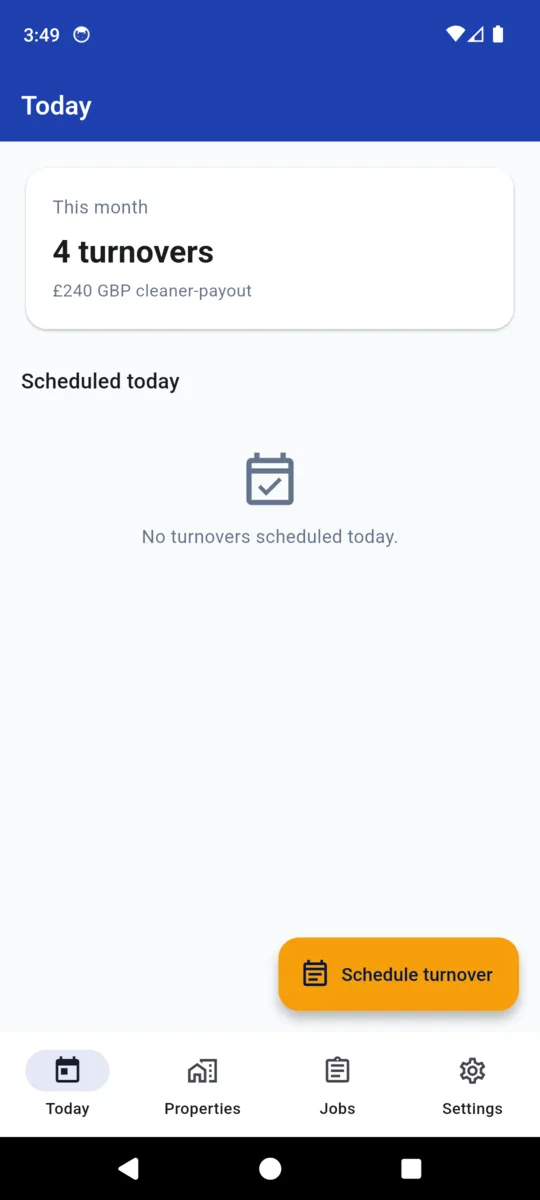
The TurnSnap Today screen showing four turnovers this month, £240 of cleaner payout, and nothing scheduled today
Today: the month's count and what it paid
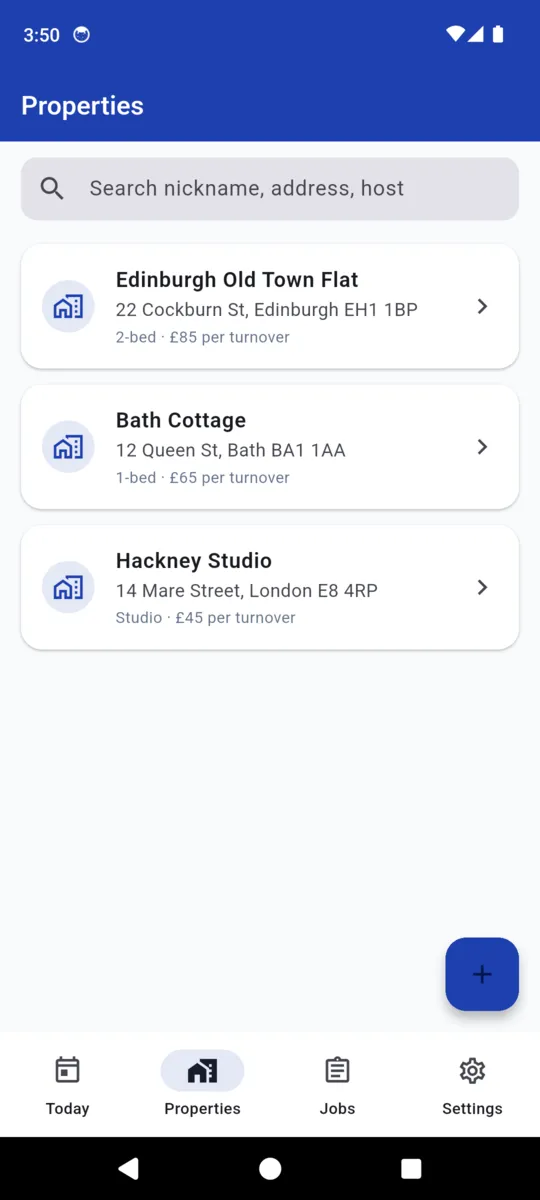
The property list with three sample properties, each showing bedrooms and the agreed payout per turnover
Properties, each with its agreed rate
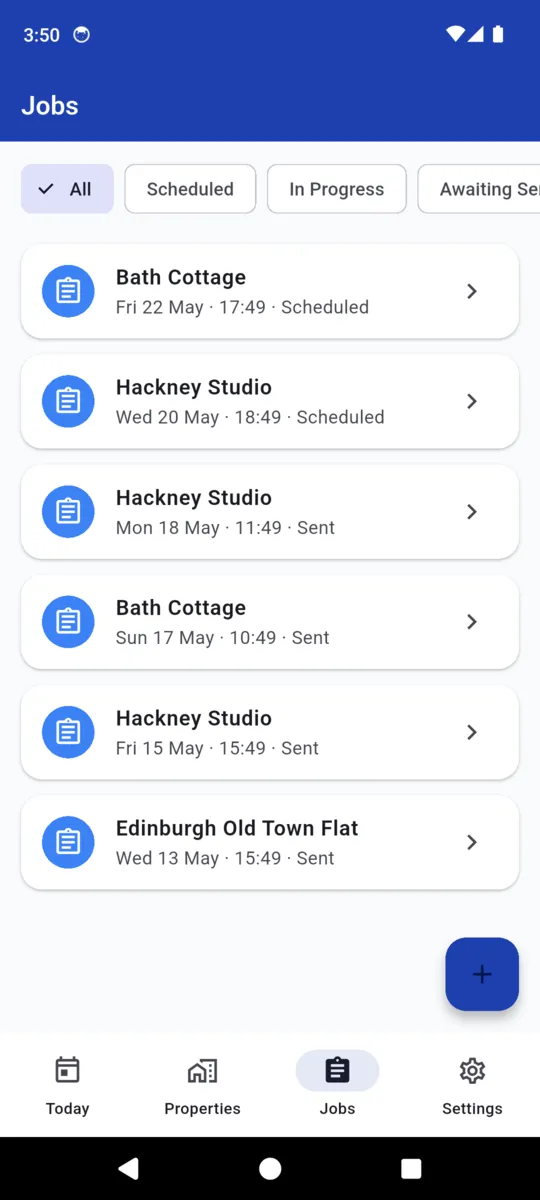
The jobs list filtered to all, showing scheduled and sent turnovers across three properties with dates and times
Every turnover, filterable by state
A turnover marked Sent, with the Before and After capture tiles above the notes and voice memo sections
A turnover is two tiles, notes and voice memos
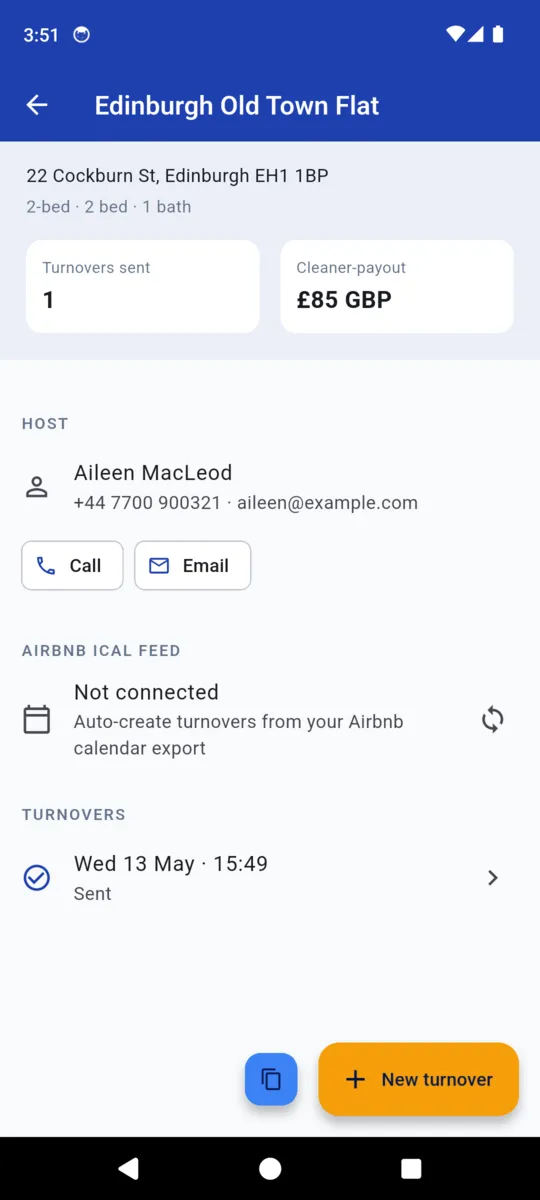
A property detail screen with turnovers sent, payout, host contact buttons, the iCal feed row and past turnovers
The property record, iCal feed and all

Screens shown with the sample data the app loads for testing. The names, addresses and phone numbers in them are invented.

Solo, or five of you

Both plans open with a 14-day trial and neither has a lifetime option — this one is a subscription, because the cloud side of it costs money every month it runs.

Solo

£6.99/mo

or £59 a year

  • Unlimited photos on every turnover
  • Branded PDF with no free-version line
  • Dedicated WhatsApp share button
  • Your payment link and QR on the report
  • Cloud backup of jobs and photos
  • Priority support
Get TurnSnap

Team

£14.99/mo

or £129 a year

  • Everything in Solo
  • A shared workspace you create and name
  • Up to five workers
  • They join with an invite code, no admin
  • Properties and turnovers shared across the workspace

Assigning a named worker to a specific turnover is on the roadmap in the app, not in this version.

Free

£0

after the trial

  • Ten photos per turnover
  • PDF carries a made-with-the-free-version line
  • Share sheet instead of the WhatsApp button
  • No payment block on the report
  • Nothing you already recorded is taken away

You are photographing someone else's home

Which is worth being careful about. The phone is the original: every property, turnover, note and photo lives in local storage first, and the reports are built there too.

Cloud backup is a switch in Settings that starts off. Turn it on and TurnSnap signs in anonymously, then queues your records up when there is a connection. Location data is stripped out of photos before they leave the phone, and that default is on.

Export everything as a zip of JSON and photos whenever you like. Deleting the account removes local and cloud copies. The TurnSnap privacy policy sets out what is stored and where.

  • Default Cloud backup off
  • Default Photo location stripped on upload
  • Sign-in Anonymous, no email or password
  • Export JSON plus photos, as a zip
  • Delete Local and cloud, on request

Questions

What does the host actually receive?

Your choice at the preview. A 1080-wide JPEG strip of before-and-after pairs, sized for WhatsApp, or an A4 PDF carrying your business name and contact details, the property, the date, every pair, your notes and a payment link with a QR code.

Do I need Airbnb for the calendar sync?

No, but any booking calendar that exports an iCal feed will do. Paste the https link onto a property and TurnSnap creates a turnover for the day each booking checks out. It syncs when you tap Sync, never in the background. TurnSnap is an independent app and is not affiliated with Airbnb.

Does it work without signal?

The work does. Properties, turnovers, photos, notes and both report formats are built on the phone. A connection is needed to fetch an iCal feed, to send the report, and for cloud backup if you switch it on.

Is there an account?

Only if you want cloud backup or the Team plan. Cloud backup is off until you turn it on, and it signs in anonymously — no email, no password. Photo location data is stripped before upload by default.

What is the difference between Solo and Team?

Solo is one cleaner on one phone, at £6.99 a month or £59 a year. Team adds a shared workspace for up to five workers who join with an invite code, at £14.99 a month or £129 a year. The reports are identical on both.

What does the free version leave out?

Ten photos per turnover, a line on the PDF saying it was made with the free version, no payment block, and the WhatsApp button falls back to the standard share sheet. Everything is open for the first 14 days.


Try it on the next changeover

Two weeks of everything, then decide. Set up one property and shoot one turnover.