The day ring.
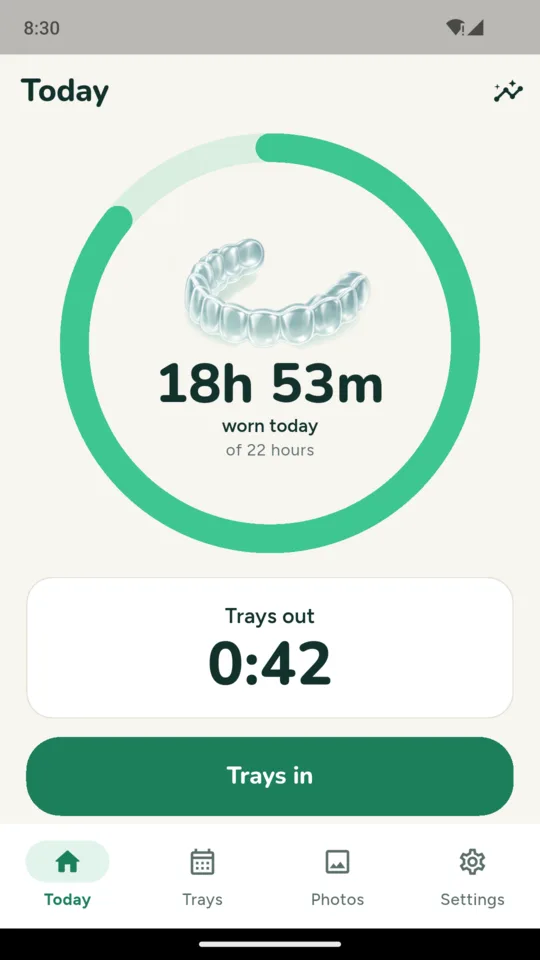
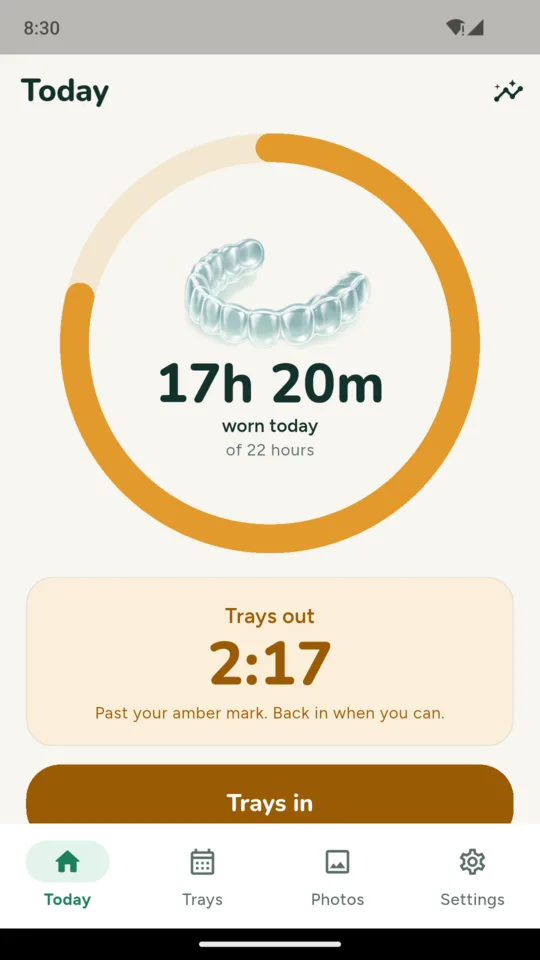
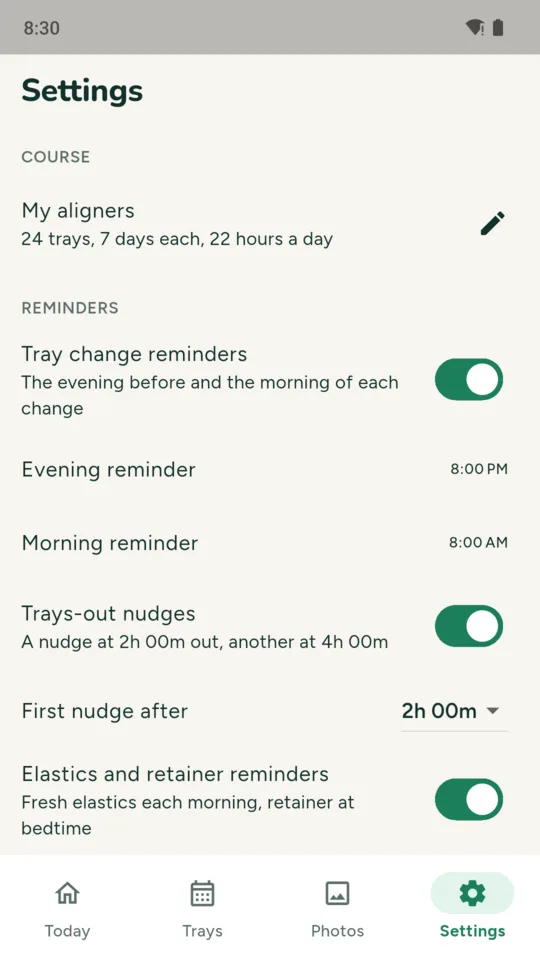
A ring fills against your daily wear target. It starts at 22 hours, or you can set the number your orthodontist gave you. While the trays are out, the time out shows in large numbers. After two hours out the ring turns amber, and after four it turns coral, with an optional reminder at each point. You can change when the first one comes.
Midnight handled.
Time out that runs past midnight is counted on both days, so a late dinner or a night shift lands on the right day, and the timer never switches back to in on its own. Forgot to tap? Add the time out afterwards, or correct one you tapped late.
Tray calendar.
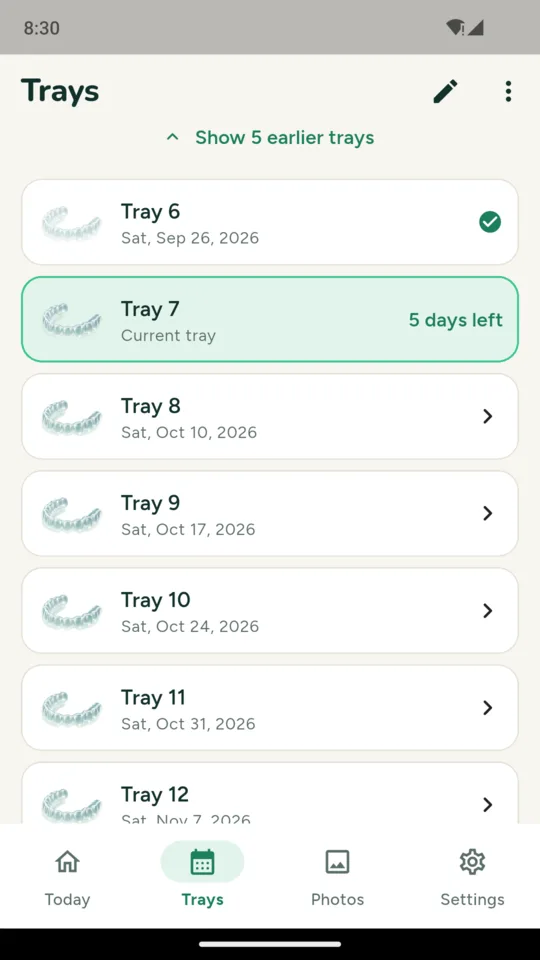
Enter how many trays you have and how many days each lasts: 7, 10, 14 or your own number. Already part way through? Enter the tray you are on and the day it went in. AlignDays works out every change date and the day your last tray ends, and reminds you the evening before and the morning of each change. If your orthodontist adds days to a tray, the trays after it move with it.
Elastics and retainer.
An elastics timer with its own daily target, a morning elastics reminder, and a reminder when they have been off for a set time. After your last tray, you can record a retainer phase as nights only or set hours, with a bedtime reminder. A refinement gets its own course with its own tray count.
Progress photos.
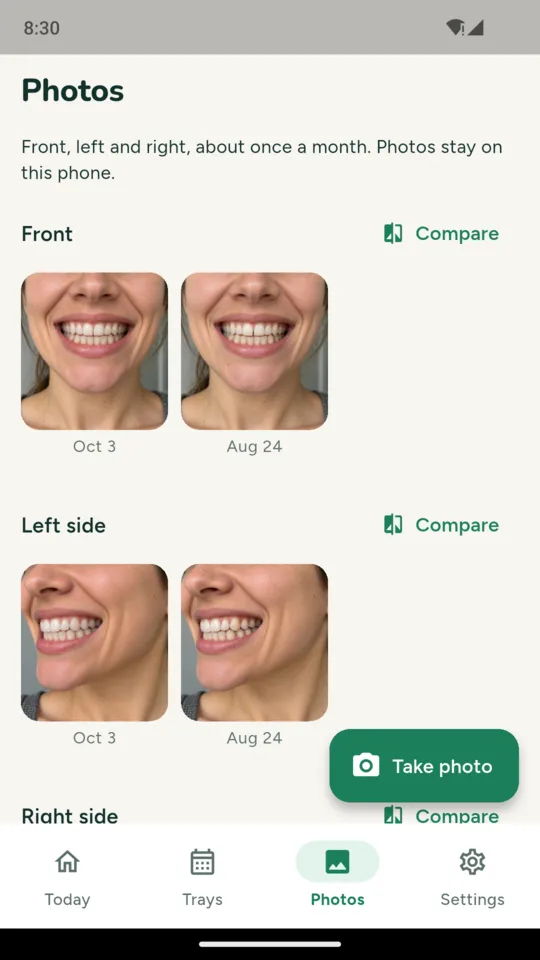
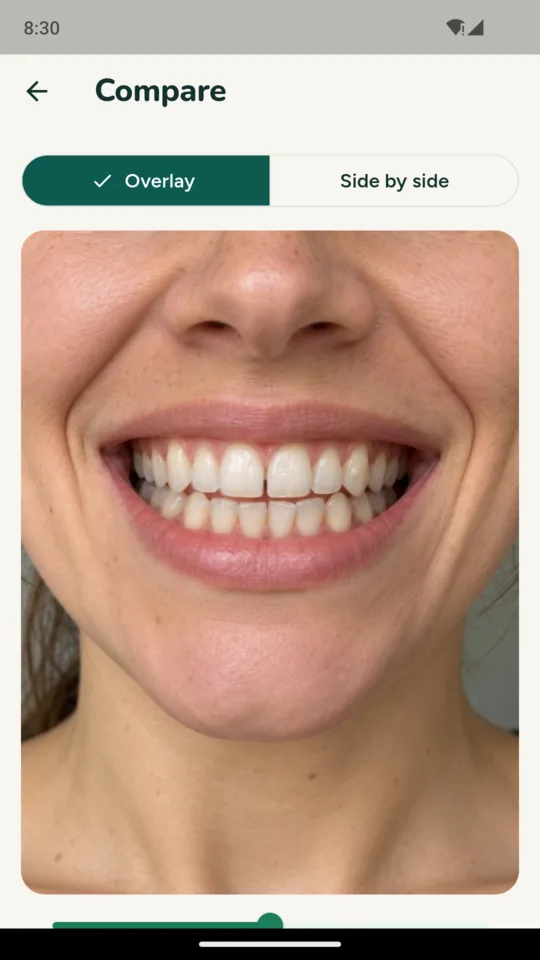
Front, left and right, taken with the camera or picked from your photos. Each new photo can be faded over your first one or shown beside it, so you can compare them yourself. Nothing is measured or scored.
History and the report.
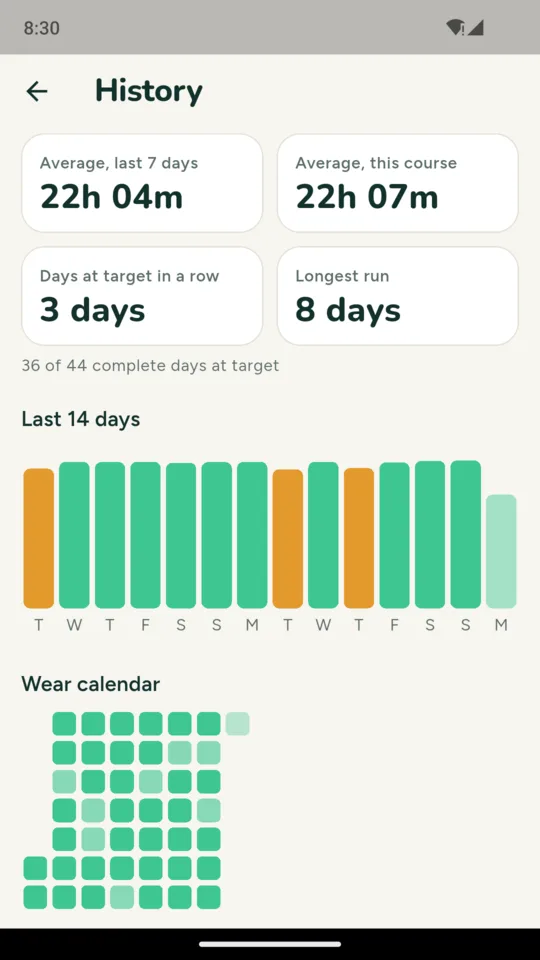
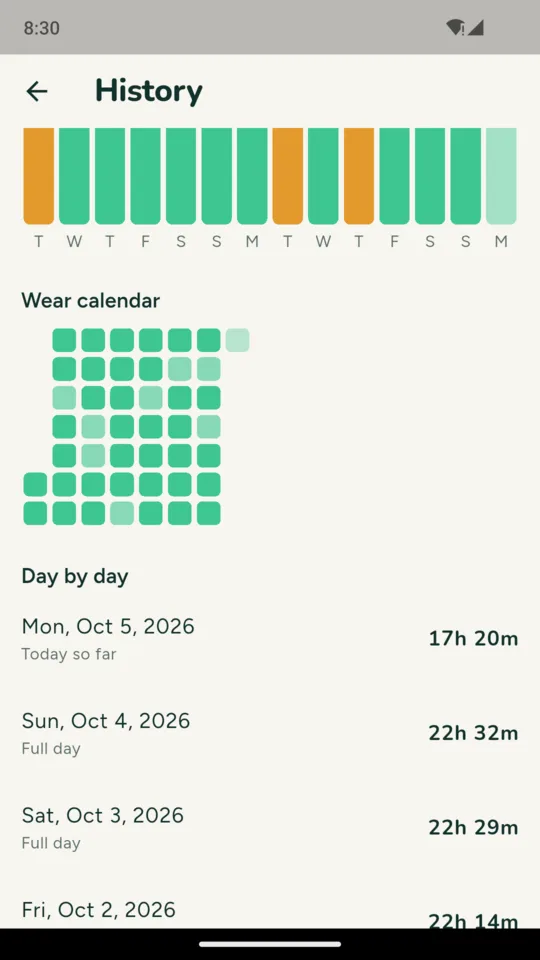
Average wear for the last 7 days and the whole course, consecutive days at your set target, a 14-day chart and a calendar of every day. A PDF for your orthodontist lists wear by tray, change dates, days under target and your first and latest photos. The report is in English.