MAKERSPACE MEMBERSHIPS

BenchPass icon

BenchPass

Memberships, charges and payments

The membership renews itself. The laser time does not.

BenchPass keeps a member's standing membership and their running tab of machine time and materials on the same card, and turns either one into a Stripe link you send them. Every charge is made on a Stripe account in the makerspace's own name.

30 days free, no card.
$19 a month after that.

  • Android
  • Stripe payments
  • One space per account
  • US · CA · UK · AU · NZ · IE
The BenchPass launch screen: the app icon above the wordmark and the line Memberships, member charges and payments for your makerspace

TWO KINDS OF MONEY

A member owes you on two clocks at once

Most membership software understands the first one and behaves as though the second does not exist. A workshop runs on both, and they act nothing alike.

STANDING

The membership

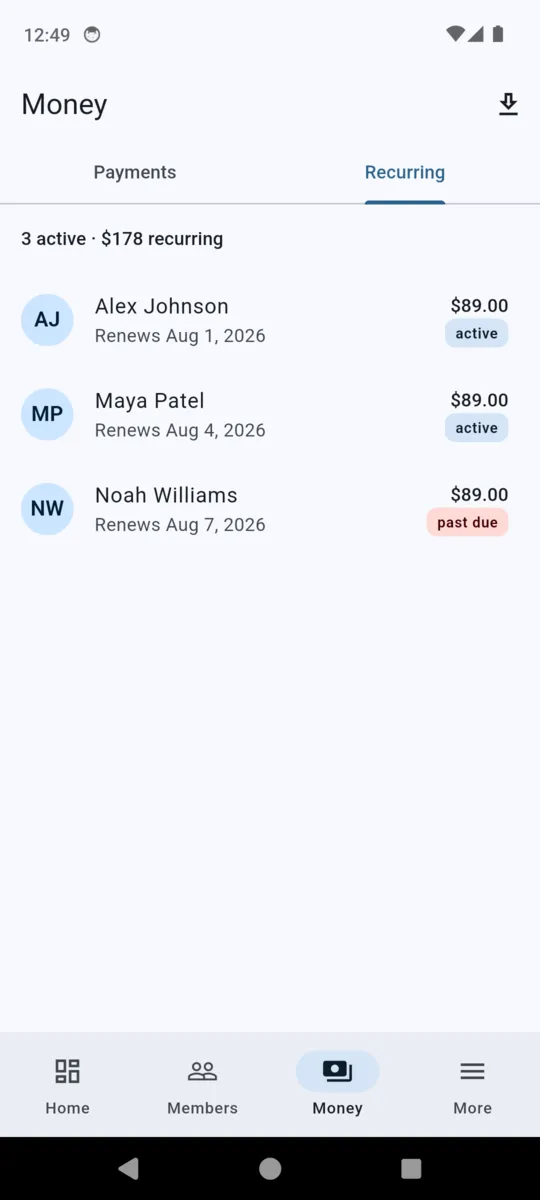
A price you set once and then forget. Monthly, weekly or yearly, or a single one-off for someone who comes for a term. Once a member has completed the first payment it becomes a Stripe subscription and renews on its own until one of you stops it.

  • The amount and the period are fixed when the plan is created
  • Renewals land in the ledger with no action from you
  • The Recurring tab shows every live one and its next date

METERED

The tab

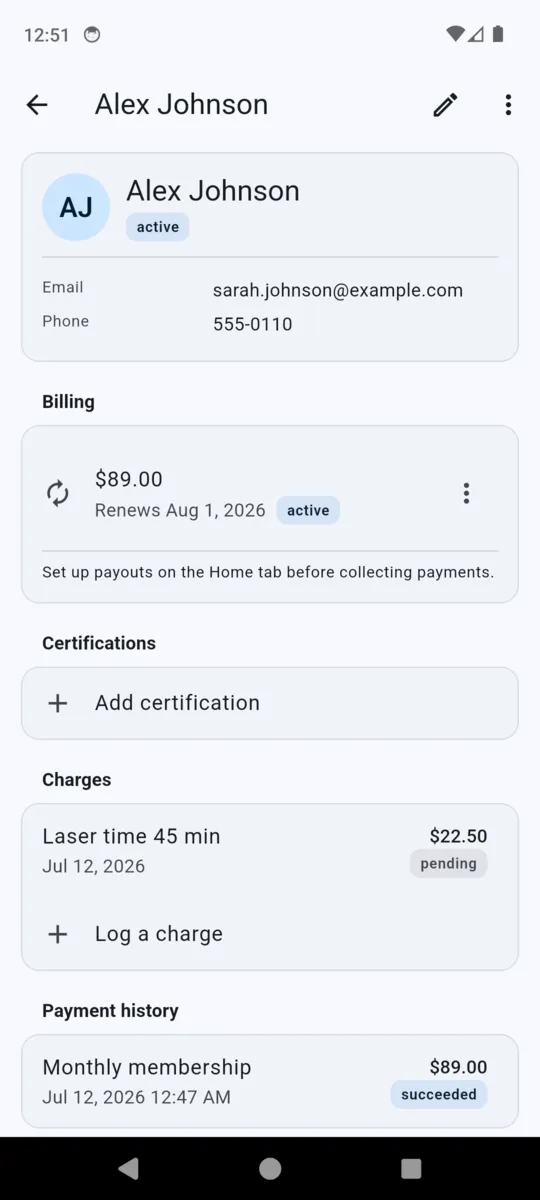
Laser minutes, resin, plywood, a bad cut that had to be done twice. Whoever is on the desk logs each one against the member with a description and an amount. They sit there as pending until you decide to collect, and then they all go on one link.

  • Typed in by a person — no machine reports to BenchPass
  • A pending charge can be voided by tapping it
  • Billing bundles the whole pending total into one payment

What billing a tab actually looks like

Three things logged over a fortnight, billed in one go. The platform fee is 1% plus 30 cents on the payment, not on each line, which is why it is worth letting a tab build up rather than chasing every ten-minute cut.

  • Logged as they happen A description and an amount, on the member's own card. No machine integration, no meter, no card reader on the wall.
  • Billed when you say so One button turns every pending line into a single Stripe link and opens your share sheet. Send it however you already message members.
  • Charged on your own account The payment is created on the makerspace's Stripe account, and Stripe pays out to your bank on the schedule you agreed with Stripe. ClearStack holds none of it.

CERTIFICATIONS

Who signed off whom, and when

Add a certification to a member and BenchPass writes down three things: the machine, the person who signed them off, and the date. It sits on their card next to the membership, so the answer to "is she checked out on the laser?" is one tap away instead of somewhere in a group chat.

Members also carry a key fob or access ID and an emergency contact, because those are the two other things somebody always needs at the exact moment they cannot find them.

What is in it, and what is not

The right-hand column is the useful one. Better known now than in week three.

IN THE APP

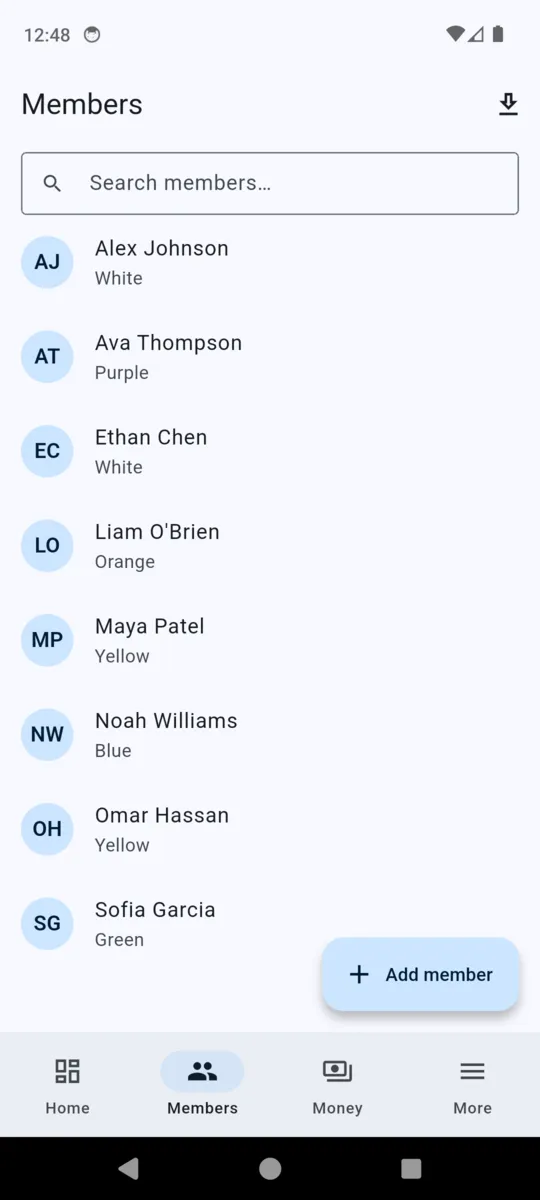
  • Member records, searchable, with key fob ID and emergency contact
  • Certifications: the machine, who signed off, the date
  • Charges logged per member, voidable while they are still pending
  • Membership plans — monthly, weekly, yearly or one-off
  • Stripe payment links, sent through your own share sheet
  • A payments ledger and a list of live memberships, exportable as CSV
  • Staff accounts, with billing kept to owners and admins
  • No advertising anywhere in the app

NOT IN THE APP

  • Door access, interlocks or any control over a machine
  • Automatic metering — every charge is typed in by a person
  • Booking, or a calendar for the machines
  • Reminders, dunning or automatic card retries
  • Prepaid credit packs and punch cards
  • An attendance register or sign-in sheet
  • A member login — members only ever see a Stripe page
  • Offline use; records live in the cloud so all your staff see the same thing

PRICING

$19per month, per makerspace

Thirty days free to begin with, and no card asked for during them. One space per subscription, with as many members and staff accounts as you have.

Plus1% + $0.30 on each payment collected, which you can pass to the member or absorb.

Get BenchPass
  • Unlimited members
  • Unlimited staff on the account
  • Recurring memberships and one-off fees
  • Charges and certifications
  • CSV export of members and payments
  • Cancel from Settings; your Stripe account stays yours

Questions

How does a member actually pay?

You open their record, bill either a membership plan or their pending charges, and BenchPass hands you a Stripe link through the share sheet. They open it in their own browser and pay by card.

Whose Stripe account is the money charged on?

The makerspace's. BenchPass creates a Stripe account in your name and every charge is made on it, so the money is yours the moment the card clears. ClearStack never holds a balance.

Do certifications stop someone using a machine?

No. A certification is a dated record on the member card saying who signed them off. BenchPass has no door control, no interlock and no way to switch a machine off.

How do machine time and materials get charged?

You log each one against the member as it happens. They sit as pending until you bill them, and then they all go on one link. Nothing is metered automatically.

What does it cost?

$19 a month for the makerspace after a 30-day trial with no card, plus 1% and 30 cents on each payment collected. A $54.50 tab carries $0.85.

Who pays that per-payment fee?

Your choice. Out of the box it is added to the member's total as a separate service fee line. Switch it off in Settings and it comes out of your share instead.

Does it chase a member whose card failed?

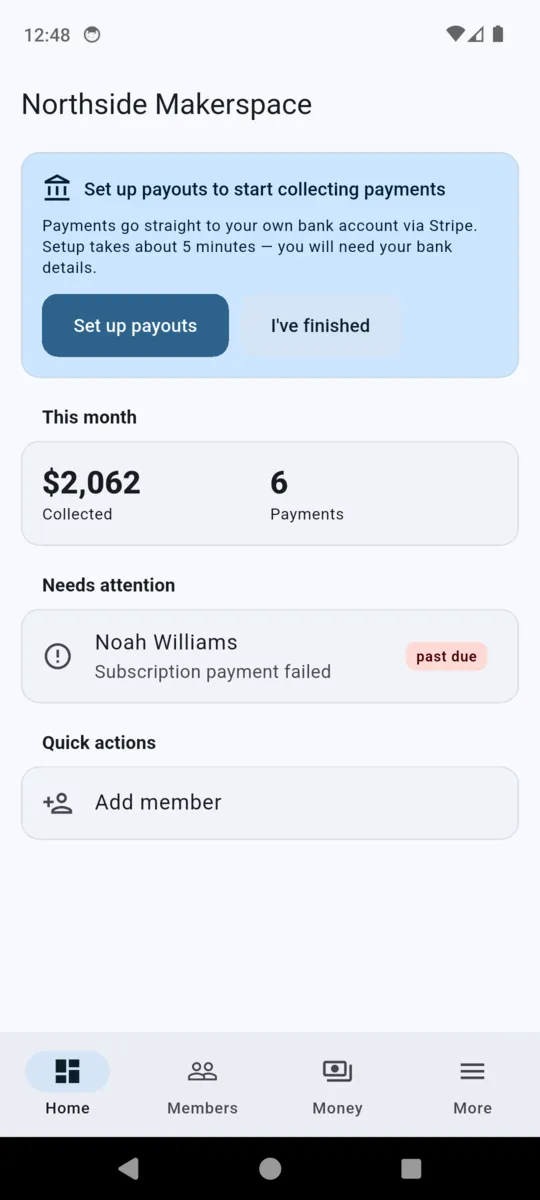
No. BenchPass sends no reminders and retries nothing. A failed membership appears under Needs attention on the dashboard, and chasing it is your job.

Where does it work?

The United States, Canada, the United Kingdom, Australia, New Zealand and Ireland — the countries Stripe supports for this kind of account.


Start with the members you already have

Add them, connect Stripe, and put one laser session on a tab. Thirty days, no card, and your Stripe account stays yours either way.