01
Hours, not months
Every item you track carries the interval you set — 100 hours, one season, a date — and BoatLog counts your hour-meter entries down against it. A boat that sat on the trailer all spring is not "due" just because time passed.
BOAT MAINTENANCE LOG
BoatLog
Boat Maintenance Log
BoatLog tracks oil, impellers, gear lube and filters against the intervals you enter from your engine manual. Punch in the hours after each outing and see what's due, engine by engine.


$24.99 once, $9.99/yr or $1.99/mo.
Android and iPhone; the 14-day trial is on Android.
THE PART A PAPER LOG CANNOT HOLD
An oil interval from an engine manual is written in hours — and on a twin-rig boat the two engines never run exactly the same hours. That gap is a piece of state a ruled page cannot hold, and it is exactly what BoatLog keeps.
01
Every item you track carries the interval you set — 100 hours, one season, a date — and BoatLog counts your hour-meter entries down against it. A boat that sat on the trailer all spring is not "due" just because time passed.
02
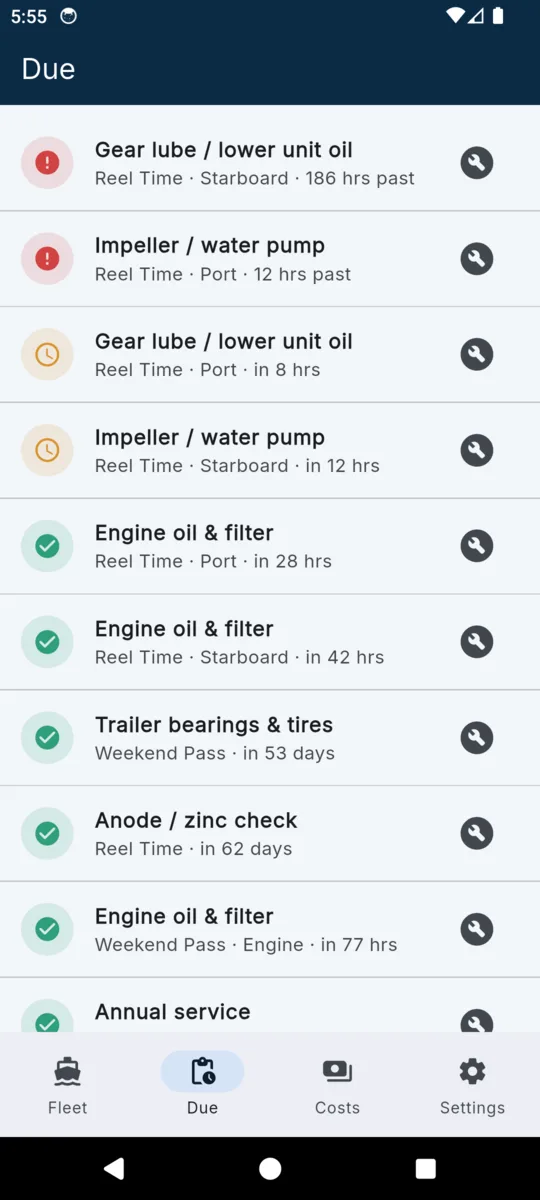
Each engine has its own hour meter and its own due list. The port impeller crossing its interval does not touch starboard's clock, so nothing gets serviced early — or worse, skipped because "the other one was fine".
03
From your manual, your mechanic, or your own judgment. BoatLog is a logger, not a mechanic — it never prescribes service, it tracks the plan you gave it.
TWIN OUTBOARDS, FROM THE APP'S SAMPLE DATA
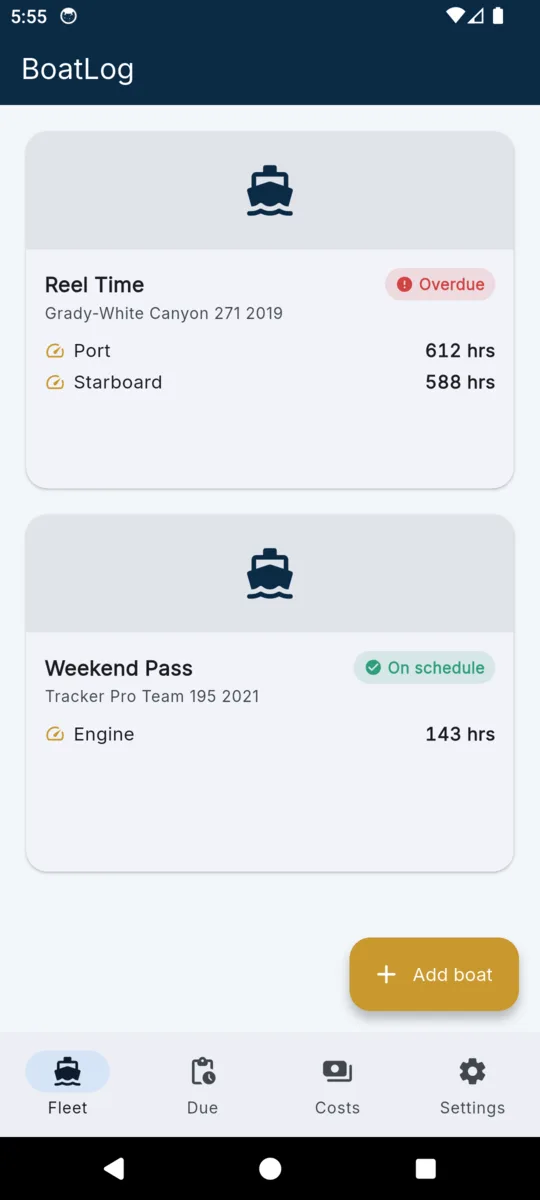
Same boat, same days on the water — but the port engine has crossed the impeller interval entered for it and the starboard one has not. Two engines, two clocks. Numbers from the app's sample data.
Six things, recorded properly. No account to make, nothing uploads.
01
Engine-hour tracking
Set intervals from your manual — oil, impeller, gear lube, plugs — and BoatLog counts down in hours, not months.
02
Twins and triples
Port and starboard log hours separately. One impeller can be overdue while the other still has hours left.
03
Service records with receipts
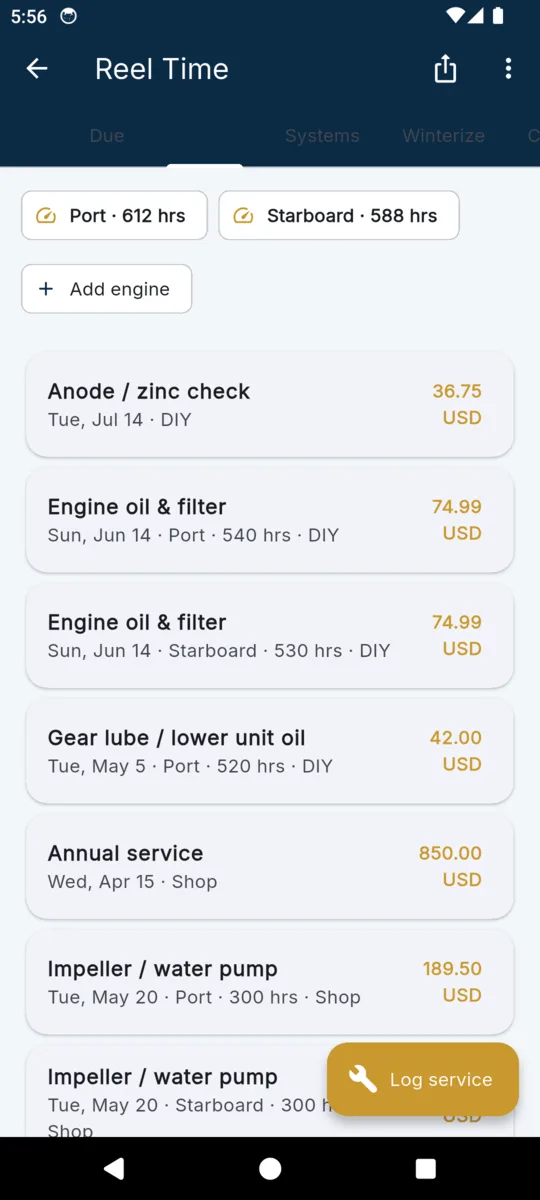
Date, engine hours, cost, shop or DIY, parts, and up to three photos per job.
04
Winterization checklist
A reusable checklist saved per boat, per season. Use it for lay-up and recommissioning.
05
Safety-gear expiries
Flares and extinguishers tracked from the dates you enter, flagged in the app as they near expiry.
06
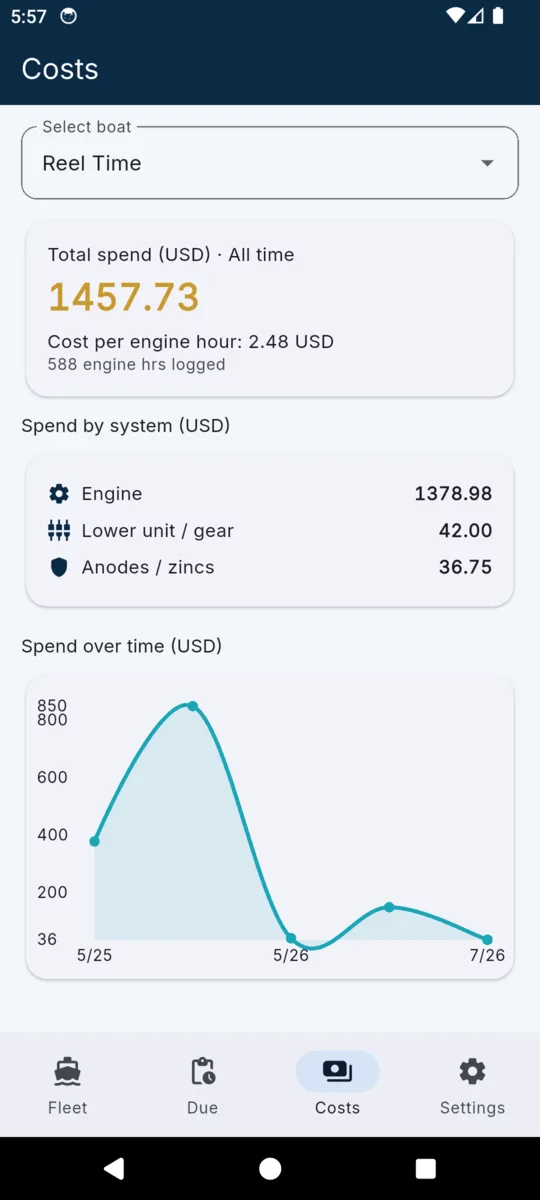
Cost per engine hour
Total spend, spend by system, and cost per recorded engine hour — from the expenses you log.
Three screens from the shipped build. Reel Time, Weekend Pass and the figures in them are sample data.
Scroll sideways, or use the arrow keys
On Android, fourteen days of everything when you install it, no card; the iPhone app has no trial. After that, keep one boat going on the $0 tier or pay once and be done. The lifetime unlock is the one most people want: nothing renews.
Whichever you pick, records you already made are never locked, hidden or deleted. Your boats, engines, services and photos stay readable.
LIFETIME
$24.99once
Or $1.99 a month, or $9.99 a year.
Completely. There is no account or cloud sync — the log lives on your phone, and backups are files you keep.
Each engine has its own hour meter in the app. Items attach to one engine and come due against that engine's hours alone.
From you. Enter what your engine manual or mechanic specifies; BoatLog tracks when each item is due from those hour or date intervals.
Everything you logged stays readable. The $0 tier keeps one boat; Premium unlocks unlimited boats and exports, and removes ads. The trial is on Android; the iPhone app has none.
Yes. CSV for spreadsheets, a JSON backup you can restore on a new phone, and a PDF service history with your photos.
Yes. BoatLog is on the App Store for iPhone, with the same plans and the same backup file, so a backup made on one phone restores on the other. The iPhone app has no trial.
BoatLog never prescribes service. It ships with no built-in intervals and makes no claim about what your engine needs — every interval it tracks is one you entered from your manual, your mechanic or your own judgment. It records what was done and counts hours and dates toward what you said comes next. The same line appears in the app and on the cover of every PDF it exports.
Add the boat, add its engines, enter the intervals from the manual — and from then on it is one hour-meter reading after each outing.
$24.99 lifetime, or $1.99 a month / $9.99 a year.