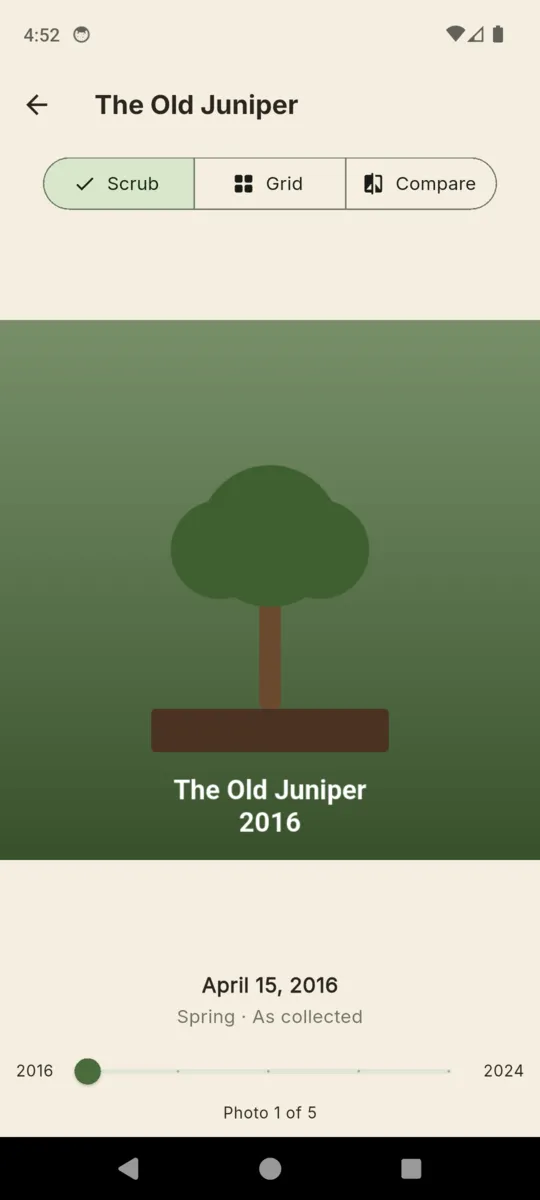
Scrub
Drag the handle from the first photo to the most recent and watch the tree change under your thumb. The date, the season tag and the caption sit under the image, and a counter tells you where in the run you are.
BONSAI CARE LOG & TIMELINE

BonsaiLog
A photo timeline and care log for every tree
Bonsai moves too slowly to remember. BonsaiLog holds a dated photo timeline for each tree next to the watering, feeding, repotting, wiring and pruning you actually did, so a decade of small decisions becomes something you can scroll through.

Free for two trees.
Premium from $1.99. Android.

THE TIMELINE
Photos on a tree are dated, and can carry a season tag and a caption. Past a handful, one long list stops being useful, so the timeline opens three ways.
Drag the handle from the first photo to the most recent and watch the tree change under your thumb. The date, the season tag and the caption sit under the image, and a counter tells you where in the run you are.
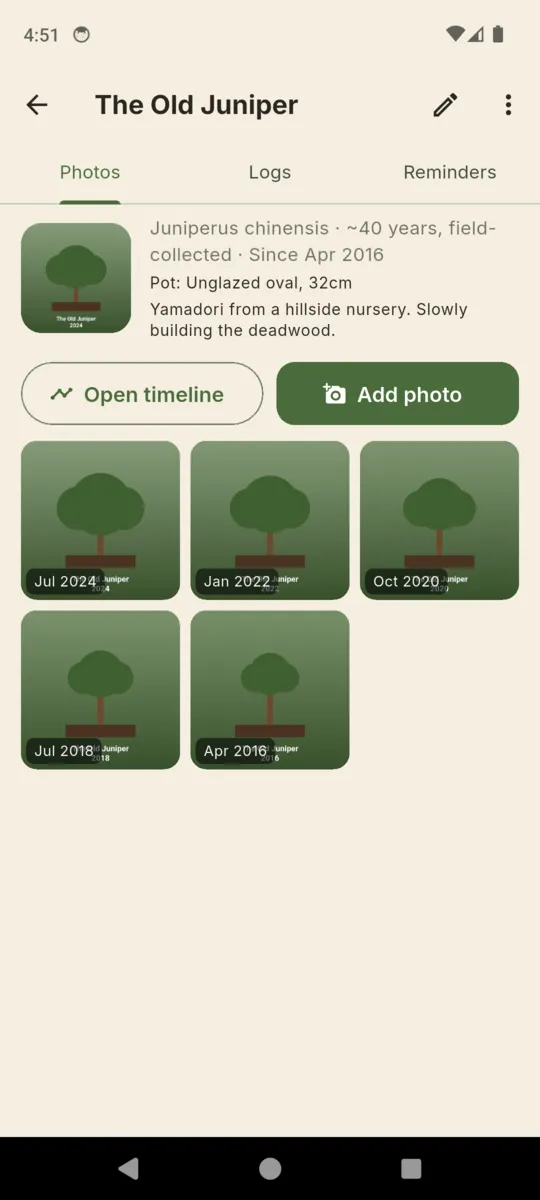
The same photos grouped by year, newest year first, each thumbnail stamped with its month. This is the view for spotting the year you did nothing, and the year the canopy finally filled in.
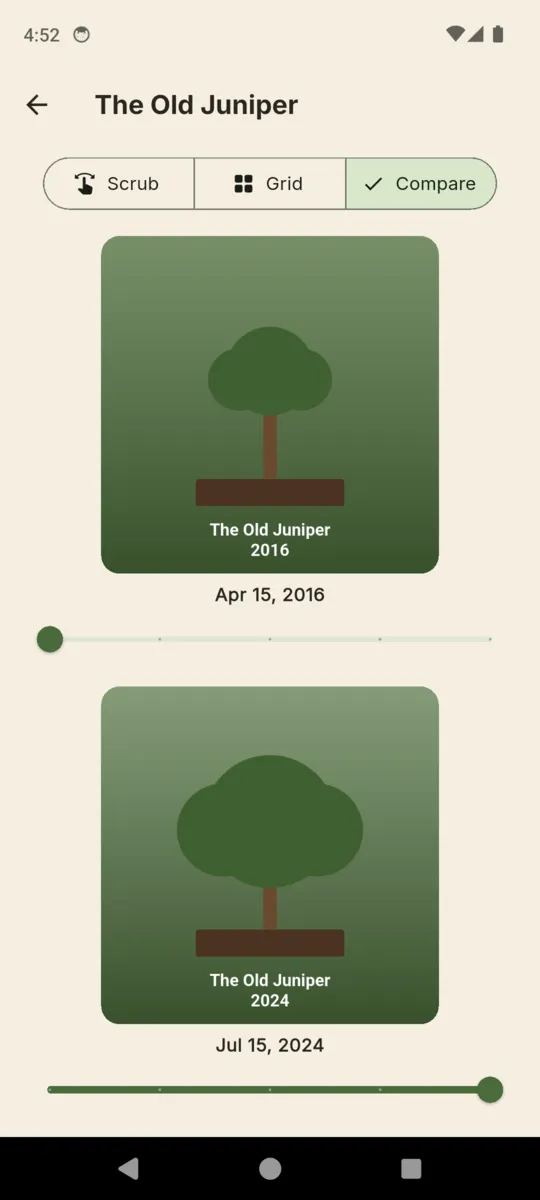
Pick any two photos and hold them together, each with its own slider. It is the honest answer to whether three years of pinching did anything, and the one you end up showing at the club.
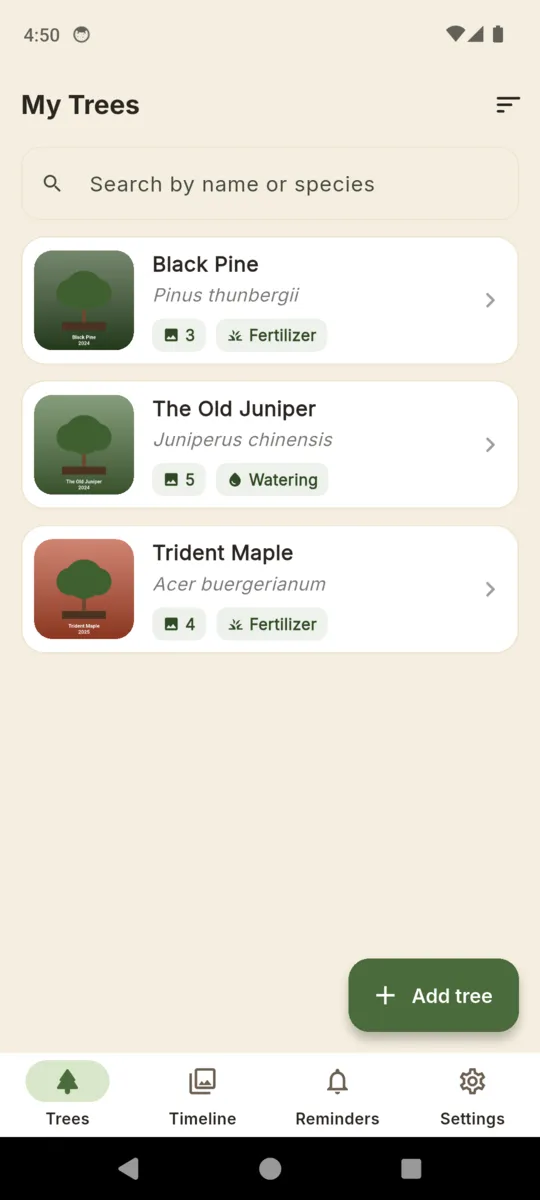
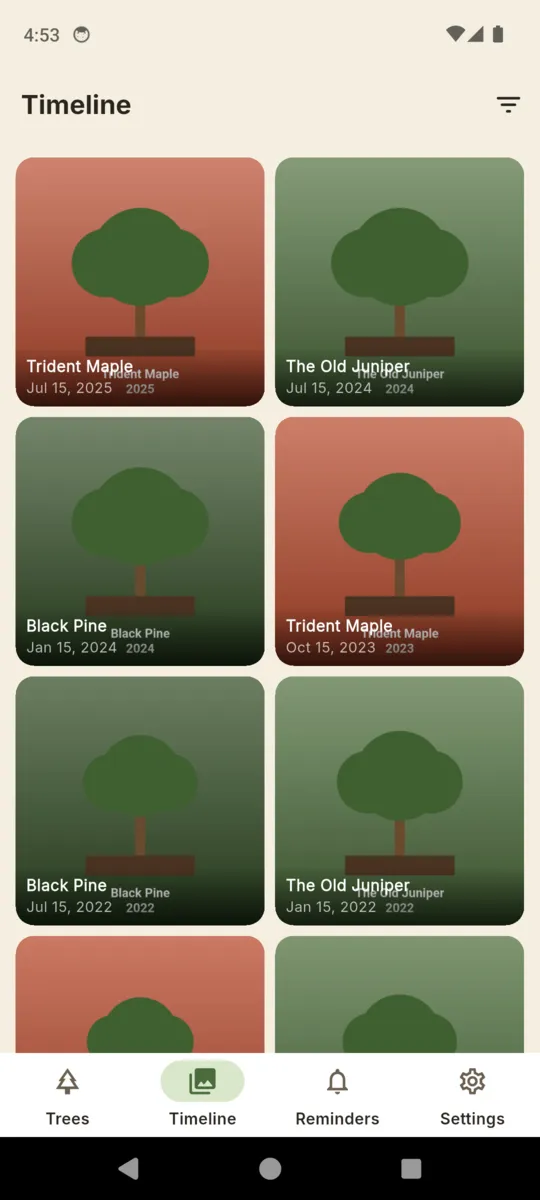
A separate Timeline tab pools every photo in the collection into one feed, newest first, with a filter for a single tree.
THE CARE LOG
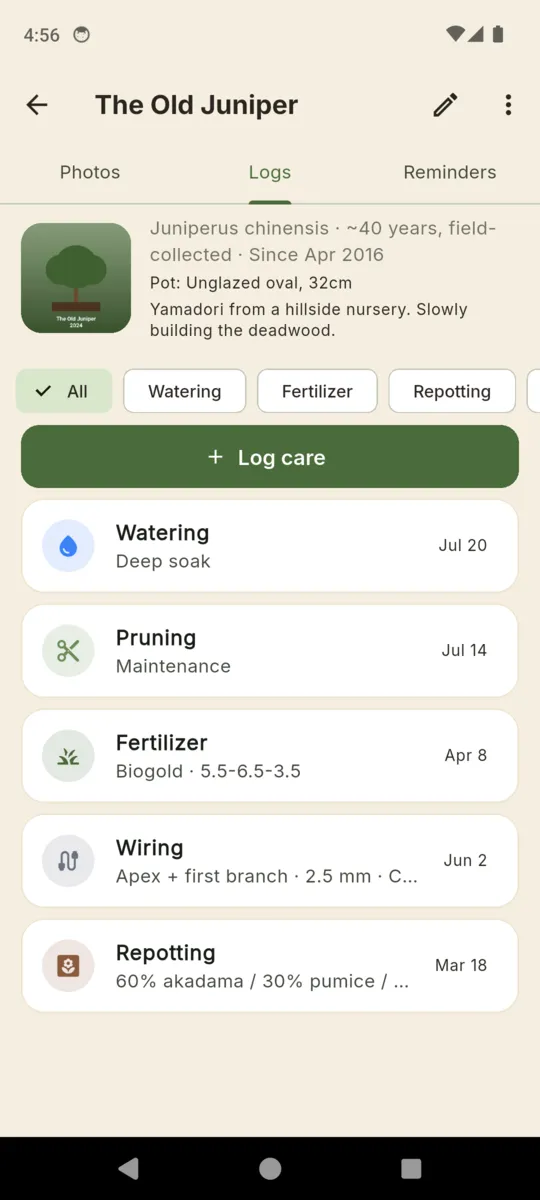
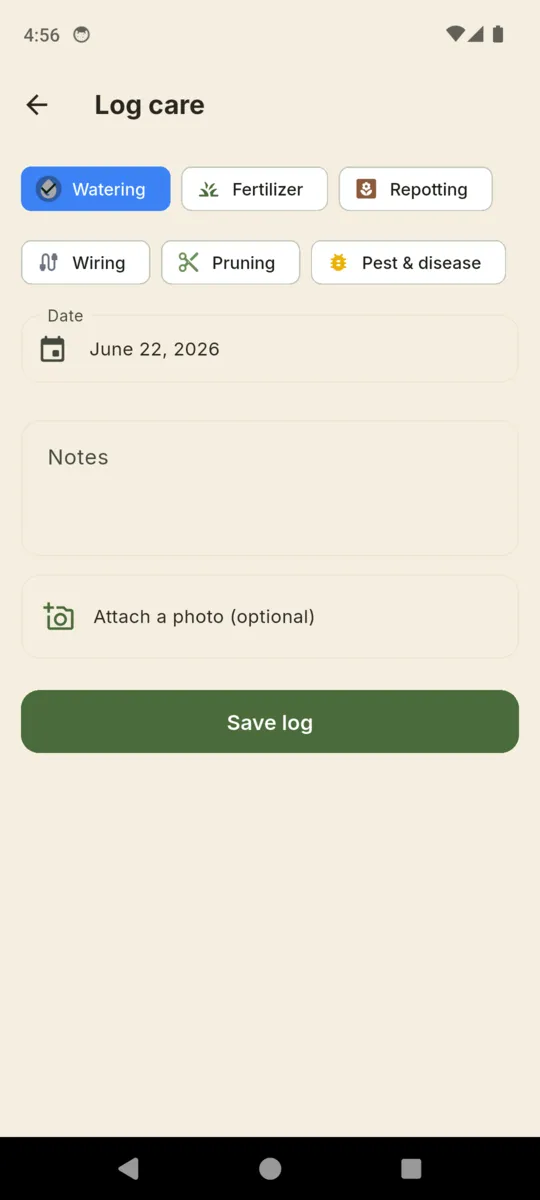
A watering note and a repotting note are not the same shape, so BonsaiLog does not pour them into one box. Pick the type and you get the fields that type needs, and nothing else.
The plain one. A date, a note if the soak was unusual, a photo if something looked off.
Which feed and at what strength, so next spring you can repeat the year that worked.
Free text for the mix, so 60% akadama / 30% pumice / 10% lava survives four years and two pots.
Branch, thickness and metal, plus the date you mean to take it off before it bites in.
Structural, maintenance or defoliation, with a photo of the silhouette you cut to.
What you saw, what you did about it, and whether it came back the following season.
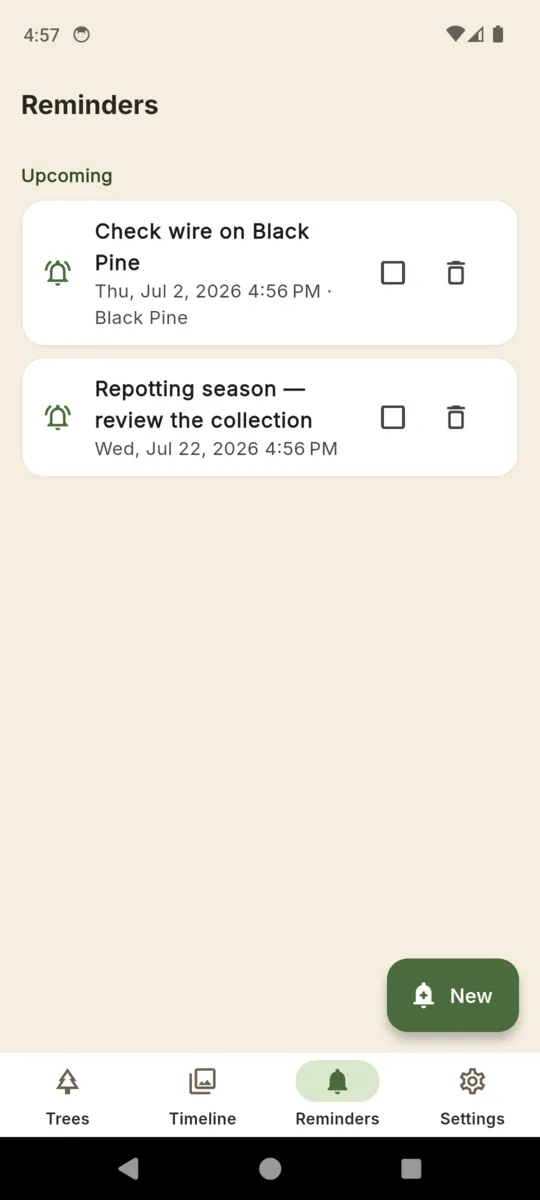
BonsaiLog does not give horticultural advice. It never tells you when to water, when to repot, or when to take wire off. It records what you decided and when you decided it, and the reminders fire only for things you typed yourself, on the date you picked.
Scroll sideways, or use the arrow keys
THE ARTEFACT
Years of entries earn their keep the day a tree changes hands, goes to a show, or outlives you. BonsaiLog builds one PDF per tree, on the phone, with no server involved.
The PDF is a Premium feature, and it is also the only export. BonsaiLog has no backup file and no cloud sync, so keep the documents somewhere you trust.
Two trees are free, with a banner ad on the collection screen. Premium lifts the tree limit, removes the ad and unlocks the biography PDF. Every install starts with a 14-day trial of the whole app, no card.
Yes. Trees, photos, care entries and reminders live on the phone. A connection is only used to serve the banner ad in the free version.
No, and that is deliberate. BonsaiLog records what you did and when. It never prescribes timing, because the answer depends on your species, your climate and your soil, not on an app.
A cover with the tree's nickname, species, age estimate, pot and acquisition date, then the photo timeline dated oldest to newest, then every care entry grouped by type.
You write the title and pick the date yourself. A reminder can be attached to one tree or left general, and it fires once. Nothing is ever scheduled for you.
The biography PDF is the export, one per tree. There is no backup file and no cloud sync, so keep the documents somewhere safe if the collection matters to you.
The timeline only works if it starts. Add your best tree, take one photo, and the second photo will mean something.