CLASSIC CAR BUILD LOG
CarRestore
The build log for your project car
A restoration takes years. The record shouldn't be a camera roll.
CarRestore keeps one project in one place: dated photos filed by area of the car, the parts you bought and where from, what you have spent against the budget you set, and a build sheet you can print at the end of it. It runs on the phone, offline, with no account.

$2.99/mo · $14.99/yr · $29.99 lifetime.
The build, in the order it happens
Six things a restoration asks of you, and where each one lands in the app.
-
Open the project
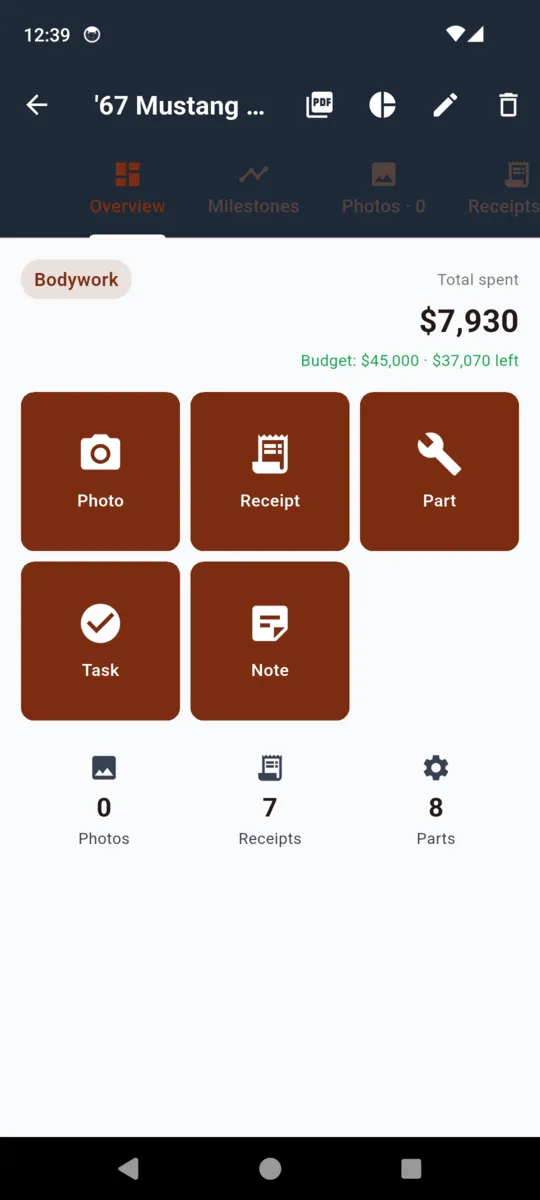
Nickname, year, make, model, body style, VIN, budget and currency. Eight statuses run from Stripping through Mechanical, Bodywork, Paint, Reassembly and Interior to Complete, so the car's stage shows on its card without opening anything.
-
Photograph the work
Camera or gallery, with a caption and a date, filed to one of eight areas: engine, body, interior, frame and suspension, paint, electrical, wheels and tyres, or misc. One photo becomes the project cover.
-
Log the parts
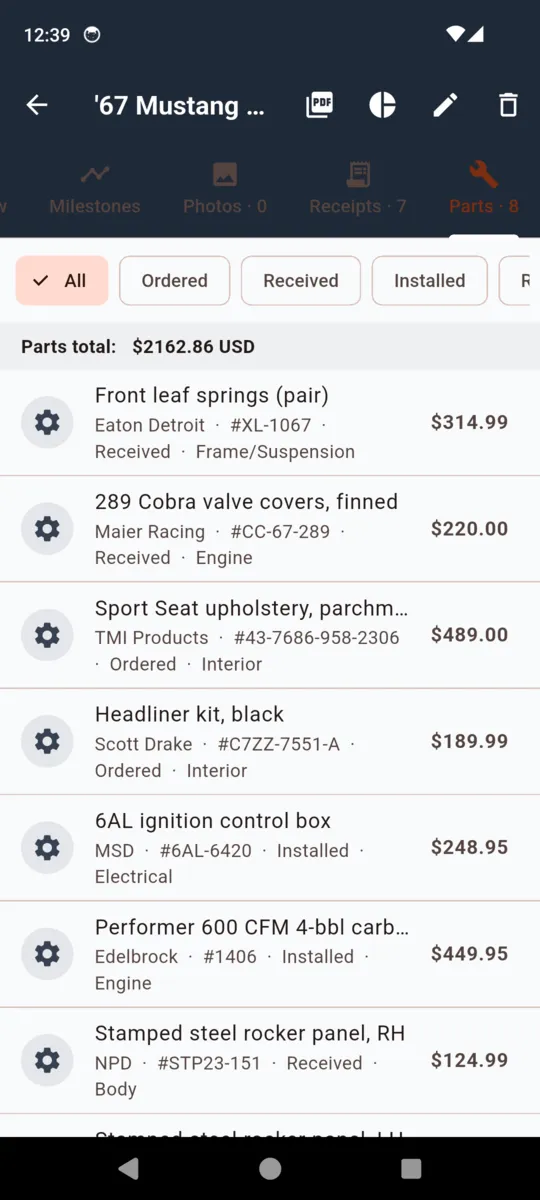
Manufacturer, part number, description, where you bought it, price and area, plus a status: ordered, received, installed or returned. Filter the list by status; the running parts total sits at the top of it.
-
Photograph the receipts
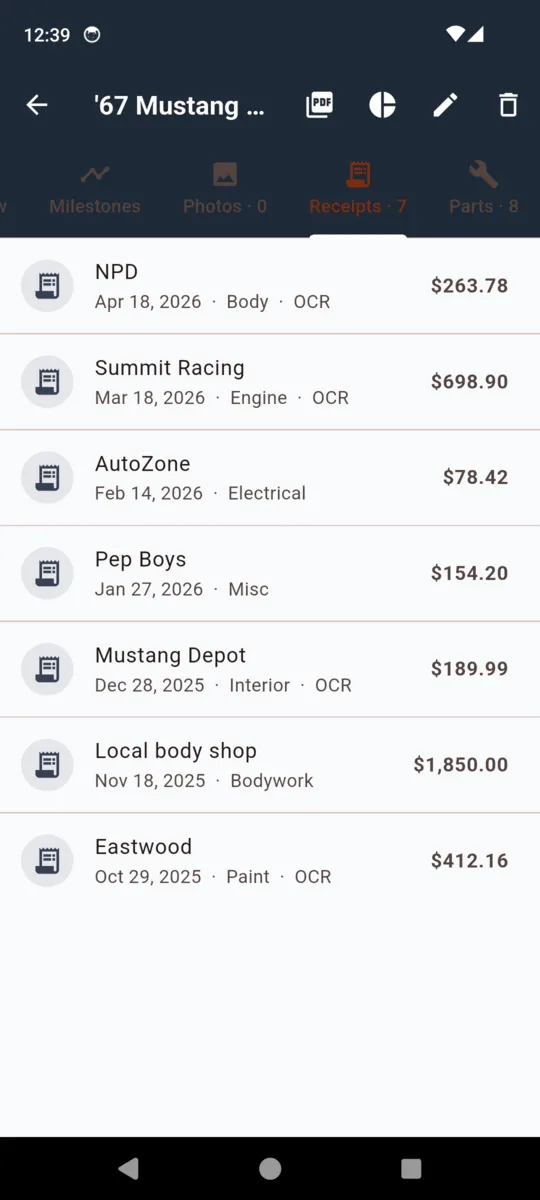
Point the camera at a receipt and CarRestore reads the vendor, the date and the amount off it. The reader is heuristic and gives up on faded thermal paper, so the manual fields sit beside it rather than behind a retry.
-
Mark the milestones
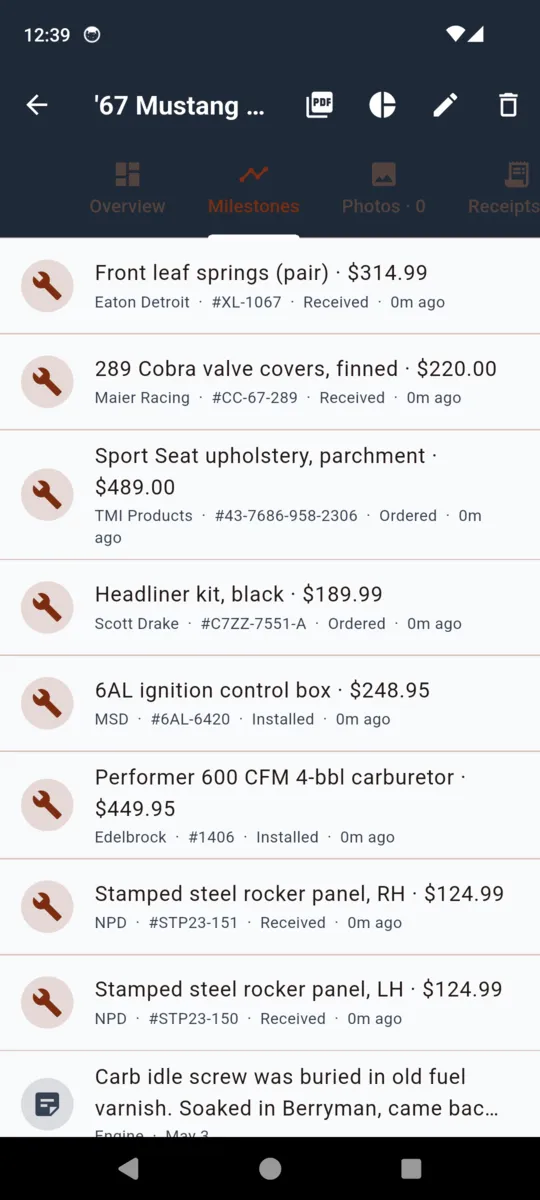
Completed tasks and written notes join photos, receipts and parts on one timeline, newest first. Months later that timeline is the only thing that still remembers the order you did the work in.
-
Print the build sheet
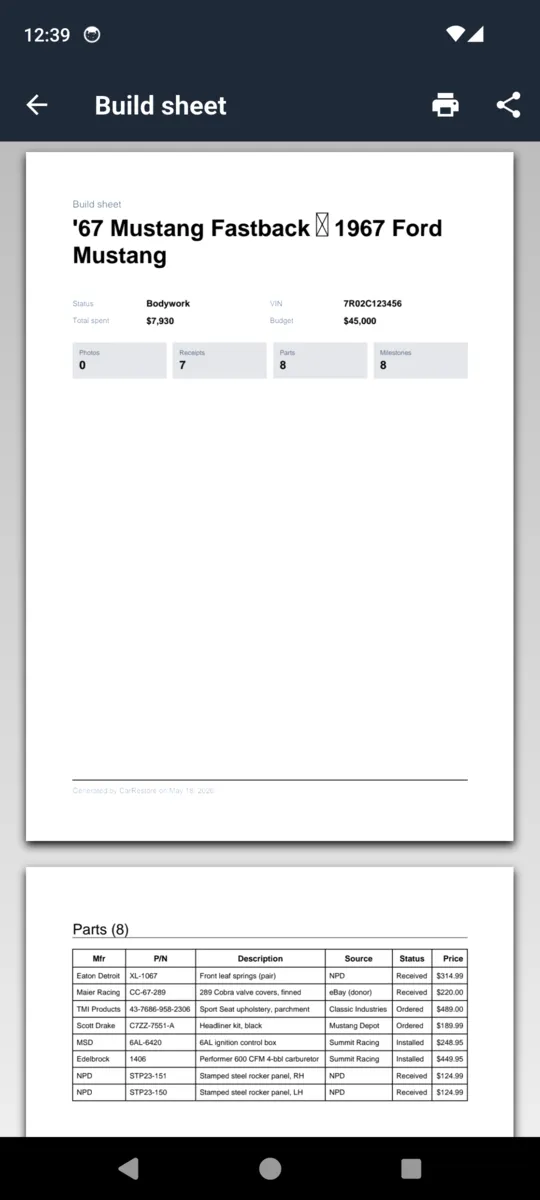
One PDF holding the car, the money, the parts table, the receipts table, the photo pages and the milestones. The document a buyer asks to see.
THE PART NOBODY WANTS TO ADD UP
What it has cost you so far
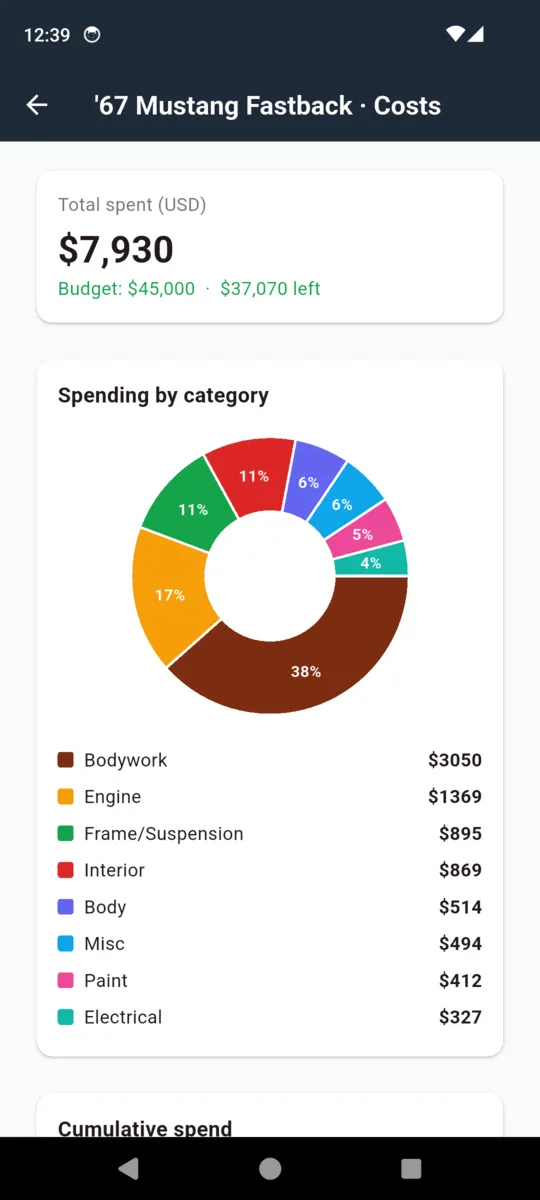
Set a budget when you open the project and every receipt, part and cost entry is measured against it. The number on the project card is the real one.
- Spent against budget. The total, and what is left of the figure you set yourself.
- Split by area. Bodywork, engine, frame and suspension, interior, body, paint, electrical and misc, each with its own subtotal.
- Cumulative over time. How the spend built up, month by month.
- Currency per record. Nine currencies. A part bought in euros stays in euros and is never quietly folded into a dollar total.
- Out to a spreadsheet. Parts and receipts each export as their own CSV.
Screens from the app
THE DOCUMENT AT THE END
What prints in the build sheet
Generated on the phone in the background, with a progress bar while the photos compress. Print it, or share it as a file.
- Cover
- The car, its status, total spent, the budget, and how many photos, receipts and parts are on file.
- Parts
- A table of description, source, status and price.
- Receipts
- A table of date, vendor, category and amount.
- Photos
- Laid out across as many pages as the build needs, compressed for a sane file size.
- Milestones and notes
- Completed tasks and notes, merged into one dated list.
- Cost breakdown
- Every category with its subtotal, and the total underneath.
On the free tier the build sheet exports as a single watermarked summary page. The full multi-page sheet is part of the paid unlock.
How it behaves
- No signal needed. Garages have bad reception. Everything is stored on the phone.
- No account. No sign-up, no email, no password, nothing sitting on a server.
- Your data is never locked. On the free tier, everything logged stays readable and editable. Only new records above the free caps stop.
- Reminders that matter. Parts pickups, follow-ups and milestones, per project or global.
- Backups are files. A JSON export the app can restore, plus CSV for parts and receipts.
- Paid means no ads. The banner only exists on the free tier.
PRICING
$29.99lifetime
Or $2.99 a month, or $14.99 a year. Lifetime owners keep what they have paid for.
- Unlimited projects
- Unlimited photos and receipts
- Full multi-page build sheet, no watermark
- JSON backup and restore, plus CSV
- No ads
Questions
Is there a free version?
Yes. The free tier holds one project, 30 photos and 20 receipts, and shows a banner ad. Paying removes the caps and the ads and unlocks the full build sheet and the exports.
Does it work without a signal?
Yes. Every project, photo, part, receipt and note is stored on the phone. There is no sign-up, no email and no password, and nothing syncs to a server. A connection is only used for the banner ad on the free tier.
Does it really read my receipts?
It tries. Photograph the receipt and CarRestore pulls out the vendor, the date and the amount. Faded thermal and handwritten receipts often defeat it, so the manual fields sit next to the scan rather than behind it.
What happens to my data if I stop paying?
Everything you have already logged stays readable and editable. Only new records above the free caps are blocked. Nothing is hidden and nothing is deleted.
Can I get my data back out?
On the paid tier, yes: a JSON backup of a project that the app can restore, plus separate CSV files for the parts and the receipts. There is no cloud backup, so the files are yours to keep wherever you like.
Subscription or one payment?
Either. $2.99 a month or $14.99 a year, or $29.99 once for lifetime access.
Start with the car that's already in pieces
Open a project, photograph what is on the bench tonight, and let the record build itself from there.