A CHECK ON 20 AUG 2026
Inside the window
The anniversary is kept.
NEXT DUE, AS CALCULATED
1 October 2027
FOR UK REGISTERED GAS ENGINEERS

CP12 Pro
Gas safety records, offline
Complete the landlord gas safety record on site, sign it and send the finished PDF from your phone. Warning notices and service records work the same way, and every property's next check sits on one list.

Android · works without a signal · from £5.99 a month or £99.99 once
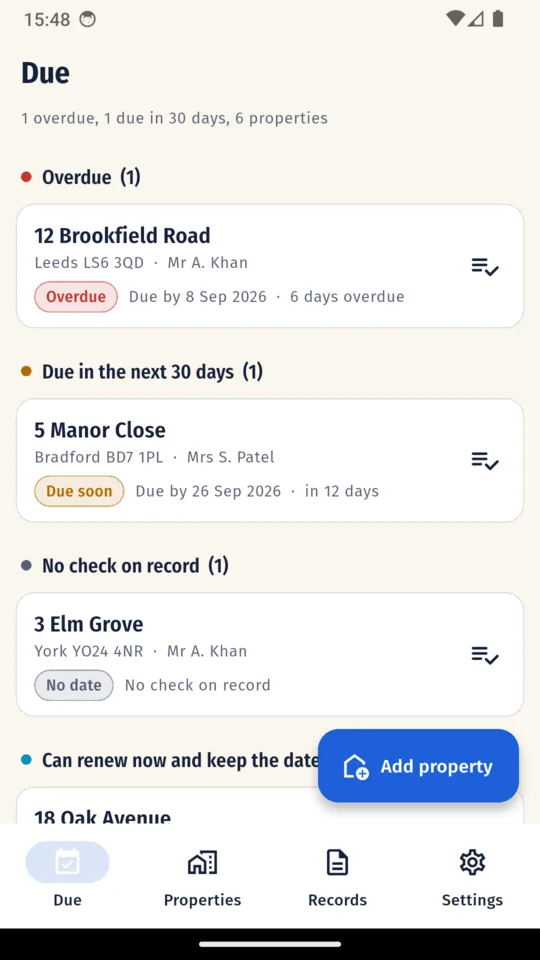
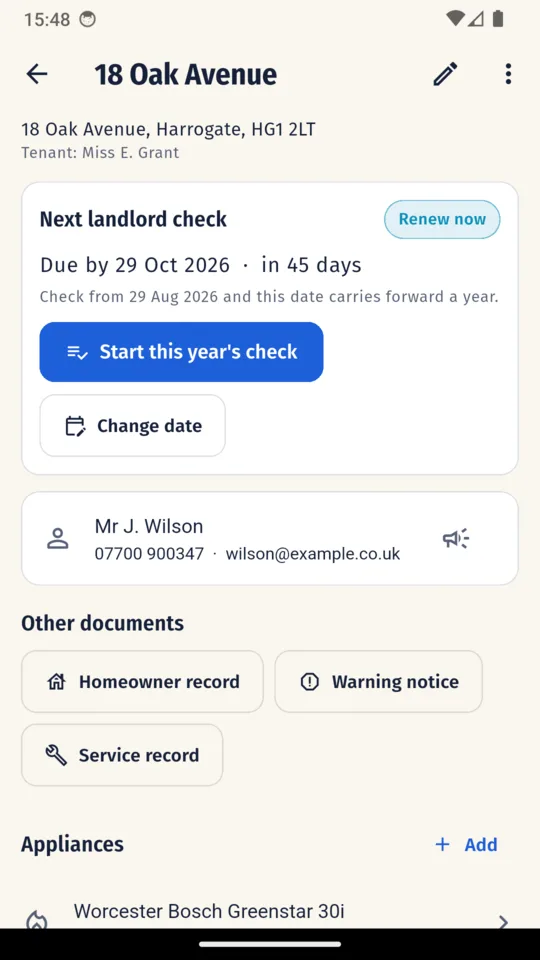
The home screen lists every property by the date its next landlord check is due, overdue first, then due in the next 30 days, then the rest. Each property carries its landlord, its tenant and its appliances, and one tap starts this year's check with the property and its appliances carried across. Last year's readings are never copied.
THE ORDER THE LIST USES
WHY THIRD, NOT LAST
A property with no check on record has no deadline to sort by, so a list ordered purely by date could bury it under properties that are in date. The app ranks it above them instead, so a property you know least about is never the last one you see.
Regulation 36A gives a two-month window in which a check can keep the existing deadline. Outside that window, the app calculates twelve months from the date of the check. It shows you the calculated date before you issue, and you can change it by hand.
A CHECK ON 20 AUG 2026
Inside the window
The anniversary is kept.
NEXT DUE, AS CALCULATED
1 October 2027
B CHECK ON 20 JUL 2026
Before the window opens
Twelve months from the check.
NEXT DUE, AS CALCULATED
20 July 2027
C CHECK ON 15 OCT 2026
After the deadline
Twelve months from the check.
NEXT DUE, AS CALCULATED
15 October 2027
The window opens on the same date two months before the deadline and runs to the deadline itself. Every date above is one the app calculates and shows you before you issue.
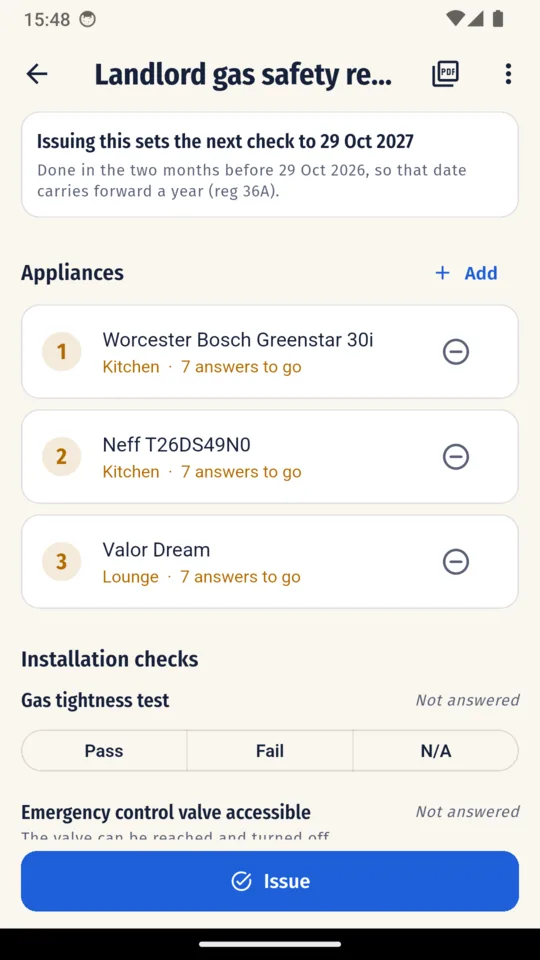
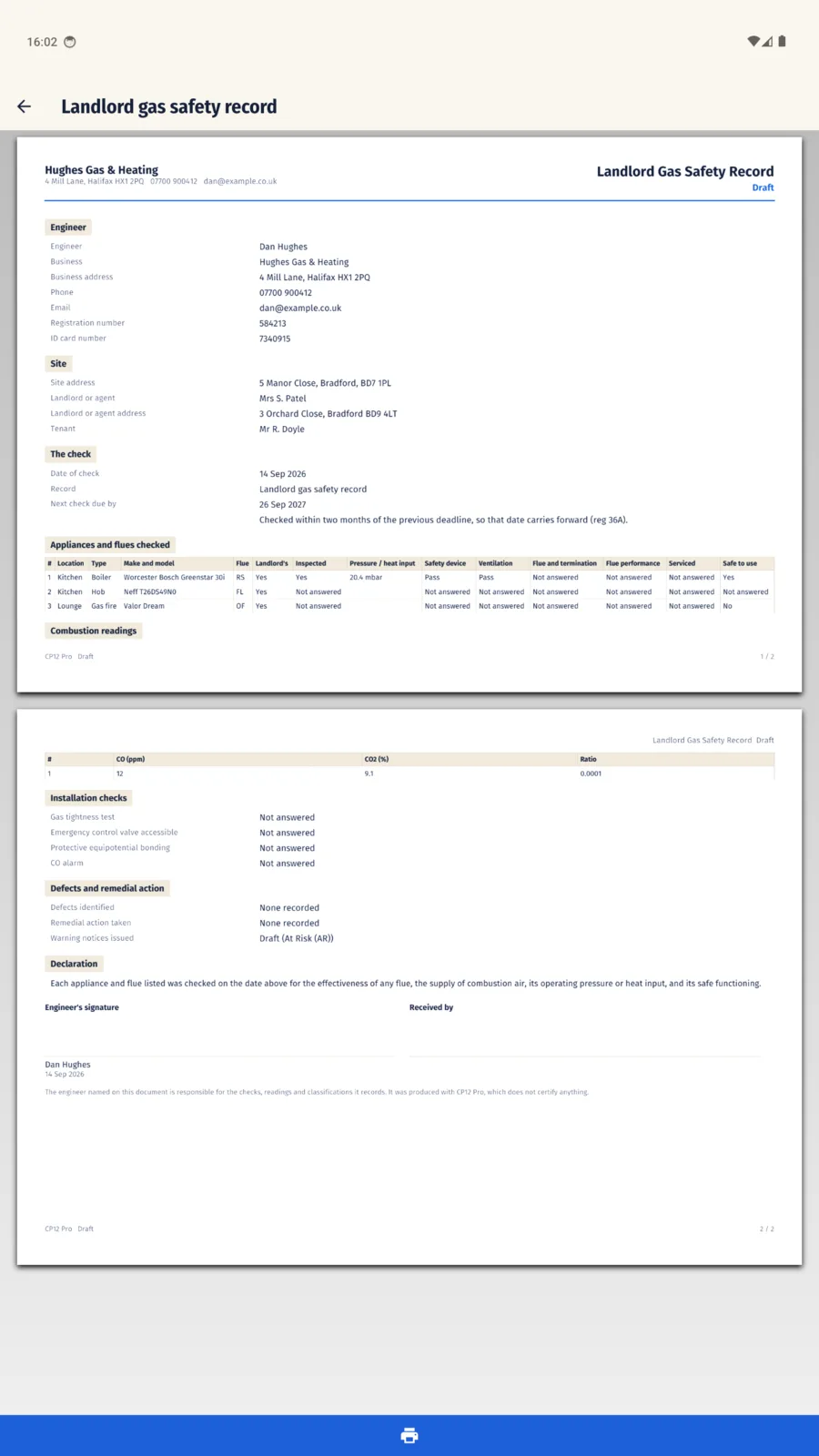
Every check on every appliance starts blank. A record will not issue while an appliance, the date of check, the gas tightness test, emergency control, bonding or your signature is still unanswered, and marking an appliance safe to use over a failed check asks you for the reason.
NOT ISSUED UNTIL ANSWERED
APPLIANCE ROWS
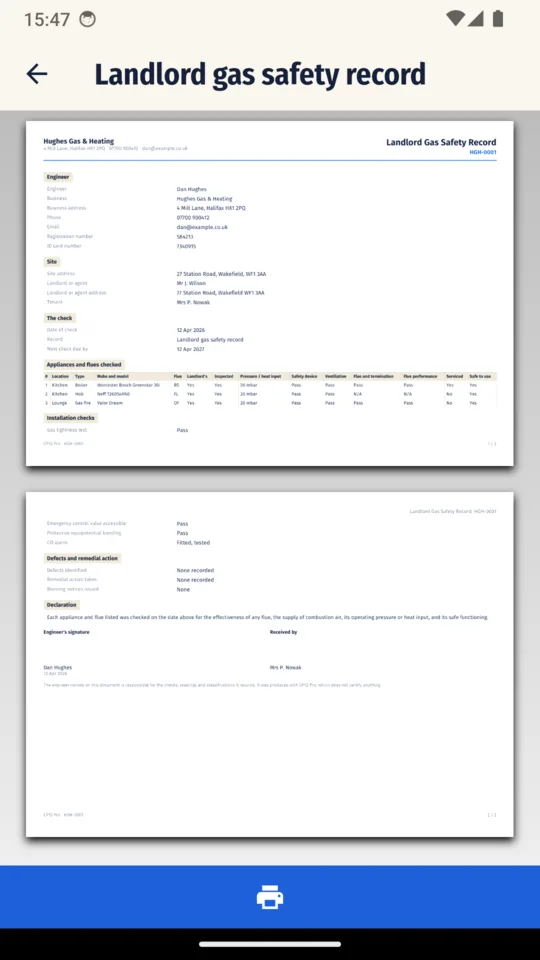
Location, type, make and model, flue type, operating pressure or heat input, safety device, ventilation, flue condition, flue performance, serviced and safe to use
PER APPLIANCE, OPTIONAL
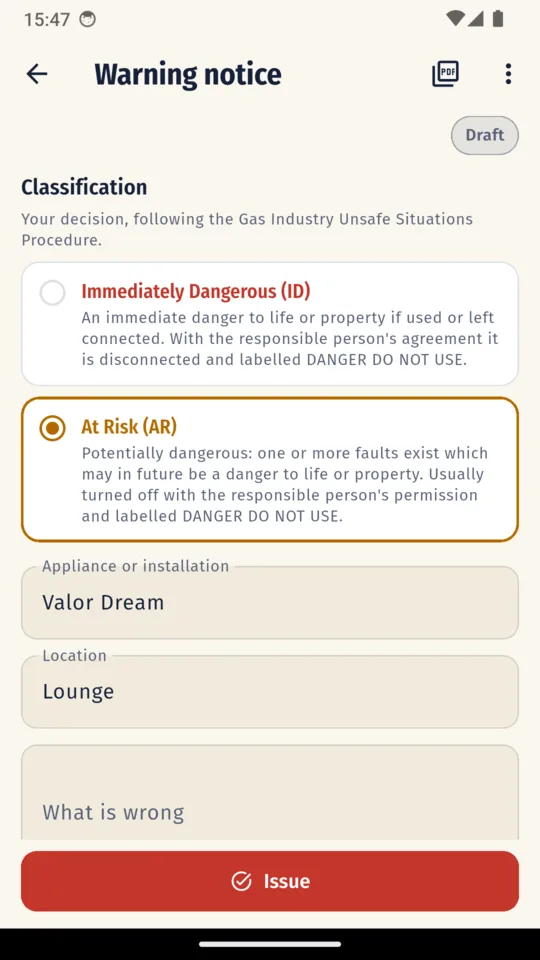
Combustion readings (CO ppm, CO2 %, ratio) and a photo for each appliance
THE INSTALLATION
Your results for the gas tightness test, emergency control, protective equipotential bonding and the CO alarm
CLOSING IT OUT
Defects, remedial action, your signature and the signature of the person receiving the record
ON THE PDF
Sequential record numbers with your own prefix, and your logo on the PDF
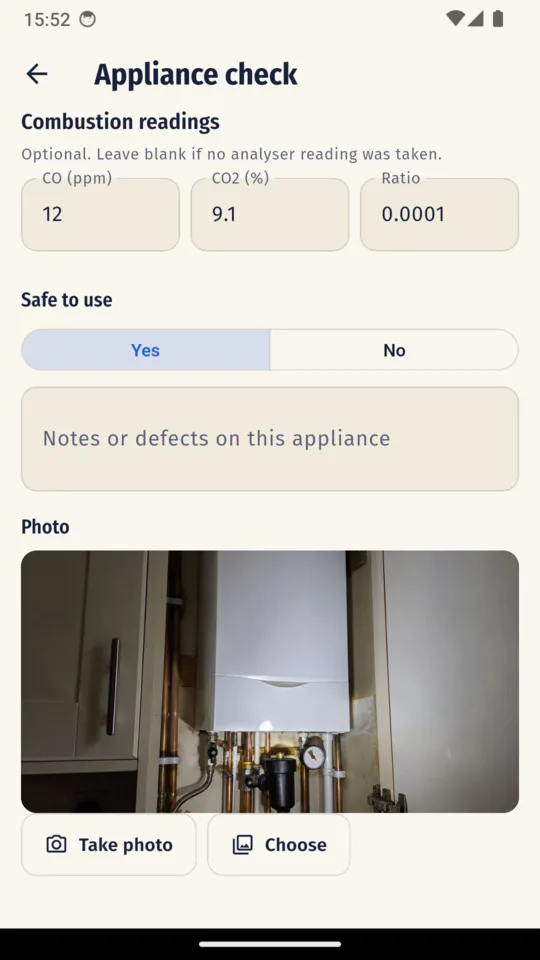
Raise an Immediately Dangerous or At Risk notice from the appliance you are looking at, with both definitions on screen. The app never picks the classification. The notice records the action taken, who was told, their signature or a refusal, and the Gas Emergency Contact Centre reference when permission to make safe is refused.
ID Immediately Dangerous
An immediate danger to life or property if used or left connected. With the responsible person's agreement it is disconnected and labelled DANGER DO NOT USE.
AR At Risk
Potentially dangerous: one or more faults exist which may in future be a danger to life or property. Usually turned off with the responsible person's permission and labelled DANGER DO NOT USE.
Both definitions sit on the screen where you choose, in these words. Warning notices never count towards the standard version's limit.
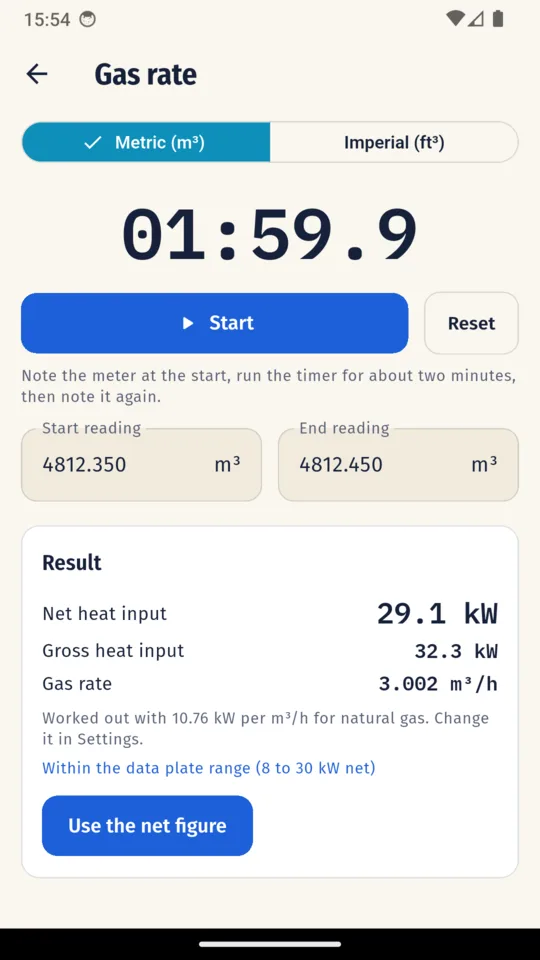
Time a metric meter's readings, or an imperial meter's test dial over the revolutions you count, and the gross and net heat input appear beside the data plate range you entered for that appliance. It uses 10.76 kW per m³/h for natural gas, which you can change in Settings, and one tap puts the net figure on the appliance row.
WORKED THROUGH, METRIC METER
AGAINST THE PLATE Within the data plate range (8 to 30 kW net)
The app says whether the net figure is below, within or above the range you entered for that appliance. Whether it is acceptable stays your call.
THE LINE EVERY PDF CARRIES
The engineer named on this document is responsible for the checks, readings and classifications it records. It was produced with CP12 Pro, which does not certify anything.
On the record, the warning notice and the service record alike.
You can complete and issue records without a signal, which matters in basements, plant rooms and new builds. Your job records are stored on your phone, with no account and no sync. One backup file holds your properties, records, signatures and photos, and restoring it on another phone adds what is missing without deleting the records already there. Crash and usage diagnostics are sent so faults can be found and fixed.
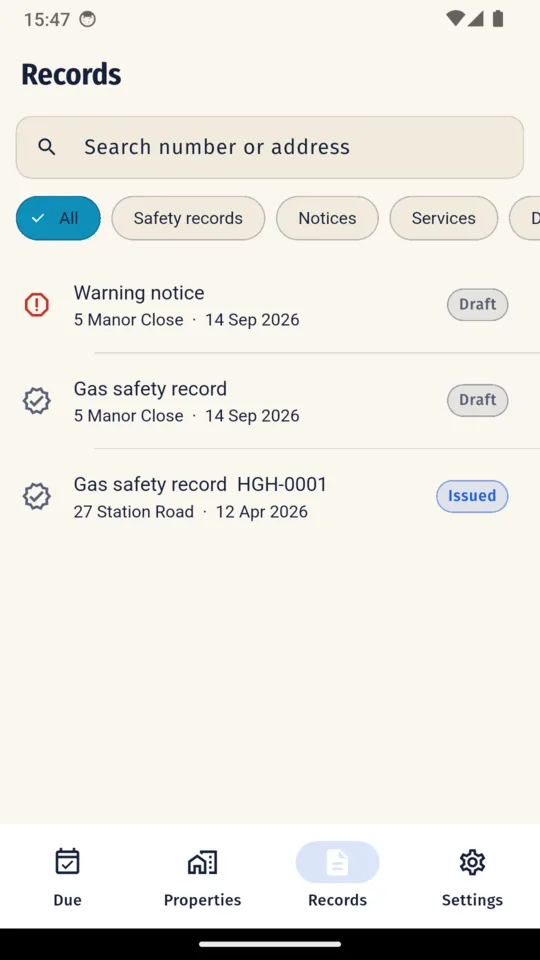
Screens from the shipped build, filled with sample records.
STANDARD
Three at a time
Up to three safety or service records at a time, with every feature. Warning notices are never counted, and nothing you have made is ever locked.
PRO
£99.99 once
or £5.99 a month, or £39.99 a year
No limit. A 14-day trial is there if you want it, and it starts only when you tap it.
No. It records the checks you carry out, and you remain responsible for every check, reading and classification. It is not affiliated with or endorsed by any registration body, regulator or standards body.
For a check in the two-month window, the app keeps the existing deadline; otherwise it calculates twelve months from the check date. You see the calculated date before you issue and can change it.
No account. Records can be completed and issued without a signal and are stored on your phone, and one backup file moves them to another phone.
Immediately Dangerous and At Risk, with the definitions on screen. The classification is always yours; the app never makes it.
Every feature, for up to three safety or service records at a time. Warning notices are not counted. Pro removes the limit.
Not at the moment. CP12 Pro is on Android.
Android · works without a signal · no account