A cover a client reads
The property, why you were called out, your company details and your logo. The disclaimer, the clock convention and the coding note sit here too, on the first page rather than a back one.

Drain and sewer camera log
DrainPro
A camera run produces footage and a set of readings. DrainPro records each observation against the distance it was made at, draws the run so a reader can see where the trouble sits, and builds the report on the phone when you are done.
What a reading is worth
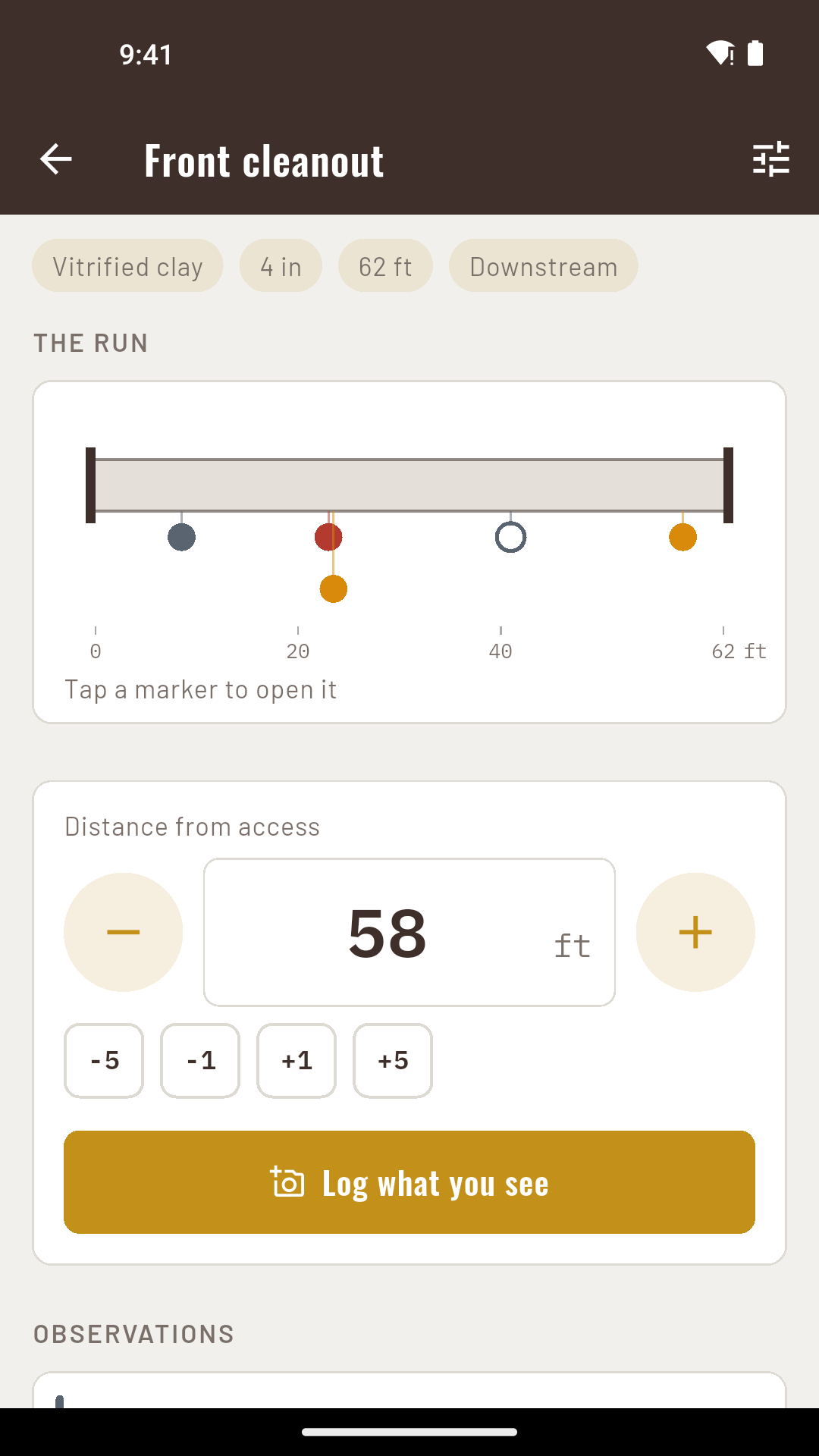
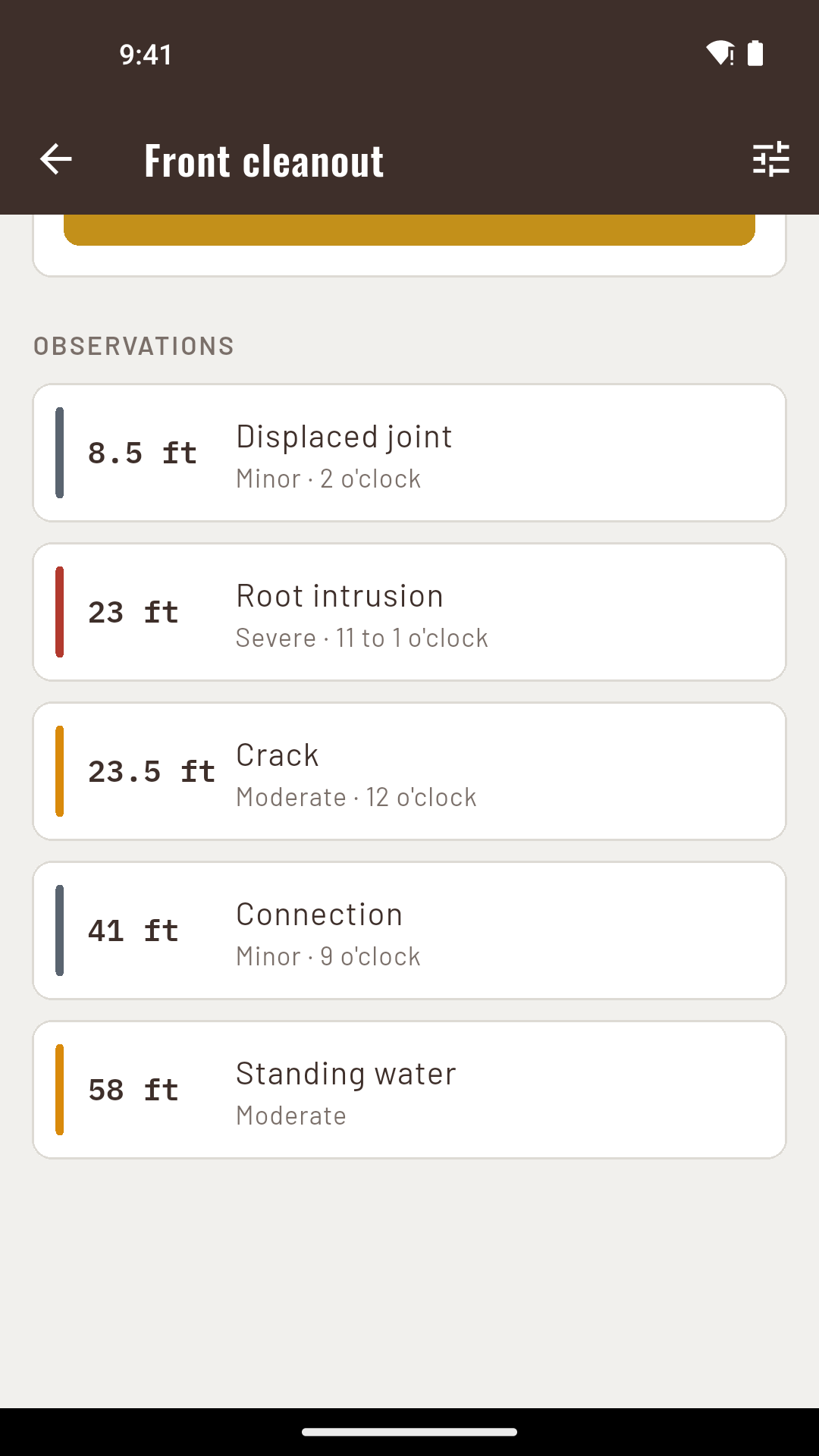
Every observation in DrainPro carries the distance from the access point, so the row reads 41.5 ft and the reader knows where along the run it was made. That is the number a survey exists to produce, and it is the one a video file does not give you.
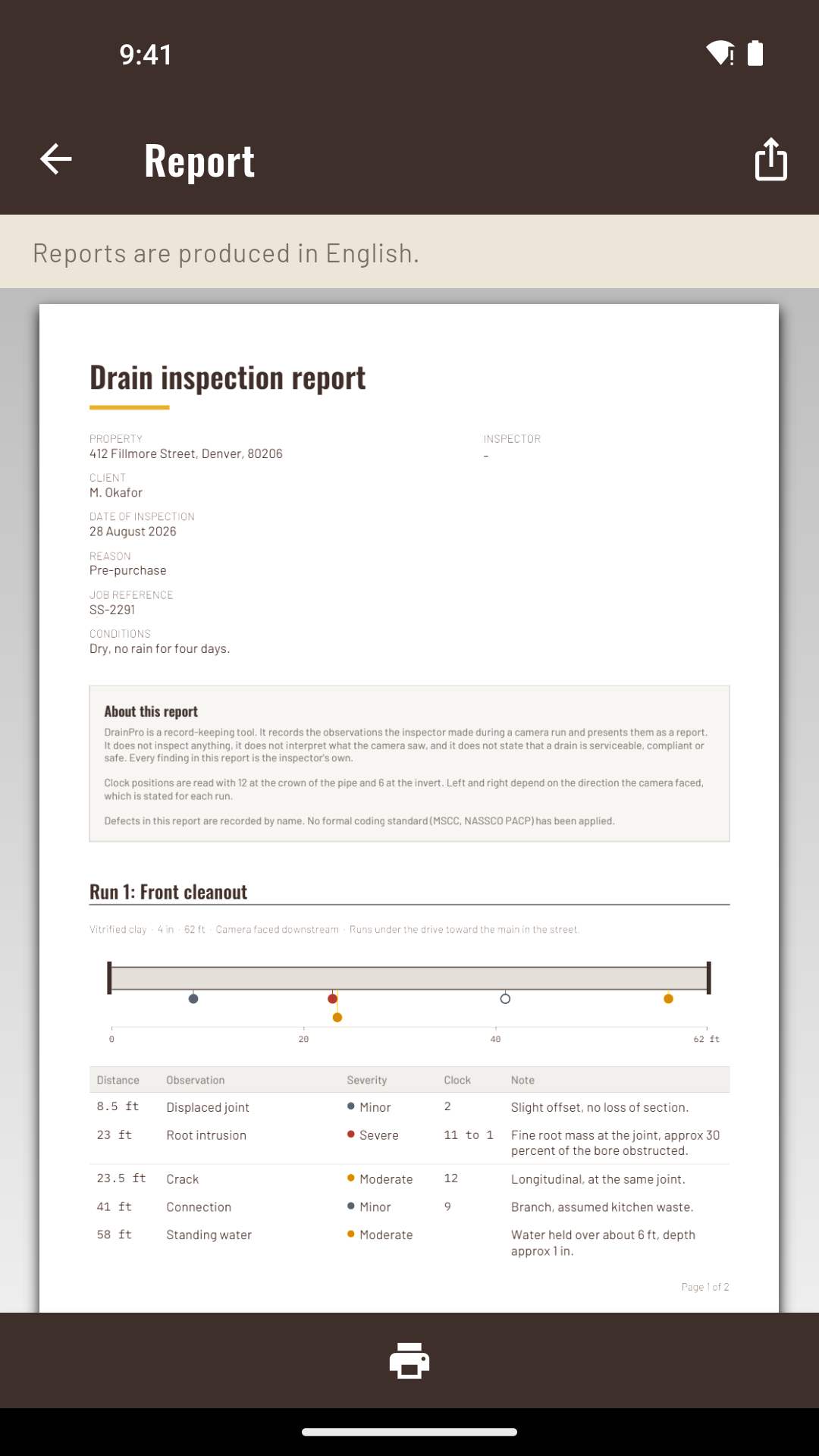
The run diagram is drawn from those distances, and the same engine draws it on the phone and in the PDF. The strip you check on site is the strip your client gets, so there is no second version of the run to disagree with the first.
Where on the pipe wall
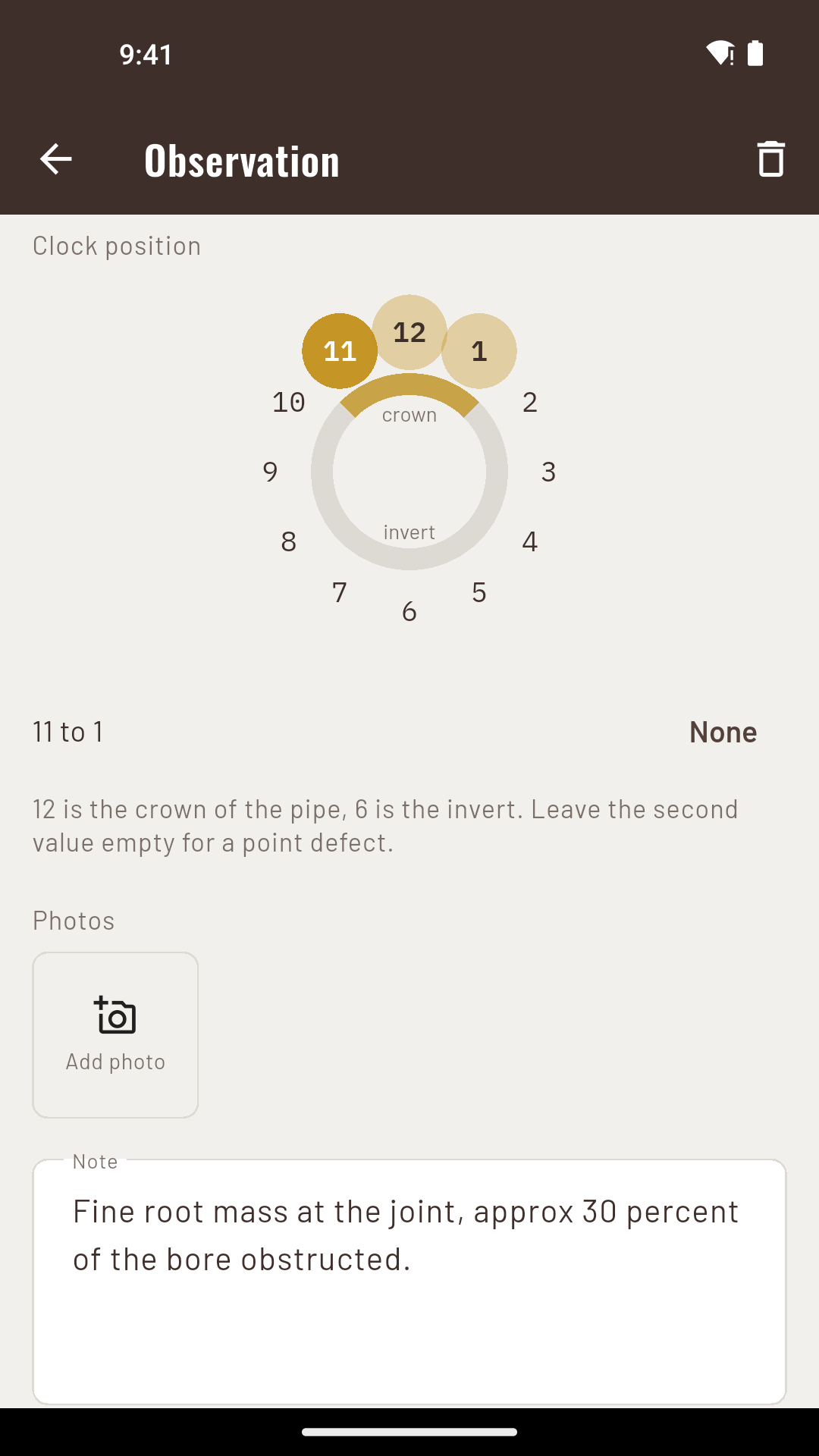
Gravity fixes the first two whichever way the camera was pointing. Which side of the pipe 3 and 9 point at does not stay fixed: it depends on the way the lens faced.
So the run carries the viewing direction, and the report prints it beside the clock column. Without it a clock reading is a number nobody can place, and it is not something the app can work out afterwards from the record.
Names, not codes
Version 1 records defects by name, and the report states on its cover that no formal coding standard has been applied.
MSCC and NASSCO PACP are not applied. Severity is the one you chose from three levels, and the summary and recommendation are the ones you wrote. Nothing in the document is the app’s opinion of the drain.
On the phone
The thing you invoice for
The property, why you were called out, your company details and your logo. The disclaimer, the clock convention and the coding note sit here too, on the first page rather than a back one.
Each run gets its own diagram with a distance axis, then its observation table: distance, defect, severity, clock position and your remarks.
A summary and a recommendation you write. The app does not generate either, because neither is something software can be responsible for.
Embedded at 150 DPI, which is enough for a crack in a pipe and keeps a thirty photo report small enough to email.
One inspection can hold several runs, so the front cleanout, the rear gully and the manhole in the drive arrive as one document rather than three.
Feet or metres
Imperial by default, metric throughout. Distances are stored in metres and converted for display, so switching units changes what you read and never what is recorded.
Diameters are offered as two separate lists rather than one merged one: the imperial nominal sizes a US inspector works in, and the metric sizes a UK one does, including the outside diameter numbers printed on plastic pipe. They are different naming systems, and the picker does not pretend they line up.
Every record lives on the phone. There is no sign-in and nothing is sent anywhere, so a basement with no reception and a manhole in a field work exactly the same way.
Price
Standard
$0
Two completed inspections, with the whole app: runs, diagram, photos and the report. Records you have already made stay readable, editable and exportable permanently, whatever you decide.
Pro
$3.99/mo
Unlimited inspections and no ads. $14.99 a year, or $24.99 once and it is yours.
A 14-day trial is there when you want it, no card. You start it, the app does not start it for you.
Questions
No. The app is offline. Records and photos live on the device and the report is generated on the phone, so a basement and a manhole in a field work the same way.
No. It records the observations you made and presents them. It does not interpret the footage, it does not apply a coding standard, and it never states that a drain is serviceable, compliant or safe. Every finding in the report is yours.
Yes. Your company details and your logo go on the cover, and the findings and recommendation are written by you.
Either. Imperial is the default. Distances are stored in metres and converted for display, so switching units changes what you read and never what is recorded.
Everything you have already recorded stays readable, editable and exportable, permanently. The paid tier is about completing further inspections, not about holding the ones you have done.
No. If your client needs an MSCC or PACP coded report, that is a different document produced by a coded surveyor. DrainPro is the written record of what your camera found.
Android. Offline. Two inspections free.