
ExecutorDesk
Executor checklist and estate ledger
An estate, settled one step at a time.
For the person looking after a loved one's estate. The steps many executors take, a ledger of every amount in and out with its receipt, and a record of what you paid from your own pocket, kept on your phone for the months it takes.

25 ledger entries on the standard plan.
Full version: $4.99/mo, $19.99/yr or $29.99 once.
WHEN YOU PAY IT YOURSELF
You paid it yourself
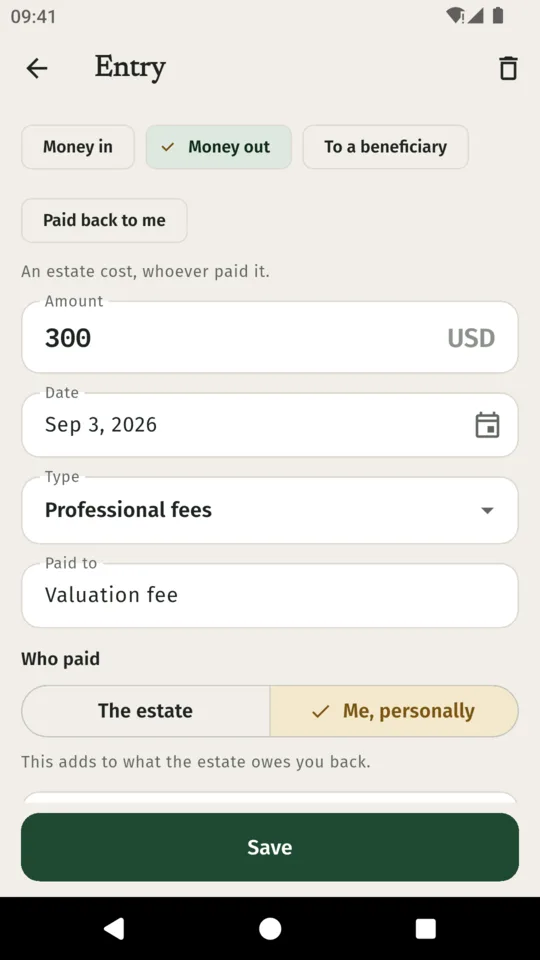
If you pay an estate bill from your own pocket, ExecutorDesk keeps a record of it until the estate pays you back.
- You pay it from your own account $300 Counted once as an estate cost
- Owed to you $300 Shown on the ledger
- The estate account opens: repayment to you $300 Owed to you is now $0
Worked example. The accounts show both the cost and the repayment.
WHAT IT KEEPS
One place for the whole estate
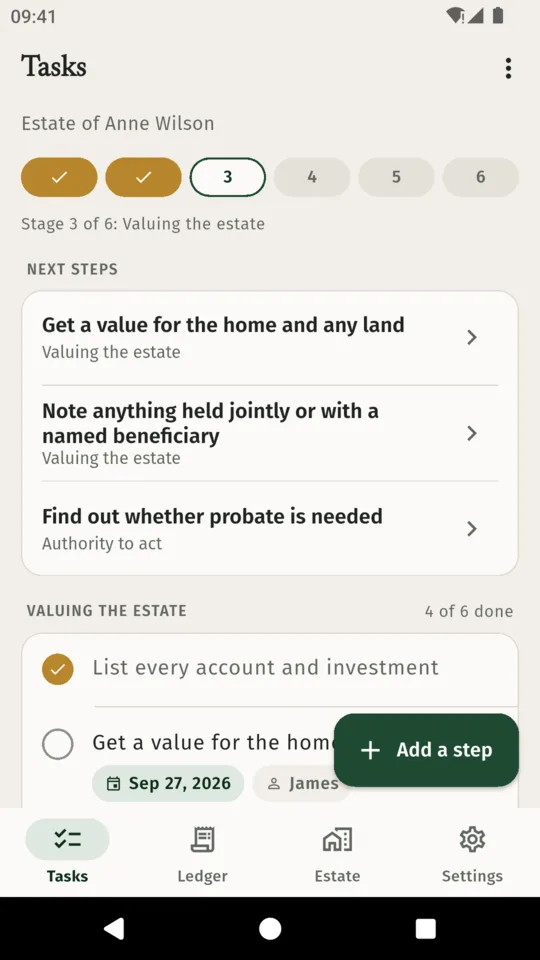
A checklist in six stages
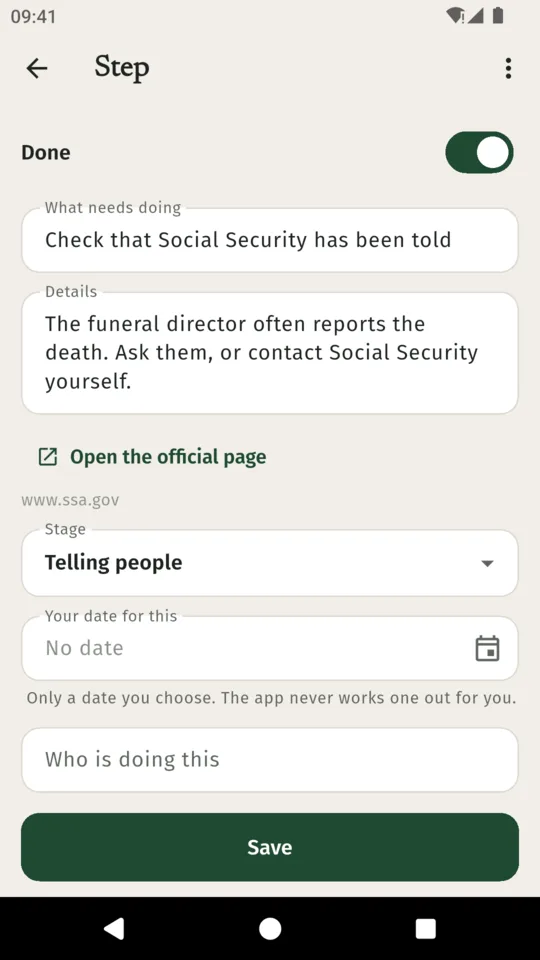
First days, telling people, valuing the estate, authority to act, collecting and paying, distributing and closing. It starts with steps many executors take in the United States or in England and Wales, with a link to the official page where there is one. Add your own, hide what does not apply, note who is handling each step.
Dates only you set
Give a step a date and you get a reminder at 9 in the morning that day. The app never works out a date for you, and reminders never name anyone.
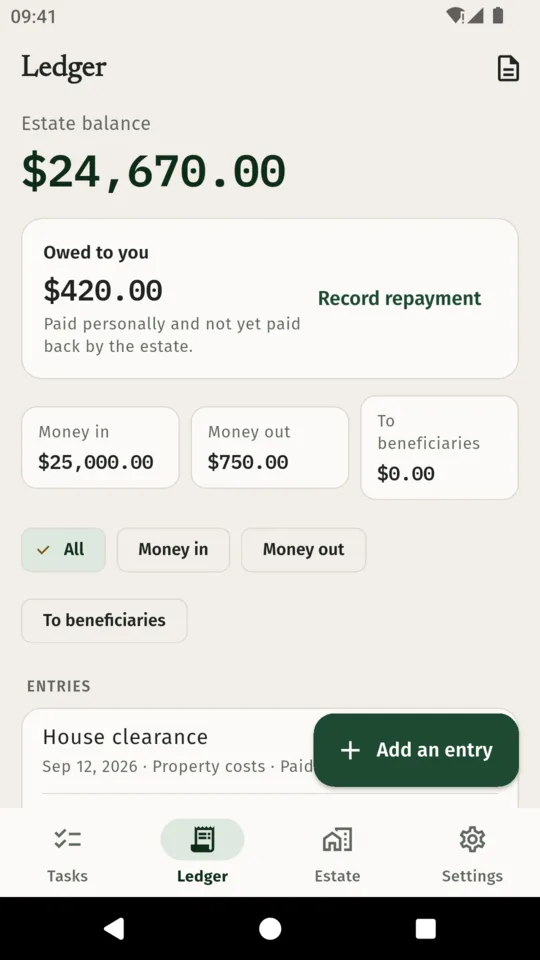
A ledger with receipts
Money in, money out, what each beneficiary received and what the estate paid you back, each with a date, who paid or was paid, and a photo or PDF of the receipt.
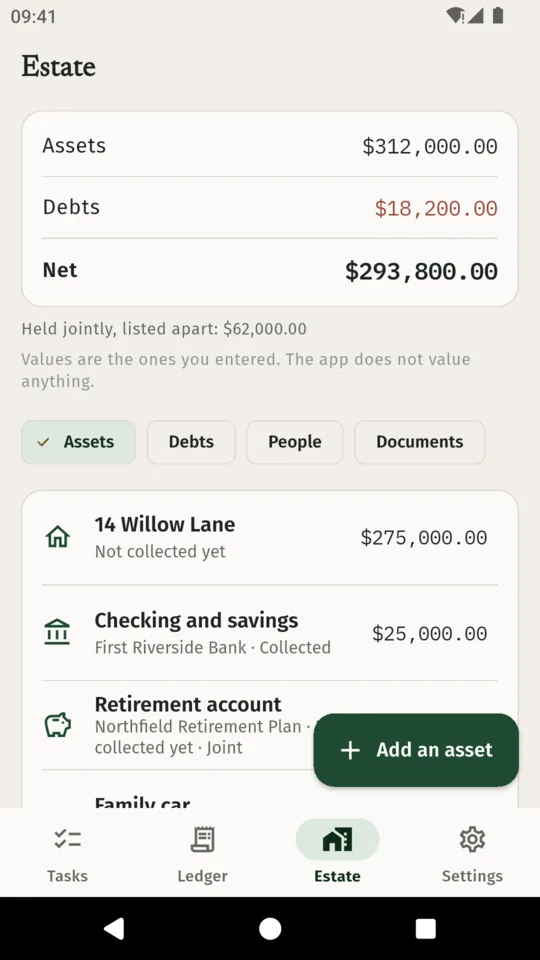
The estate at a glance
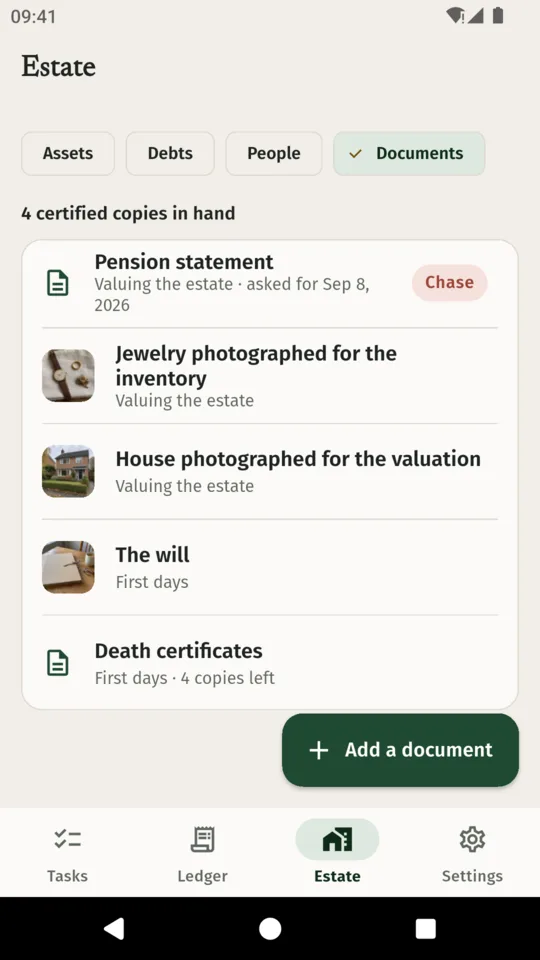
Assets with their value and where the value came from, debts and where each is up to, and the net. Anything you mark as held jointly or with a named beneficiary is listed apart from the total. Ask your adviser how it is treated.
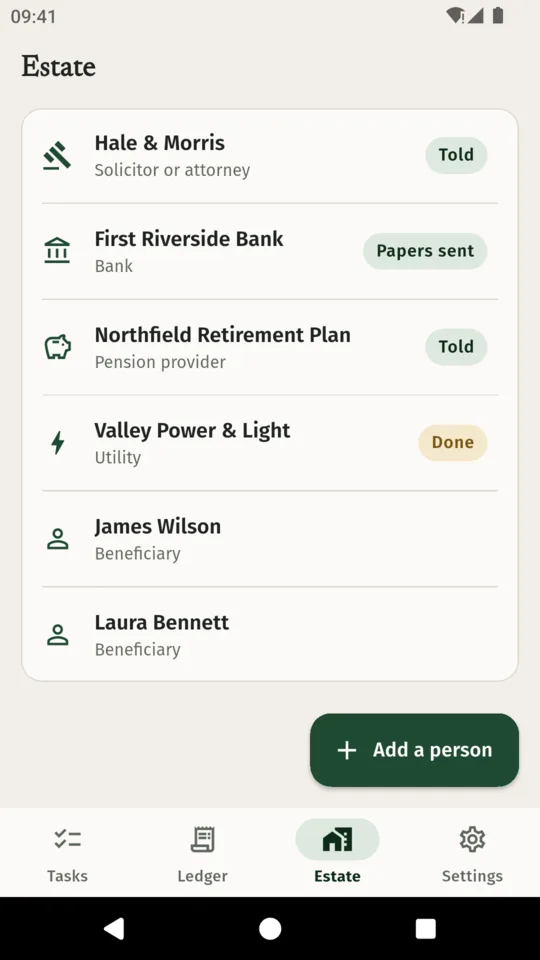
Who has been told
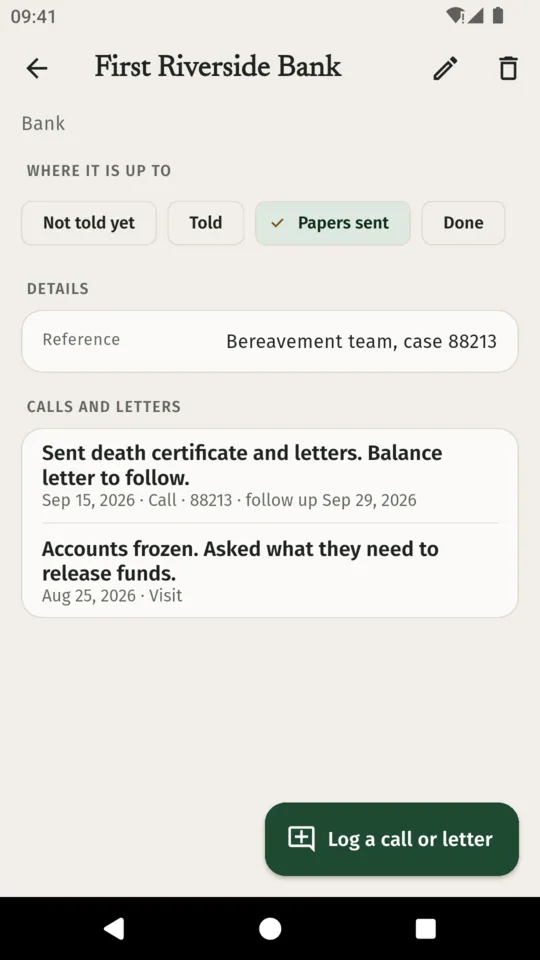
Each bank, pension provider, insurer and utility shows not told yet, told, papers sent or done. Log each call and letter with the date, their reference and a date to follow up.
The accounts
A PDF with a summary, every entry numbered R1, R2 and on, the inventory and the receipts, to share with the beneficiaries or your adviser. The ledger and inventory also export as CSV files. The PDF is in English. Part of the full version.
The screens
Scroll sideways, or use the arrow keys
WHY IT WORKS THIS WAY
Made for a hard few months
Not legal or tax advice
It lists steps many executors take. Your solicitor, attorney or accountant knows your situation, and their advice comes first.
It stays on your phone
There is no account and nothing you type is uploaded. Crash reports and usage statistics do leave the device. There are no ads on any plan.
Private when you want it
Lock the app with your phone's PIN, pattern or fingerprint. Screenshots are blocked while it is open.
One file to keep safe
One backup file holds every record, receipt and document, encrypted with a passphrase you choose.
PRICE
Standard, or the full version
STANDARD
25ledger entries
- The whole checklist and reminders
- Contacts, calls and letters
- Documents
- 10 assets and debts
- Backup and restore
FULL VERSION
$29.99once
or $4.99 a month, or $19.99 a year
- Unlimited ledger entries
- Unlimited assets and debts
- The accounts PDF and CSV
You can start a 14-day trial of the full version from inside the app when you want it, with no card needed; nothing starts on its own. If you do not upgrade, everything you wrote stays readable and editable.
QUESTIONS
Before you install it
Is ExecutorDesk legal advice?
No. It is an organiser. It lists steps many executors take and links the official pages, but it does not tell you what you must do, set deadlines or file anything. Ask your solicitor, attorney or accountant.
Which countries does the checklist cover?
It starts with steps for the United States or for England and Wales. Anywhere else, you get a general list to adjust. You can add, edit and hide any step.
Will the accounts PDF be accepted by a court?
The PDF shows what you recorded: money in, money out, distributions and receipts. It does not claim any court's format. Your adviser can say whether a different form is needed.
Where is my information kept?
On your phone. There is no account and no sync. Crash reports and usage statistics do leave the device.
What happens if I never pay?
You keep the whole checklist, contacts, documents and backups, 25 ledger entries and 10 assets and debts. The accounts PDF and CSV need a paid plan or the trial. Everything you wrote stays readable and editable.
What if I change phones?
Make a backup file in Settings and restore it on the new Android phone. Backup and restore are on every plan.
One calm place for the months ahead
Android only. $4.99 a month, $19.99 a year or $29.99 once, with a 14-day trial when you want it.