
Fence calculator for Android
Walk the line. Get the materials.
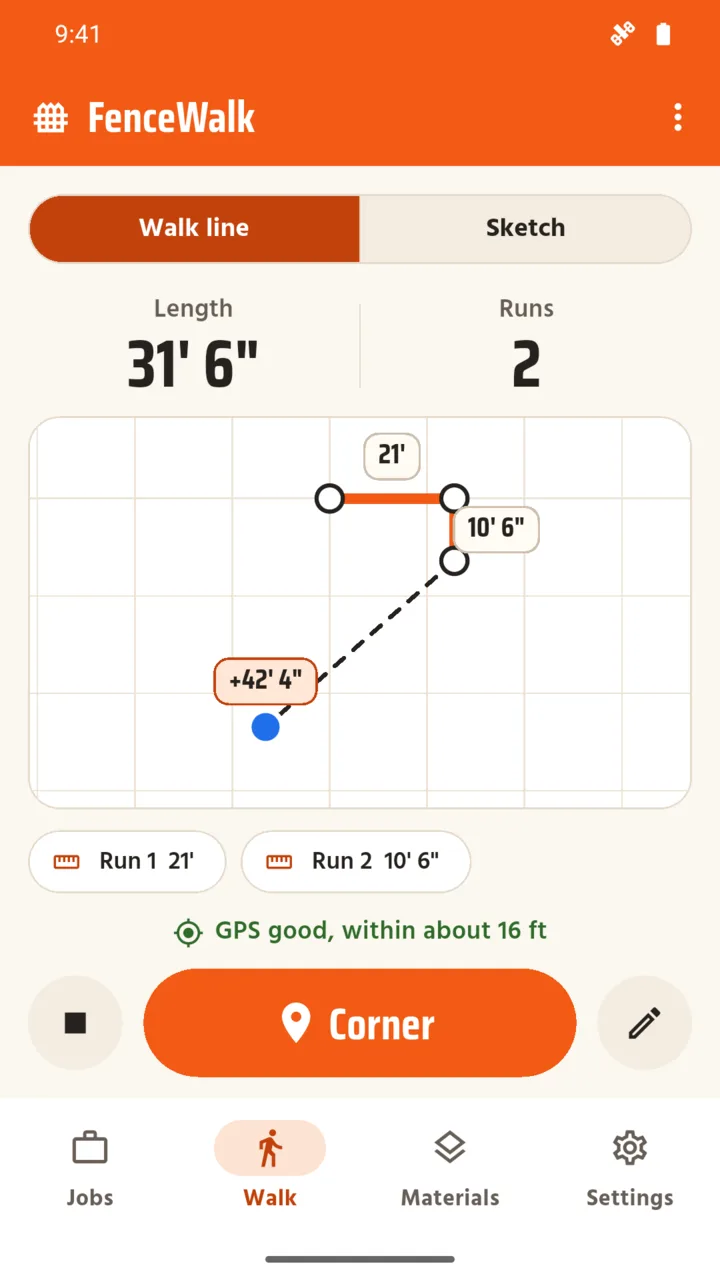
Stand at the first post, walk the fence line and tap Corner at each turn, or type the lengths. FenceWalk draws a plan and estimates the posts, panels, rails and concrete for the job.

Try one run here
Count the posts, panels and concrete for one straight fence. Type the length of the run and the panel width.
An estimate for one straight run with no gates. The app handles corners, gates and six fence types.
What it does
Walk it.
Tap Start walk at the first post and Corner at each change of direction. The plan grows as you go, with each run's length and the GPS accuracy on screen. Close the loop joins the last corner to the first.
Or sketch it.
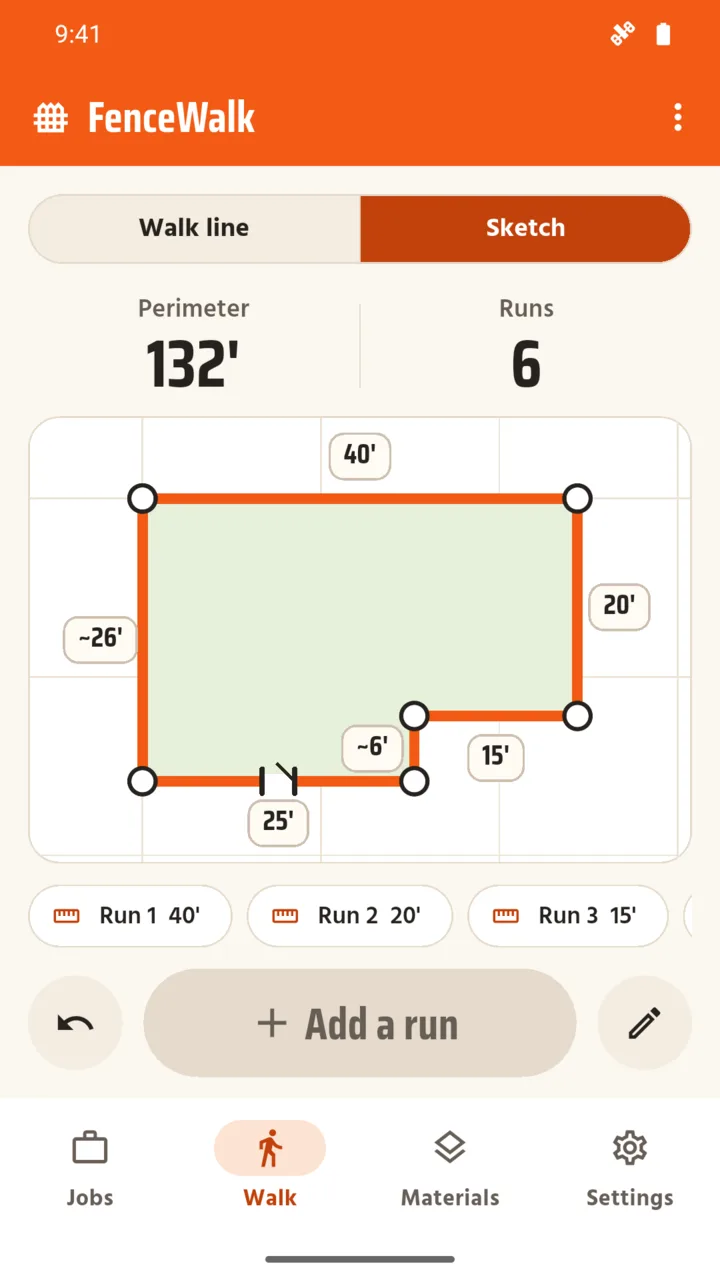
No signal, or working from a drawing? Type each run's length and turn and get the same plan, with no GPS.
Your tape wins.
GPS is an estimate. Type a tape measure reading on any run and the materials use that figure.
Six fence types.
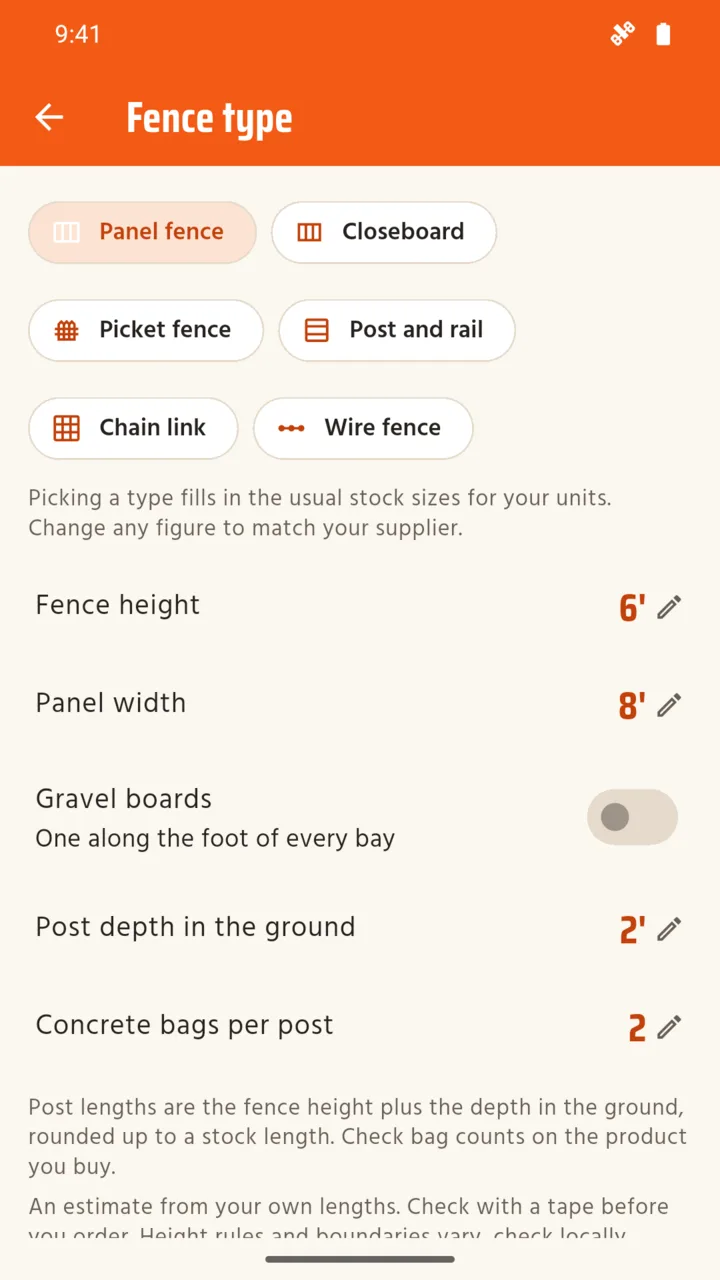
Panel and post, closeboard, picket, post and rail, chain link and wire. Enter measurements such as fence height, panel width, post spacing, rail count and post depth, depending on the fence type.
The materials list.
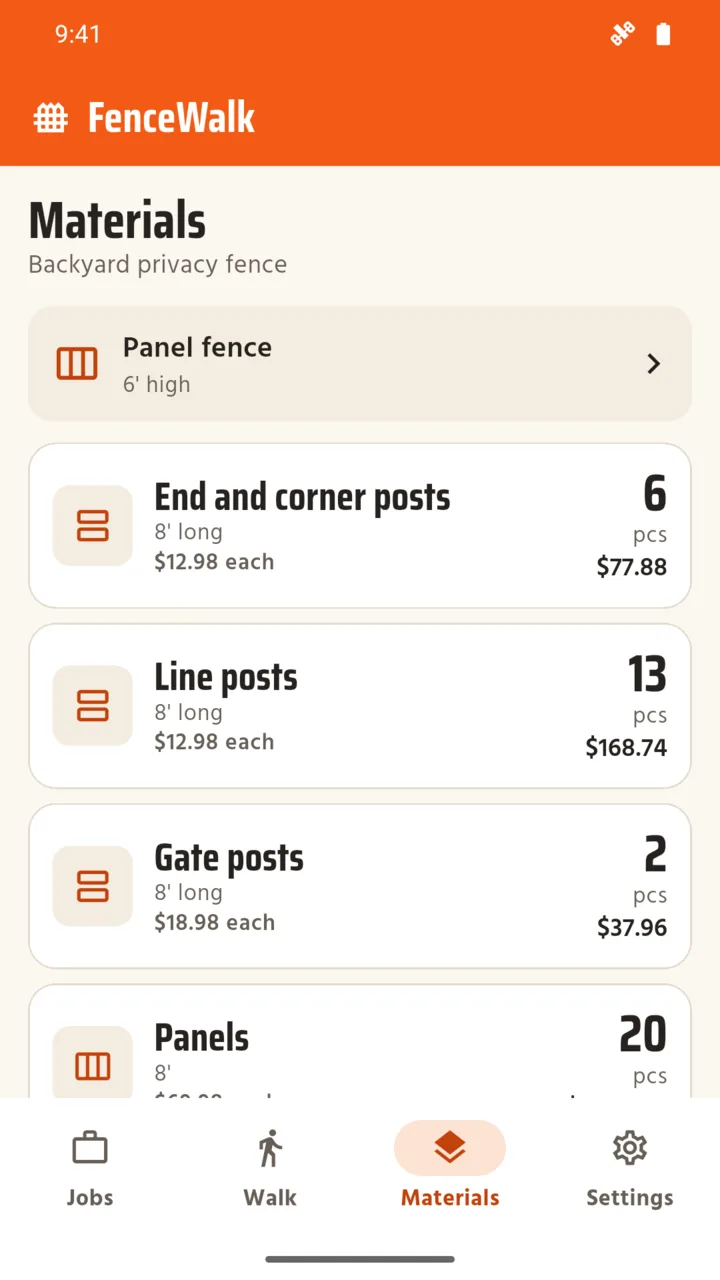
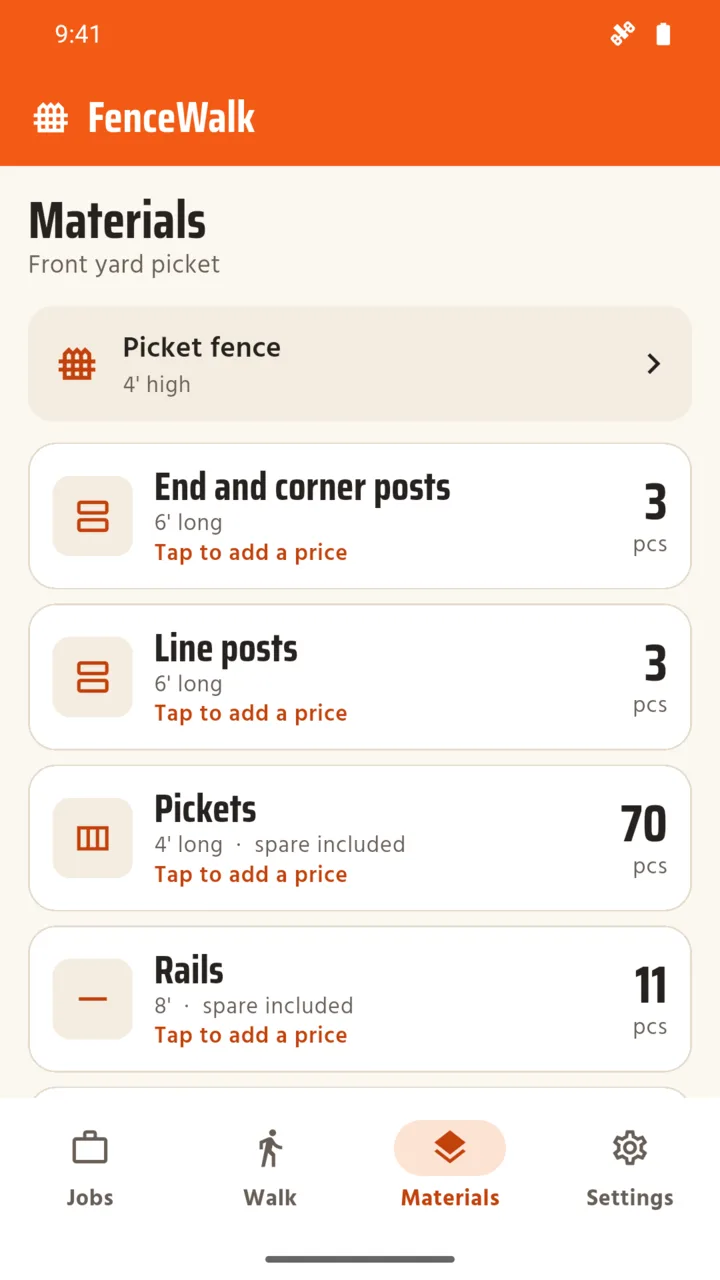
End and corner posts, line posts and gate posts, plus panels, boards, pickets, rails, gravel boards, mesh, wire and bags of concrete. A spare allowance, 10% to start, goes on the cut materials, never on posts or panels.
Gates.
Add gates to any run. Each gate gets two gate posts, and the materials calculation accounts for the fence on either side.
Your prices.
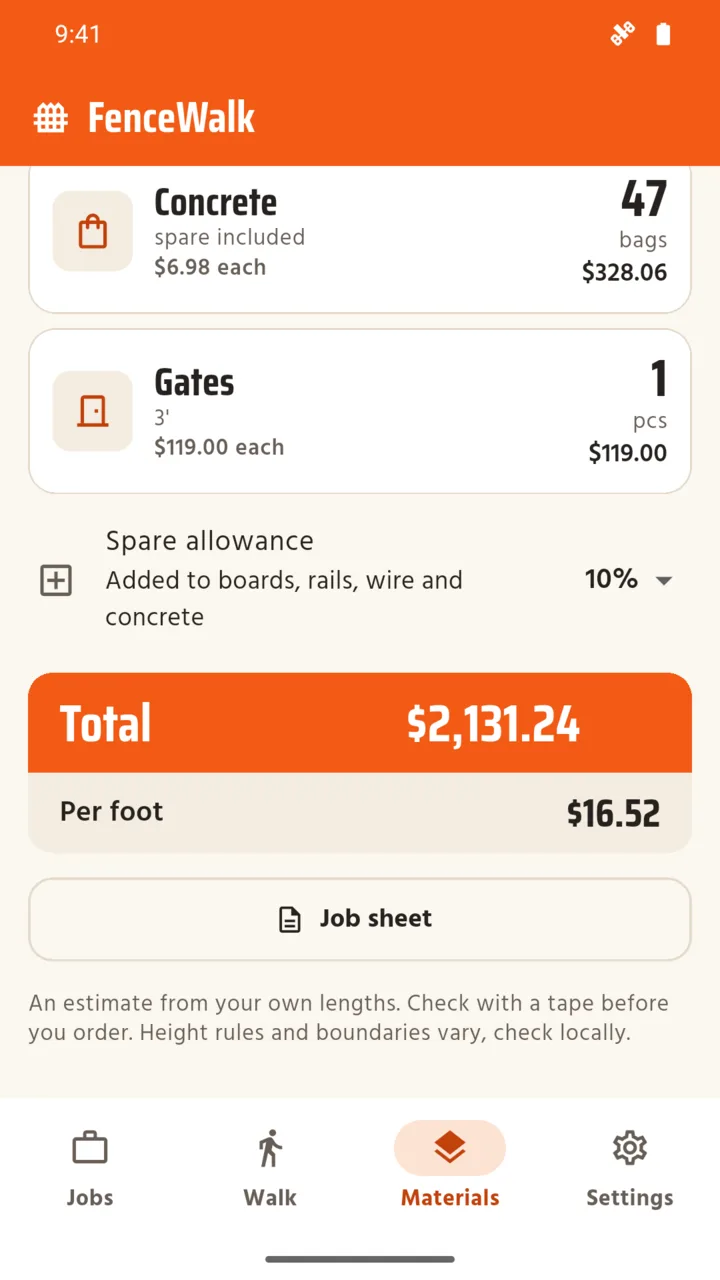
Type a price for each material once. FenceWalk keeps it and shows a total and a cost per metre or per foot.
The job sheet.
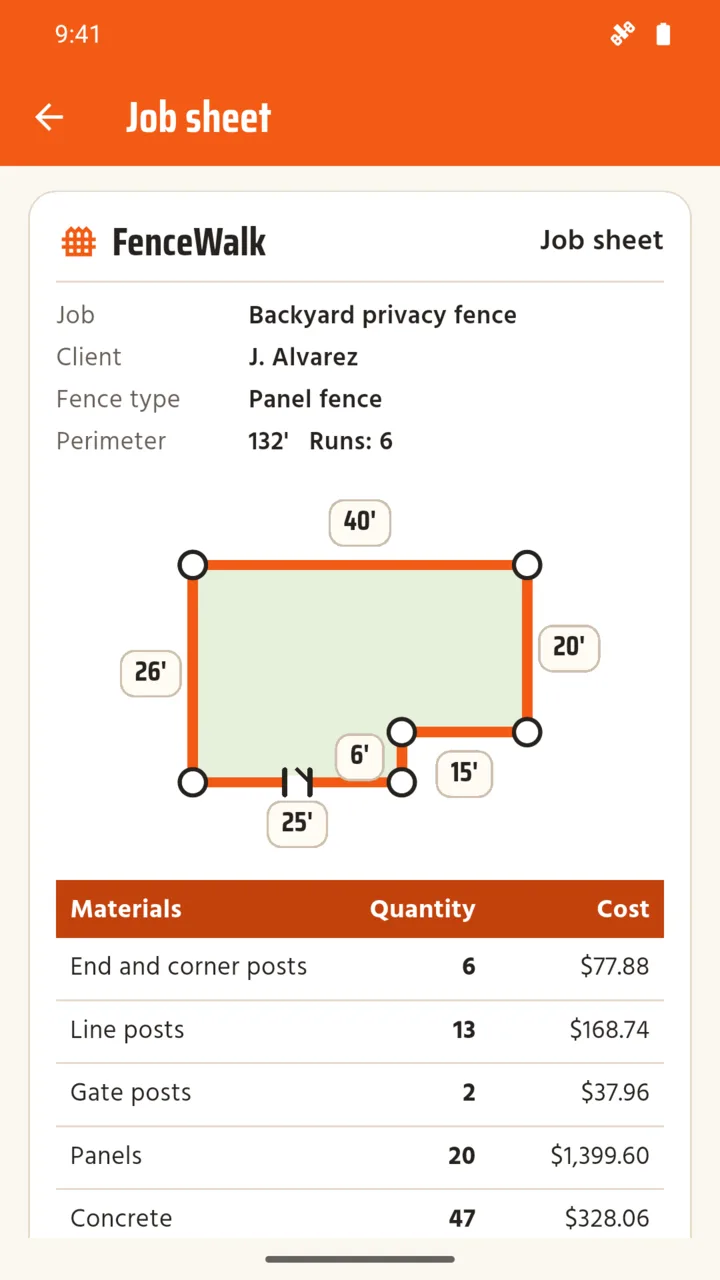
A PDF with the plan drawing, the materials and your prices, and a client name if you want one. Or share the list as text with no prices, ready to send to a supplier.
What it does not do
It does not certify a boundary, a height rule or a structural design, and it does not know local prices or planning rules. It does not count fixings such as nails, clips or brackets, because they depend on the product. GPS is not survey accurate, so check every length with a tape before you order. Height rules and boundaries vary, so check locally.
One price, once
Standard
No charge
- One job, every fence type
- Walk and sketch
- The materials list and the text list
- A small banner on the Jobs tab
Unlock
$4.99 once
- As many jobs as you like
- Your prices, a total and a cost per metre or foot
- The PDF job sheet, and the banner removed
- No subscription, no account
Questions
How does FenceWalk measure a fence line?
Stand at the first post and tap Start walk. Walk to each corner and tap Corner; FenceWalk averages the GPS readings there and measures between corners. You can type a tape reading over any run.
How accurate is the walked length?
It depends on your phone's GPS. The app shows the reported GPS accuracy as you walk and refuses a corner when the reading is too poor. Treat it as a first figure and check each run with a tape before you order.
Can I use it without GPS?
Yes. Sketch mode builds the same plan from lengths and turns you type, with no location at all.
Does it track my location in the background?
No. Location is used only while the Walk tab is open, and the walk stops when you leave it.
Which fences does it cover?
Panel and post, closeboard, picket, post and rail, chain link and wire, in metric or imperial.
Does it work in feet and inches?
Yes. Pick metric or imperial for each job; new jobs follow the setting you choose.
What does the unlock cost?
A one-time $4.99 in the US and £3.99 in the UK, with no subscription. It adds more jobs, your prices and totals, and the PDF job sheet, and removes the banner. A saved job is never locked.
Is it on iPhone?
No. FenceWalk is for Android only.
Price the fence before you dig
FenceWalk for Android. No account, and your jobs stay on your phone.