01
It tells you which one
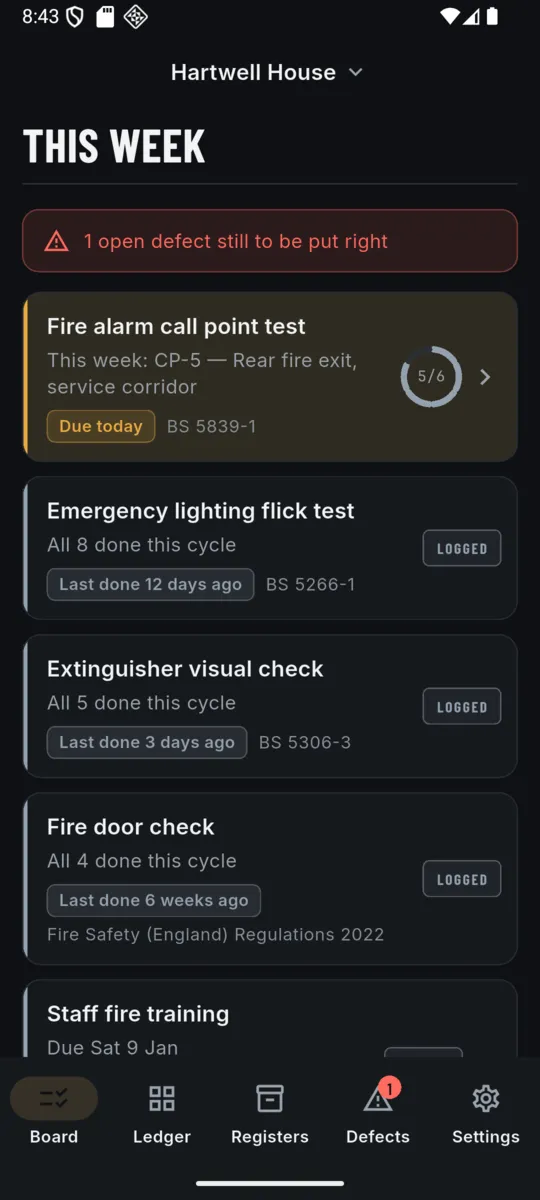
Register your call points once. Each week the board names the point that has waited longest, with its reference and where in the building it is, and takes you straight into the test.
FIRE SAFETY LOGBOOK

FireBook
Weekly tests, door checks and the record
The weekly alarm test is meant to move to a different manual call point each week. A paper logbook has nowhere to write that down, so the one by the front door gets tested all year and the one in the plant room never does. FireBook remembers whose turn it is.


£1.99/mo · £9.99/yr · £24.99 once.
On Android, a 14-day trial first, no card.
THE PART A PAPER LOGBOOK CANNOT DO
Under BS 5839-1 the weekly test commonly works through the manual call points in turn, so that over a cycle every one of them has been operated. That is a piece of state — where you are in the cycle — and it is exactly what a ruled page cannot hold.
01
Register your call points once. Each week the board names the point that has waited longest, with its reference and where in the building it is, and takes you straight into the test.
02
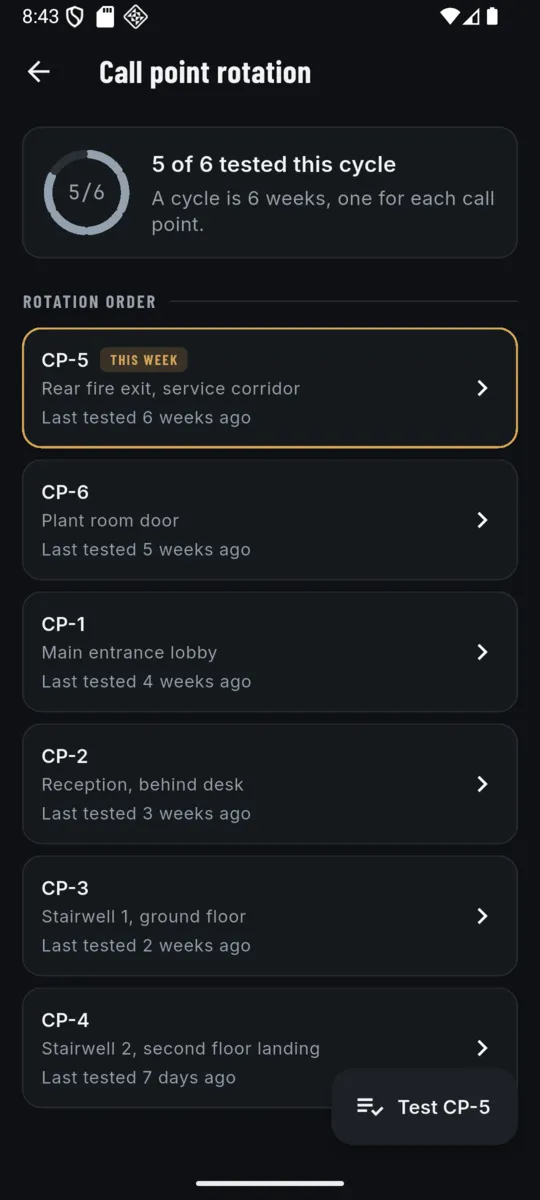
The next point is chosen by which one has gone longest without a test, not by counting weeks. Skip a fortnight, test out of order, add a point halfway through the year — the cycle re-forms around what actually happened.
03
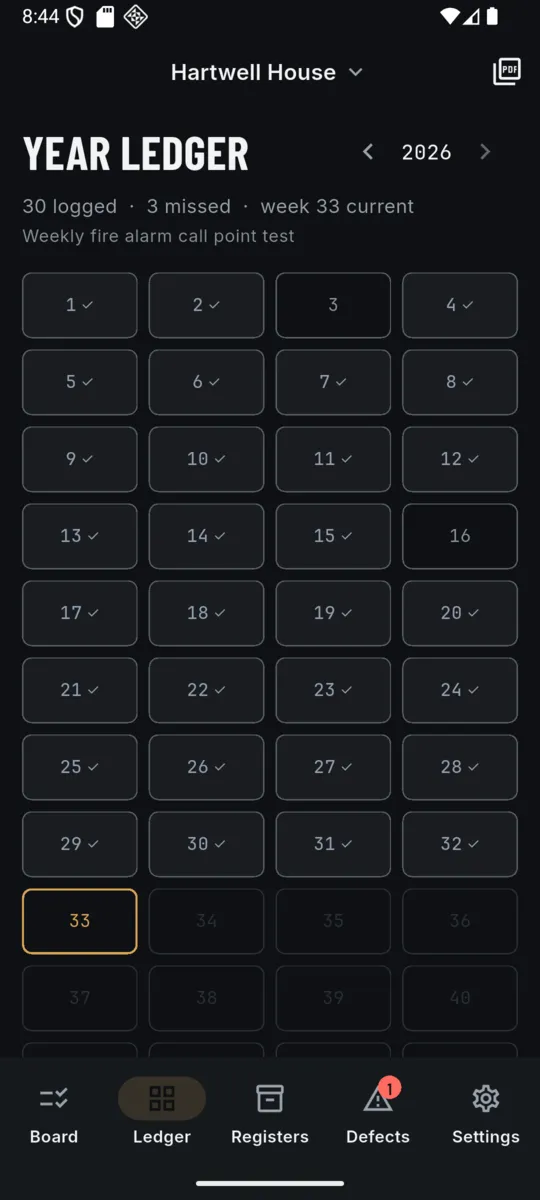
The year ledger is 52 boxes. A week with a test recorded is ticked, a week without one stays blank. Nothing fills a gap in for you, because that is the one thing a record must not do.
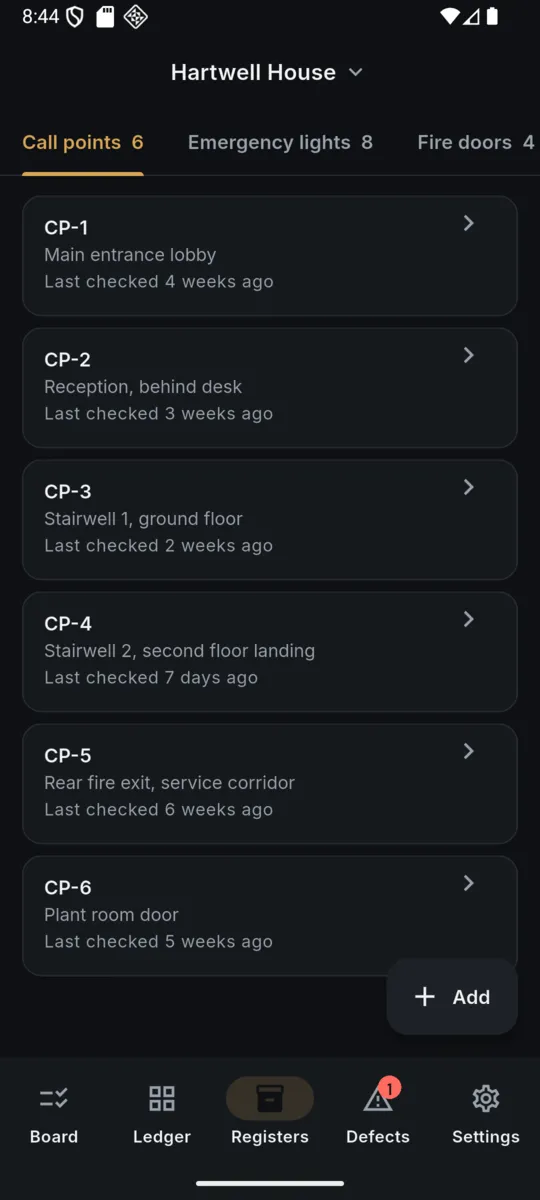
SIX CALL POINTS, PART WAY THROUGH A CYCLE
CP-5 is the rear fire exit in the service corridor — the one nobody walks past. It is up this week because it has waited longest, not because it is next in a list. Numbers from the app's sample data.
Add a premises and the recurring duties are already there, on the intervals most UK buildings run. The standard each one comes from is shown next to it as context. Change any interval you like — the right ones for your building come from its fire risk assessment, not from an app.
| Duty | Default cadence | Commonly cited |
|---|---|---|
| Fire alarm call point test Rotates through the call points | Every week | BS 5839-1 |
| Emergency lighting flick test | Every month | BS 5266-1 |
| Emergency lighting duration test | Every year | BS 5266-1 |
| Fire door check | Every 3 months | Fire Safety (England) Regulations 2022 |
| Extinguisher visual check | Every month | BS 5306-3 |
| Extinguisher service | Every year | BS 5306-3 |
| Fire drill | Every year | Fire Safety Order guidance |
| Staff fire training | Every year | Fire Safety Order guidance |
| Anything else you add | You set it | Yours |
In England, the Fire Safety (England) Regulations 2022 require quarterly checks of communal fire doors in relevant multi-occupied residential buildings over 11 metres. FireBook schedules that check alongside the rest rather than leaving you to remember it separately.
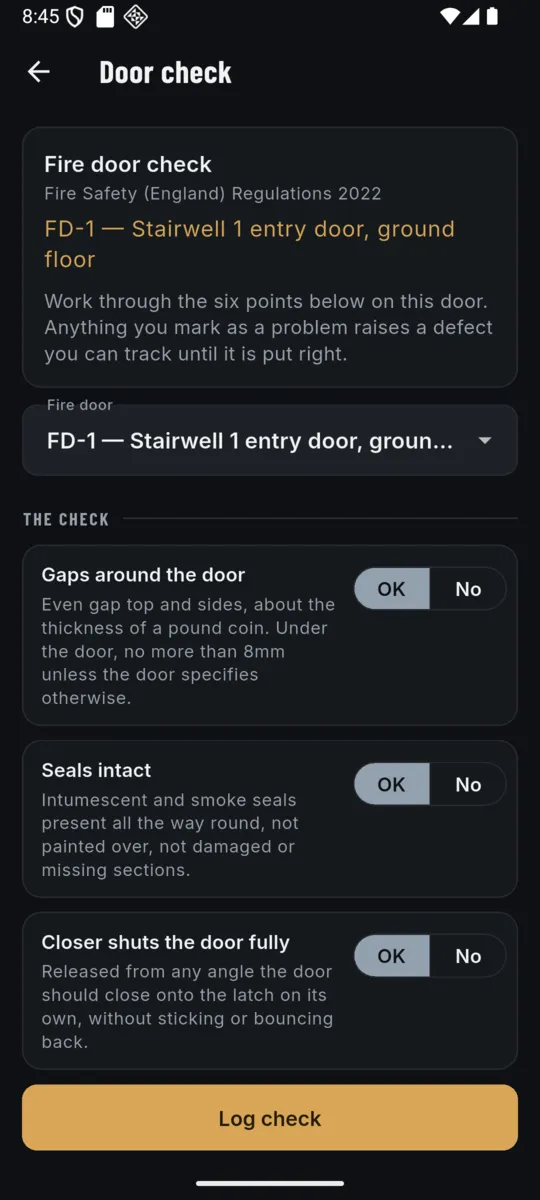
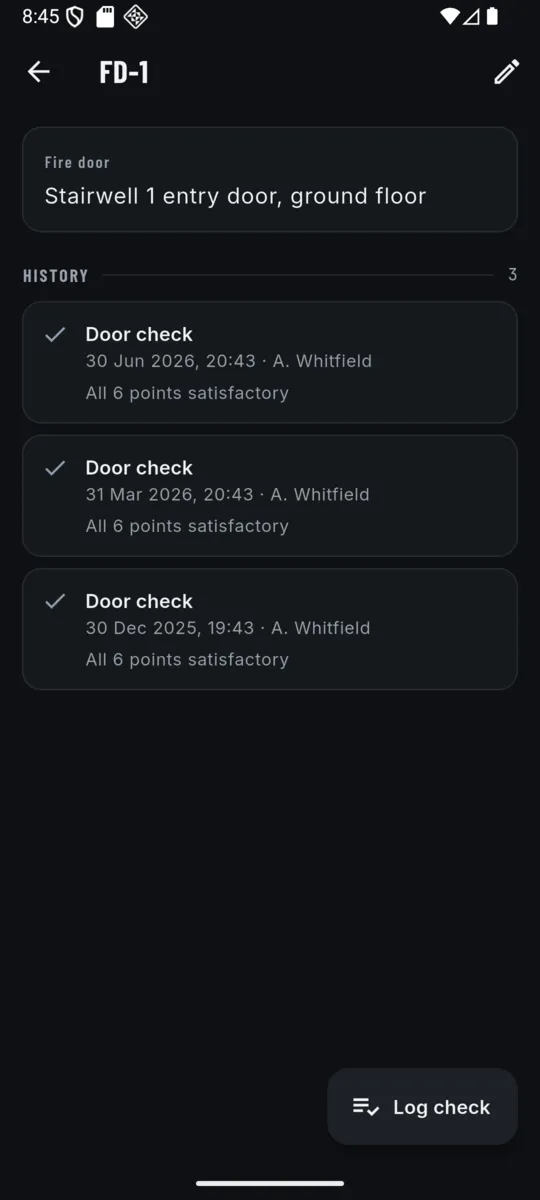
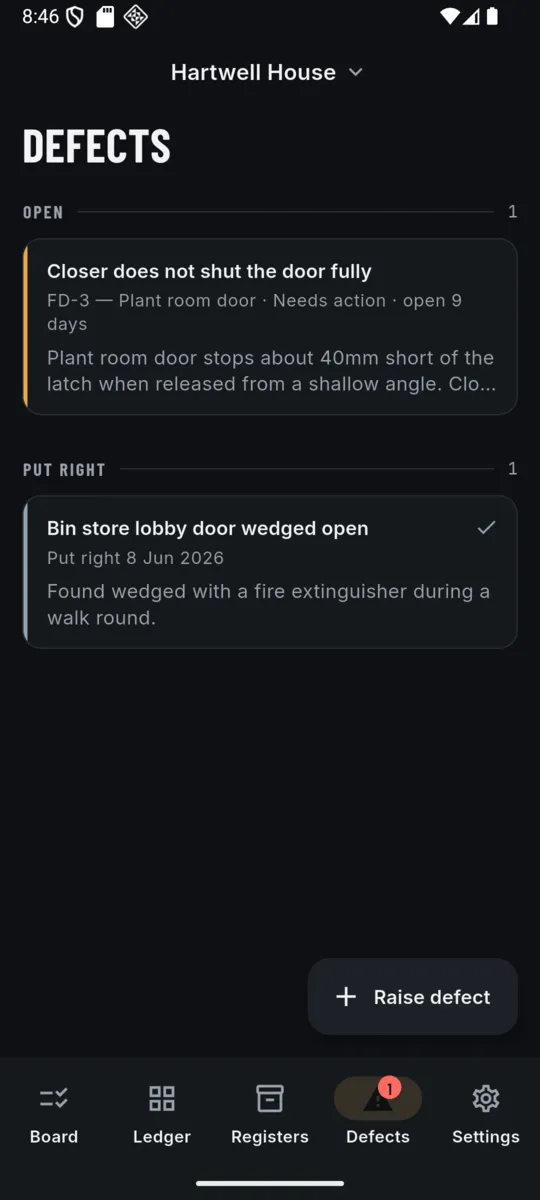
A fire door check is six things, and most of them have a number or a rule attached that nobody remembers on the landing. FireBook puts the guidance under each point while you are standing at the door. Mark any point a problem and it raises a defect against that door.
01
Gaps around the door
Even gap top and sides, about the thickness of a pound coin. Under the door, no more than 8mm unless the door specifies otherwise.
02
Seals intact
Intumescent and smoke seals present all the way round, not painted over, not damaged or missing sections.
03
Closer shuts the door fully
Released from any angle the door should close onto the latch on its own, without sticking or bouncing back.
04
Hinges secure
Normally three hinges, firmly fixed, all screws present and tight, no metal fatigue or oil leaking.
05
Leaf, frame and glazing sound
No holes, breaks or warping. Glazing intact with its beading secure.
06
Signage and certification
Correct sign fitted, and the certification label or plug visible on the top or hinge edge if the door has one.
Wording is the app's own, taken from common UK fire door guidance. It is a prompt for the person doing the check, not a substitute for the door's own specification.
Eight screens from the shipped build. Hartwell House, the references and the names in them are sample data.
Scroll sideways, or use the arrow keys
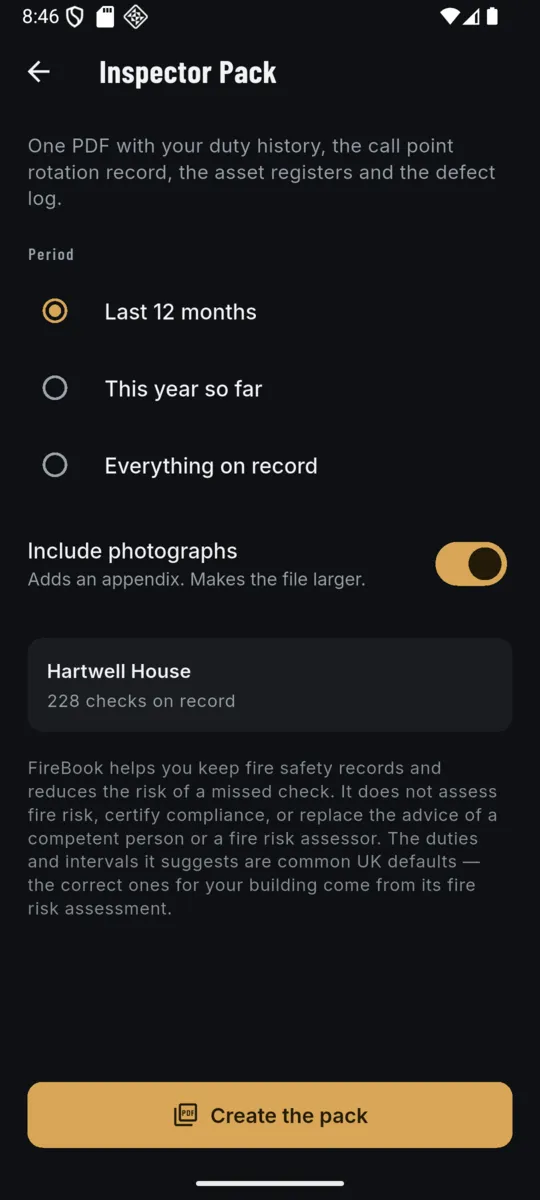
One PDF, built from the records already on the phone. Nothing uploads to make it.
INSPECTOR PACK · PDF
The last 12 months, this year so far, or everything on record. Photographs are optional — they go in an appendix and make the file bigger, so it is a switch rather than a default.
Every page carries a page number and the line “Not a fire risk assessment or a certificate of compliance” along the bottom, so the document cannot be passed off as something it is not.
Fourteen days of everything when you install it, no card. After that, keep one building going on the free tier or pay once and be done. The lifetime unlock is the one most people want: nothing renews.
Whichever you pick, records you already made are never locked, hidden or deleted. Your checks, registers, defects and ledger stay readable.
LIFETIME
£24.99once
Or £1.99 a month, or £9.99 a year. Prices set in pounds.
Testing the same point every week only ever proves that one point works. BS 5839-1 guidance is to work through them in turn so every call point gets tested over a cycle. FireBook keeps track of where you are in that cycle.
The week stays blank in the ledger rather than being quietly filled in, and the next test still goes to the point that has waited longest. Missing a week does not throw the rotation out of order.
No. It records checks you carry out and works out when the next ones are due. It does not assess fire risk, certify compliance or replace a competent person or a fire risk assessor.
No. The ones it arrives with are common UK defaults. Every duty can be re-timed per premises, because the right interval for your building comes from its fire risk assessment.
One PDF: a cover naming the premises, the responsible person and the period, then the duty history, the call point rotation record, the asset registers, the defect log, and photographs if you include them.
It does not decide. It counts. While somebody is off their normal duties FireBook counts the days the way RIDDOR counts them, excluding the day of the accident and including weekends and rest days, and light or restricted duties still count as time off. Past three days it tells you the entry must be recorded, which it already is. Past seven it tells you a report to HSE may now be due and links you to the HSE form. Whether it is actually reportable is your judgement, and FireBook cannot file the report.
Within 15 days of the accident. That deadline runs from the date of the accident itself, not from the day the seven days were passed, which is the number people most often get wrong. FireBook shows the date and counts down to it. Deaths, specified injuries, dangerous occurrences and a non-worker taken to hospital are a different limb of the rules with a 10 day written deadline.
No, and that is deliberate. The Inspector Pack exists to be handed to a fire officer, who has no reason to read injury records about named staff. The accident book is a separate PDF. There is also a redacted version with the names, addresses, witnesses and written accounts stripped out, for when you need to share the numbers and not the people.
Yes. Premises, registers, checks, defects, photos and the PDF are all made on the phone. There is no account, no sync and no server.
No. FireBook shows no advertising on any tier and does not carry an advertising ID.
Nothing you already recorded is locked, hidden or deleted. It stays readable. The free tier keeps one premises; a second one and the Inspector Pack are the paid part.
This is the notice the app shows on onboarding, in Settings and on the pack, word for word:
FireBook helps you keep fire safety records and reduces the risk of a missed check. It does not assess fire risk, certify compliance, or replace the advice of a competent person or a fire risk assessor. The duties and intervals it suggests are common UK defaults — the correct ones for your building come from its fire risk assessment.
Add the building, walk round and register the call points, and the app will tell you which one is up on Monday.