SERVICE & RUNTIME HOURS

GeneratorLog
Keep your backup generator ready.
Your generator does not run on a calendar. It runs on hours.
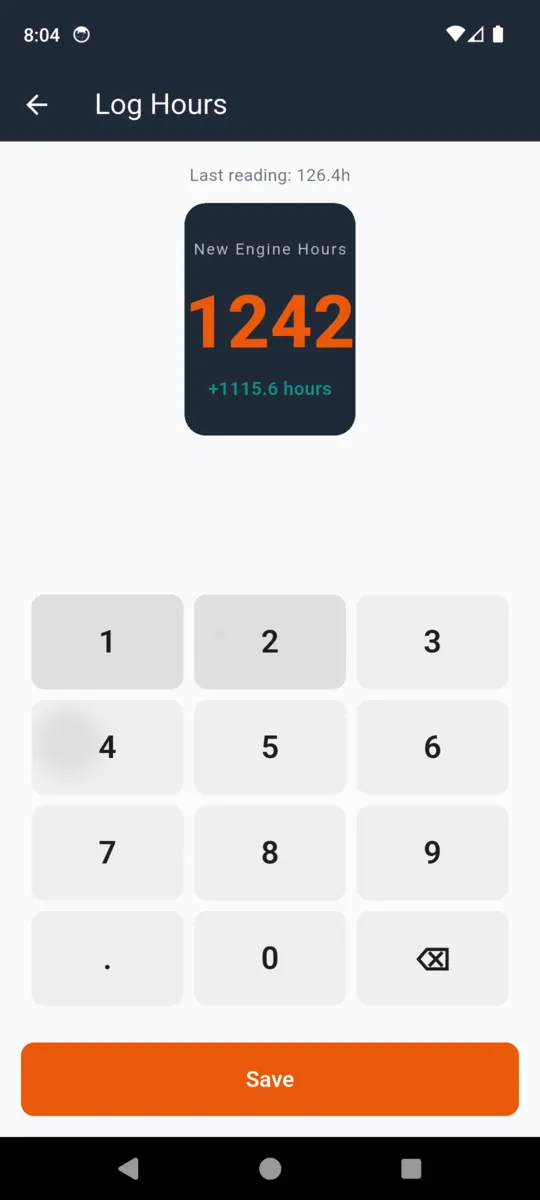
Log the reading off the hour meter and GeneratorLog does the arithmetic every service schedule is actually written in: hours since the last oil change, hours left before the next one, and which machine is closest to the line.

14-day trial, then $1.99/mo, $9.99/yr
or $24.99 once. Android.
THE ARITHMETIC
One subtraction, done properly, every time.
A generator that idled through two ice storms and one that has not turned over since spring are the same age and nowhere near the same service. GeneratorLog only ever asks for the number on the meter.
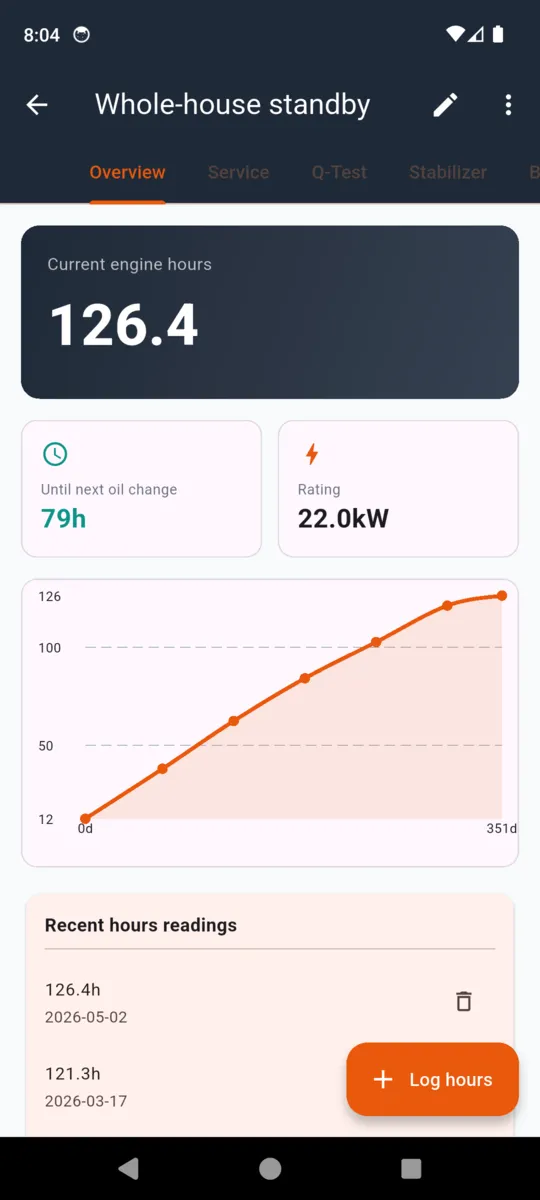
- Reading at the last oil change 105.2 h
- Reading you logged today 126.4 h
- Run since the oil change 21.2 h
- Your oil interval for this machine 100 h
Until next oil change
79h
Healthy until 90 hours. Due soon after that, overdue past 100 — the card on the generator list changes with it.
Log a second reading and the app also works out your average hours a day over the last month, which is the number that tells you whether 79 hours means five weeks or five years.
Set the intervals from your own manual
GeneratorLog ships sensible defaults and then gets out of the way. A Generac air-cooled standby and a Honda inverter do not share a schedule, and neither does a machine that has been sitting on propane for two years.
| Interval | Default |
|---|---|
| Oil and filter | 100 hours |
| Air filter | 200 hours |
| Spark plug | 200 hours |
| Q-test (auto-exercise) | every 7 days |
| Fuel stabilizer | every 90 days |
| Battery life | 3 years |
Every row is editable on each generator you add.
What a machine holds
- Name Whole-house standby, Cabin Backup, Shop Generator
- Make & model Free text, plus the serial number
- Rating kW, shown on the overview card
- Fuel Gasoline, propane, diesel, natural gas or dual fuel
- Type Standby or portable — standby turns Q-tests on
- Install date And the dealer who put it in
- Photo Of the machine or its data plate
Five logs on one machine
Open a generator and it splits into the five things that actually go wrong, each with its own history. No sub-pages to hunt through — they are tabs across the top.
- 01
Overview
Current engine hours, hours left on the oil interval, kW rating, a curve of every reading and the last five entries.
- 02
Service
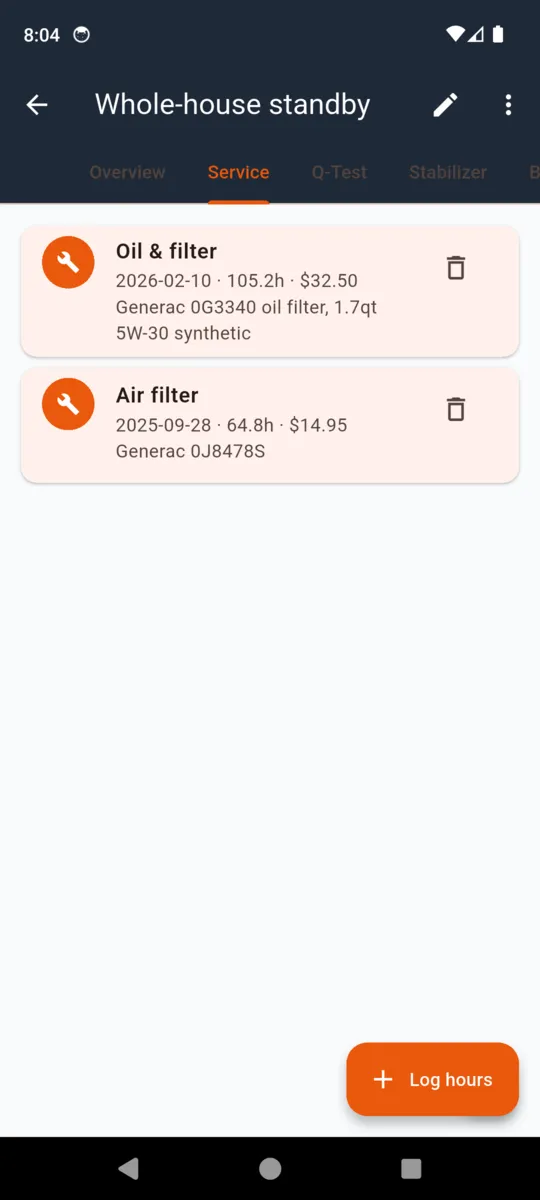
Nine categories from oil and filter to valve adjustment and generator end, each with the hour reading, parts used and cost.
- 03
Q-Test
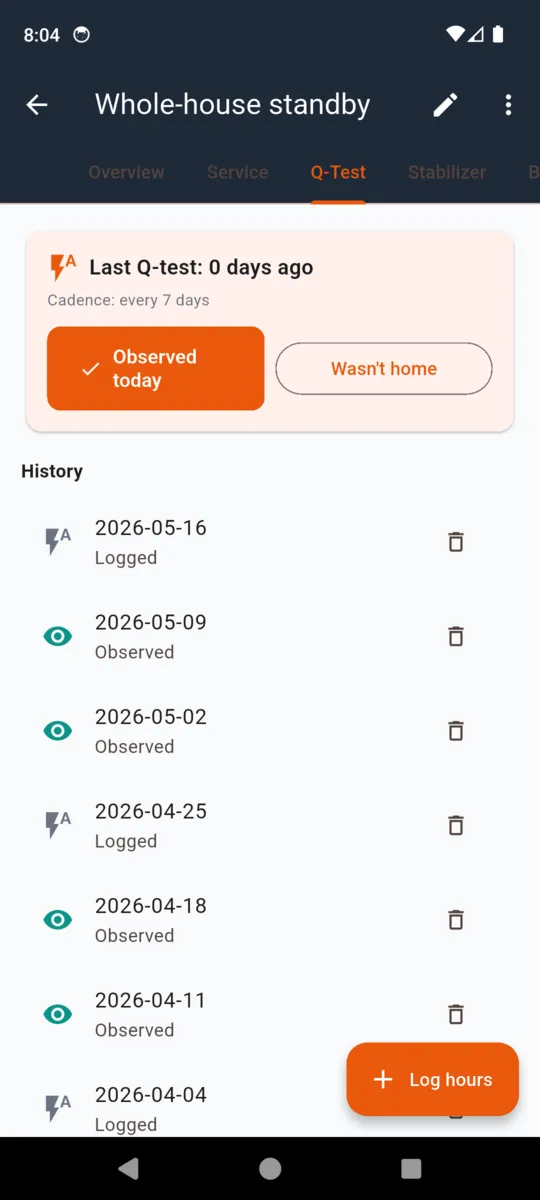
Weekly auto-exercise. Two buttons: observed today, or not home. The history shows which weeks you actually watched it run.
- 04
Stabilizer
How much fuel you treated, with what product, and when — so you know how old the fuel in the tank really is.
- 05
Battery
Voltage checks, load tests, installs and replacements. The battery is what fails first on a standby set.
OUTAGES
The nights it earned its money
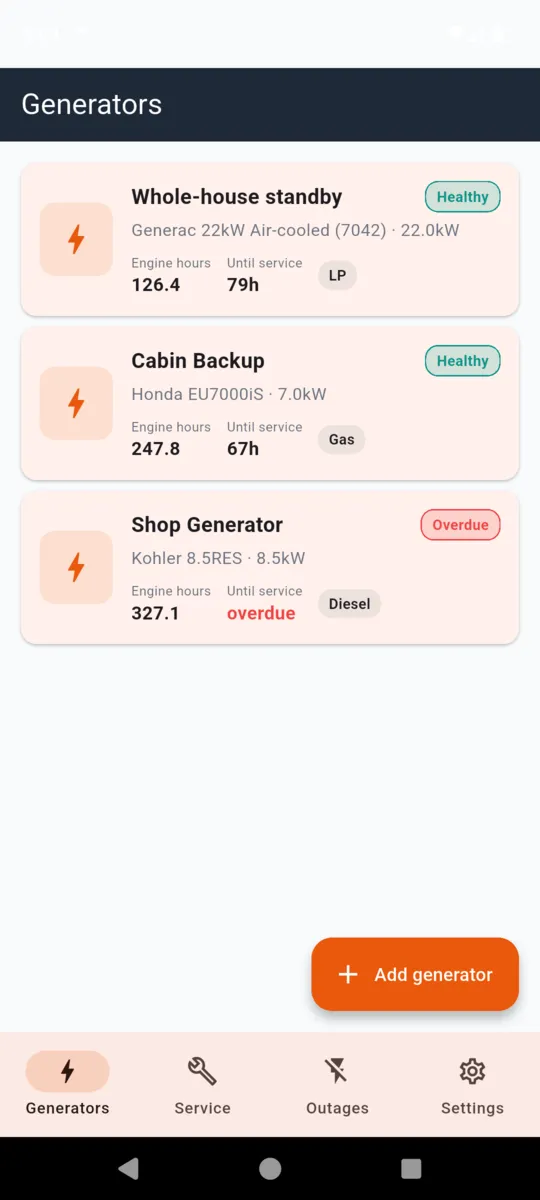
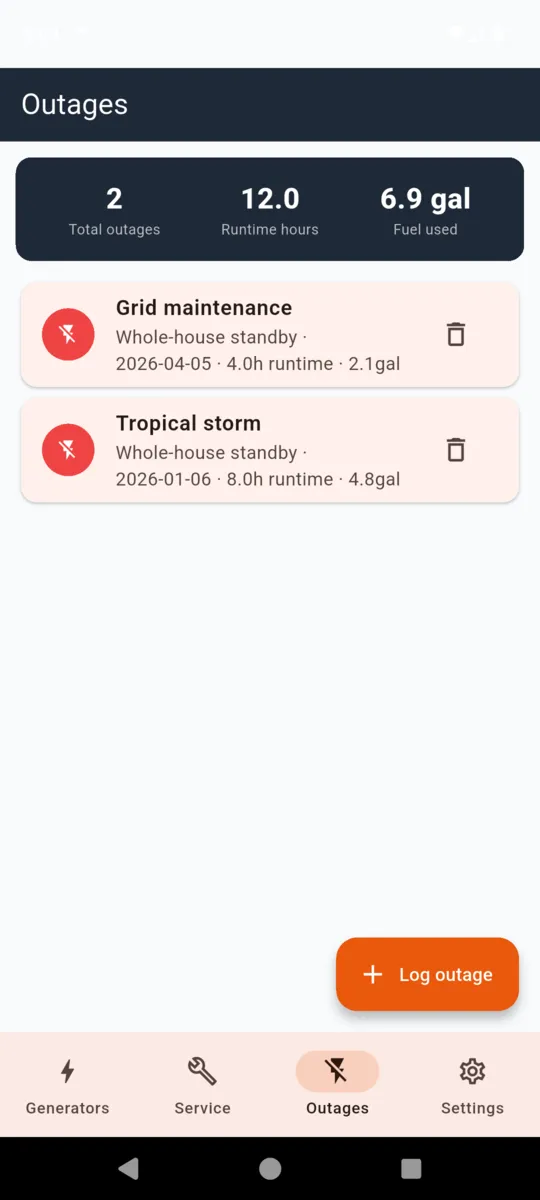
Every outage gets a start and an end, the fuel you burned through it, and a cause in your own words — tropical storm, grid maintenance, tree on the line. The Outages tab totals them across every generator you own.
It is the number you want when someone asks whether the standby set was worth it, and the one you want when you are sizing the propane tank for next winter.
On the phone
Scroll sideways, or use the arrow keys
The service history, on paper
GeneratorLog Service History
- Generated date and a plain disclaimer on the cover
- A block per generator: name, make, model, kW, current hours
- Service table — date, hours, category, parts, cost
- Outage table — start, duration, fuel, cause
- Q-tests logged, counted
It shares straight out of the phone, so it goes to a dealer, a buyer or a warranty claim without a laptop in between. On the free tier the report stops at three service entries per machine and leaves the outages out; a plan prints the lot.
GeneratorLog records what you tell it. It is not a substitute for your manufacturer's manual or local code, and it does not certify that work was done.
Straight answers
- Hours, not dates. The only clock a service schedule is written in.
- Your intervals win. Defaults are a starting point, not a rule.
- Works in the dark, off grid. Everything is on the phone, and there is a dark theme.
- No account. No sign-up, no email, no password.
- No push notifications. It is a logbook. Status shows when you open it.
- Five currencies, three fuel units. Dollars to euros, gallons to litres to CCF.
PRICING
$24.99once, or from $1.99/mo
Everything is open for 14 days. After that the free tier keeps one generator and 20 service entries, and nothing you logged is taken away.
- $1.99 a month
- $9.99 a year
- $24.99 once, nothing renews
- Unlimited machines and entries
- Full PDF, and no ads
Questions
Does it schedule service by hours or by date?
By hours. You log the reading off the hour meter and GeneratorLog subtracts the reading taken at the last oil change. Oil defaults to 100 hours, air filter and spark plug to 200, and every interval is editable per machine.
Does it send me reminders?
No. GeneratorLog is a logbook, not a notifier. It marks a machine due soon at 90% of the oil interval and overdue past it, and flags a stale Q-test, but you see that when you open the app.
Does it work offline, and do I need an account?
It works fully offline and there is no account. Generators, readings, service, tests and outages are stored on the phone. A connection is only used to serve ads in the free version.
Can I track more than one generator?
Yes on a plan. The free tier holds one generator and 20 service entries. The 14-day trial and every paid plan are unlimited, which is the point if you run a house set and a jobsite set.
What is in the exported PDF?
A cover with the date and a disclaimer, then a block per generator with make, model, kW rating and current hours, a service table of date, hours, category, parts and cost, an outage table, and the Q-test count. The free version stops after three service entries per machine.
Is it a subscription?
It can be. $1.99 a month or $9.99 a year, or a one-time $24.99 lifetime purchase that never renews.
Go and read the meter
One number, typed in once, and the machine finally has a history.