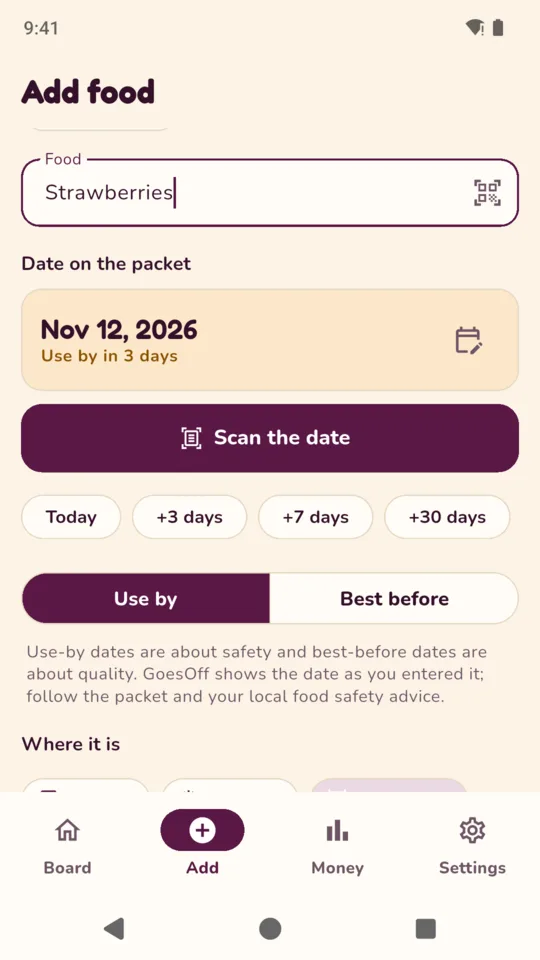
Add food by barcode, camera or hand.
Scan a barcode to fill in the name from Open Food Facts. Point the camera at the printed date and the phone reads it. Or tap Today, +3, +7 or +30 days. Food you added before comes back in one tap.
Expiry date tracker · Android
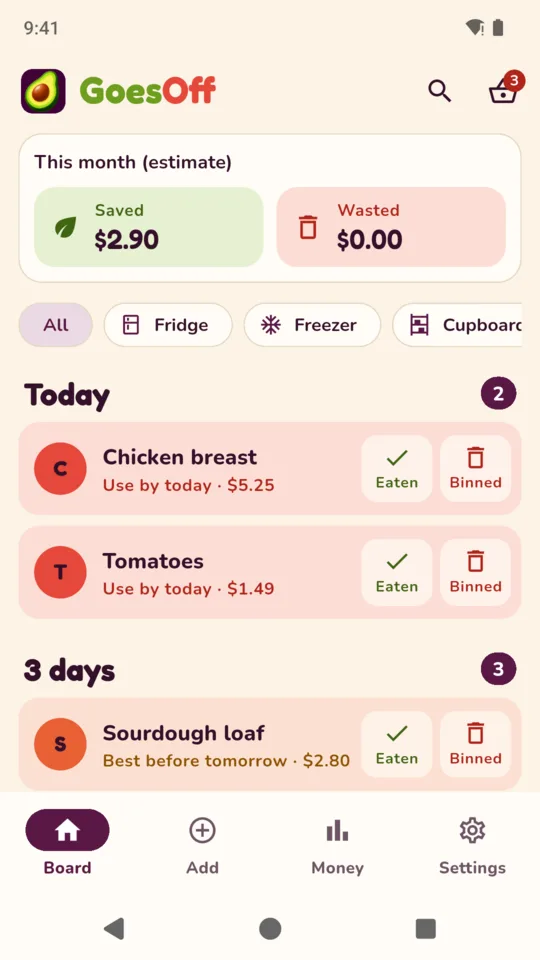
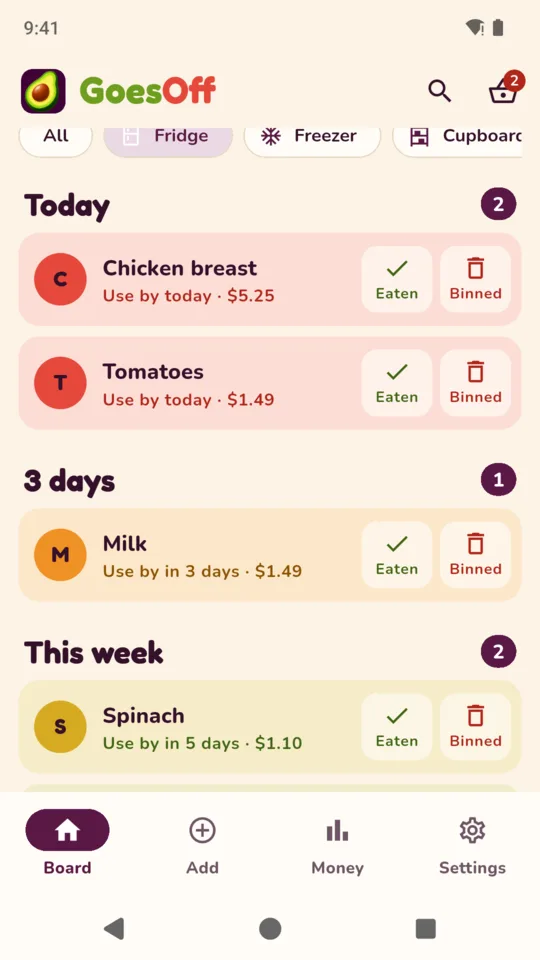
GoesOff keeps your fridge, freezer and cupboard in one list sorted by date. The food that goes off first sits at the top, and every item ends with one tap: Eaten or Binned.

The board
Food is grouped into Today, 3 days, This week and Later. Each row changes from green to amber to red as its date gets closer, so you can see what needs using soon. Filter by fridge, freezer or cupboard, or search by name.
Today
3 days
This week
Later
The money line
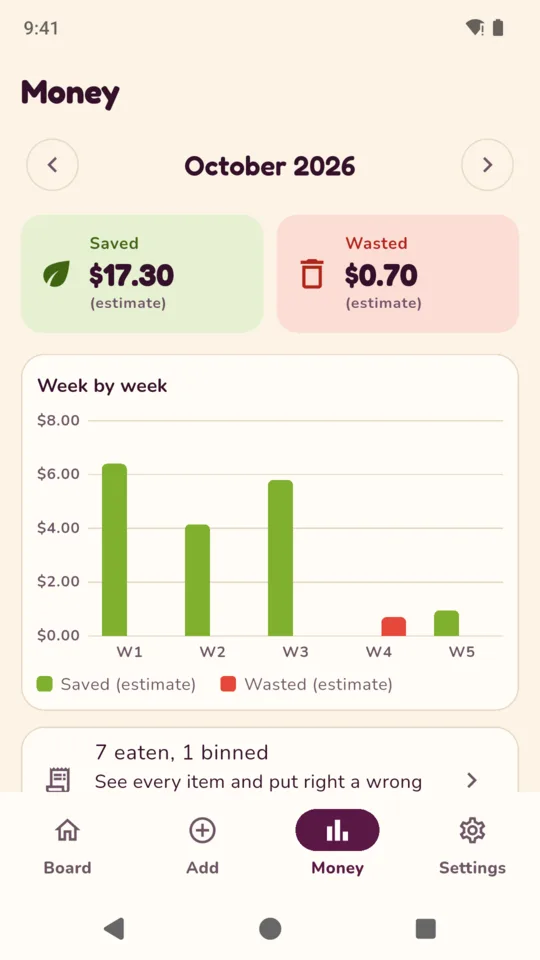
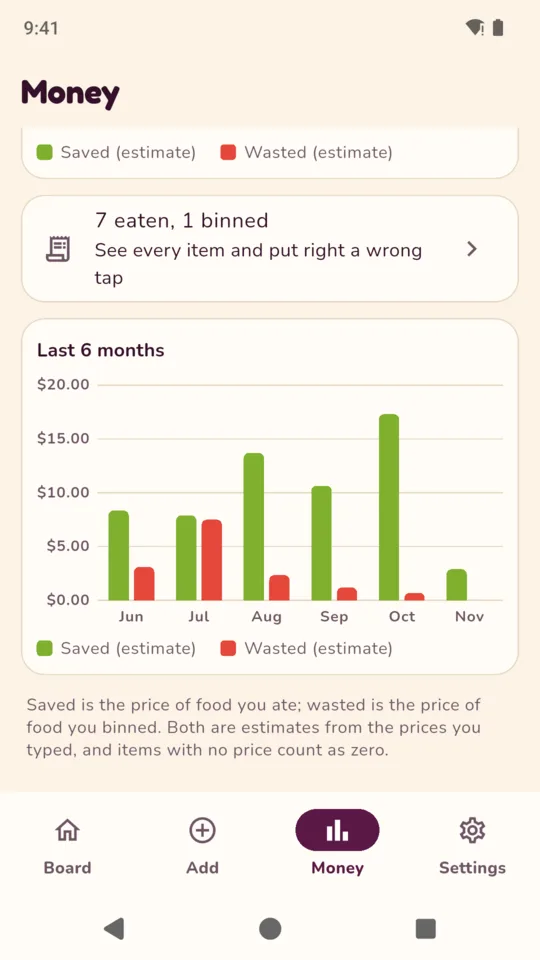
Type a price once and GoesOff remembers it for that product. The top of the board shows this month’s estimated value of food eaten and food binned. The Money tab breaks the month down week by week.
Sample month from the screenshot. Totals come from the prices you entered and are kept per currency, never mixed.
Scan a barcode to fill in the name from Open Food Facts. Point the camera at the printed date and the phone reads it. Or tap Today, +3, +7 or +30 days. Food you added before comes back in one tap.
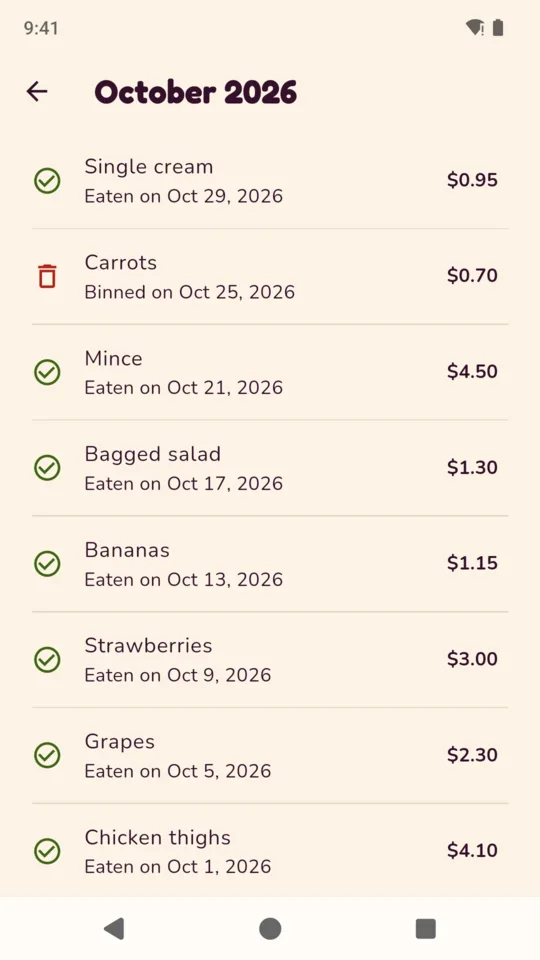
Swipe right when you eat it, left when you throw it away. Both can be undone, and a wrong tap from last week can be put back on the board from the month’s list.
Pick a time. If food has a date coming up by tomorrow, GoesOff puts it in one daily notification instead of one alert per item.
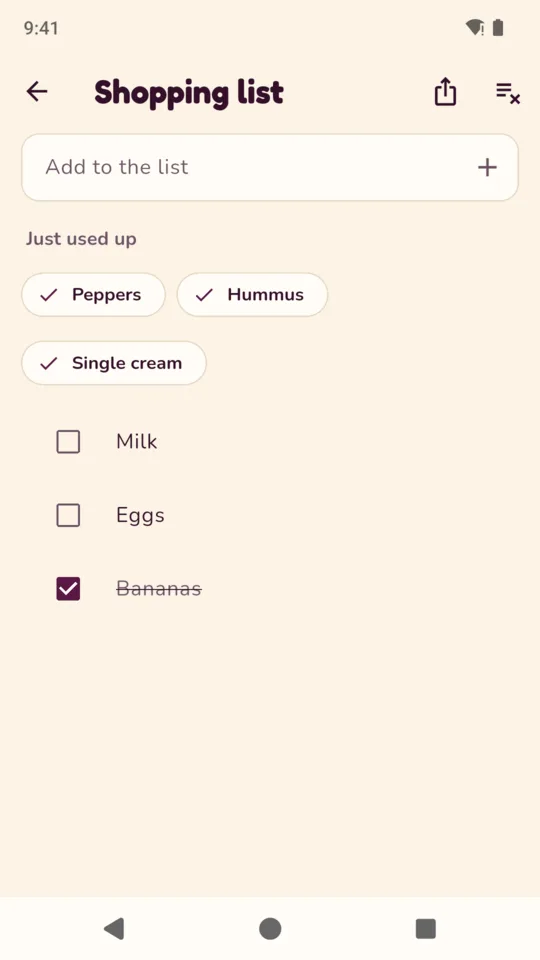
Food you finish is offered back for the list in one tap. Tick it off in the shop, or share the list as text.
Save a backup and restore it on another phone. There is no account and no cloud to sign in to.
A wider layout on tablets, and the whole app in English, Spanish, French, German, Portuguese, Hindi, Arabic, Japanese, Korean and Chinese.
No account and no cloud. Your food, prices and shopping list are stored on the phone. The app uses Google services for ads, crash reports and usage statistics.
The date photo is read on the phone and deleted straight away. Only a barcode number goes to Open Food Facts, to look up a product name.
Use-by and best-before dates are shown exactly as you entered them. GoesOff does not know whether food is safe to eat. Follow the packet and your local food safety advice.
Up to 25 items on the board, the fridge, freezer and cupboard, barcode and date scanning, the digest, the shopping list, backup and this month’s money line. One banner, on the Money tab only.
One payment, no subscription. Food already on your board is never locked or hidden.
No. It shows the use-by or best-before date you entered or scanned. Follow the packet and your local food safety advice.
Point the camera at the printed date and GoesOff reads it on your phone. Check the date before you save. If it cannot read it, tap a quick date instead.
From prices you type. GoesOff remembers a price per product and adds up food marked Eaten and Binned each month. The totals are estimates based on the prices you entered.
No. Your list, prices and shopping list stay on your phone. A backup file moves them to a new phone.
Unlimited items, custom places, past months, a six-month chart and no ads. One payment.
GoesOff for Android, $4.99 once to unlock everything.