SELF-TIMER CAMERA WITH A BLINK CHECK

GroupCam icon

GroupCam

Self Timer Camera

The group photo where nobody blinks.

Prop your phone on a tripod, a shelf or a coffee mug and get in the frame. GroupCam counts the whole group down out loud, takes the photo, checks it for closed eyes, and shoots again if someone blinked.

$4.99 once. No subscription.
Android.

  • Photography
  • Android
  • Works offline
  • 10 languages
  • Never reads your gallery
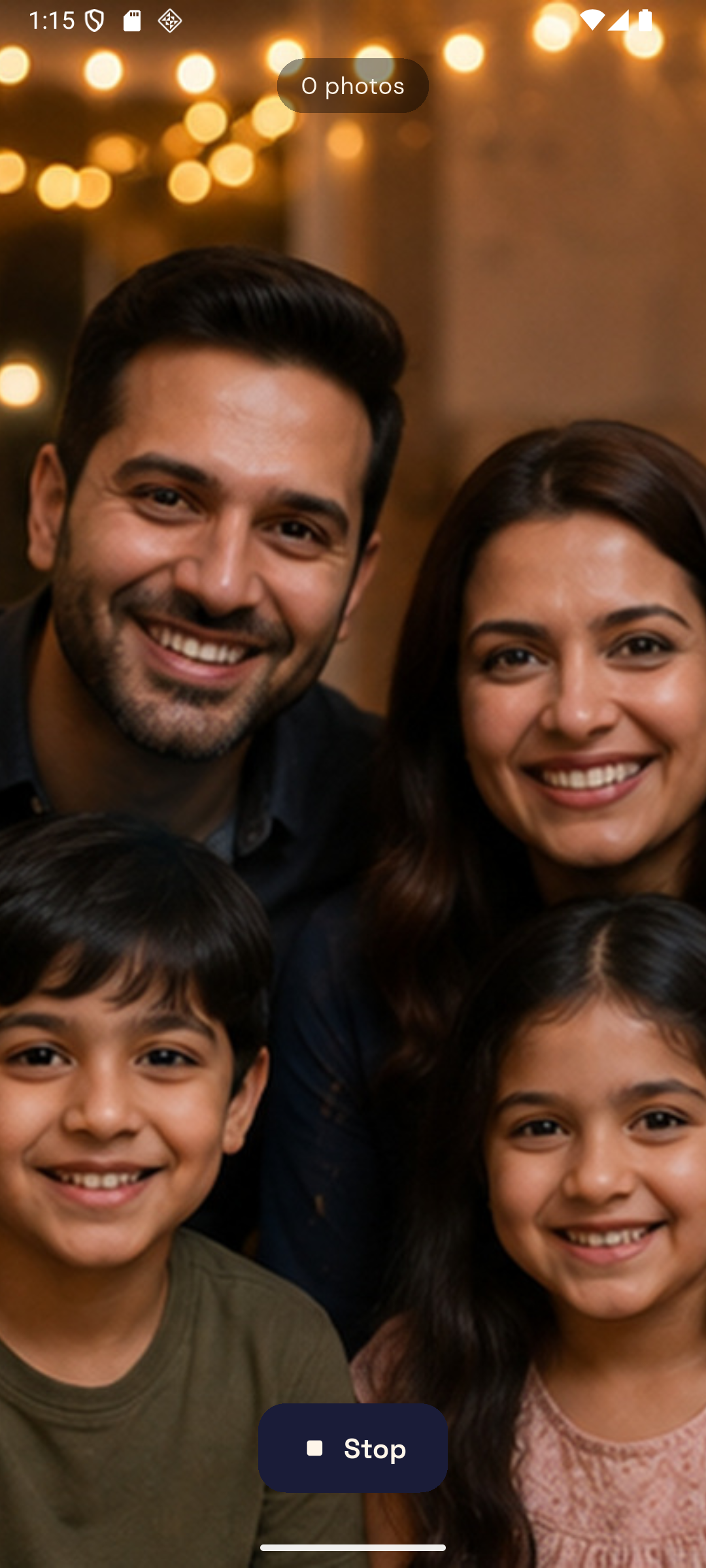
The GroupCam capture screen: the live camera preview with a large spoken cue reading Take your places across it

WHAT A SELF-TIMER CANNOT TELL YOU

The shutter fires. Then the real work starts.

Every self-timer can count to ten. None of them can tell you the photo is no good. GroupCam analyses each shot on your phone the moment it is taken, counts the faces it can actually judge, and looks at how open each pair of eyes is. If somebody blinked it says so out loud and takes one more — while everyone is still standing there.

ONE SHOT, THE TWO WAYS IT CAN GO

  • Faces found 6
  • Too small to judge 0
  • Eyes closed 1

Everyone looking

Kept

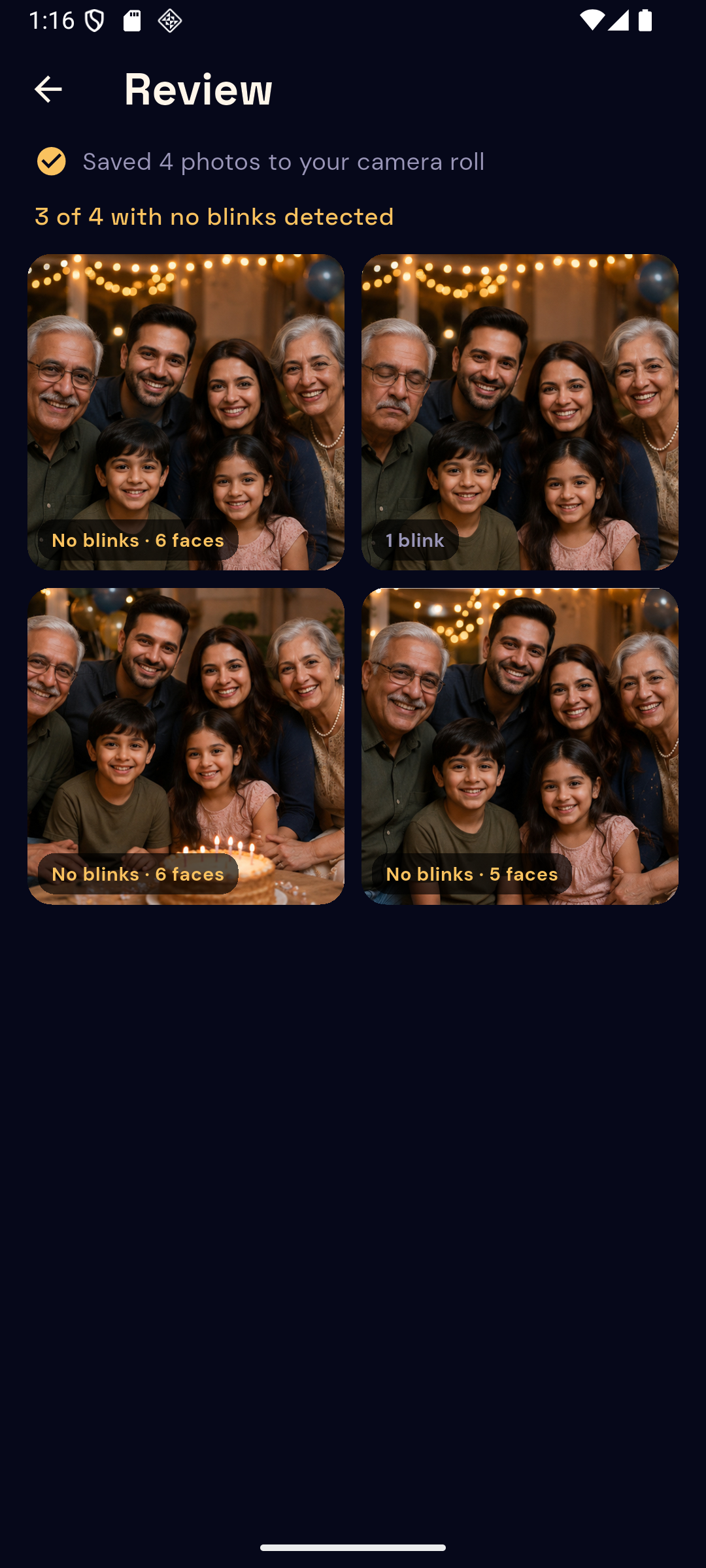
Badged “No blinks · 6 faces”.

Someone blinked

One more

Said out loud, then reshot once.

Both photos are kept and both are labelled, so nothing is quietly thrown away and nothing claims to be perfect. A face too far back to read is left alone rather than triggering a pointless retake.

01

Loud enough to be useful

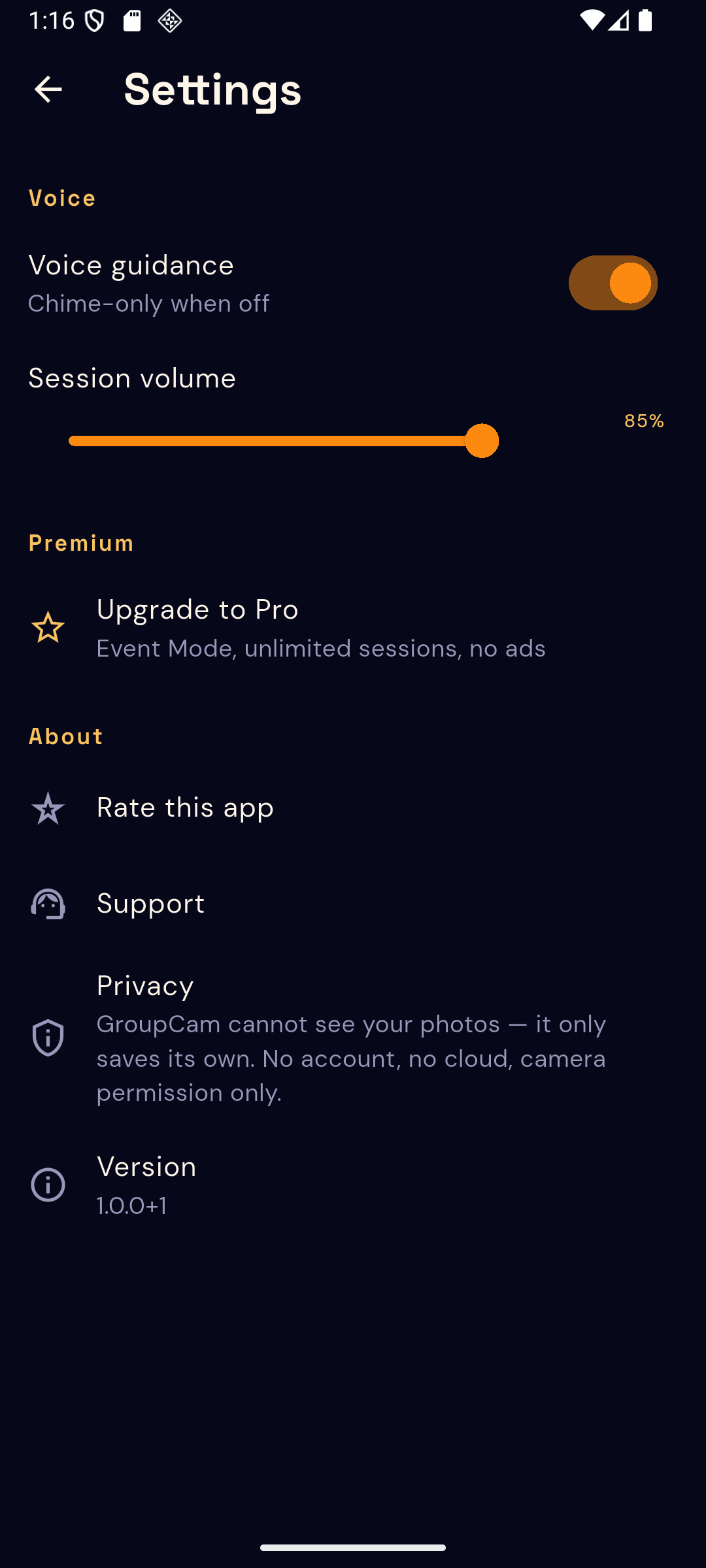
A countdown nobody can hear is just a flashing light. GroupCam speaks the cues and lets you set the session volume, and on a phone with no speech engine it falls back to a chime and an on-screen count rather than going silent.

02

It retakes once, on purpose

Chasing a flawless frame would leave a group standing to attention indefinitely. One retake catches the ordinary blink; after that GroupCam moves on and lets you decide.

03

Time to walk round the table

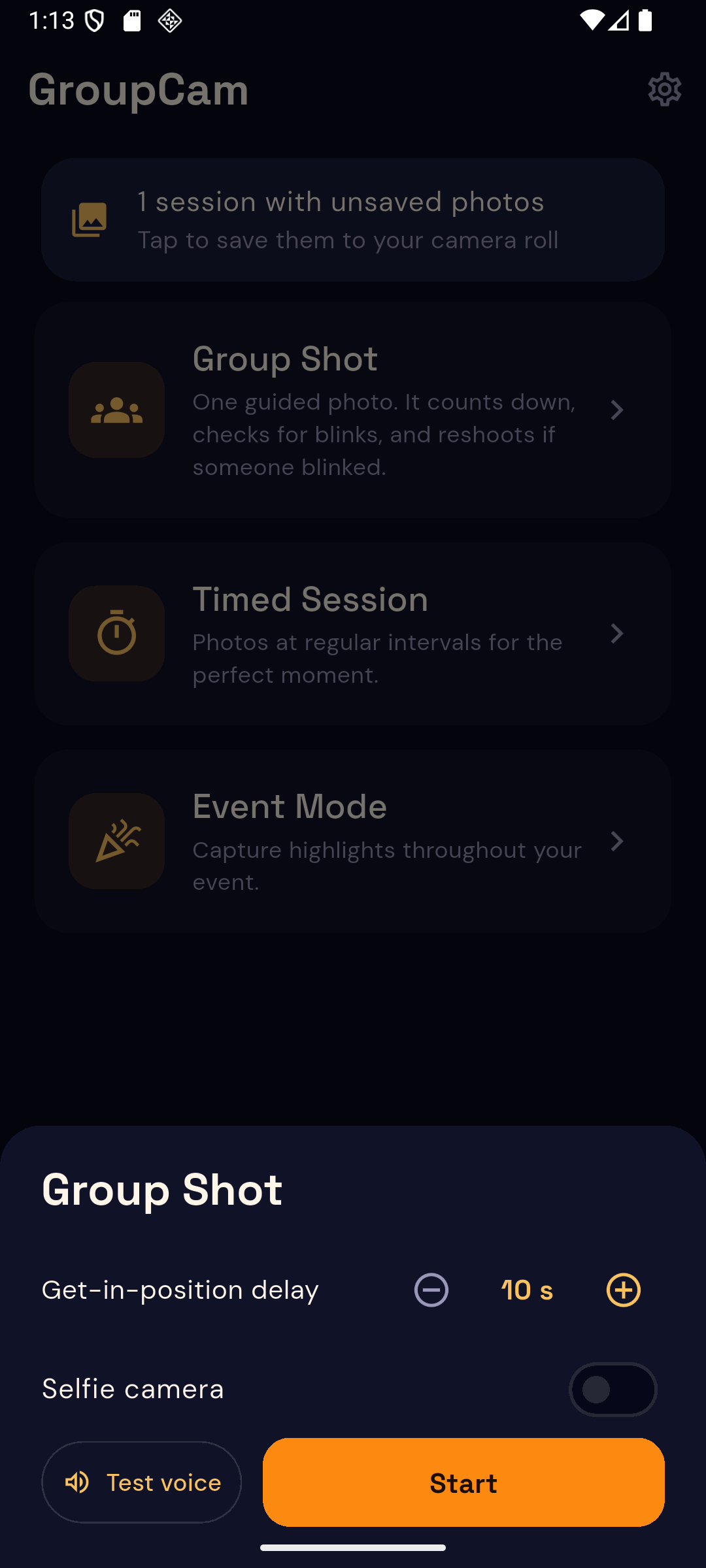
The fixed ten seconds every phone camera offers is the reason half these photos fail. You set the get-in-position delay yourself, so the count starts once you are actually in the frame.

What it does

Six things, recorded properly. No account to make, nothing uploads.

  • 01

    A countdown the room can hear

    It calls out the places, the numbers and the hold, loud enough that nobody is caught mid-turn. If a phone has no speech engine it falls back to a chime and an on-screen count.

  • 02

    The blink check

    Every photo is analysed on your phone the moment it is taken. If somebody blinked, GroupCam says so out loud and shoots again.

  • 03

    One retake, not a loop

    It reshoots once. A session can never get stuck chasing a perfect frame while everyone stands there waiting.

  • 04

    Badges that admit what they know

    Each photo is labelled with how many faces were checked and whether blinks were found. It says no blinks detected, never perfect.

  • 05

    A delay you set yourself

    Ten seconds is rarely enough to walk round a table. You choose how long you need before the countdown starts.

  • 06

    Straight to your camera roll

    Photos land in a GroupCam album in your gallery on their own. Nothing is held hostage inside the app.

The app itself

Eight screens from the shipped build. The photos shown in them are a sample session, not customer pictures.

Scroll sideways, or use the arrow keys

GroupCam capture screen showing the take-your-places cue over the camera preview
The capture screen, mid-cue.
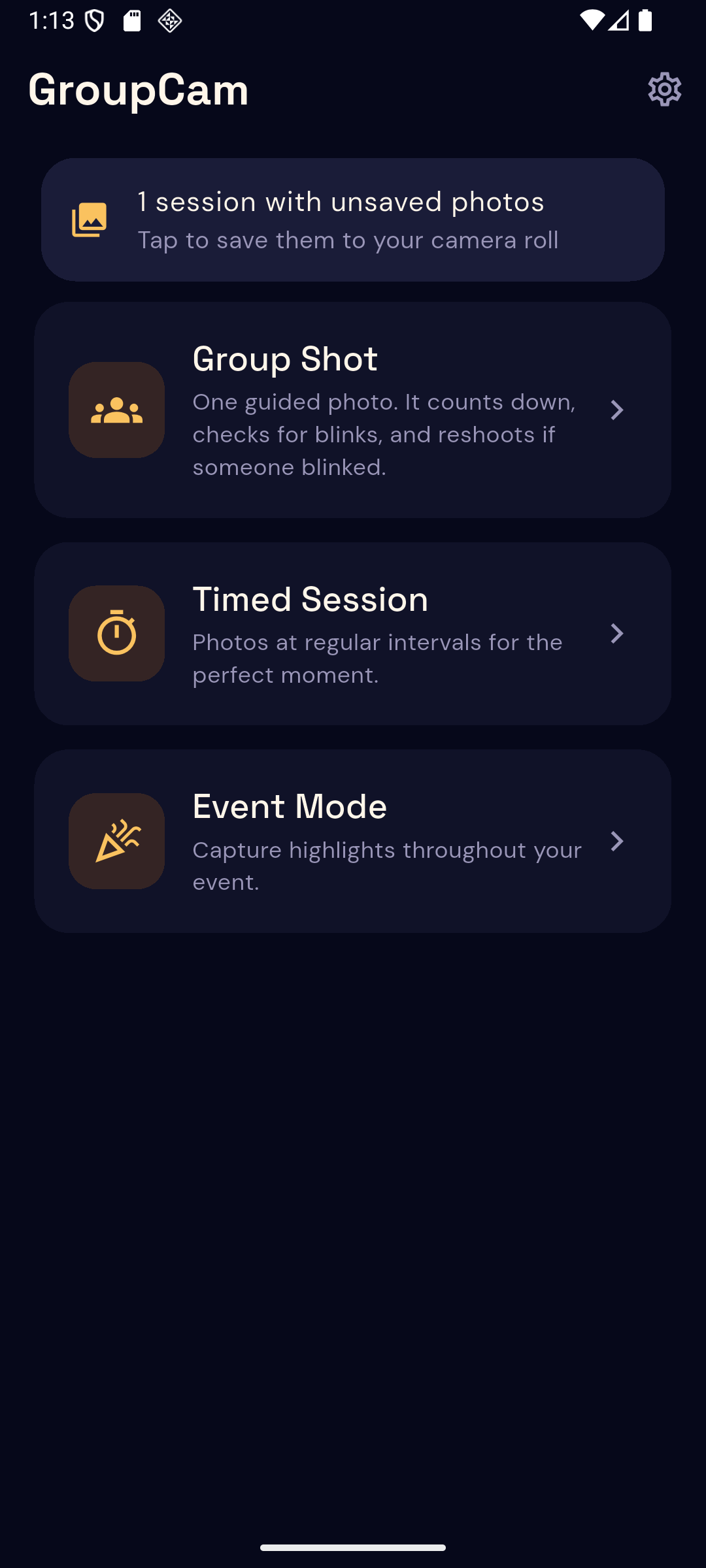
GroupCam home screen listing Group Shot, Timed Session and Event Mode
Three modes on the home screen.
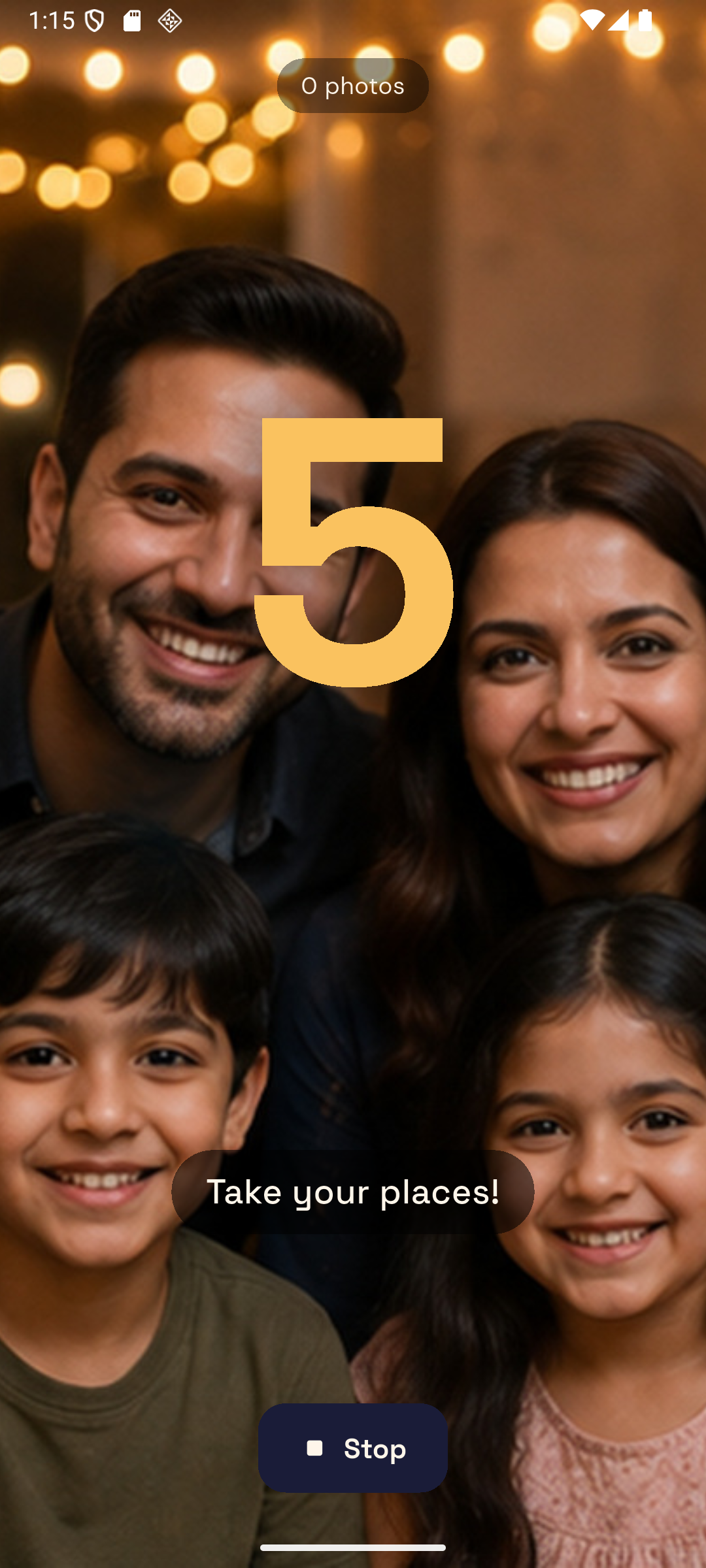
GroupCam counting down with a large numeral over the preview
The countdown, spoken and shown.
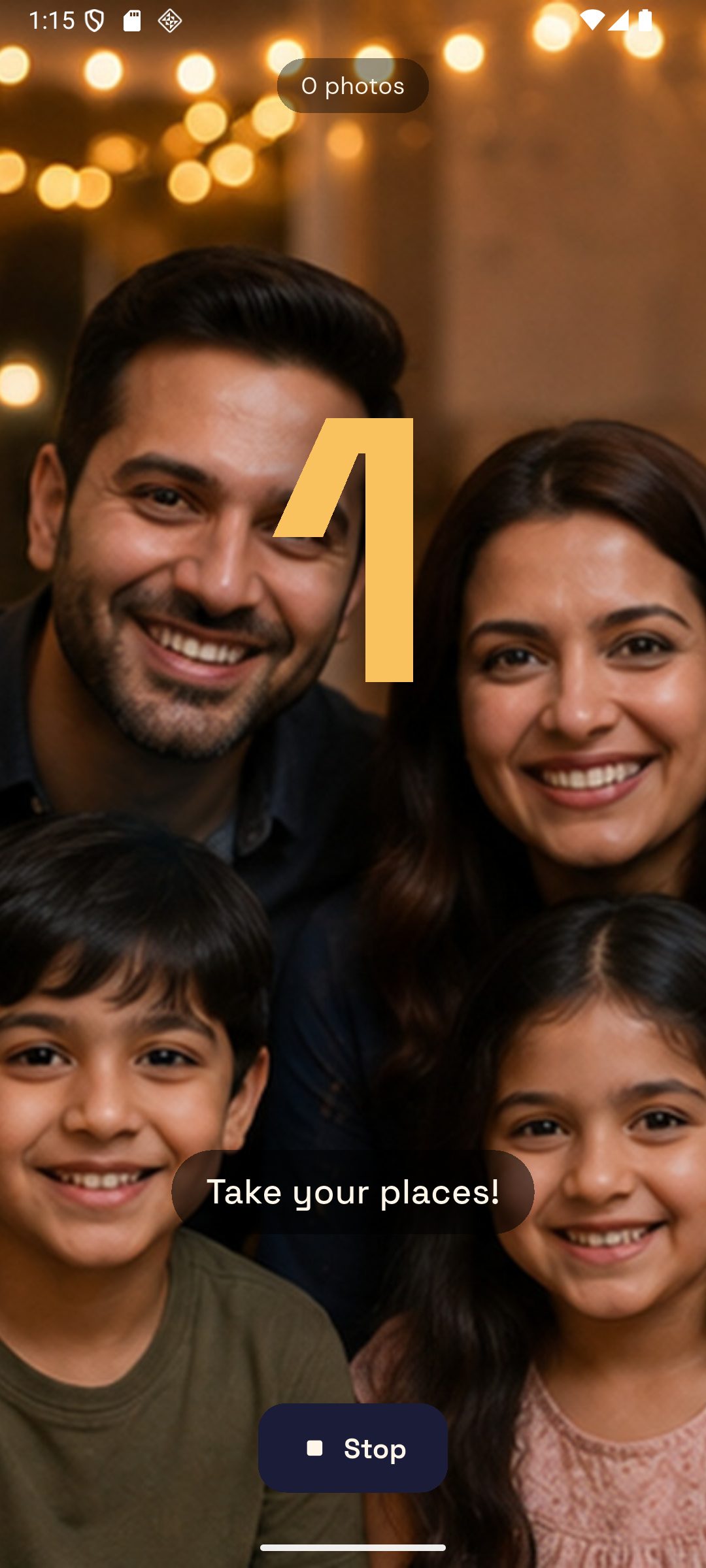
GroupCam showing the hold cue at the moment of capture
The hold, right before the shutter.
GroupCam session setup sheet with interval, duration and get-in-position delay
Session setup: interval, length, delay.
GroupCam review grid with per-photo badges reading no blinks and a face count
Review, with the honest badges.
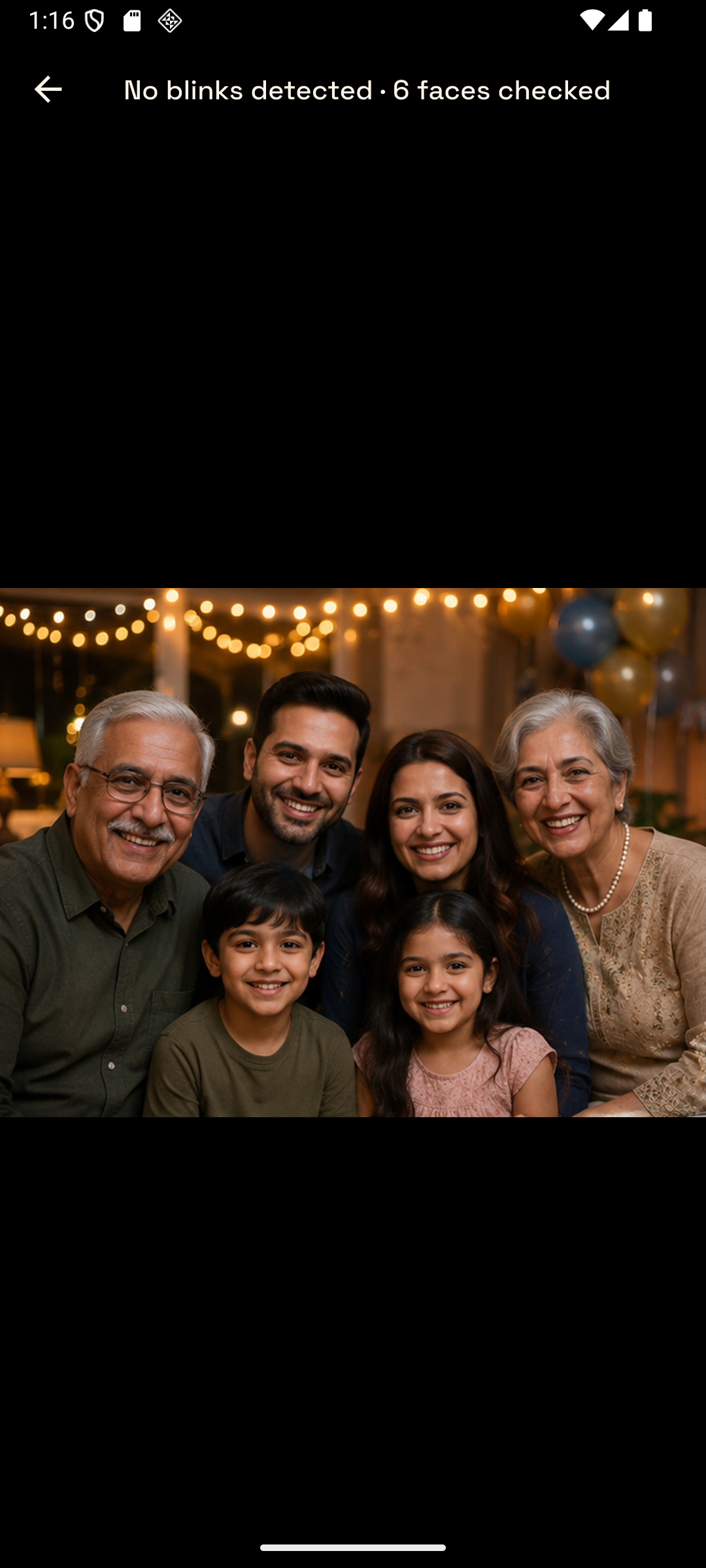
GroupCam fullscreen photo viewer
Any shot, full screen.
GroupCam settings screen with voice and volume controls
Voice and volume live in Settings.

Built to stay out of your gallery

  • Works fully offline. No account, no cloud, no uploads. The countdown and the blink check both run on the phone, so a hall with no signal changes nothing.
  • It cannot see your other photos. GroupCam asks for the camera and nothing else. It writes its own shots to a GroupCam album in your gallery and never reads your photo library — there is no browser for it, because there is nothing to browse.
  • Every photo is yours immediately. Shots save straight to your camera roll on their own. Nothing waits behind an export button and nothing is held inside the app.
  • It reports, it does not promise. The blink check reduces the number of ruined group photos. It is not perfect, so every shot is labelled with how many faces were checked and what was found rather than being called a good photo.

Pricing

No trial and no subscription. The standard tier is fully usable with an ad; one purchase removes it and lifts the session cap.

Standard

$0

  • Group Shot and Timed Session
  • Voice countdown and the blink check
  • Sessions up to 20 photos / 5 minutes
  • Shows a banner ad

Unlocked

$4.99 once

One purchase. No subscription.

  • Event Mode for a whole party
  • Timed Sessions with no cap
  • Custom countdown length and phrases
  • Removes ads
Get GroupCam on Google Play

Questions

Does it need the internet?

No. The countdown and the blink check both run on your phone. Nothing is uploaded and there is no account.

Can it see my other photos?

No. GroupCam asks for the camera only. It saves its own shots to your gallery in a GroupCam album and never reads your photo library.

What happens if someone blinks?

The photo is checked right after it is taken. If a blink is found, GroupCam says so and takes one more shot. It retakes once, not repeatedly, so a session cannot get stuck.

How does it know a face blinked?

It looks at each face in the full-resolution photo and reads how open each eye is. Faces too small to judge are left alone rather than triggering a retake, so someone at the back of a group will not cause an unnecessary reshoot.

Is the blink check perfect?

No, and the app does not claim it is. Each photo is labelled with how many faces were checked and whether blinks were found, so you can see what it actually looked at.

How loud is it?

Loud enough for a room. You set the session volume in Settings, and if your phone has no speech engine it falls back to a chime with an on-screen countdown.

Do I pay again later?

No. It is $4.99 once.
Get in the photo.

One purchase, no account, nothing uploaded. Android.