Leave balance and carry-over
Track the days you started the year with, the days you have used, and any carried-over balance with its expiry date. The optimizer only suggests breaks you can actually afford.
PTO & BANK HOLIDAY PLANNER

HolidayStack
PTO & Bank Holiday Planner
HolidayStack reads the public holiday calendar for your region, then works out where your annual leave joins two weekends and a bank holiday into one long break. It ranks what it finds by how many days off each booked day buys.

Free to use. $3.99 one-time unlock.
Android.
THE ARITHMETIC
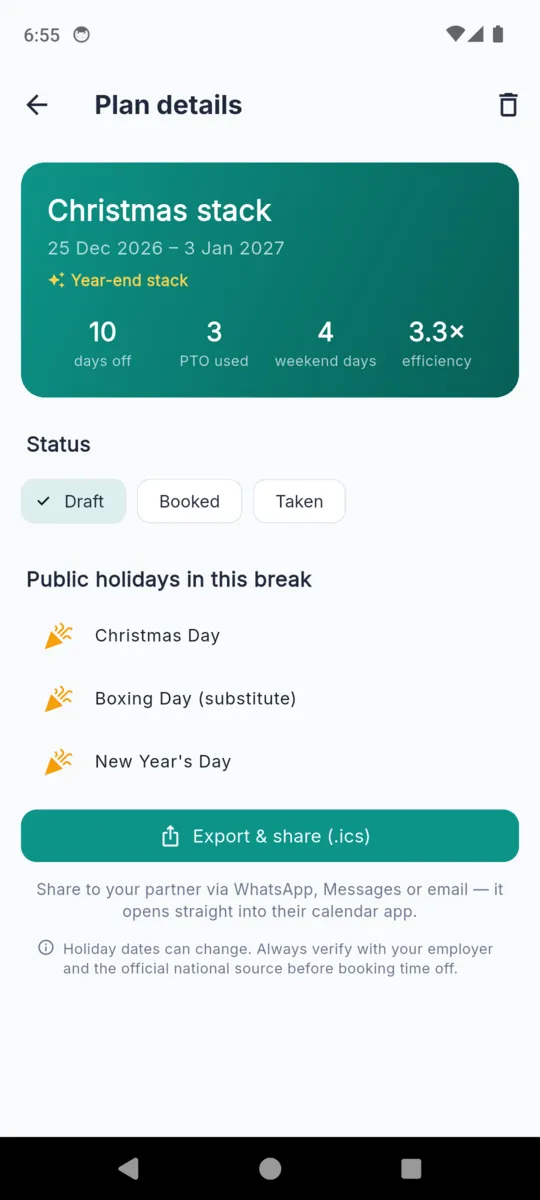
Christmas 2026 in England and Wales. Book the three working days in the middle and everything either side of them is already yours.
3
days of leave spent
10
consecutive days off
3.3×
days off per day booked
That multiplier is what HolidayStack sorts by. Every break it suggests carries one, so you can see at a glance which week of the year your leave is worth the most.
Pick a country and region, enter your leave balance and any carried-over days, and add the company shutdown days a national calendar will never know about.
Tell it the most leave you would spend on a single break and the shortest break worth taking. Narrow it to a few months if you already know roughly when.
It returns the best breaks it can build inside that budget, each showing total days off, leave spent, weekend days absorbed and the multiplier. Save one and it becomes a plan you can mark draft, booked or taken.
Sixty regional calendars across fifteen countries, bundled inside the app so the optimizer runs with no connection. Regional means regional: all four UK nations, the US federal calendar plus ten states, every Canadian province and territory, and each Australian state.
Drag the row, or focus it and use the arrow keys.
Scroll sideways, or use the arrow keys
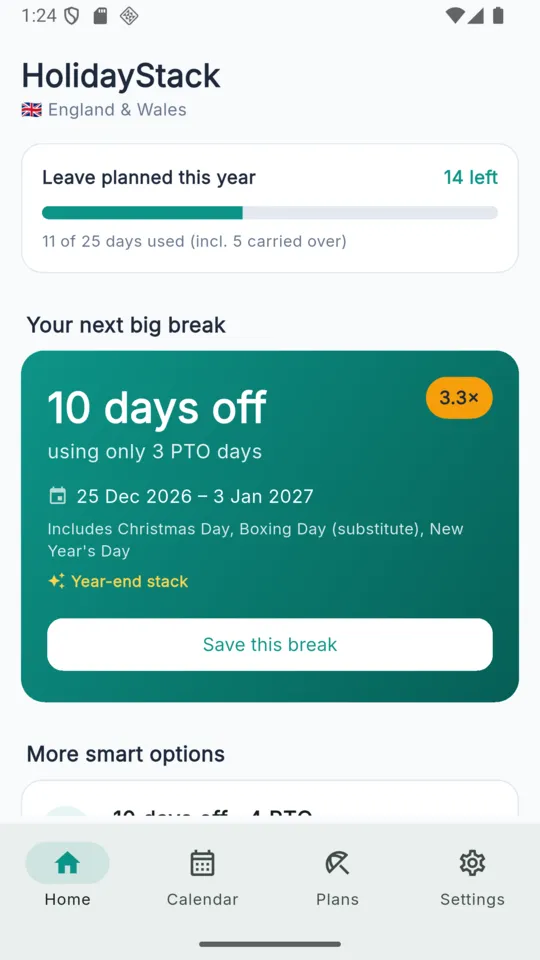
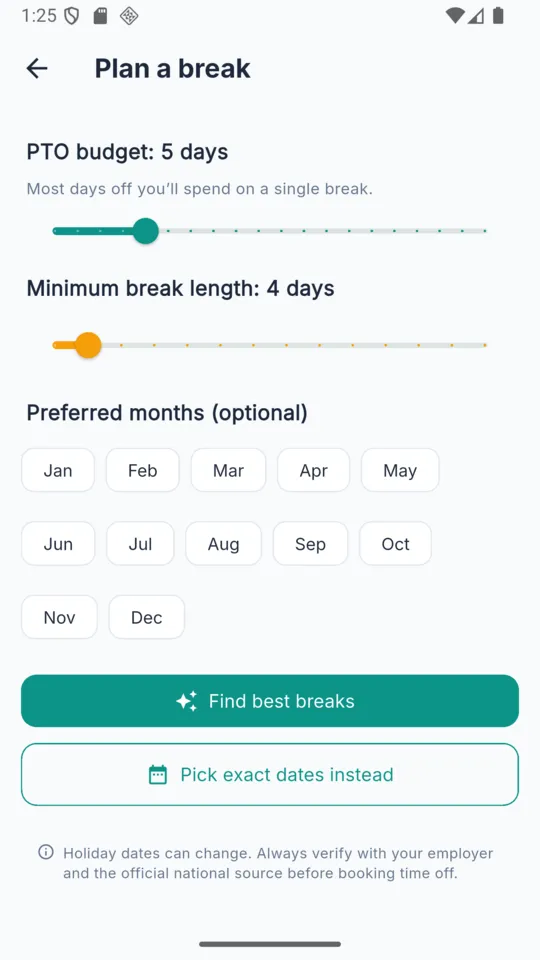
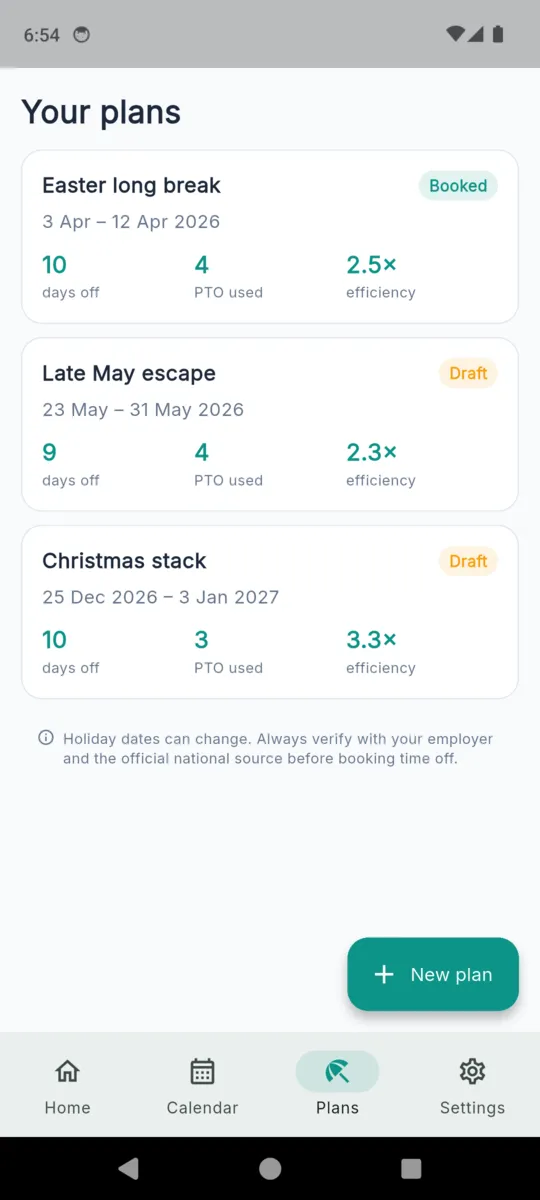
Track the days you started the year with, the days you have used, and any carried-over balance with its expiry date. The optimizer only suggests breaks you can actually afford.
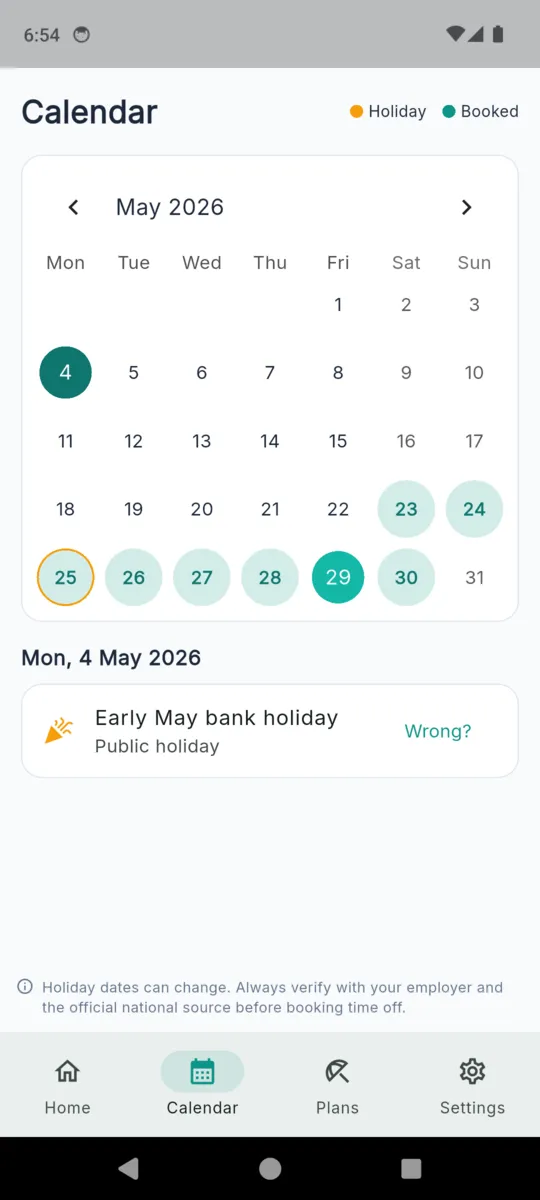
Add company shutdowns, religious observances or local days the national calendar does not carry. They count towards a stack exactly as a public holiday does.
A saved break sits as a draft until you have asked for the time, then moves to booked and finally taken. The plan keeps the holidays it was built around.
Any plan exports as a standard .ics file. Send it to a partner over messages, or open it straight into your own calendar app.
A booked break notifies you fourteen days out, three days out, and on the last day off. There is no daily nagging and no streak to keep alive.
Every holiday in the calendar carries a Wrong? link. National calendars get amended, and a planner nobody can correct is worse than a wall chart.
Worth knowing before you install rather than after.
PRICING
$3.99one-time
The optimizer, the calendar and one saved plan are free, with one .ics export a month and ads. The free tier stays with the first region you set up.
It looks at the gaps between public holidays and weekends. Book 29, 30 and 31 December 2026 in England and Wales and the two Christmas holidays, New Year's Day and two weekends join up around them: ten consecutive days off for three days of leave.
Fifteen countries and sixty regional calendars, including all four UK nations, the US federal calendar plus ten states, every Canadian province and territory, and each Australian state.
The bundled pack holds 2026 and 2027 only, across all sixty calendars. Later years arrive as an updated pack rather than appearing on their own, and every date carries a Wrong? report link.
No. It plans, then exports a break as a .ics calendar file you can share or open in your own calendar. Requesting the time still goes through your employer.
The full optimizer, the calendar and one saved plan, with one .ics export a month and ads. The free tier stays with the first region you set up.
No. $3.99 once removes the ads and the caps, and adds unlimited plans, unlimited exports and more than one region. Nothing renews.
Set your region and your balance, and see what the calendar is already giving you.