HOME MAINTENANCE SCHEDULE

HomeKeep icon

HomeKeep

Your home, on schedule.

A year of house jobs, already filled in.

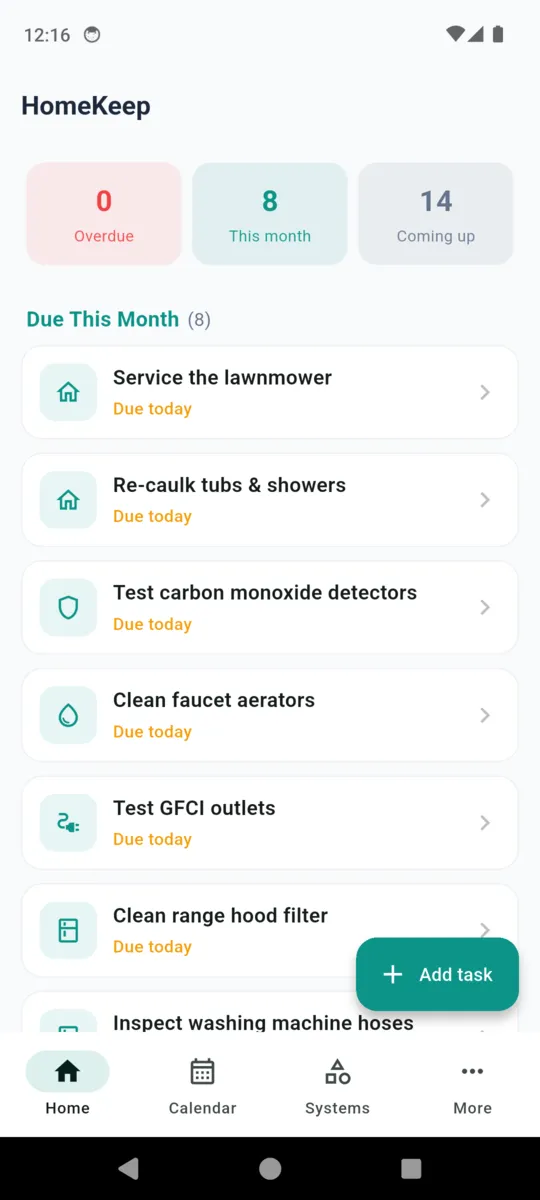
Tell HomeKeep whether the house is American or British and which systems it has. It loads the maintenance list for that home, drops each job into the month it belongs in, and remembers what you paid and who did it.

14-day trial, then $1.99/mo, $9.99/yr
or $19.99 once. Android.

  • Home & Property
  • Android
  • Works offline
  • No account
HomeKeep launch screen: a house with a checklist and a spanner over a teal field, under the line Your home, on schedule

THE YEAR AHEAD

Seven months of the year, the house asks for something.

These are the dated jobs exactly as HomeKeep ships them. Seasonal work sits on a fixed month and comes back at the same point next year. The quiet months are genuinely quiet — until an interval job lands there, counted forward from the last time you did it.

  1. Jan

    Nothing seasonal

  2. Feb

    Nothing seasonal

  3. Mar

    Nothing seasonal

  4. Apr

    • US Air conditioner tune-up
    • US Clean gutters (spring)
    • US Check foundation & grading
    • UK Clear gutters (spring)
  5. May

    • US Clear the AC condenser unit
    • US Inspect the roof
    • US Seal deck or fence
    • UK Inspect the roof
  6. Jun

    Nothing seasonal

  7. Jul

    Nothing seasonal

  8. Aug

    Nothing seasonal

  9. Sep

    • UK Annual boiler service
    • UK Bleed the radiators
  10. Oct

    • US Furnace inspection / tune-up
    • US Clean gutters (autumn)
    • UK Replace alarm batteries
  11. Nov

    • US Replace smoke & CO detector batteries
    • UK Clear gutters (autumn)
    • UK Clear outside drains & gullies
  12. Dec

    Nothing seasonal

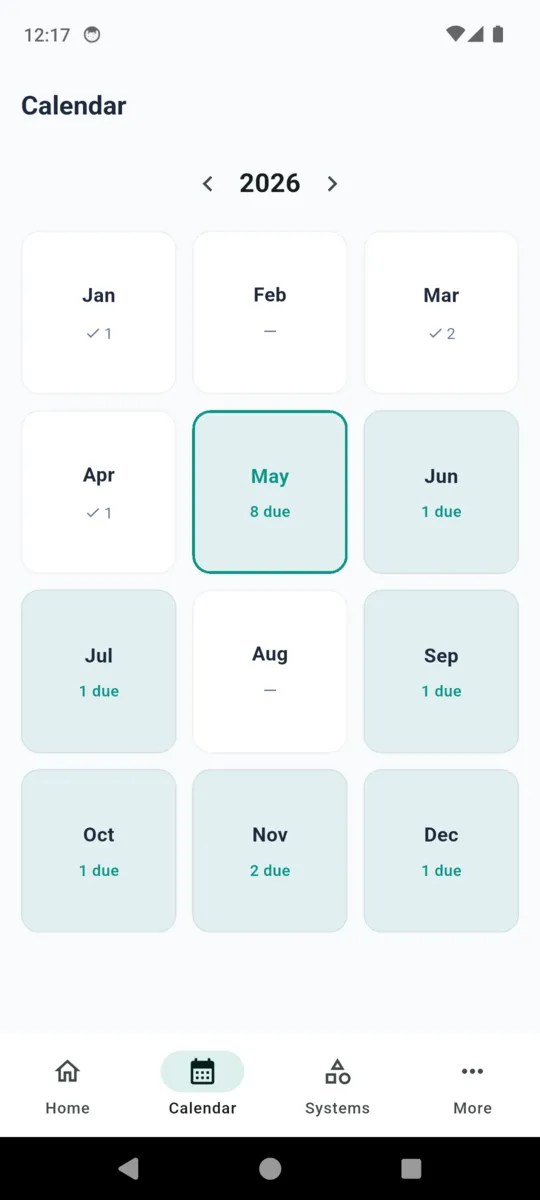
The app draws the same twelve boxes for whichever year you scroll to, with a count of what is due and a tick count of what you finished. Tapping a month opens the list.

Two lists, because a British house is not an American one.

United States 23 jobs

Written around forced air, a tank water heater and a yard. Furnace tune-up before winter, air conditioner before summer, gutters twice, foundation and grading in spring, GFCI outlets every six months, washing machine hoses every five years.

  • HVAC filter · 3 months
  • Smoke & CO test · 6 months
  • Water heater flush · yearly
  • Septic pump · 3 years
  • Deck seal · 2 years

Costs and estimates are in dollars.

United Kingdom 18 jobs

Written around a combi boiler and a terraced-house reality. Annual boiler service in September, radiators bled before the heating goes on, outside drains and gullies cleared before the leaves, tap aerators descaled, and the stopcock checked once a year so you know it still turns.

  • Boiler pressure · 3 months
  • Alarm test · 6 months
  • Washing machine clean · 3 months
  • Bath re-seal · yearly
  • Roof check · yearly

Costs and estimates are in pounds.

You tick what the house actually has

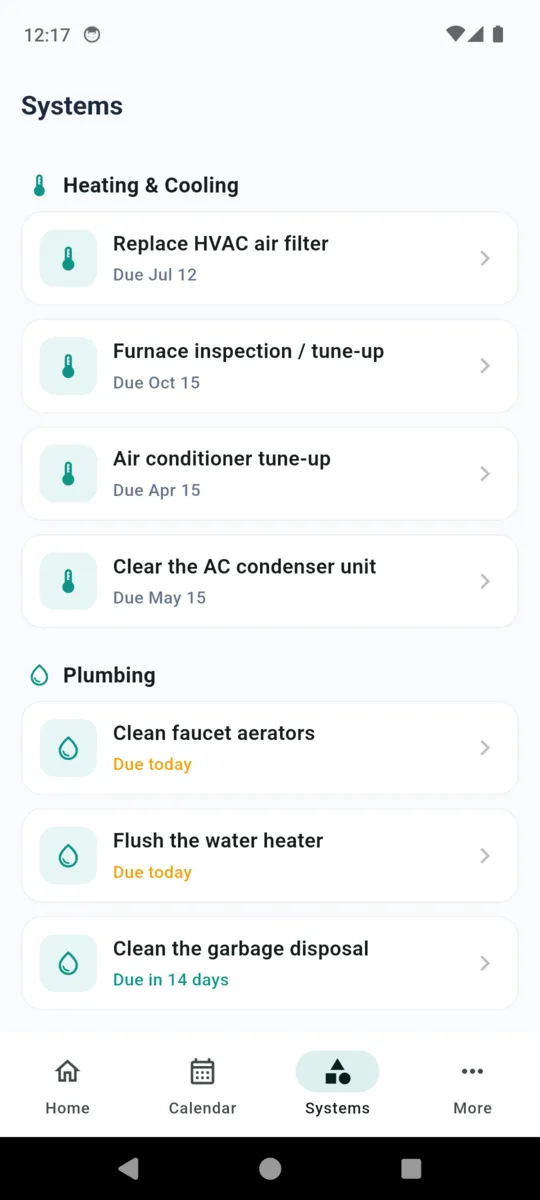
Setup asks which systems are present, and anything tied to one you do not own never gets scheduled. No septic tank means no septic reminder waiting for you three years from now.

  • Central forced-air
  • Furnace
  • Air conditioning
  • Tank water heater
  • Garbage disposal
  • Deck or wood fence
  • Septic system
  • Private well
  • Combi / system boiler

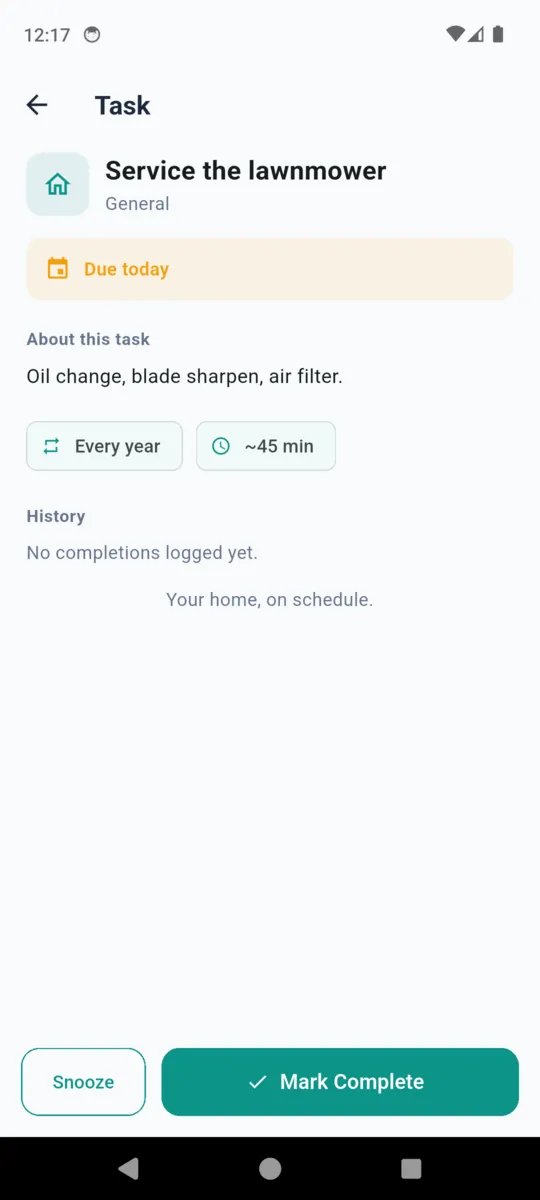
Anything still unwanted can be switched off later under Manage tasks, and you can add your own — a lawnmower service, a water softener, whatever this house needs — with its own interval.

MARK COMPLETE

The part you thank yourself for two owners later.

Finishing a job is one button. What it saves is a small file on that job: when it was done, what it cost, who did it, what you noticed, and photos if you took any. The next due date moves itself — forward by the interval, or to the same month next year for seasonal work.

That history sits under the task, gathers into a photo log covering the whole house, and exports as a PDF with a dated table of every completion. Handy at sale time, and handier the second time a plumber quotes for something you already had done.

  • Date Stamped the moment you tick it off
  • Cost In $ or £, following the home you set up
  • Contractor Who you used, so you can call them again
  • Notes Filter size, part number, what was worn
  • Photos Camera or gallery, kept on the phone
  • Next due Recalculated as soon as you save

Why it stays on the home screen

  • Nothing to set up first. Two questions and the schedule is populated.
  • Every job explains itself. A short how-to sits on the task, with a link to a longer guide.
  • Runs with no signal. The whole schedule and its history live on the phone.
  • No account, ever. No sign-up, no email, no password.
  • A nudge, not a nag. One reminder 1, 3, 7 or 14 days out, and a snooze that buys a week.
  • Your record leaves with you. Export the full history as a PDF whenever you want it.

HomeKeep is a scheduling aid. Check your manufacturer's instructions, and use a licensed professional for anything that needs one.

PRICING

$19.99once, or from $1.99/mo

Everything is open for 14 days. After that the schedule and everything you have logged stay readable for free; reminders, photos, PDF export and your own tasks sit on a plan.

  • $1.99 a month
  • $9.99 a year
  • $19.99 once, nothing renews
  • Removes the ads
Get HomeKeep

Questions

Do I have to type in my own tasks?

No. Pick United States or United Kingdom during setup and HomeKeep loads a ready-made list — 23 jobs for a US home, 18 for a UK one. You tick which systems you actually have, and jobs that need a system you do not have never appear.

Does it work without internet?

Yes. Your home profile, schedule, completions, costs and photos are all stored on the phone. A connection is only used to serve ads in the free version and to open a how-to guide in your browser.

Do I need an account?

No. There is no sign-up, no email address and no password. The app opens straight into setup.

How does it decide when something is next due?

Seasonal jobs sit on a fixed month — gutters in spring and autumn, a boiler service in September. Everything else counts forward from the day you tick it off, by its own interval: three months for a range hood filter, five years for washing machine hoses.

What happens when the 14-day trial ends?

Everything already logged stays readable and the schedule keeps running. Reminders, the photo log, PDF export and adding your own tasks need a plan after that, and the free version shows ads.

Is it a subscription?

It can be. $1.99 a month or $9.99 a year, or a one-time $19.99 lifetime purchase that never renews.


Start with this month

Set the house up in a minute and see what it has quietly been asking for.