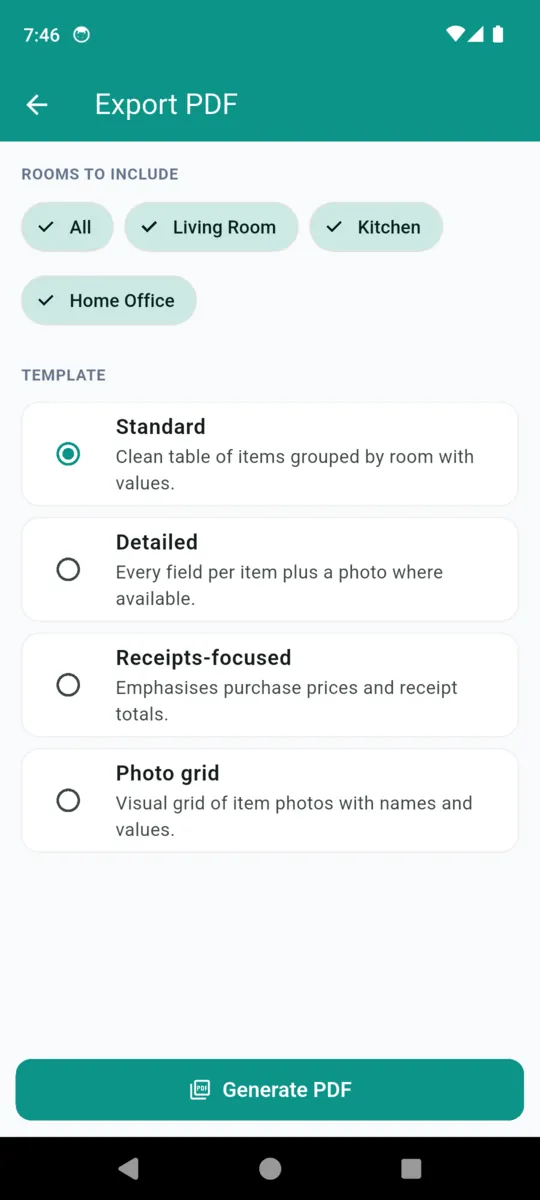
Standard
Clean table of items grouped by room with values.
The one to send. Reads as a schedule of contents.
HOME INVENTORY FOR INSURANCE

HomeStock
Your home, documented
Go room by room. Photograph what is in it, put a value against each thing, keep the receipt and the warranty with it, and export the whole lot as a dated PDF you can send to a broker or leave with a relative. Nothing leaves your phone until you send it.

14 days free, then $1.99/mo, $9.99/yr
or $19.99 once. Android.

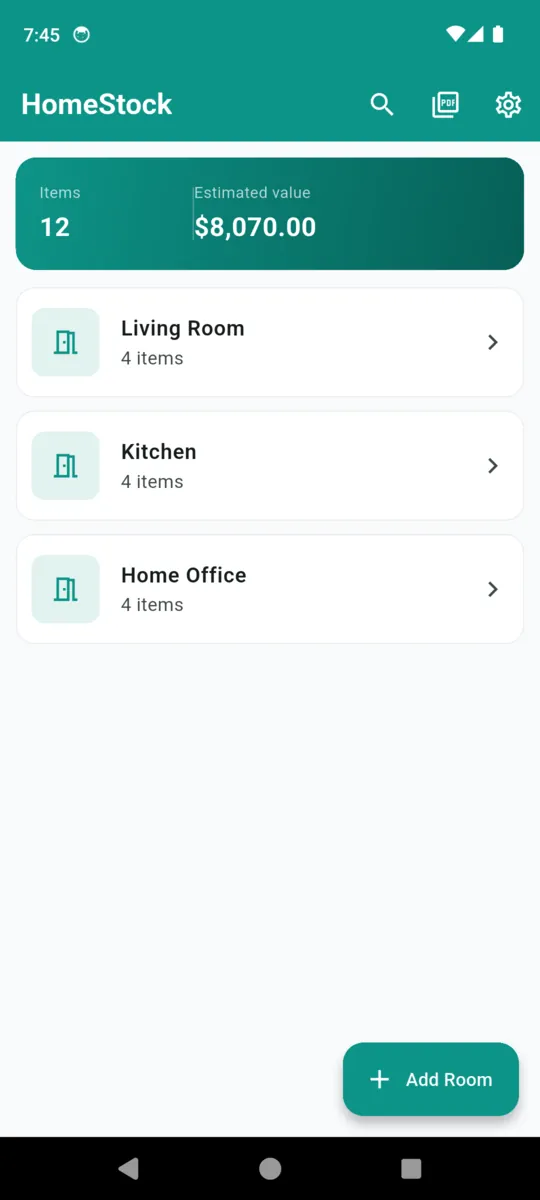
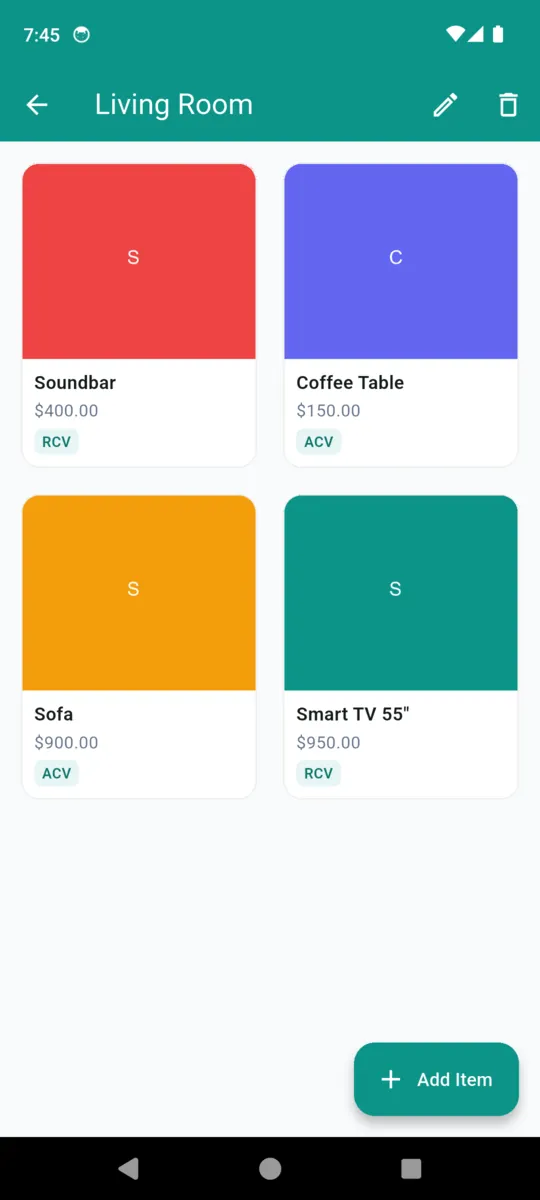
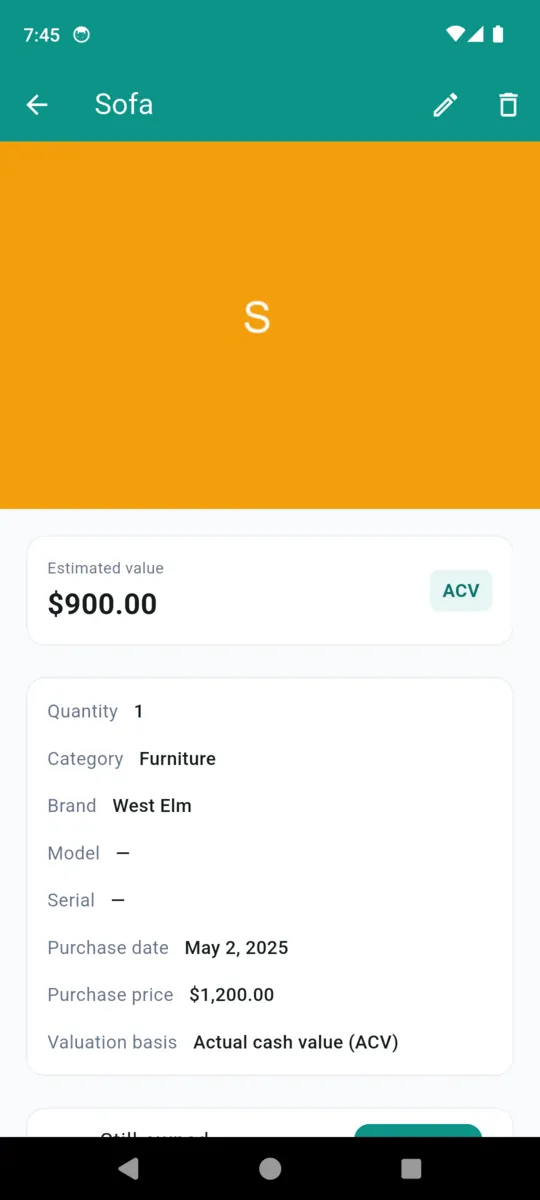
The unit of work is the room, because that is how you walk round a house and how a claim gets read. Here is one room from a sample home, and one item inside it, at the level of detail the app holds.
Living Room
Room total$2,400.00
Three rooms like this one and the home summary reads 12 items, $8,070.00. Every total is the sum of what you entered, kept separate per currency so a camera bought in euros never quietly becomes dollars.
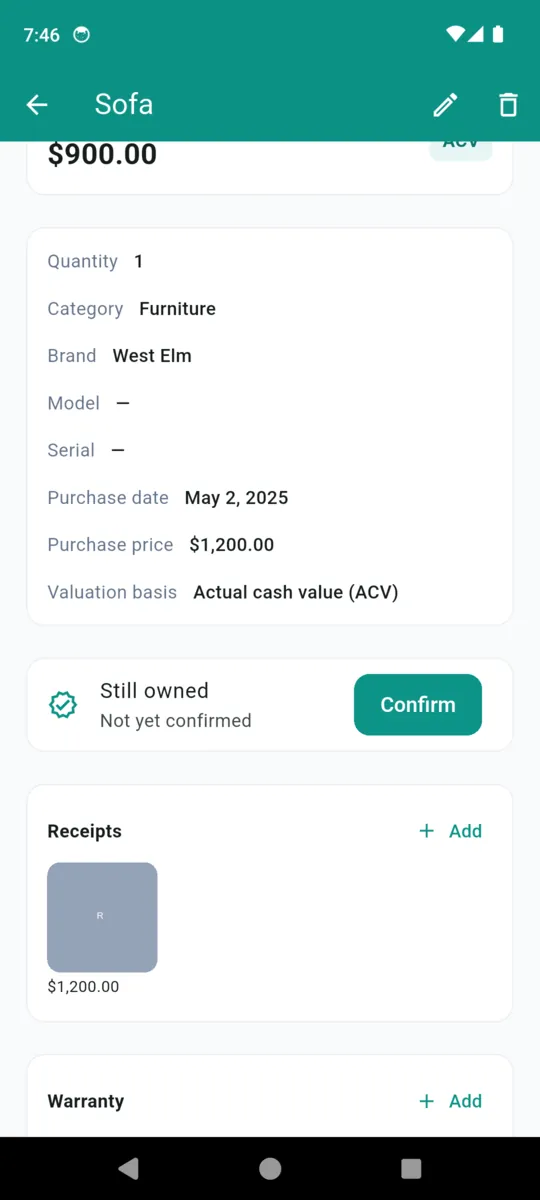
Sofa
Photos sit alongside. The still-owned flag carries the date you last confirmed it, so a five-year-old list can be walked through and brought back up to date rather than started again.
Pick the rooms, pick a layout, and the app builds a PDF on the phone. Every layout carries the date it was generated, an estimated value total, items grouped under their room, numbered pages, and the wording below.
Standard
Clean table of items grouped by room with values.
The one to send. Reads as a schedule of contents.
Detailed
Every field per item plus a photo where available.
When brand, model and serial matter more than length.
Receipts-focused
Emphasises purchase prices and receipt totals.
For proving what was paid rather than what it is worth now.
Photo grid
Visual grid of item photos with names and values.
The fastest way for someone else to recognise your things.
This document is a personal record of belongings produced with HomeStock. It does not constitute a valuation, an appraisal, or a guarantee that any claim will be accepted. Verify all coverage and valuation details with your own provider.
Printed on every export
The reason most home inventories are never finished is the typing. HomeStock splits the job in two: photograph first, describe later.
Photograph the room in one pass
Bulk camera keeps the shutter ready. Snap everything on the shelf, the wall and the floor without stopping to type a single word.
Label the queue afterwards
The photos come back as a list to work through one at a time, sitting down. Each one becomes an item in that room.
Scan the label for the serial
Point the camera at the barcode on the back of the television and the serial field fills itself. That is the field it fills — the rest is yours.
Scroll sideways, or focus the strip and use the arrow keys
WHAT IT HOLDS
WHAT IT DOES NOT DO
Worth saying out loud, because a home inventory is only useful if you know exactly what it is and what it is not.
Fourteen days with everything unlocked and no card asked for. After that the standard tier keeps one room and ten items and shows a banner, and it never touches what you already recorded — read access to every room, item and photo stays.
Most people documenting a whole house pay once and forget about it. The monthly option is there for anyone who wants to do the job over a weekend and stop.
THREE WAYS TO PAY
All three lift the caps, remove the banner and unlock every PDF layout.
Get HomeStockNo. Items, photos, receipts and warranty pictures are written to the app's own storage on your phone. There is no account and no upload. Only the PDF you choose to share leaves the device.
Your rooms and the items in them with estimated values, the date it was generated, an estimated value total, numbered pages and a disclaimer. The Detailed and Photo grid layouts embed item photos.
HomeStock produces a dated record of what you owned, with photos and receipts. It is not a valuation or an appraisal, and no document guarantees a claim outcome. Check what your own provider needs.
Actual cash value is what an item is worth now, after wear. Replacement cost is what a new one would cost today. Both figures are yours to enter — HomeStock records which basis you used and shows it beside the value.
Nothing you already recorded is locked or deleted. You keep full read access to every room, item and photo. The caps only stop you adding beyond one room and ten items until you upgrade.
Every item carries a still-owned flag and the date you last confirmed it. The app can nudge you about ninety days after the last check to walk through and tick things off.
The living room takes about twenty minutes. That alone is more than most households could produce from memory.