HostPage

Vacation rental welcome book

A house manual guests open from a QR code.

Write the wifi, how to get in, house rules, appliances and your local tips once. HostPage publishes them as one web page and prints a QR card for the door. Guests scan it with their phone camera and read the guide in their browser. They do not need to install an app.

SOLO $14.99 A YEAR OR $1.99 A MONTH · PRO $6.99 A MONTH OR $69.99 A YEAR

  • Guests need no app
  • Door code on dated links
  • Guide page in 5 languages
  • App in 10 languages
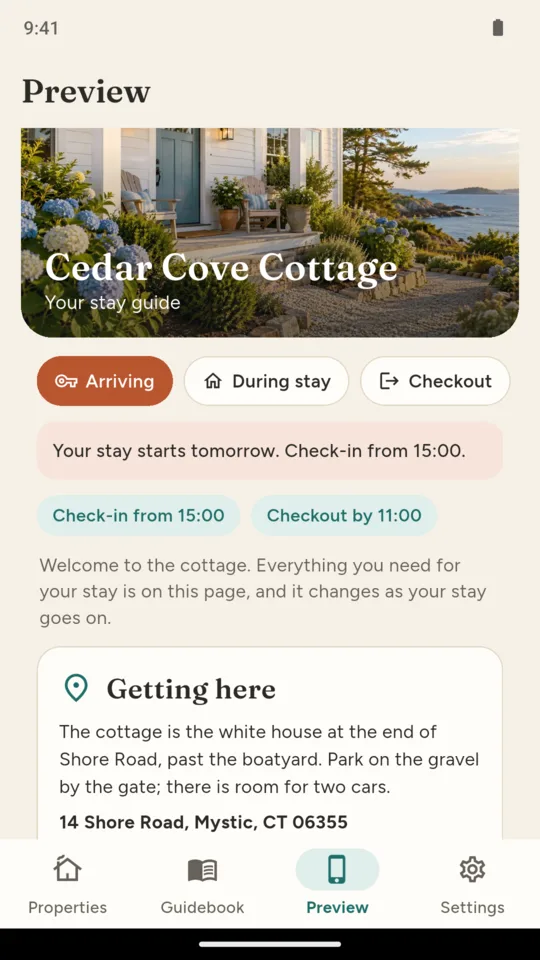
Arriving: the guest page with getting here first and the check-in time
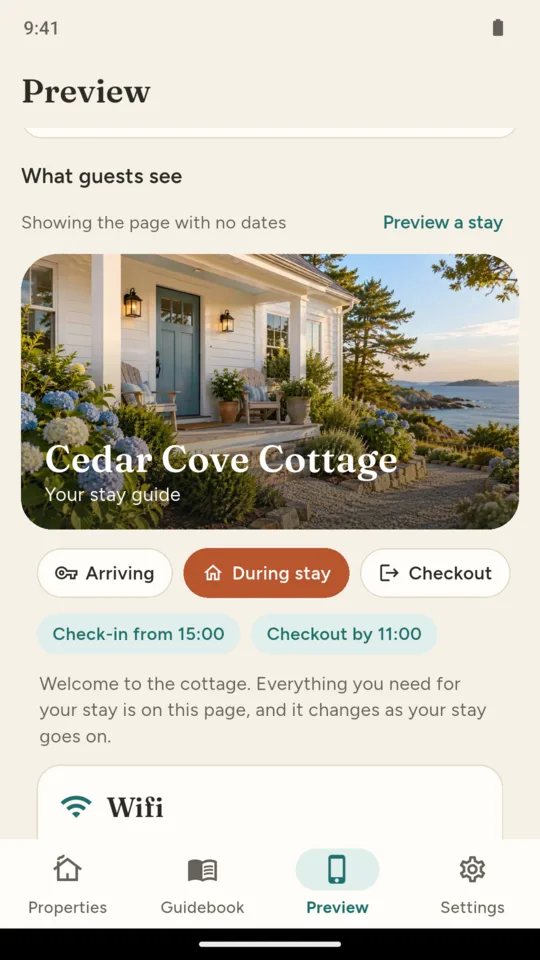
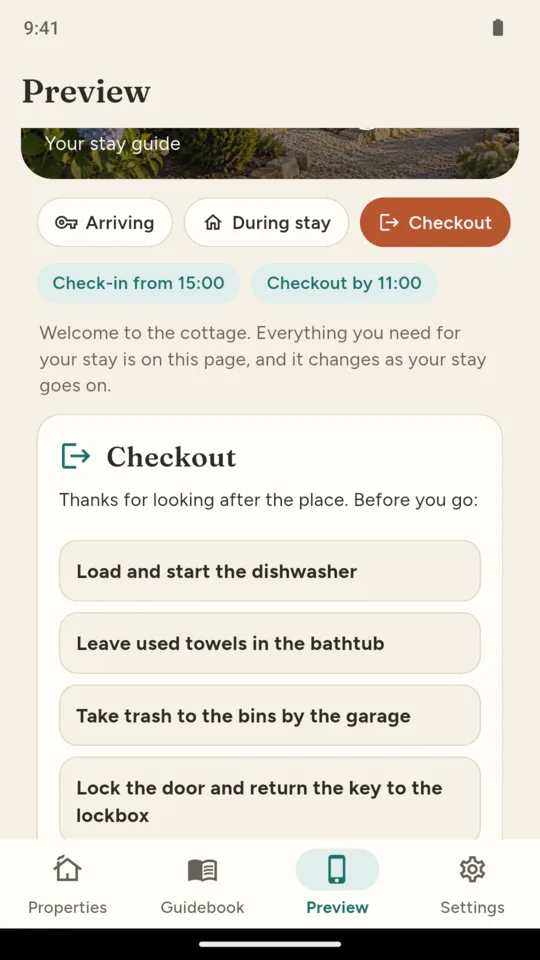
Preview: the guest page for Cedar Cove Cottage with its photo and the three stay phases

What it does

Sections you switch on and reorder.

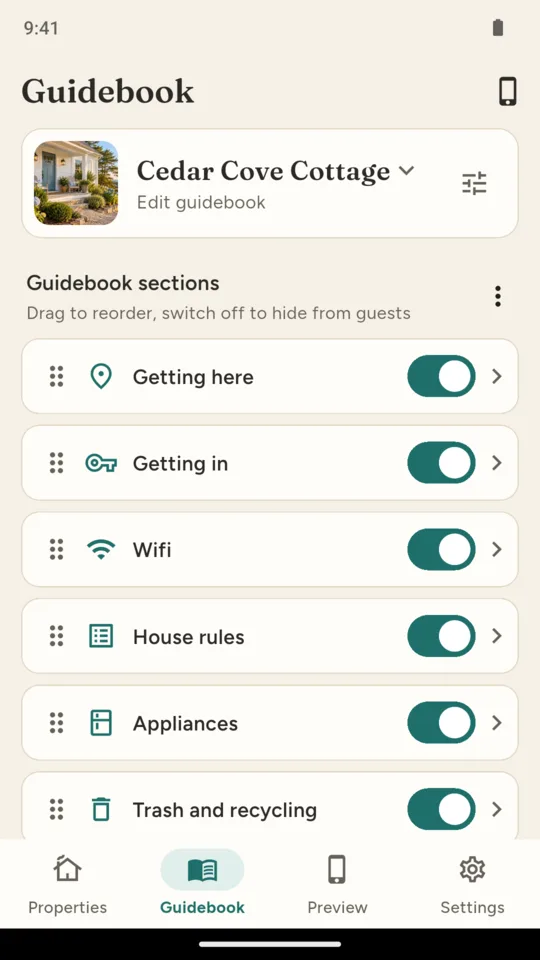
Getting here, getting in, wifi, house rules, appliances, trash and recycling, emergency, checkout, local tips and your contact details, plus sections of your own. Drag sections into your preferred order and hide the ones that do not apply.

Wifi guests can copy.

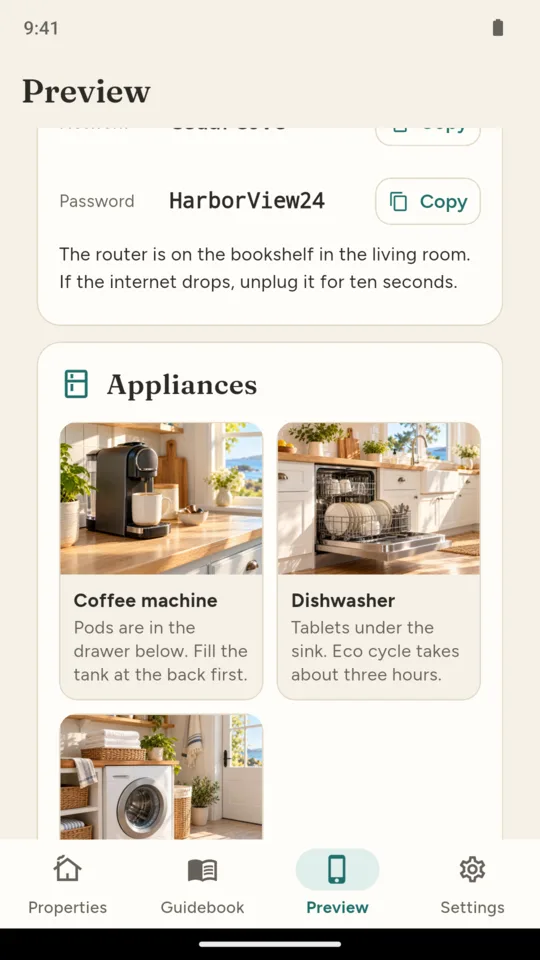
The network name and password have copy buttons, so guests can paste them instead of typing them out.

Appliances with a photo each.

Add each appliance with a photo and a short note explaining how to use it. A section holds up to 30 items, each with its own photo.

A page that changes with the stay.

Arrival Mode puts getting here and getting in first before check-in, wifi and the house during the stay, and the checkout list on the last day. Send a link with the guest’s stay dates, and the page shows the relevant sections first.

Choose when the door code appears.

Keep it off the page, show it to everyone, or show it only on a dated link from the day before arrival to checkout day. Dated links carry a signature, so changing the dates in the address by hand shows no code.

A QR card to print.

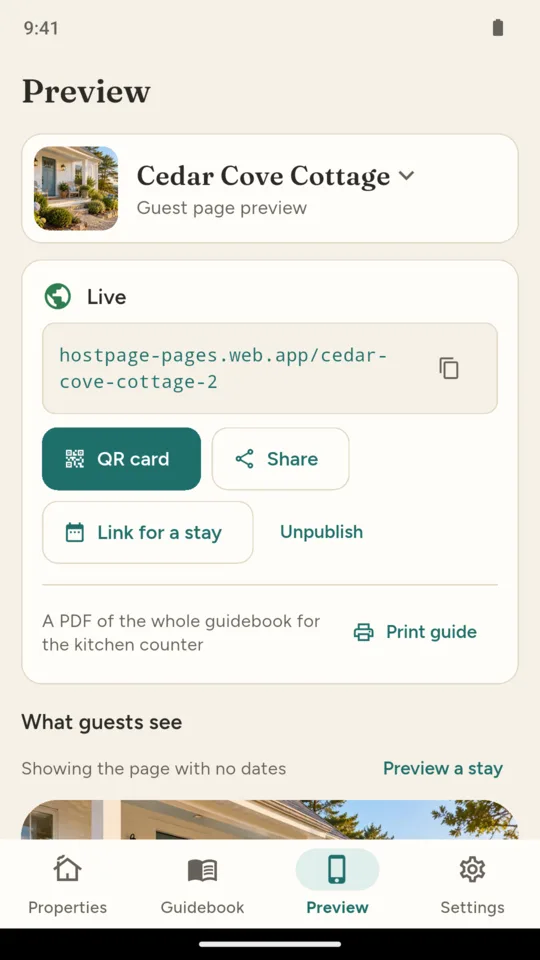
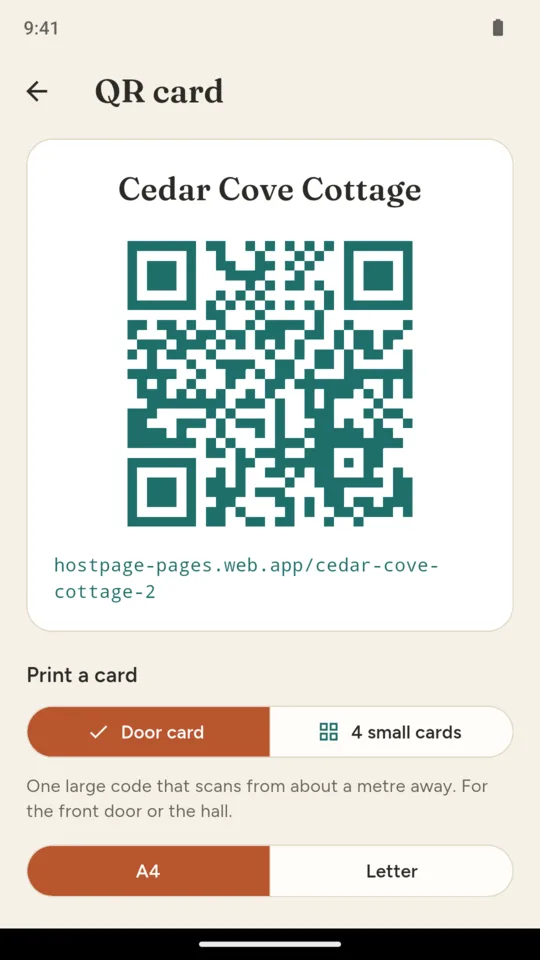
One large card for the front door or four small cards for the rooms, on A4 or Letter. The whole guide also prints as a PDF for the kitchen counter.

Why it works this way

Guests open the guide in their browser.

The guide is a plain web page. It loads in the phone’s browser from the QR card or a message, and it is not listed in search engines.

Publish changes without replacing your QR cards.

Change the wifi password in the app and publish again. The page address on the printed card stays the same, so the card opens the new version.

The door code is hidden by default.

A dated link can show the code from the day before arrival through checkout day. Anyone with that link can see the code during that period, and not after.

What you write stays yours.

Everything you build stays readable, previewable and printable on every tier. Publishing the page is what a plan pays for.

Pricing

Standard

One property, the whole guidebook, the in-app preview and the PDF. Publishing needs a plan.

Solo adds
  • One published guidebook page
  • Printable QR cards
  • Dated links with Arrival Mode
$14.99 a year
A month
$1.99
Pro adds
  • Up to 5 properties, all published
  • A co-host seat
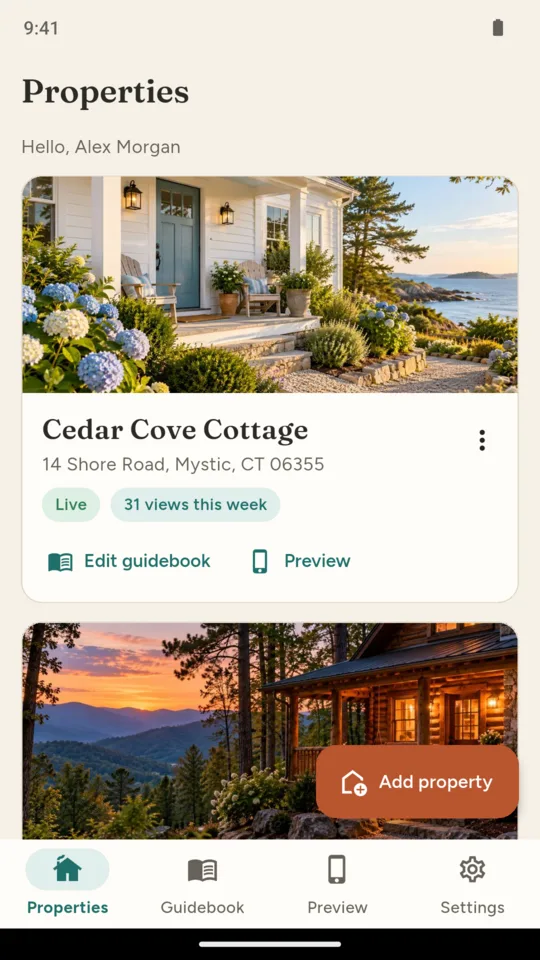
  • Page views for each property
  • Local tips drafted from your address
A month
$6.99
A year
$69.99

A 14-day Pro trial is offered in the app; it starts only when you tap it.

Questions

Do guests need to download anything?

No. The guide is a web page. Guests scan the QR card with the phone camera or tap a link you send, and it opens in the browser.

Does HostPage need an account?

You can start without creating an account. The app signs you in automatically. Add an email and password in Settings to open your guidebook on a second phone or to invite a co-host on Pro.

How does the door code stay private?

Choose Dated links and the code appears only on a link made for a stay, from the day before arrival to checkout day. A link with edited dates or an expired stay shows the rest of the guide without the code.

Which languages can the guest page use?

English, Spanish, French, German or Portuguese, chosen per property. The app itself is in 10 languages.

Can I see whether guests open it?

On Pro, each property shows how many times its page was opened each day. Views are counted when the page loads and no guest is identified.

Does it handle bookings or messages to guests?

No. HostPage makes the guidebook and its page. It does not take bookings, sync calendars or message guests.

What happens if my plan ends?

Everything you wrote stays readable and printable in the app. Keeping a page published needs Solo or Pro.

Put a QR card for your house manual by the door.

Add your rental, fill in the wifi and how to get in, and preview the page guests will see.