
HourKeep
Engine hour log for every machine on the place
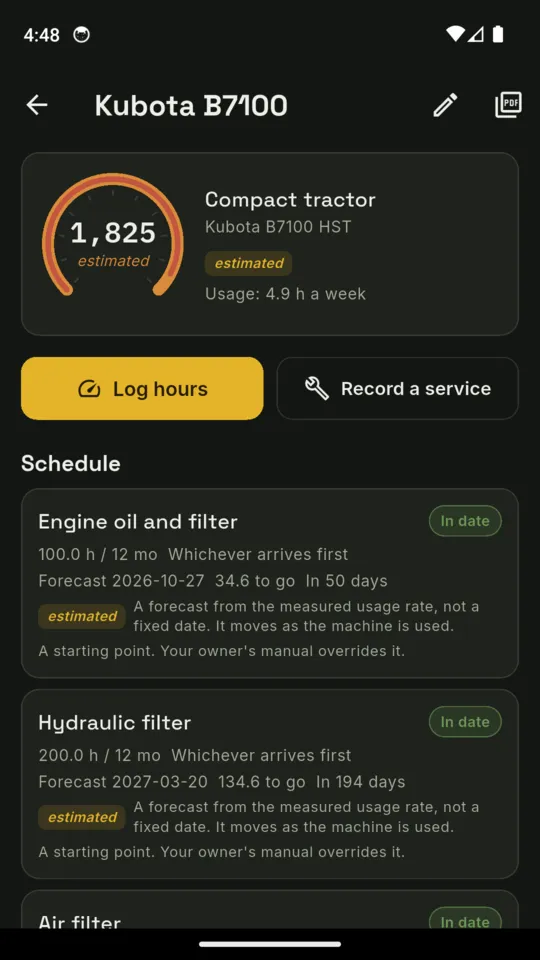
Hours or months, whichever arrives first.
HourKeep is the service log for the compact tractor, the ride-on, the generator and the saw. Set each item by engine hours, months or both, and HourKeep tracks whichever comes due first.

Two machines on the standard tier.
Pro is $1.99/mo, $9.99/yr or $24.99 once.
THE SHED BOARD
Every machine on one board, worst first
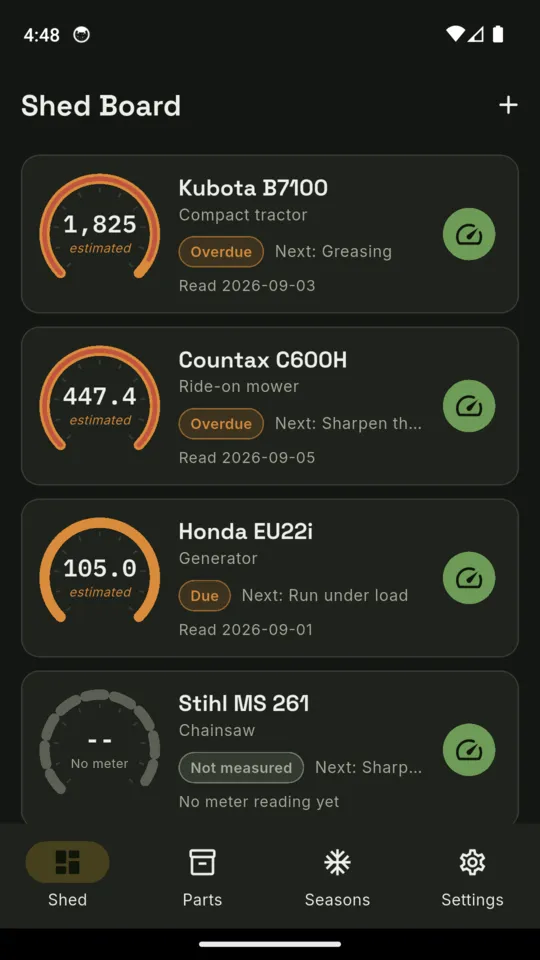
Each machine is a card with a drawn hour gauge, its current or estimated hours, and the next item due. The board sorts itself by what needs attention, and each card has a Log hours button for the latest meter reading.
- Each item carries an hour interval, a calendar interval or both, and the card shows which interval comes due first
- A figure carried forward from the last reading is labelled an estimate wherever it appears, on the record too
- An item that cannot be forecast yet says so rather than being coloured healthy
- A machine with no hour meter gets a calendar-only schedule
Nothing estimates hours for a machine that cannot measure them.
TEN KINDS OF MACHINE
One schedule each, no maker's app required
Add a machine as one of these kinds and it starts with a conservative set of items and intervals, each marked as a starting point that your owner's manual overrides.
- Compact tractor
- Ride-on mower
- Walk-behind mower
- Generator
- Chipper
- Chainsaw
- Pressure washer
- ATV or UTV
- Log splitter
- Other machine
WHAT IT KEEPS
Hours, services, parts and seasons, per machine
It works with no service history
Say you do not know when a machine was last serviced and HourKeep starts the schedule from today, using the meter reading you enter, and marks every item as baselined on that date. The marker stays on the item and prints on the record, so nobody later mistakes it for a measured interval. It clears the first time a real service is recorded.
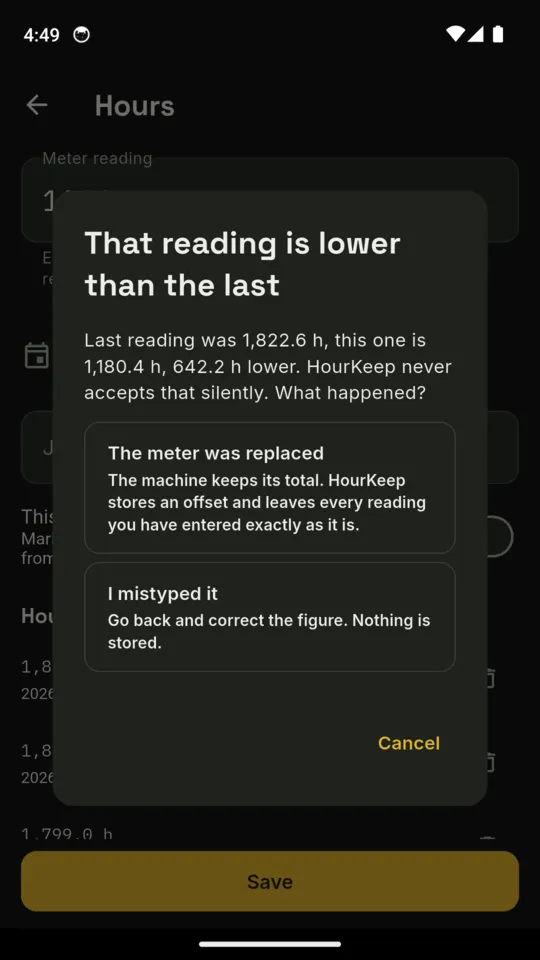
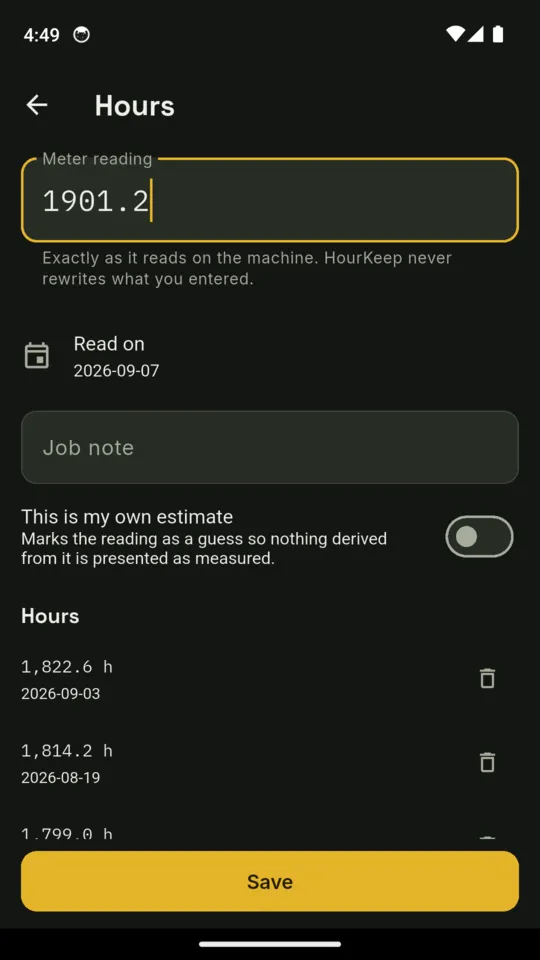
A lower reading is never accepted silently
Enter a reading below the last one and HourKeep asks what happened. Mistyped: go back, nothing is stored. Meter replaced: an offset is stored and every reading you entered stays exactly as it is. Rolled over is offered only when the previous reading was already near the meter's limit.
Record a service, and the interval restarts from it
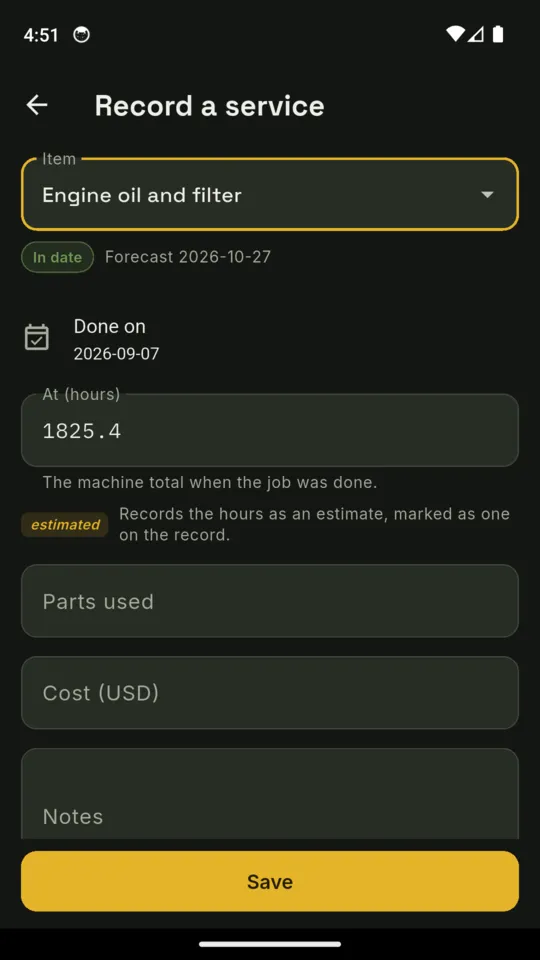
The item, the day it was done, the machine total at the time, the parts used, the cost, notes and a photo. The next interval starts from the service date and the recorded machine hours.
The parts locker
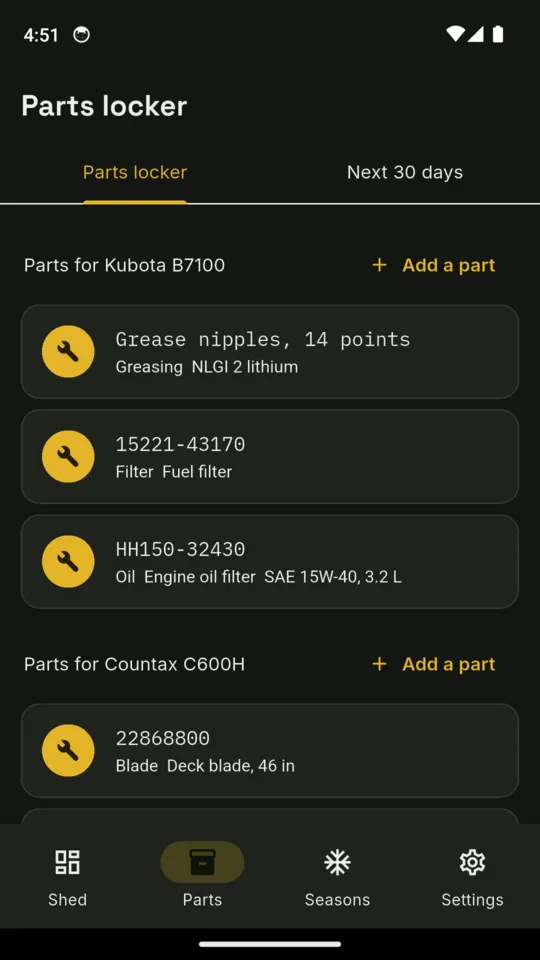
Part numbers, oil grades and capacities, tyre pressures and battery types, filed under the machine that takes them, with a photo of the old filter if you want one. A 30-day list shows everything falling due across your machines, with the part numbers you recorded.
Winterise and recommission, per machine
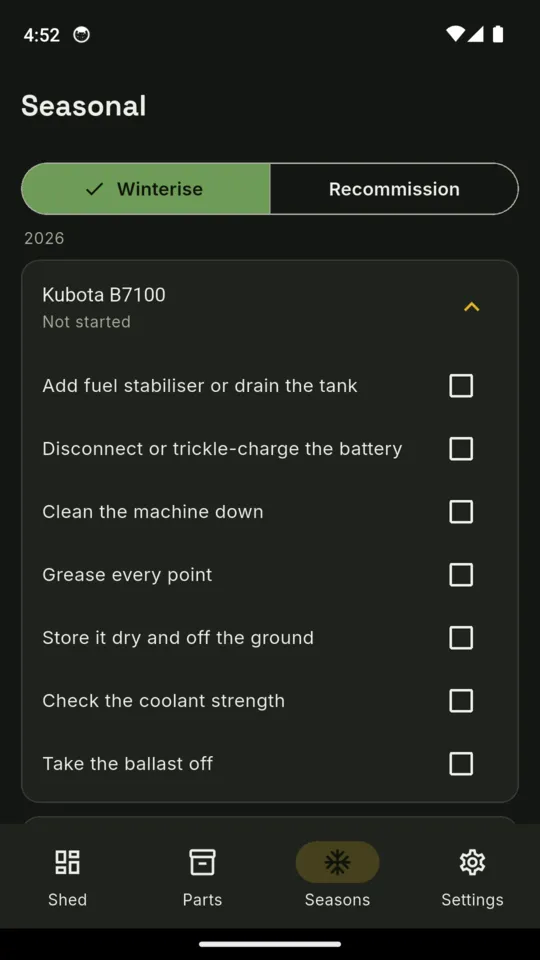
A checklist for putting each machine away and one for bringing it back, by machine type: fuel stabiliser or a drained tank, the battery, coolant strength, the deck washed out, the carburettor drained, the chain tension. Ticked off one machine at a time.
The machine record
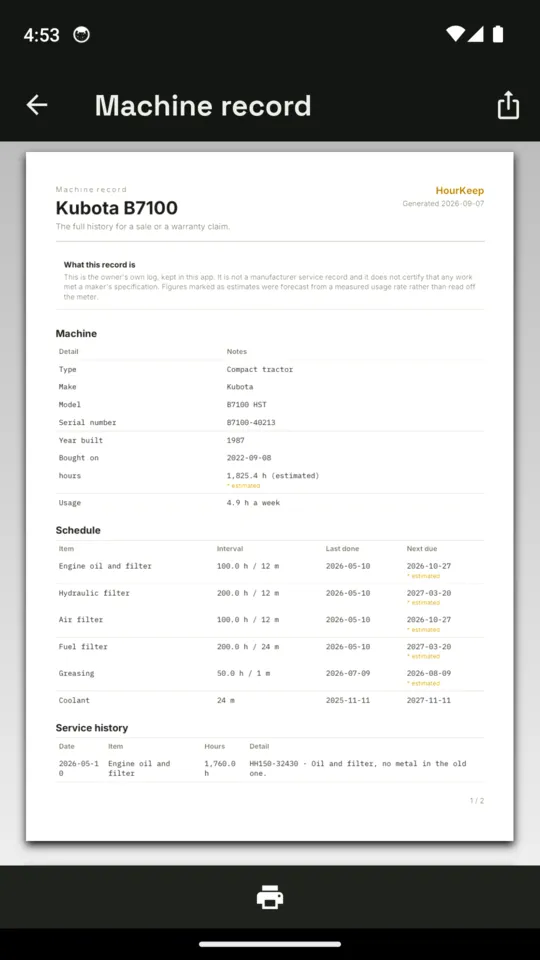
One document with the machine, its schedule, the service history, the meter readings and the parts, for a sale or a warranty claim. It says plainly that it is the owner's own log, and it marks which figures were estimates and which items were baselined rather than serviced.
The screens
Scroll sideways, or use the arrow keys
WHY IT WORKS THIS WAY
Built around a meter read by hand
Two intervals, one due date
The hours clock is turned into a date through the machine's measured usage rate, so the two can be compared. With fewer than two readings there is no rate, and the item reads cannot forecast rather than fine.
No maker's schedule is bundled
The intervals seeded for each machine type are conservative starting points, and the item itself says your owner's manual overrides them. HourKeep never presents a manufacturer's schedule as fact.
The record is the owner's log
It is not a manufacturer service record and does not certify that any work met a maker's specification. It says so on the document.
Readings are typed in
There is no telematics, no OBD and no Bluetooth. You read the meter and enter it.
Your records stay on Standard
The standard tier holds two machines; only adding a third is blocked. Every machine and every record already entered stays visible and editable, whatever you decide.
On your phone, no account
No connection needed. The standard tier shows a small banner at the foot of the screen; Pro removes it. Crash and usage diagnostics are sent so faults can be found and fixed.
PRICE
Standard, or Pro
STANDARD
Twomachines
- Two machines
- Hours and months intervals on every item
- Hour readings, with the check for a reading lower than the last
- Services recorded, the interval restarting from each
- The parts locker and the 30-day list
- One page of the machine record, watermarked
- Making a backup file
PRO
$24.99once
or $1.99 a month, or $9.99 a year
- No machine limit
- Winterise and recommission checklists
- The full machine record PDF without a watermark
- Restore a backup onto a new phone
- No banner
Start a 14-day trial of Pro from inside the app when you choose, with no card and no account. Everything you entered stays when it ends.
QUESTIONS
Before you install it
Does HourKeep come with my tractor's service schedule?
No. Each machine type starts with a conservative set of items and intervals, and the item itself says your owner's manual overrides them. No manufacturer's schedule is bundled.
My mower has no service history. Where do I start?
Tell HourKeep you do not know when it was last serviced. The schedule starts from today with the meter reading you enter, and every item is marked as baselined on that date, on the item and on the record.
What happens if I type a reading lower than the last one?
HourKeep asks what happened. A mistyped figure stores nothing. A replaced meter stores an offset and leaves every reading you entered as it is. A rollover is only offered when the old reading was already near the meter's limit.
Does it read the hour meter by itself?
No. There is no telematics, OBD or Bluetooth. You read the meter and type it in, and anything carried forward from that reading is labelled an estimate.
What do I keep if I never upgrade?
Two machines with their full schedules, the hours log, the parts locker and the 30-day list, reminders, a watermarked first page of the machine record, and a backup file whenever you like.
What if I change phones?
Export a backup, which is one file holding every machine, reading, service, part, checklist and photo. You can export on either tier; restoring it on the new phone is part of Pro.
Every machine's hours and services, on one board
Android only. $1.99 a month, $9.99 a year or $24.99 once.