COLD EXPOSURE TIMER & LOG

IcePlunge
Time your cold. Track your week.
A timer for the cold, and a record of how it went.
You pick the exposure and the target. The app counts, and when you get out it asks what you want to write down: the water temperature, how you feel, a note, a photo, and how you slept that night. It sets no goals for you and never asks you to go longer.

14-day trial, no card.
From $1.99/month. Android.
BEFORE ANYTHING ELSE
The app's own words, on the second screen you see
"Cold exposure reduces — but does not remove — health risks. Check anything that applies to you:"
- Heart or cardiovascular condition
- High or low blood pressure
- Circulation disorder (Raynaud's, etc.)
- Thyroid condition
- Epilepsy or seizure history
- Pregnant or planning pregnancy
Tick any one of these
and the app will not move past this screen until you also confirm "I have consulted a doctor about cold exposure". It is a hard gate, on first run, before you have seen a single feature. Your answers stay on the phone and go nowhere.
Never breathe-hold in or near water
Breathing prep is done dry, on a couch or bed. Breath-holds in water can cause shallow-water blackout.
Start short
Begin with 30s cold showers. Build to longer ice baths only when comfortable.
Know your limits
If you feel light-headed, numb, or anxious, exit the cold immediately and warm up gradually.
IcePlunge is a timer and log. Not medical advice.
One session, end to end
Four steps, and three of them are optional. The one thing the app insists on is that you chose the target yourself.
-
01
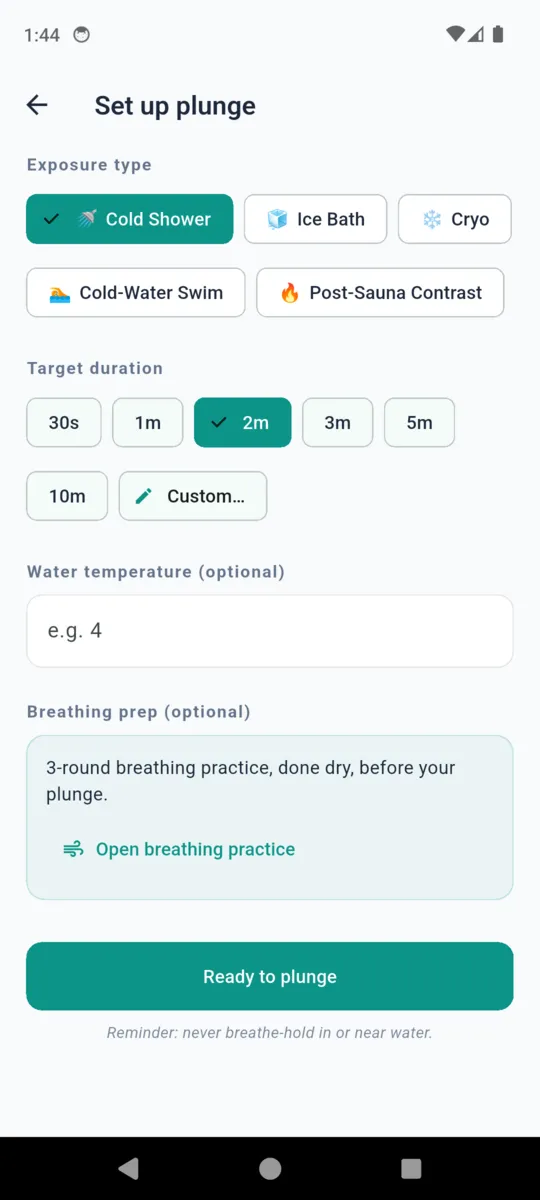
Set it up
Exposure type
- Cold Shower
- Ice Bath
- Cryo
- Cold-Water Swim
- Post-Sauna Contrast
Target duration
- 30s
- 1m
- 2m
- 3m
- 5m
- 10m
- Custom
Water temperature is a plain field and can be left blank. Nothing here is pre-filled from a previous session.
-
02
Breathing prep, if you want it
Optional, and dry. Rounds of thirty breaths, then an exhale hold the app times, then a recovery inhale hold. Leave the screen and the breathing pauses. Your longest retention hold carries into the session record.
Done on a couch or bed. Never in or near water — breath-holds in water can cause shallow-water blackout.
-
03
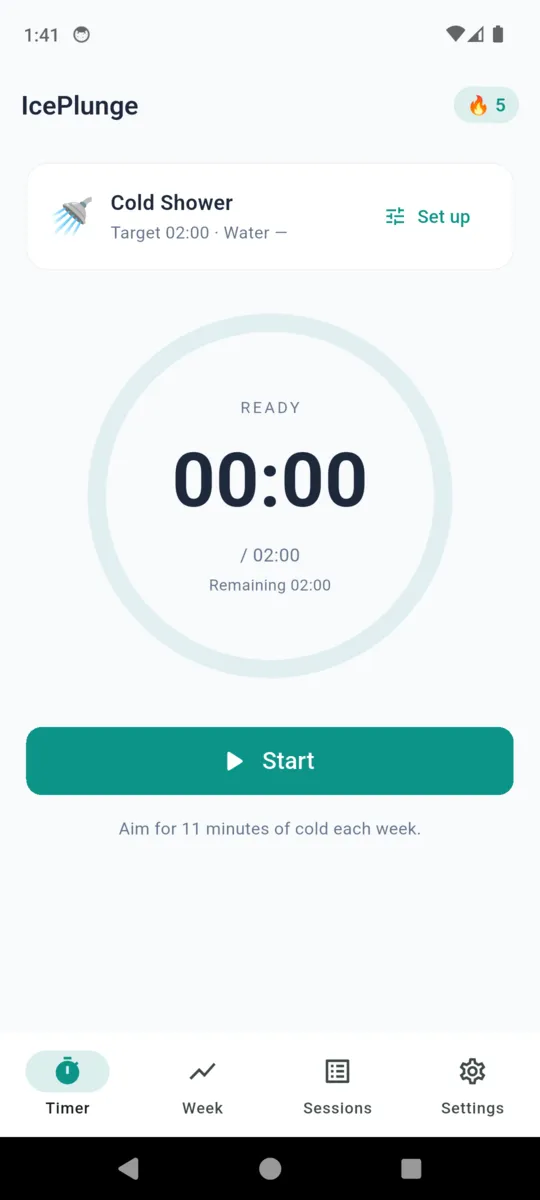
The timer
ELAPSED
01:12
/ 02:00
Remaining 00:48
Elapsed above, your target below it, and the remaining time underneath. It keeps counting past the target rather than stopping you, and it saves whatever it counted if you get out early.
-
04
Afterwards
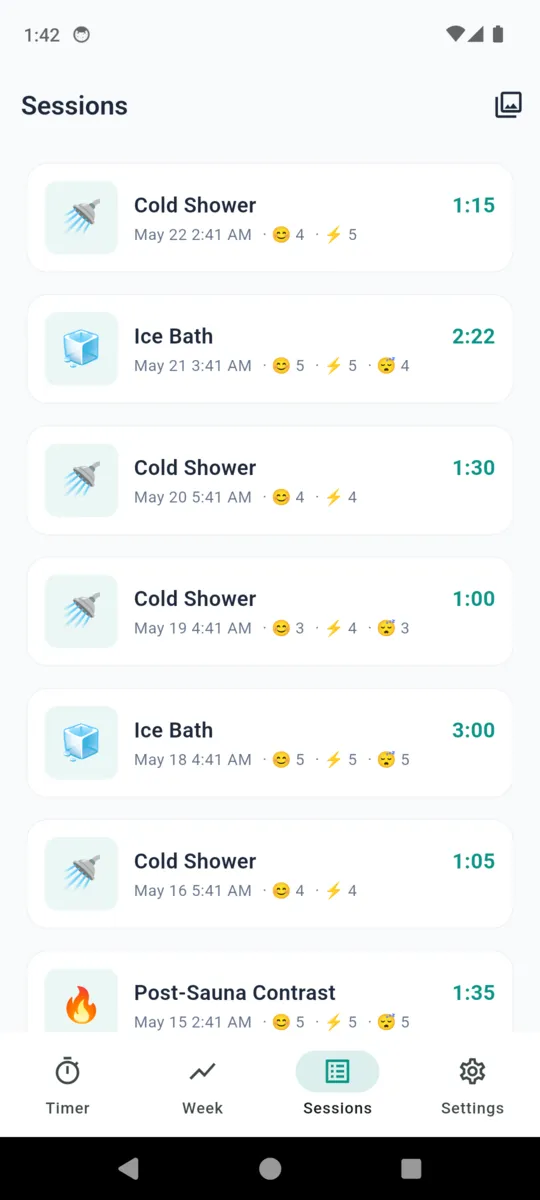
Mood and energy on a one-to-five scale, a note, a photo. Then the next morning the app asks one question about how you slept and files the answer against the session it belongs to. Skip all of it and the session still saves.
What one session holds
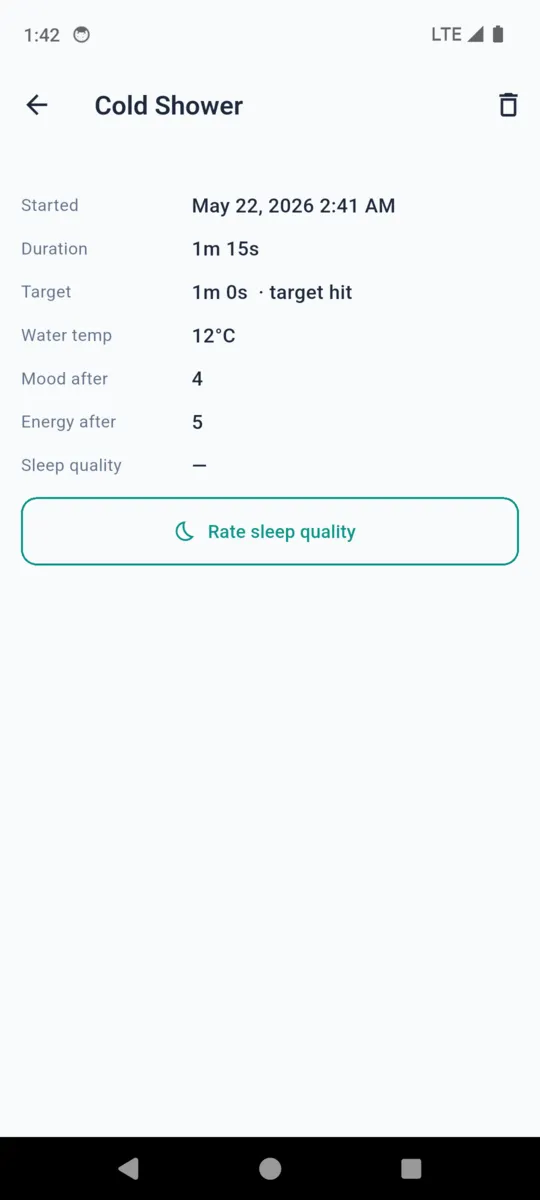
The whole record, field for field. Three of them come from the timer. The rest are yours to fill in or ignore, and an empty field stays empty rather than being guessed at.
Temperatures are stored in Celsius and shown in whichever unit you picked, so switching between °C and °F never rewrites anything you already logged.
Photos live in the phone's own storage, compressed on the way in. The free tier shows the five most recent in the timeline; older ones stay on disk and come back the moment you upgrade.
| Exposure type | Ice Bath | One of five |
|---|---|---|
| Target | 2m 00s | What you picked before starting |
| Duration | 2m 22s | What the timer counted |
| Water temperature | 5 °C | Optional. °C or °F |
| Mood after | 5 / 5 | Optional |
| Energy after | 5 / 5 | Optional |
| Sleep quality | 4 / 5 | Asked the next morning |
| Longest hold | 1m 24s | Only after breathing prep |
| Note | PB on retention hold. | Optional |
| Photo | 1 image | Optional. Stays on the phone |
The week, in minutes
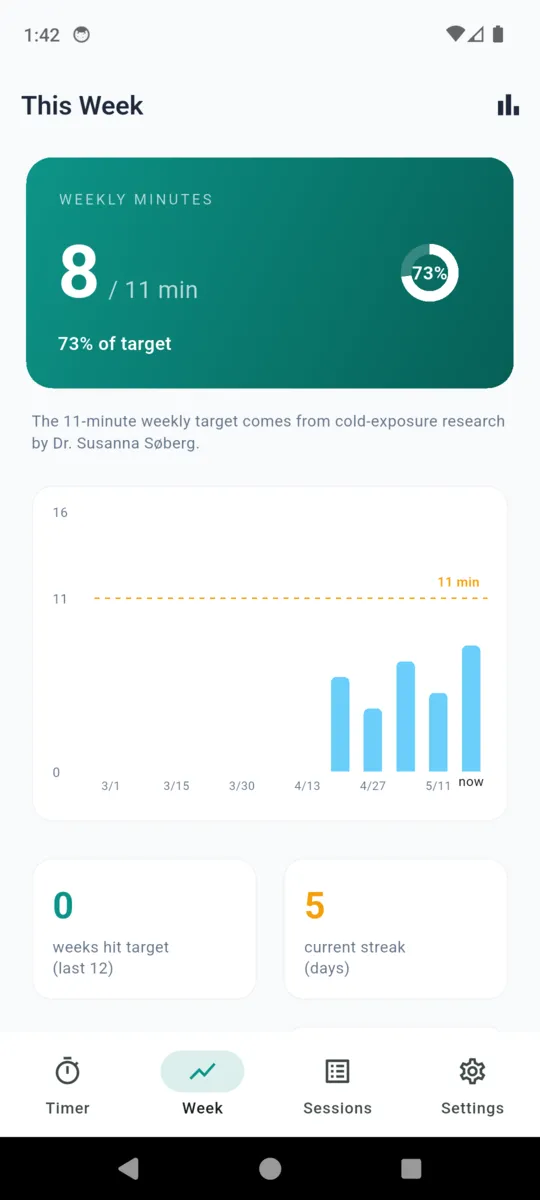
The main screen counts the minutes you have spent in the cold this week against a reference line. It is a reference, not an instruction. The app does not move it, raise it, or tell you off for being under it.
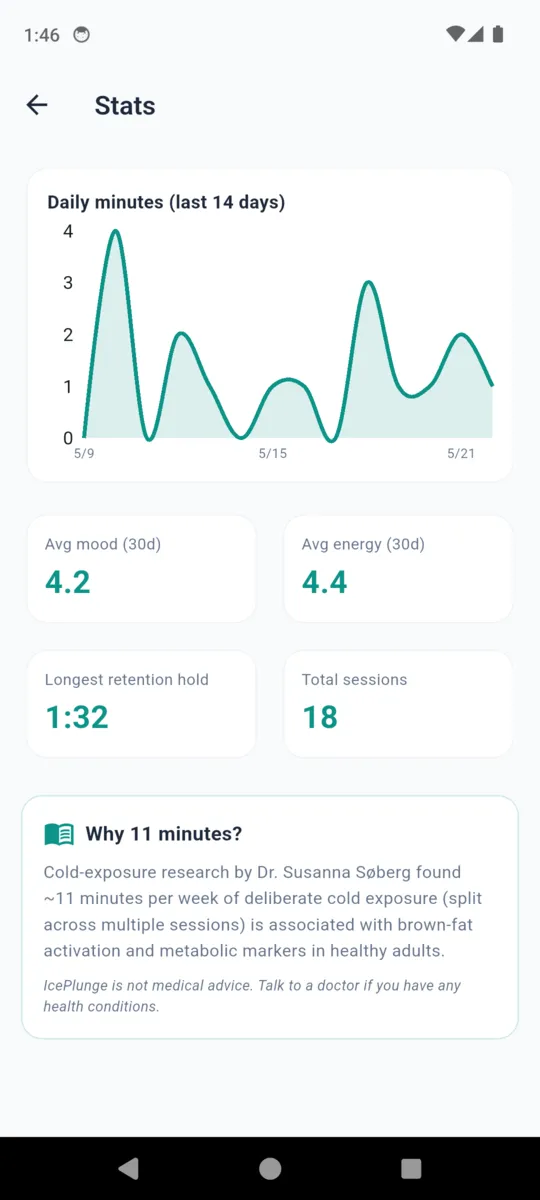
Why 11 minutes?
"Cold-exposure research by Dr. Susanna Søberg found ~11 minutes per week of deliberate cold exposure (split across multiple sessions) is associated with brown-fat activation and metabolic markers in healthy adults."
IcePlunge is not medical advice. Talk to a doctor if you have any health conditions.
Both paragraphs are the app's own text, shown together on its stats screen. It is a figure the app cites, not a result it promises you.
Weeks that reached the reference, last 12
A count. No badge, no bonus.
Lifetime minutes
Everything you have logged, added up.
Daily minutes, last 14 days
A line, on the detailed stats screen.
Average mood and energy, 30 days
From the answers you gave after sessions.
Cold-water and open-water safety guidance is collected on the IcePlunge resources page, which the app links to from Settings.
The app itself
Scroll sideways, or use the arrow keys
Pricing
Everything is open for fourteen days from install, with no card and no sign-up. After that the timer, the log, the weekly view and the stats all keep working. The free tier shows a banner ad and the five most recent photos in the timeline.
- Pro adds The full photo timeline, and no ads anywhere.
- Nothing is taken away Every session you logged during the trial stays readable, and you can keep logging new ones.
- Lifetime is one payment Nothing renews, and the price you paid is the price.
Questions
Is cold-water immersion safe?
Not unconditionally, and the app does not pretend otherwise. Its own words on first run are that cold exposure reduces, but does not remove, health risks. Cold shock and cardiac events are real. If any of the conditions the app lists apply to you, speak to a doctor before you start.
Does the app push me to go longer or colder?
No. You set the target before each session and it is the only figure on screen. There is no ladder, no level and no suggestion to beat last time. Nothing in the app raises a target for you.
What is the 11-minute weekly figure?
A reference the app shows on its stats screen, attributed to cold-exposure research by Dr. Susanna Søberg. The app states plainly alongside it that it is not medical advice and that you should talk to a doctor if you have any health conditions.
What is the breathing prep?
An optional dry practice before you get in: rounds of thirty breaths, then an exhale hold, then a recovery inhale hold. Every screen says the same thing, that it is done on a couch or bed and never in or near water.
What does one session record?
The exposure type, your target and the duration the timer counted, then anything you choose to add: water temperature, mood and energy after, a note, a photo, and sleep quality the next morning. Everything past the timer is optional.
Does it need an account or a connection?
Neither. Sessions and photos sit on the phone with no login and no sync. The free tier shows a banner ad, which needs a connection to fill; the timer, the log and the charts work with the phone in flight mode.
What happens when the trial ends?
Nothing is deleted and nothing is locked. You keep every session, the timer, the weekly view and the stats. The free tier shows the five most recent photos in the timeline rather than all of them, and it shows ads. Pro removes both.
Read how the app handles your data in the privacy policy.
Thirty seconds is a session
Pick a short target, let the timer count it, and write down what you noticed. Get out the moment you want to.