InspectWrite
Home inspection report writer

Home inspection report writer

Write the report while you walk the house.

Tap a condition on each component, add a photo, pick a comment and move on. At the truck you check the summary, issue the PDF and share it. It works with no signal in the crawlspace.

$199 ONCE · $99 A YEAR · $14.99 A MONTH

  • Offline, no account
  • Photo markup
  • 108 starting comments
  • 10 languages
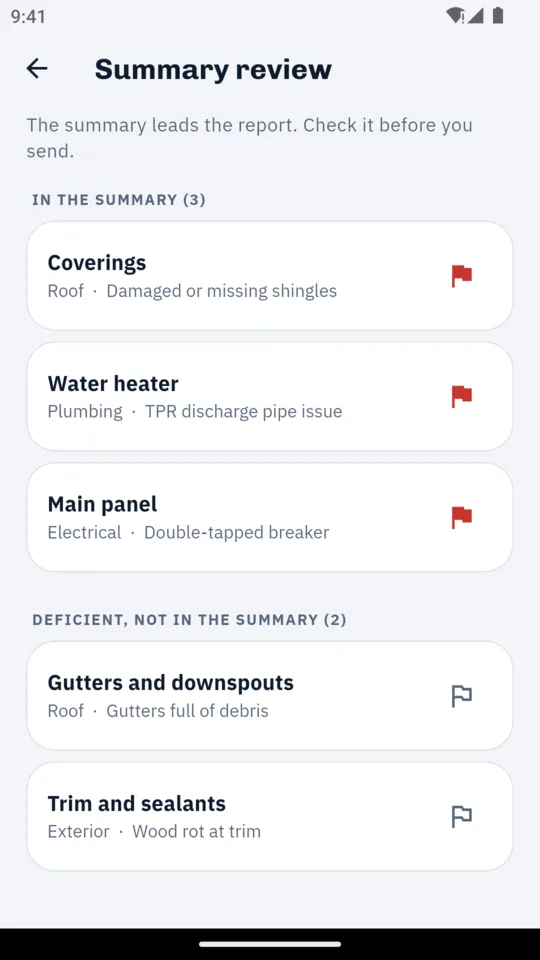
The summary review screen listing flagged items in walk order
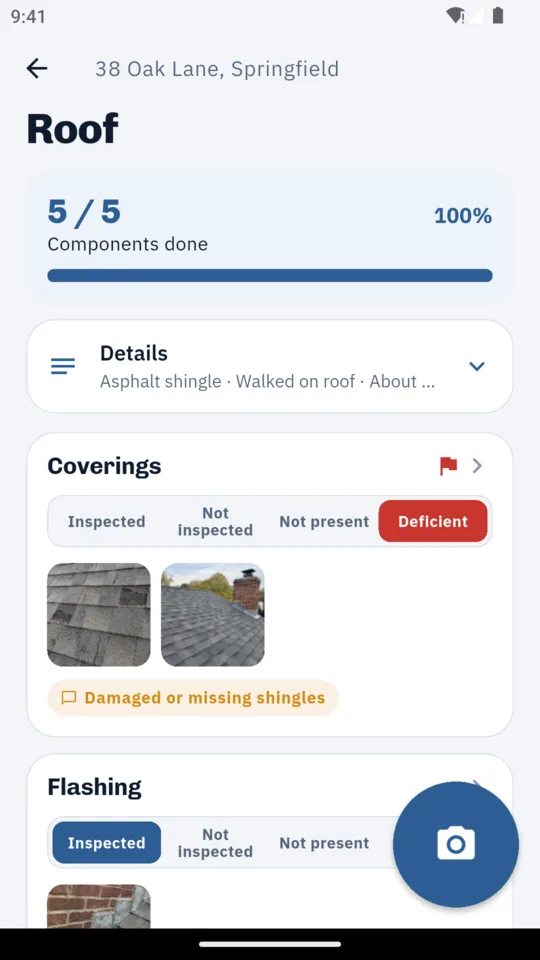
The roof section of the walk, with conditions set on each component and photos on the coverings

What it does

01

The walk.

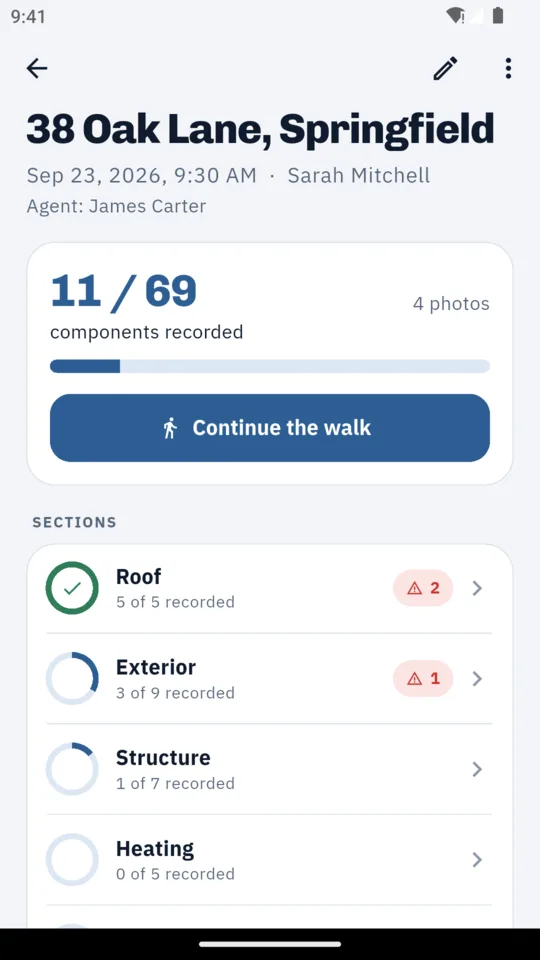
Twelve sections and 69 components, from roof and exterior to electrical, the attic and built-in appliances. Each component takes one tap: inspected, not inspected, not present or deficient. Every section shows how much is recorded, so you can see what is still unrecorded before you leave.

02

Photos where they belong.

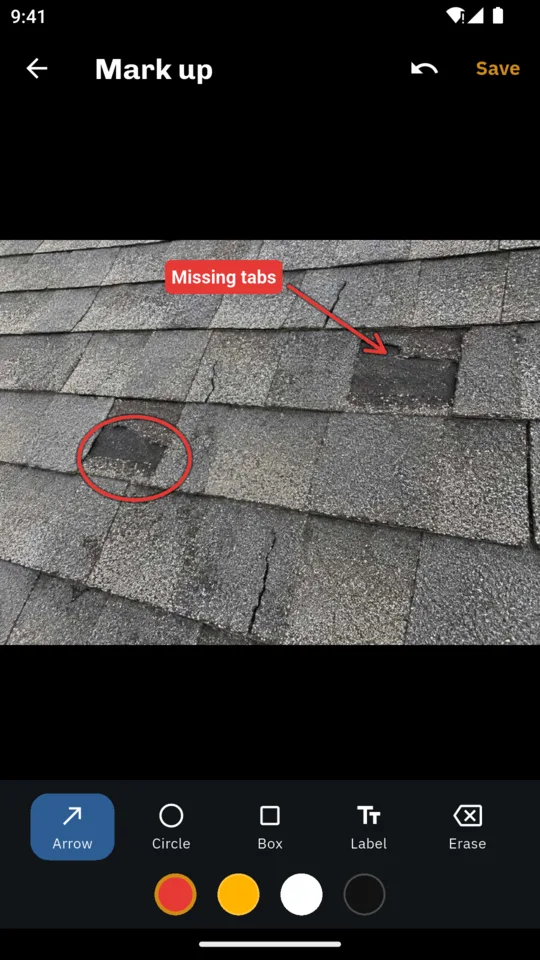
The camera button stays on screen and files each photo against the component you last touched. Draw an arrow, a circle or a box, or add a label. The original is kept and the marked-up copy goes in the report.

03

A comment library you edit.

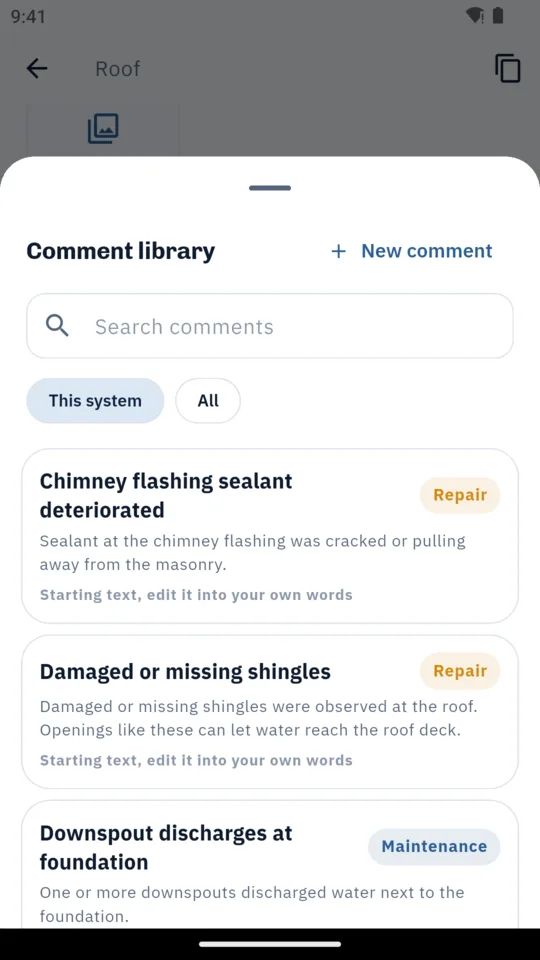
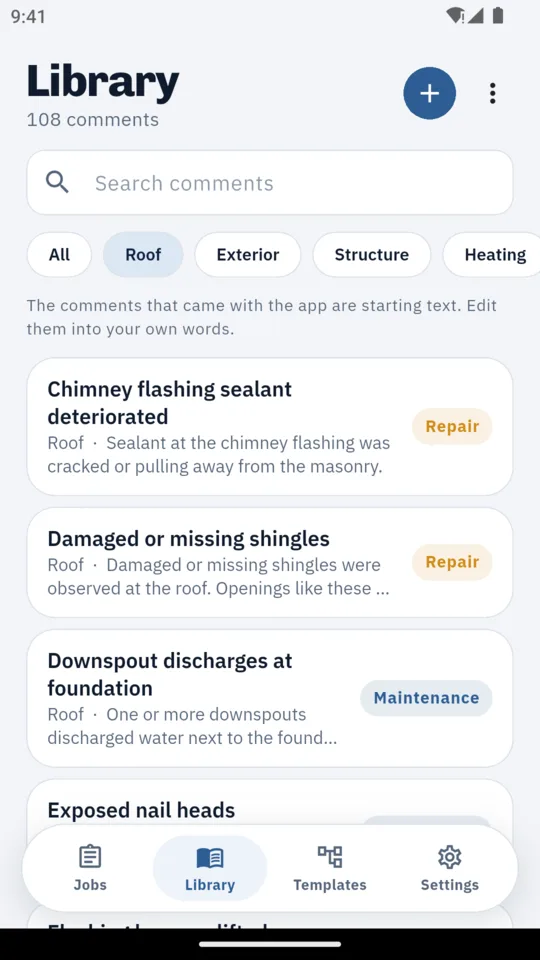
108 starting comments grouped by system, each with a title, a paragraph, a recommendation and a severity: maintenance, repair or safety. Rewrite them in your own words, add your own, or import a library you already have from a spreadsheet (CSV). A comment added to a finding is copied into the job, so editing the library later does not change it.

04

The report.

A cover with the property, client, agent, your license number and a cover photo. A summary of the items you flagged, then every section with its photos, two or three to a row, then your scope and limitations text and your signature. Components with no condition print as not inspected rather than disappearing. Letter or A4.

05

After the report.

A repair request list with only the flagged items. A reinspection started from the issued report, where each item is marked resolved, not resolved or not verified, with new photos. Every issued PDF is kept, and issuing again makes a new revision.

06

The rest of the job.

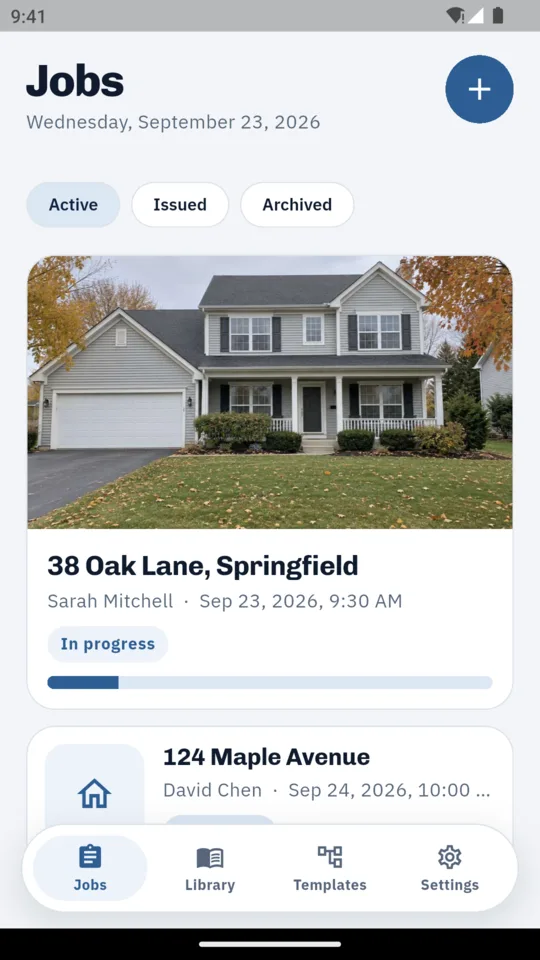
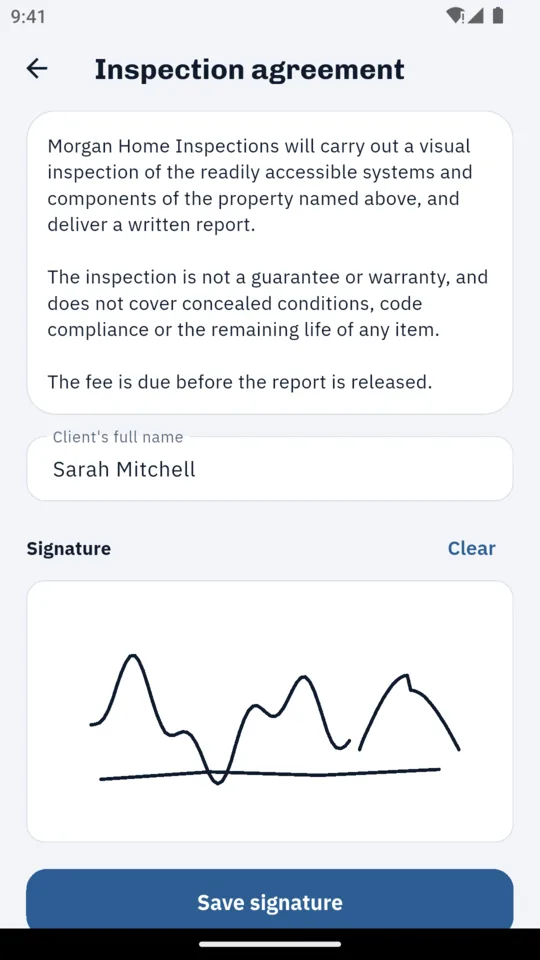
Your pre-inspection agreement, signed by the client on your phone and stored with the job. The fee and whether it is paid. Reminders the evening before a job, when a report is still unsent a day after the inspection, and when a fee is open two weeks after the report.


Why it works this way

No account and no sync.

Jobs, photos and reports live on the phone. Backup puts your jobs and photos into one file you can save elsewhere and restore on another Android phone or tablet.

Each job keeps its own template.

A house and a condo template come with the app. Copy one and rename, reorder, hide or add. Changing a template later never alters a finished report.

Your words, on your report.

The comments are starting text. The scope and limitations are yours. The app records what you observed and prints the report you sign.

Pricing

Standard

Two complete reports with every feature. Everything you create stays viewable, editable and shareable.

Lifetime
$199 paid once
Yearly
$99
Monthly
$14.99

An optional 14-day trial is offered in the app; it starts only when you tap it.

No ads, on any plan.

Questions

Does it work without signal?

Yes. You can create jobs, take photos and produce reports without a connection. Crash reports and usage analytics are sent when you are online.

Do I need an account?

No. There is no sign-in and no sync. To move to another Android phone or tablet, make a backup file and restore it there.

Can I use my own comments?

Yes. Edit any of the 108 starting comments, write your own, or import a spreadsheet (CSV) with columns such as title, comment, recommendation, system and severity.

Does it follow a Standard of Practice?

The built-in templates use the app’s 12 inspection sections, and you can change them. The app makes no claim about any standard of practice, and it does not produce state-promulgated forms such as the Texas TREC REI 7-6.

What does the PDF look like?

A cover, a summary of flagged items, every section with its photos, your limitations text and your signature, on Letter or A4. Report headings come in English, Spanish, French, German, Portuguese and Arabic.

What happens after two reports?

You can still open, edit, reissue and share both. Issuing a third report needs a plan: $14.99 a month, $99 a year or $199 once.

Is there an iPhone version?

Not yet. InspectWrite is on Android phones and tablets.

Write your next report on site.