The shelf.
Rows of jars by food: apricot jam, dill pickles, tomato sauce, with the count and the oldest date on each row. Batches of the same food share a row. Search by food, recipe or where the jars are kept.
Home canning log
Log each canning batch the way you ran it, count the seals the next morning and see every jar in your pantry, with the count and oldest date for each food. With Pro, print labels for the whole batch on Avery sheets or plain paper.

$19.99 once · $9.99 a year · $1.99 a month
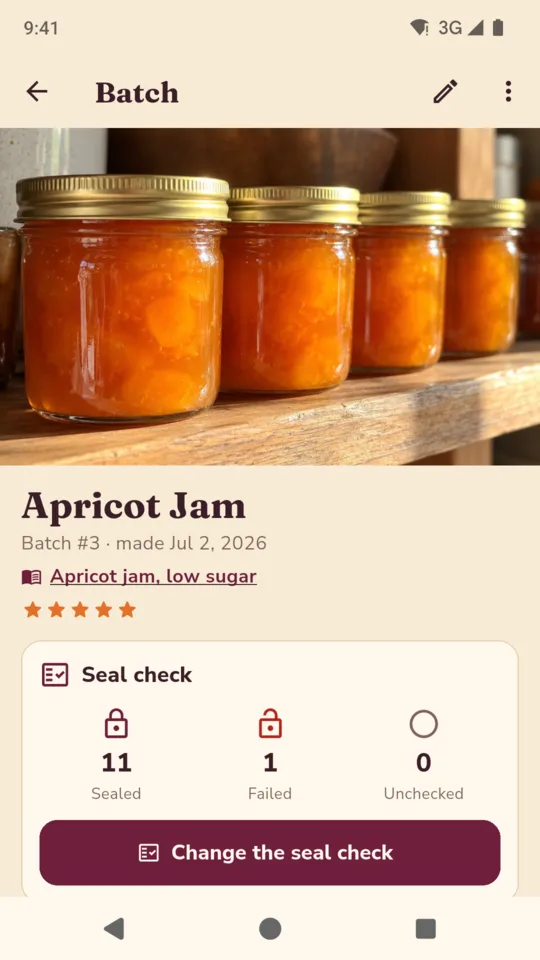
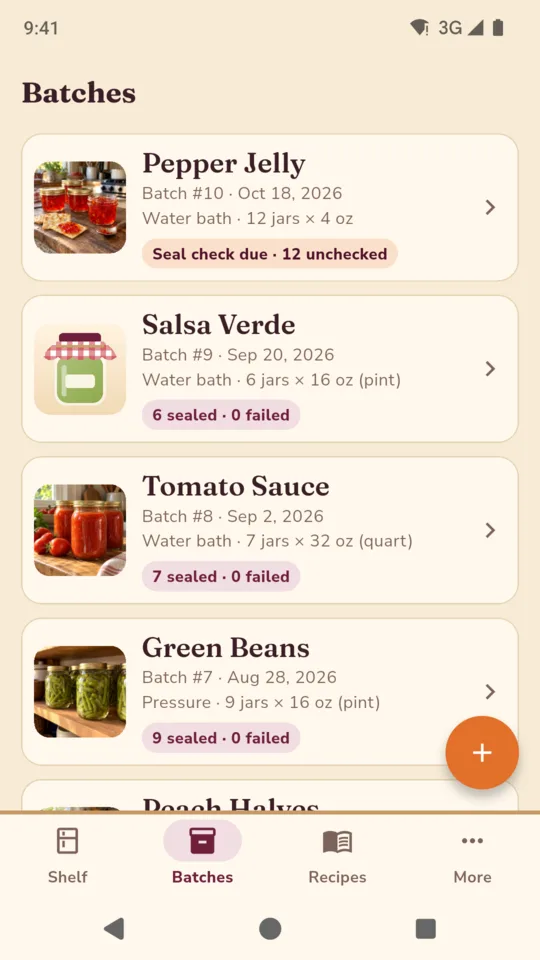
Twelve jars of apricot jam, and where each one went.
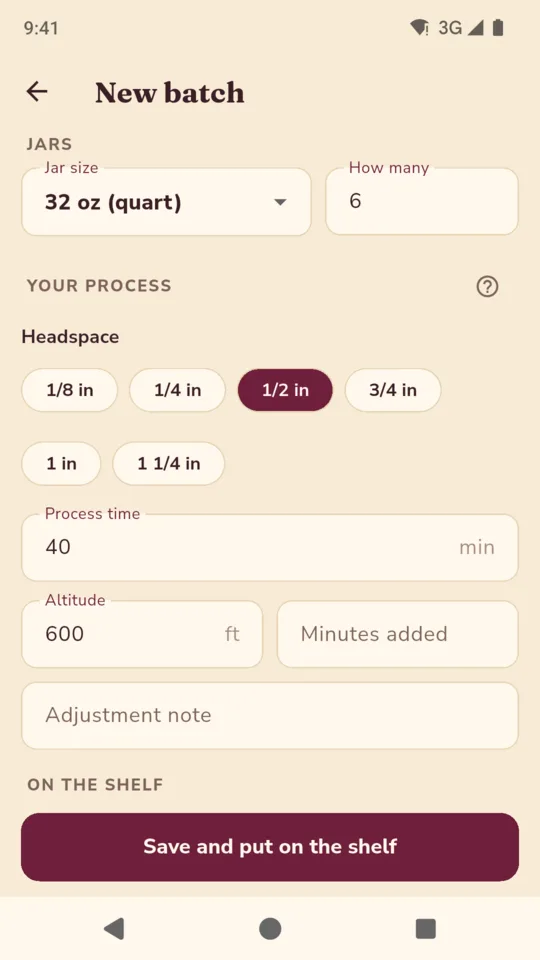
Half-pint jars, water bath, with the headspace and process time you used.
The morning after. The failed jar is kept in the fridge and goes to the use-first list.
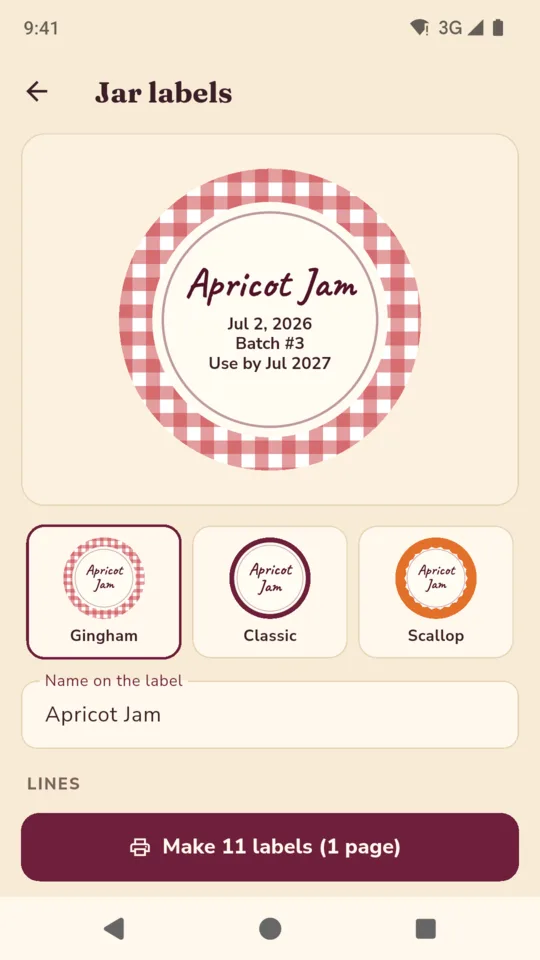
Apricot jam, use by Jul 2027, the date you chose.
Gingham labels on one Avery 22807 sheet.
A jar that did not seal never counts as stock on the shelf.
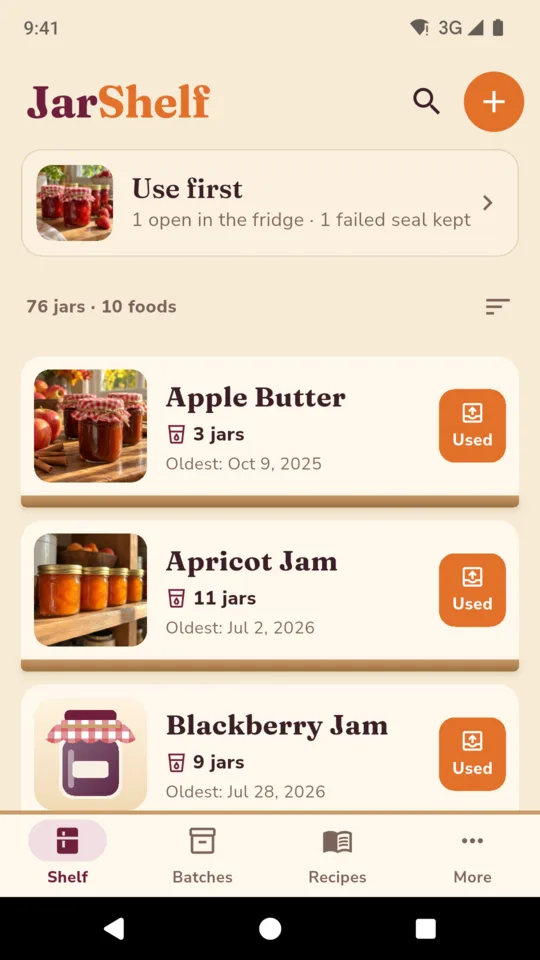
Your pantry, a row for each food.
Every batch of the same food lands on one row, with the count on the shelf and the oldest date, so the jar to open next is never a guess. This is the sample shelf in the screenshots, on Pro: 76 jars across 10 foods.
Rows of jars by food: apricot jam, dill pickles, tomato sauce, with the count and the oldest date on each row. Batches of the same food share a row. Search by food, recipe or where the jars are kept.
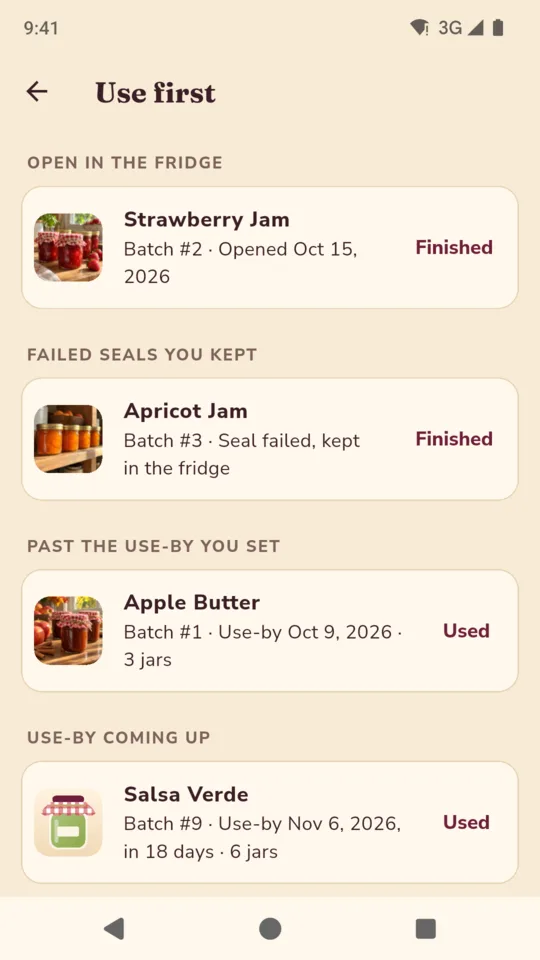
Jars open in the fridge, failed seals you kept and jars near the use-by date you chose sit at the top. Tap Used and the jar with the soonest use-by date comes off the shelf, with a line for how it tasted.
Water bath, steam or pressure. Jar size and count, headspace, process time, pressure with a dial or weighted gauge, your altitude and the minutes you added for it, photos, a rating and notes.
The morning after a batch, JarShelf reminds you to check the lids. Count sealed and failed, and say whether a failed jar went in the fridge, was reprocessed or thrown out.
Food name, date made, batch number and use-by. Gingham, classic or scalloped, on Avery 22807 rounds, Avery 5160, L7163 or plain paper. Start part way down a sheet you already used, and preview each sheet before you print.
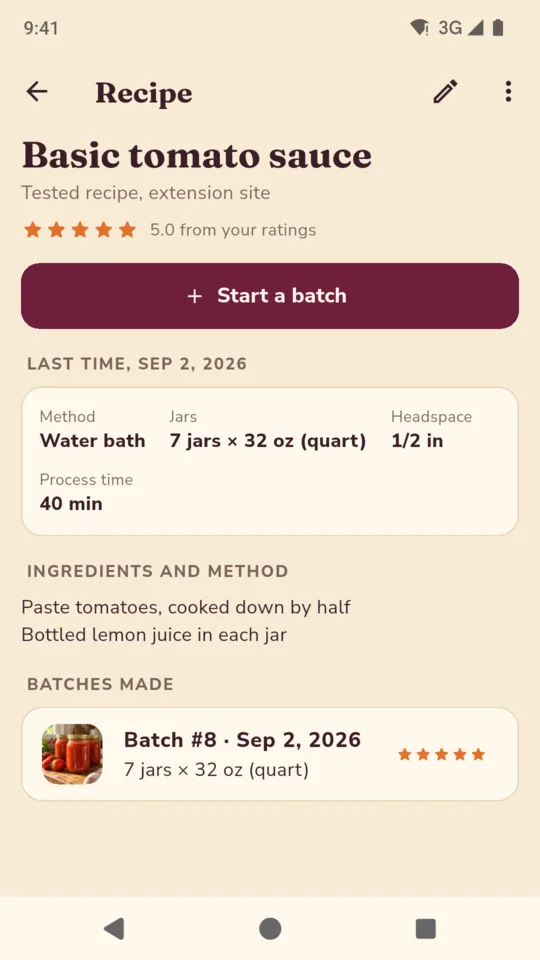
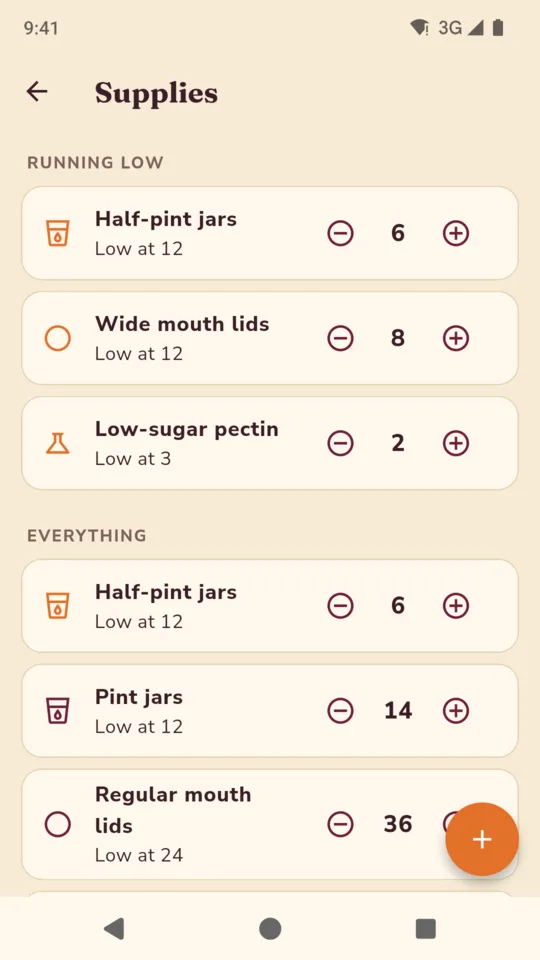
Keep the recipes you can from, with every batch made from each one. Count jars, lids, rings and pectin, with a low-stock list for shopping before the fruit comes in.
JarShelf keeps what you did. It never supplies a process time, a pressure or an altitude adjustment, and it cannot tell you whether a recipe or a jar is safe. Use tested canning instructions for those; the app links to the USDA and the National Center for Home Food Preservation.
There is no account. Batches, photos and the shelf stay on your phone. Crash reports and app usage statistics are sent, and neither carries your records. A backup file with your photos restores on another phone.
The use-by date on each batch is the one you choose. JarShelf never works out a shelf life.
Where tested recipes, process times and altitude adjustments come from: canning resources.
Unlimited batches and recipes, the seal check reminder, backup and a shelf of 60 jars. A small banner ad shows on the Batches and More screens, never on the shelf.
An optional 14-day trial is offered in the app; it starts only when you tap it.
No ads with Pro.
No. It records the time you used. Use tested canning instructions from sources such as the USDA or the National Center for Home Food Preservation.
Avery 22807 rounds, Avery 5160, L7163, or plain paper rounds to cut out. You can start part way down a sheet you have already used.
They never count as stock. You record whether each one went in the fridge, was reprocessed or was thrown out, and a kept jar shows in the use-first list.
Yes. Jar sizes come in ounces, from 4 oz to half gallon, or in millilitres, from 125 ml to 1 litre.
Every batch and jar stays readable and editable. The standard plan holds 60 jars on the shelf, so a new batch that would go past 60 needs Pro again.
Yes. Save a backup file, move it to the new phone and restore it in JarShelf. Backup works on every plan.
Log it when the jars come out of the canner, count the seals in the morning, and find it on the shelf when you need it.