
Repair intake record
Everything agreed while she is still standing there
A ring comes over the counter with a worn claw and a story. JewellerDesk turns that minute into a record: the piece photographed, the stones checked, the value in her own words, and a signature against all of it.
- Seven steps, in the order the counter actually runs
- Anything missing is listed before she signs, and printed as missing
- The quoted price is frozen when it is agreed
The argument happens three weeks later
The claw is retipped, the ring goes back, and a fortnight after that somebody says the stone was tight when they brought it in, or that the scratch on the shank is new, or that nobody mentioned a price.
None of that is settled by memory. It is settled, or not, by what was written down in the sixty seconds the piece crossed the counter, and by whether the customer put their name to it.
The counter flow
Seven steps, in that order
The order is not arbitrary. Condition is recorded before the work is agreed, because a note added afterwards says nothing about what came in.
- 1
Customer and ticket
Pick the customer or add one. The ticket reference is whatever is written on the envelope: the app does not number jobs for you, so the two cannot disagree.
- 2
The item
The line the customer would recognise on a receipt, in your own words.
- 3
Condition
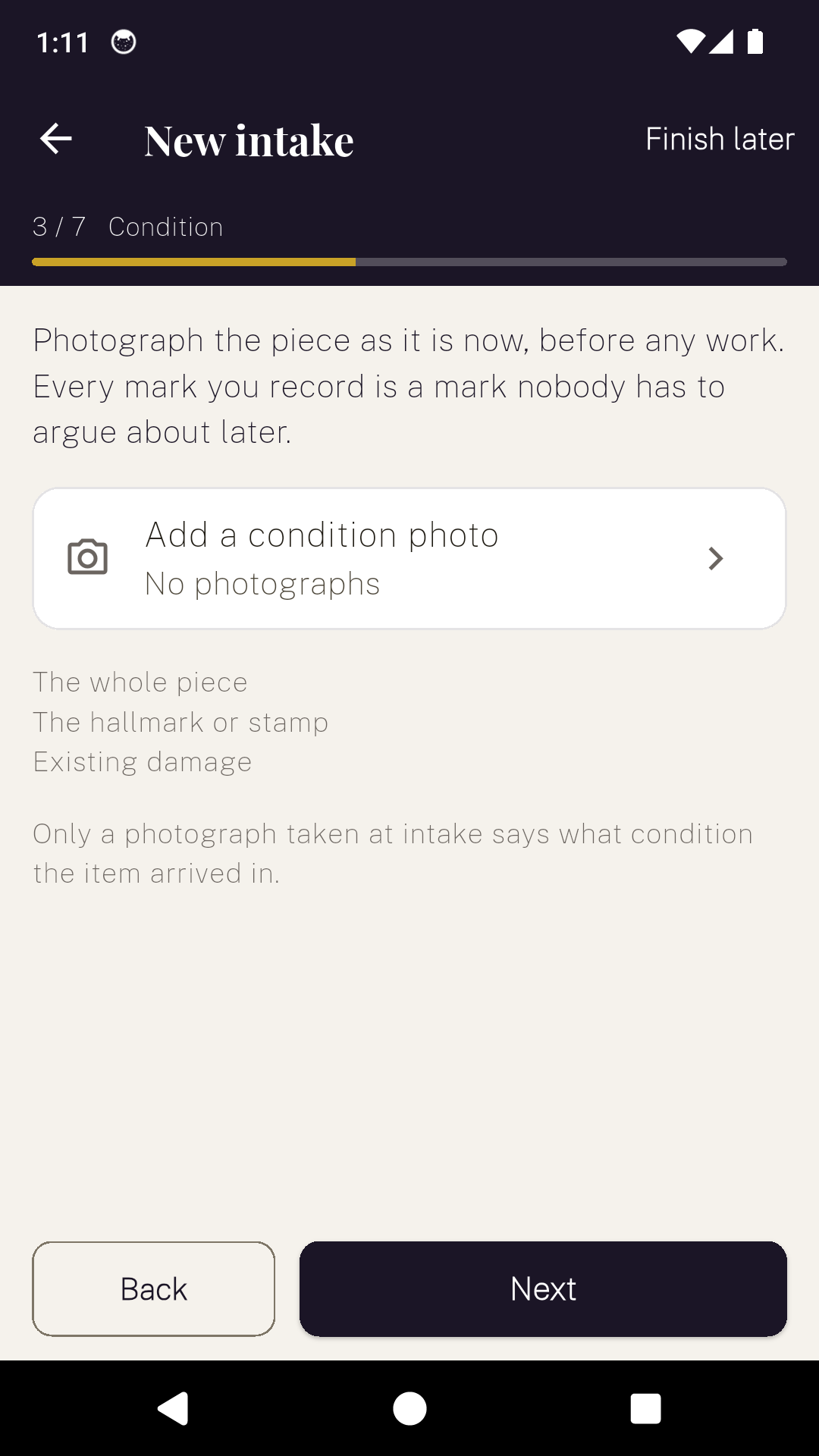
Photograph the piece as it is now, before any work. Only a photograph taken at intake says what condition the item arrived in.
- 4
Stones
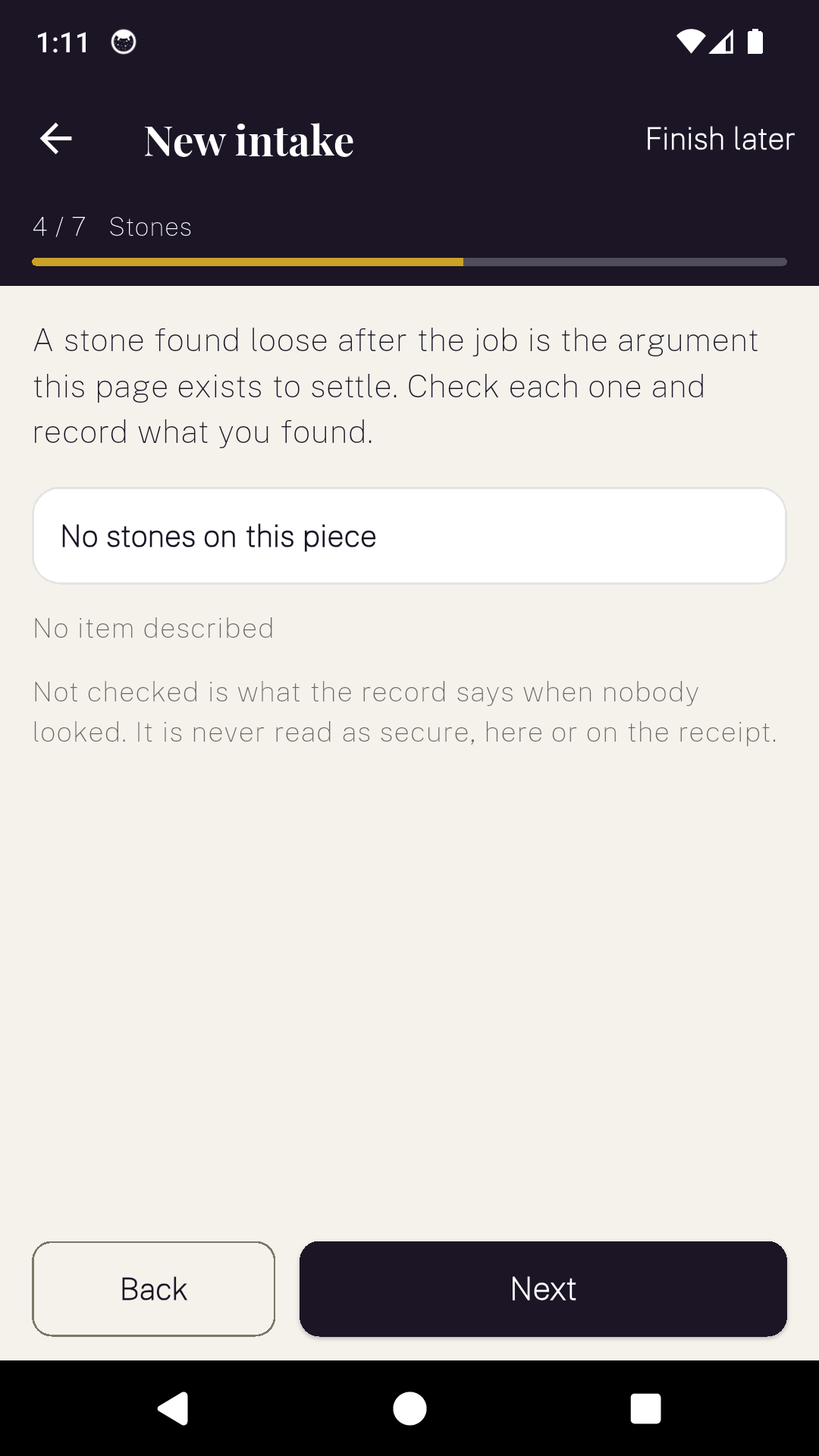
Check each one and record what you found: secure, loose, missing, or not checked. A stone found loose after the job is the argument this step exists to settle.
- 5
Declared value
What the customer says it is worth, in their words. Asked and declined is recorded too, because that is different from nobody having asked.
- 6
Work and price
What the shop is going to do, line by line, and what it was quoted at.
- 7
Signature
The customer signs against the record as it stands. Anything still missing is listed before they sign, and it is printed on the receipt as missing.
Stones
Not checked is a real answer
Each stone is recorded as secure, loose, missing, or not checked, and the fourth is not a softer version of the first. It is what the record says when nobody looked, and it is never read as secure, on the screen or on the receipt.
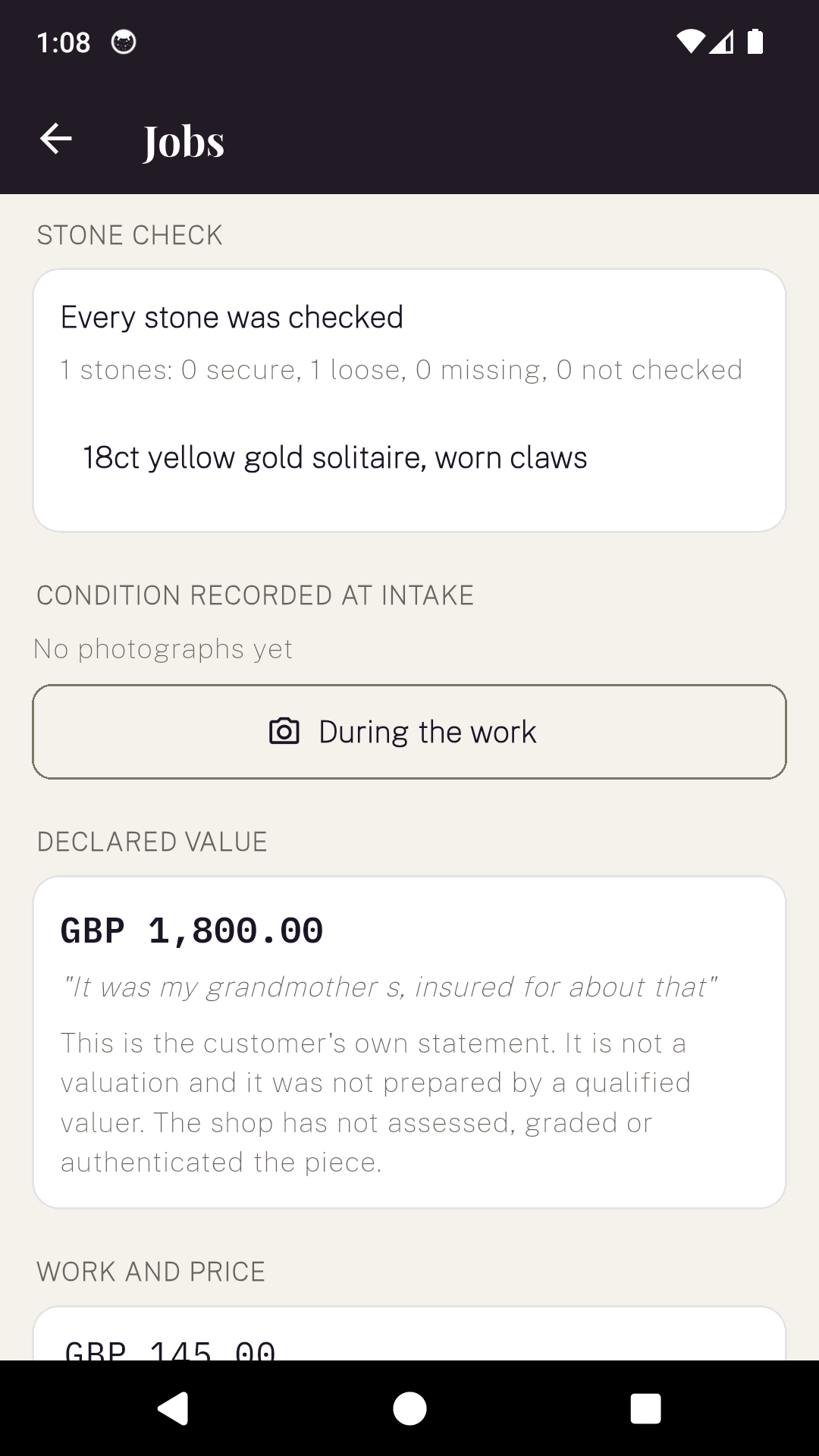
The job screen totals them in a line you can read at a glance, so a piece with one loose stone out of nine does not need opening to see it.
The photographs are not evidence of a duty to produce them. They are evidence about the condition the piece was in when the shop took it, which is exactly what a dispute turns on.
Declared value
Her words, in quotation marks
The figure is stored beside the sentence she said it in. It sits on the job screen and on the receipt as a statement by the customer, and the app never uses the word valuation or appraisal for it, in any of its ten languages.
A document carrying a figure beside a customer's name, produced by a shop, is exactly what an insurer would read as a valuation. A valuation is a credentialled deliverable in both markets this app is written for, so JewellerDesk stays a long way from the word.
If she would rather not say, that is recorded too. Asked and declined is a fact worth having, and it is not the same as nobody having asked.
The price
Quoted once, and it stays quoted
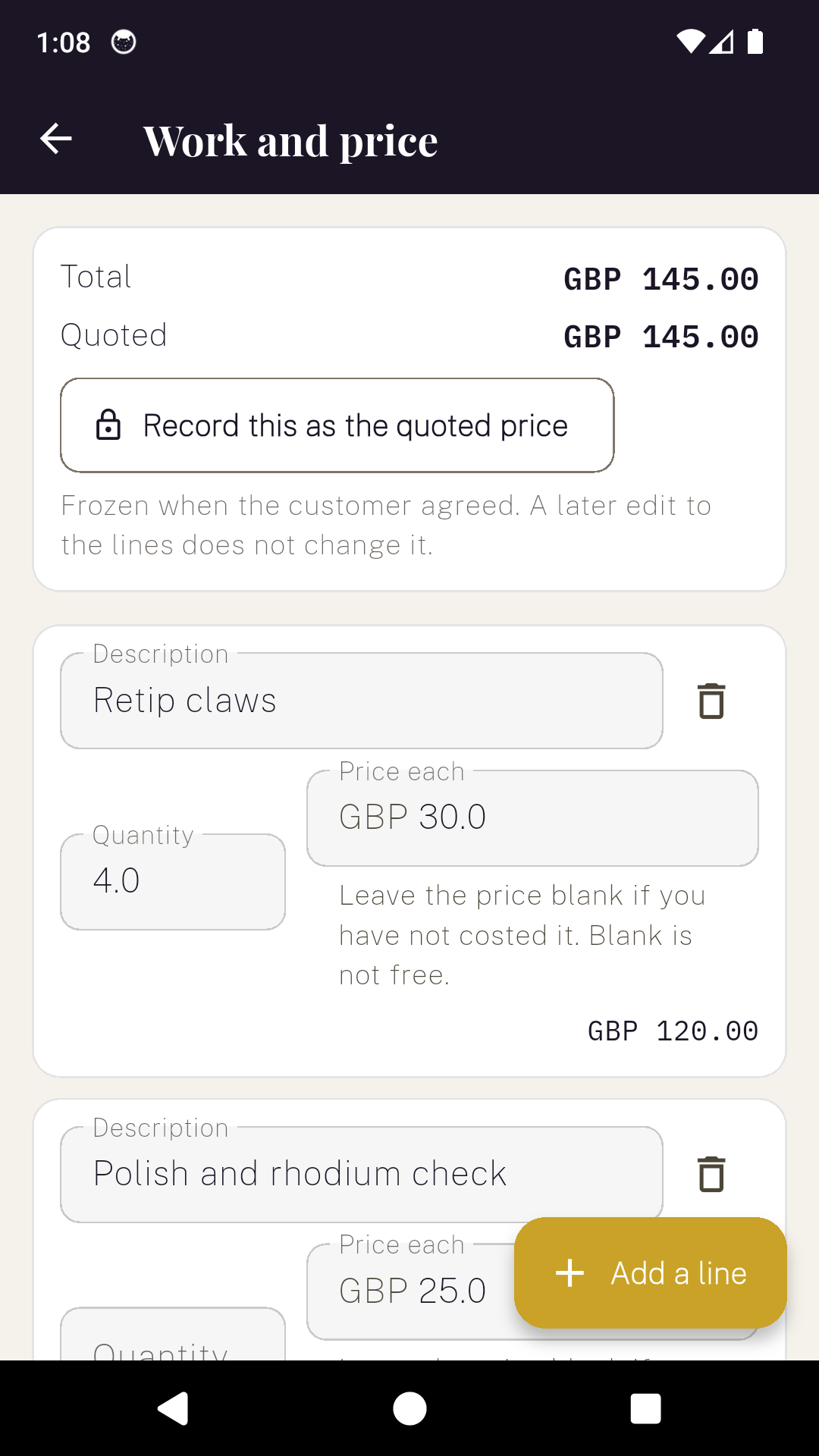
Work goes in as lines with a quantity and a price each, and a blank price is blank rather than nothing to pay. When the customer agrees, you record the figure as the quoted price and it freezes there.
Edit the lines afterwards and the screen shows both numbers: what the work now comes to, and what was quoted. A divergence is visible instead of quietly overwritten, which matters because on the American side a repairer cannot charge above a written estimate without the customer's consent.
What the receipt does not print
No small print limiting the shop
The obvious thing for an intake receipt to carry is a line disclaiming the shop's liability. In the UK that line is not binding: the Consumer Rights Act 2015 provides that a term excluding a trader's liability for reasonable care and skill has no effect against the consumer.
So JewellerDesk prints none. What it prints is what was recorded and agreed, and one sentence saying what the record is.
It reduces disagreement about the condition the item arrived in; it does not remove it. The value shown is what the customer stated and is not a valuation. This record does not affect the customer's legal rights.
The app
The real screens
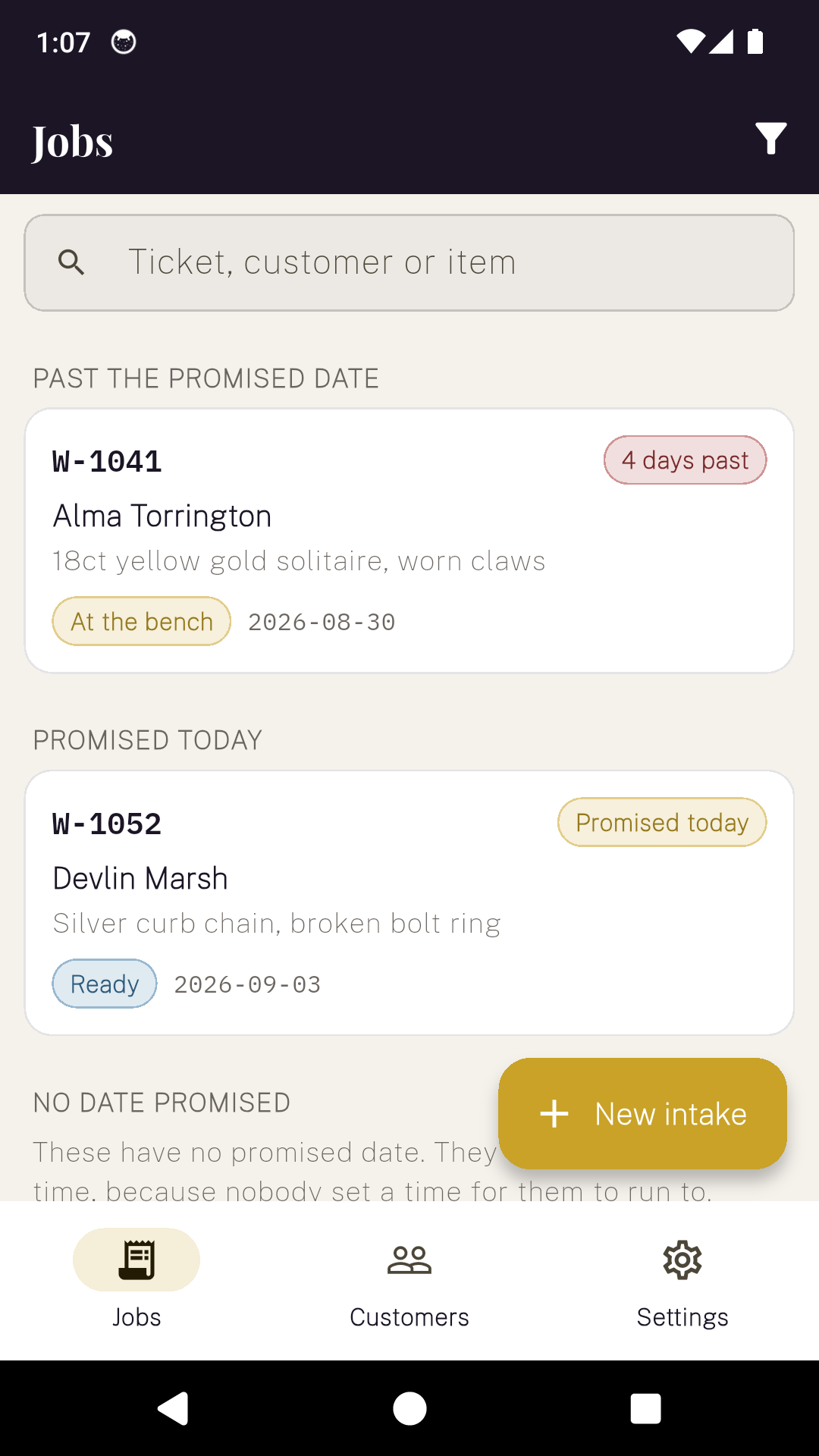
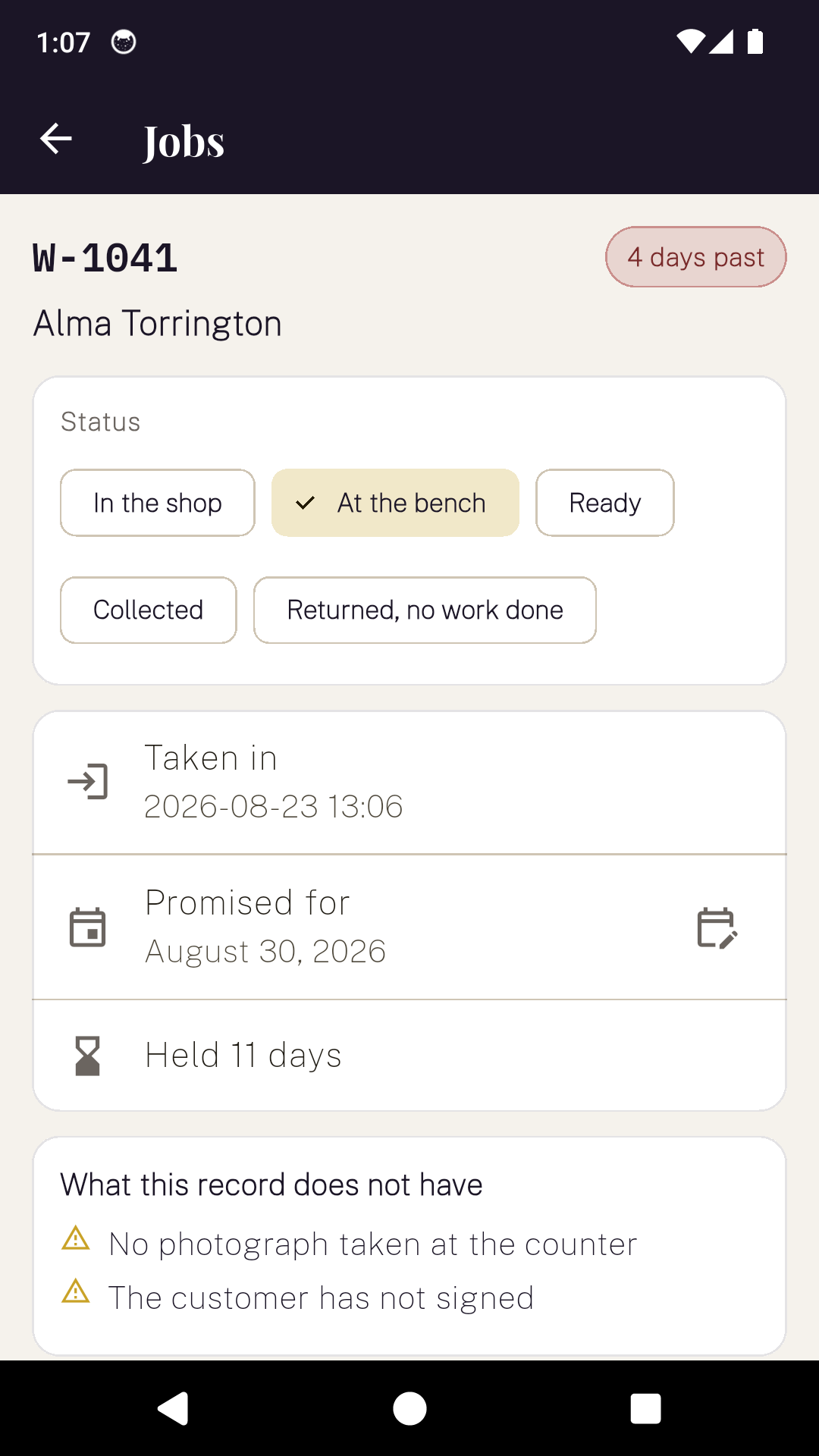
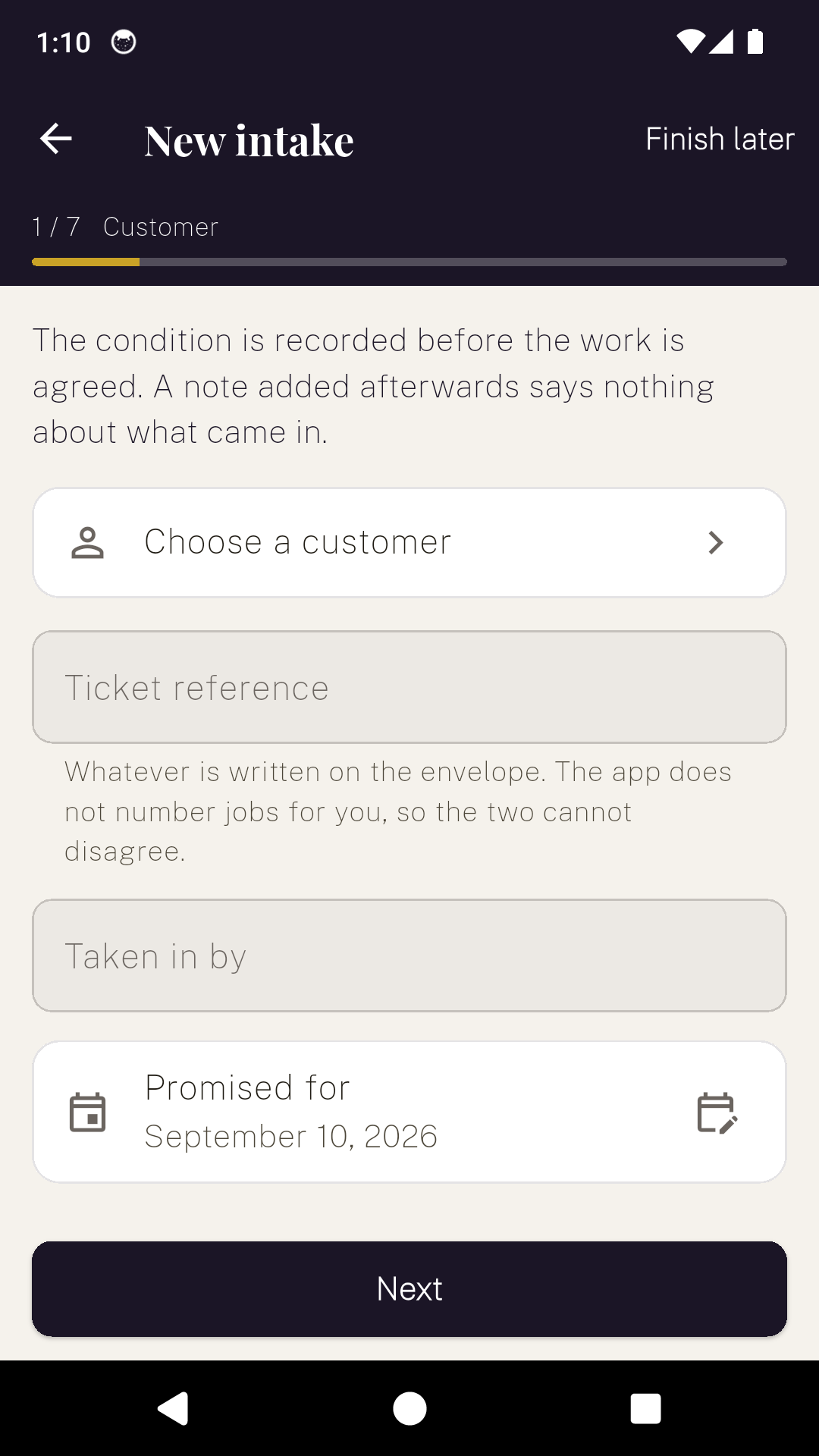
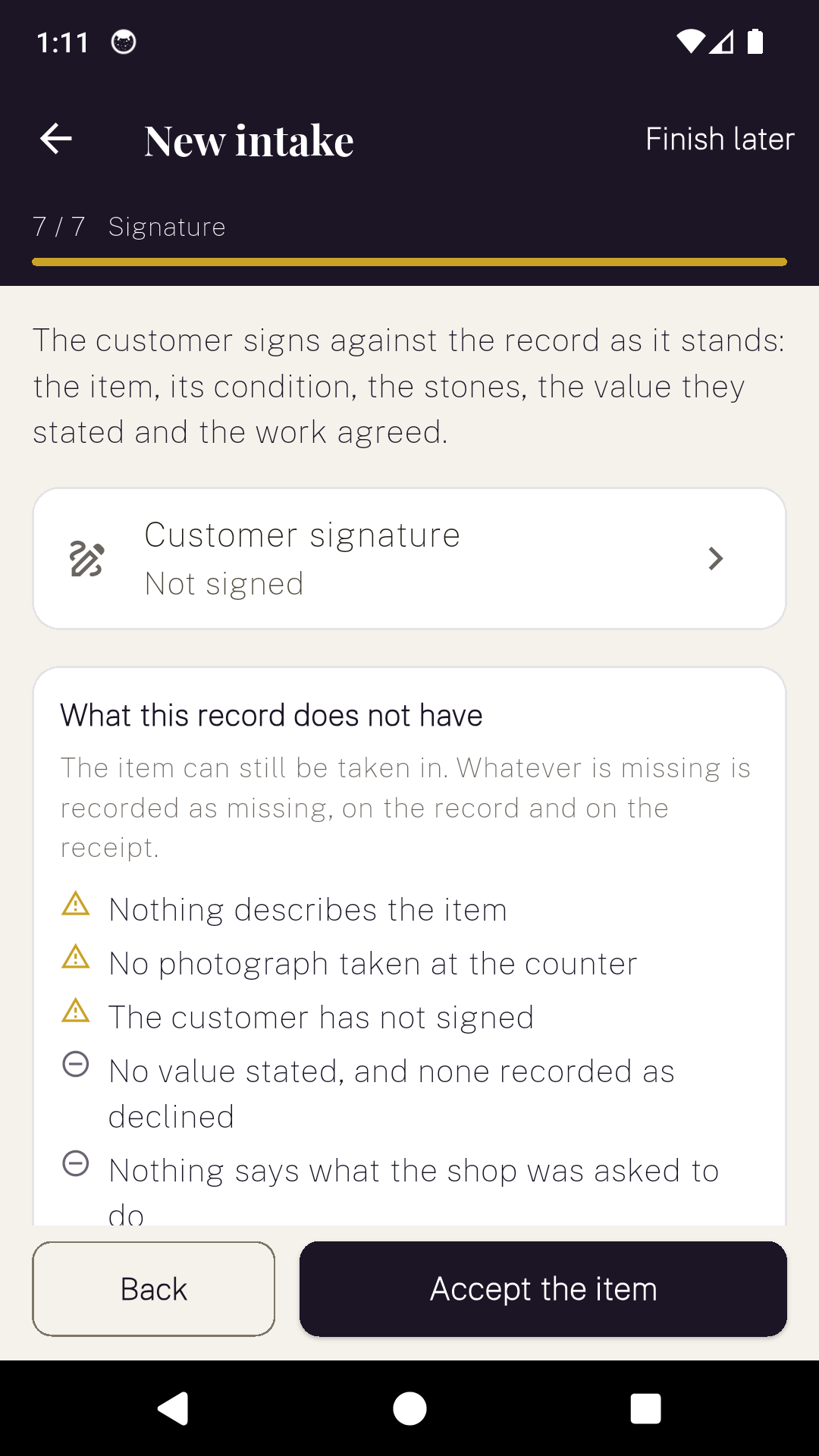
What it will not do
- It does not value, grade, authenticate or identify anything: not the metal, not the hallmark, not the stones, not the piece.
- It does not predict a turnaround from the work described. It offers a default you can change, and the date on the receipt is the one you chose.
- It does not number your jobs. Your envelope already does.
- It does not upload the shop's records. There is no account and no sign-in. The Android app carries ads on the standard tier, and both apps carry crash reporting and analytics, so "nothing leaves the device" would be the wrong claim to make.
- The intake receipt prints in English when the app is in Arabic, Hindi, Japanese, Korean or Chinese.
Price
One bench, one price
Without paying you keep ten jobs, and the cap applies only to taking in a new one: nothing already recorded is hidden, locked or deleted.
Backup and restore is not behind the paywall. A customer's record is the reason you installed it.
Questions
Before you download it
Does JewellerDesk value the item?
No, and it never uses the word. A declared value is what the customer told you and the receipt says so in its own sentence. The shop has not assessed, graded or authenticated the piece, its metal, its hallmark or its stones, and nothing the app produces should be read as a valuation.
Is a written intake record required by law?
No jurisdiction found requires one, and the app never says required, must or law. What US state repair statutes do reach is the written estimate: a repairer gives one on request and cannot charge above it without the customer’s consent. That is why the quoted price is a field of its own rather than a note.
What happens if I change the work lines after the customer agreed?
Nothing happens to the quoted figure. The quote is frozen when you record it, and the screen shows the current total and the quoted total side by side, so a divergence is visible rather than hidden.
Can I take a piece in without photographing it?
Yes. The item can always be taken in. Whatever is missing is listed before the signature and printed on the receipt as missing, so an incomplete record is honest about being incomplete instead of silently looking complete.
Does the receipt limit the shop’s liability?
No. It prints no exclusion of liability of any kind. In the UK a term excluding a trader’s liability for reasonable care and skill is not binding on the consumer under the Consumer Rights Act 2015, so printing one would be putting an unenforceable term on every customer’s copy.
How does it decide a promised date?
It does not. It offers seven days as a starting point, with three and fourteen beside it, and you can type any date. Turnaround depends on the setting, the metal, the stones and the time of year, none of which software can see, and a promised date the shop did not choose is still a promise the shop has to keep.
Take the next one in properly
Set the shop up once, then every piece that crosses the counter goes through the same seven steps.