Stud finder app for Android
Mark two fixings. Estimate the next stud.
Your phone cannot detect wood, but its magnetic sensor reacts to the steel screws and nails that hold the board to the studs. Mark two likely fixings, measure between them, and JoistMap estimates where the other studs should be.

Try the Wall Map here
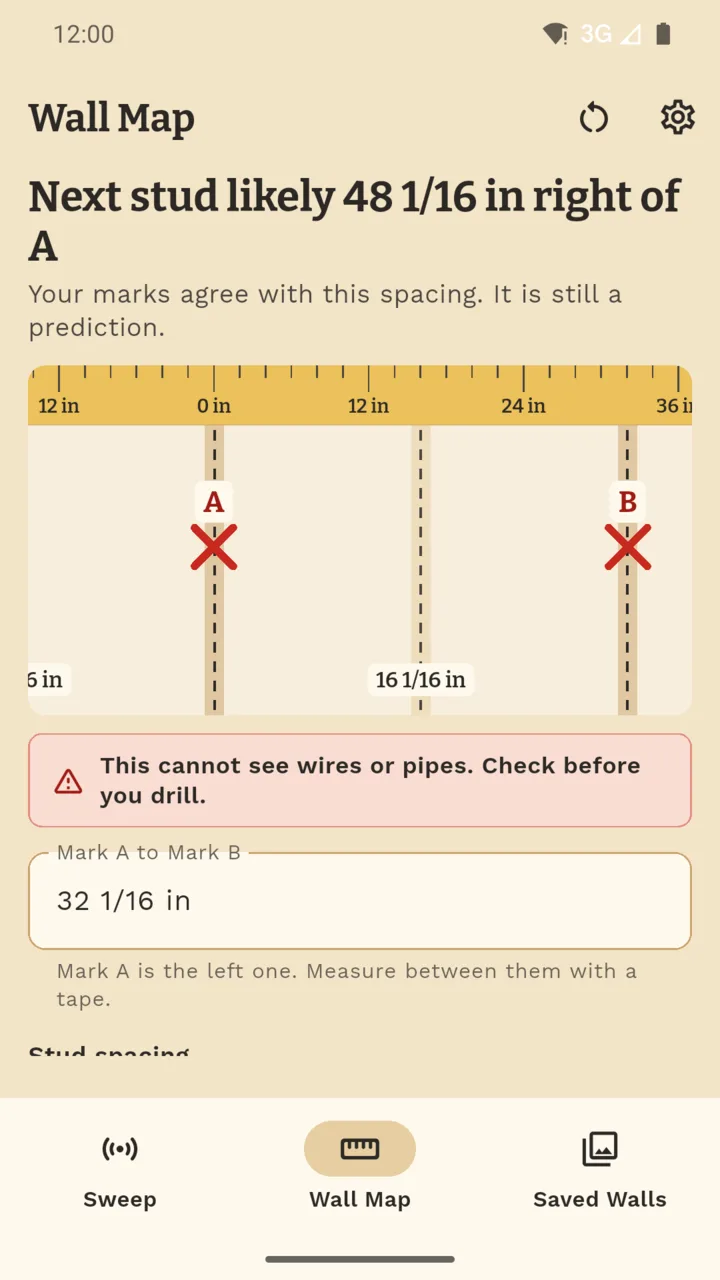
The same spacing calculation the Wall Map uses. Type the gap between your two marks and pick the spacing.
Always check for wires and pipes before you drill.
What it does
Sweep for steel fixings.
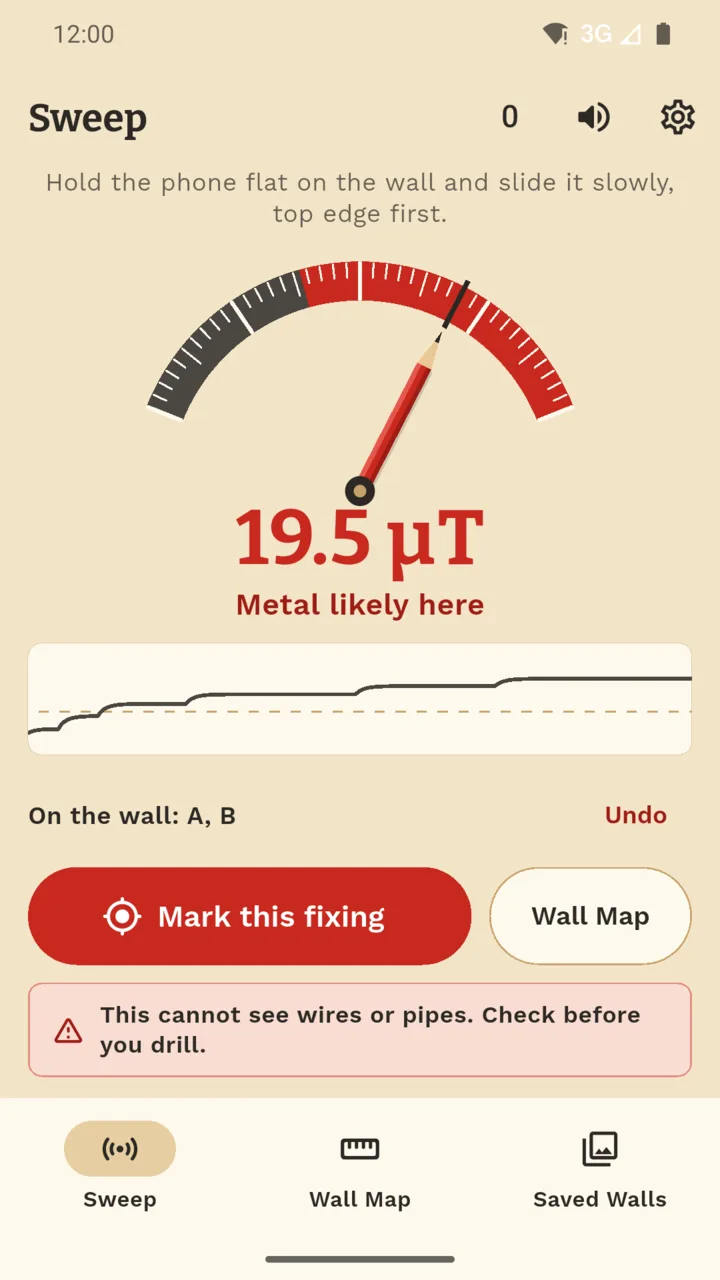
Slide the phone slowly across the wall. A big dial with a pencil for a needle swings when the magnetic reading jumps, and the beep quickens as it rises. Tap at a peak to mark a possible fixing.
Two marks, a predicted layout.
Measure between two marks with a tape and pick the spacing: 16 in, 24 in, 400 mm, 600 mm or your own. The Wall Map draws where the other studs should be, each measured from your first mark.
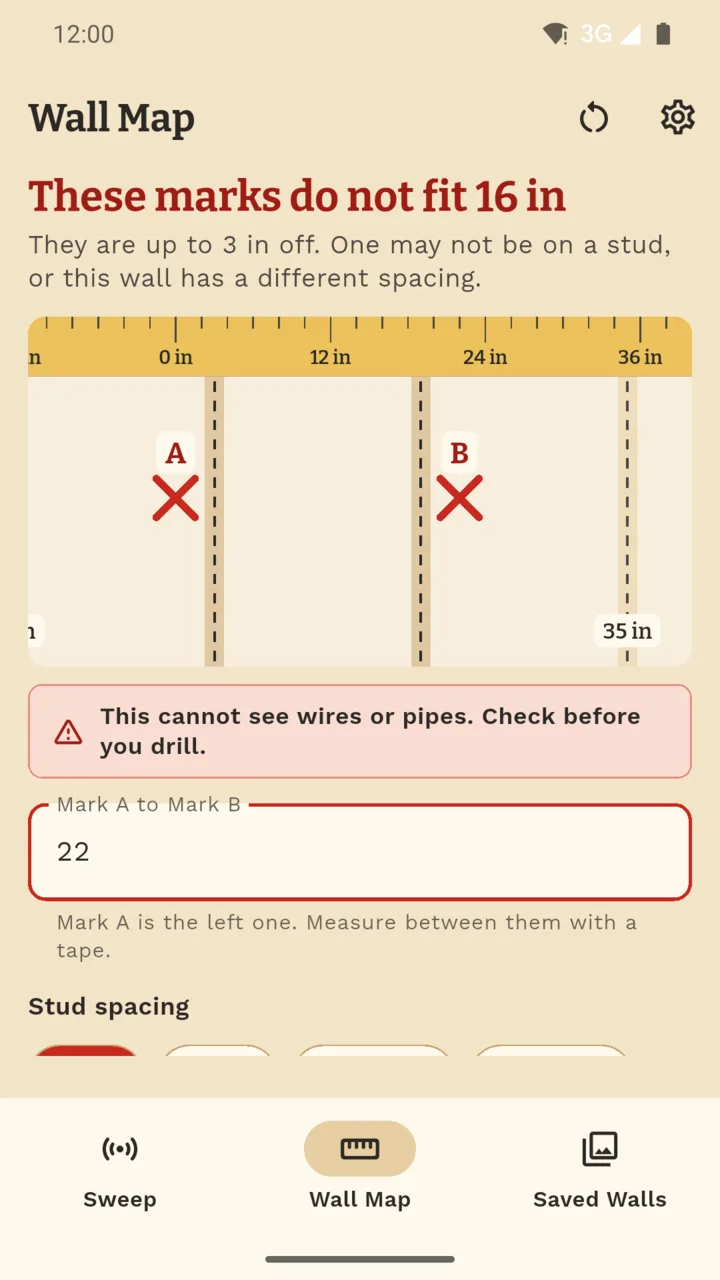
It says when the numbers do not fit.
If the gap between your marks does not suit the spacing, it tells you instead of drawing a confident line. Found another screw? Add it as a third mark and see how far it sits from its line.
Check the sensor on steel first.
Before your first sweep it asks you to bring the phone up to a steel screw, a pair of scissors or a fridge door, so you see the meter jump on metal you know is there.
Keep the wall.
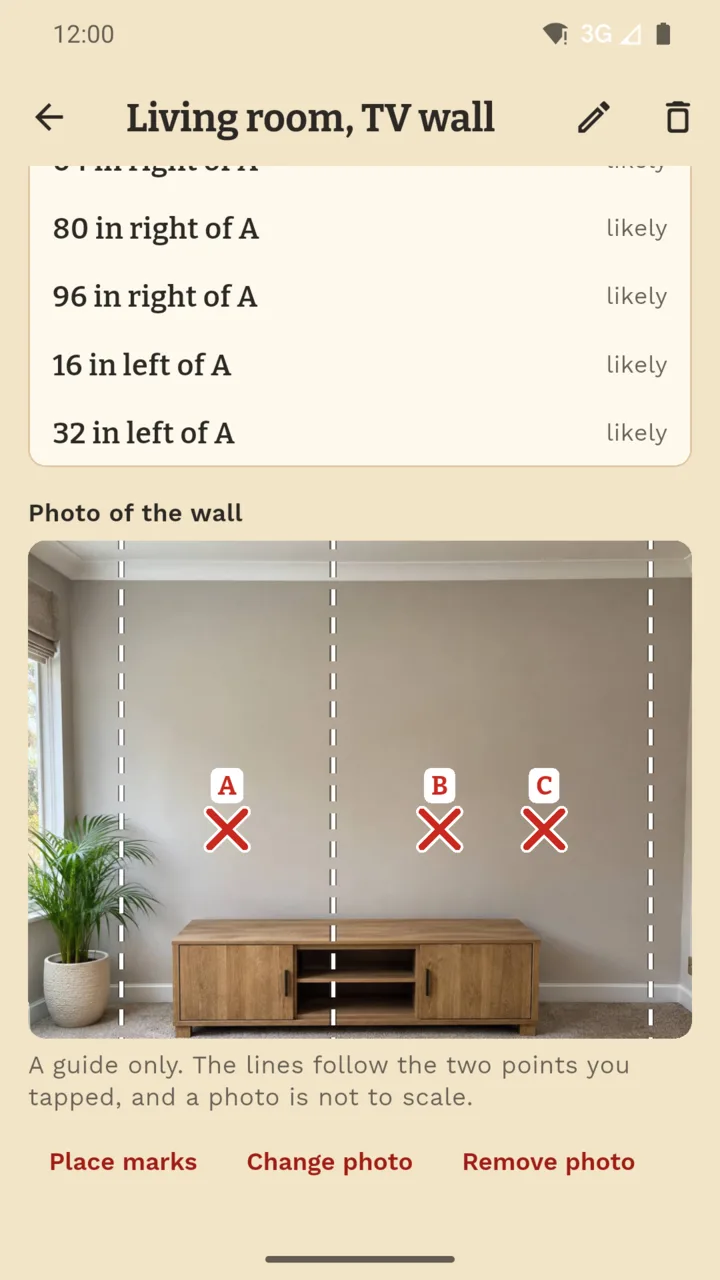
Save a wall with a name and a photo, tap where your marks are on the picture, and the predicted lines are drawn across it. Open it again when the next shelf goes up.
Inches or millimetres.
Type 32 1/4, 2' 8", 820 or 0.82 m. Fractions down to 1/16 inch, feet and inches, millimetres, centimetres and metres all work.
What it cannot do
It cannot see wood, and it is not a wire or pipe detector. It reacts to steel, then predicts from the spacing you pick, so a jump can come from any steel nearby and a prediction can be wrong. Foil-backed board, metal lath and metal studs can interfere with the readings, and plaster walls often have few fixings to find.
One price, once
Standard
No charge
- Sweep, with the dial and the beep
- The Wall Map
- Two saved walls
- A banner on the map and walls, none while you sweep
Unlock
$3.99 once
- As many saved walls as you like
- No ads
- No subscription, no account
Questions
Can a phone really find a stud?
Not the wood. A phone has a magnetic sensor that reacts to steel, and many walls have steel screws or nails holding the board to the studs. JoistMap helps you locate possible fixings, then estimates the other stud positions from the spacing you pick.
Will it find wires or pipes?
No. It is not a wire or pipe detector, and a jump can come from any steel nearby. A warning sits on every result: always check for wires and pipes before you drill.
Does it work on every wall?
No. Foil-backed board, metal lath and metal studs can interfere with the readings, plaster walls often have few fixings to find, and spacing changes near doors, windows and corners. A phone case with a magnet or a metal plate throws the readings off, so take it off.
What if my phone has no magnetic sensor?
Then it cannot sweep, but the Wall Map still works from marks you found another way and the gap you measured.
Is it on iPhone?
No. JoistMap is for Android only.
What does the unlock cost?
A one-time $3.99 in the US and £2.99 in the UK, with no subscription. Sweep, the Wall Map and two saved walls do not need it. The unlock adds as many saved walls as you like and removes the ads, and a saved wall is never locked.
Estimate stud positions before you drill
JoistMap for Android. No account, and your walls stay on your phone.