The finished piece.
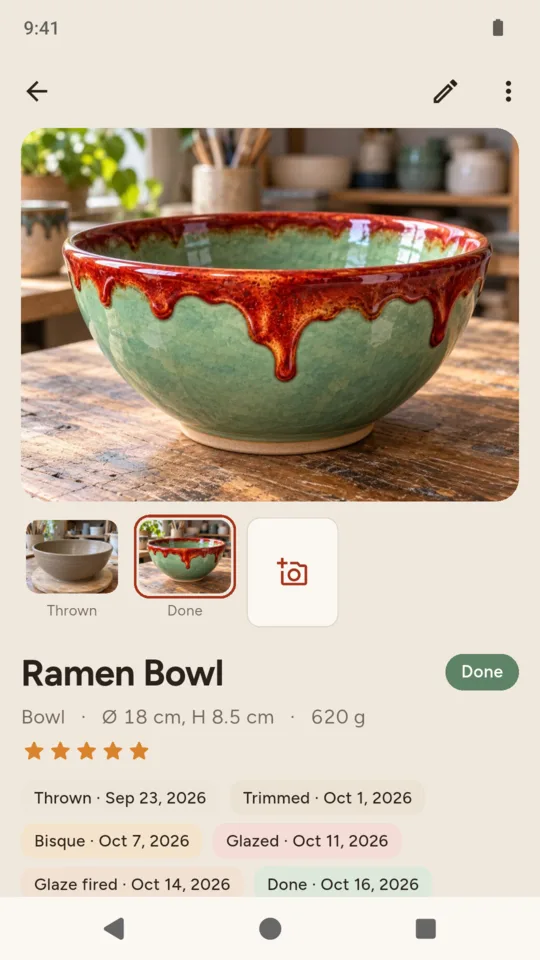
Open a done piece and it is all there: stage photos, clay body, each glaze with the method and number of coats, the firings with cone and your schedule, your rating and notes.

Pottery journal
KilnTrail keeps a record of each piece on your phone: the clay body, stage photos, how each glaze went on, the firings it came out of, and the test tile beside the finished pot. When a glaze turns out well, you can look back at the recipe, the application notes and the firing record.

$29.99 ONCE · $14.99 A YEAR · $2.99 A MONTH
The piece card
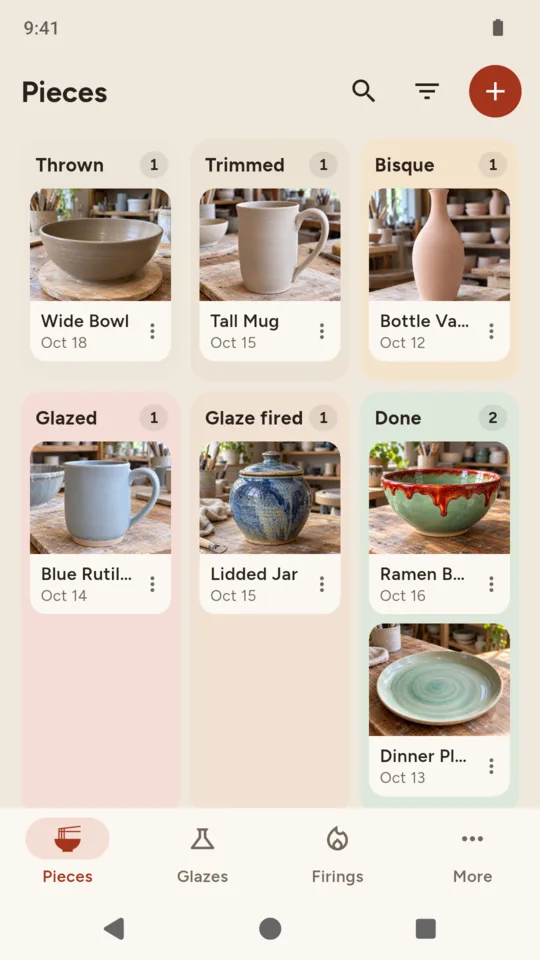
Each piece sits on a board in the column for its stage. Move it to the next stage with a tap and add photos along the way. Thrown and hand-built work both fit, and sold, gifted and broken pieces leave the board without leaving your records.
Open a done piece and it is all there: stage photos, clay body, each glaze with the method and number of coats, the firings with cone and your schedule, your rating and notes.
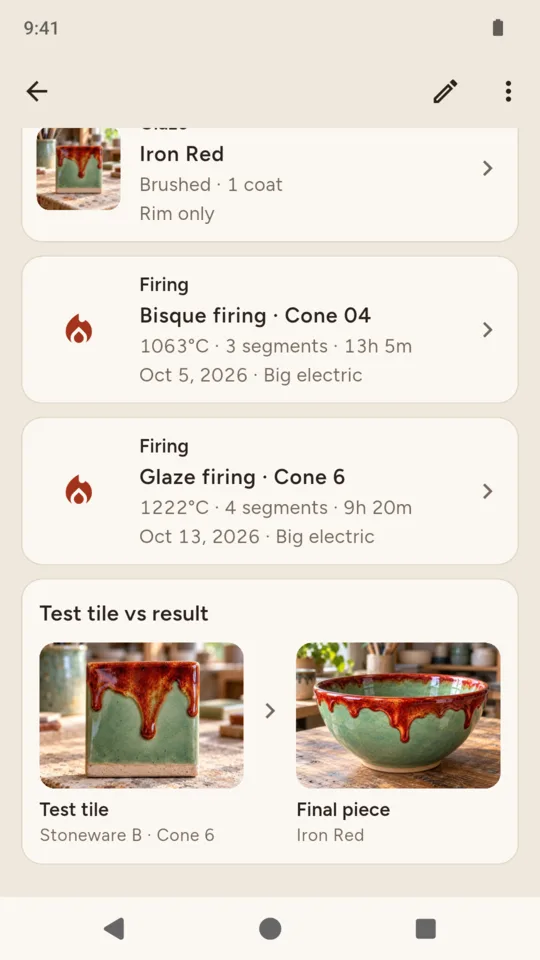
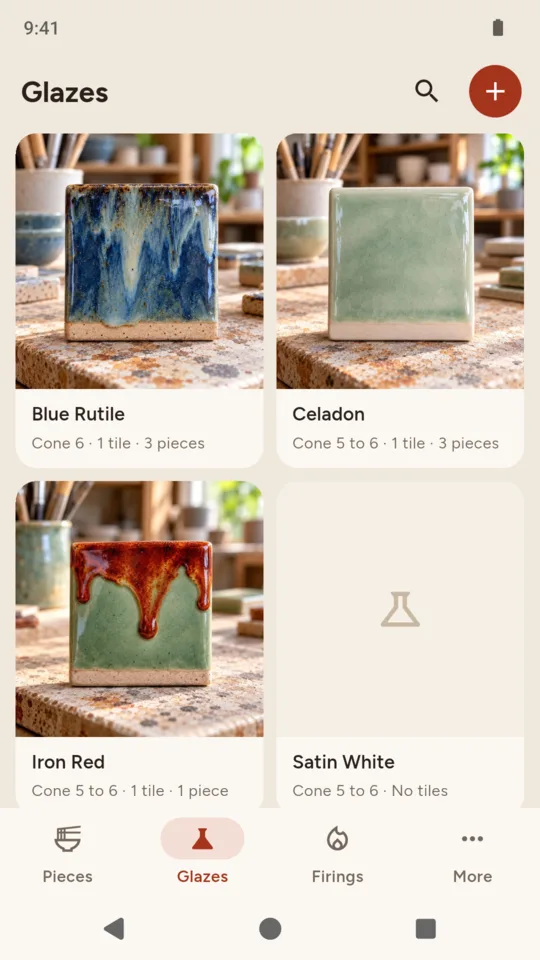
The tile you fired for that glaze sits next to the finished piece, so you can compare what the glaze did on the tile with what it did on the pot.
Glaze recipes and test tiles
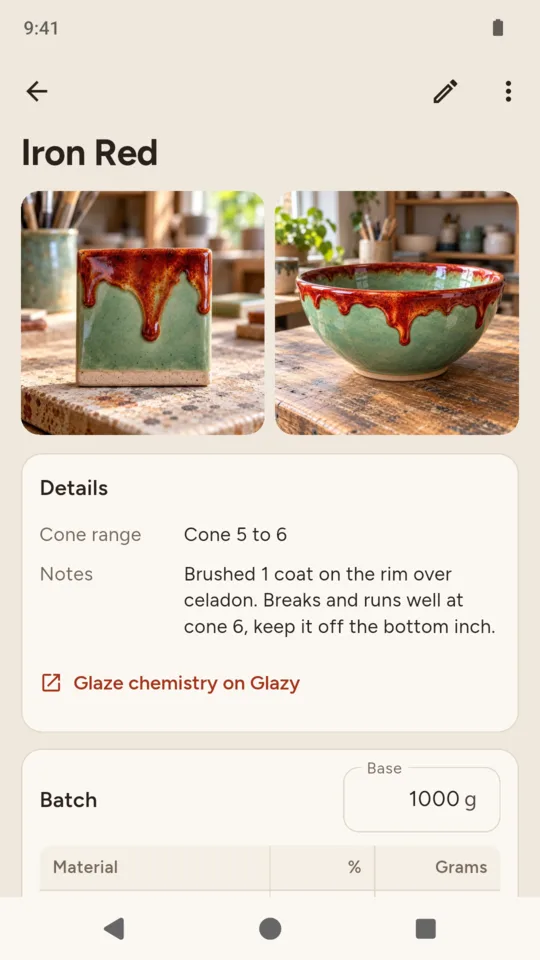
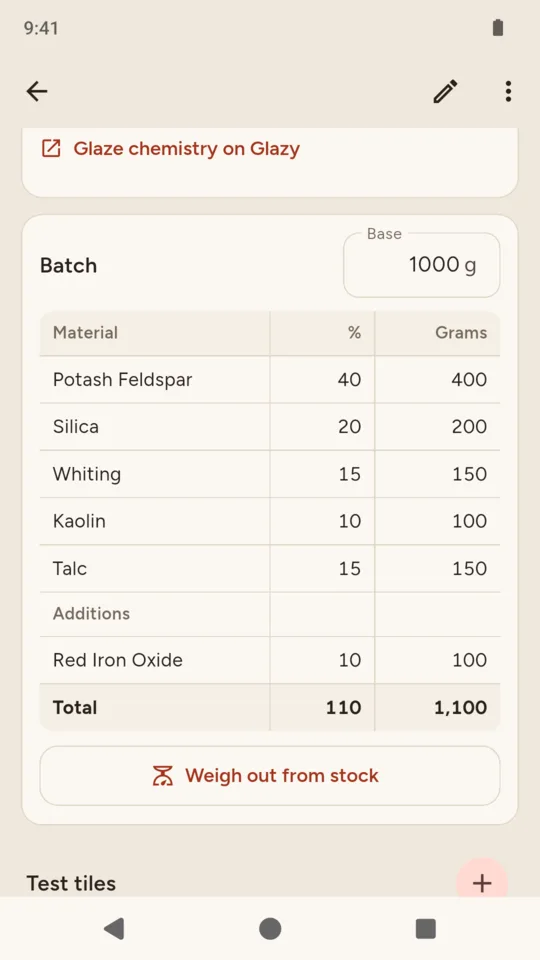
Write a recipe the way you mix it: base materials totalling 100%, with colorants and opacifiers added separately. KilnTrail scales each line to a tenth of a gram, keeps versions as you adjust a recipe, and lets you record test tiles by clay body and cone, each linked to the firing it came out of.
| Material | % | Grams |
|---|---|---|
| Potash Feldspar | 40 | 400 |
| Silica | 20 | 200 |
| Whiting | 15 | 150 |
| Kaolin | 10 | 100 |
| Talc | 15 | 150 |
| Additions | ||
| Red Iron Oxide | 10 | 100 |
| Total | 110 | 1,100 |
Mix a batch and KilnTrail can deduct it from the materials you have recorded on the shelf. For glaze chemistry, the recipe screen links to Glazy.
The kiln log
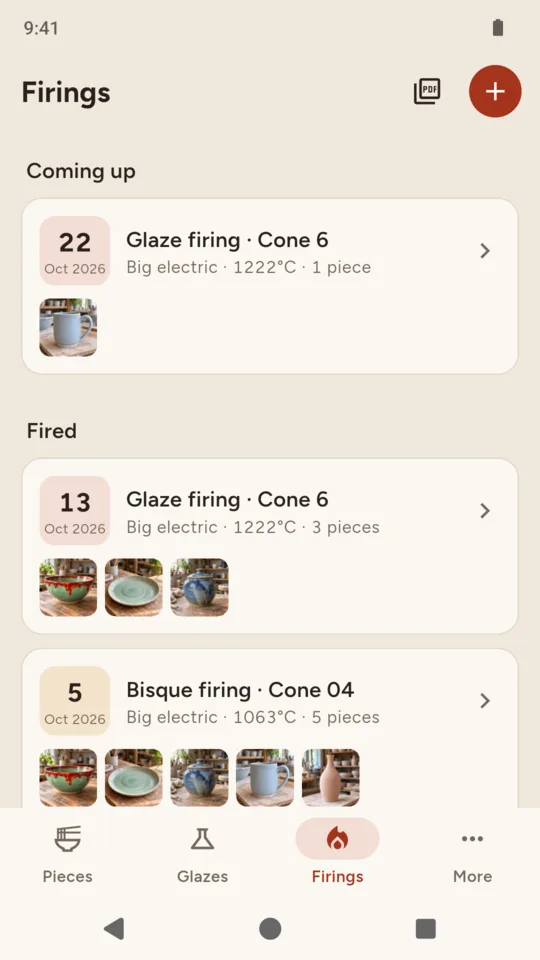
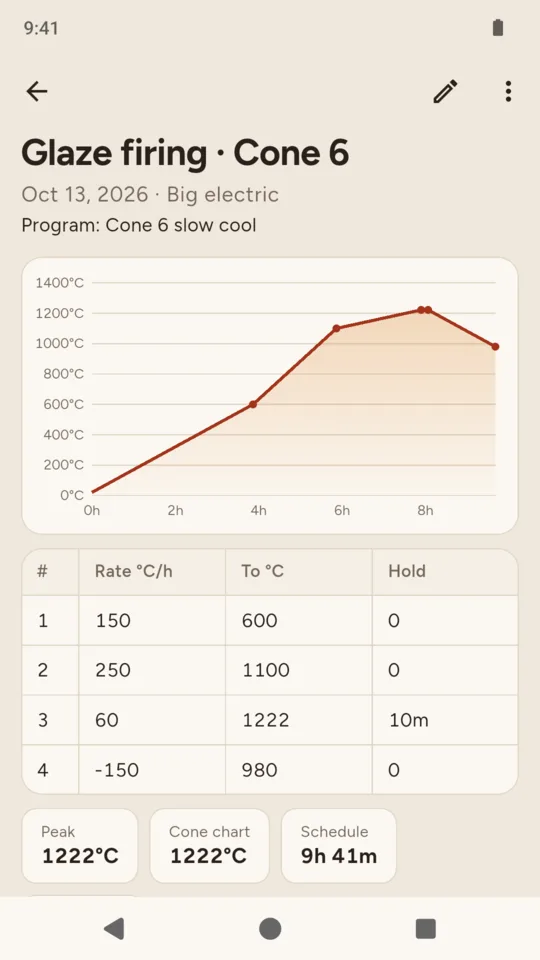
Record the kiln, the cone, your schedule segments (rate, target, hold) or a program name, the pieces in the load and how long the firing took. The schedule is drawn as a curve, and a photo of the witness cones can go with it. Plan the next firing and get a reminder on the day.
| # | Rate °C/h | To °C | Hold |
|---|---|---|---|
| 1 | 150 | 600 | 0 |
| 2 | 250 | 1100 | 0 |
| 3 | 60 | 1222 | 10m |
| 4 | -150 | 980 | 0 |
The cone picker shows Orton self-supporting cone temperatures as a reference. KilnTrail does not suggest schedules and does not connect to a kiln.
Raw materials by weight, with the ones running low listed first.
Price, date and where it went, with totals by month in each currency.
A day to check a piece is leather hard or to trim the foot, and firing day.
A piece card, a recipe card with the scaled batch and its tiles, a firing log and the whole kiln log.
Every piece, recipe, firing and photo in one file, to restore on another phone.
Grams or ounces and Celsius or Fahrenheit, with the app in 10 languages.
There is no account and no sign-in. Back up to one file and restore it on a new phone, on every plan.
When a trial or plan ends, every piece, recipe and firing you made stays there to open and edit.
KilnTrail keeps what you enter. Firing schedules, cones, glaze chemistry and kiln safety stay your call.
Up to 30 pieces, 5 glaze recipes and one kiln, with the board, the piece card, firings, reminders and backup. A small banner ad on the Glazes and More tabs, never on the board.
A 14-day trial is offered in the app. It starts only when you tap it, and no card is asked for.
No. Everything stays on your phone and there is no sign-in. To move to a new phone, back up to one file and restore it there. Backup works on every plan.
Yes. A piece starts as thrown or hand-built work and moves through trimming, bisque, glazing and glaze firing to done. You can skip a stage that does not apply.
No. KilnTrail stores and scales recipes as you type them. For chemistry such as UMF, the recipe screen links to Glazy.
No. You log each firing yourself: segments, cone, load and the actual time. KilnTrail does not connect to kilns or controllers.
Every record you made stays there to open and edit. The standard plan only stops you adding past 30 pieces, 5 recipes and one kiln.
KilnTrail is available for Android on Google Play.
Add a piece, give it a photo, and follow it from clay to the shelf.