TEMP LOG & COOLING CLOCK

KitchenProof icon

KitchenProof

Food Safety Log

The cooling clock runs whether you are watching it or not.

KitchenProof logs your fridge, hot-hold and cook temperatures in two taps, runs the cooling window your own rules use, and turns the month into a dated PDF. Pick the United States, the United Kingdom, Canada, Australia and New Zealand, or set your own figures. It works on the phone in your apron, with no account and no signal.

14-day trial, no card.
$1.99/mo, $9.99/yr or $24.99 once. Android.

  • Cafes, takeaways & kitchens
  • US · UK · CA · AU/NZ
  • Android
  • Works offline
  • 10 languages
  • °F or °C
The KitchenProof launch screen: a red clipboard with a probe thermometer across it, the KitchenProof wordmark and the line Food safety records, without the paper

The clock your own rules run on

Cooling is where a temperature log stops being paperwork and becomes arithmetic, and the sum is not the same in every country. KitchenProof starts the clock the moment you tap Start cooling, uses the rule for the region you picked, and does not round in your favour. Below is the United States worked through; the other regions run the same way on their own figures.

  1. 135°F

    START

    You name the food and enter the temperature it went in at. The hot-hold side is typically 135°F or above.

  2. 70°F

    STAGE 1 · +2H

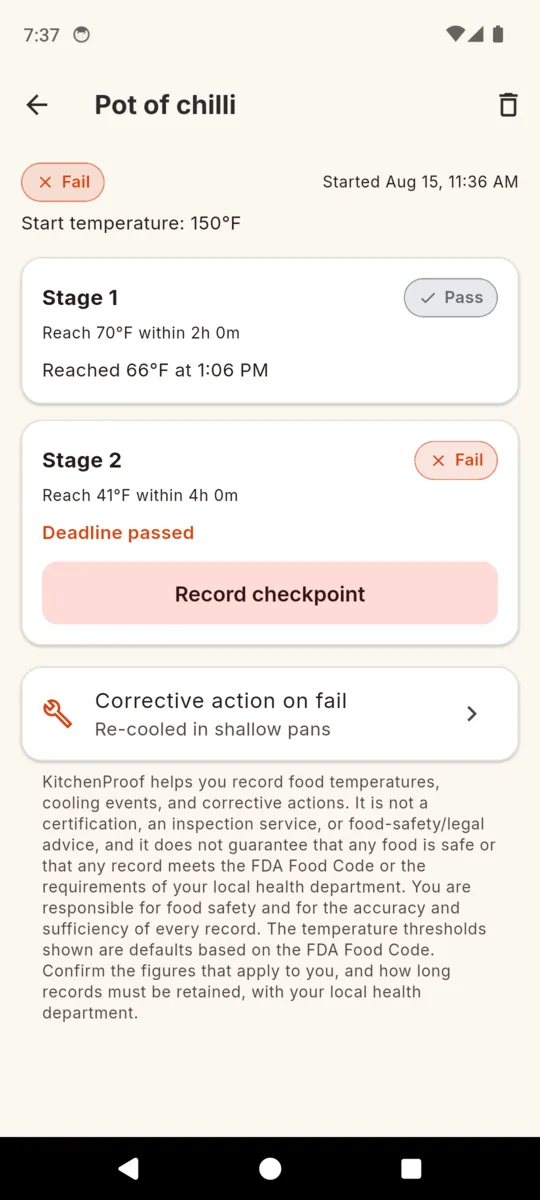
    Record a checkpoint at or under 70°F before the deadline and stage 1 reads Pass, stamped with the real temperature and the real time.

  3. 41°F

    STAGE 2 · +6H

    Six hours from the start, the food has to be at or under 41°F. Both stages have to pass before the event itself reads Pass.

A late reading is still a fail

A checkpoint counts only if the number is at or under target and you recorded it before the deadline. Logging 68°F twenty minutes late does not rescue stage 1.

A missed deadline is not still running

Once a deadline elapses with nothing recorded, that stage flips to Fail instead of sitting on In progress. A log that quietly waits forever is the kind that reads badly later.

A fail asks what you did

Failed events take a corrective action the same way an out-of-range reading does, so the record holds the problem and the response in the same place.

How the two-stage cooling log works, stage by stage

135, 70 and 41°F are FDA Food Code defaults, used when you pick the United States. Pick the United Kingdom and the same screen runs a single cool-down window to 8°C instead. KitchenProof does not decide whether your jurisdiction has adopted that edition, or how long you have to keep the records. Your health department does.

The rest of the shift

Stations, with the target already in them

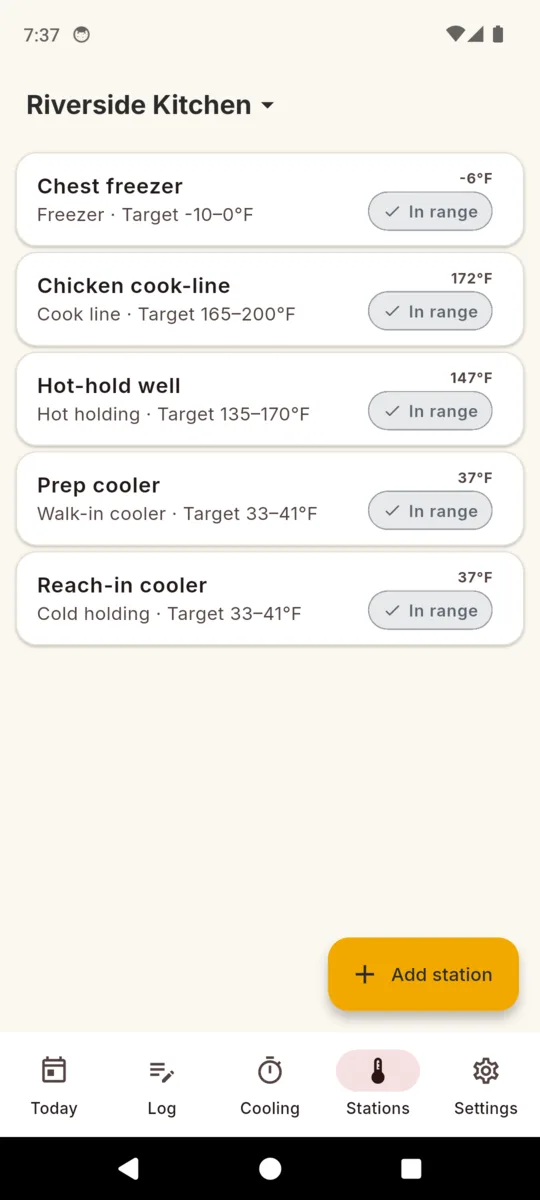
Add a cold-hold, hot-hold, freezer, cook line or walk-in station and the default range for your region is prefilled. On the United States that is 33 to 41°F for cold holding and 135 to 170°F for hot holding; on the United Kingdom it is 1 to 8°C and 63 to 85°C. Edit any of them to what your unit actually runs at.

A reading is two taps

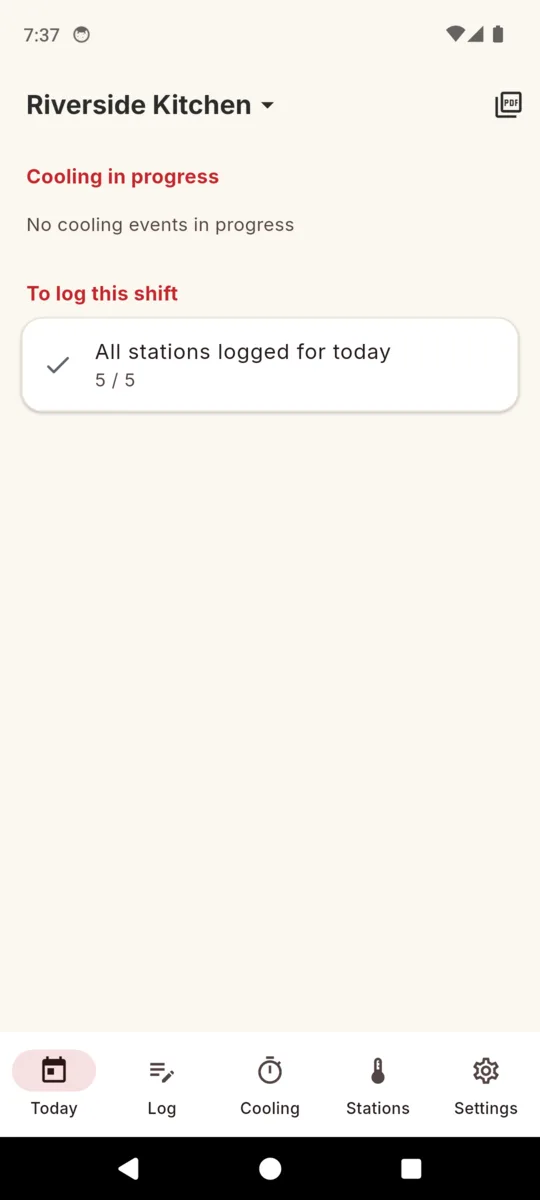
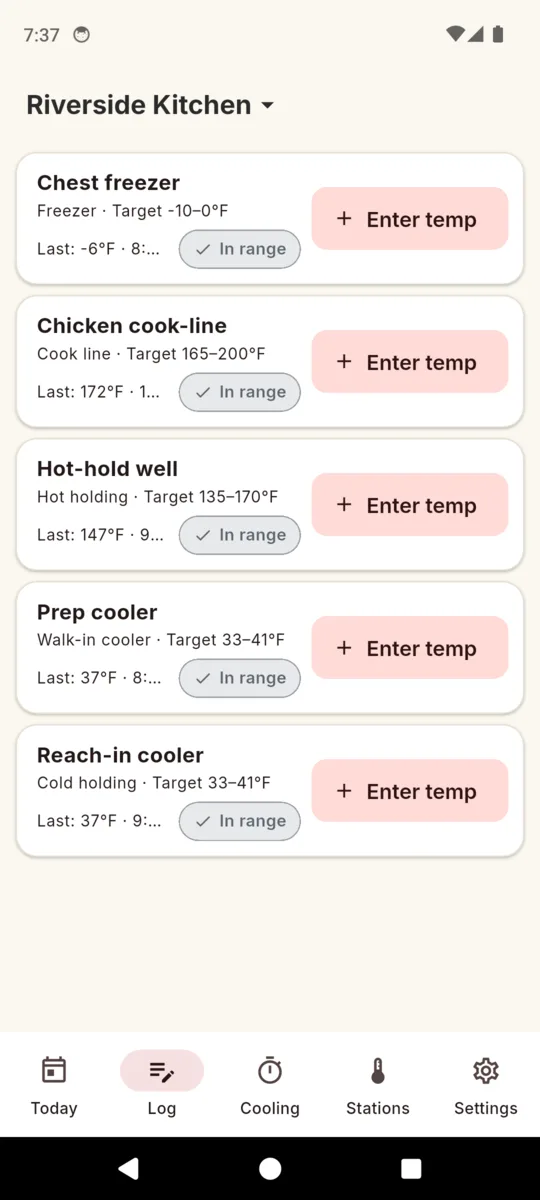
The log screen lists every station with its target and its last reading. Tap Enter temp, type the number, done. Today tells you how many stations are still outstanding for the shift, so you read 5 of 5 rather than trying to remember.

Out of range asks one question

Type a number outside the target and the app flags it and asks what you did: discarded, moved to another unit, adjusted thermostat, reheated, re-cooled in shallow pans, or continued monitoring. The number and the response are saved together. An out-of-range reading with an action is a record; a hidden one is not.

Opening and closing nudges

Set an opening time and a closing time and KitchenProof reminds you to log. The reminders are deliberately inexact, so the app never asks for the exact-alarm permission. The in-app worklist is the part that actually keeps you honest.

More than one unit

A cafe, a trailer and a commissary prep kitchen each get their own stations, readings and cooling events, and each carries its own permit number and jurisdiction onto its PDFs. Switch between them from the header.

Fahrenheit or Celsius

Pick the unit in Settings and everything converts on entry and on display. Underneath, every reading is stored in Fahrenheit, so a Celsius entry can never be compared against a Fahrenheit target by accident.
The actual screens

Scroll sideways →

  • The KitchenProof Today screen for Smokehouse Trailer, with a cooling-in-progress heading reading no events, and a to-log-this-shift card showing all stations logged, 5 of 5
    Today: what is still cooling, and what is left to log this shift
  • The KitchenProof log screen listing five stations, each with its type, target range, last reading and an Enter temp button
    Every station with its target, its last reading and one button
  • Entering 55 degrees Fahrenheit for the chest freezer in KitchenProof, flagged out of range, with corrective action choices: discarded, moved to another unit, adjusted thermostat, reheated, re-cooled in shallow pans and continued monitoring
    Out of range: the number is not saved without the corrective action
  • A KitchenProof cooling event for a pot of chili started at 150F, with stage 1 to 70F marked Pass at 66F by 6:11 PM and stage 2 to 41F marked Fail with the deadline passed
    One cooling event, both stages judged separately
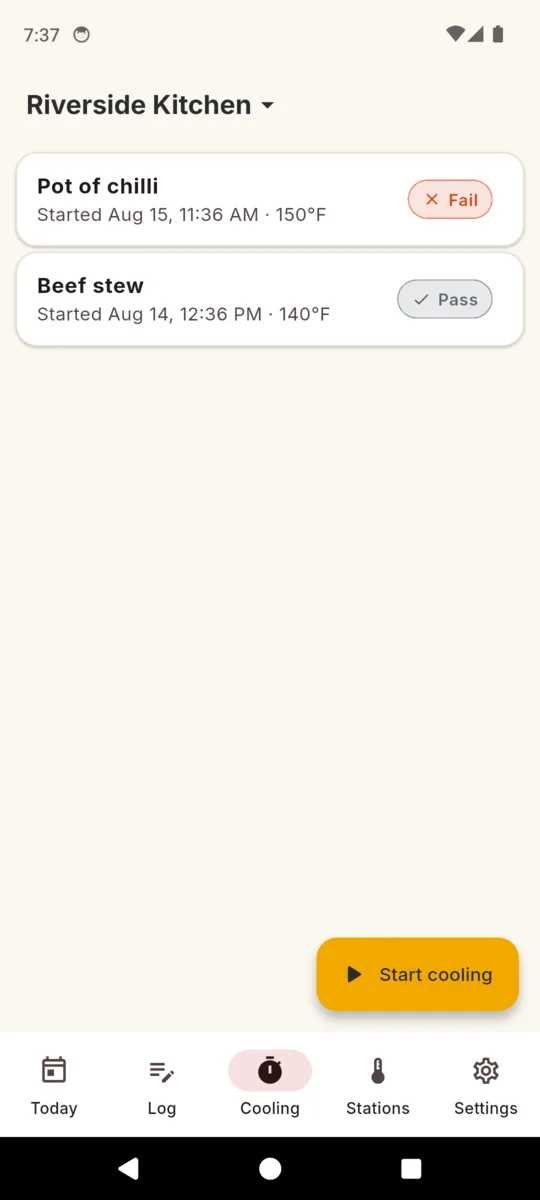
  • The KitchenProof cooling list showing a pot of chili marked Fail and a smoked brisket marked Pass, above a Start cooling button
    The cooling log: what passed, what did not
  • The KitchenProof stations list for a site: chest freezer, chicken cook line, hot-hold well, prep cooler and reach-in cooler, each with its type and target range
    Stations, each with the target range you set
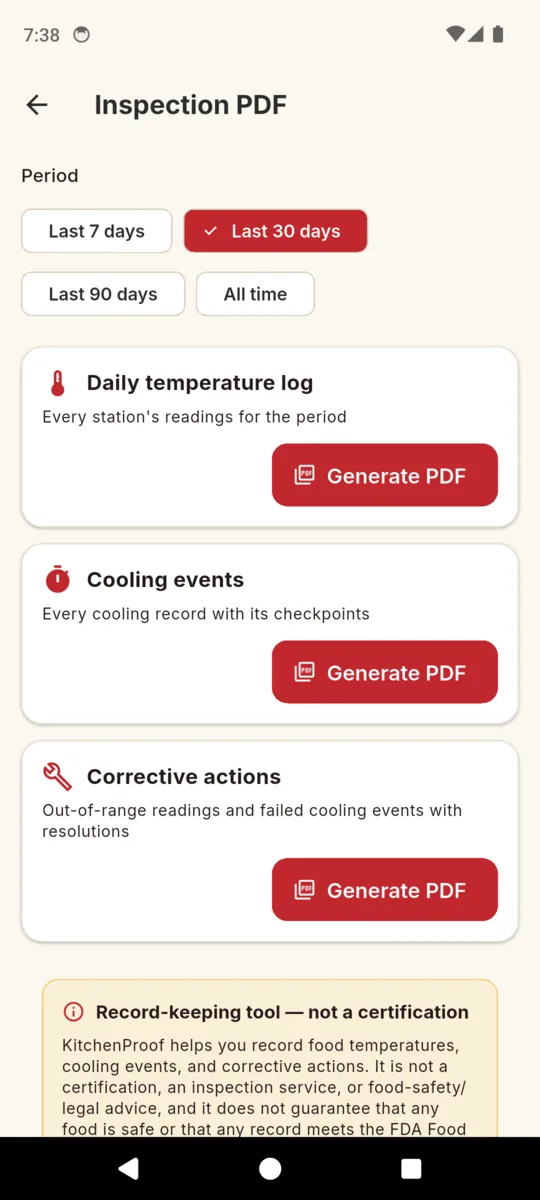
  • The KitchenProof Inspection PDF screen with period chips for last 7, 30 and 90 days or all time, and three Generate PDF options: daily temperature log, cooling events and corrective actions
    Pick a period, take one of the three PDFs

What you hand over

Pick a period — last 7 days, 30, 90, or all time — and KitchenProof builds one of three PDFs. Each opens on a cover carrying the unit name, permit number, jurisdiction, the period and the disclaimer at the foot of this page, then shares straight out of the phone.

01

Daily temperature log

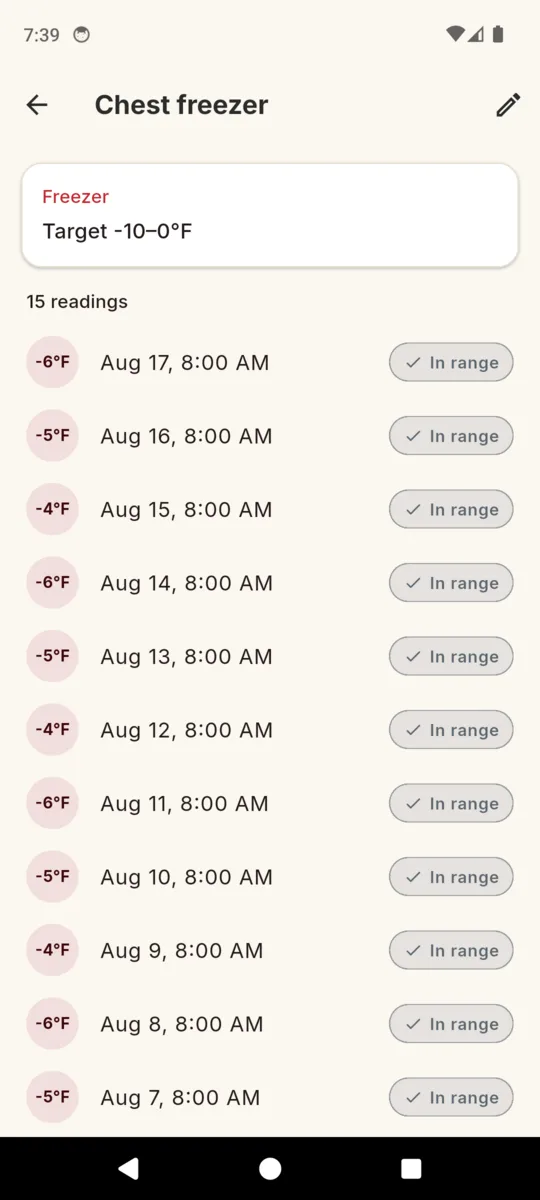
One table per station, headed with the station name, its type and its target range. Columns: date and time, temperature, in range or out of range, the corrective action, and your notes. A station with nothing recorded in the period prints as an empty row rather than vanishing from the report.

02

Cooling events

Every cooling record in the period with both checkpoints: the food, the start temperature and time, what you recorded at each stage, and whether each stage and the event overall passed or failed.

03

Corrective actions

The short one. Out-of-range readings and failed cooling events only, each with the action you took. This is the report to have ready when someone asks what happened on the day the walk-in was warm.

Why it survives service

  • No signal needed. Sites, stations, readings, cooling events and photos all live on the phone.
  • No account. No sign-up, no email, no cloud copy of your log.
  • In range is not a green tick. A reading inside the target reads neutral, never safe. The app records; it does not certify.
  • Nothing is ever locked away. Trial over and not buying? Everything you logged stays readable and exportable.
  • Ten languages. English, Spanish, French, German, Portuguese, Hindi, Arabic, Japanese, Korean and Chinese.
  • Ads only on the free tier. During the trial and after you pay, there are none.

PRICING

$24.99once, or from $1.99/mo

Fourteen days of the whole app, no card. After that it is $1.99 a month, $9.99 a year, or $24.99 once and never again.

  • Unlimited sites and units
  • Unlimited stations
  • Unlimited inspection PDFs
  • No ads

The free tier keeps one site, three stations and one generated PDF. Readings and cooling events are never capped, and never deleted.

Get KitchenProof

Questions

Does KitchenProof make me compliant?

No. It is a record-keeper. It does not certify anything, does not inspect anything, and cannot promise a record satisfies your health department. What it does is make the record easy enough that you actually keep it.

Where do the temperature limits come from?

From the region you pick. On the United States they are FDA Food Code defaults, so cold holding starts at 33 to 41F and hot holding at 135 to 170F. On the United Kingdom they follow the England regulations, so chilled holding is up to 8C and hot holding from 63C. Canada and Australia/New Zealand have their own. Every range is prefilled and then editable per station, and you can set your own figures anywhere else. Confirm what applies to you with your own authority.

How does the cooling clock decide pass or fail?

A checkpoint passes only if the temperature you recorded is at or under target and you recorded it before the deadline. If a deadline goes by with no qualifying reading, that stage reads Fail rather than In progress.

Does it work with no signal?

Yes. Every site, station, reading, cooling event and photo is stored on the phone. A connection is only used to serve ads on the free tier.

Do I need an account?

No. There is no sign-up, no email and no cloud copy. Nothing leaves the phone unless you share a PDF yourself.

What happens when the 14-day trial ends?

Nothing you already logged is locked or deleted. Everything stays readable and re-exportable. The paywall only stops new entries above the free tier: one site, three stations and one generated PDF.

Can I log in Celsius?

Yes. Set the unit in Settings and the app converts on entry and on display. Readings are stored in Fahrenheit underneath, so a Celsius entry is never compared against a Fahrenheit target.

KitchenProof helps you record food temperatures, cooling events, and corrective actions. It is not a certification, an inspection service, or food-safety/legal advice, and it does not guarantee that any food is safe or that any record meets the rules that apply where you trade. You are responsible for food safety and for the accuracy and sufficiency of every record. The temperature thresholds shown are defaults for the region you picked. Confirm the figures that apply to you, and how long records must be retained, with your own food safety authority.

Start with tonight's cool-down

Add your stations once, then log the shift. Next time someone asks for a month of temperatures, it is three taps and a PDF.