
KneadNotes
For massage therapists
The notebook you keep between sessions
KneadNotes holds a file for every client on your own phone: the body chart you marked last time, the SOAP note that goes with it, the intake they filled in and the consent they signed. It opens with the client already on the table.

Five clients on the standard tier.
Full version: $3.99/mo, $19.99/yr or $39.99 once.
THE PART A SENTENCE CANNOT HOLD
Mark it where it is
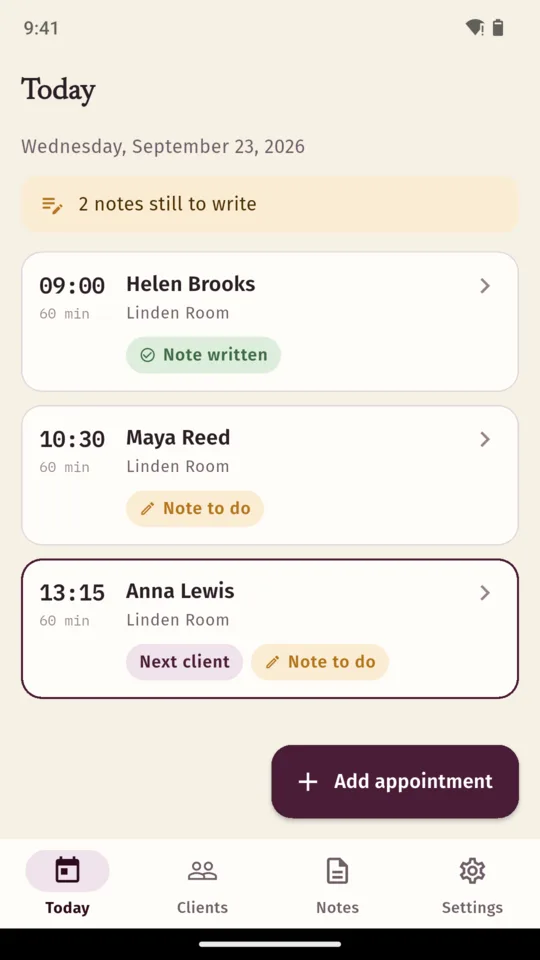
Tap the front or the back to place a mark: pain, tension, a trigger point, an area to avoid, or somewhere you worked. Each one carries a severity from 1 to 10 and a line of its own, so “referred down the arm when held” sits on the spot it belongs to rather than in a paragraph you have to read twice.
- Front and back, five kinds of mark
- A severity from 1 to 10 on every mark
- Last session’s marks faint underneath the new ones
- Better, worse, new or gone, listed for you
The comparison is of what you wrote down. Marks are matched by where they sit and what they are, never across the front and the back, and the app reports the change in the numbers you recorded rather than any opinion about the tissue.
WHAT IT KEEPS
Everything about the client, in one file
Today, in appointment order
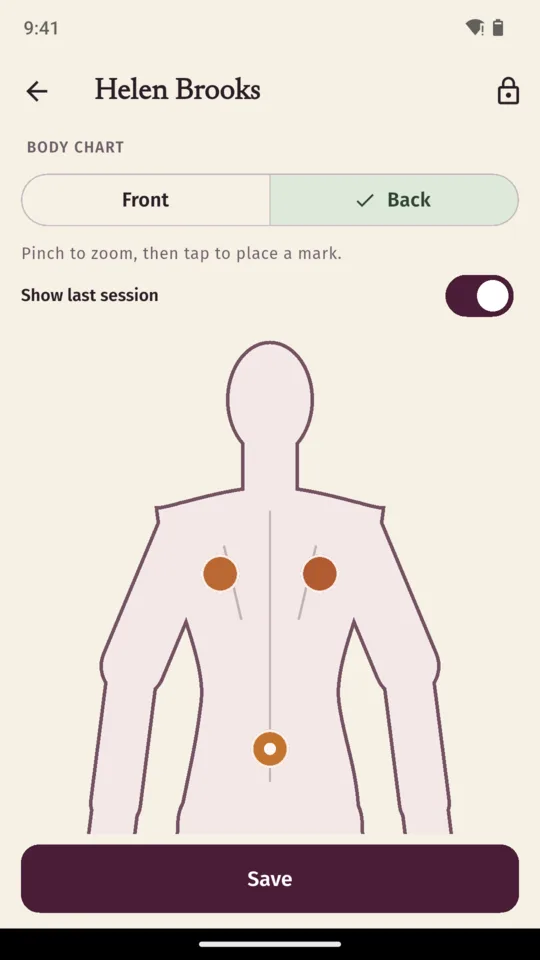
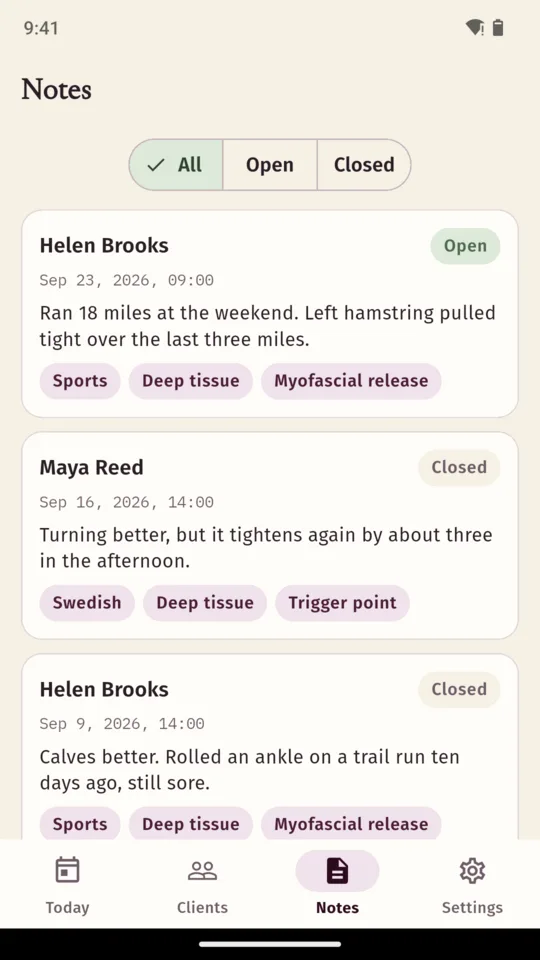
Today lists who is booked in, at what time, for how long and where, and says how many of the day’s notes are still to write. A session shows whether its note is done before you open it.
A file for every client
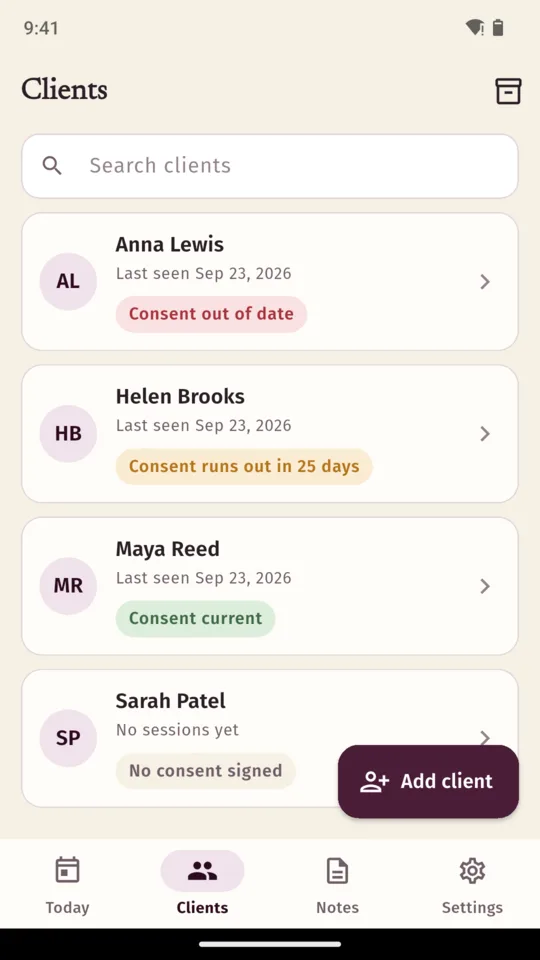
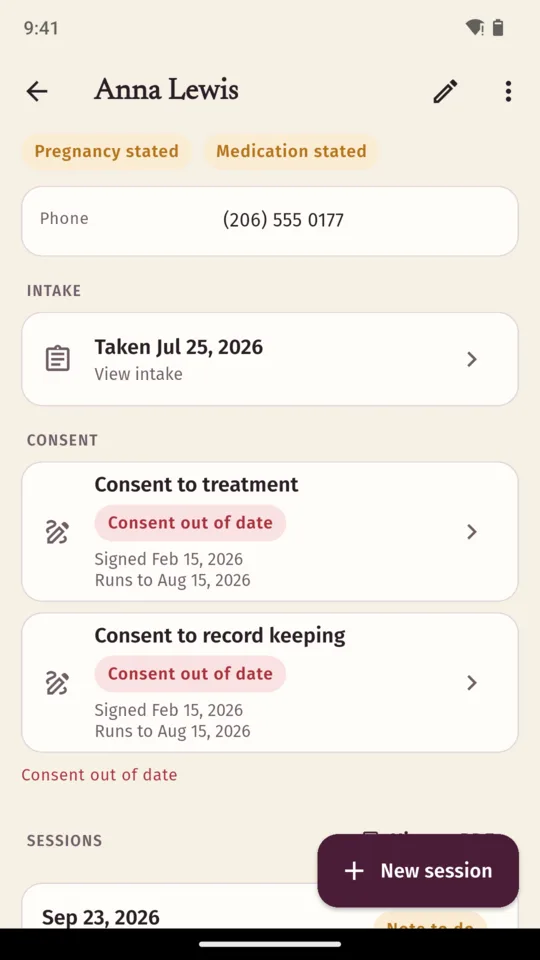
Contact details, the notes you want in front of you, and short flags in your own words at the top of the file. Underneath sit the intake, both consent forms with their dates, and every session you have recorded.
Intake you can change
Fourteen questions to start with, covering pain, medication, allergies, skin, heart and circulation, pregnancy and the areas a client would rather you left alone. Add to them, remove them or reword them to suit your practice.
Consent, signed on the phone
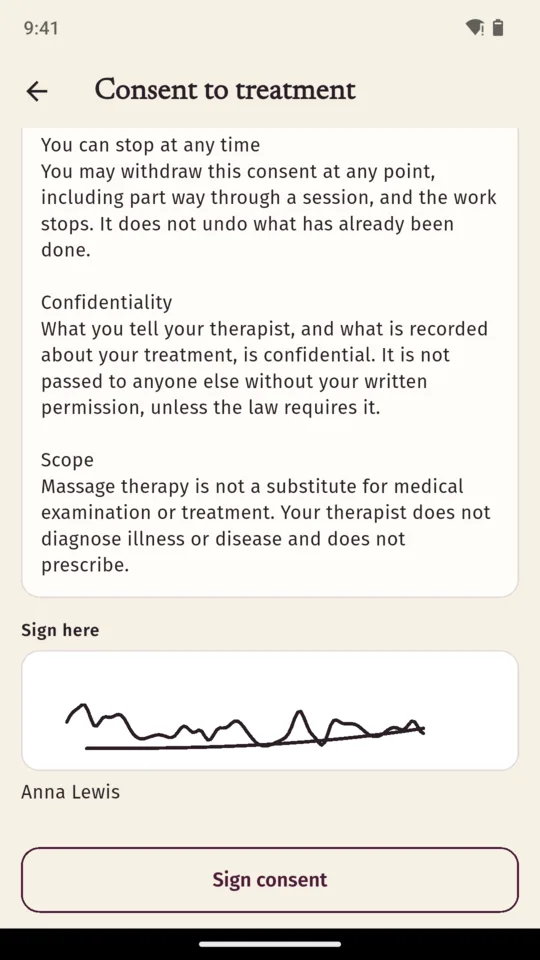
Two forms in plain words, one for the treatment and one for keeping records. The client signs with a finger. You set a review period and the app works out from the signing date whether it is current, expiring soon or expired.
The record as a PDF
One document per client over any date range, with the intake, the consents and their signatures, every note and the body charts. It carries the name, practice and licence number you entered, and states on its cover what it is and what it is not.
Reminders and a lock
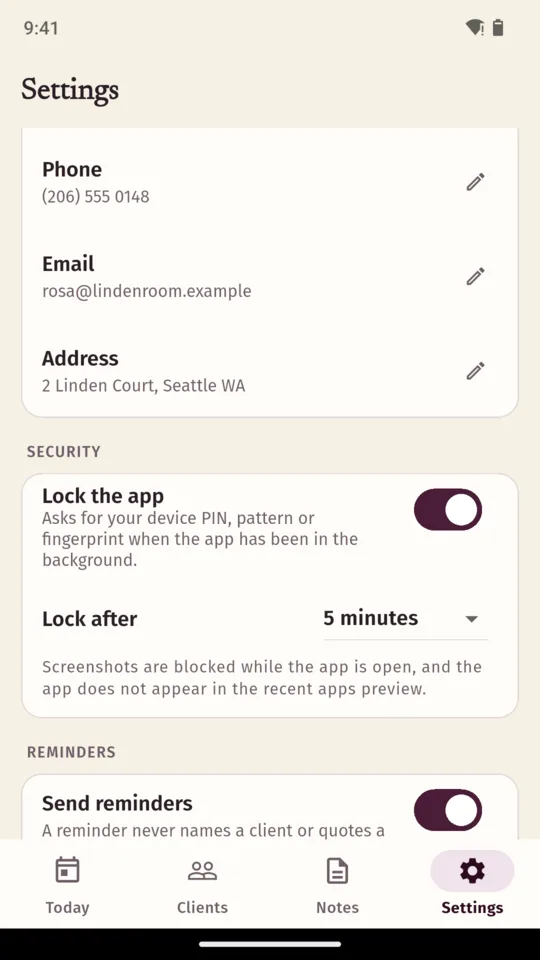
A consent running out, a client you have not seen for a while, a session from today with no note yet. Reminders never include client names. The app can sit behind your phone’s PIN or fingerprint, and screenshots are blocked while it is open.
The screens
Scroll sideways, or use the arrow keys
WHY IT WORKS THIS WAY
Built around the client on the table
The chart is the comparison
Every mark carries where it is, what it is and a severity from 1 to 10. Open the next session and the previous marks sit faintly underneath, and the app lists which of them you have recorded as better, worse, new or gone. It compares what you wrote down, and nothing else.
A note closes itself
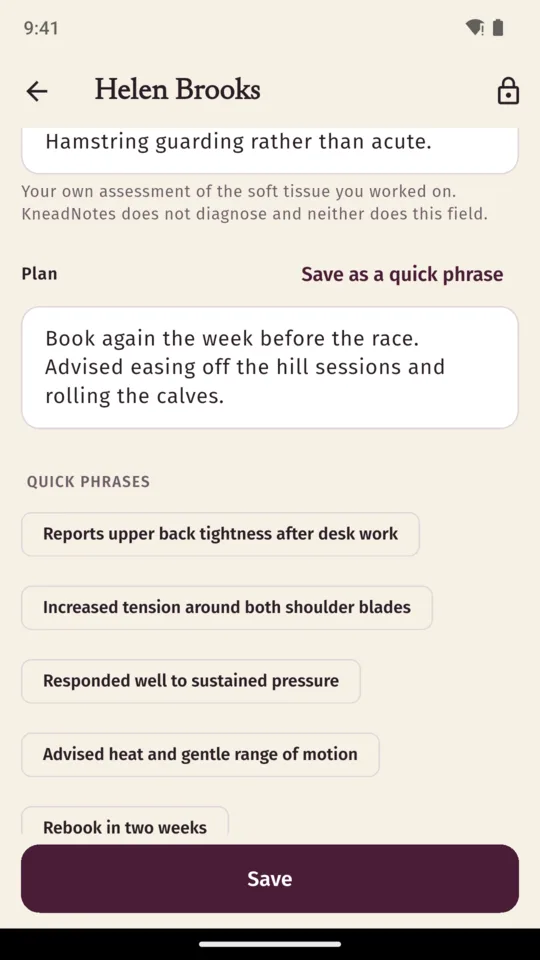
A note is editable for 24 hours from when it was created. After that it is not rewritten, and what you need to add goes on as an addendum with its own date and time.
Never that a client has consented
The app labels a signed form current, expiring soon or expired from its signing date and the period you chose. Those labels are a reminder to revisit the form. Whether a client has consented to a particular treatment is not something software can establish.
What leaves the phone, and what does not
Client records are kept in the app’s own storage and are not uploaded. There is no account and no sync, and no advertising anywhere in the app. Crash reports and usage statistics do leave the device. The app is also excluded from Android’s automatic backup, so your notes are not copied to a cloud drive behind your back.
Moving phones
The backup is one file holding every client, note, chart, intake and consent, encrypted with a passphrase you choose. Nobody can recover that passphrase, including us. Restoring onto a second phone is part of the full version; creating the backup is always free.
PRICE
Standard, or the full version
STANDARD
Fiveclients
- Unlimited SOAP notes
- The body chart, front and back
- Intake and both consent forms
- Reminders
- The app lock
- Creating an encrypted backup
FULL VERSION
$3.99/month
or $19.99 a year, or $39.99 once
- No client limit
- The history PDF, for a client or a date range
- Restoring a backup onto a second phone
- An unlimited bank of saved phrases
You can start a 14-day trial of the full version from inside the app when you choose. If you do not upgrade, everything you have already written stays readable and editable.
QUESTIONS
Before you install it
Do my clients need the app?
No. There is nothing for them to install and no account for anyone to make. You hand them your own phone to answer the intake and to sign the consent.
Can I edit a note after I have written it?
For a day. A note stays open for 24 hours from the moment it was created. After that it is not rewritten, and anything you need to add goes on as an addendum carrying its own date and time.
Does it tell me whether a client has consented?
No. It labels a signed form current, expiring soon or expired, worked out from the date it was signed and the review period you set. That is a prompt to revisit the form, not a finding about any particular treatment.
Is my clients’ information sent anywhere?
Client records stay in the app’s own storage on your phone and are not uploaded. There is no account and no sync. Crash reports and usage statistics do leave the device, so problems can be found and fixed.
What happens if I never upgrade?
You keep five clients, with unlimited notes, the body chart, intake, consent and the app lock. Everything you have already written stays readable and editable.
What if I change phones?
Back up to one encrypted file and restore it on the new phone, which is part of the full version. Creating a backup is always free. There is no way to recover the passphrase you choose, by us or anyone else.
The record behind every massage
Android only. $3.99 a month, $19.99 a year or $39.99 once.