LabCase

Dental lab case tracker

Every pan in your lab, by stage and due date.

LabCase tracks a small dental lab’s cases from the moment a pan comes in to the day it ships back: the practice, the work, the teeth and shade, the due date and the stage. Print a QR label for the pan, invoice your practices, and give each practice a read-only link to check where its cases are.

SOLO $19.99 A YEAR OR $49.99 ONCE · TEAM $19.99 A MONTH OR $199.99 A YEAR

  • Initials only, never names
  • QR labels for every pan
  • Standard tier: 25 open cases
  • 10 app languages
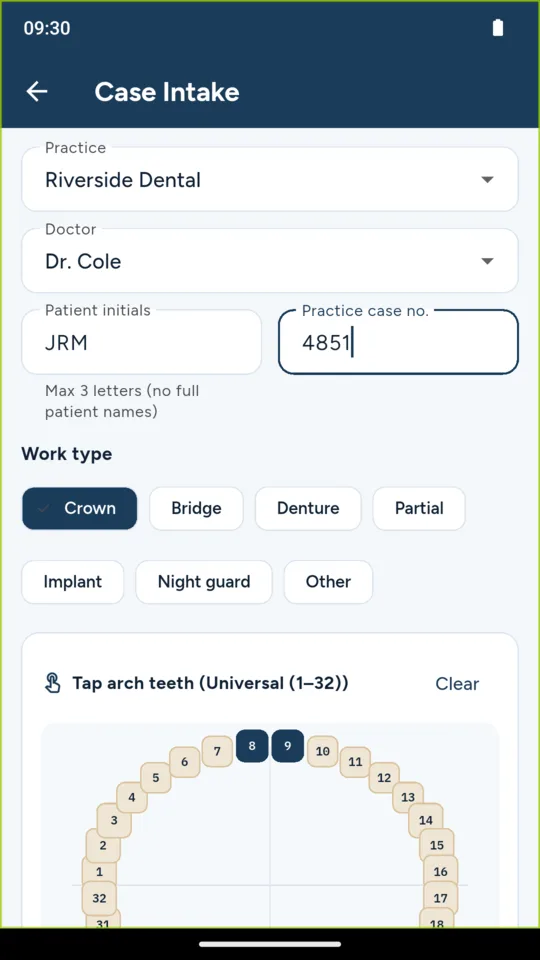
Case intake: practice, doctor, patient initials, case number and the tooth chart
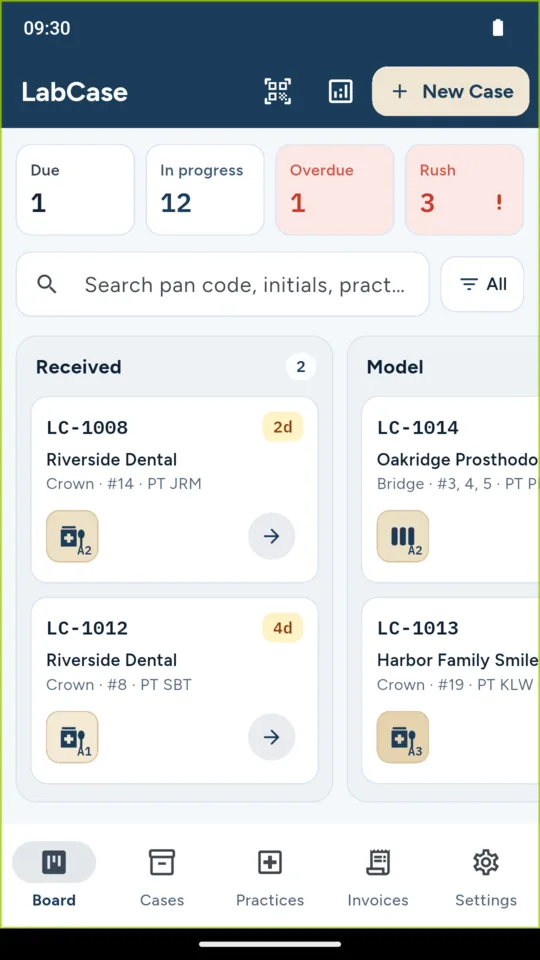
The Pan Board: open cases in their stage columns with days left and rush cases marked

What it does

Every pan on one board.

Each open case sits in the column for its stage: Received, Model, Design, Wax, Cast/Mill, Finish, QC and Shipped. Cards show the case code, the practice, the work and the teeth, with the days left in colour and rush cases marked. Tap the arrow to move a case on.

Everything the bench needs at intake.

Pick the practice and doctor, type the patient’s initials and the practice’s case number, choose the work, tap the teeth on the chart and set the shade and material. The due date is counted in working days from the practice’s usual turnaround, skipping your weekend days.

A QR label for the pan.

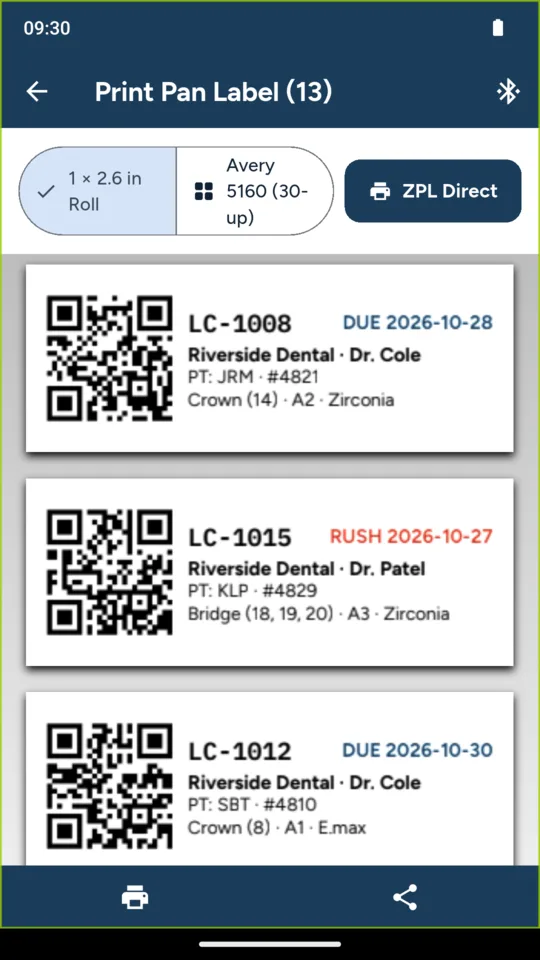
Print the label as the case comes in: a 1 x 2.6 inch roll label or a sheet of 30 Avery 5160 labels, through Android printing on a compatible printer or a paired Bluetooth ZPL label printer. Scan the label with the phone to open the case or move it to the next stage.

Remakes you can count.

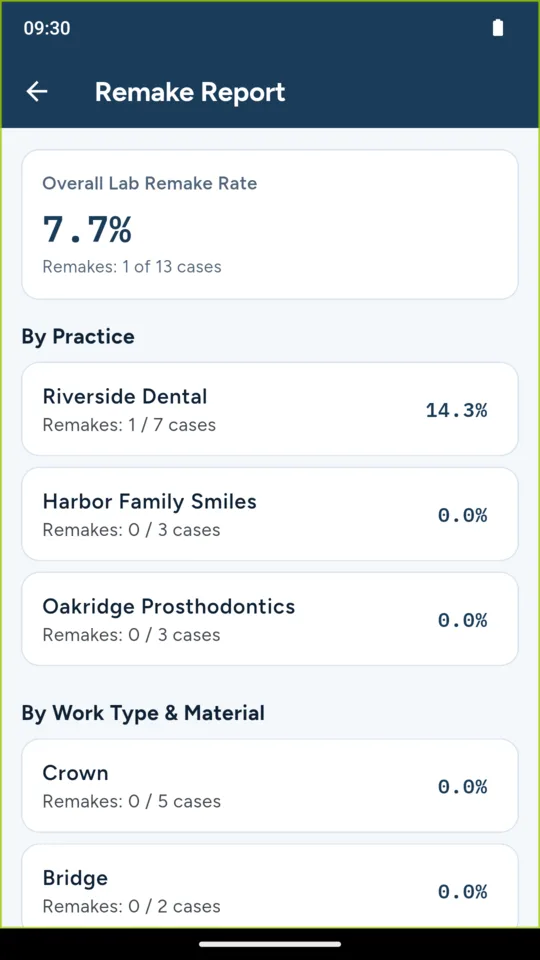
Log a remake against the original case with a reason: fit, shade, fracture or other. The remake report shows your rate by practice and by type of work, so you can see where they come from.

Fee schedules and invoices.

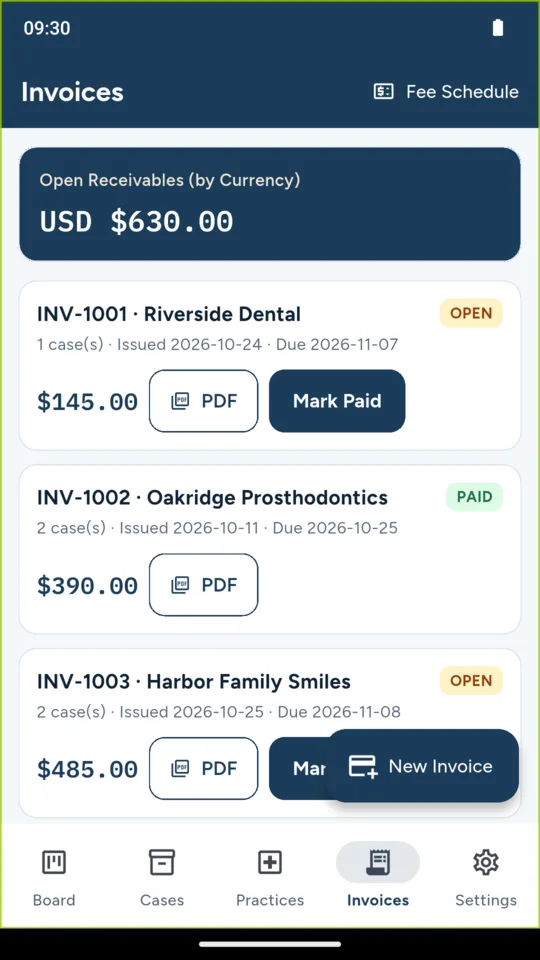
Set a price for each type of work, bill a practice for its shipped cases, mark invoices paid and save an invoice or a practice statement as a PDF. Export your cases as a CSV file.

A status link for each dentist.

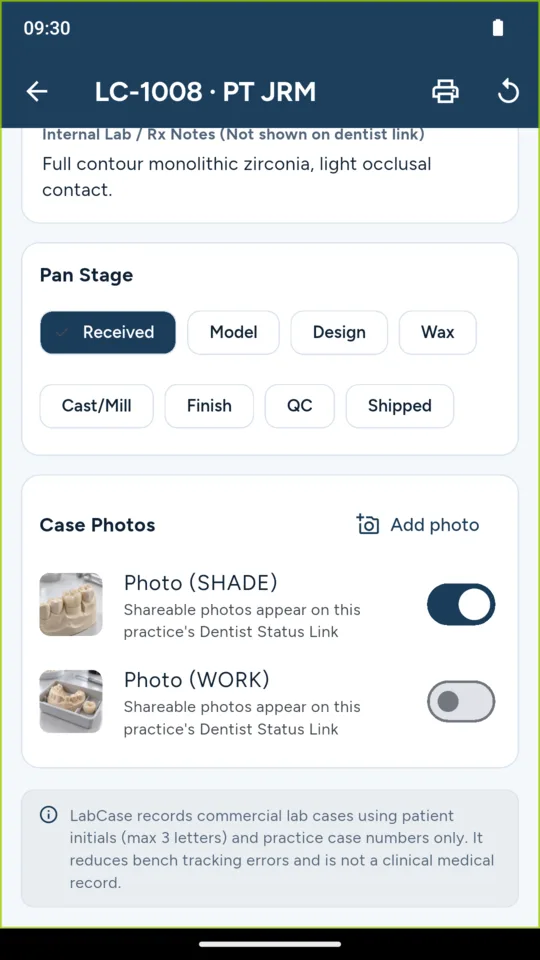
Share a read-only web page with a practice. It shows that practice’s open cases, the cases shipped in the last 30 days and any photos you mark as shareable, in English or Spanish. Your internal notes and other practices never appear, and you can revoke the link at any time.
Why it works this way

Patient initials, not patient records.

LabCase stores the patient’s initials, three letters at most, and the dentist’s case number. The initials box will not take more. It holds no names, charts or x-rays and is not a clinical record.

It keeps working on a weak signal.

The board opens from the phone’s own copy of your cases. Cases you log and stages you change without a connection are kept and sent when the connection returns.

What you record stays readable.

If a paid plan ends, every case, practice and invoice stays readable, and you keep working on Standard with up to 25 open cases. Shipped cases never count toward that.

Pricing

Standard

The full Pan Board for up to 25 open cases: intake, QR pan labels, remakes, fee schedules, invoices and statements. Shipped cases never count.

Solo adds
  • No cap on open cases
  • Dentist status links
$49.99 once
A year
$19.99
Team adds
  • Everything in Solo
  • Up to five people on one shared board
  • Case photos shared across the team and on status links
A month
$19.99
A year
$199.99

A 14-day Team trial is offered in the app; it starts only when you tap it.

Questions

Does LabCase store patient names?

No. A case holds the patient’s initials, three letters at most, and the dentist’s own case number. The app will not accept more in the initials box, and it does not hold charts or x-rays.

What does the dentist see on the status link?

Only that practice’s open cases with their stage and due date, the cases shipped in the last 30 days and photos you marked as shareable. The page has no login and shows none of your internal notes or other practices. You can revoke the link at any time.
Which label printers work?

Any printer Android can print to, for the 1 x 2.6 inch roll label or a sheet of 30 Avery 5160 labels, and Bluetooth label printers that take ZPL. Every label carries a QR code you scan with the phone to open or move the case.

Does it work without a connection?

Yes for the daily work. The board opens from the phone’s own copy, and cases and stage changes you make offline are sent when the connection returns. Status links and inviting a technician need a connection.

Can my technicians use it too?

On Team, yes. Team gives up to five people one shared board. The owner makes a seven-day invite code and a technician joins with it on their own phone.

Which tooth numbering does it use?

Universal, FDI or Palmer, chosen in the lab settings. VITA classical shades are built in, with a custom shade option.

Take the case log off the clipboard.

Add your practices, log the next pan that comes in and print its label. Each case you add lands on the board in its stage.