6 sq ft inside, per room
Painted surface disturbed inside a room. At or under six square feet the job can be minor repair and maintenance; above it, the rule applies in full.
EPA RRP job records
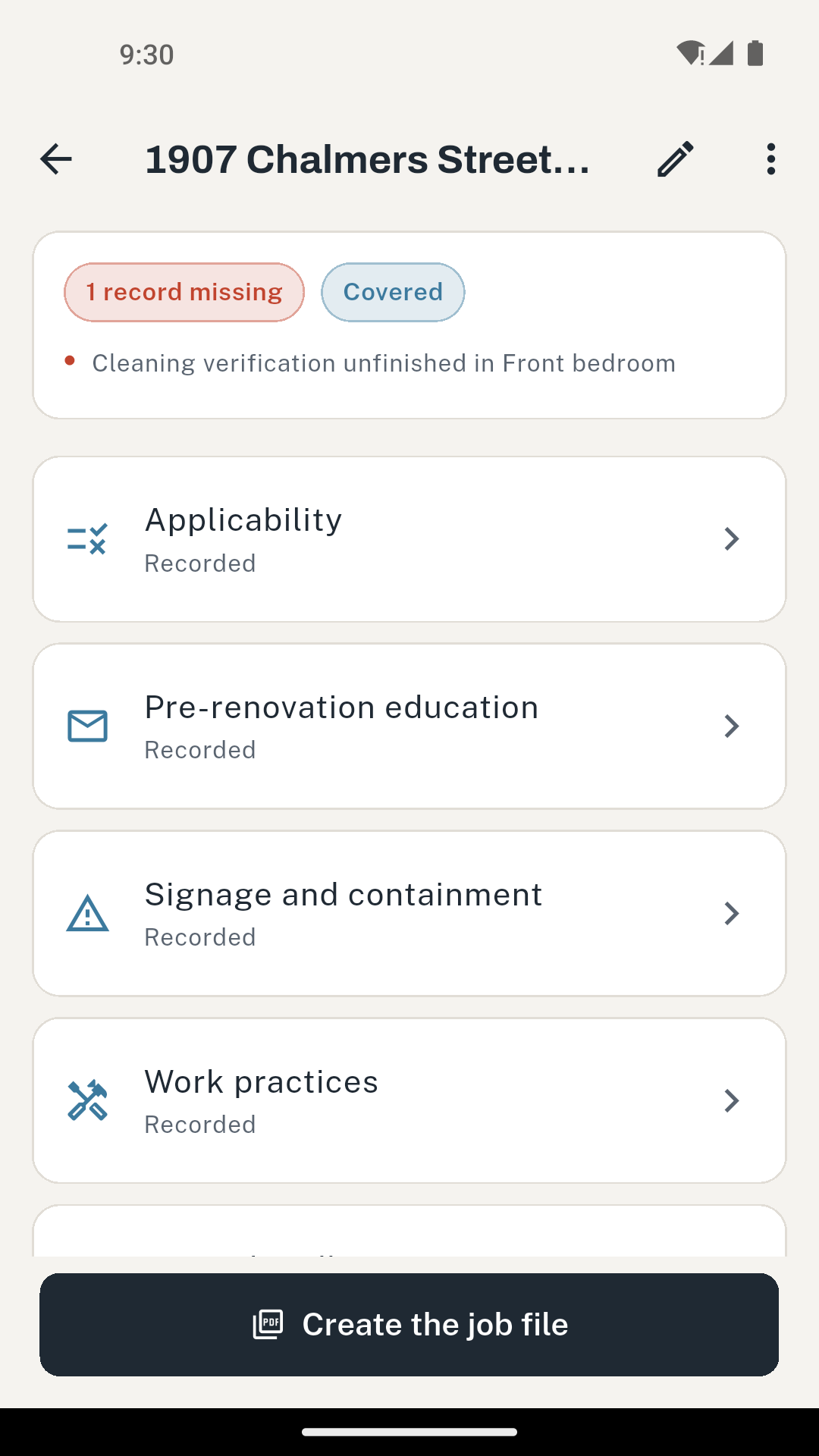
The rule requires the certified firm to make and retain specified records, and to keep them for three years after the job. That paperwork has to be produced in a respirator with dusty hands, which is why it is the part that slips. Eighteen months later, when a complaint arrives, the missing file is the problem. LeadSafeLog captures the applicability answers, the education records, the work practice notes and every cleaning verification wipe as you go, and exports one PDF for the file you have to keep.
The one step you cannot reconstruct
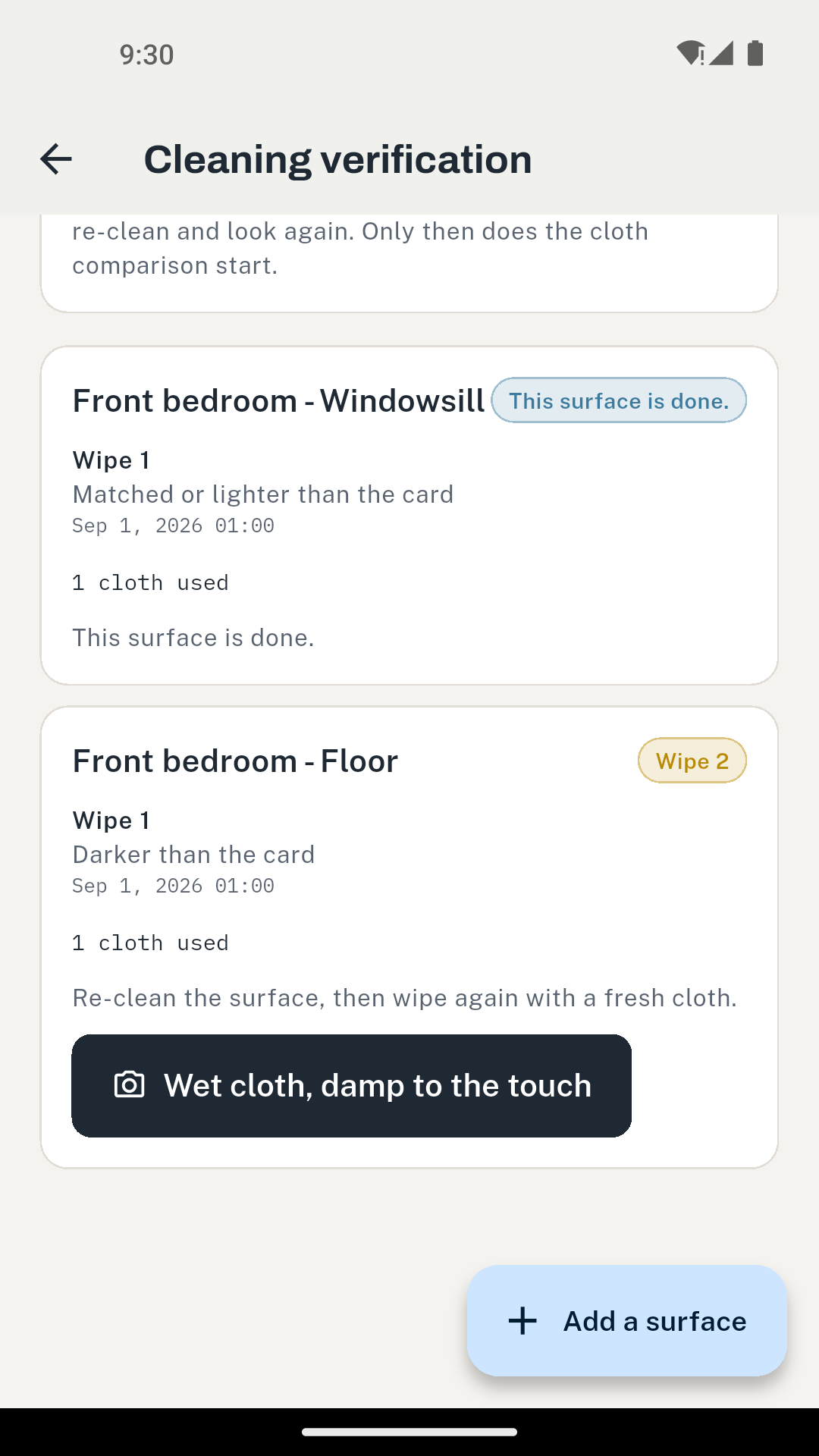
Every other part of an RRP file can be written up later from memory and a few photos. The cleaning verification comparison cannot: it happens once, in the light of that room, and afterwards there is nothing left to look at. LeadSafeLog photographs the used cloth beside the verification card in a single frame, stores the decision you made against it, and stamps the time.
You decide. The app writes it down.
The comparison is the certified renovator's own visual judgement, so the app never grades the photograph and never returns a pass or a fail of its own. What it keeps is what you decided, when, on which surface, and with which attempt number.
First
Look at it
A visual inspection before anything else. If dust, debris or residue is left, re-clean and look again. The cloth comparison does not start until the area passes this.
Then
A wet cloth against the card
You hold the used cloth beside the verification card, in the same light, and decide whether it is darker. The app records your decision and the photo. It does not grade the photo.
If darker
Re-clean, fresh wet cloth
One darker cloth is not the end of the procedure. Clean the surface again and wipe with a new wet cloth, and the app carries the attempt number so the record shows how many it took.
If darker again
One hour, or until it is dry
After a second darker wet cloth, re-clean and then wait one hour or until the surface is dry, whichever is longer. The app holds the dry-cloth step until the hour has actually elapsed against a stored instant, and tells you the dryness condition is yours to judge.
Last
The dry cloth ends it
The dry-cloth wipe closes the procedure for that surface whatever it looks like. The app stops asking, and the record says the surface reached the end of the sequence rather than that it passed.
Over 40 square feet, in sections
A floor or countertop larger than forty square feet is verified in sections, each one under that size, and each section carries its own wipes and its own photos. The app works out how many sections a surface needs from the area you enter.
Outside, it is visual only
Exterior surfaces are verified by visual inspection, with no cloth comparison at all. So the app does not ask for one outdoors, and it will not invent a step the rule does not contain.
Before the first tool comes out
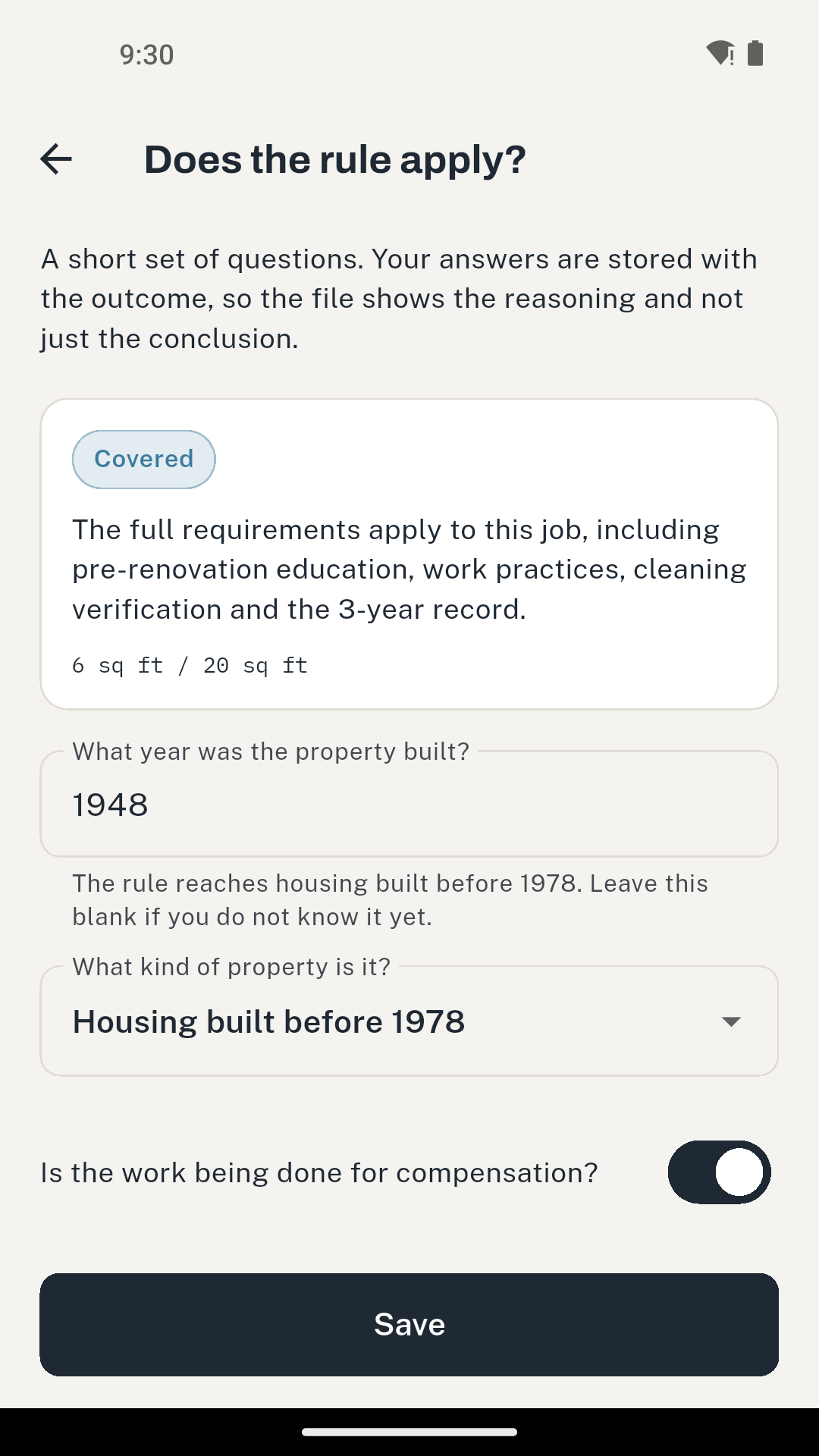
The app asks the questions a renovator can actually answer, then stores the answers alongside the outcome. That matters more than the verdict: a file that records only "not covered" tells an investigator nothing, while a file that records the year built, the areas, the property type and the exceptions shows how the decision was reached.
6 sq ft inside, per room
Painted surface disturbed inside a room. At or under six square feet the job can be minor repair and maintenance; above it, the rule applies in full.
20 sq ft outside
The exterior threshold. Exterior work is also verified differently at the end, by visual inspection only, so the app never asks for a cloth comparison outdoors.
30 days, same room, same firm
Painted surface your firm disturbed in the same room within the previous thirty days is added in when the exemption is worked out. Splitting one job across two visits does not put it under the threshold.
Windows, demolition, prohibited practices
Window replacement and demolition of painted surfaces take the exemption away at any area. So does a prohibited practice, and the app says plainly that those stay prohibited on a covered job rather than becoming permitted once the rule applies.
An emergency renovation is not a way out of the rule
An emergency renovation is relieved of specified requirements only to the extent needed to respond to the emergency, and cleaning, cleaning verification and recordkeeping stay in place throughout. Work that carries on once the emergency has been dealt with is ordinary covered work. The app records the job as emergency-modified rather than as out of scope, so the file never shows an emergency as a blanket exemption.
Pre-renovation education
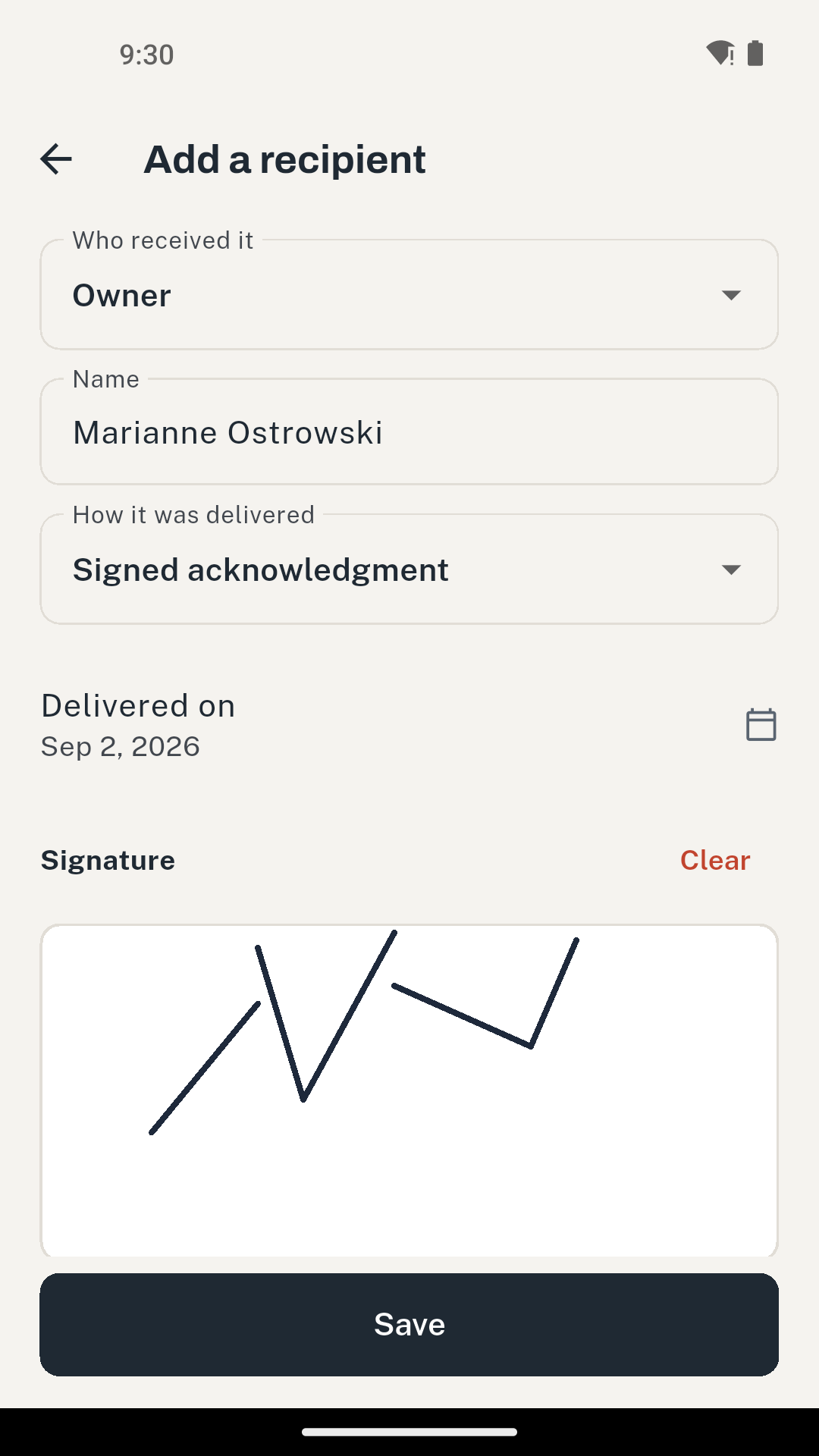
Proof that the lead hazard information pamphlet reached the owner, and the occupant where the property is rented. There is more than one route to it, and which one is open depends on who you are dealing with and whether they will sign, so the app carries all four rather than assuming a signature.
Signed acknowledgment
The owner or occupant signs on the phone, and the signature is stored with the record.
Certificate of mailing
Photograph the certificate. The pamphlet has to be mailed at least seven days before the work starts, so the app asks for the date it was mailed and flags anything later.
Certification of attempted delivery
A written certification describing the attempts and why no acknowledgment was obtained. Rental occupants only.
Posted notice
For common areas and child-occupied facilities, where a signature from every affected person is not the mechanism.
Two dates the app watches
A pamphlet delivered more than 60 days before the work starts is flagged, because the delivery has to sit inside that window. And where delivery is by mail, the pamphlet has to be mailed at least 7 days before the work starts, so the app asks for the date it was mailed and marks anything later. Both are measured against that job's own start date, never against today.
What you hand over
The job file holds the applicability answers and the outcome, the education records, the signage and containment notes with their photos, the work practice notes, the waste handling note, and every cleaning verification wipe you recorded with the photographs you took. The cover carries the disclaimer, so nobody reading it can mistake a record for a certificate.
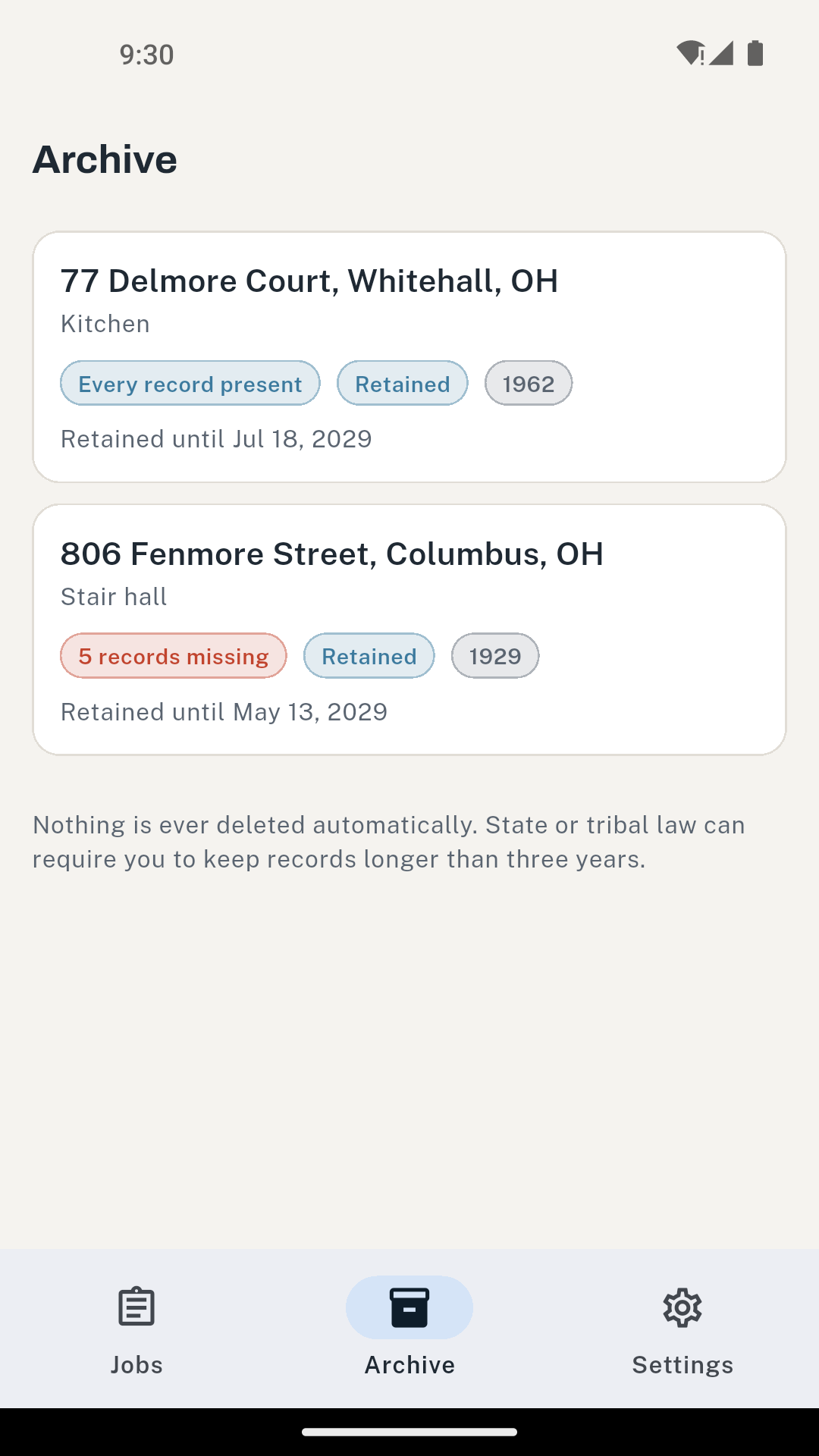
Retention is tracked, not enforced
Each job shows how long is left of its three years, and the app tells you when a job is close to the end of that period. Nothing is ever deleted automatically, and state or tribal law can require you to keep records longer than three years.
The file is yours to move
One backup file holds every job, record and photo. Nothing in it is tied to the phone that made it, it restores on any device running LeadSafeLog, and it is not behind the paywall at any tier.
The real screens
Boundaries
Price
$4.99
a month
$19.99
a year
$29.99
once, no renewal
The standard tier keeps two completed jobs and shows ads. Paying removes the ads and lifts the cap, and unlocks the PDF job file. Records you have already made stay readable and editable whatever tier you are on, and the backup file is never behind the paywall.
Questions
No, and it is built so that it cannot. The comparison between the used cloth and the verification card is the certified renovator’s own visual judgement. The app photographs the cloth beside the card, records the decision you made and the time you made it, and carries the procedure forward from there. It never grades the photograph.
No. Cleaning verification is the visual and cloth procedure a certified renovator performs at the end of the job. Clearance testing is dust sampling by an independent professional against numeric standards, and LeadSafeLog does not perform, replace or simulate it.
Nothing is taken away. The standard tier keeps two completed jobs and shows ads, and the paid tier removes the ads and lifts the cap. Records you have already made stay readable and editable, and the backup file is not behind the paywall at any tier, so you can always take everything with you.
Yes. Everything is on the phone. There is no account, no sign-in and no cloud, so a job started in a basement with no bars behaves exactly like one started on the drive.
Create a backup file from Settings and restore it on the other device. It holds every job, record and photo, nothing in it is tied to the phone that made it, and it restores on any device running LeadSafeLog.
Not as a whole. An emergency renovation is relieved of specified requirements only to the extent needed to respond to the emergency, and it keeps the cleaning, cleaning verification and recordkeeping requirements throughout. Work that continues once the emergency has been addressed is ordinary covered work. The app records the job as emergency-modified rather than as out of scope.
The EPA Renovation, Repair and Painting rule at 40 CFR Part 745, subpart E. The thresholds, the cleaning verification sequence, the education timing and the three-year retention period were each checked against the current text rather than taken from a summary.
Two completed jobs on the standard tier, so you can run a real one through it before deciding.
Get it on Google Play