The litter board.
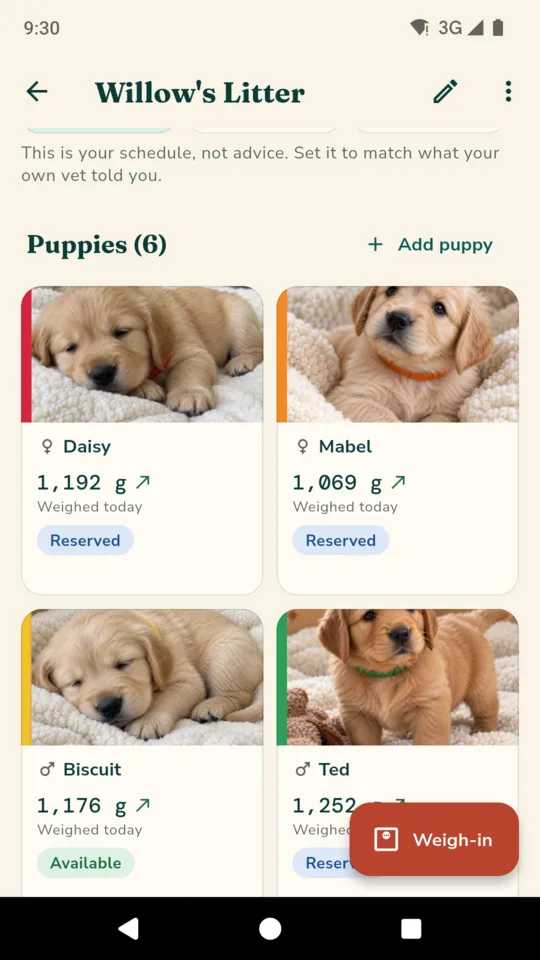
One screen per litter. Each puppy is a card in its collar colour with its photo, today's weight, a trend arrow, its status and who it is going home with. The day count and the tasks due sit at the top.

Dog breeder litter records
One board per litter: each puppy in its collar colour with today's weight, the whelping window worked out from your mating dates, the schedule you follow, and the buyers with their deposits.

$39.99 ONCE · $19.99 A YEAR · $3.99 A MONTH
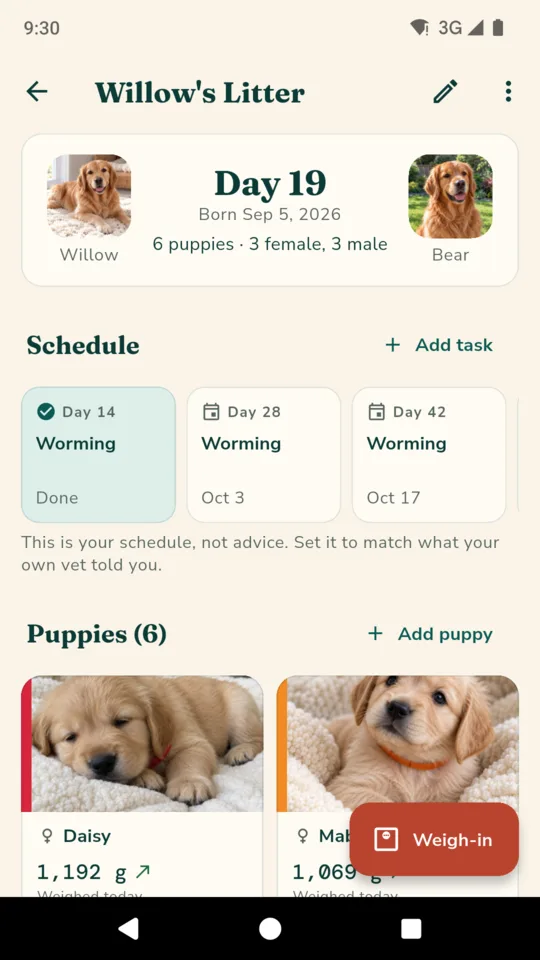
One screen per litter. Each puppy is a card in its collar colour with its photo, today's weight, a trend arrow, its status and who it is going home with. The day count and the tasks due sit at the top.
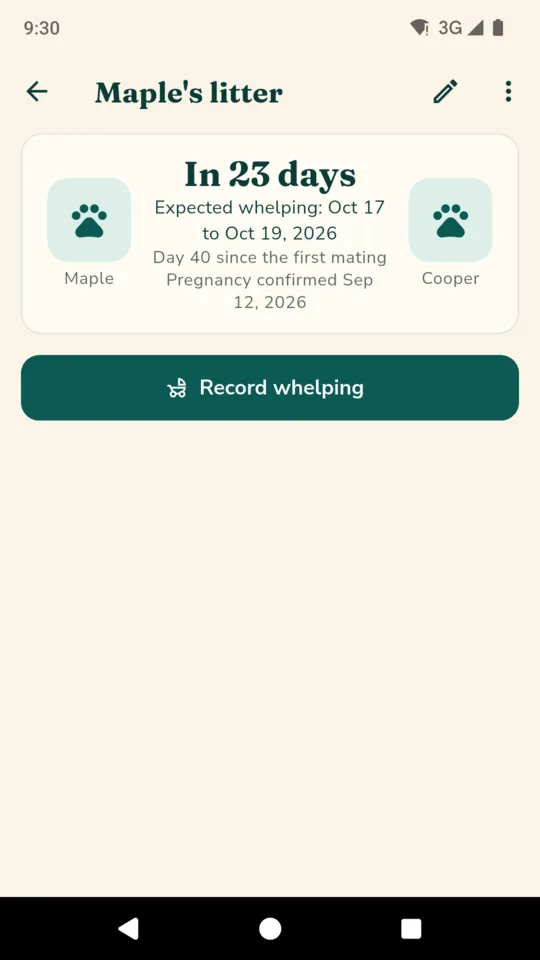
Add each mating date. The expected whelping day, or a window when there were several matings, is worked out from your dates and a gestation length you can change, 63 days to start with. A reminder comes a week before the window opens and on the day.
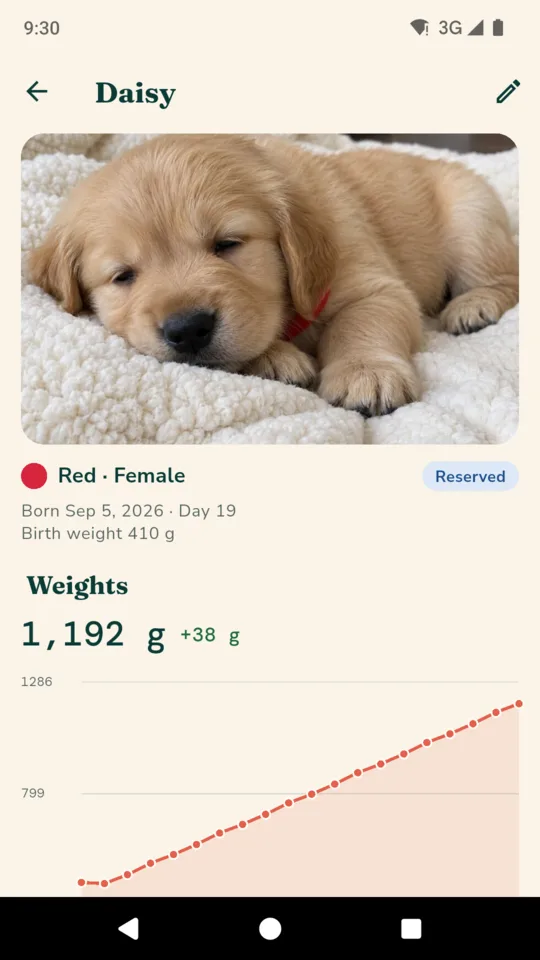
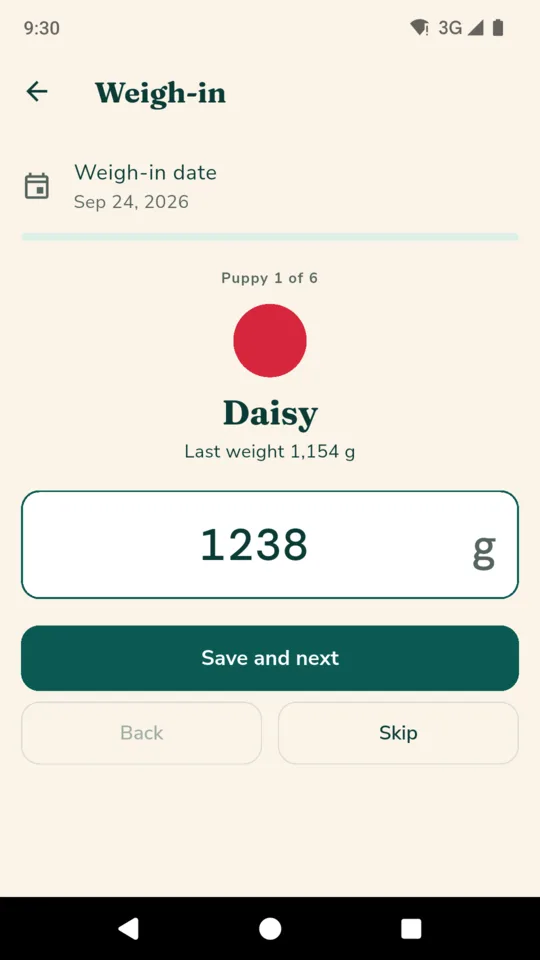
The weigh-in walks the litter in collar order, one puppy at a time, and saves each weight as you go, in grams or ounces. Every puppy gets a growth chart spaced by date. A puppy whose weight has gone down on two weigh-ins in a row is flagged on the board; what to do about it is between you and your vet.
Worming, vet checks, microchipping and the go-home day, at the days after whelping you choose. The starter list has task names and days only, with no products or doses, so you set it to your own vet's schedule. Tick tasks off as they are done, and each one reminds you on the morning it is due.
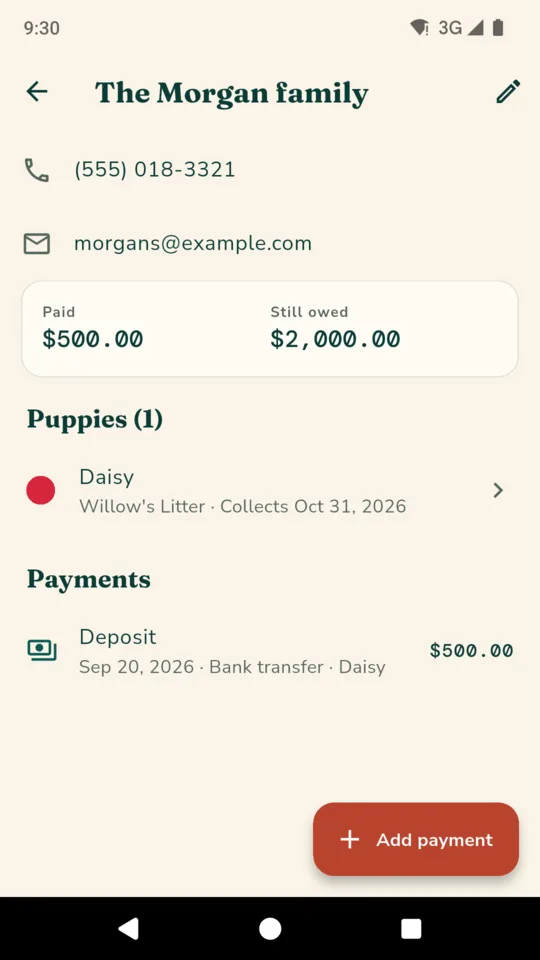
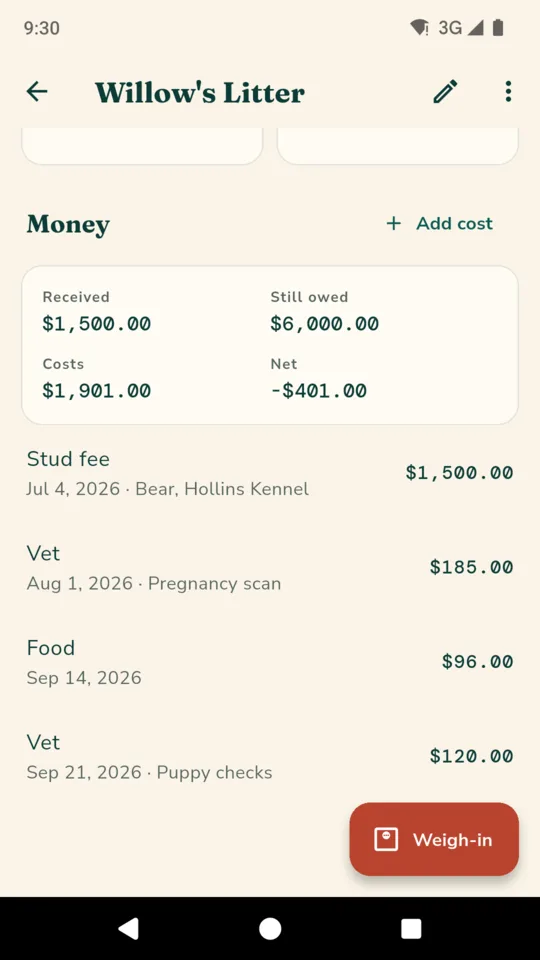
Each buyer with the puppy they have reserved, the agreed price, deposits and balance payments, and the collection day, with a reminder that morning showing any balance still owed. LitterBook records payments; it never takes them.
A PDF for each new owner with the parents, birth details, every weigh-in, the schedule tasks done, and your own care notes and contract text. A receipt for any payment, and a litter summary with a CSV export. Documents are written in English.
There is no account and no sign-in, and LitterBook does not upload your records. Backup makes one file with everything, photos included, that restores on another phone and adds what is missing without deleting anything. Crash reports and usage statistics are sent, and neither carries your records.
LitterBook does not tell you when to worm, what to vaccinate with or whether a puppy is well. The schedule is yours and the weight flag is only a flag.
Everything you have already entered stays readable and editable on every plan, and backup is always included.
One litter a year with the board, weigh-ins, growth charts, schedule, reminders, buyers, payments and backup.
More litters a year, puppy pack PDFs, receipts, and litter summaries with CSV export.
An optional 14-day trial is offered in the app; it starts only when you tap it.
No ads, on any plan.
Yes. Breed is a field you type, and gestation length, weight unit and your schedule are all yours to set.
From your mating dates plus a gestation length you can change, 63 days to start with. Several matings give a window from the first to the last. It is arithmetic on your dates, not a promise.
Yes. The puppy pack is a PDF with the puppy's parents, birth details, weights, the schedule tasks done and your own care notes and contract, ready to share or print.
No. It records deposits, balance payments and refunds you have received, works out what is still owed, and makes a receipt.
LitterBook does not upload your records and there is no account. You choose where an exported PDF or backup file goes. Crash reports and usage statistics are sent, and neither carries your records.
Yes. Make a backup file in Settings and restore it on the new phone. Backup and restore work on every plan.
Add the dam and the first mating, and the whelping window, board and schedule follow from there.