ROUTE RULE
Matches on where a drive began, where it ended, or both. Places are saved with a radius, so "started at the yard" keeps working when you park thirty metres further down. Give it a classification and, if you want, a purpose.
AUTOMATIC MILEAGE LOG
MileProof
Business Mileage Logbook
MileProof starts recording when your phone connects to the car and stops when you park. Your rules sort each drive into business or personal, and at the end of the period it produces a mileage report you can hand to an accountant.

14-day trial, no card.
From $2.99 a month.
Four things happen, three of them without you. Set the car up once and the only decision left is the one a rule could not make for you.
You nominate your car stereo from the phone's paired Bluetooth devices. When it connects, a broadcast receiver wakes the app. Nothing is scanning in the background and no other device triggers it.
A foreground service collects GPS with a permanent notification showing, which is the supported way to do this on modern Android. The points become one encoded polyline when the drive closes, not a write per tick.
Bluetooth disconnects, the service shuts down and the drive is saved with its distance, start and end times, and its route. Drives too short to be worth keeping are discarded rather than filed.
Classification runs once, at the end of the drive. Anything a rule cannot decide is marked unclassified and waits on the Drives screen, where one tap settles it.
A driver doing forty jobs a day should not be swiping forty cards. Rules run in the order you put them in and the first match wins.
ROUTE RULE
Matches on where a drive began, where it ended, or both. Places are saved with a radius, so "started at the yard" keeps working when you park thirty metres further down. Give it a classification and, if you want, a purpose.
WORK-HOURS RULE
Matches when a drive starts on a weekday you enabled, inside a time window you set. It is the catch-all for people whose work runs to a timetable rather than a set of addresses.
THE LAW
A classification you set by hand is never overwritten. Not by a rule, not by a later edit to that rule, not by re-running the engine. If you said personal, it stays personal.
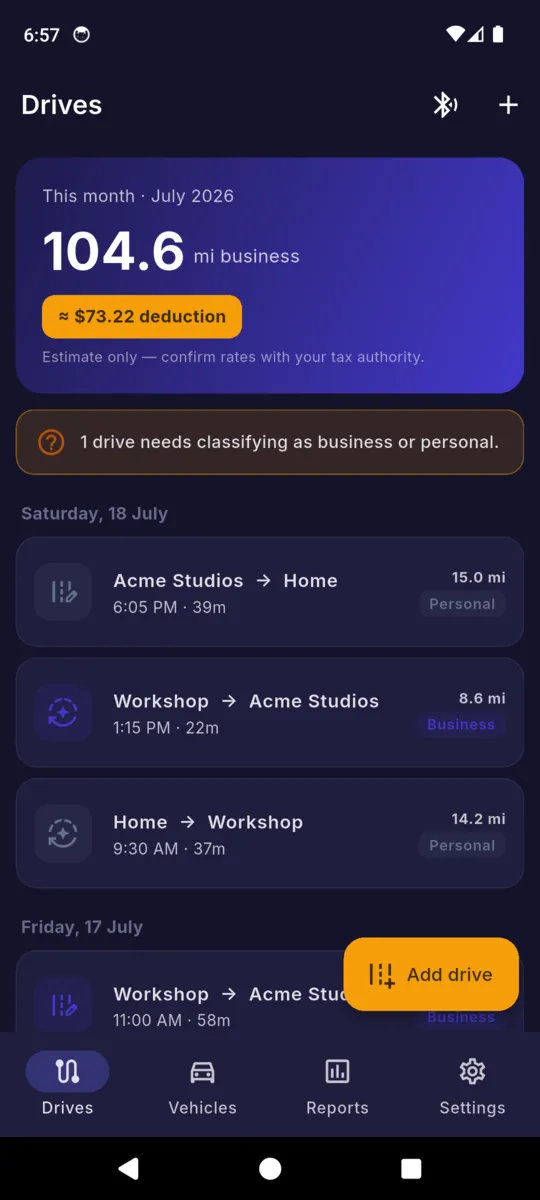
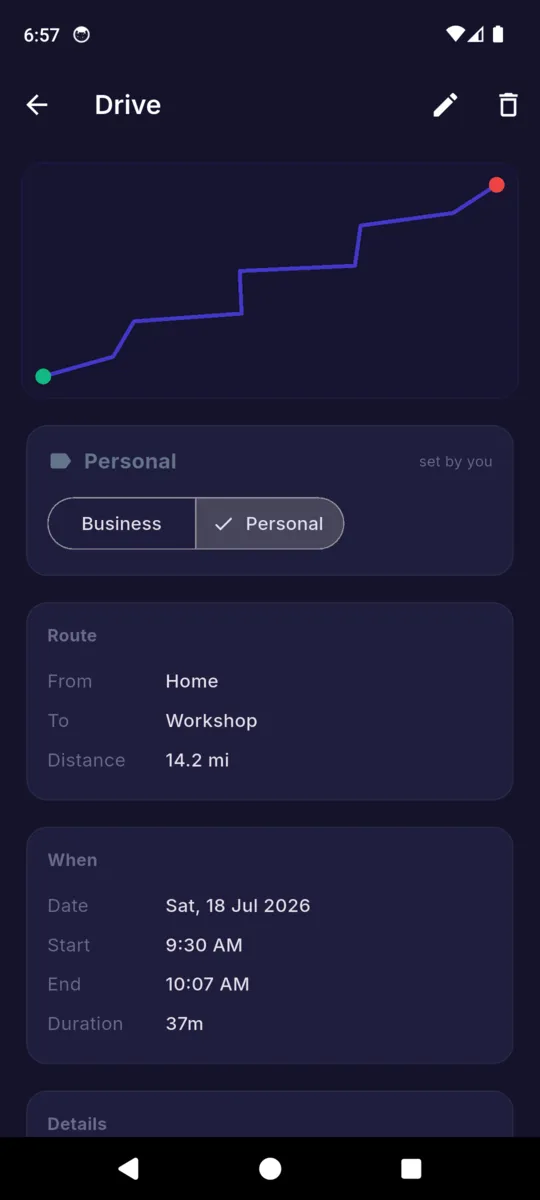
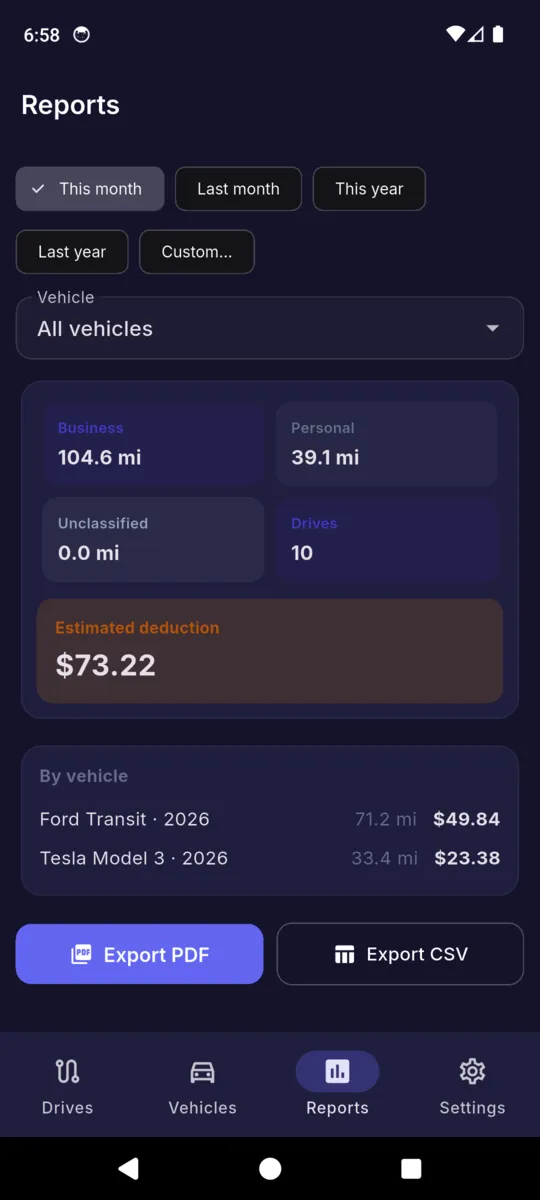
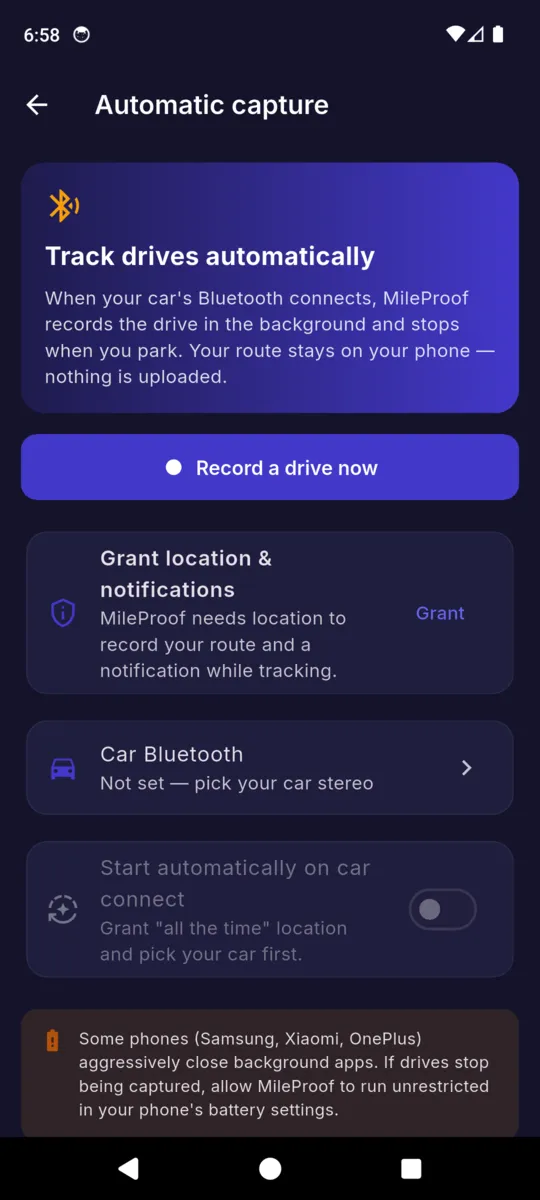
Vehicles, routes and figures in these screens are the app's built-in sample data.
Business distance on its own is not a number anyone wants. MileProof multiplies it by a rate, and it comes with two sets already entered so you are not typing them at year end. Every row is editable, and you can add rates of your own.
UNITED STATES · IRS BUSINESS STANDARD RATE
| Tax year | Per mile |
|---|---|
| 2023 | 65.5¢ |
| 2024 | 67.0¢ |
| 2025 | 70.0¢ |
| 2026 | 76.0¢ |
The IRS split 2026 mid-year. The app seeds the later figure, so a drive from the first half of the year should be edited to the rate that applied then.
UNITED KINGDOM · HMRC APPROVED MILEAGE ALLOWANCE
| Vehicle | Per mile |
|---|---|
| Car or van, first 10,000 miles | 45p |
| Car or van, thereafter | 25p |
| Motorcycle | 24p |
| Bicycle | 20p |
The two-tier car rate is applied to the distance in the report you asked for. Over a full tax year that is the year's cumulative business miles; over a shorter period it is only that period's.
PRICING
$19.99a year
$2.99 monthly · $49.99 once, and it never renews
Fourteen days of everything on install, no card. After that, recording drives and reading your history stay free with a banner ad. Capture is deliberately never throttled: a logbook with holes in it is worth nothing.
Yes. Nominate your car’s Bluetooth stereo, and when the phone connects to it the app starts recording the route as an Android foreground service, then closes the drive when you park. You can also start and stop a drive by hand.
Nowhere. The route is encoded and written to your phone. There is no account, no sign-in and no upload. A local backup file can be encrypted with a passphrase you choose, which matters if that file ends up in Drive or Files.
Rules you write. A route rule fires when a drive starts or ends at a place you saved; a work-hours rule fires when it starts on a chosen weekday inside a chosen time window. Rules run once, when the drive ends, and anything you classified by hand is never overwritten.
No. MileProof is a logbook, not tax advice, and it does not guarantee any deduction. The figure is an estimate from the rate you selected and the classifications you entered. Confirm current rates and eligibility with the IRS, HMRC or a qualified tax professional.
Recording drives and reading your entire history are always free, with a banner ad. What Pro unlocks is the reports and the exports: $2.99 a month, $19.99 a year, or $49.99 once. Every install gets 14 days of everything first.
It can. Recording runs as a foreground service with a permanent notification, which is the supported way to do it, but some manufacturers close background apps aggressively anyway. The app says so on the capture screen and points you at your battery settings.
Add the vehicle, pick your car's Bluetooth, write one rule for the place you leave from every morning. The record starts building itself from there.