MOTORCYCLE SERVICE LOG

MotoGarage icon

MotoGarage

Motorcycle Service & Fuel Log

Every bike in the garage keeps its own numbers.

A KTM wants its valves checked at one figure and a Harley at another. MotoGarage guesses at neither. You copy the intervals out of your own manual, once per bike, and it counts down the miles and the months from there.

One bike free.
$4.99 unlocks the rest.

  • Vehicles
  • Android
  • Works offline
  • No account
The MotoGarage launch screen: a red helmet mark above the wordmark and the line Your bike's service log, your manual, your intervals

What hangs off one bike

A bike in MotoGarage is not a name on a list. It is a record with six things attached to it, and the next bike you add gets its own set of all six. Nothing is shared between machines except the units you prefer.

Identity
Nickname, make, model, year, engine size, colour, purchase date and a photo, plus optional VIN and plate fields. The plate is hidden by default.
Odometer
One current reading per bike, in miles or kilometres. Every interval and every derived figure counts from it.
Service intervals
Your own rows: an item name, a mileage figure, a figure in months, or both. These are what the reminders are built from.
Service history
Each job logged with its date, the odometer reading at the time, cost, whether it was a shop or a DIY job, notes, and photos of the receipt or the part.
Fuel
Fill-ups with odometer, volume, price per unit and total. Full and partial fills are both handled, so alternating between them does not wreck the economy figure.
Mods & parts
What you fitted, who you bought it from, the date, the cost and the notes. Parts are kept separately from modifications.

The free version holds one bike. The $4.99 unlock lifts the cap, and every bike after that carries the same six.

Your manual is the source, not our database

Service intervals move with the year, the market and the engine spec, so an app that ships one number for "390 Duke" is wrong for somebody. MotoGarage ships none. It gives you nine rows that most bikes need, blank, and you fill in what the book in your toolbox says.

  • Oil & filter
  • Valve clearance
  • Chain lube/clean
  • Chain replacement
  • Brake fluid
  • Coolant
  • Spark plugs
  • Air filter
  • Tire pressure check
  • + your own

Not sure what belongs on the list for your bike? Our guide to building a motorcycle maintenance schedule covers the items worth writing down and where the figures come from.

Screens from the app

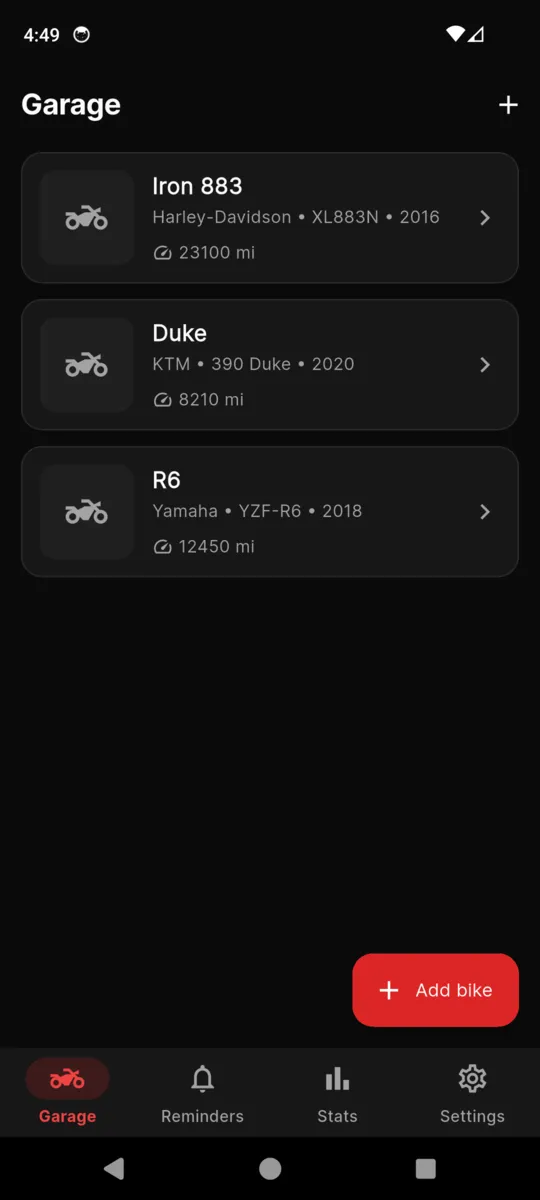
The MotoGarage garage list with three bikes, each showing its make, model, year and current odometer
The garage. One row per bike, each with its own odometer.
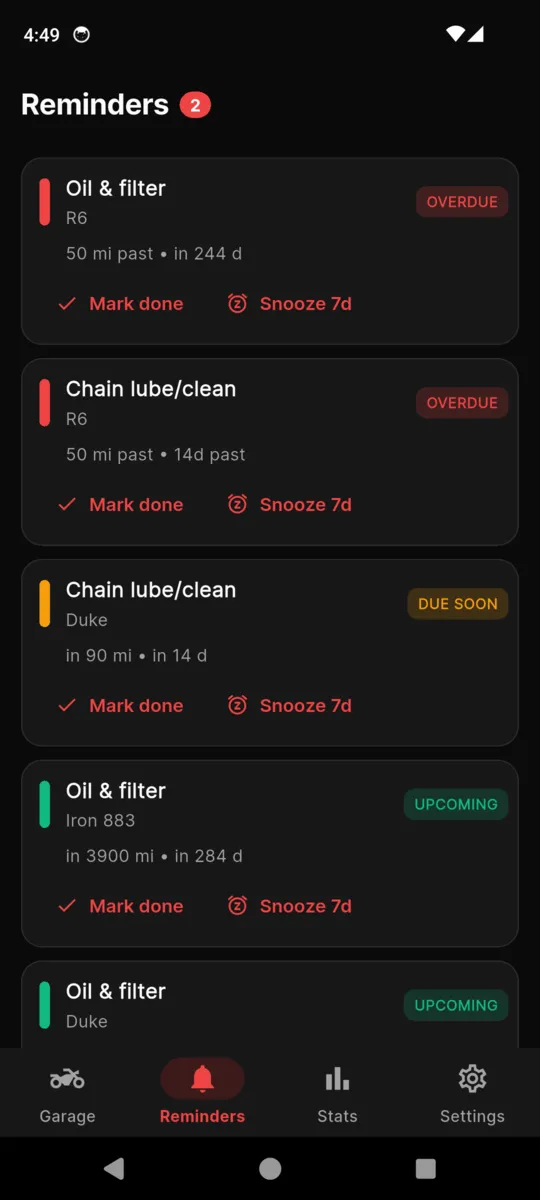
The MotoGarage reminders tab, with items tagged overdue, due soon and upcoming, each offering mark done or snooze seven days
Reminders, sorted by how late they are.
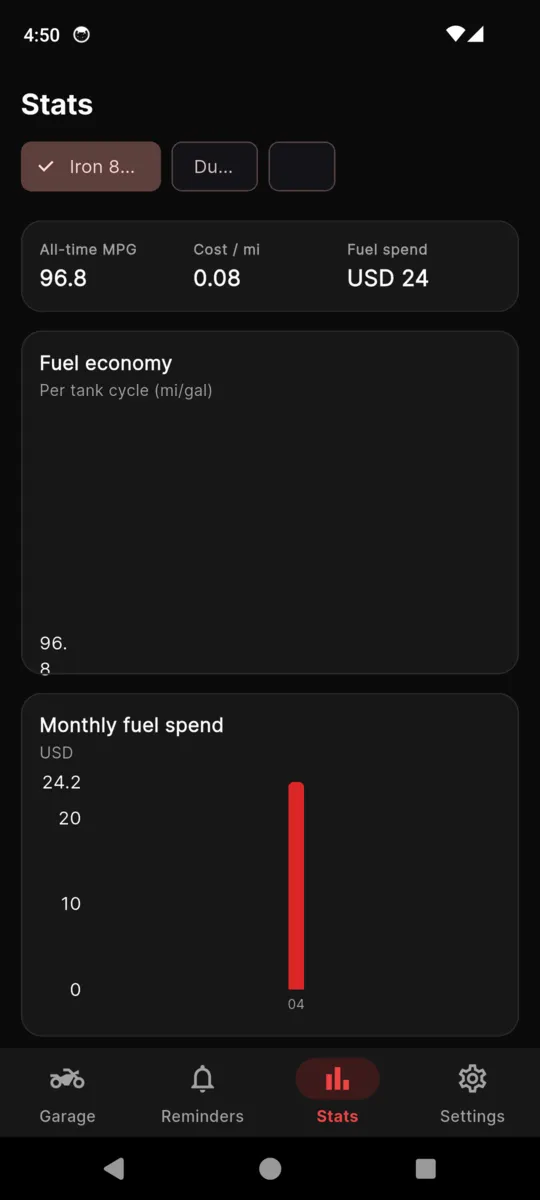
The MotoGarage stats screen showing all-time MPG, cost per mile, fuel spend and a monthly fuel spend bar chart
Stats: all-time MPG, cost per mile, monthly fuel spend.
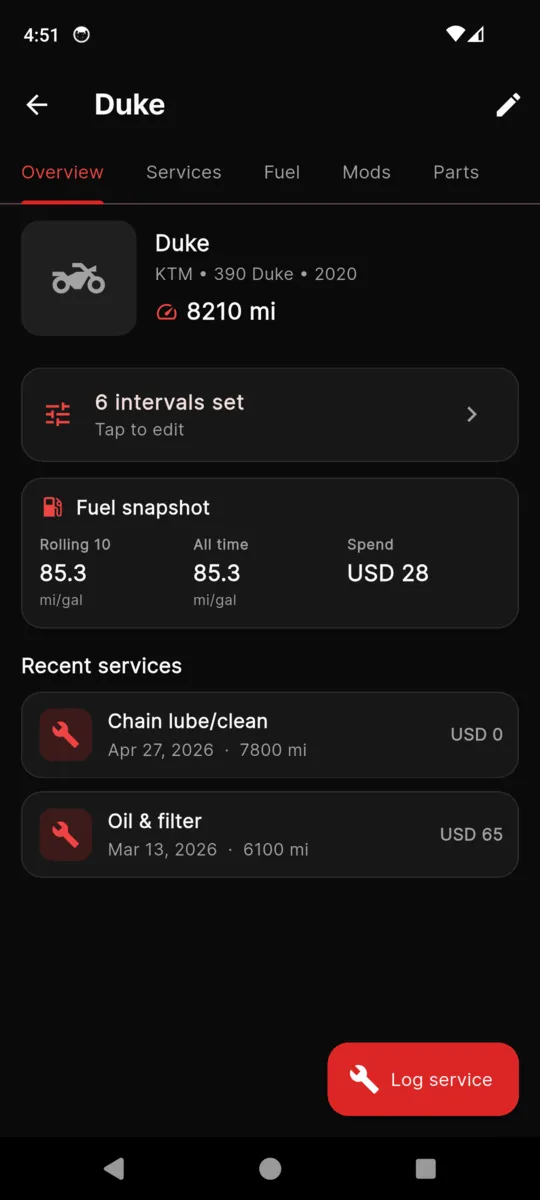
A bike overview in MotoGarage with its odometer, the number of intervals set, a fuel snapshot and recent services
One bike, with its intervals, fuel snapshot and recent work.
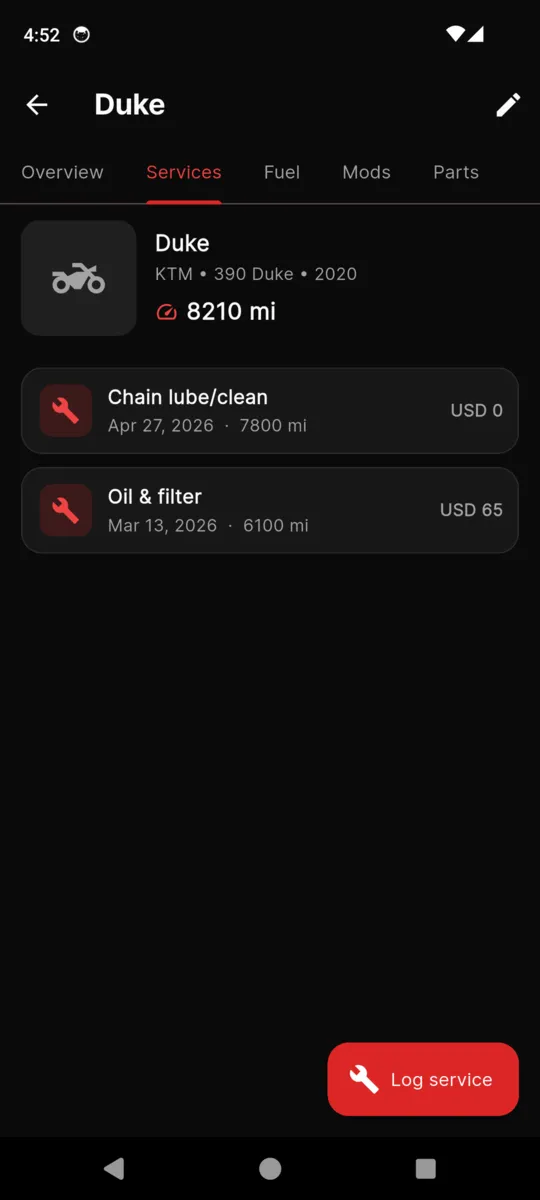
The services tab for a single bike in MotoGarage, listing each job with its date, odometer reading and cost
Service history: date, odometer and cost per job.
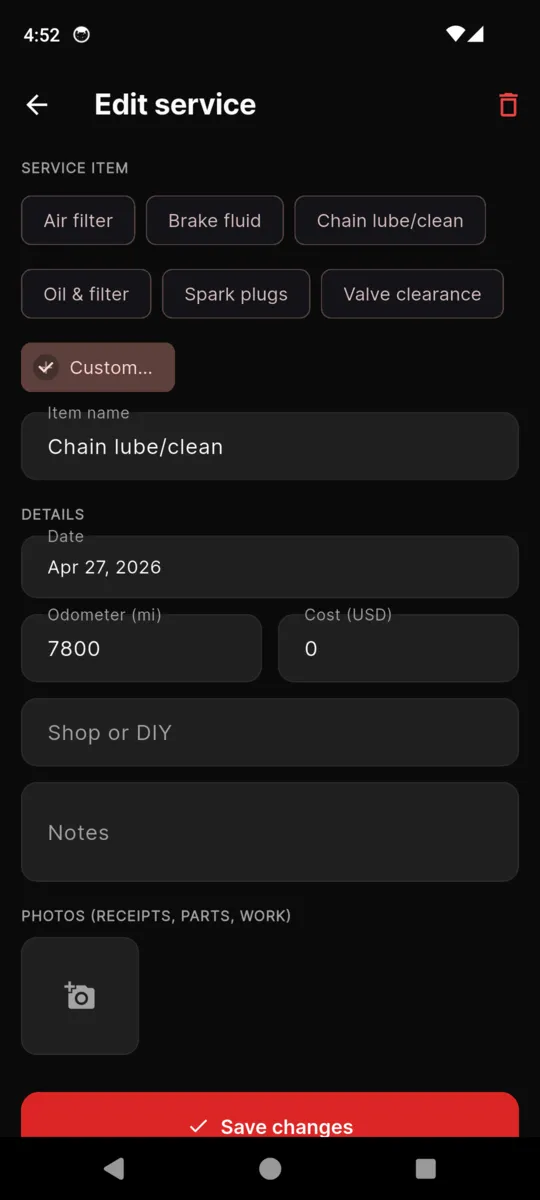
The MotoGarage edit service screen with service item chips, date, odometer, cost, shop or DIY, notes and a photo slot
Logging a job, with a slot for the receipt photo.
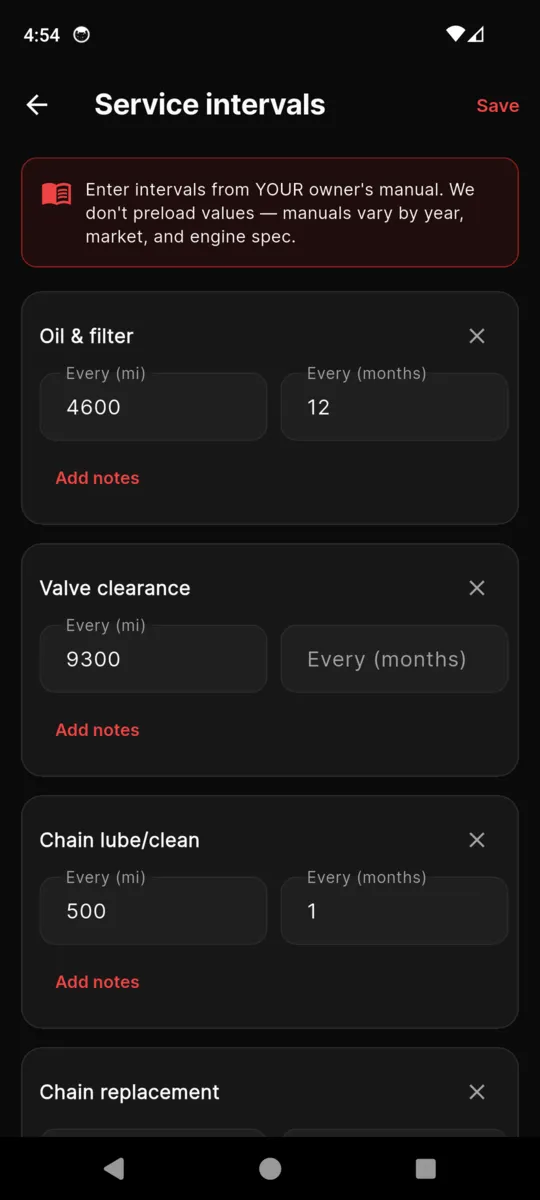
The MotoGarage service intervals screen, with a banner reading enter intervals from your own manual, and rows for oil and filter, valve clearance and chain lube
Intervals. Every mile and month figure is one you typed.

The bikes, mileages and costs in these screens are the app's built-in sample garage.

What the fuel log does with your fill-ups

Economy

A full tank closes the tank before it. MotoGarage divides the distance covered since that point by the volume it took to fill up again, so partial fills in between are counted rather than skipped. You get an all-time figure and a rolling ten-fill figure side by side, which is where a dragging brake or a fresh set of plugs shows up first.

Cost

Every fill-up carries a price, so the app shows total fuel spend, spend per month as a bar chart, and a cost per mile or kilometre. Service jobs carry a cost too, which makes the answer to "what has this bike actually cost me" a number rather than a feeling.

Units

Miles or kilometres, US gallons or litres, chosen once in Settings and applied everywhere. Entries you have already made are not rewritten behind your back.

Why it stays on the phone in the garage

  • No signal needed. The whole garage is stored locally. Workshops have thick walls.
  • No account. No sign-up, no email, no password, nothing uploaded.
  • Your figures win. Nothing is preloaded, so nothing overrides what the manual says.
  • A record that transfers. A filled-in service history is worth money when you sell the bike.
  • Exports you can open. JSON for a full restore, CSV per bike for a spreadsheet.
  • Built for a dark shed. Dark by default, with light and system themes in Settings.

PRICING

$4.99one-time

One bike is free, with a banner ad on the Garage and Reminders tabs. The unlock is a single purchase through Google Play. Nothing renews and there is no subscription.

  • Unlimited bikes
  • Ads removed from every tab
  • Unlimited services, fuel, mods and parts
  • JSON and CSV export
Get MotoGarage

Questions

Is MotoGarage free?

The first bike is free and shows a banner ad. A one-time $4.99 unlock adds unlimited bikes and removes the ads. Nothing renews.

Does it already know the service intervals for my bike?

No, and that is deliberate. You enter them from your own owner’s manual. Nine common items are offered as starting rows and you can add your own.

When does a reminder actually fire?

When either clock runs out. An interval can carry a mileage figure, a figure in months, or both, and whichever arrives first triggers it. It warns at 90% of the way through and marks the item overdue past the threshold.

Does it work without a signal?

Yes. Bikes, services, fuel, mods and parts all live on the phone. A connection is only used to serve the banner ad on the free tier.

Do I need an account?

No. There is no sign-up, no email address and no password. There is also no cloud sync, so the garage stays on that one phone until you export it.

Can I get my data back out?

Yes. A JSON export covers the whole garage and restores back into the app. A CSV export covers one bike’s services, fuel, mods and intervals. Photos stay on the phone and are referenced by path rather than packed into the file.

Start with the bike you ride most

Add it, put in today's odometer, and copy three intervals out of the manual. That is enough for the reminders to start counting.