
PaintCalc
Room Paint Calculator & Cost Estimator
Never buy too much (or too little) paint again.
How It Works
Measure
Enter room dimensions or wall area. Add doors and windows with simple +/- counters for automatic deduction.
Calculate
Choose paint type, surface, and coats. Get exact quantities rounded to purchasable sizes with a 10% touch-up buffer.
Shop
Get a consolidated shopping list grouped by paint type. Share it via text or email and check items off as you buy.
PaintCalc in Action
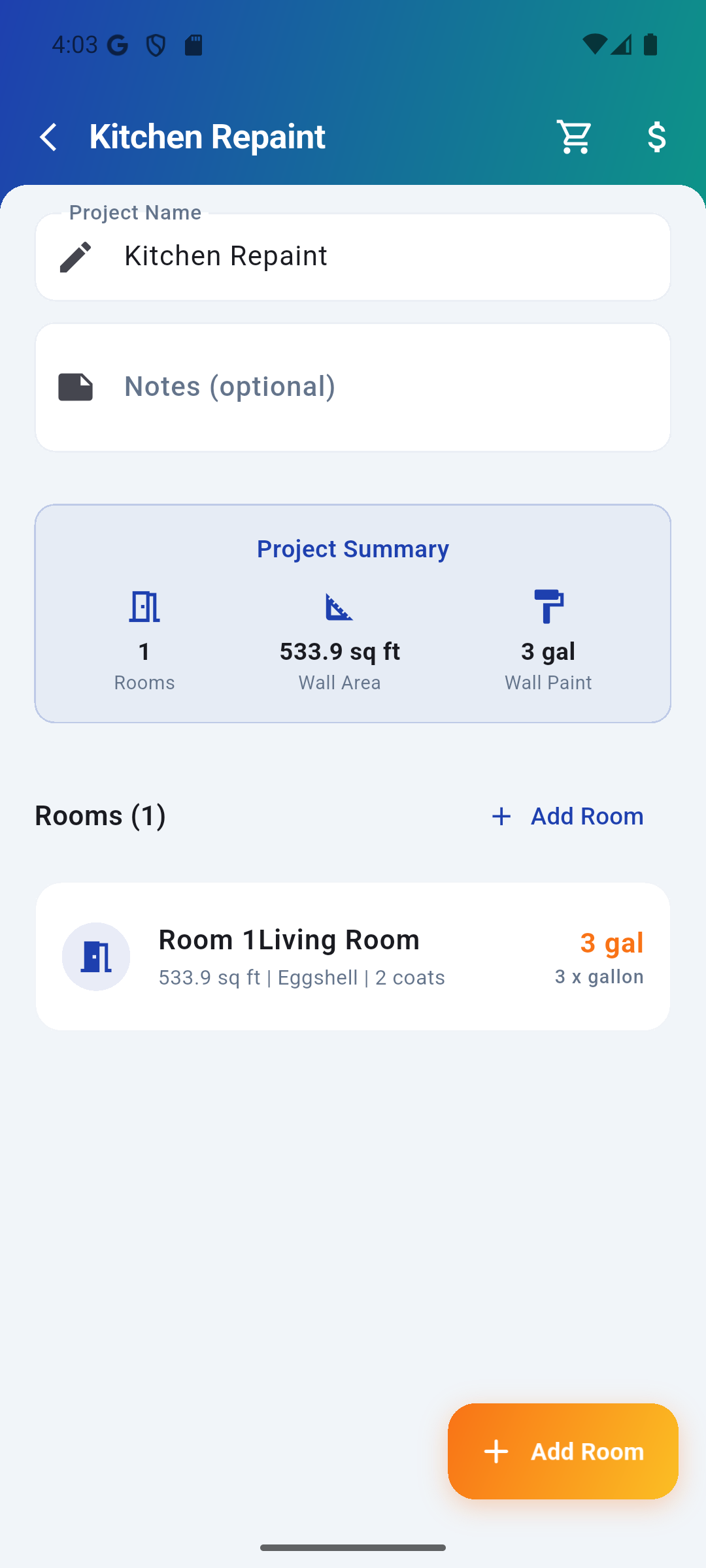
Multi-room project overview
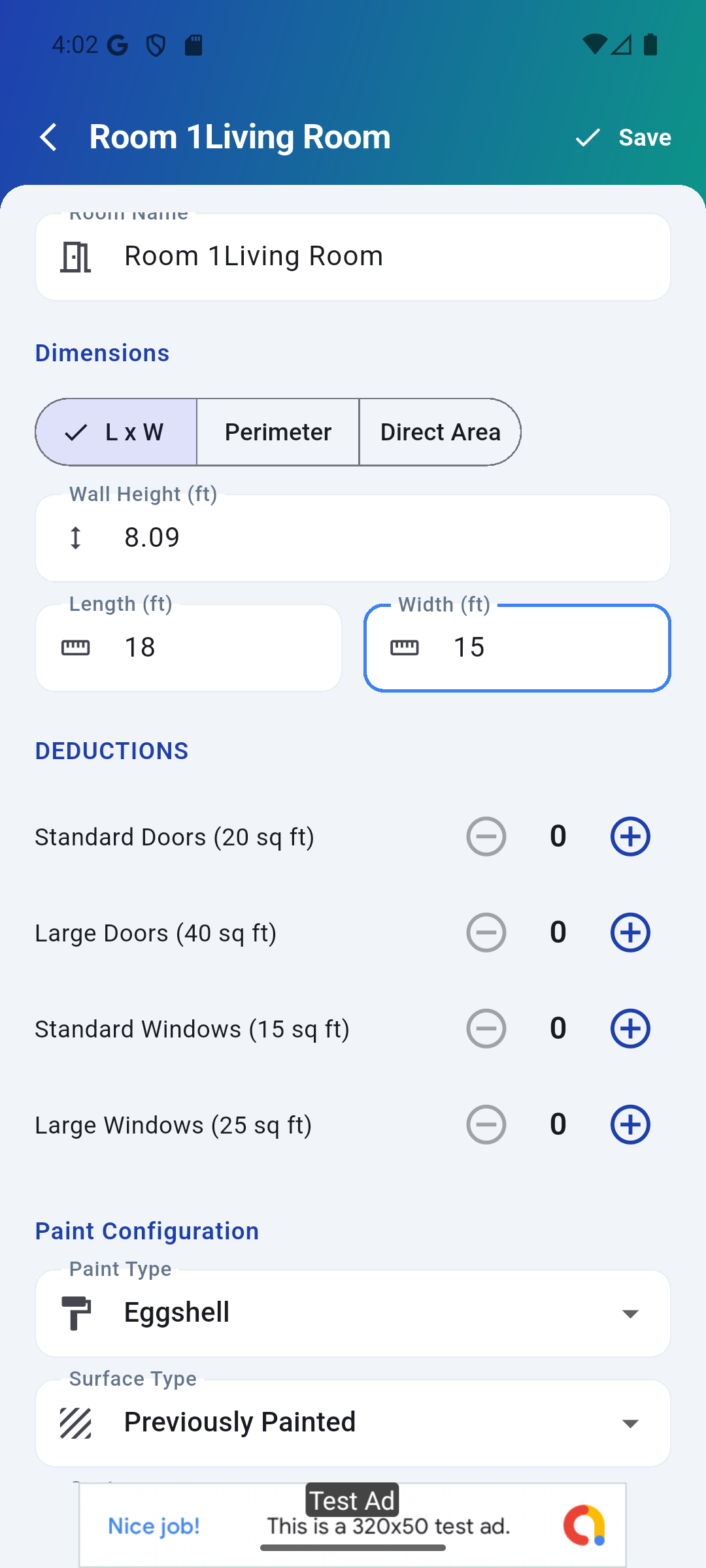
Room dimensions & deductions
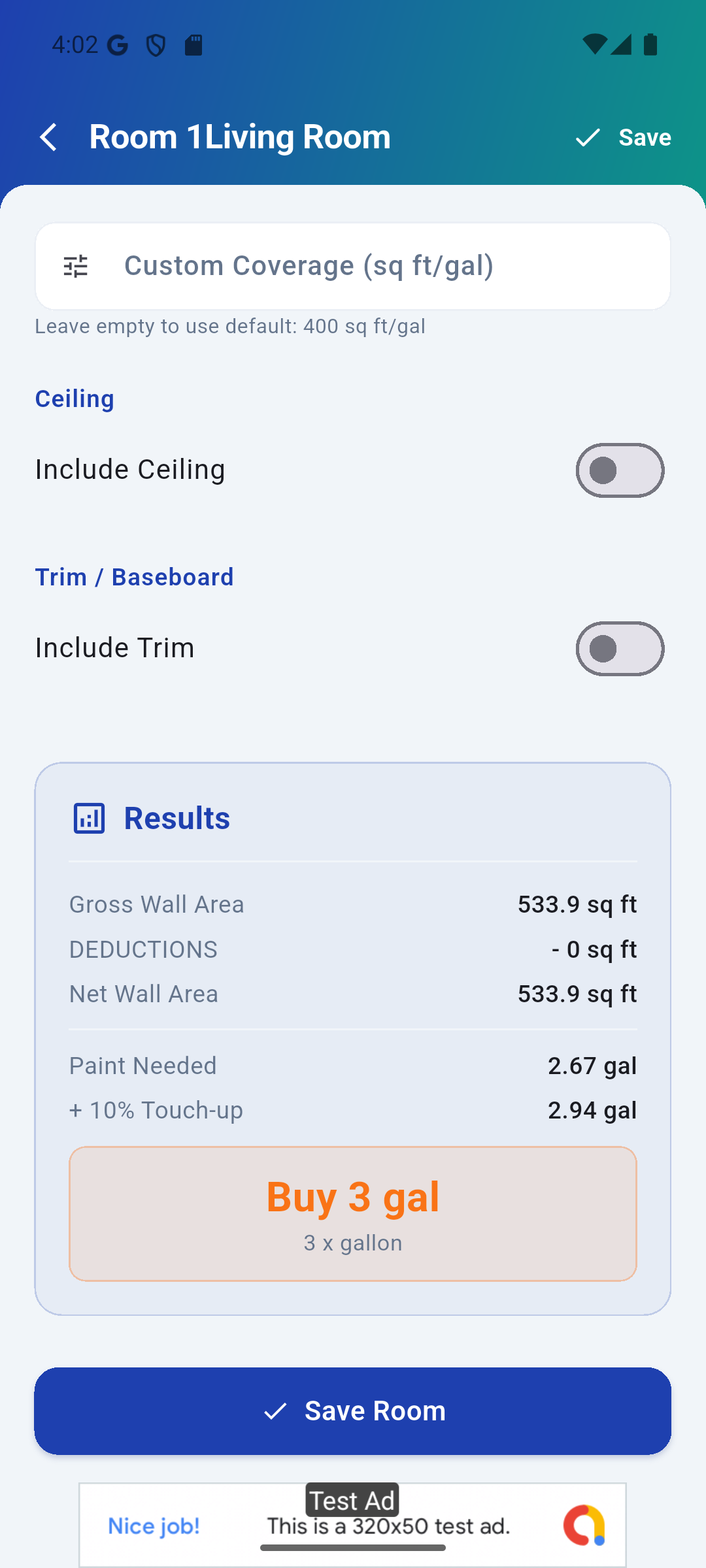
Results with purchase breakdown
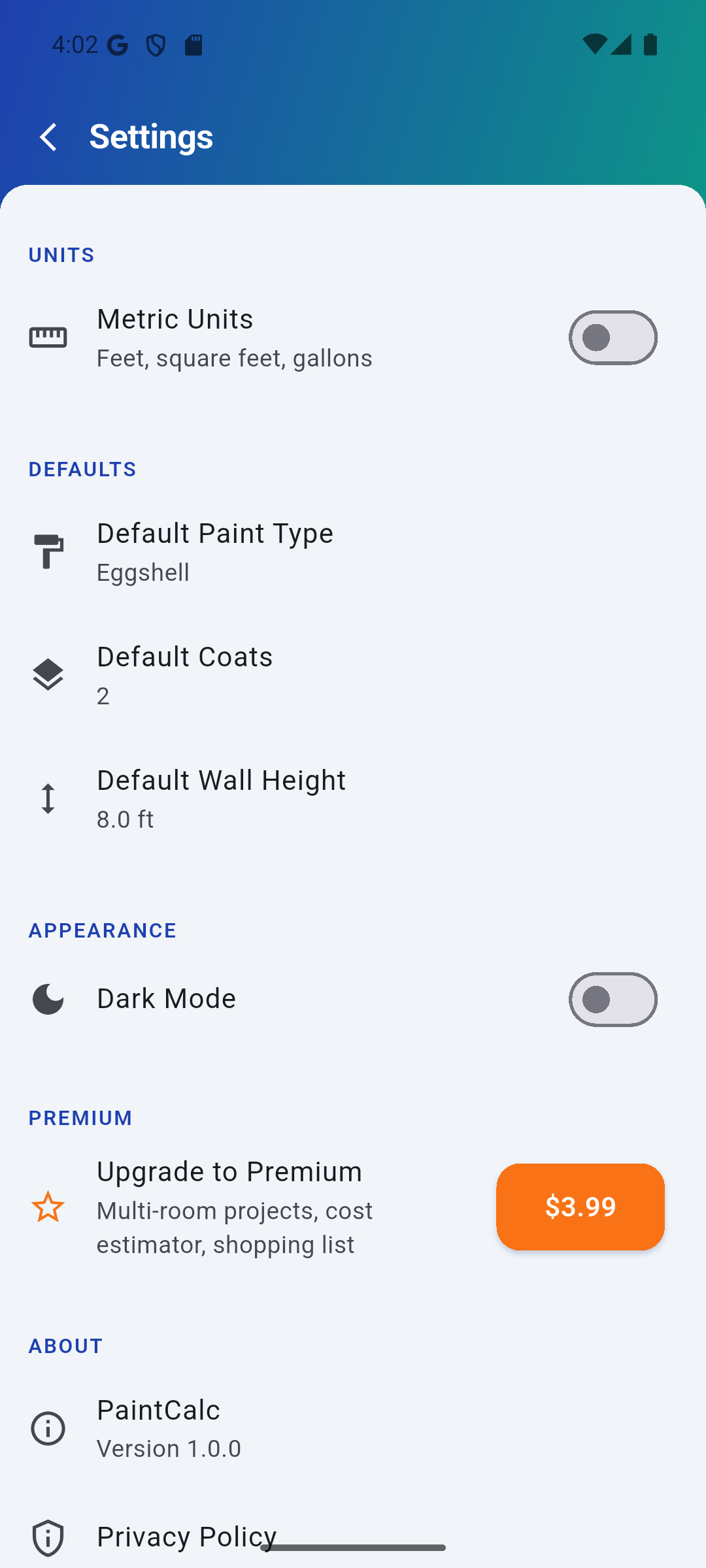
Units, theme & preferences
Professional-Grade Paint Calculations
Quick Calculate
Know your wall area? Enter it directly and get paint quantity in seconds. Perfect for quick estimates at the store.
Door & Window Deductions
Add doors and windows with simple counters. PaintCalc automatically deducts their area for accurate results.
Multi-Room Projects
Add unlimited rooms to a project. Each room gets independent paint type, surface, and coat settings with a combined summary.
Cost Estimator
Enter paint price per gallon, labor rates, and supply costs. Get a full project cost breakdown before you buy.
Shopping List
Consolidated list grouped by paint type with purchasable quantities. Check items off as you shop, share via text or email.
Ceiling & Trim
Toggle ceiling painting with separate paint type. Add baseboard and trim with linear footage for complete room coverage.
Imperial & Metric
Switch between feet/gallons and meters/liters with one tap. All calculations update instantly.
Light & Dark Mode
Full dark theme support. Clean, professional interface that's easy on the eyes in any lighting.
Simple, Honest Pricing
No subscriptions. No hidden fees. Pay once, own it forever.
Free Forever
No credit card required
- Single-room calculator
- All 6 paint types
- All 6 surface types
- 1-3 coat selection
- Door & window deductions
- Quick calculate mode
- Imperial & metric units
Premium
One-time purchase — yours forever
- Everything in Free, plus:
- Unlimited multi-room projects
- Ceiling & trim calculators
- Full cost estimator
- Shopping list with sharing
- Ad-free experience
Less than a cup of coffee — PaintCalc Premium pays for itself the first time you avoid buying an extra gallon of paint.
Common Questions
Frequently Asked Questions
How accurate are the paint calculations?
PaintCalc uses manufacturer-specified coverage rates for each paint type and surface combination. It accounts for door/window deductions and adds a 10% touch-up buffer automatically. Results are rounded to the nearest purchasable can size.
What paint types are supported?
PaintCalc includes coverage rates for latex flat, latex eggshell/satin, latex semi-gloss, latex gloss, oil-based, and primer. Each has different coverage rates that affect the quantity calculation.
Can I use it for commercial jobs?
Absolutely. Professional contractors use PaintCalc to estimate multi-room projects with full cost breakdowns. The shopping list feature makes it easy to order materials for large jobs.
What's included in the free version?
The free version includes the full single-room calculator with all paint types, surface types, coat selection, and door/window deductions. Premium adds multi-room projects, cost estimator, shopping list, and ceiling/trim calculators.
Does it work offline?
Yes, PaintCalc works completely offline. All data is stored locally on your device. No account required, no internet needed.
How do I restore my purchase on a new device?
Go to Settings and tap Restore Purchase. Make sure you're signed into the same Google Play account that made the original purchase.
Can I switch between imperial and metric?
Yes! Tap the unit toggle in Settings to switch between feet/gallons and meters/liters. All existing calculations update instantly.
How do I share my shopping list?
After calculating your project, open the Shopping List screen and tap the share button. You can send it via text, email, or any sharing app on your device.
Ready to Paint with Confidence?
Download PaintCalc and stop guessing at the paint store.
Have questions? Get in touch
How Much Paint Do I Need? The Complete Guide
Figuring out how much paint to buy is one of the most common questions homeowners and contractors face before starting a painting project. Buy too little and you'll make extra trips to the store. Buy too much and you'll waste money on paint that dries out in the garage. PaintCalc solves this problem by giving you precise calculations based on your actual room dimensions, paint type, and surface conditions.
Understanding Paint Coverage Rates
Different paint types cover different amounts of wall area per gallon. Latex flat paint typically covers 350-400 square feet per gallon on a smooth, previously painted surface. Eggshell and satin finishes cover slightly less at 300-350 square feet per gallon. Semi-gloss and gloss paints cover 250-350 square feet per gallon due to their thicker consistency. Primer coverage varies widely from 200-300 square feet per gallon depending on the surface porosity.
Surface type significantly affects coverage. A rough, textured wall absorbs more paint than a smooth one. New drywall requires more paint than a previously painted surface. Porous surfaces like bare wood or masonry may need two coats of primer before the topcoat. PaintCalc accounts for all of these variables when calculating your paint quantity.
How to Calculate Paint for a Room
To calculate how much paint you need for a room, start by measuring the room dimensions: length, width, and wall height. Multiply the perimeter of the room by the wall height to get the total wall area. Then subtract the area of doors (approximately 20 square feet for a standard door) and windows (approximately 15 square feet for a standard window). Divide the net wall area by your paint's coverage rate, and add a 10% buffer for touch-ups. PaintCalc does all of this automatically.
Multi-Room Paint Projects
Painting multiple rooms in a house requires careful planning. Each room may have different paint types, colors, and surface conditions. A kitchen might need semi-gloss for easy cleaning, while bedrooms typically use flat or eggshell for a softer look. PaintCalc Premium lets you add unlimited rooms to a single project, each with its own paint configuration, and generates a consolidated shopping list showing exactly what to buy.
Calculating Paint for Ceilings and Trim
Ceilings and trim are often overlooked when estimating paint quantities. Ceiling paint typically covers 350-400 square feet per gallon. Trim paint (usually semi-gloss or gloss) covers less surface area because it's applied with a brush rather than a roller. Baseboards, door frames, window trim, and crown molding all add up. PaintCalc includes separate ceiling and trim calculators so you don't forget these surfaces.
Estimating Paint Costs
The cost of a painting project goes beyond just the paint. You'll need rollers, brushes, painter's tape, drop cloths, and possibly primer. If you're hiring a painter, labor costs typically range from $25-75 per hour depending on your location and the complexity of the job. PaintCalc's cost estimator lets you enter the price per gallon, labor rate, and supply costs to get a complete project budget before you start.
Imperial and Metric Paint Calculations
PaintCalc supports both imperial (feet, gallons) and metric (meters, liters) measurements, making it useful for painters worldwide. Coverage rates are automatically converted between systems, so your results are accurate regardless of which measurement system you prefer. Switch between units with a single tap in the settings.
Tips for Accurate Paint Estimates
- Always measure the actual room dimensions rather than relying on floor plans, which may not account for wall thickness or irregularities.
- Count every door and window for accurate deductions. Large picture windows deduct more than standard windows.
- Add a 10% touch-up buffer. You'll inevitably need to touch up scuffs, nail holes, and missed spots after moving furniture back in.
- Consider the number of coats. Dark-to-light color changes often require 2-3 coats for full coverage. New drywall typically needs a primer coat plus two topcoats.
- Buy all your paint at once. Paint colors can vary slightly between batches. Buying everything together ensures consistent color across all walls.
- Round up to the nearest purchasable size. Paint comes in quarts, gallons, and 5-gallon buckets. PaintCalc automatically recommends the most cost-effective combination.
Who Uses PaintCalc?
PaintCalc is designed for anyone who paints — from weekend DIY homeowners tackling their first room to professional painting contractors estimating multi-room commercial jobs. Real estate investors use it to budget renovation costs across multiple properties. Property managers use it to estimate repainting costs between tenants. Interior designers use it to provide accurate quotes to their clients. Whether you're painting one wall or an entire building, PaintCalc gives you the numbers you need to buy right the first time.