PayWeek

Bill tracker by payday

See which bills each payday has to cover, and what is left.

Add your paydays and bills. PayWeek shows which bills fall in each pay period and how much is left from the income you entered after those bills. No bank login.

UP TO 10 BILLS WITHOUT PAYMENT · PRO $14.99 ONCE, $1.99/MONTH OR $9.99/YEAR

  • No bank login
  • Works offline
  • 10 languages
  • Backup included
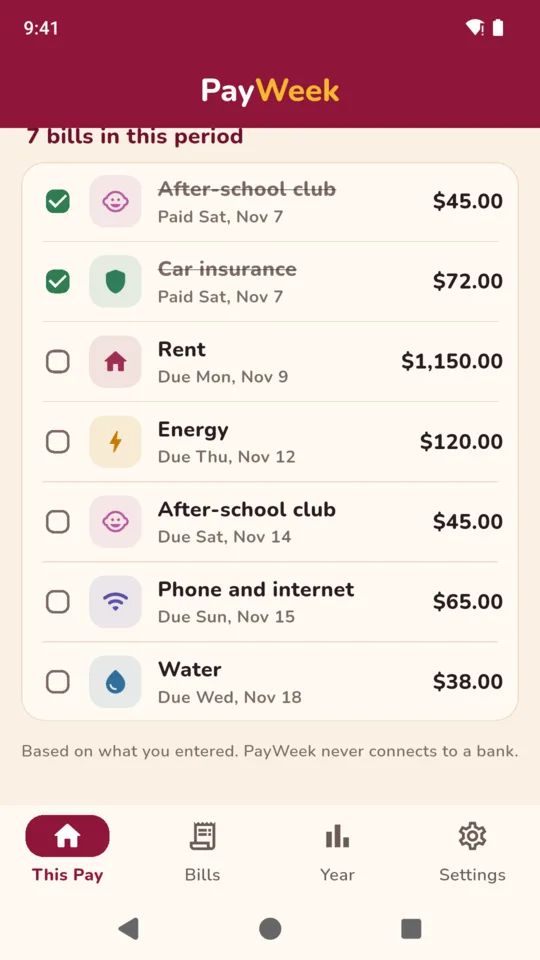
Bills in this pay period: two ticked paid, rent, energy, phone and water still due
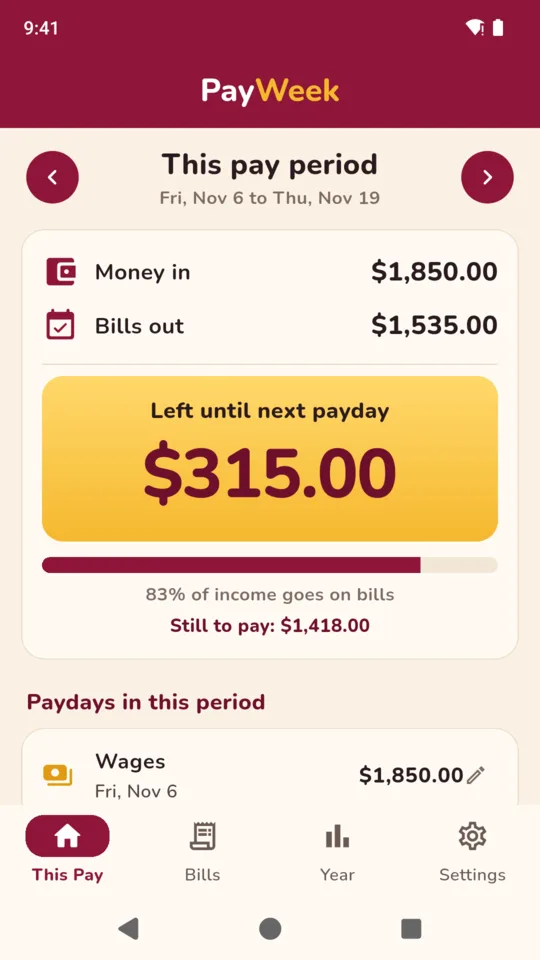
This pay period, Nov 6 to Nov 19: money in $1,850.00, bills out $1,535.00, $315.00 left until next payday

A pay period, the way the board shows it.

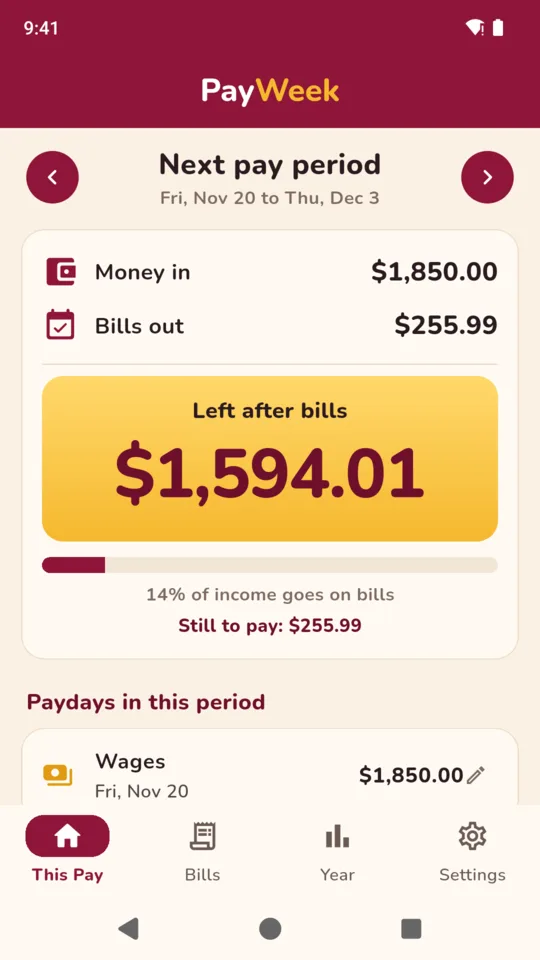
One card per pay period. Swipe forward to see what is coming, back to see what went out.

This pay period
Fri, Nov 6 to Thu, Nov 19
Money in$1,850.00
Bills out$1,535.00
Left until next payday
$315.00
  • Rent Due Mon, Nov 9 $1,150.00
  • Energy Due Thu, Nov 12 $120.00

What it does

One card per pay period.

The board shows money in, bills out and one large figure: what is left until next payday. Tick bills as you pay them to see what is still to pay. A bill you missed moves into the current pay period and stays there until you tick it.

Set your payday schedule.

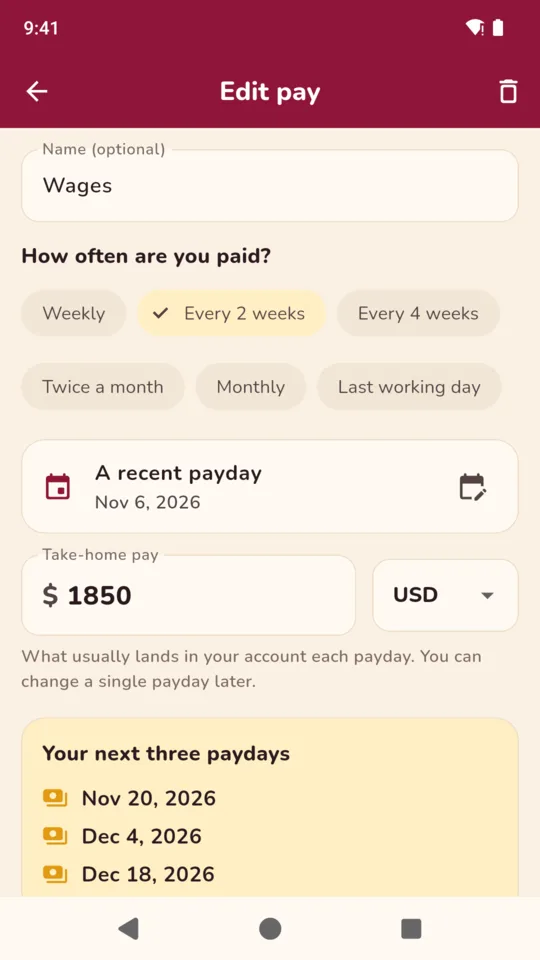
Weekly, every two weeks, every four weeks, twice a month, monthly on a set day, or the last working day of the month. A monthly payday that lands on a weekend can move to the Friday before. Setup shows your next three paydays so you can check them, and one payday that is different can have its own amount.

Bills on different schedules.

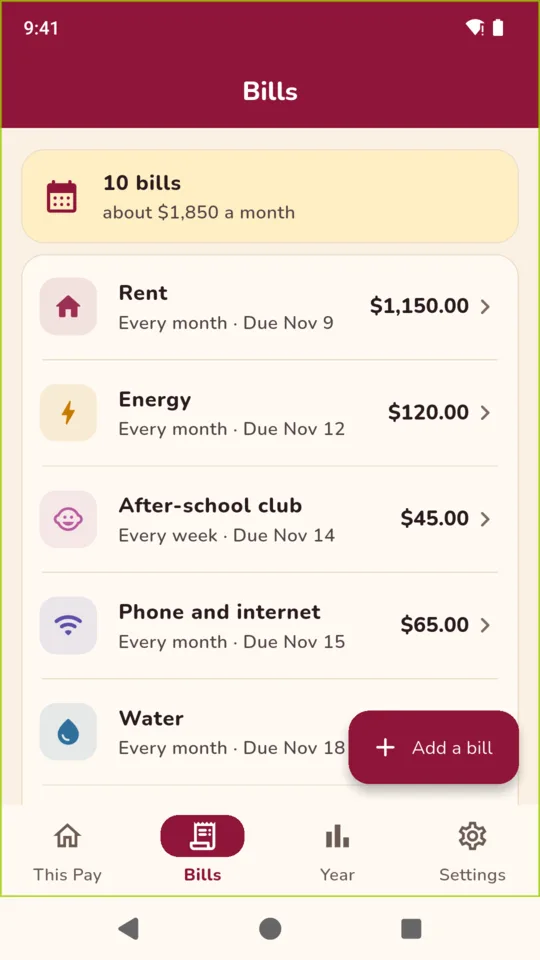
Rent every month, insurance every year, childcare every week, a one-off repair. Mark each bill as a direct debit or paid by hand. For a bill that changes each time, such as a credit card, PayWeek uses your estimate until you tick it and type the real amount.

Reminders before a bill is due.

Choose how many days before and what time of day. Reminders are on by default for bills you pay by hand and off for direct debits, and you can change either. Ticking a bill paid stops its reminder. A “Reminders not arriving?” screen shows what your phone has switched off.

See the year month by month.

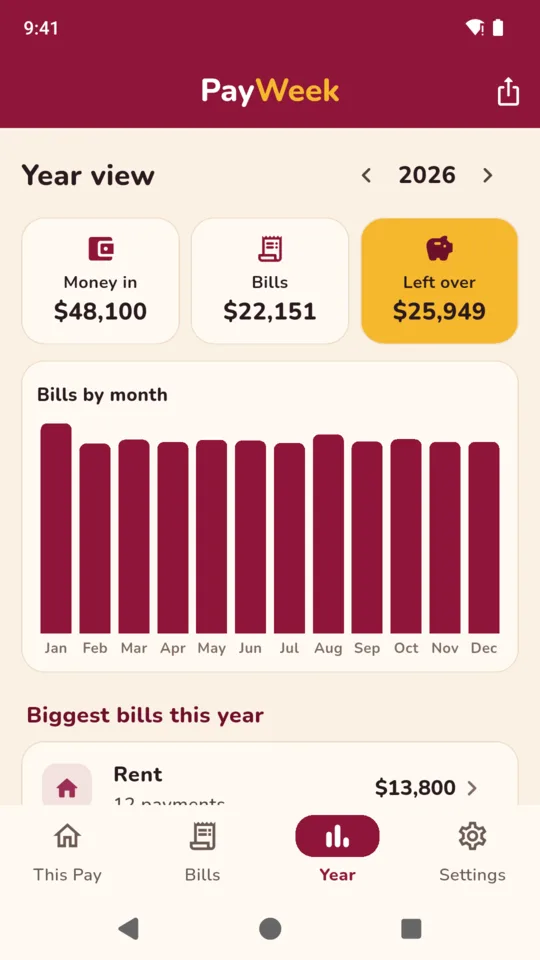
The year view adds up money in, bills and what was left over, shows bills month by month and lists your biggest bills first. With Pro, export any year as a CSV file for a spreadsheet.

More than one income, with Pro.

Add another wage or regular income. PayWeek includes each payment in the board totals according to its own schedule.


Fixed payment against actual, with Pro

Compare fixed payments with actual bills.

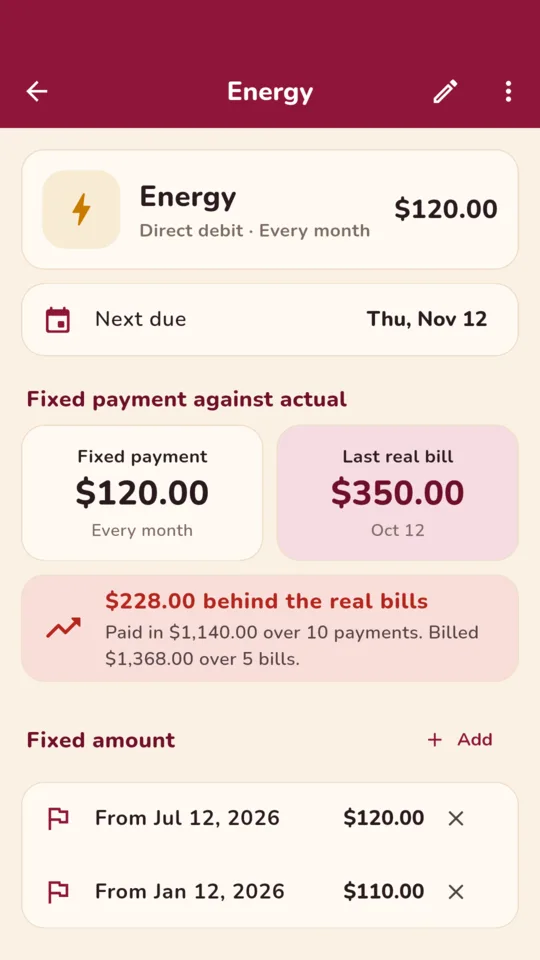
On a budget plan, such as a monthly energy payment, the amount taken stays the same while the real bills go up and down. Enter each bill amount as it arrives and PayWeek shows the difference between the fixed payments and the bills entered so far.

  • When the fixed amount changes, for example from $46 to $50 a month, add the new amount and its start date. Earlier months keep the old amount.
  • Enter the total on each real bill, not what was collected.
  • The board, the year view, the CSV and reminders all use the fixed amount in force on each due day.

The difference is worked out from the payments and bills you entered, not your supplier’s balance.

Energy: a fixed payment of $120.00 a month against a last real bill of $350.00, $228.00 behind the real bills
Energy: the fixed payment, the last real bill and the running difference.

Why it works this way

No bank login.

PayWeek never connects to a bank and never moves money. It adds up the figures you type, and it does not give financial advice.

Your bill records are stored on your phone.

There is no account and no sign-in. Backup makes one file you can restore on another phone; restoring replaces what is in the app. The app sends crash reports and screen-view statistics, and neither includes your bills or amounts.

Totals depend on what you enter.

What is left until payday is worked out only from the pay and bills you entered. A bill you did not add, or an amount that changed, is not in it.

Pricing

Standard

The pay board, up to 10 bills, one income, reminders, the year view and backup. One small banner on the year view only.

PayWeek Pro adds
  • Unlimited bills
  • More than one income on the same board
  • Fixed payment against actual bills
  • CSV export of any year
  • No ads
$14.99 once

Or $1.99 a month, or $9.99 a year. Bills you have already entered remain available if you stop paying for Pro.

Questions

Does PayWeek connect to my bank?

No. Nothing connects to a bank or moves money. You type your pay and your bills, and PayWeek adds them up by pay period.

I am paid every two weeks. Does it still work?

Yes. Weekly, every two weeks and every four weeks follow a payday you pick. There is also twice a month, monthly on a set day and the last working day of the month.

What happens to a bill I forgot to pay?

It moves into the current pay period and stays there, marked as missed, until you tick it paid.

My credit card bill is different every month.

Enter an estimate and mark the bill as one that changes. When it is due, PayWeek asks for the real amount as you tick it.

Can two incomes go on the same board?

Yes, with Pro. Each income keeps its own pay schedule and every payday is counted on the board.

Can I keep using PayWeek without Pro?

Yes. Up to 10 bills, one income, the board, reminders, the year view and backup stay available with no payment. Your existing bill records remain available if you do not upgrade, or if you stop paying for Pro.

Which currencies does it use?

PayWeek starts with the currency set on your phone. You can choose a different currency for new entries. Totals are kept apart per currency and never mixed.

See which bills fall before your next payday.

Set your pay once, add your bills, and open the board on payday.