
Count every pitch. See when each pitcher can pitch again.
Tap the ball once per pitch. PitchRest holds the count against the daily limit for the pitcher's league age, works out the rest days each outing needs, and puts the whole team's counts and rest dates on one board you can share with the other coaches.

- Little League and Pitch Smart charts built in
- No ads
- Works offline
- 10 app languages
From the first pitch to the next eligible day
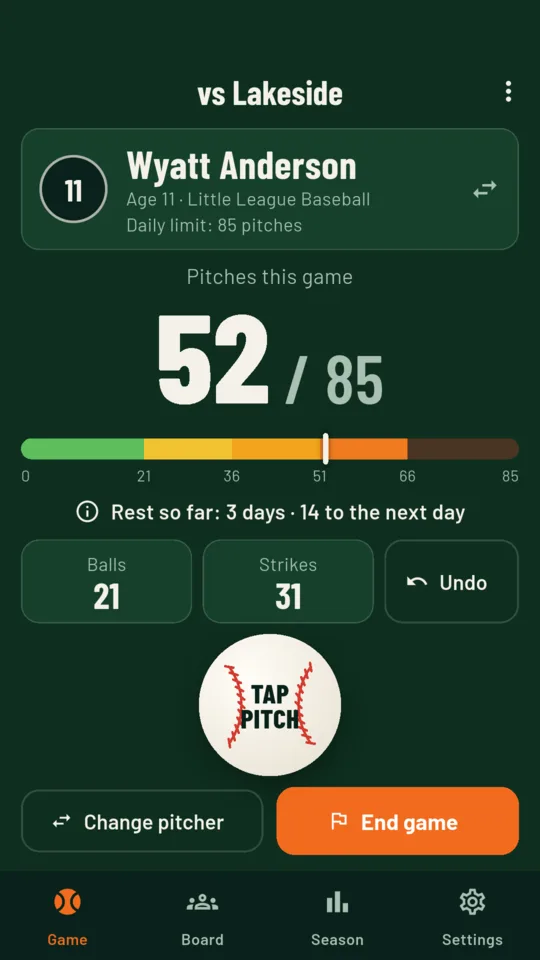
One big button for every pitch.
The count sits next to the pitcher's daily limit, with a bar that changes colour as each rest threshold passes. Ball and Strike buttons are there if you want them, and Undo takes back the last pitch.
A warning before the next rest threshold.
An on-screen warning appears one pitch before the count enters a higher rest bracket, and again inside five pitches of the limit. At the limit the button reads Finish batter when your rule set lets a pitcher finish the batter at the plate.
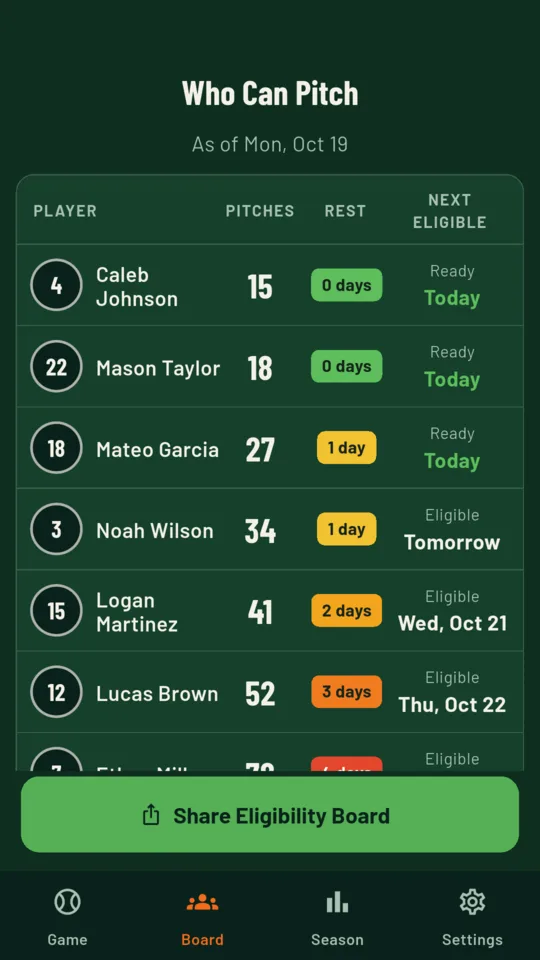
The eligibility board.
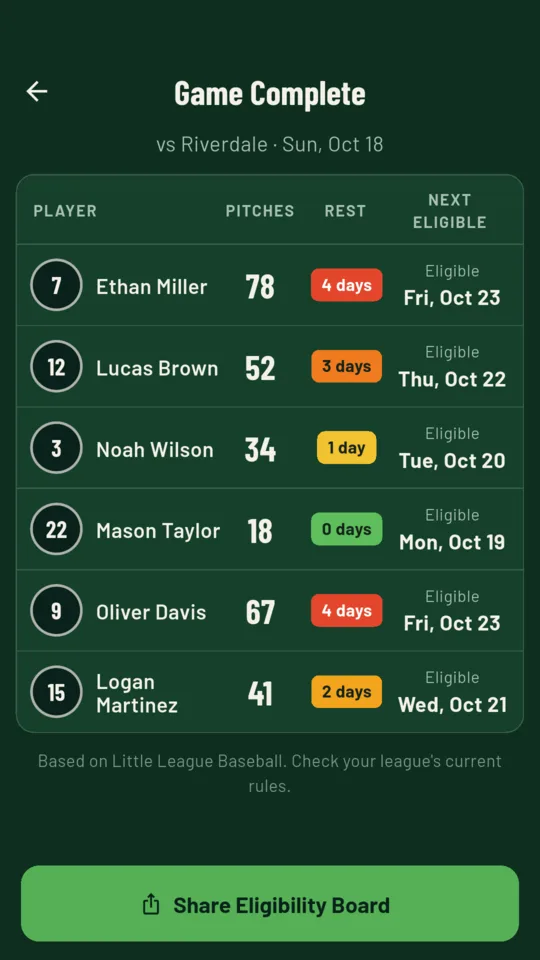
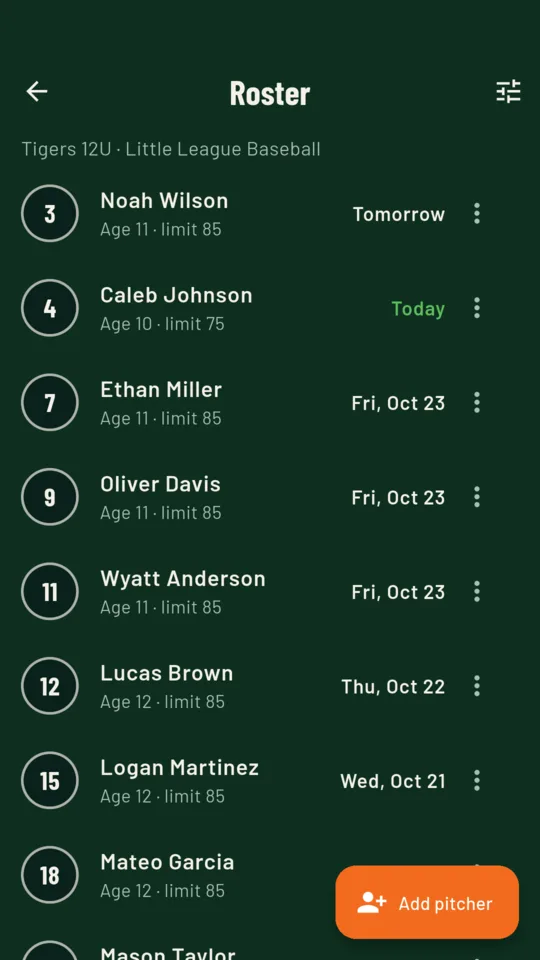
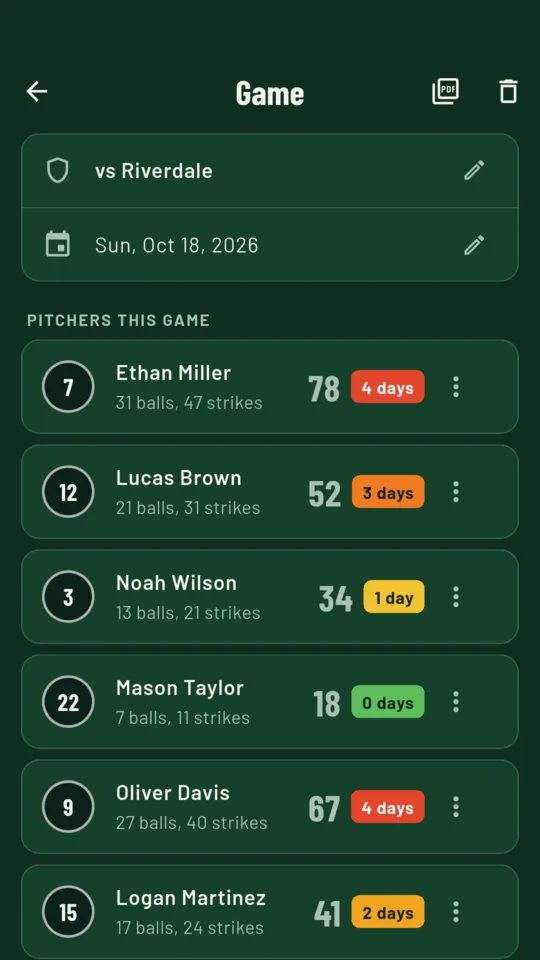
After the game, every pitcher's count, rest days and the date they can pitch again, on one screen. Between games, the whole team for today, ready pitchers first. Share it as an image to the team chat.
League charts built in.
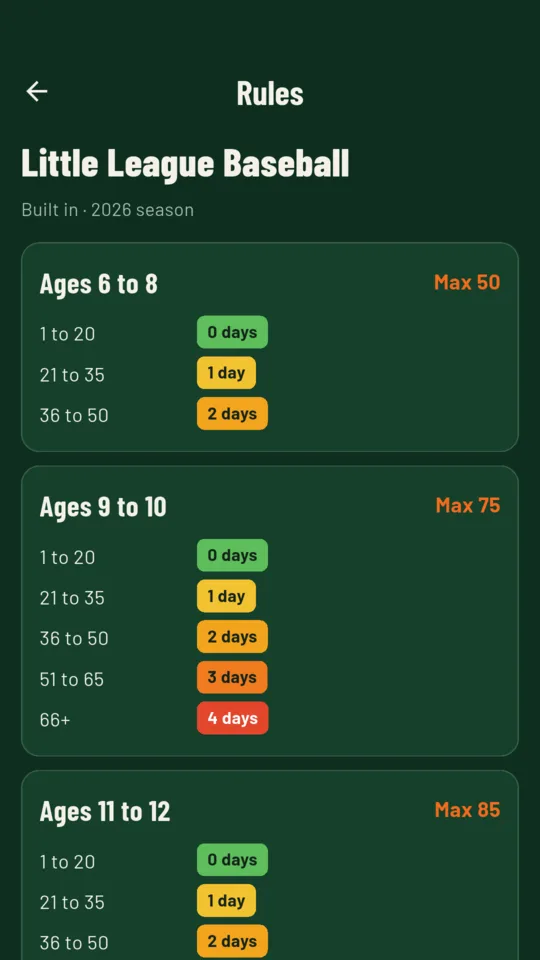
The Little League Baseball 2026 regular-season limits and rest chart, and the Pitch Smart guidelines up to age 18. Each built-in chart links to the current rules so you can check them.
Your league's own rules.
Make a rule set with your own age bands, daily limits, rest thresholds, a consecutive-days rule and the finish-the-batter switch, or copy a built-in chart and edit it.
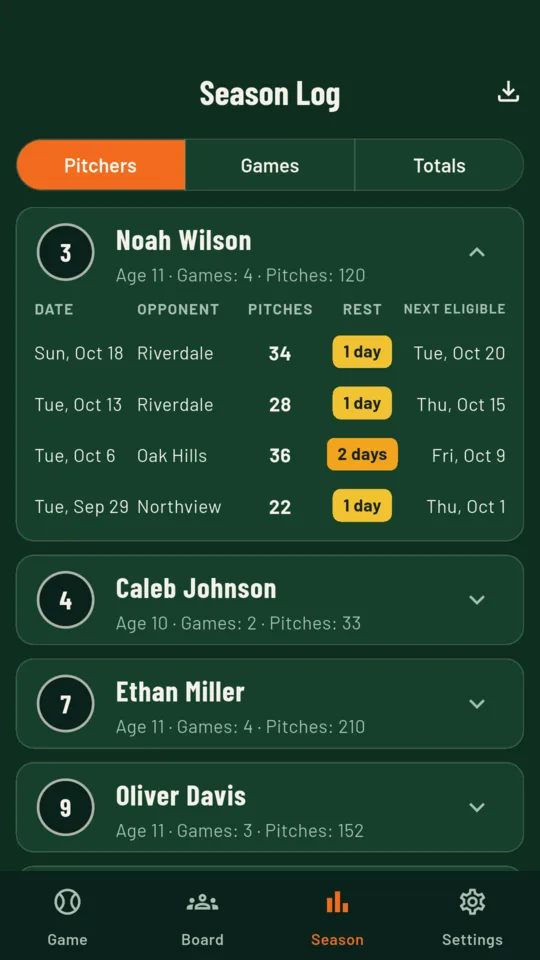
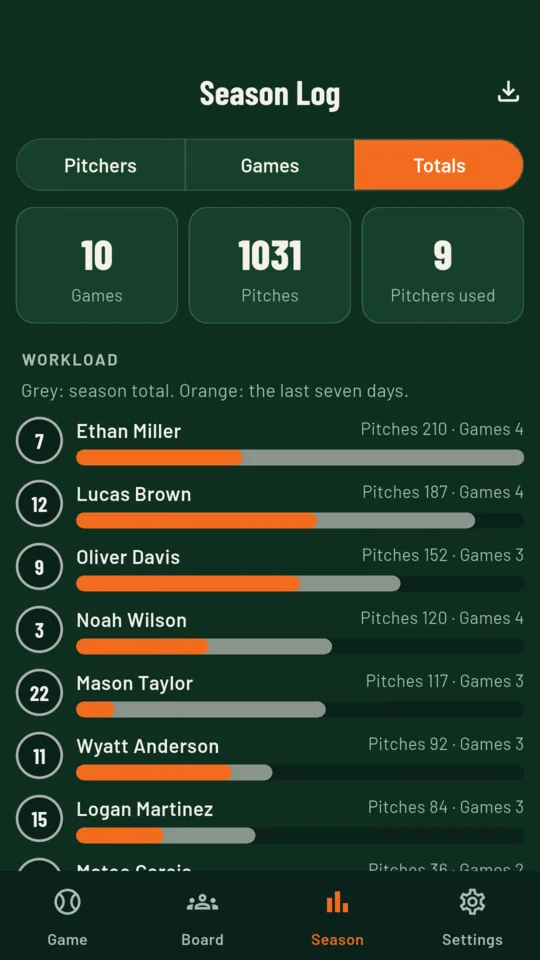
A season log for every arm.
Each pitcher's outings with pitches, rest and next eligible day, season totals and a seven-day workload chart. Save a game sheet as a PDF for the league's pitching log, or the whole season as a CSV file.
Inside the app
Built for the dugout
The count survives a closed app.
The live game is saved with every tap, so the count is still there if the phone locks or the app is closed in the middle of an inning.
No ads during the game.
No banners and no pop-ups between pitches, on any tier.
No account to make.
Teams, pitchers and games are kept on the phone, not in an account. With the unlock you can save everything to a backup file and restore it on another Android phone.
Standard, or the unlock
Standard
- One team
- The counter and warnings
- The game board and the team board
- The Little League and Pitch Smart charts
- Every game you log
Unlock
- Unlimited teams
- The season log and workload chart
- Custom rule sets
- Game sheet PDF and season CSV
- Backup and restore
One payment. No subscription, and no ads on either tier.
Before the first pitch
Check rest days before the next game.
PitchRest for Android. One team on Standard, everything for $2.99 once.