The day's route.
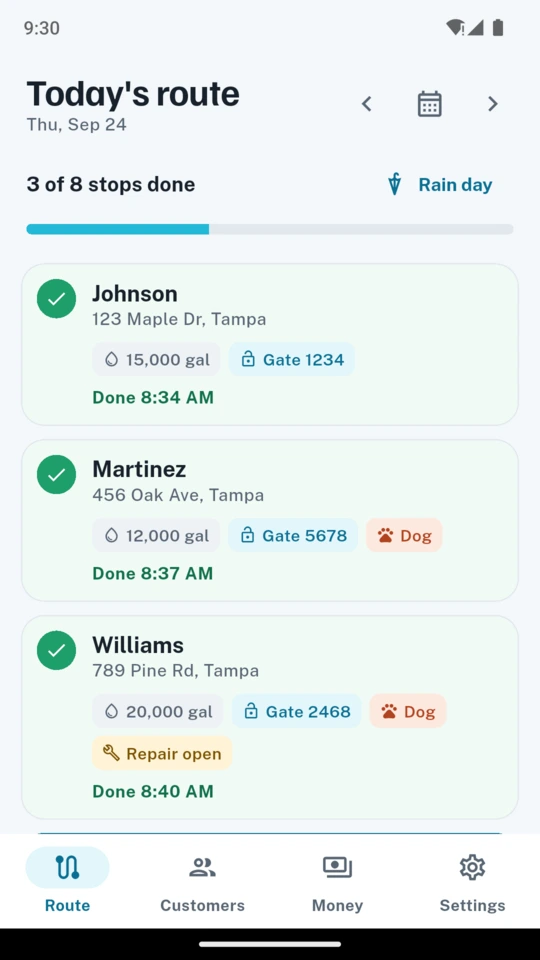
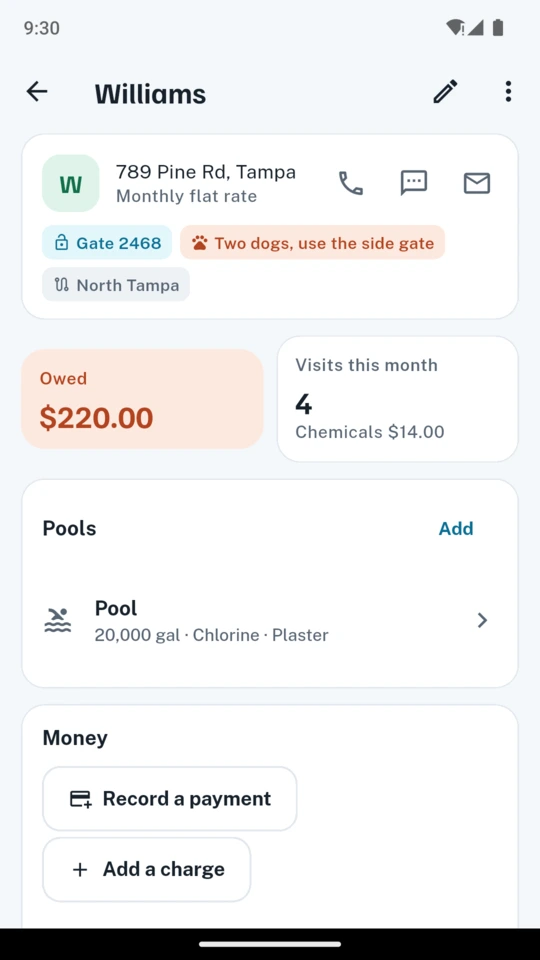
Build a route for each day of the week and drag the stops into the order you drive them. Each stop shows the customer, the pool size, the gate code and a note about the dog before you open the gate. Open the address in your maps app or call the customer from the stop. The Rain day button moves every unfinished stop to tomorrow in one tap, and any single stop can be skipped with a reason or moved to another day.
Readings at the pool.
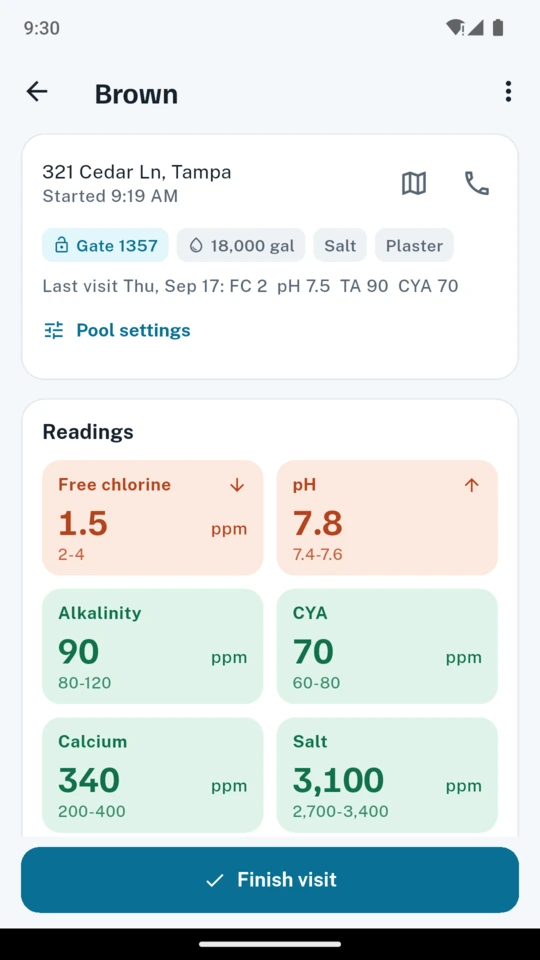
Type free chlorine, combined chlorine, pH, alkalinity, CYA, calcium, salt, cell output and water temperature into large number tiles. Each tile turns green or coral against that pool's own target ranges, which follow its sanitiser and surface: a salt pool gets a higher CYA and a salt range, a vinyl pool a lower calcium range. Every pool keeps its history of readings.
The saturation index.
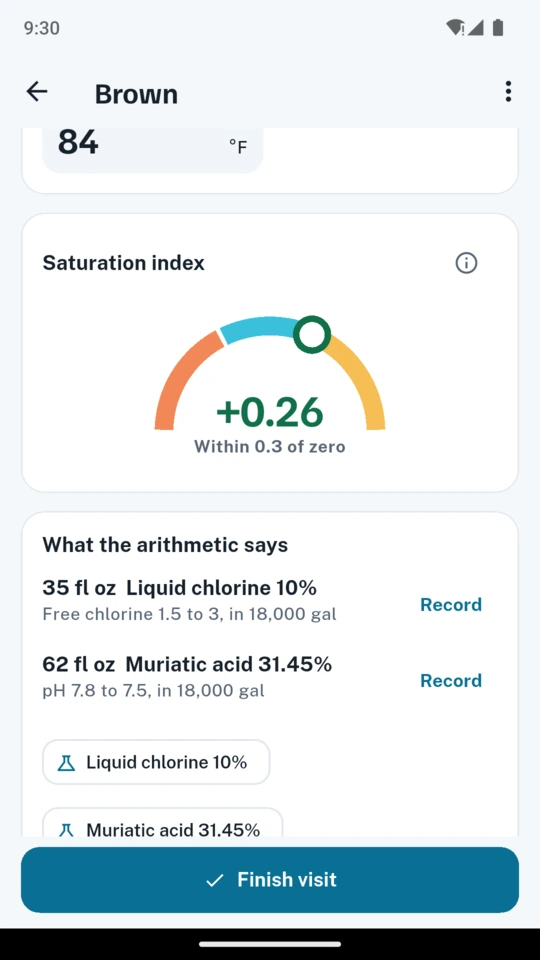
PoolRound calculates the index from the temperature, calcium, alkalinity and CYA readings using the standard factor tables, and shows it on a dial as a number to read.
The arithmetic.
For a reading outside its range, PoolRound calculates a quantity from the reading, the target, the pool's volume and the strength of the product you carry: liquid chlorine, cal-hypo, dichlor, trichlor, muriatic or dry acid, soda ash, bicarbonate, calcium chloride, stabilizer and salt. Each figure shows the reading, target and volume it used, and you decide what to add.
The service card.
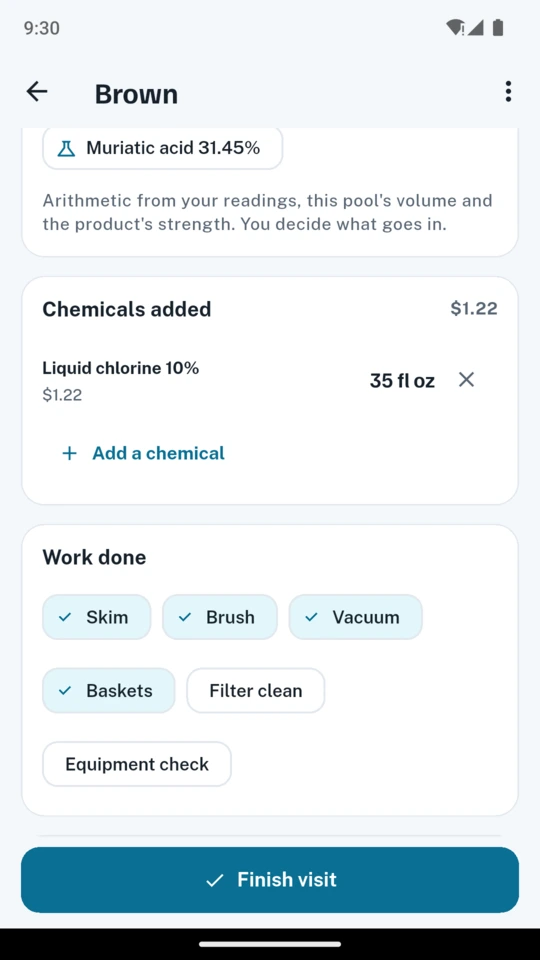
Tick the work done (skim, brush, vacuum, baskets, filter, equipment check), record the chemicals added, take a photo of the water and one of the equipment, and flag a repair. From the stop, send the customer a text with the readings and the work done, or a PDF service card with the photos.
Monthly statements and who owes.
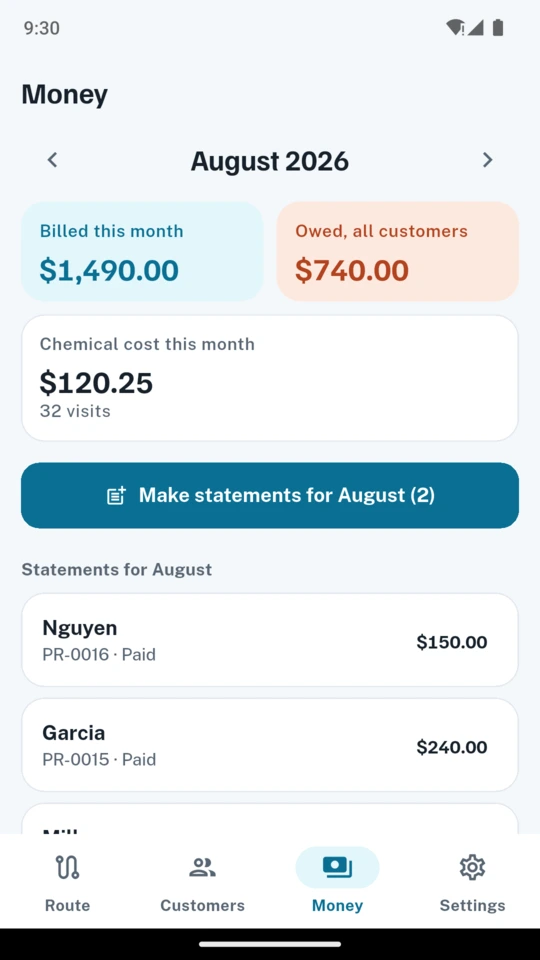
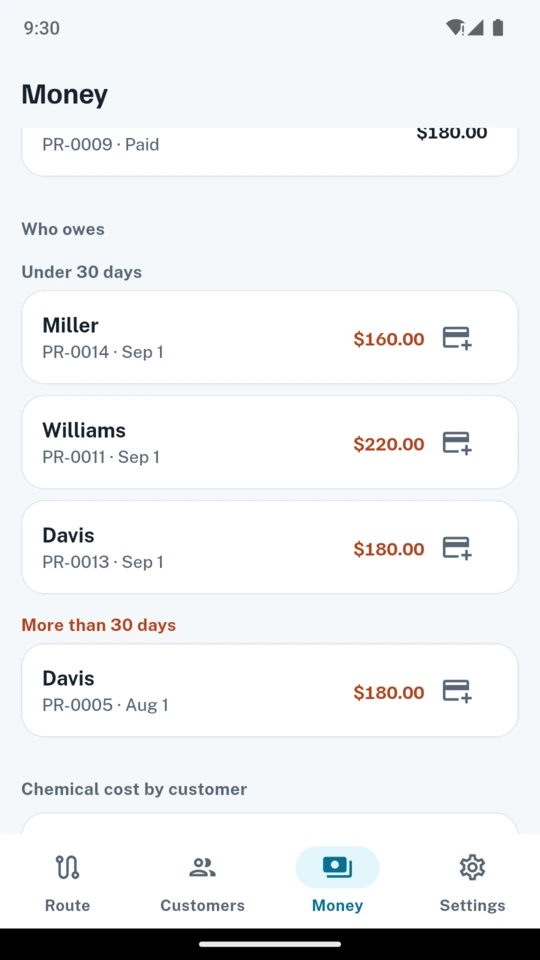
Bill a flat monthly rate or per visit, and add repairs and extras such as a filter cartridge. Make every customer's statement for the month in one go and share each as a PDF with that month's readings. Record payments by check, cash, card, Zelle or Venmo; a payment settles the oldest statement first, and the owed list shows balances under 30 days, over 30 days and over 60 days.