 PriceLeaf
Price list maker for Android
Type your prices. Share a list that looks designed.
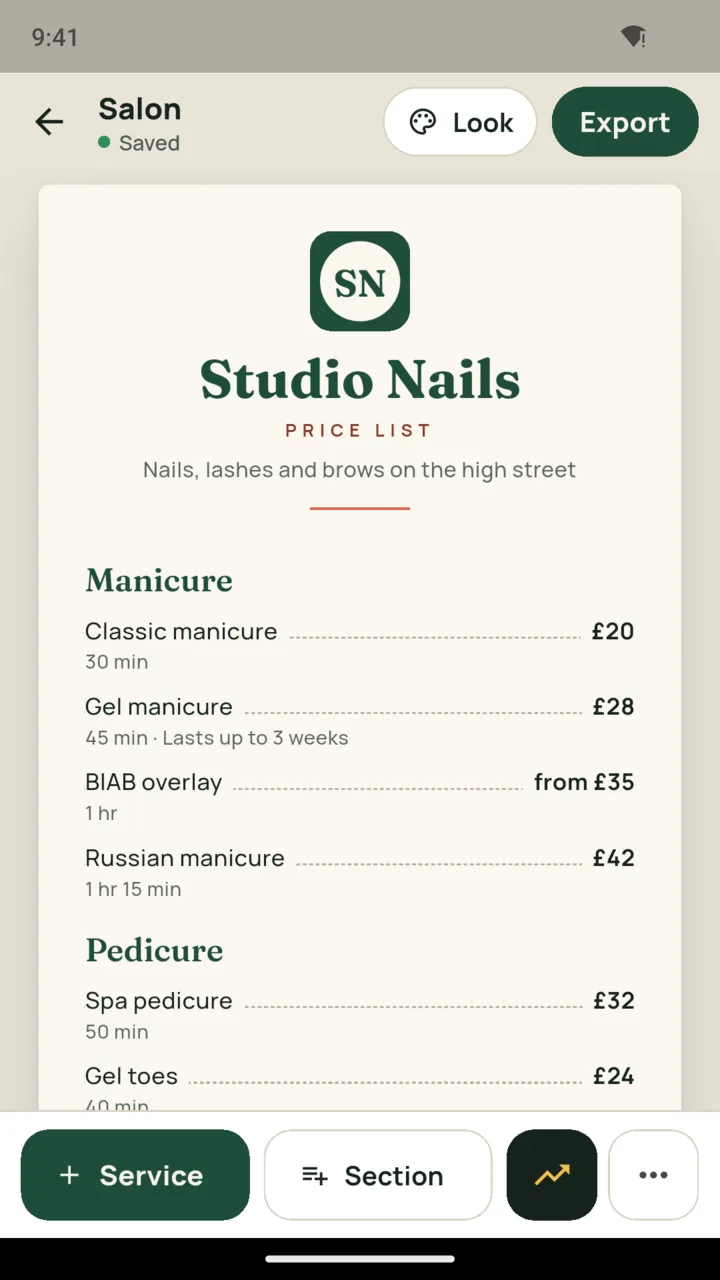
Add your services and prices and watch the list redraw as you type. Share it as a story or a square, or print it as a PDF for the wall.

How it works
How a price list comes together.
01
Type what you sell
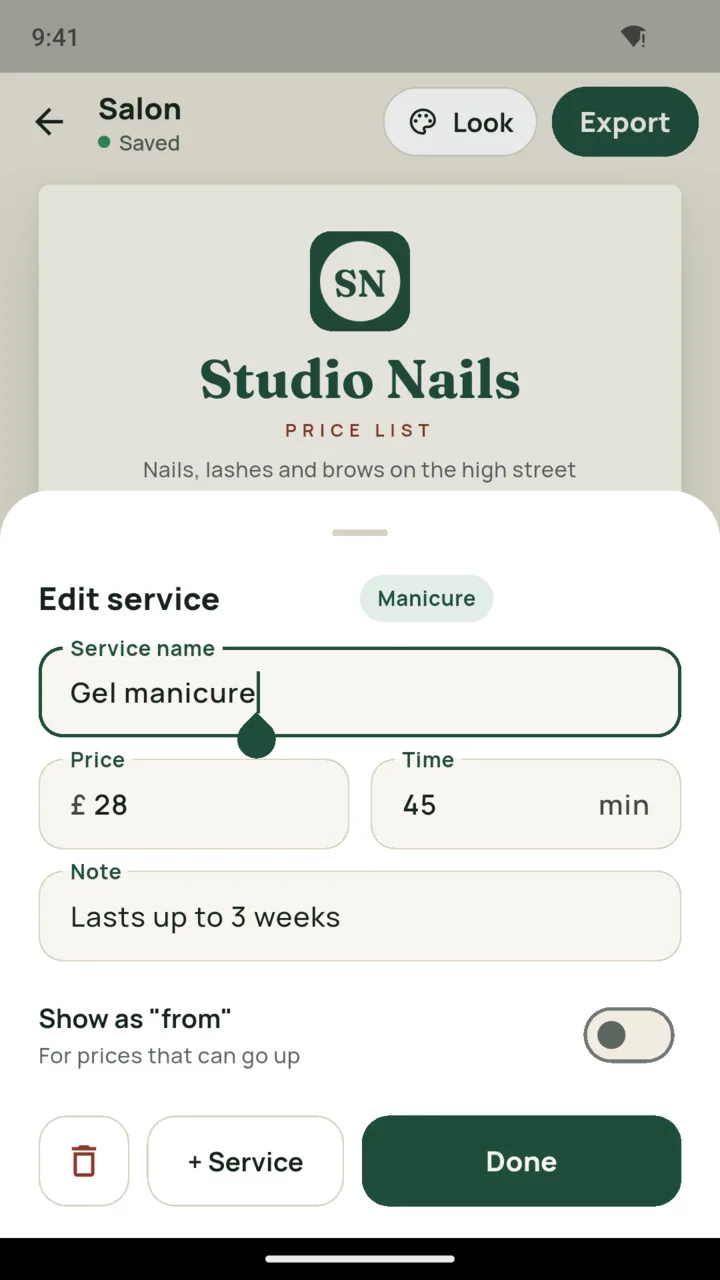
Sections, services, prices and times. Mark a price as "from" for work that can cost more. The sheet redraws as you type.
02
Pick a look
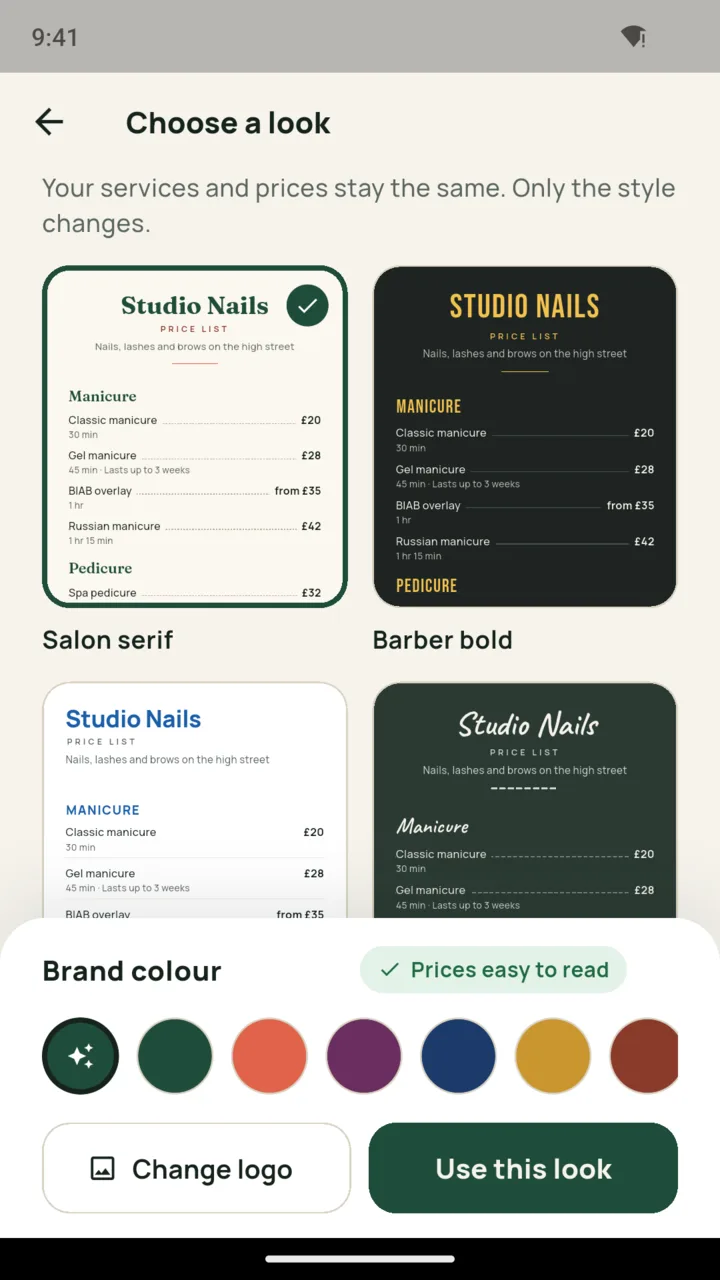
Ten looks, each with its own typefaces and colours, from Salon serif to Market chalk. Add your brand colour, and PriceLeaf checks the prices stay easy to read.
03
Share it or print it
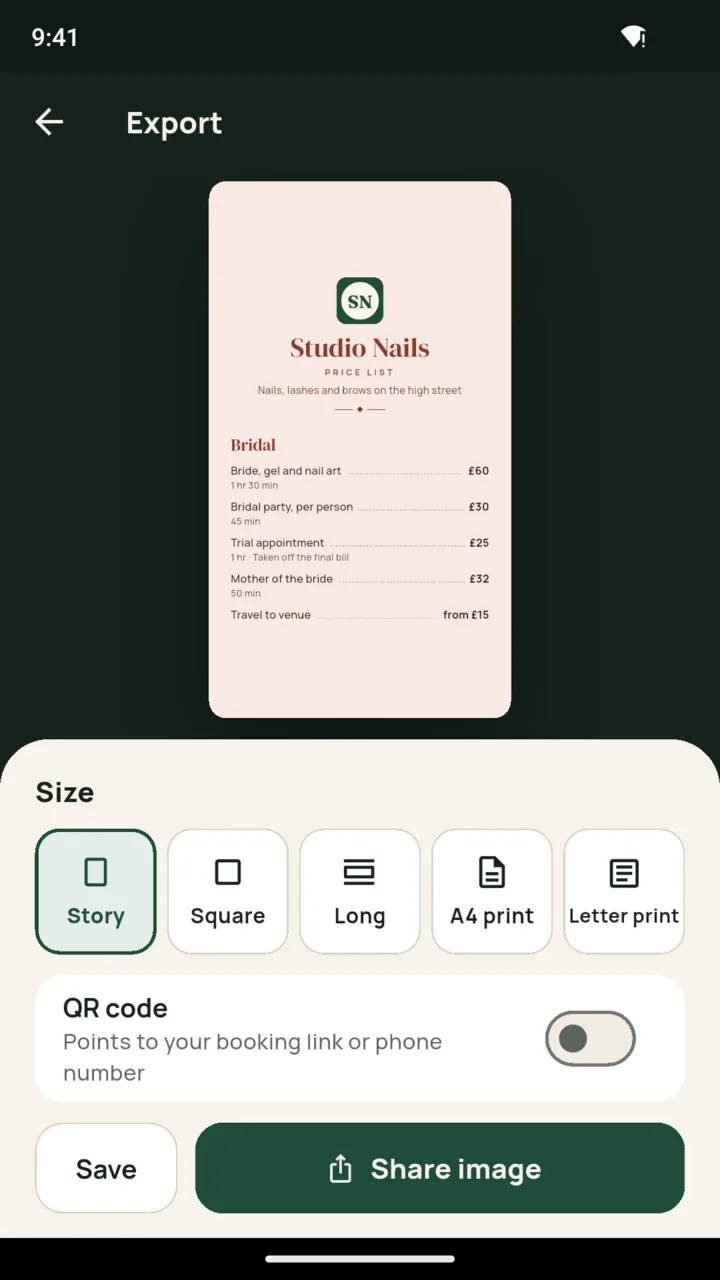
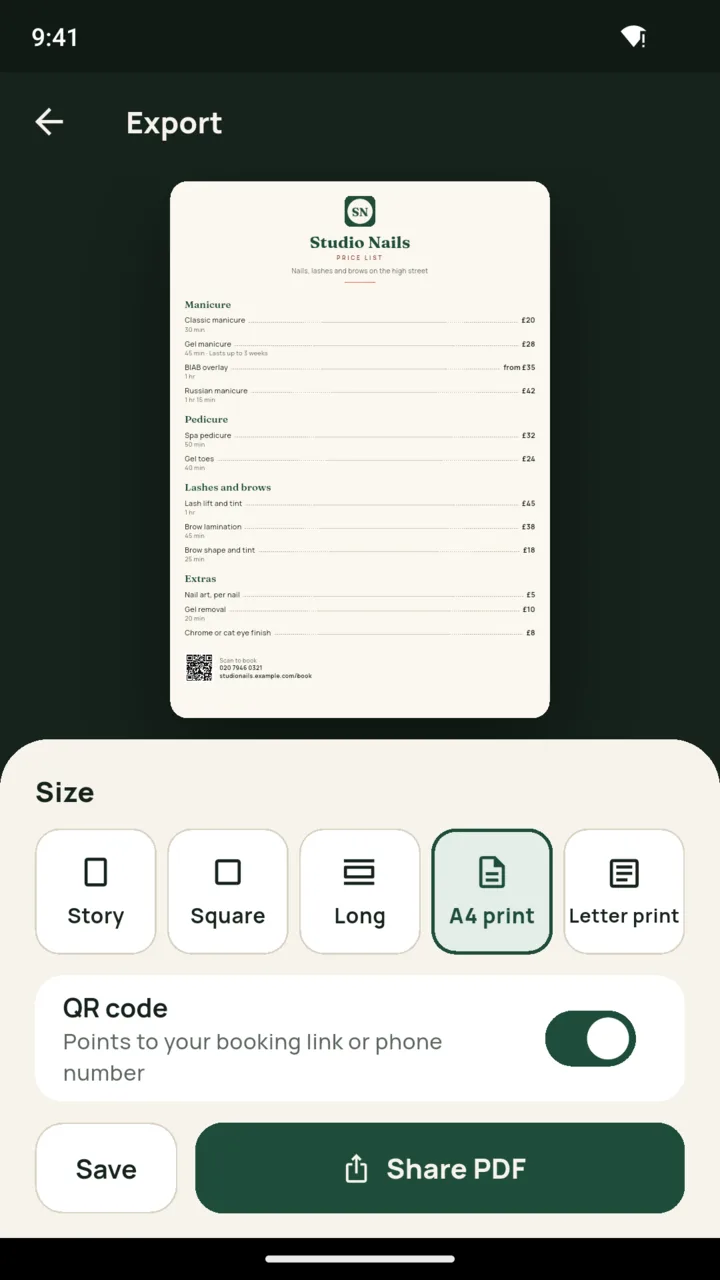
Post it as a story, send the long image in a chat, or print the PDF for the wall. Add a QR code that points to your booking link or phone number.
Price rise
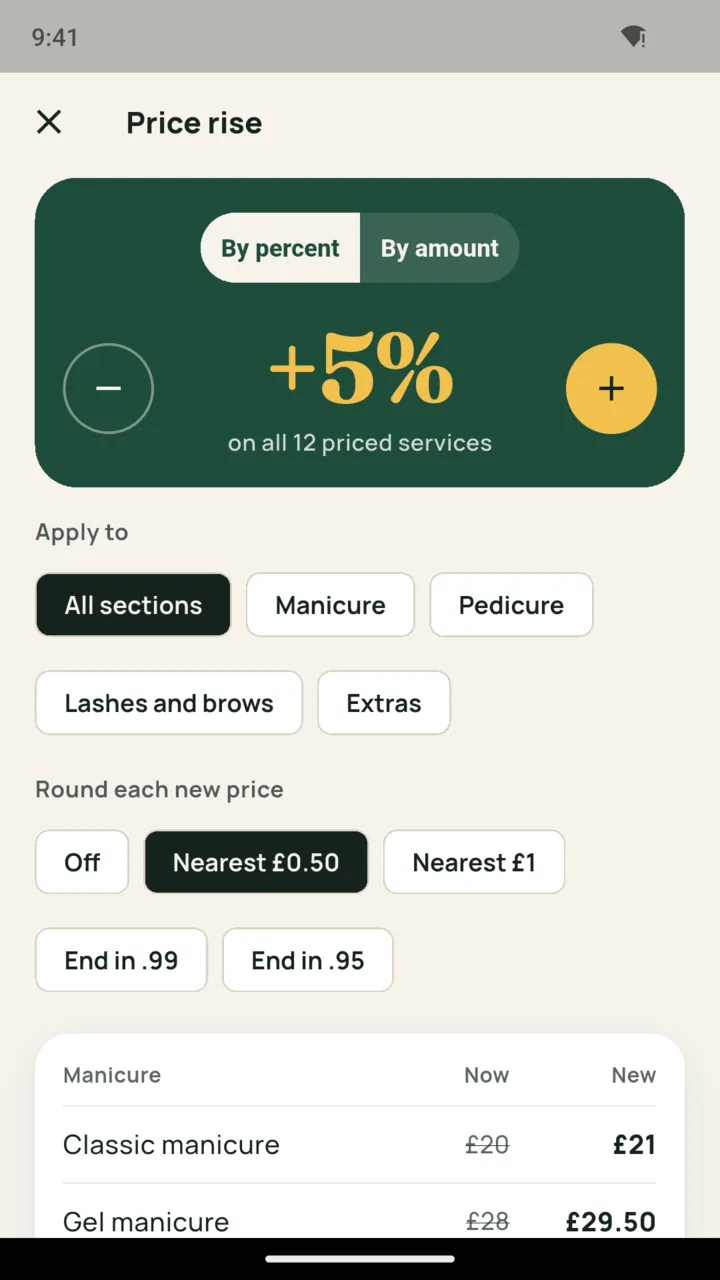
Put every price up by 5% in one go.
Raise or cut the whole list, or one section, by a percent or a fixed amount. Round each new price to the nearest 0.50 or 1, or end it in .99 or .95. You see every price before and after, and the old list is kept as a dated version you can restore.
For the wall and the phone
Branding, print and backup.
- A4 and US Letter PDFs. Long lists split between services, never mid-line, and the section title carries over to the next page.
- Your logo and a header photo. Both sit at the top of the list in every size.
- Several lists. One for the salon, one for mobile visits, one for weddings.
- Backup to one file. Restore it on a new phone and every list comes with you.
- Ten languages, any currency. Each list prints in the currency you pick for it.
Made for people who sell their time
If you have a price list taped by the till, this is for you.
- Nail techs
- Lash techs
- Barbers
- Hairdressers
- Beauty therapists
- Cleaners
- Dog groomers
- Car valeters
- Tutors
- Cake makers
- Market stalls
Pricing
Start with one list. Unlock the rest when you need it.
The standard plan makes one list with three looks, and exports carry a small PriceLeaf mark. The full version adds more lists, all ten looks, the price rise, print PDFs, your logo and header photo, and backup. Lists you have made are never locked.
Pay once
$19.99
Lifetime. Everything, for good.
Yearly
$9.99
A year of the full version.
Monthly
$1.99
Cancel any time on Google Play.
US prices. Google Play shows the price in your own currency.
Questions
Asked before you install
Do I need an account or an internet connection?
No. PriceLeaf works offline with no account. Your lists stay on your phone, and a backup file lets you move them to a new one.
Does it put my prices online or take bookings?
No. PriceLeaf lays out your prices as images and PDFs. It does not publish them, take bookings or payments, or advise on what to charge. The QR code can point to the booking link you already use.
What happens to my lists if I stop paying?
Nothing is deleted or locked. You can still open, edit and share every list you made. Only the full version features, like extra lists and print PDFs, need the upgrade.
Can I change all my prices at once?
Yes. The price rise moves every price, or one section, by a percent or a fixed amount, rounds the result the way you choose, and keeps the old list as a dated version you can restore.
Which languages and currencies does it support?
English, Spanish, French, German, Portuguese, Hindi, Arabic, Japanese, Korean and Chinese. Each list prints in the currency you pick for it.
Make your next price list.