Stopping early.
If you feel faint, unwell or unable to go on, stop the test and sit or lie down. The readings you already entered are saved, and you can edit the test afterwards.

POTS tracker
PulseStand is a POTS symptom tracker and dysautonomia diary. A guided timer walks you through the lying and standing readings you type in, works out the difference, and keeps every test so you can see how it changes from week to week. Fluids, salt, symptoms and flare days sit beside it, and a PDF brings it all to your next appointment.

$19.99 ONCE · $9.99 A YEAR · $1.99 A MONTH
The stand test
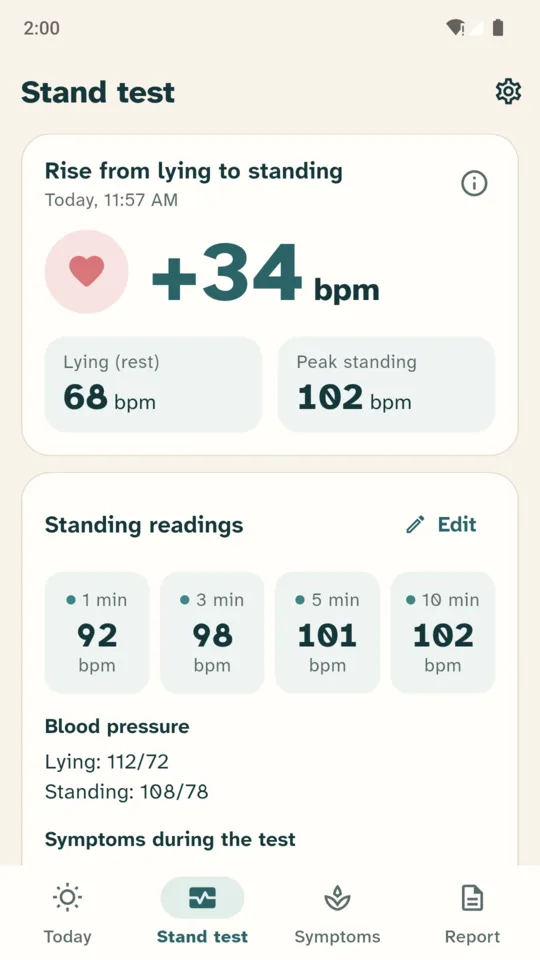
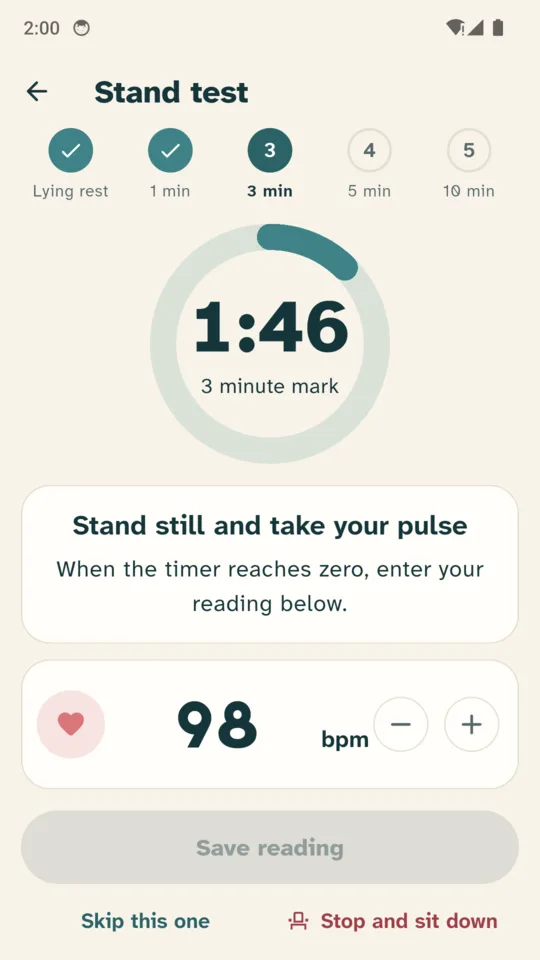
Lie down and rest for the time you choose (3, 5 or 10 minutes, or your own). Take your pulse by hand or read it off your watch and type it in. Then stand still if you can, and the timer prompts you at the 1, 3, 5 and 10 minute marks. The screen stays on while the test runs.
If you feel faint, unwell or unable to go on, stop the test and sit or lie down. The readings you already entered are saved, and you can edit the test afterwards.
Optional, at the start and the end of the test.
Fluids and salt
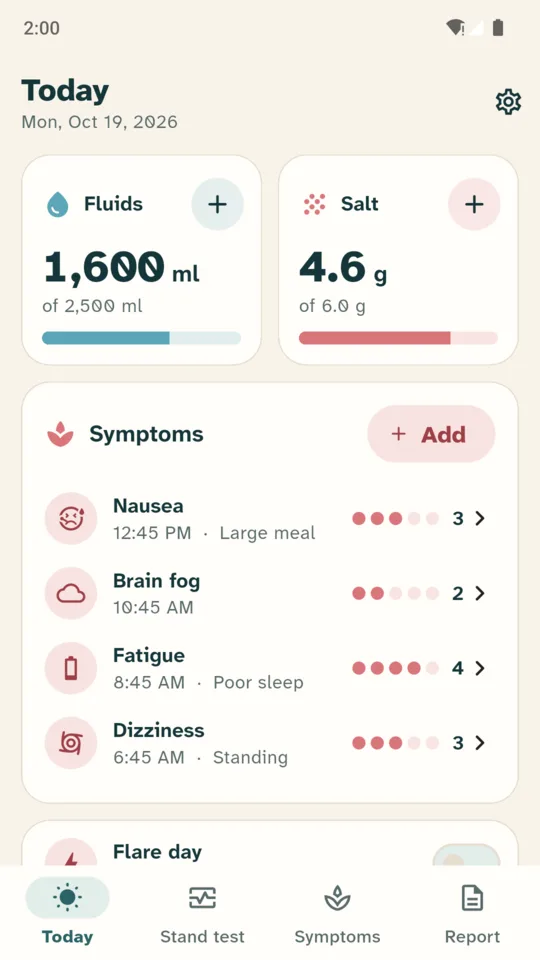
Type the daily fluid and salt targets your clinician gave you. PulseStand never suggests one, and two bars show where you are today.
Log a glass or a bottle with one tap, or save your own quick adds for drinks and electrolyte products, with the fluid and sodium from the label.
Salt as grams of salt or milligrams of sodium. Fluid in ml or ounces.
Symptoms and flare days
Log dizziness, palpitations, fatigue, brain fog, nausea and more, with a 1 to 5 severity, the time, your position and possible triggers you noticed, such as heat, standing, a big meal, a hot shower or poor sleep, or add your own.
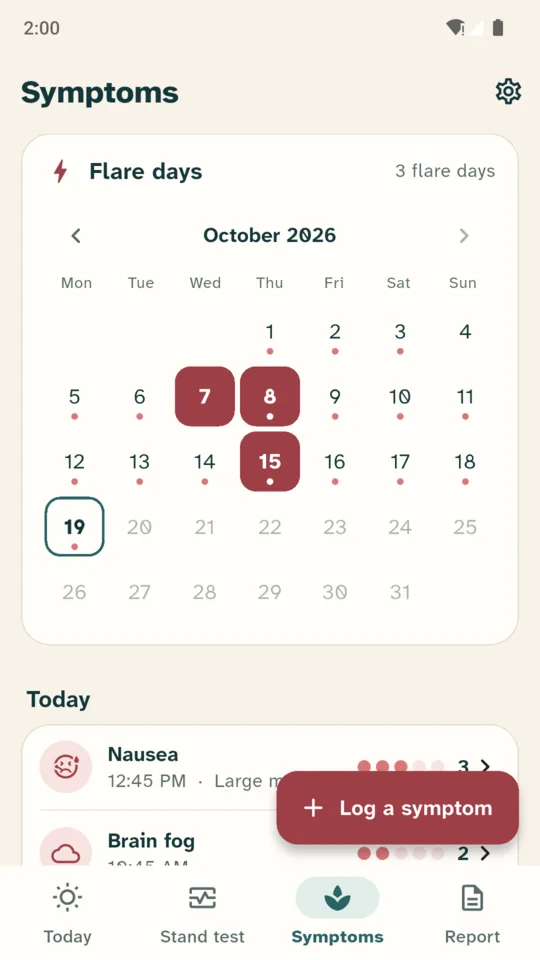
Mark flare days and see them on a month calendar, with a short note about how the day went.
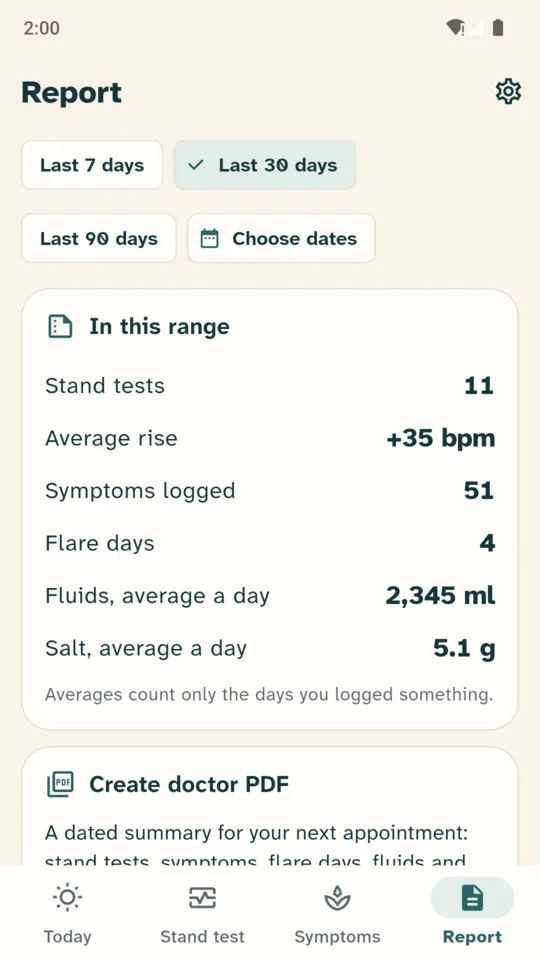
The doctor report
Every stand test in a table, how often each symptom came up and how bad it was, flare days, fluid and salt averages, and your medication list as you typed it. The report is in English.
Your rise by week, symptoms by time of day and by trigger, and how often you reached your targets.
The items you name, ticked when taken, and hours in a compression garment. No drug database and no dosing advice.
Fluid nudges at the hours you choose, plus stand test and medication reminders.
Every entry can be changed later, and a test you did somewhere else can be typed in.
Everything in one file, to restore on a new phone.
A side rail and a wider layout on tablets, light and dark themes, and 10 languages.
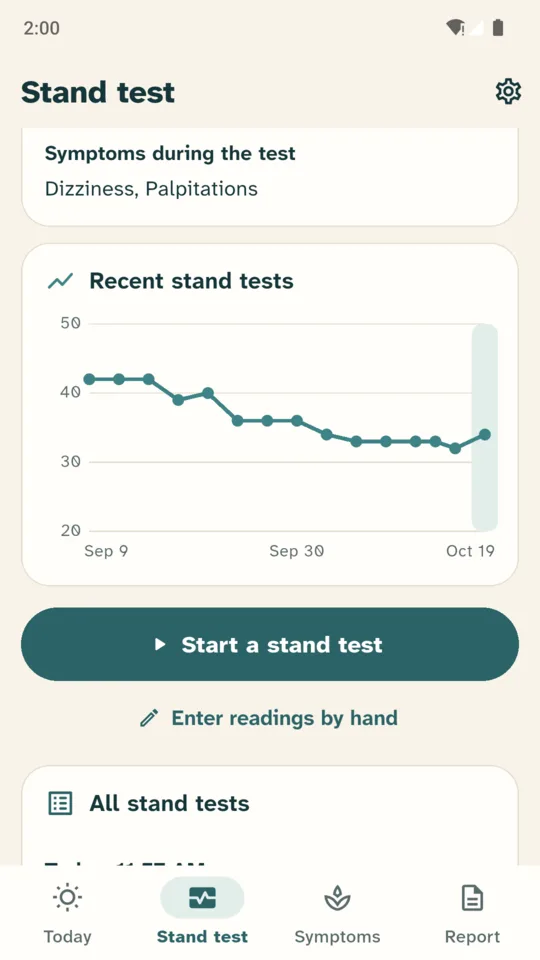
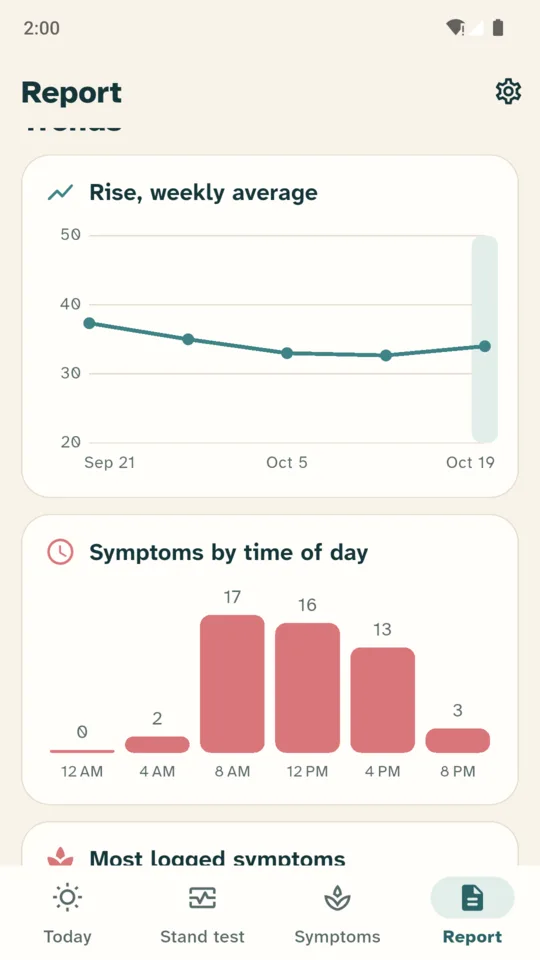
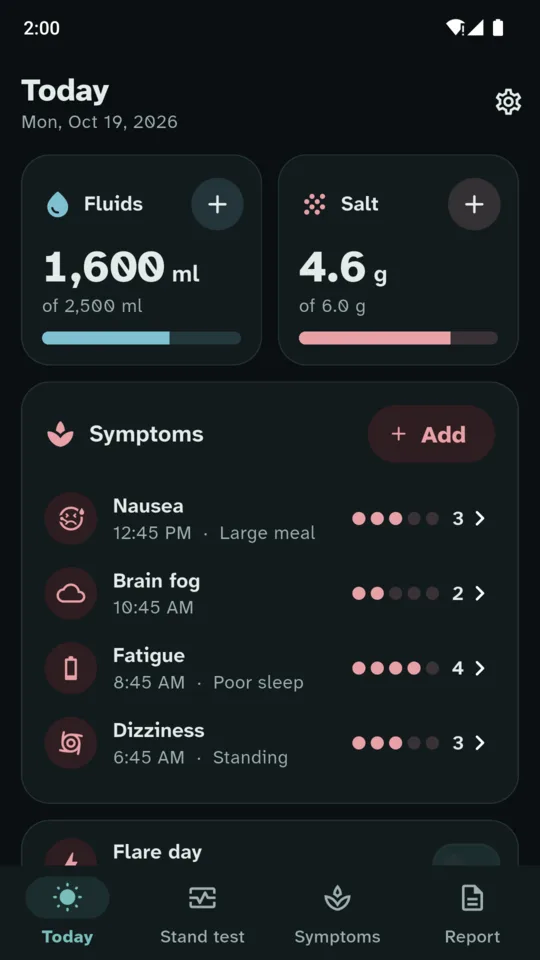
No account and no sign-in. Back up to one file and restore it on a new phone, on every plan.
On the standard version every test, symptom and note stays there to open and edit.
PulseStand keeps the numbers you type and works out the difference between them. It does not diagnose POTS, grade results or give medical advice, and it does not replace a clinician's standing test, a tilt table test or a medical evaluation. Your clinician sets your targets and your plan.
The stand test, fluids and salt with fluid reminders, symptoms and flare days, stand test charts for the last 30 days, and backup. A small banner ad on the Symptoms tab.
A 14-day trial is offered in the app. It starts only when you tap it, and no card is asked for.
No. You take your pulse by hand or read it off your watch, and type it in. PulseStand times the test, keeps the readings and works out the rise.
No. It keeps the numbers you enter and shows the difference between lying and standing. It does not diagnose, grade results or give medical advice. Take your readings to your clinician.
The rise is your highest standing pulse minus your lying pulse. Your lying pulse and your peak standing pulse are shown beside it.
No. Your readings and notes are stored on your phone, and no account is needed. Ads and crash reports go through Google services, as listed in the Play data safety section.
Every stand test in your date range in a table, how often each symptom came up and how bad it was, flare days, fluid and salt averages, and your medication list as you typed it. It is in English. The PDF is part of Pro.
Yes. Back up to one file and restore it on the new phone. Backup works on every plan.
Do one stand test today, and keep the rise for next time.