
RefTally
Referee and umpire pay tracker
Know who still owes you for every game.
Log each game with the fee you earned. RefTally keeps one list of every assignor, league and school that has not paid yet, which games they owe for, and how long you have waited. Miles and expenses add up for the year.

30 games a year on the standard plan.
Pro: $1.99/mo, $9.99/yr or $19.99 once.
WHEN THE MONEY ARRIVES
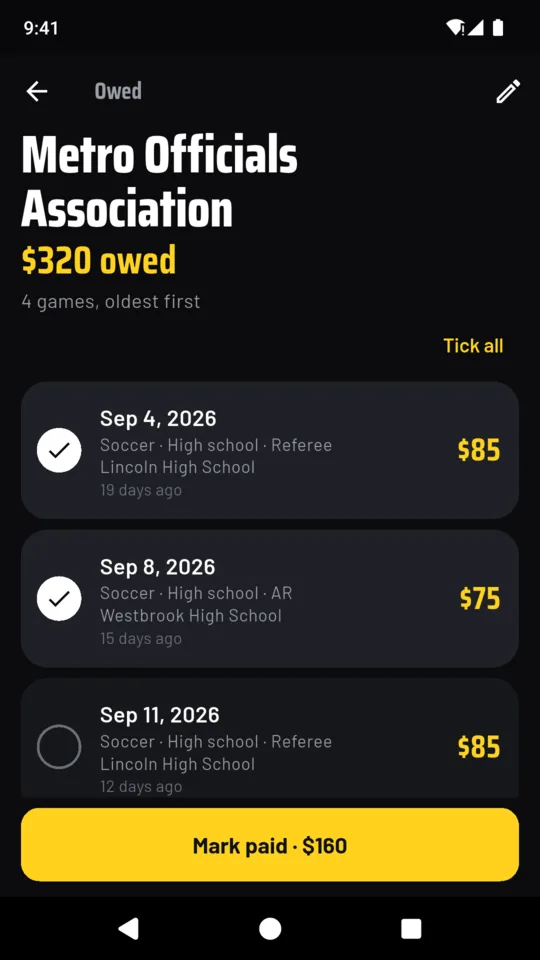
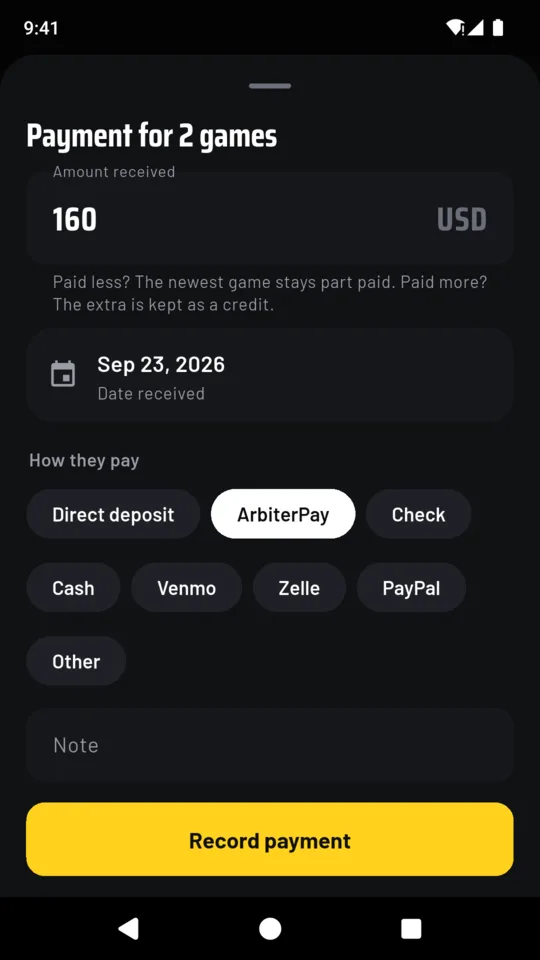
One deposit, three games
A deposit rarely lines up with one game. Tick the games it covers and enter the amount once. RefTally pays off the oldest game first.
- Soccer, oldest $80 Paid
- Soccer $80 Paid
- Soccer, newest $80 $40 paid · $40 owed
Worked example. Had they sent $260, the extra $20 would be kept as a credit against their next game.
WHAT IT KEEPS
The pay book for every game you work
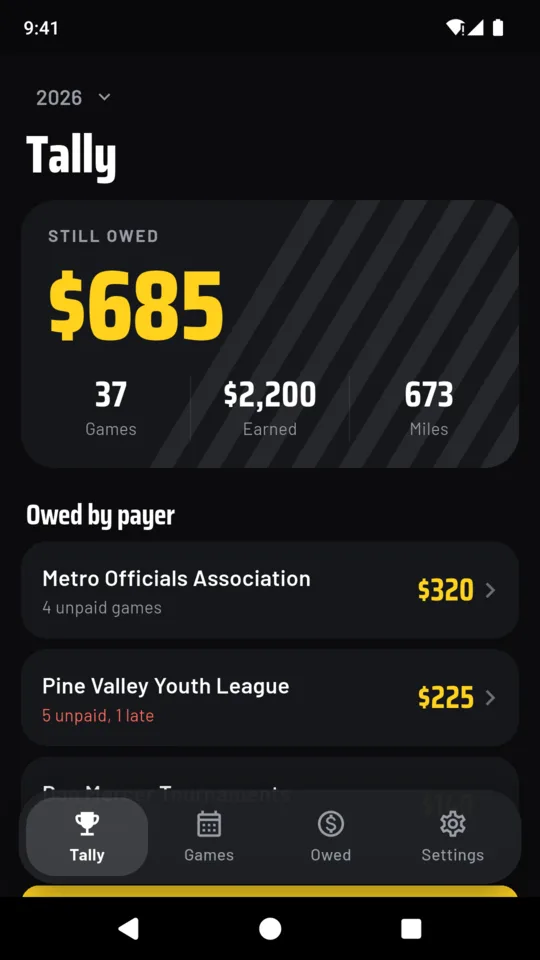
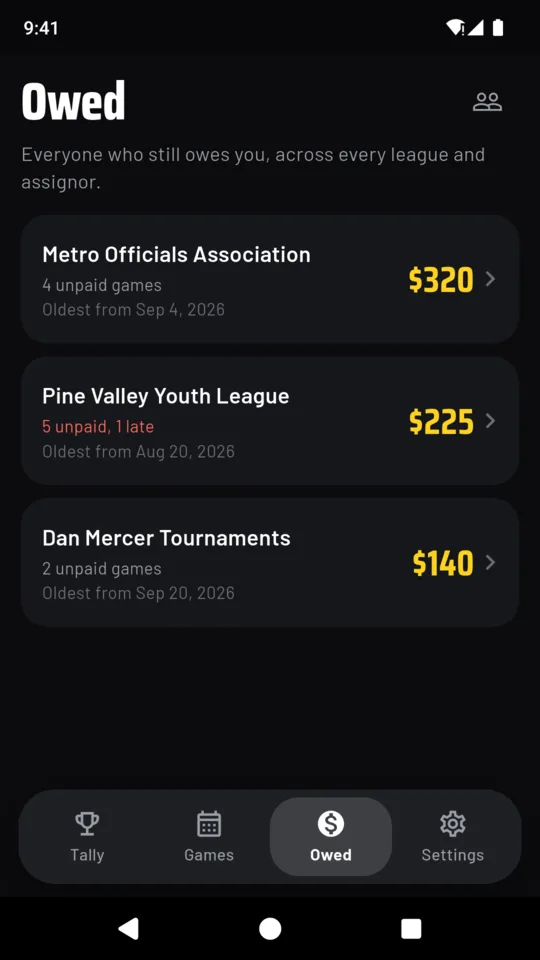
Who still owes you
One list of everyone who owes you, with the games behind each figure and how long they have been waiting. Each payer has its own usual wait (30 days unless you change it). A payer past it is marked late, and on a day fees go late you get one reminder at 9 in the morning.
A game in a few taps
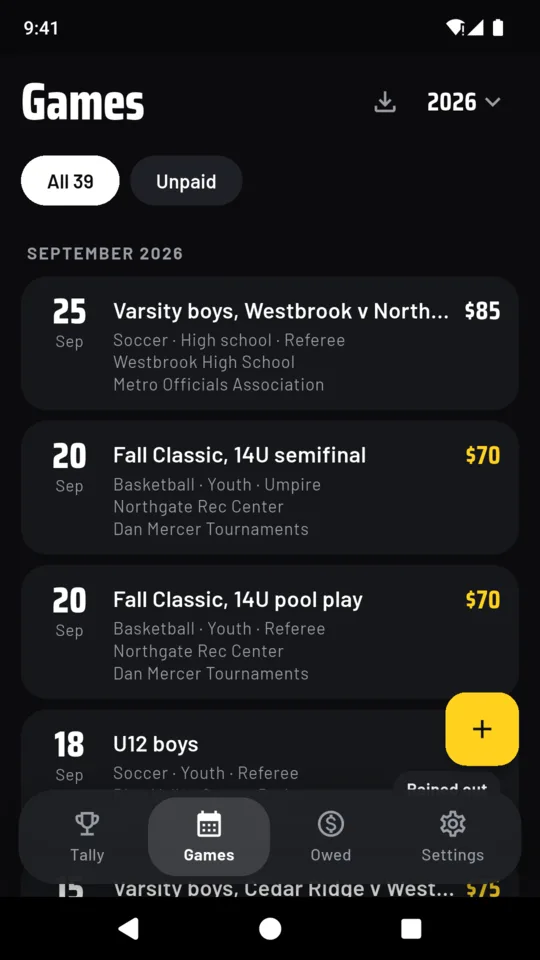
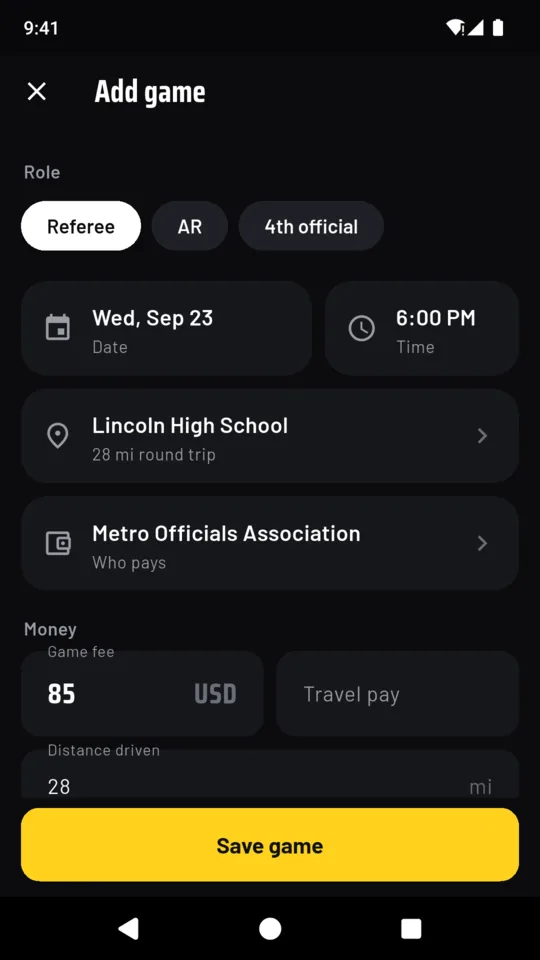
Sport, level and the role you worked, with the names each sport uses: AR and 4th official in soccer, plate and base in baseball, back judge in football. The fee fills in from your last game for the same payer, sport, level and role.
What you actually earned
Mark a game worked, cancelled, rained out, forfeit or no-show and record what the game earned you. Travel pay is kept apart from the game fee. Paid in cash at the field? Record it as paid when you save the game.
Bring in your schedule
Import a calendar file (.ics), set the fee and payer for all of them at once, then confirm each game as you go. Games you imported before are skipped.
Miles for the year
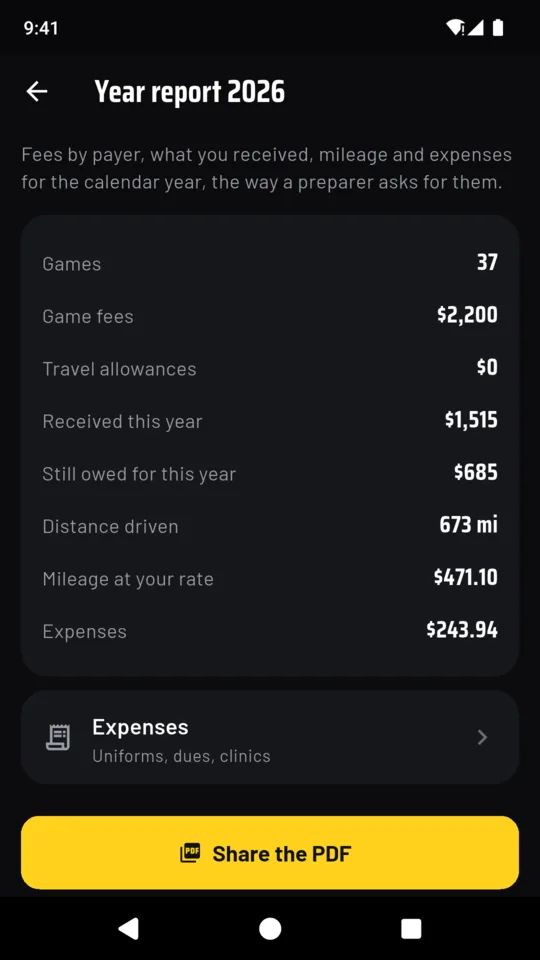
Save each field or gym once with its round trip. A second game at the same site on the same day starts at zero, and you can change it. Enter the mileage rate you use and RefTally shows the mileage amount at that rate.
A year report for your records
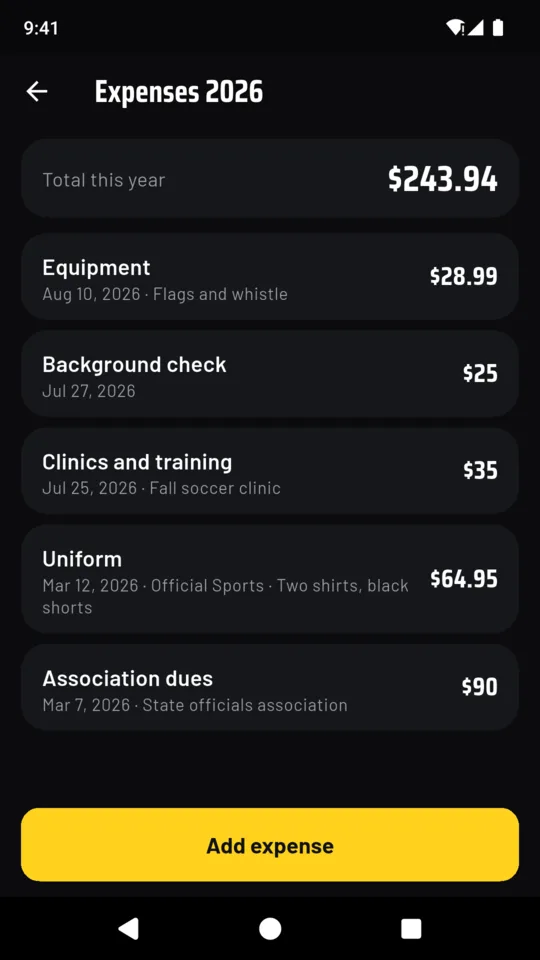
Totals, then each payer with earned, received and still owed, then month, sport, expenses and every game, as a PDF and a CSV file. Money is counted by the day it arrived. It is not a tax return.
The screens
Scroll sideways, or use the arrow keys
WHY IT WORKS THIS WAY
Built for officials with more than one payer
Every payer in one place
An assigning site shows the games and payments it handles. RefTally shows every payer at once: assignors, leagues, schools and teams.
Late means late for that payer
Each payer gets its own usual wait, because a school district and a youth club pay on different clocks.
Nothing to sign up for
Your records stay on your phone. There is no account, and there are no ads on any plan.
Nothing gets locked
The standard plan keeps 30 games a calendar year. Whatever you saved stays readable and editable, whether you upgrade or not.
PRICE
Standard, or Pro
STANDARD
30games a year
- Who owes you, and how late
- Marking deposits paid
- Calendar import
- Mileage
- Backup and the reminder
REFTALLY PRO
$19.99once
or $1.99 a month, or $9.99 a year
- Unlimited games
- Expenses by category
- The year report as PDF and CSV
You can start a 14-day trial of Pro from inside the app when you want it; nothing starts on its own. If you do not upgrade, every game you saved stays readable and editable.
QUESTIONS
Before you install it
Does RefTally connect to my assigning site?
No. It does not log in to any assigning site. If your assigning site or calendar can save your schedule as a calendar file (.ics), you can import it, then set the fees and payers in RefTally.
Is this a tax app?
No. It keeps your own records and prints a year summary to hand your tax preparer. It does not work out tax, file anything or say what you can deduct.
Where is my information kept?
On your phone. There is no account and no sync. Crash reports and usage statistics do leave the device, so problems can be found and fixed.
What happens if I never upgrade?
You keep 30 games each calendar year with the owed list, deposits, import and mileage. Every game you saved stays readable and editable. The limit only stops a new game once a year has 30.
What if I change phones?
Save a backup file from Settings and restore it on the new Android phone. Backup is part of every plan.
Which sports does it cover?
Soccer, basketball, baseball, softball, football, volleyball, hockey and lacrosse, each with its own role names, plus Other for anything else.
Keep your game pay book on your phone
Android only. Pro is $1.99 a month, $9.99 a year or $19.99 once.