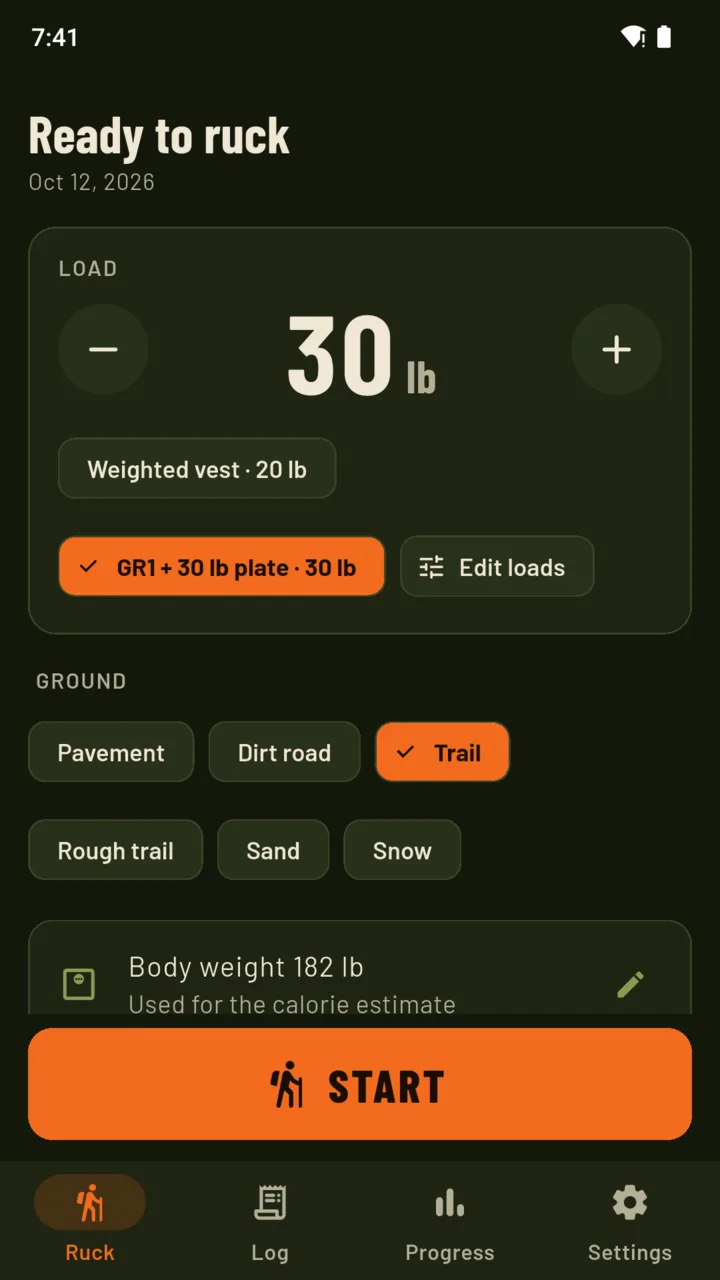
Set the load first.
Type the weight in pounds or kilograms, or pick a saved load such as a pack with a plate or a weighted vest. Choose the ground: pavement, dirt road, trail, rough trail, sand or snow. Then press Start.
Rucking tracker
Set the load, press Start and walk. RuckMile records the route by GPS, estimates the calories with the weight counted in, and adds up load × distance for every ruck and every week.

$24.99 ONCE · $14.99 A YEAR · $2.99 A MONTH
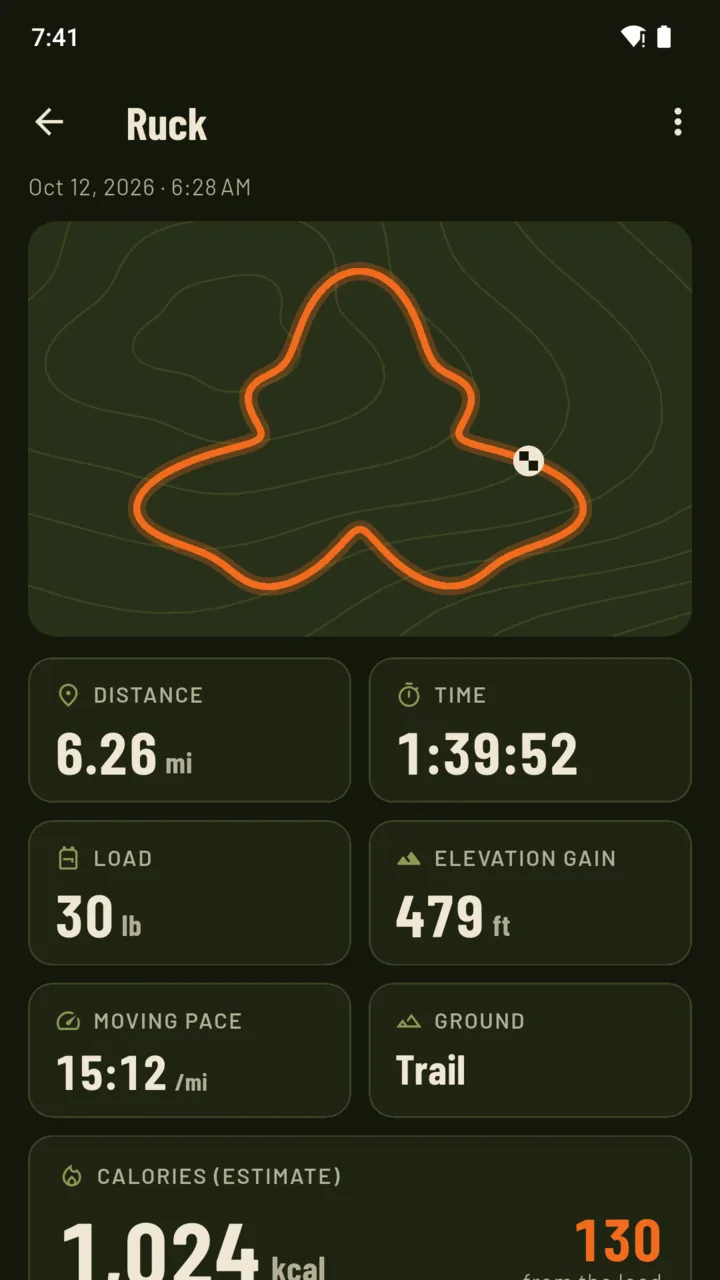
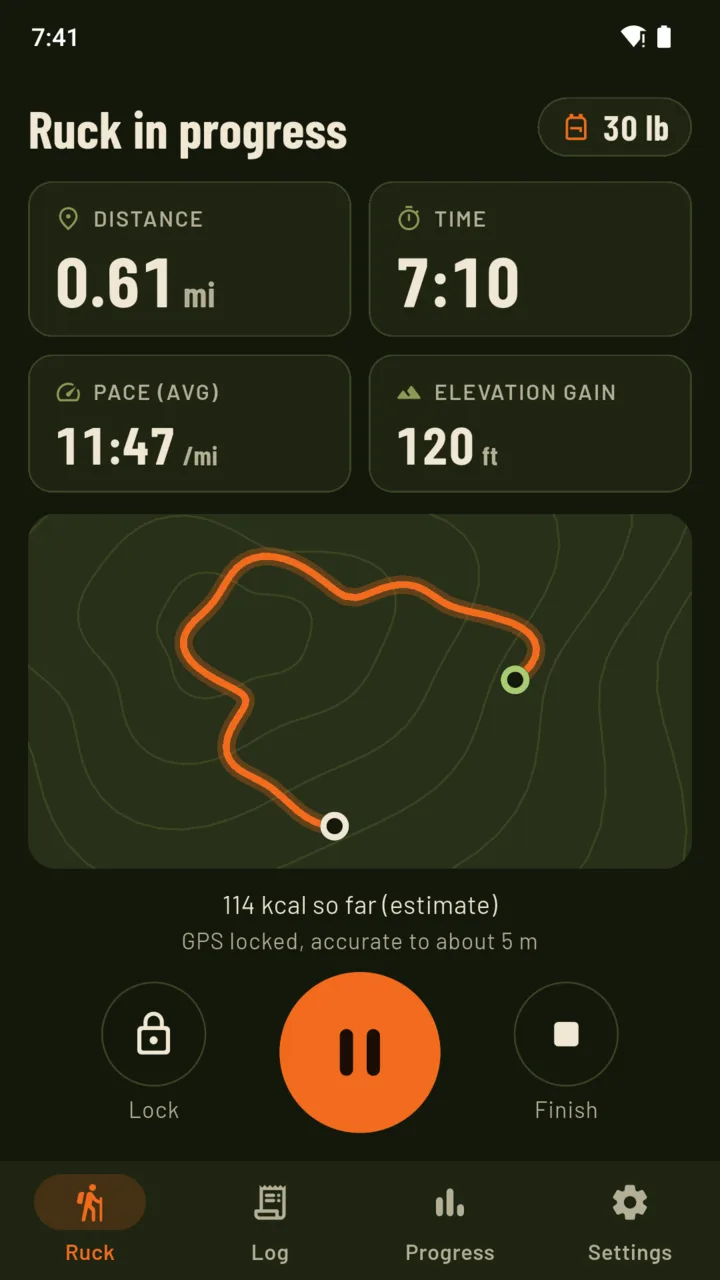
Type the weight in pounds or kilograms, or pick a saved load such as a pack with a plate or a weighted vest. Choose the ground: pavement, dirt road, trail, rough trail, sand or snow. Then press Start.
Distance, time, pace and elevation gain in type you can read with a pack on. The route draws as a line on a plain contour background. It keeps recording with the screen off in your pocket, and Lock stops a stray tap from pausing the ruck.
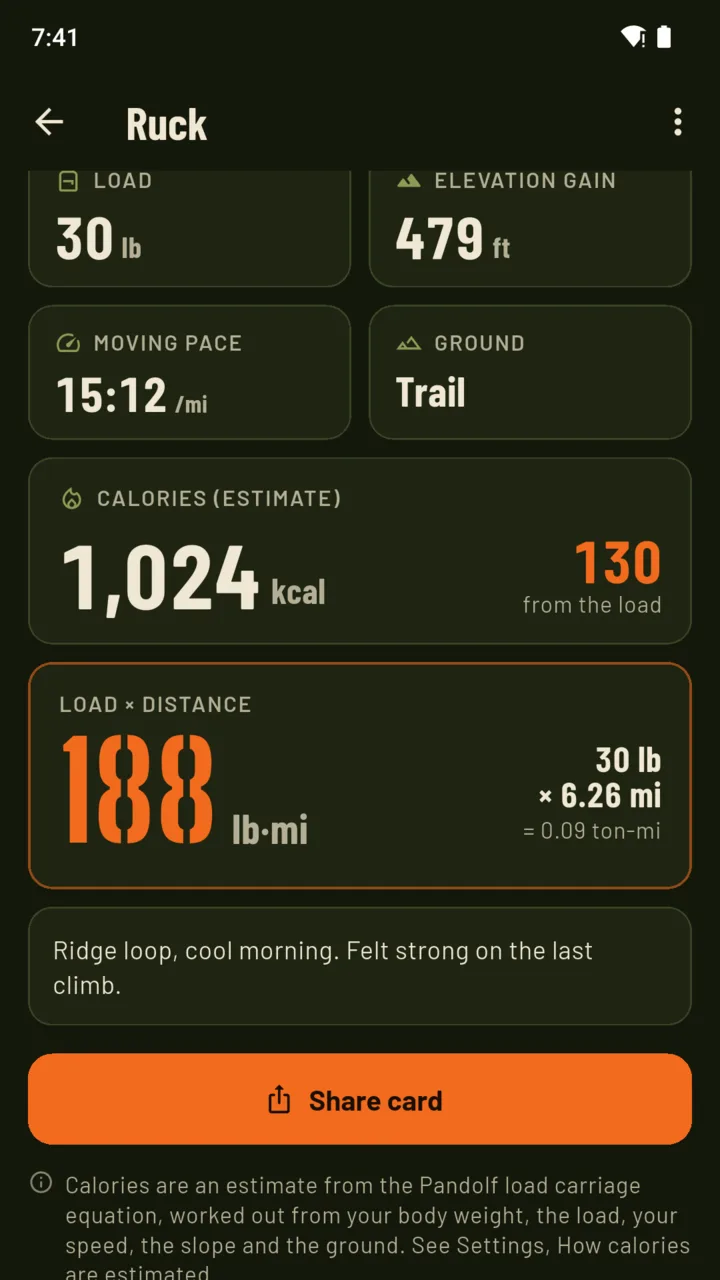
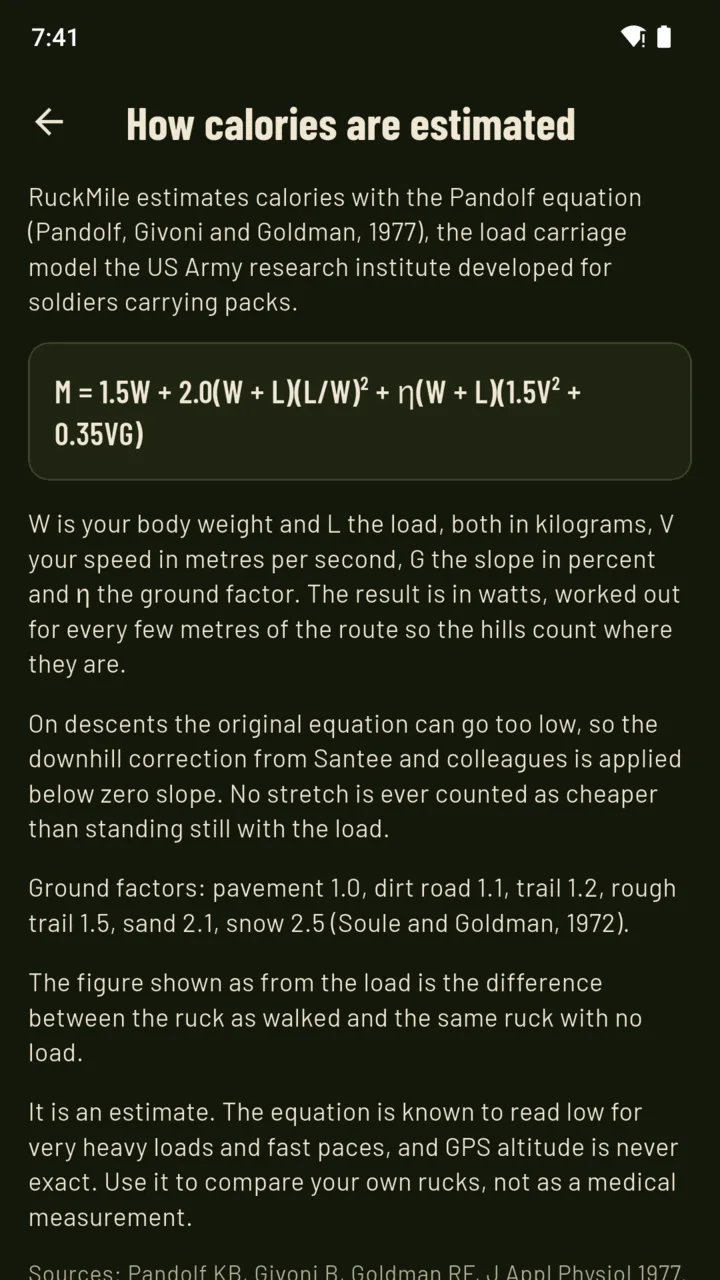
The estimate uses the Pandolf load-carriage equation with a downhill correction, from your body weight, the load, your speed, the slope and the ground. The summary shows how many calories came from carrying the weight.
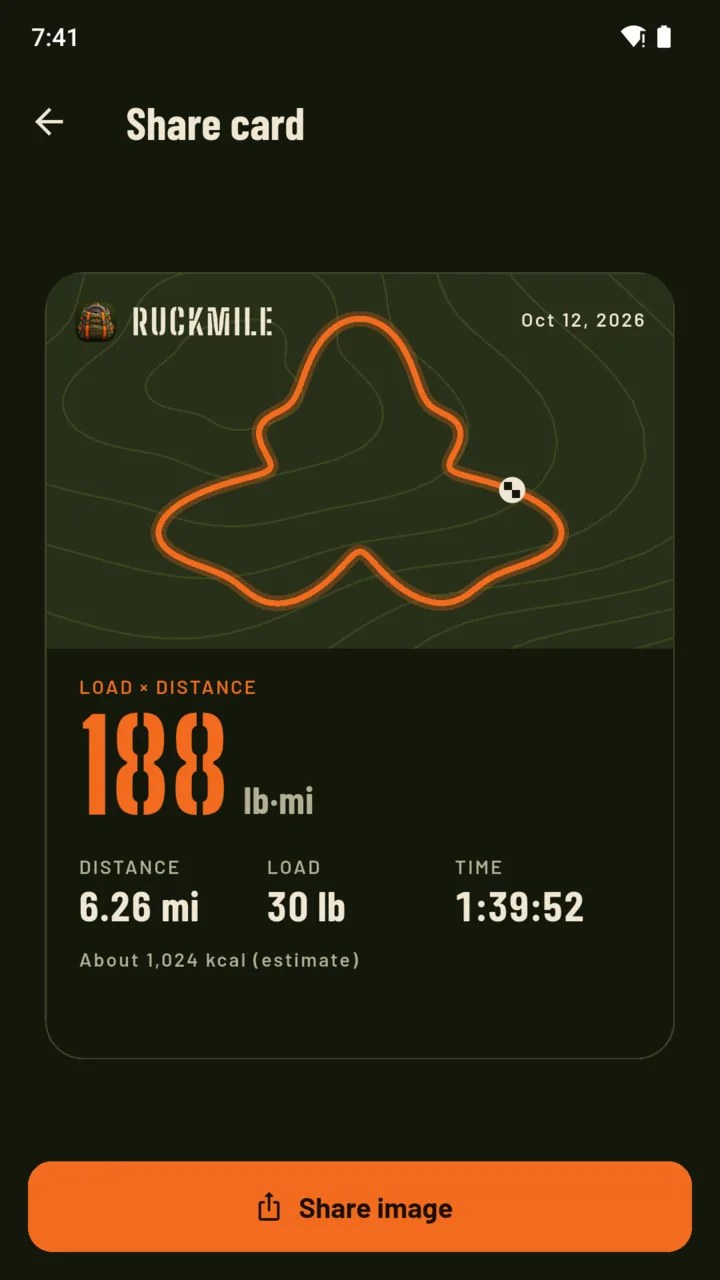
Each ruck gets a pound-mile figure (or kilogram-kilometres): 30 lb carried 6.26 miles is 188 lb·mi. The week adds them up, so a short heavy ruck and a long light one can be compared.
An image with your route, load × distance, distance, load, time and the calorie estimate, ready to send to the people you ruck with.
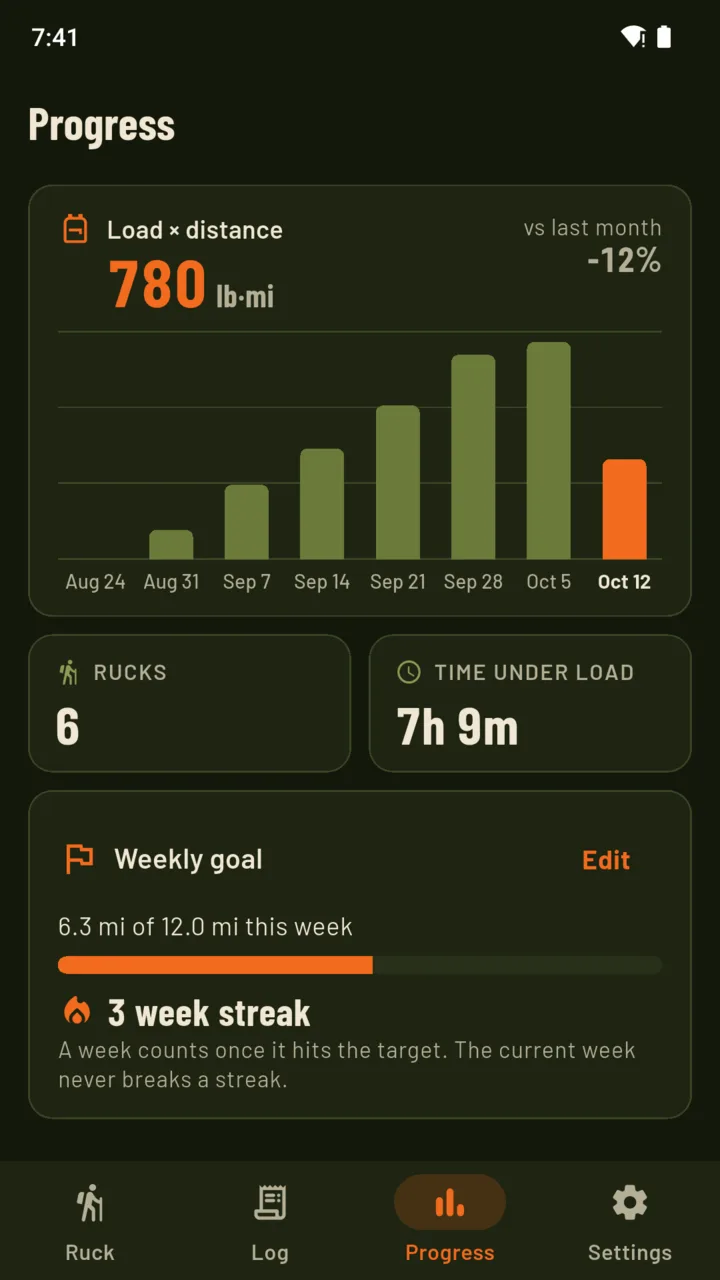
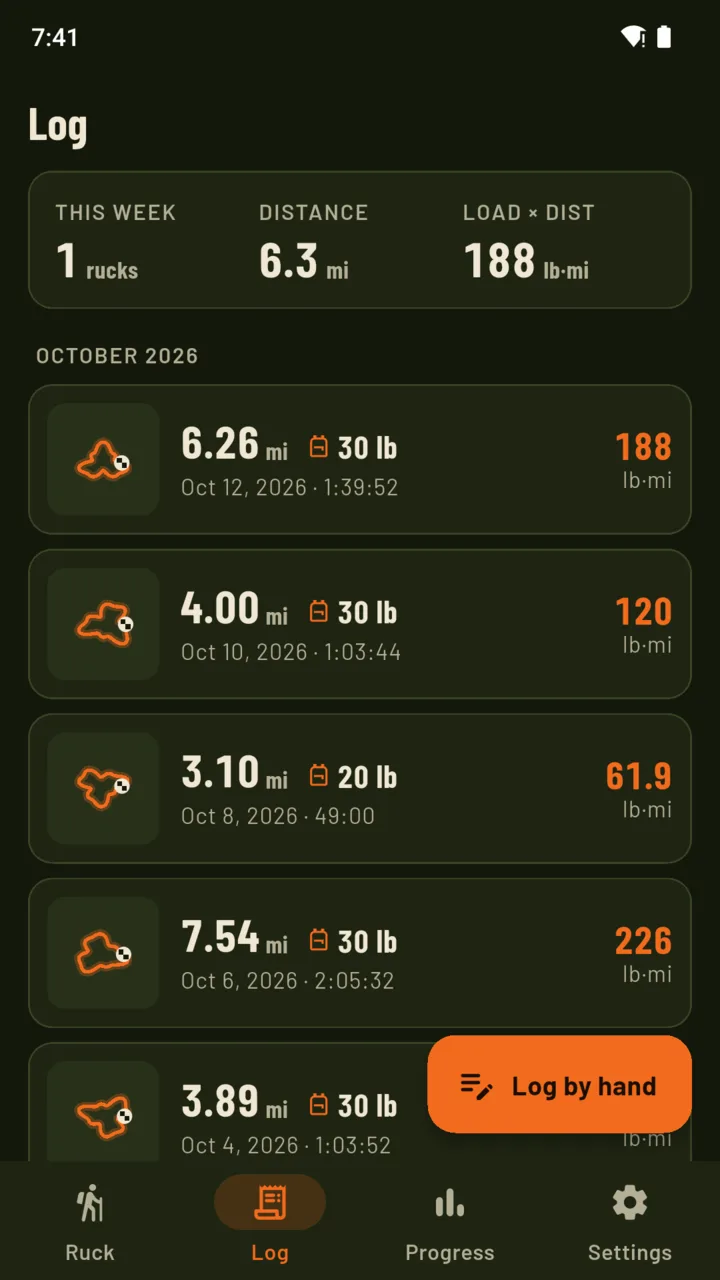
Every ruck with its route, grouped by month. This week as a bar for each day, month and year volume with this month set against the last, a weekly goal with a streak of weeks that hit it, and a ruck day reminder on the days you choose.
30 lb × 6.26 mi = 188 lb·mi
The weight carried times the distance walked. Ton-miles show smaller on each ruck, and metric users see kilogram-kilometres. Switch units in Settings at any time.
M = 1.5W + 2.0(W + L)(L/W)² + η(W + L)(1.5V² + 0.35VG)
W is your body weight, L the load, V your speed, G the slope and η the ground. It is worked out every few metres, so the hills count where they are. The share from the load is the same ruck worked out with and without it.
A walking app counts the miles. Rucking is the miles with weight on your back, so RuckMile asks for the load every time and puts it into every figure it shows you.
There is no account and no sign-in, and routes are not uploaded. Location is used only during a ruck you start, with a notification showing the whole time. A backup file restores on another phone by adding what is missing and removing nothing. Crash reports and screen-view statistics are sent, and neither carries your routes.
Settings shows the equation, the ground factors and the published sources behind every calorie figure. It is an estimate, not a medical measurement, and GPS altitude is never exact. RuckMile records and adds up; it does not set a training plan.
Recording, the summary, the share card, the whole log, the week view, two saved loads and backups. A banner ad shows on the Log and Progress tabs, never during a ruck. Everything you record stays yours to read on every plan.
An optional 14-day trial is offered in the app; it starts only when you tap it.
No ads with Pro.
Yes. Set the load before each ruck, whether it is a loaded rucksack, a weighted vest or a day bag with extra weight. Saved loads keep your usual kit one tap away.
No map tiles. The route draws as a line on a plain contour background, during the ruck and in the summary.
With the Pandolf load-carriage equation and a downhill correction, from your body weight, the load, your speed, the slope from GPS and the ground you pick. It is an estimate, not a medical measurement.
Yes. On the Log tab, tap Log by hand and enter the distance, time, load and ground. Calories are estimated at your average pace on flat ground, and there is no route.
No. Location is collected only between Start and Finish on a ruck you begin, and a notification shows the whole time. Your routes are kept on your phone.
No. RuckMile uses the phone’s GPS and the numbers you give it. It does not read heart rate or connect to a watch.
RuckMile records the walk and counts the weight you carried on it.