MILEAGE AND HOURS
Distance run
Reads the rig odometer, or the generator hour meter, whichever you point the trigger at. Chassis oil, brakes and wheel bearing repacks live here.
Due soon inside the last 10% of the interval.
RV & MOTORHOME SERVICE LOG

RVKeep
Your rig's whole service history
Miles say the chassis oil is fine. The calendar says the roof sealant is not. The season says the water lines need antifreeze before the first hard frost. RVKeep counts all three against the intervals you enter from your own manuals, and puts one due list on the home screen.

14-day trial, no card.
$1.99/mo · $9.99/yr · $29.99 lifetime.

Miles and months cannot be compared on one axis, so RVKeep does not try. Each trigger is graded against its own kind of interval, and an item takes the worst grade any of its triggers earned.
MILEAGE AND HOURS
Reads the rig odometer, or the generator hour meter, whichever you point the trigger at. Chassis oil, brakes and wheel bearing repacks live here.
Due soon inside the last 10% of the interval.
CALENDAR
Counts from the date of the last service, not from a date you have to keep updating. Roof reseal, anode rod and propane service are usually months, however little you tow.
Due soon inside 30 days.
SEASON
Fires on the next spring, summer, fall or winter after the last time you did it, or on a month you pick if your climate does not match the label. Winterize and de-winterize live here.
Due soon inside 30 days.
How an item is graded
THE ONES A MILEAGE LOG MISSES
An RV spends most of its life parked, which is exactly why a car-shaped service log fails it. Three counters here have nothing to do with distance.
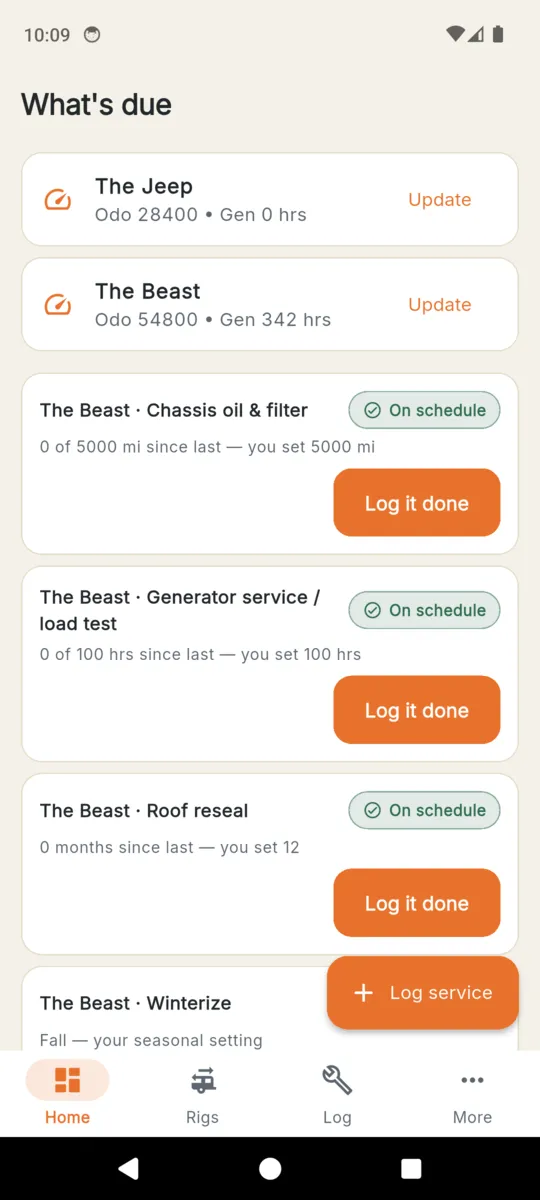
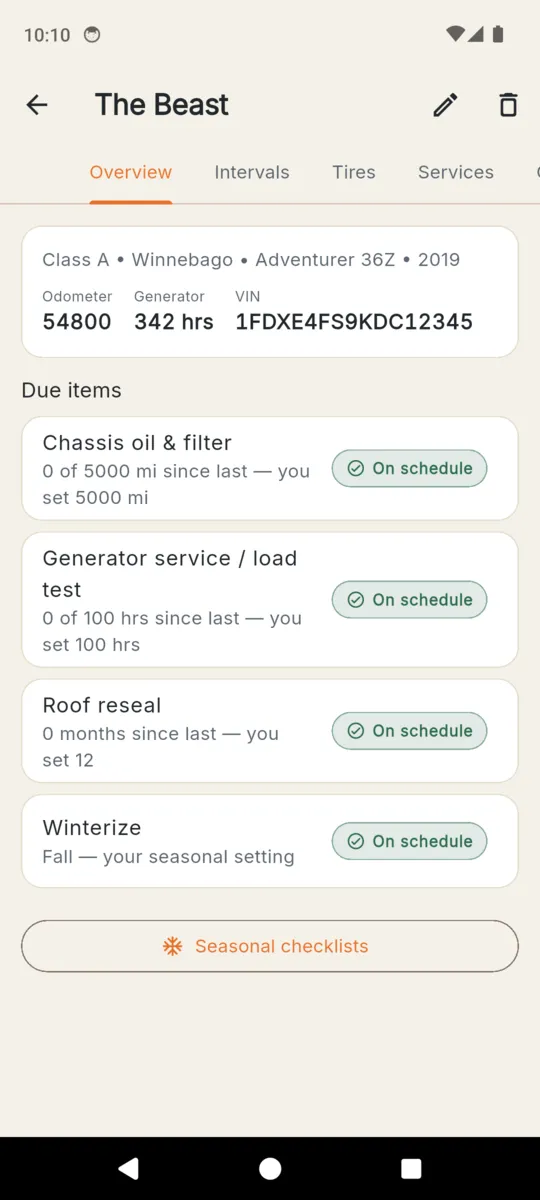
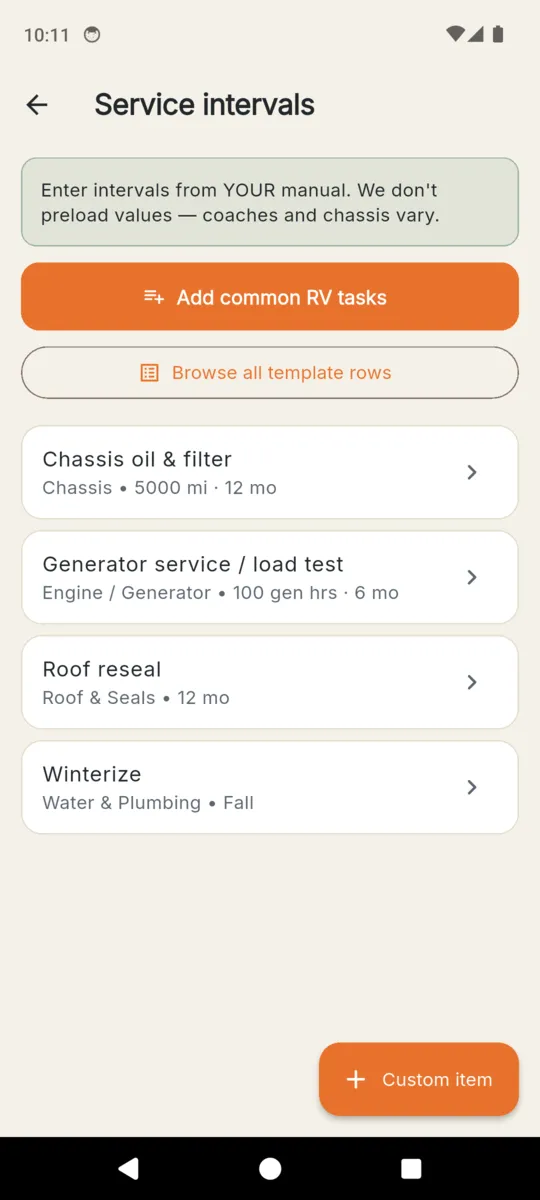
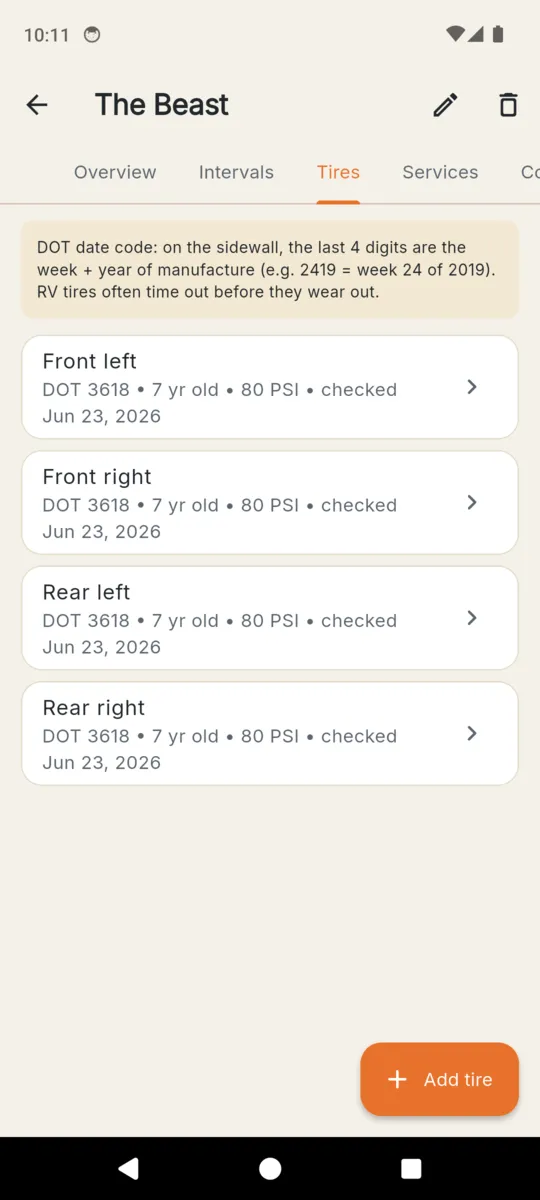
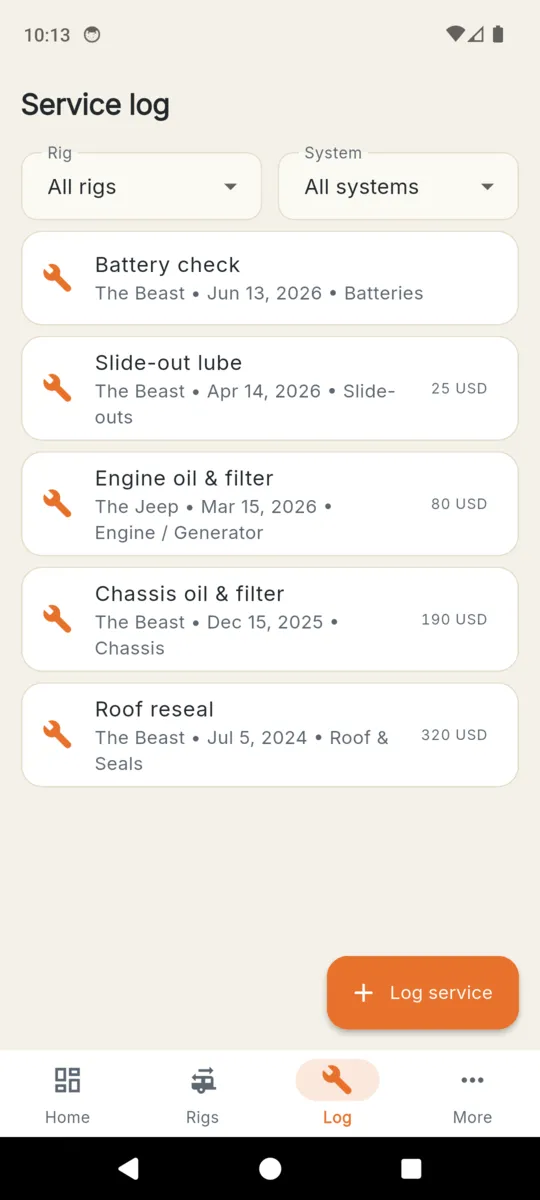
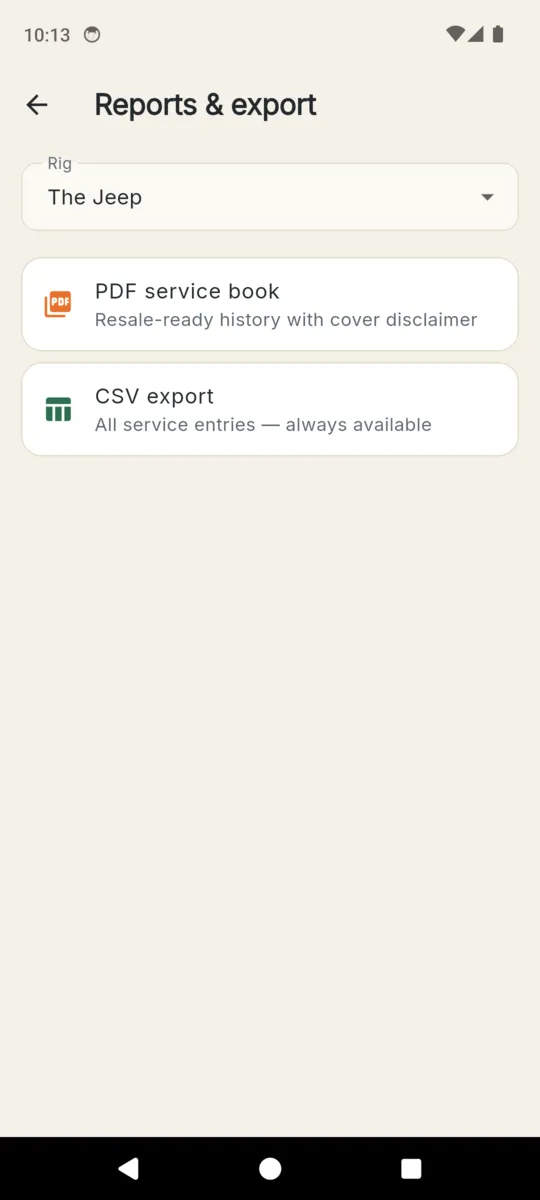
Rigs, readings and the VIN in these screens are the app's built-in sample data.
TWICE A YEAR
Both checklists start with steps most owners use and are yours to edit. Run one and it is stamped and kept, so next October you can see what you actually did last time and whether the rig is currently winterized.
Winterize
De-winterize
AT RESALE
A used coach with a service book behind it is a different conversation from one without. RVKeep prints yours.
PDF SERVICE BOOK
The rig with its VIN, odometer and generator hours, the service history by system, a tyre table with position, age in years and tread, and the receipts and photos on file. The cover states plainly that the record is what the owner entered and that the intervals were set by the owner from their own manual.
Part of the paid unlock
CSV EXPORT
Every service entry as columns: date, system, item, odometer, generator hours, cost, currency, who did it and the notes. Open it in a spreadsheet, keep it, mail it.
Always available, on any tier
PRICING
$29.99lifetime
Or $1.99 a month, or $9.99 a year. A 14-day trial on install, no card. Lifetime owners never lose an existing feature.
No, and that is deliberate. Coaches, chassis and climates vary too much for a preloaded schedule to be safe. You enter the intervals from your own manuals; RVKeep does the counting and tells you when one has come round.
The worst one wins. Chassis oil set at both 5,000 miles and 12 months shows as overdue as soon as either passes, and the line underneath names which trigger did it.
Yes. Class A, B and C, fifth-wheels, travel trailers, tow vehicles and toads are all rig types. The free tier holds one RV plus one tow vehicle or toad, which covers most single-rig owners.
The rig with its VIN, odometer and generator hours, the full service history by system, a tyre table with each position, its age in years and its tread note, and a count of receipts and photos on file. The cover carries a disclaimer saying the record is what the owner entered.
Yes. Rigs, intervals, service entries, tyres and checklists are stored on the phone. There is no account and no sign-up. A connection is only used for the banner ad on the free tier.
$1.99 a month, $9.99 a year, or $29.99 once for lifetime access, after a 14-day trial with no card. Reminders and the CSV export are never capped, on any tier.
Add the rig, copy the intervals out of the manual in the glovebox, and let the three clocks do the remembering.