SaleTag

Inventory for estate sale companies

Photograph and price a whole house, then settle up with the family.

Walk each room with the camera open and a price wheel under your thumb, print QR tags, sell at the door with the day’s markdown already applied, and hand the family a settlement report when the weekend is over.

SOLO $14.99 A YEAR OR $39.99 ONCE · PRO $14.99 A MONTH OR $149.99 A YEAR

  • Works in a house with no signal
  • QR tags on standard label sheets
  • Markdowns by day
  • 10 languages
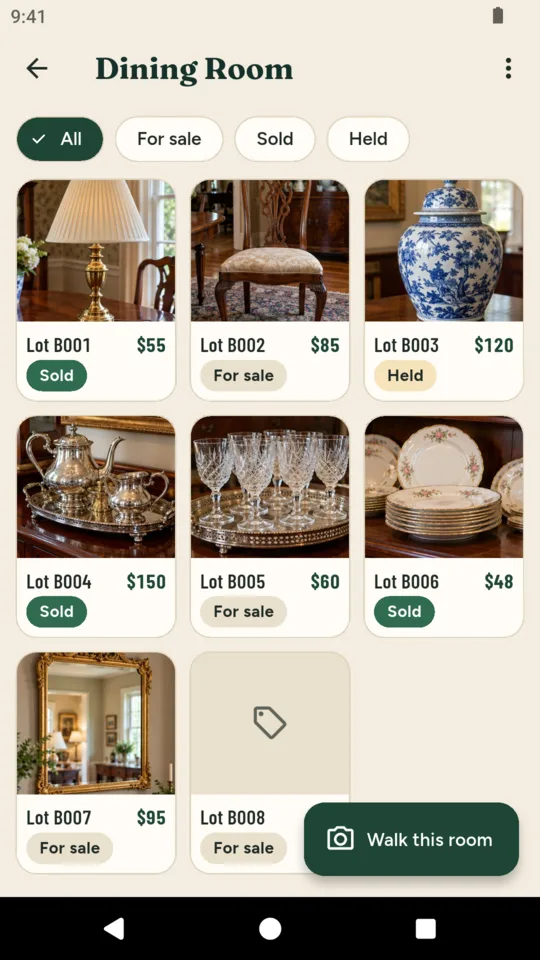
The Dining Room: items with lot numbers, prices and what sold
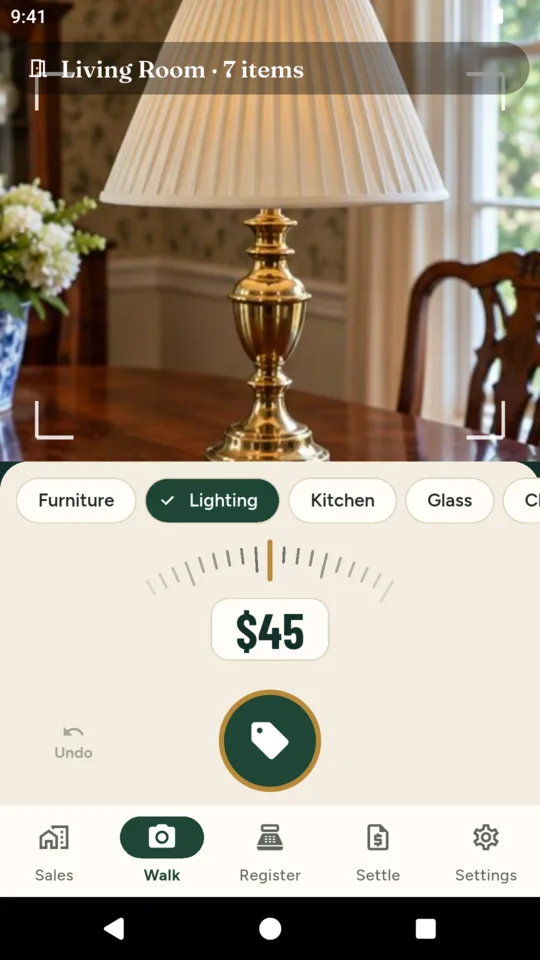
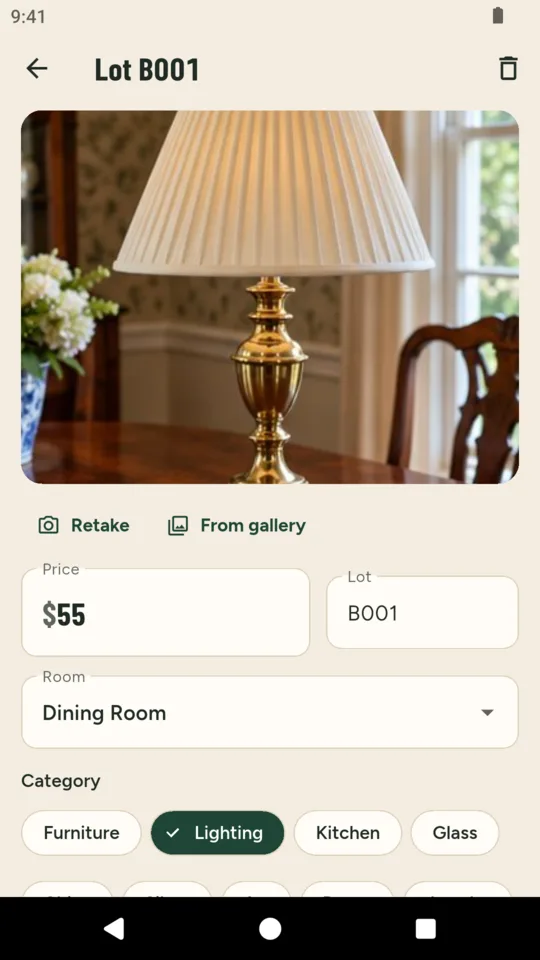
Room Walk: a brass lamp in the camera, Lighting picked and $45 on the price wheel

What it does

The Room Walk.

Pick a room and the camera stays open. Frame the item, turn the price wheel, tap a category if it helps and press the shutter. The item is saved with its photo, price and lot number, and the camera is ready for the next one. Undo takes back the last item.

Price tags with QR codes.

Print tags for a room or the whole sale on US Letter 30-label or A4 21-label sheets. Each tag carries the price, the lot number, a few words and a QR code. Print only items that have never had a tag, or everything still for sale.

The register, markdowns included.

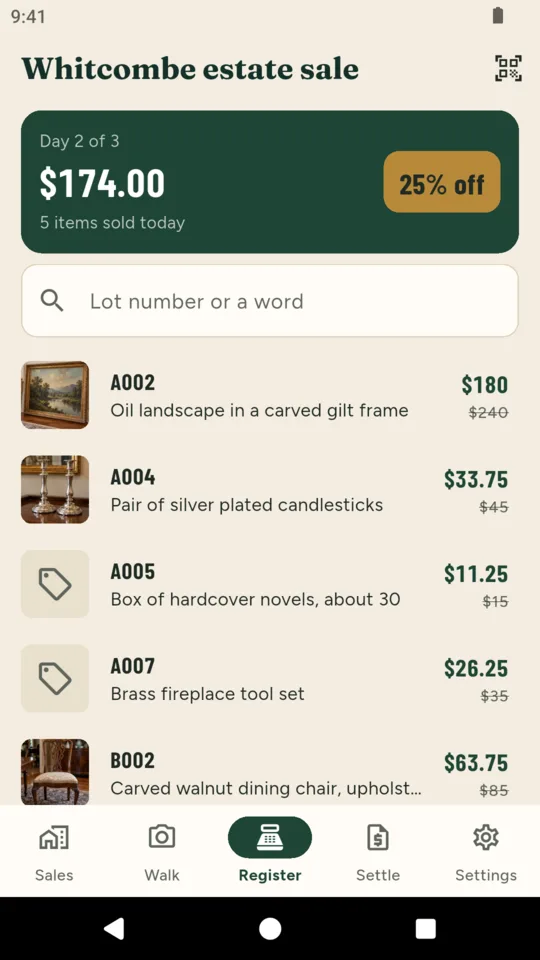
Find an item by lot number or a word, or scan its tag, and mark it sold. A markdown such as 25% off on day 2 and 50% on day 3 is already taken off the price shown, and the day’s total runs along the top.

A page shoppers browse first.

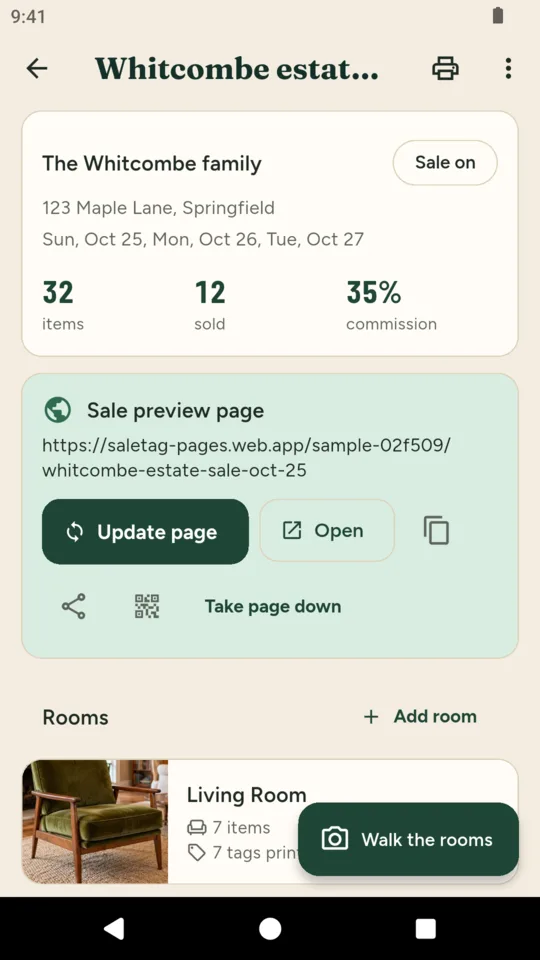
Publish the sale’s dates, hours, photos by room and prices on a page with your company’s name and phone. The street address can stay hidden until the day before, and anything you mark as not public never appears.

Settle up with the family.

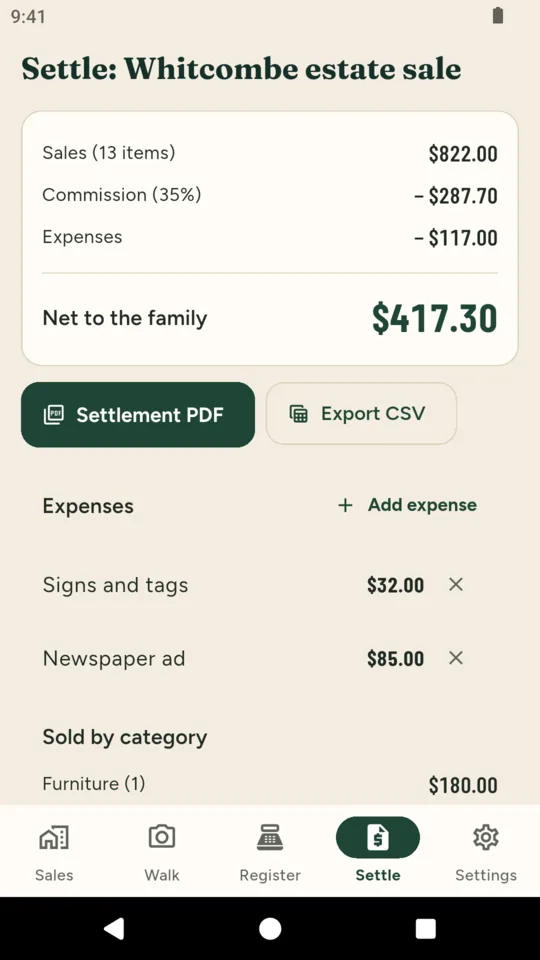
Gross sales, your commission, expenses and the net to the family, with sales by category and by day and what happened to everything that did not sell: left over, held, donated or returned. Hand it over as a PDF and export every item as CSV.

A crew on sale day.

On Pro, up to three helpers join with a code and work on the same sale from their own phones, and a photo can draft its own one-line description and category for you to keep or edit.


Why it works this way

A house with no signal is normal.

Items, prices and photos are saved on the phone the moment you press the shutter and sent when the phone is back online. The register works offline too, so a dead spot in the basement never stops a sale.

The family’s address is not advertised.

A preview page shows the town until the day before the sale, then the street address, if you leave the hide setting on. A full house is not announced to the world a week early.

It never puts a value on anything.

SaleTag records the prices you set. The photo draft describes what it sees and is told never to guess a value, age or maker. Pricing stays your expertise.

What you recorded stays readable.

Every sale and item stays readable on every plan. If a paid plan ends, nothing is hidden or deleted.

Pricing

Standard

One sale at a time with up to 150 items: the Room Walk, QR tags, the register and the settlement PDF.

Solo adds
  • Unlimited sales and items
  • Markdowns by day at the register
  • One preview page at a time
  • Every item as CSV
$39.99 once
A year
$14.99
Pro adds
  • Four seats for your sale-day crew
  • A preview page for every sale
  • Descriptions drafted from the photo
  • Everything in Solo
A month
$14.99
A year
$149.99

A 14-day Pro trial is offered in the app; it starts only when you tap it.

Questions

How fast is the Room Walk?

One tap of the shutter saves an item with its photo, the price on the wheel and the next lot number in that room, and the camera stays open for the next one. A room of fifty small items takes minutes rather than an afternoon.

What labels do the tags print on?

Standard address label sheets: 30 labels of 2.625 by 1 inch on US Letter (Avery 5160 and compatibles) or 21 labels on A4 (Avery L7160 and compatibles). The sheet is a PDF you print from the phone or send to a computer.

Does it work without wifi?

Yes. The Room Walk, the item lists and the register all work offline and sync when the phone reconnects. Publishing the preview page and photo descriptions need a connection.

Does SaleTag take payments?

No. You take cash or card the way you do today; SaleTag records what sold and for how much, and adds it up for the settlement.

Can the family see the page before the sale?

Anyone with the link can, as can shoppers you share it with. Items you mark as not public, such as things the family may keep, never appear, and the address can stay hidden until the day before.

What does the free Standard plan include?

One sale at a time with up to 150 items, the Room Walk, tags, the register and the settlement PDF. Solo removes the limits and adds markdowns, CSV and one preview page; Pro adds seats, more pages and photo descriptions.

Walk your next house with it.

Add the family’s name and the dates, pick the rooms, and start shooting. Tags print the same day.