01
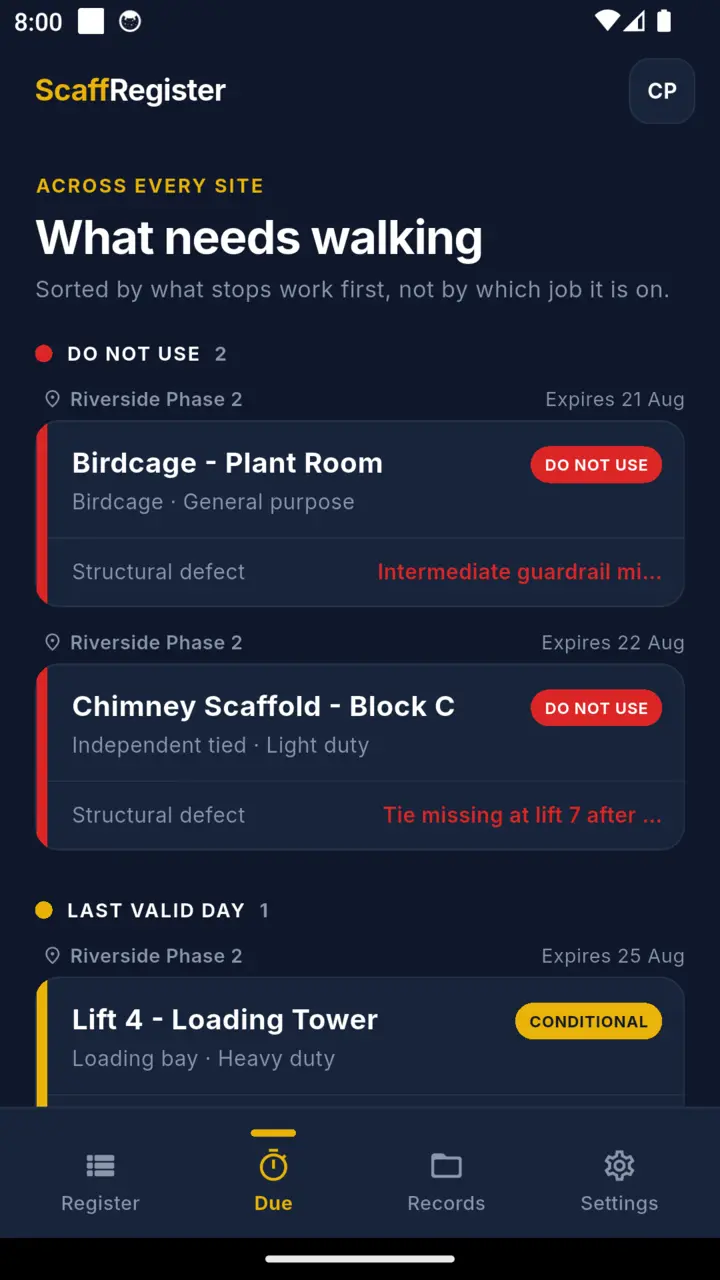
The due date is the last good day
The tag holds through the due date and goes overdue the day after. Not on it. An intervening event still calls for an inspection sooner.
Scaffold inspection register
Regulation 12 wants an inspection before first use, after any event liable to jeopardise safety, and at intervals not exceeding seven days. ScaffRegister runs the seven-day clock for every structure on the job, holds the checklist and the photographs behind each tag, and prints the report of inspection when somebody asks to see it. It works with no signal and needs no account.

The seven-day clock
Where regulation 12(4) applies, inspection is repeated at intervals not exceeding seven days. That wording matters more than it looks. On the app's calendar-day arithmetic an inspection recorded on the 1st falls due again on the 8th and is overdue on the 9th. Treating the 8th as already overdue would shorten the interval by a day and take a structure off the job a morning early. The periodic clock is not the whole duty: an intervening event that could affect the scaffold calls for an inspection before the seven days are up.
01
The tag holds through the due date and goes overdue the day after. Not on it. An intervening event still calls for an inspection sooner.
02
Counted on calendar day markers. A 4pm inspection has the same days left as a 7am one, rather than reading a day short because the hours were truncated.
03
Each structure carries its own clock, because they were not all erected on the same morning and they do not all fall due together.
04
One a chosen number of days before the interval closes, and one on the last day it is still valid.
Status
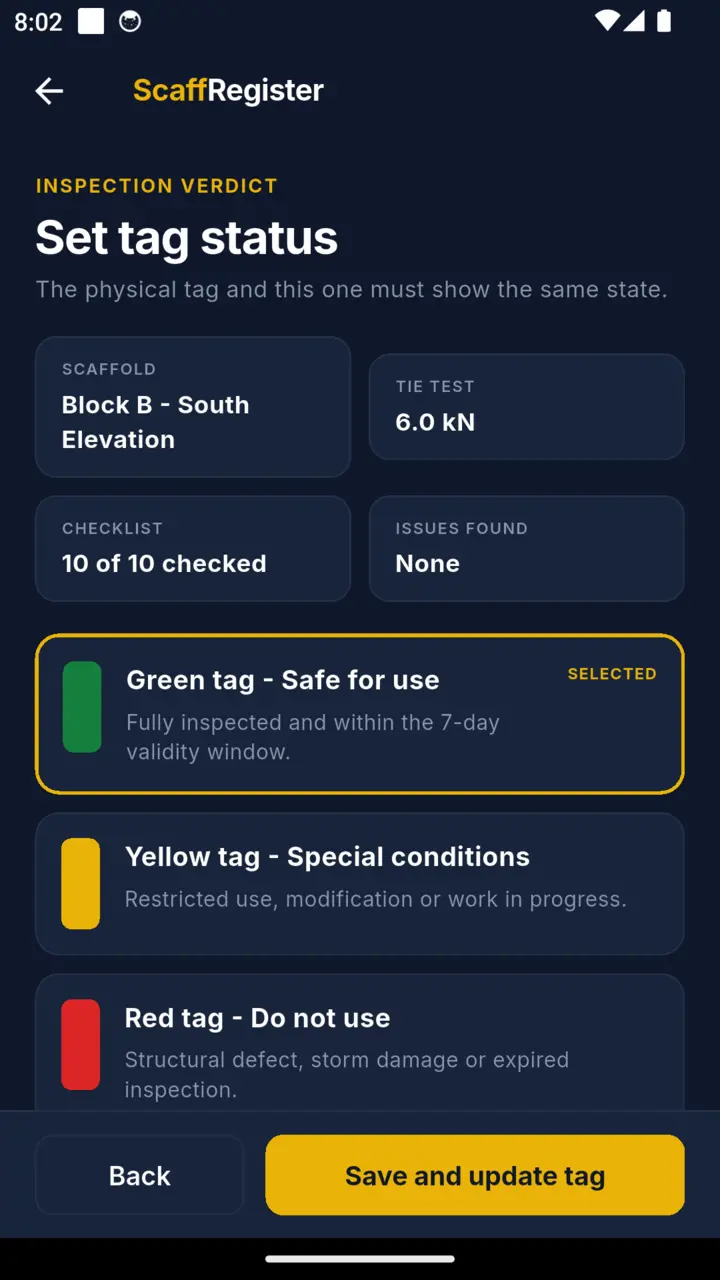
The record uses the familiar green, yellow and red scheme, and tells you which rule produced the colour rather than just showing it. It does not override your site's own tagging procedure. Where two things are true at once the more serious one wins: a recorded defect outranks everything, never-inspected outranks overdue, and overdue outranks a scaffold that is still going up.
The digital tag records inspection state. It does not replace the physical tag on the structure, and it is not a guarantee of safety.
The inspection
Photographs attach to the record, not to a camera roll, so the evidence stays with the inspection it belongs to. An item the inspector records as a structural defect sets the tag red. A yellow tag will not save without a written restriction, and green is only available once the checklist is complete.
This is a ten-section scaffold inspection checklist, not a statutory one. The regulations require an inspection and prescribe what the report must contain. They do not prescribe this list.
The document
The register exports as a landscape PDF carrying all eight particulars Schedule 7 requires, laid out as eight columns in that sequence, with the current tag state of every structure on the site above them and the inspector sign-off below. Schedule 7 prescribes the particulars, not this layout. Having all eight present is what makes the document a report of inspection rather than a printout of an app.
One page, with the duty rating, the tie pull-test value and both signatures, for the moment the scaffold changes hands.
Recorded against the inspection that took them, so a tie reading is dated and attributable rather than a number on a loose sheet.
Loading
Pick the load class and enter the bay, and the app multiplies the class figure by the platform area and shows the result in kilonewtons with its approximate kilogram-force equivalent, because a bay gets loaded in bags and blocks rather than in kN. That is area arithmetic, not an assessment of what the scaffold can safely carry. The board counts below are the conventional TG20 deck widths that go with each duty, and the app flags a deck wider than the one it expects so you go back to the scaffold design.
| Class | Duty | Load | TG20 deck | Typical use |
|---|---|---|---|---|
| 1 | Very light duty | 0.75 kN/m² | 3 | Inspection and light access |
| 2 | Light duty | 1.50 kN/m² | 4 | Painting, cleaning, rendering |
| 3 | General purpose | 2.00 kN/m² | 5 | General trades |
| 4 | Heavy duty | 3.00 kN/m² | 6 | Masonry, heavier trades |
| 5 | Special duty | 4.50 kN/m² | 6 | Blockwork and stone |
| 6 | Heavy storage | 6.00 kN/m² | 6 | Material storage on the deck |
The load figures are the EN 12811-1 Table 3 service load classes. EN 12811-1 classifies load and platform width separately, so the deck column is conventional TG20 practice rather than a width limit set by the load class, and the duty names and typical uses are trade shorthand rather than formal class names. The app records the class you selected and works out the load for the bay you entered. It does not design scaffolding.
On the phone
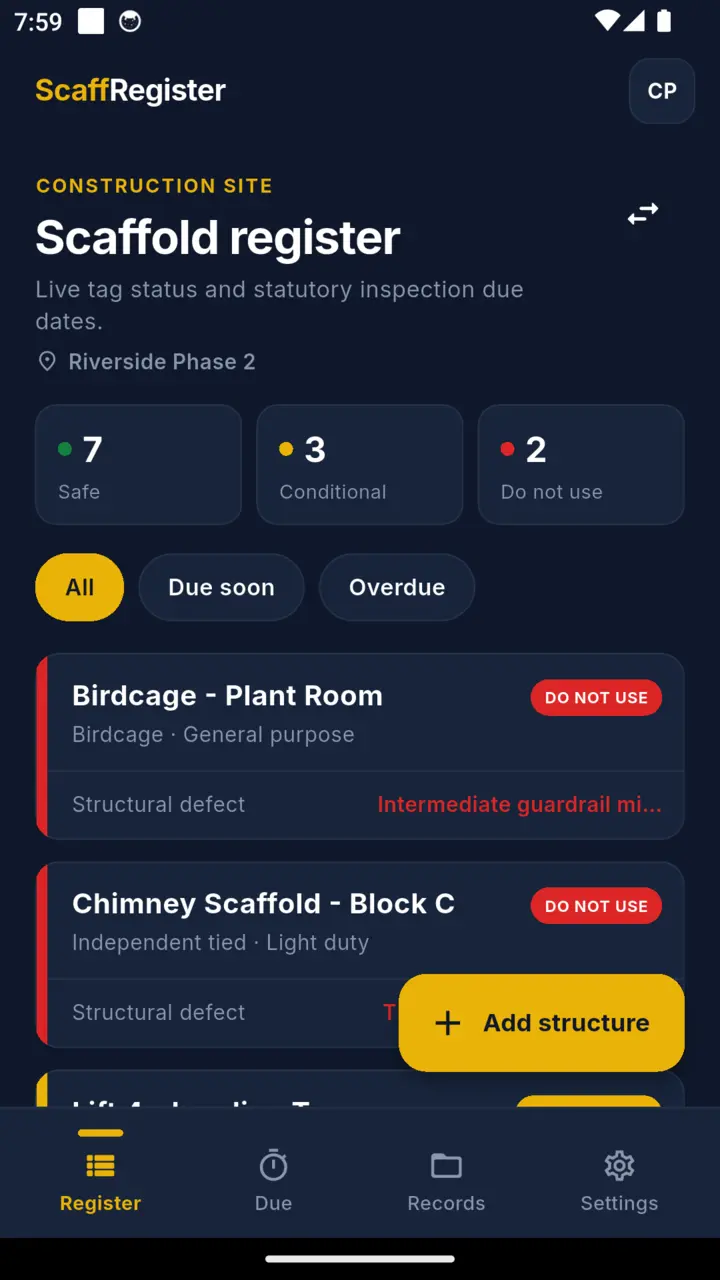
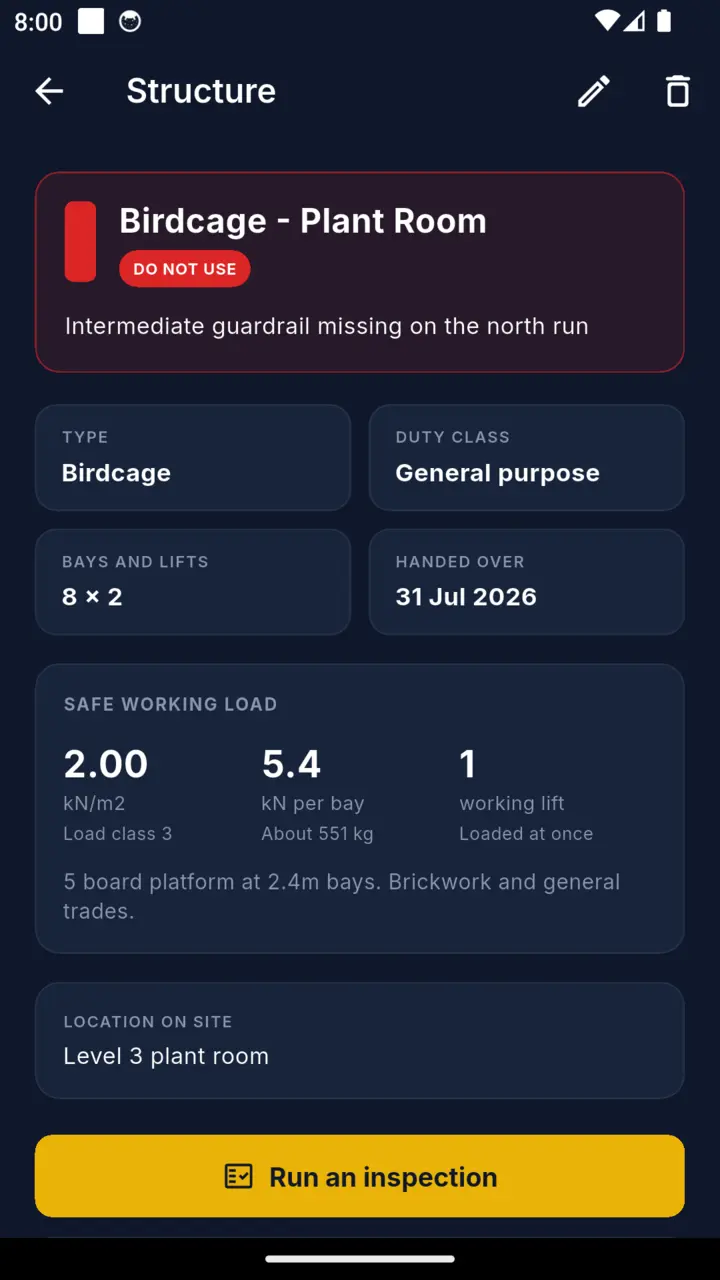
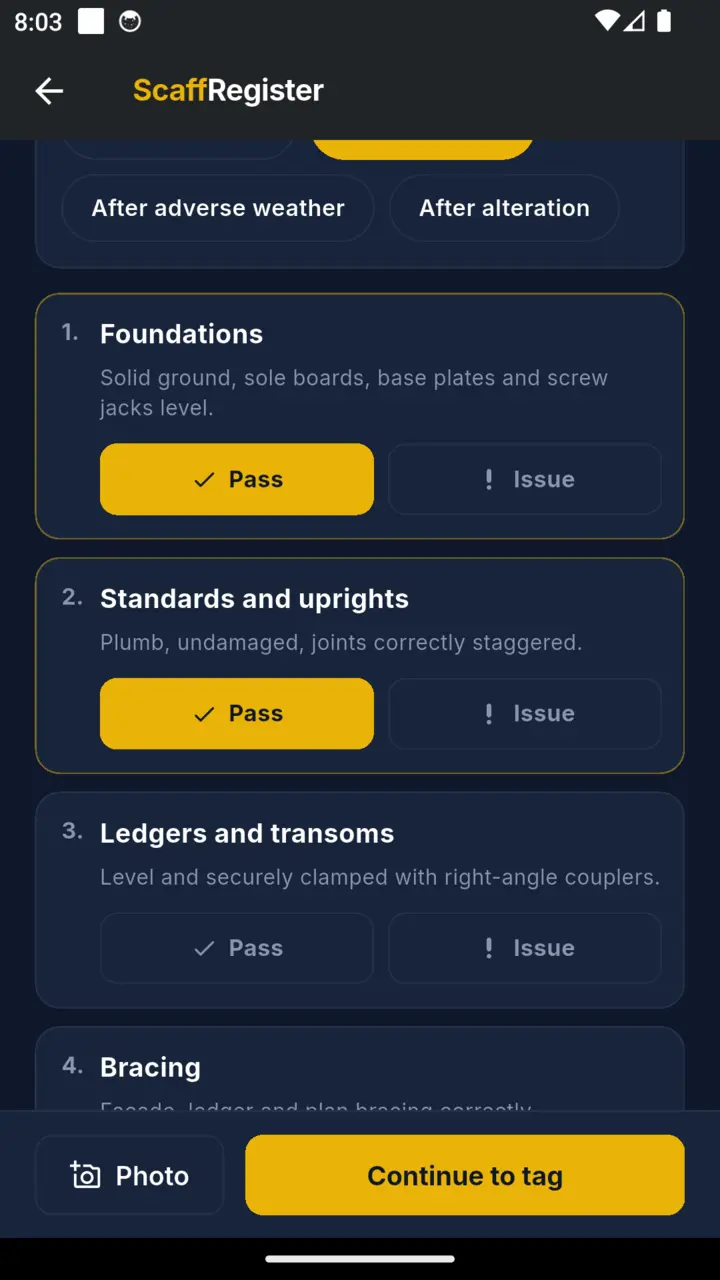
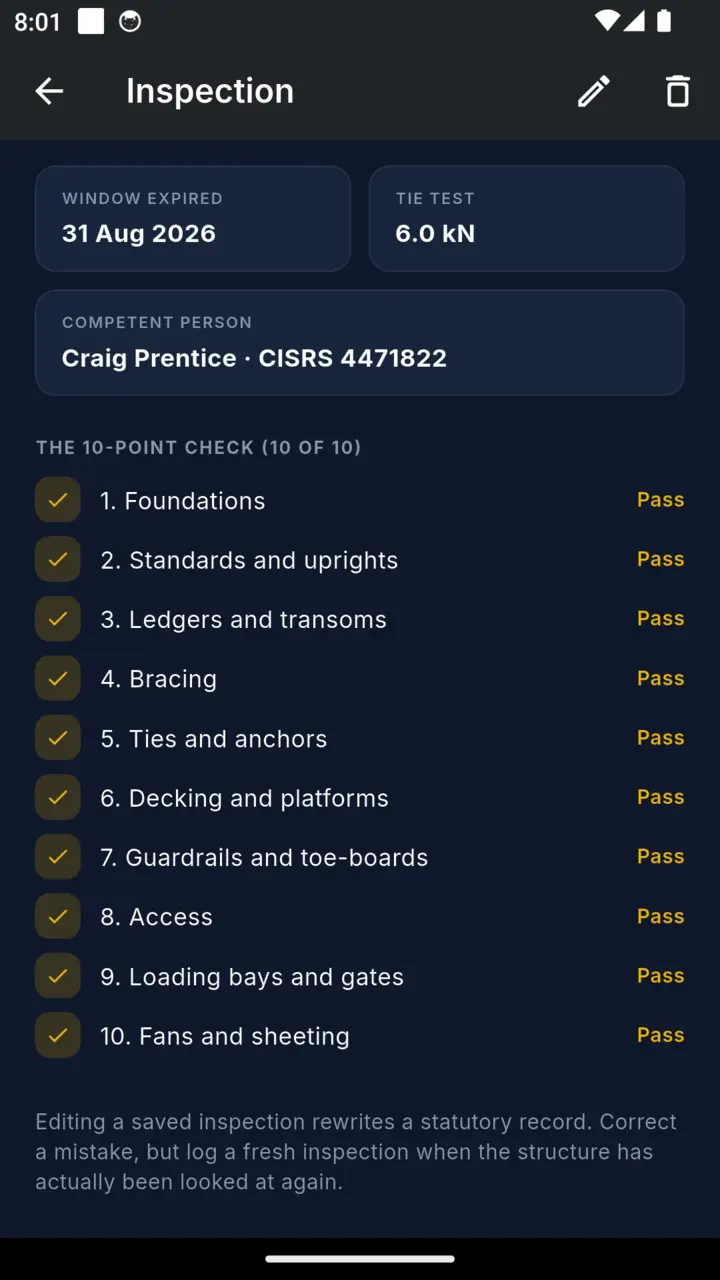
Scope
Competence is a matter for training and appointment. The app records who inspected and what they found.
No structural calculation, no drawing, no sign-off on a design. It records the class and works out the platform load for the bay.
1926.451(f)(3) wants an inspection before each work shift. The app runs a seven-day interval and does not track shifts. The US setting changes the wording on the export, and says so on the document.
The tag on the structure is what a person standing at the foot of it reads. This one is the record behind it.
Price
Everything already logged stays readable and editable on the standard tier, past inspections included. That record is the thing an inspector asks for, and it is yours. The paid half is new structures beyond the cap, the register export and handover certificates.
Standard tier
One site, three structures
Inspect, tag and read back everything you have logged. Shows a banner ad.
Yearly
$39.99
Unlimited structures and sites, exports and certificates.
Monthly
$4.99
The same, rolling.
Lifetime
$99.99
One payment, on this account, permanently.
There is a fourteen day trial of the full version. You start it yourself, from the paywall or the Settings plan card, whenever you want it.
Questions
The day after the due date. On the calendar-day arithmetic the app uses an inspection recorded on the 1st falls due again on the 8th and is overdue on the 9th, which keeps the interval at seven days rather than six. Days are counted on calendar markers, not elapsed hours, so an afternoon inspection does not read a day short. The date is not the whole duty: an event that could have affected the scaffold calls for an inspection before then.
No. It records what the competent person found and applies the interval. The status tag records inspection state. The judgement, and the competence behind it, stay with the inspector.
All eight particulars Schedule 7 requires, laid out as eight columns, plus the current tag state of every structure on the site and the inspector sign-off. Schedule 7 prescribes the particulars rather than the layout, so what matters is that none of the eight is missing.
It keeps the register and can print it under US wording. It does not schedule OSHA pre-shift inspections: 29 CFR 1926.451(f)(3) requires an inspection before each work shift, and the app schedules on a seven-day interval and does not track shifts. Both the Settings screen and the printed document say so rather than implying otherwise.
No. There is no account, no portal and no upload. Records live on the phone and the PDF is built on the phone, so a site with no bars changes nothing about the job.
It caps you at one site and three structures, and the register export and handover certificates are the paid half. Inspecting and tagging are not, and neither is reading back what you have already logged. There is a fourteen day trial of everything, started from the paywall or the Settings plan card whenever you want it.