SeatSketch

Seating chart maker

A seat for everyone. A plan that keeps your rules.

Sketch the room, drag your guests onto seats and tell SeatSketch who must sit together and who must not. If a seat breaks a rule, it turns coral. When the plan is ready, print the chart.

$4.99 ONCE · NO SUBSCRIPTION · NO ADS

  • No account
  • Works offline
  • 10 languages
  • No ads
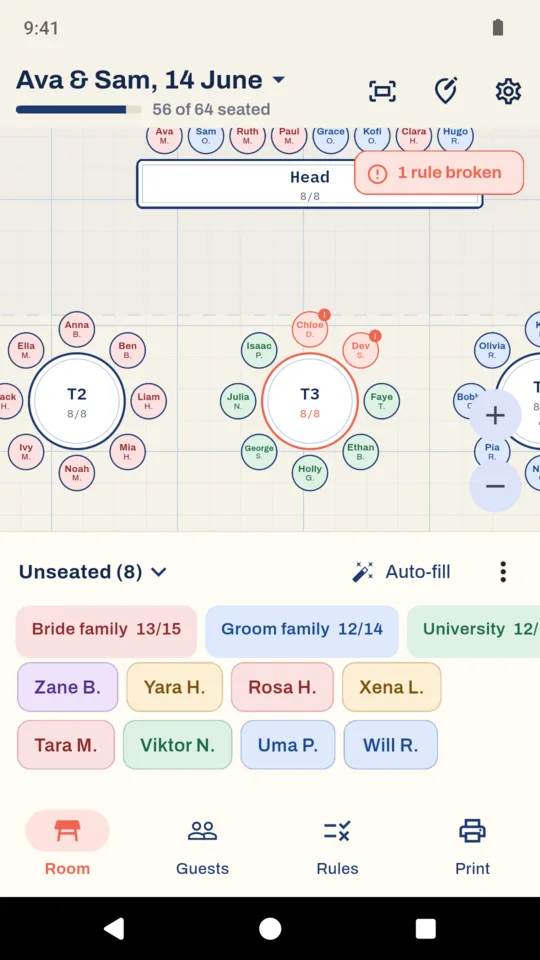
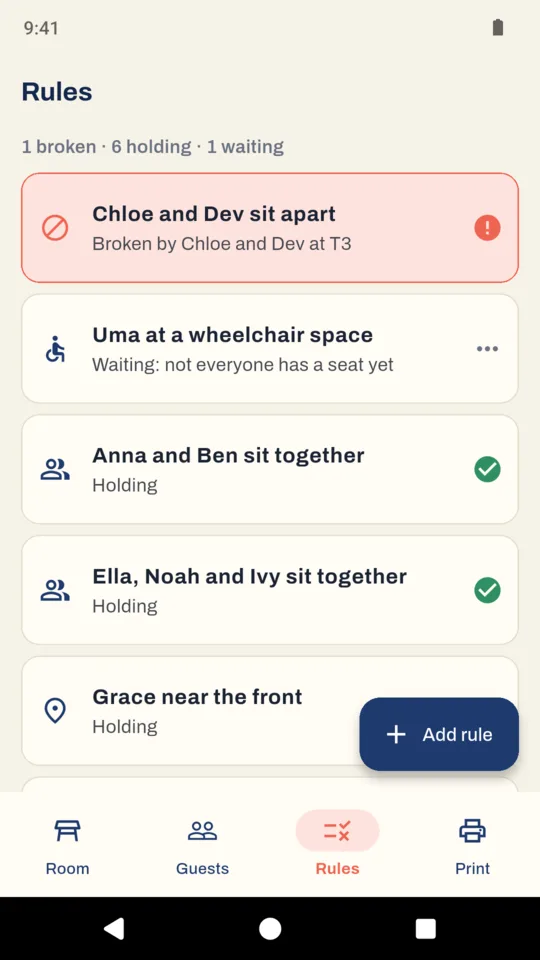
A broken rule: Chloe and Dev should sit apart, so both seats at T3 turn coral
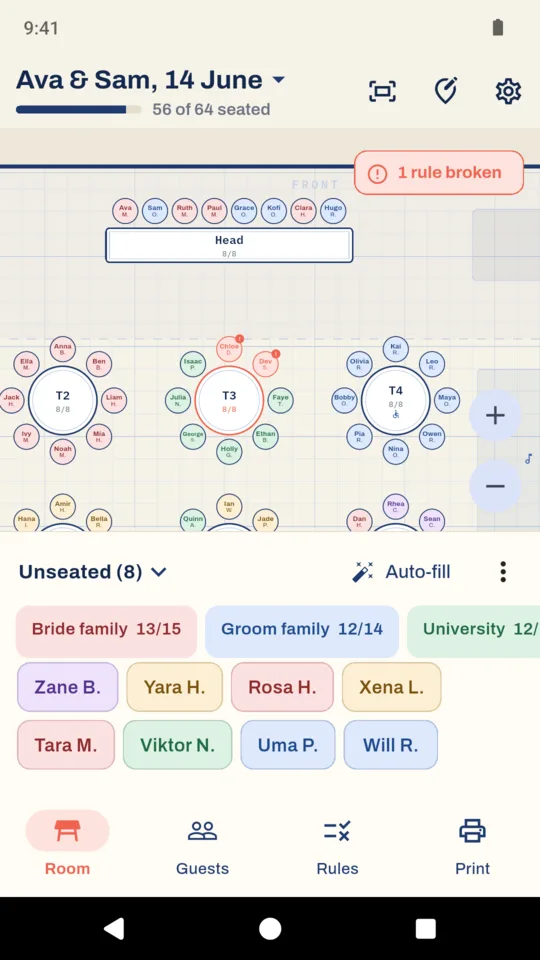
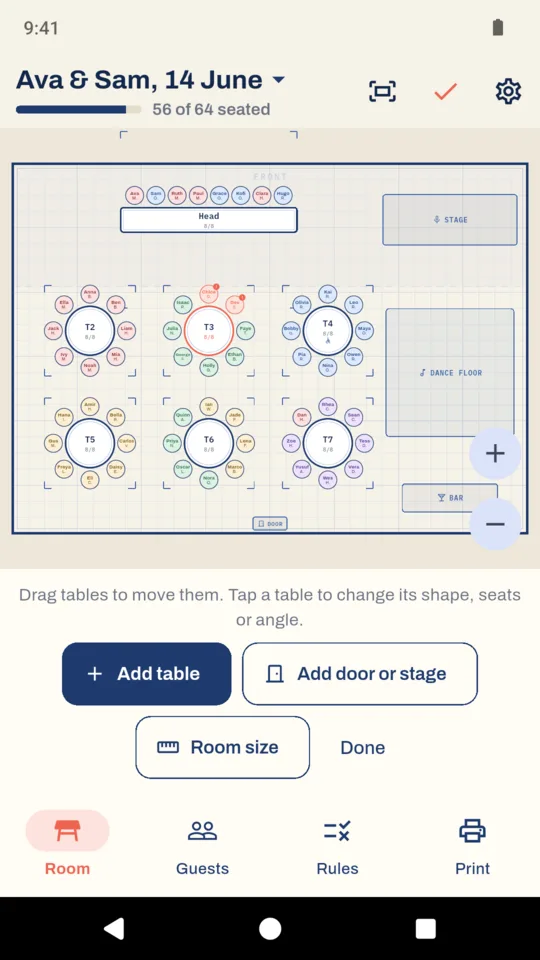
The room: 56 of 64 seated, the head table and the first rounds, eight guests in the tray

What it does

Lay out the room.

Set out round tables of 4 to 14, long tables, a head table, a U-shape or classroom rows on a floor plan in metres or feet. Drag tables into position, turn them in 15 degree steps, and draw the doors, stage, bar, buffet and dance floor.

Put guests in seats.

Each guest's name sits on their seat. Pull a guest up from the tray onto a seat, or tap a guest and then a seat. Drop someone on a taken seat and the two swap. Press and hold a table to seat a whole group there at once.

See when a rule is broken.

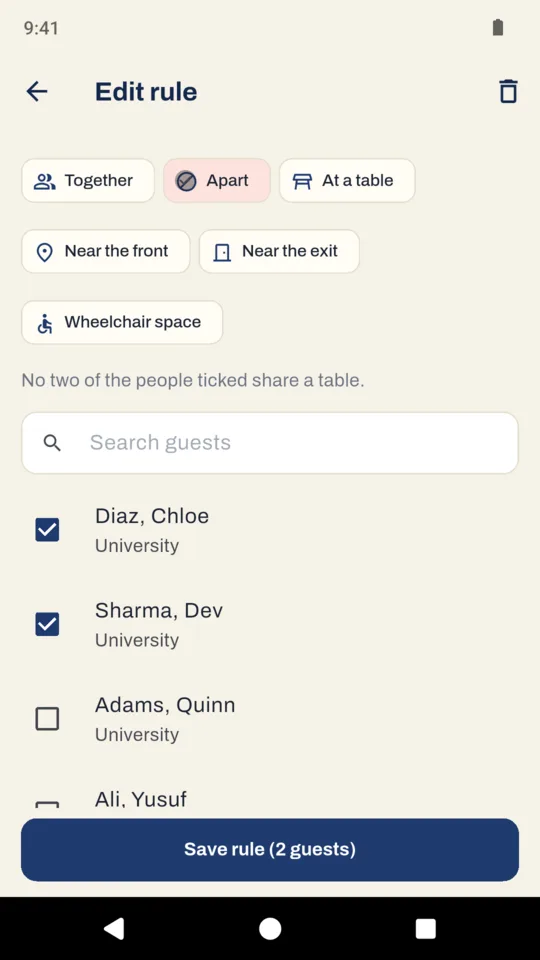
Say who sits together, who sits apart, who needs a set table, a place in the front third of the room, a seat near a door or a wheelchair space. A guest sitting where a rule says they should not turns coral, and the Rules tab lists broken rules first.

Fill empty seats automatically.

Auto-fill tries to seat everyone left in the tray, keeps parties that must sit together side by side, and never breaks a rule to fill a seat. Anyone it cannot place stays in the tray, and it tells you whether a rule or a lack of seats is the reason.

Add your guest list.

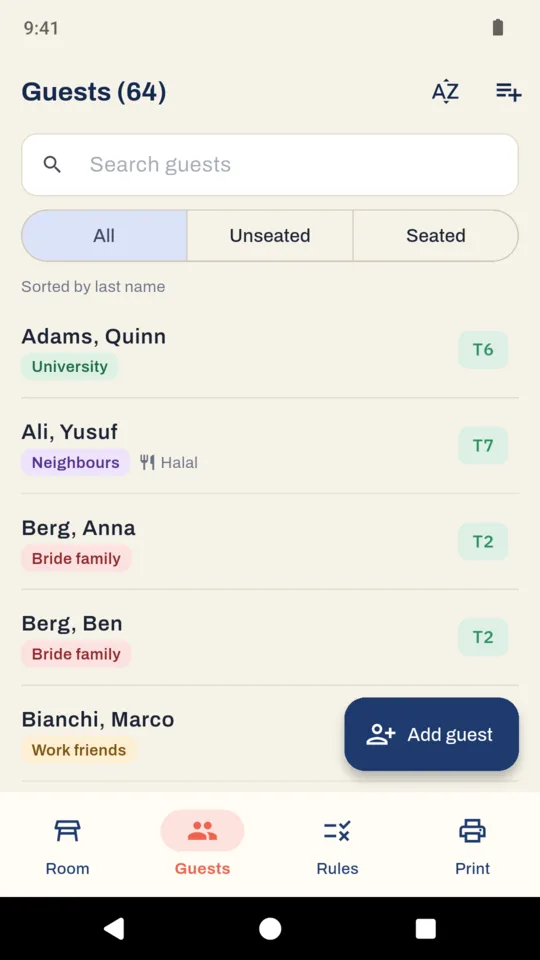
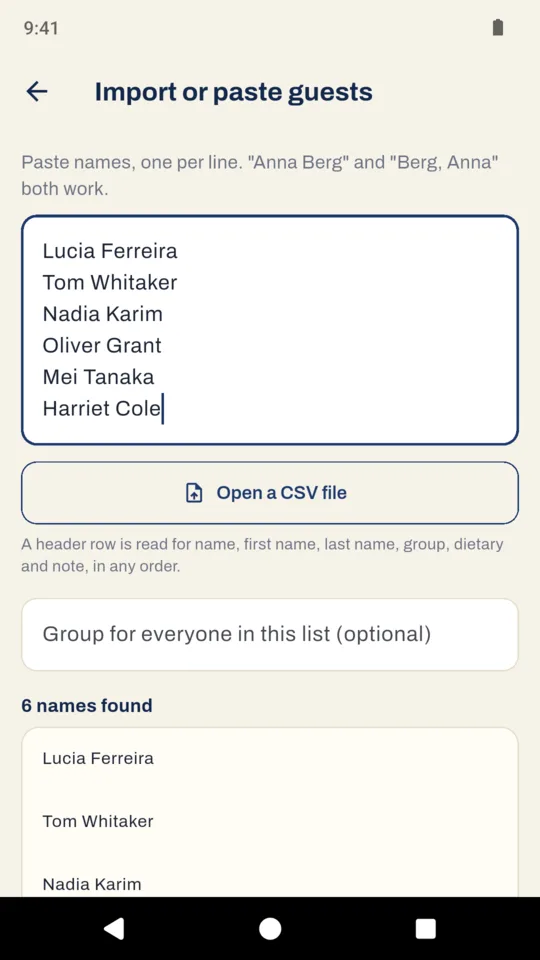
Type guests in, paste a list from a message or a note ("Anna Berg" or "Berg, Anna"), or open a CSV from a wedding website or a spreadsheet. Add a group, a meal or dietary note and your own notes for each guest. Sort by last name or first name, and search.

Ready to print.

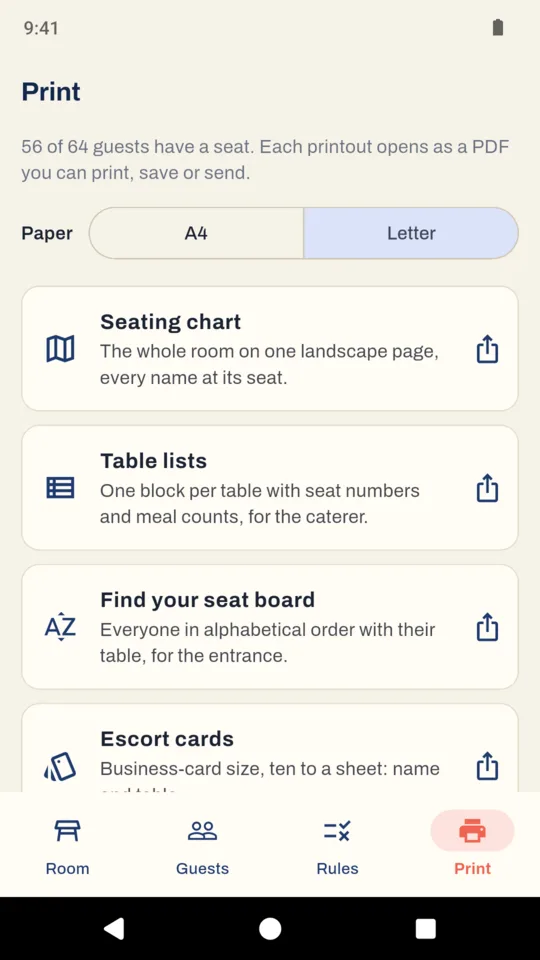
The seating chart on one landscape page, table lists with seat numbers and meal counts for the caterer, a find-your-seat board in alphabetical order, escort cards ten to a sheet and fold-over place cards four to a sheet, on A4 or Letter. The PDFs print names in other writing systems too.

Why it works this way

You decide who sits together.

Auto-fill never breaks a rule to fill a seat. If a guest cannot be placed, they stay in the tray and SeatSketch says why. The app never suggests who should sit with whom; that is your call.

Your guest list stays on your phone.

There is no account and no sign-in, and guest lists are never uploaded. Backup makes one file of every plan, which you can keep or open on another phone. The app sends crash reports and usage statistics, but never guest names or guest lists.

Try another seating arrangement.

Duplicate a plan to test another arrangement. The plans list shows how many guests each one seats and how many rules each one breaks, so you can compare them side by side.

Pricing

Standard

Make one plan for up to 40 guests, with the room layout, seating rules, auto-fill and the table sheets. No ads.

The unlock adds
  • Unlimited guests in every plan
  • Chart, table lists and seat board as PDFs
  • Escort cards and place cards
  • More plans, and copies to compare
  • Backup and restore
$4.99 once

One-time purchase. No subscription and no ads.

Guests you have already entered stay editable past the limit.

Questions

Does SeatSketch send invitations or collect RSVPs?

No. It is the seating chart. Bring your guest list in as a CSV from your wedding website or a spreadsheet, or paste it in, one name per line.

Can I print escort cards and place cards?

Yes, with the unlock. Escort cards are business-card size, ten to a sheet, each with the guest name and table. Place cards print four to a sheet with a fold line.

Can I use it for a classroom?

Yes. Start a plan with classroom rows, set how many desks are in each row, and seat pupils the same way. Rules work too, for example keeping two pupils apart.

What happens when I reach 40 guests?

Adding a 41st guest asks for the one-time unlock. Every guest you have already entered stays editable.

Do I need an account or an internet connection?

No. There is no account, and planning works offline.

Can two of us work on the same plan?

Not at the same time. Make a backup and send the file; opening it on another phone adds the plans beside the ones already there.

Make a seating plan that works for your guests.

Set out the room, drag your guests in and print the chart.